7 solutions de stockage musical dans le cloud pour transférer facilement vos playlists

La plupart des amateurs de musique américains jonglent entre plusieurs plateformes de streaming, mais garder leurs playlists synchronisées reste un casse-tête permanent. Avec plus de 271 millions d’auditeurs utilisant les outils cloud de Spotify à eux seuls, la demande de solutions sécurisées et flexibles ne cesse de croître. Des services de stockage cloud performants permettent désormais aux collectionneurs avertis et aux professionnels de gérer sans effort de vastes collections de titres sur plusieurs appareils. Découvrez les plateformes qui facilitent les transferts et vous offrent un accès fiable à vos playlists, où que vous soyez.
Sommaire
- 1. La bibliothèque cloud de Spotify pour un accès fluide
- 2. L’intégration iCloud d’Apple Music pour une synchronisation automatique
- 3. La sauvegarde cloud de Tidal pour gérer vos playlists haute fidélité
- 4. Le stockage cloud d’Amazon Music pour changer facilement d’appareil
- 5. Les fonctionnalités cloud de YouTube Music pour garder vos playlists à jour
- 6. Google Drive comme solution de stockage cloud personnalisée
- 7. Les outils tiers comme Free Your Music pour les transferts entre plateformes
L’essentiel en bref
| À retenir | Explication |
|---|---|
| 1. Synchronisez vos appareils | Utilisez les bibliothèques cloud pour accéder facilement à votre musique sur tous vos appareils. |
| 2. Créez des copies de sauvegarde de vos playlists | Profitez des fonctionnalités disponibles pour créer plusieurs copies de vos playlists par sécurité. |
| 3. Activez l’authentification à deux facteurs | Renforcez la sécurité de vos comptes de musique dans le cloud pour les protéger. |
| 4. Profitez des fonctionnalités hors connexion | Téléchargez des titres pour les écouter hors connexion tout en conservant la synchronisation. |
| 5. Utilisez des outils tiers | Transférez efficacement vos playlists entre différentes plateformes à l’aide d’outils dédiés. |
1. La bibliothèque cloud de Spotify pour un accès fluide
La bibliothèque cloud de Spotify offre aux amateurs de musique un moyen efficace de centraliser toute leur collection musicale et d’y accéder depuis plusieurs appareils. Grâce au cloud, Spotify synchronise facilement les playlists, les titres aimés et les albums pour que votre univers musical vous accompagne partout.
L’infrastructure cloud de Spotify prend en charge un réseau impressionnant de plus de 271 millions d’auditeurs et de 50 millions de titres, formant un écosystème solide pour le streaming musical. Lorsque vous enregistrez un titre ou créez une playlist sur un appareil, il apparaît automatiquement sur tous vos autres appareils connectés, ce qui vous épargne les transferts manuels.
La bibliothèque cloud de Spotify centralise vos préférences musicales. Que vous passiez de votre smartphone à votre ordinateur portable ou que vous changiez de lieu, votre musique reste accessible. Le système permet aussi de télécharger des titres pour les écouter hors connexion : vous profitez ainsi de vos morceaux préférés même sans Internet, et la synchronisation reprend dès que vous vous reconnectez.
Pour tirer le meilleur parti de votre bibliothèque cloud Spotify, organisez soigneusement vos playlists et utilisez la fonctionnalité « Titres likés ». Vos morceaux favoris restent ainsi à portée de main, quel que soit l’appareil utilisé. La synchronisation cloud étant automatique, vous n’avez pas besoin de transférer manuellement des fichiers entre vos appareils.
Conseil de pro : Créez plusieurs copies de sauvegarde de vos playlists et utilisez la fonctionnalité de playlist collaborative de Spotify pour que votre bibliothèque musicale reste en sécurité et soit facilement récupérable sur différents appareils et comptes.
2. L’intégration iCloud d’Apple Music pour une synchronisation automatique
Apple Music propose une solution performante de stockage musical dans le cloud qui transforme la gestion des bibliothèques numériques. Grâce à la bibliothèque musicale iCloud, vous pouvez accéder à toute votre collection musicale sur l’ensemble de vos appareils Apple en quelques clics.
Le service importe automatiquement vos titres dans le cloud d’Apple ou les associe à ceux de son catalogue. Vos playlists et collections de morceaux sont ainsi immédiatement disponibles sur iPhone, iPad, Mac et PC. Vous évitez les transferts manuels fastidieux et votre musique reste synchronisée partout. Apple Music accepte jusqu’à 100 000 titres dans votre bibliothèque cloud personnelle, soit une capacité généreuse pour les grandes collections musicales.
Pour activer cette fonctionnalité, il suffit de disposer d’un abonnement à Apple Music ou à iTunes Match. Une fois la fonction activée, le système répercute automatiquement les modifications effectuées sur un appareil sur tous les autres. Si vous ajoutez une playlist sur votre iPhone, elle apparaît immédiatement sur votre MacBook ou votre iPad, sans manipulation supplémentaire.
La synchronisation cloud fonctionne de manière intelligente et efficace. Apple Music importe les titres pour lesquels aucune correspondance n’est trouvée et recherche des versions de haute qualité pour les morceaux déjà présents dans son vaste catalogue. Vous bénéficiez ainsi d’un meilleur son et d’une utilisation optimisée du stockage cloud de votre bibliothèque musicale.
Conseil de pro : Activez l’authentification à deux facteurs sur votre identifiant Apple pour renforcer la sécurité de votre bibliothèque musicale cloud et empêcher tout accès non autorisé à vos playlists synchronisées.
3. La sauvegarde cloud de Tidal pour gérer vos playlists haute fidélité
Tidal se distingue parmi les plateformes de streaming musical auprès des audiophiles en quête d’une qualité sonore exceptionnelle. Même si le service ne propose pas de sauvegarde cloud native, les passionnés de musique peuvent utiliser des outils tiers pour préserver leurs collections haute fidélité avec une précision remarquable.
Contrairement aux services de streaming classiques, Tidal s’adresse aux auditeurs qui privilégient la qualité audio à la simplicité d’utilisation. Des convertisseurs musicaux professionnels permettent de télécharger des titres et des playlists Tidal tout en conservant la qualité Hi-Fi d’origine et les métadonnées essentielles, comme les balises ID3. Vous pouvez ainsi créer des sauvegardes complètes de vos bibliothèques soigneusement constituées, sans altérer le son.
Le processus consiste à convertir les contenus Tidal dans des formats audio largement compatibles, tels que MP3, FLAC et WAV. Ces formats garantissent l’accès à votre musique sur différents appareils et plateformes, pour une grande souplesse de gestion. Grâce à des outils de conversion spécialisés, vous pouvez créer des archives musicales personnelles qui préservent votre investissement dans un son de haute qualité.
Les amateurs de musique peuvent utiliser ces méthodes de sauvegarde pour protéger des titres rares, des enregistrements de concerts et des playlists personnelles difficiles à reconstituer. La possibilité de conserver la qualité audio d’origine pendant la conversion rend ces outils précieux pour les collectionneurs passionnés.
Conseil de pro : Vérifiez systématiquement la qualité audio des fichiers convertis et conservez vos sauvegardes à plusieurs endroits pour que votre collection haute fidélité reste sécurisée et accessible.
4. Le stockage cloud d’Amazon Music pour changer facilement d’appareil
Amazon Music propose aux amateurs de musique une solution de stockage cloud avancée qui simplifie la gestion des playlists sur plusieurs appareils. En s’appuyant sur l’infrastructure AWS pour gérer la file d’attente de lecture, la plateforme facilite le passage d’un appareil à l’autre.
Le stockage cloud repose sur une plateforme centralisée qui suit vos préférences d’écoute, l’état de vos playlists et votre historique de lecture. Lorsque vous passez de votre smartphone à une tablette ou à un ordinateur, votre expérience musicale se poursuit sans interruption. La synchronisation automatique transfère instantanément votre file d’attente et votre position de lecture dans les playlists entre les appareils.
Les abonnés Amazon Music Unlimited bénéficient d’une politique de changement d’appareil qui autorise deux transferts d’appareil sur une période de 12 mois. Cette souplesse est particulièrement utile pour les utilisateurs qui renouvellent leur matériel ou passent d’un appareil Amazon à un autre. La plateforme cloud gère ces transitions de manière transparente, en conservant votre bibliothèque musicale et vos préférences sans intervention manuelle.
L’infrastructure AWS assure une faible latence et une capacité d’adaptation à la demande. Vos playlists se chargent rapidement et le streaming reste fiable sur tous vos appareils personnels. Que vous utilisiez une tablette Fire, un smartphone ou un ordinateur, votre bibliothèque musicale reste accessible.
Conseil de pro : Vérifiez régulièrement les paramètres de votre compte Amazon Music Unlimited et tenez votre liste d’appareils à jour pour faciliter le passage de votre bibliothèque musicale d’un appareil à l’autre.
5. Les fonctionnalités cloud de YouTube Music pour garder vos playlists à jour
YouTube Music transforme la gestion des bibliothèques musicales grâce à des technologies cloud avancées qui maintiennent la cohérence des playlists sur plusieurs appareils. Ces fonctionnalités vous donnent facilement accès à toute votre collection, que vous passiez d’un mobile à un ordinateur ou à un téléviseur connecté.
L’infrastructure cloud de la plateforme synchronise automatiquement les playlists, les titres aimés et le contenu de votre bibliothèque. Toute modification effectuée sur un appareil se répercute instantanément sur l’ensemble de vos appareils connectés. Vous pouvez ajouter, supprimer ou réorganiser des titres dans une playlist sur votre smartphone : les changements apparaissent immédiatement sur votre ordinateur ou votre tablette.
L’une des fonctionnalités phares est la possibilité de télécharger des playlists pour les écouter hors connexion tout en conservant la synchronisation cloud. Lorsque vous vous reconnectez à Internet, les modifications effectuées hors connexion sont intégrées à votre bibliothèque cloud. Des fonctions comme « Speed Dial » et la modification collaborative des playlists enrichissent encore l’expérience, pour une gestion musicale plus intuitive et plus souple.
La technologie cloud garde vos préférences musicales et votre bibliothèque cohérentes et facilement accessibles. Vous n’avez plus à transférer vos playlists manuellement ni à craindre de perdre des titres en changeant d’appareil. YouTube Music gère la synchronisation en arrière-plan pour vous offrir une écoute fluide et sans interruption.
Conseil de pro : Activez l’authentification à deux facteurs sur votre compte YouTube et sauvegardez régulièrement vos playlists pour renforcer leur sécurité et éviter toute perte de données.
6. Google Drive comme solution de stockage cloud personnalisée
Google Drive est une solution de stockage cloud polyvalente pour les passionnés de musique qui souhaitent gérer leurs collections numériques de manière souple et sécurisée. Grâce à une infrastructure cloud solide, Drive offre aux musiciens et aux amateurs de musique une plateforme adaptable pour stocker, organiser et partager des fichiers audio sur plusieurs appareils.
La plateforme propose des fonctionnalités de stockage cloud complètes qui vont au-delà des services de streaming musical traditionnels. Les musiciens peuvent importer des bibliothèques entières, créer des dossiers organisés par projet et profiter de fonctions de collaboration en temps réel. Drive prend en charge différents formats audio, ce qui permet de stocker facilement des enregistrements de haute qualité, des podcasts, des playlists et des collections musicales personnelles.
L’un des grands atouts de Google Drive est son intégration fluide aux applications Google Workspace. Vous pouvez ainsi joindre des métadonnées, créer des documents complémentaires et gérer vos fichiers musicaux avec une grande liberté. La plateforme propose des autorisations configurables pour contrôler qui peut accéder à vos fichiers musicaux et collaborer sur vos projets.
Google Drive assure un accès fiable partout dans le monde et permet la synchronisation entre appareils. Que vous soyez un musicien professionnel qui suit ses enregistrements en studio ou un amateur qui gère ses playlists personnelles, cette solution de stockage cloud propose des capacités évolutives. Vous disposez d’un espace gratuit au départ, puis pouvez l’agrandir selon vos besoins : un choix économique et pratique pour gérer vos fichiers musicaux.
Conseil de pro : Utilisez les paramètres de partage des dossiers et les autorisations de Google Drive pour créer des projets musicaux collaboratifs tout en gardant un contrôle strict sur l’accès aux fichiers et leur modification.
7. Les outils tiers comme Free Your Music pour les transferts entre plateformes
Les outils tiers de transfert musical ont révolutionné la gestion des bibliothèques numériques entre les plateformes de streaming. Ces solutions de qualité professionnelle automatisent la migration des playlists avec une précision et une efficacité remarquables.
Des outils comme Free Your Music simplifient le transfert des playlists entre services de streaming en identifiant automatiquement les titres correspondants sur chaque plateforme. Au lieu de recréer leurs playlists à la main ou de perdre des collections soigneusement composées, les utilisateurs peuvent transférer des bibliothèques entières en quelques clics. La technologie fait correspondre intelligemment les morceaux entre les services musicaux, tout en préservant l’ordre des playlists et en limitant les perturbations de votre expérience d’écoute.
Le principal avantage de ces outils tiers est leur capacité à synchroniser les playlists sur plusieurs plateformes. Vous pouvez ainsi changer de service de streaming sans avoir à reconstruire votre bibliothèque musicale. Certains outils avancés proposent une synchronisation périodique toutes les 15 minutes, pour garder vos playlists à jour sur différents appareils et plateformes.
Au-delà du simple transfert, ces outils offrent de solides fonctionnalités de sauvegarde cloud. Vos collections musicales sont ainsi conservées en sécurité et peuvent être récupérées ou transférées à tout moment. Leurs interfaces intuitives rendent la gestion de playlists complexes accessible aussi bien aux auditeurs occasionnels qu’aux passionnés de musique.
Conseil de pro : Vérifiez toujours que les playlists transférées sont conformes aux originales et choisissez des outils capables d’identifier précisément les titres correspondants pour ne perdre aucun morceau lors du changement de plateforme.
Le tableau ci-dessous récapitule les principales fonctionnalités et les bonnes pratiques des différentes solutions de stockage de bibliothèques musicales dans le cloud présentées dans cet article.
| Plateforme | Fonctionnalités | Bonnes pratiques |
|---|---|---|
| Bibliothèque cloud de Spotify | Synchronise facilement les collections musicales entre appareils et permet le téléchargement pour une écoute hors connexion. | Organisez vos playlists et utilisez la fonctionnalité « Titres likés » pour accéder rapidement à vos morceaux préférés. |
| Apple Music avec iCloud | Associe les titres à la bibliothèque musicale iCloud pour les rendre accessibles sur tous les appareils Apple. | Activez l’authentification à deux facteurs pour renforcer la sécurité et protéger efficacement votre bibliothèque musicale. |
| Sauvegarde cloud de Tidal | Utilise des outils tiers pour sauvegarder la musique haute fidélité tout en conservant sa qualité audio. | Utilisez des outils vérifiés pour convertir les fichiers audio et préserver leur qualité lors des sauvegardes locales ou dans le cloud. |
| Amazon Music | Centralise la synchronisation de la lecture et des préférences grâce à l’infrastructure AWS. | Mettez régulièrement votre liste d’appareils à jour pour passer facilement de l’un à l’autre et profiter d’une lecture sans interruption. |
| YouTube Music | Propose la synchronisation automatique des playlists et l’écoute hors connexion. | Activez les fonctions de sécurité du compte et sauvegardez fréquemment vos playlists pour préserver la cohérence de votre bibliothèque. |
| Google Drive | Offre un stockage flexible pour différents formats audio et une gestion organisée des fichiers. | Partagez vos fichiers en toute sécurité grâce aux autorisations et profitez de la collaboration en temps réel. |
| Outils tiers | Facilitent les transferts et les sauvegardes de bibliothèques musicales entre plateformes. | Vérifiez la conformité des playlists transférées pour éviter les écarts et préserver la qualité de votre collection musicale. |
Simplifiez le transfert de vos playlists avec Free Your Music
Gérer plusieurs bibliothèques musicales dans le cloud sur Spotify, Apple Music, Tidal, YouTube Music et Amazon Music peut vite devenir compliqué. La principale difficulté mise en lumière dans « 7 solutions de stockage musical dans le cloud pour transférer facilement vos playlists » consiste à transférer et synchroniser les playlists sans difficulté, sans perdre les métadonnées essentielles, l’ordre des titres ou la qualité sonore. Les utilisateurs peinent souvent à recréer manuellement leurs playlists, à résoudre les problèmes de synchronisation et à conserver des sauvegardes haute fidélité.
FreeYourMusic.com apporte une solution idéale à ces difficultés en automatisant la migration des playlists entre plateformes. Grâce à des fonctionnalités comme l’identification précise des titres correspondants, la synchronisation automatique des playlists et les options de sauvegarde cloud, Free Your Music simplifie la gestion des bibliothèques musicales réparties entre plusieurs services de streaming. Que vous passiez de Spotify à Apple Music ou souhaitiez garder vos playlists synchronisées sur plusieurs appareils, notre plateforme préserve votre expérience musicale tout en vous faisant gagner un temps précieux et en vous épargnant des efforts.
Améliorez dès maintenant la gestion de votre musique et profitez de transferts de playlists simples qui gardent votre bibliothèque intacte et accessible.
Découvrez comment simplifier dès aujourd’hui la gestion de votre musique dans le cloud sur FreeYourMusic.com.
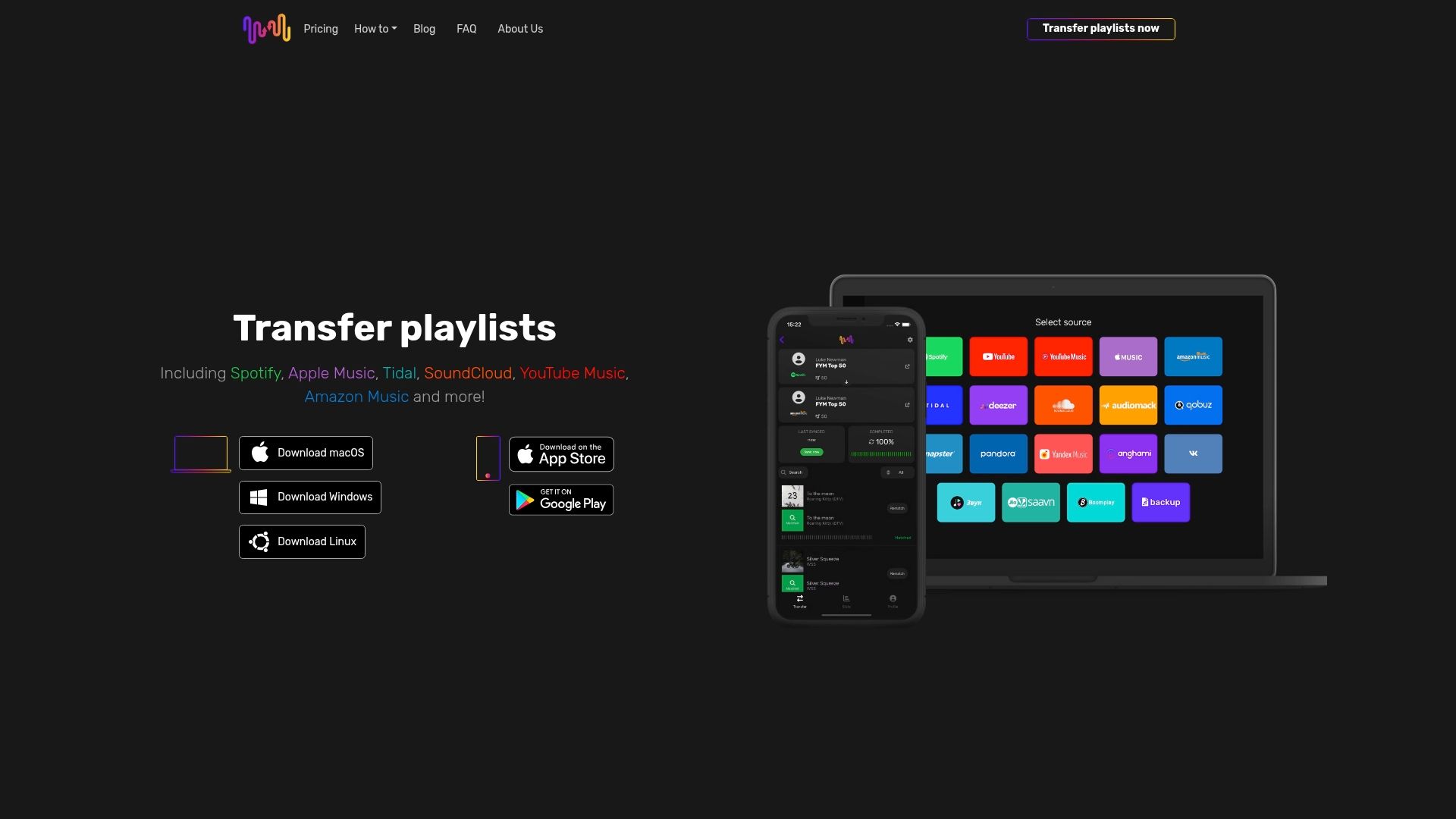
Prêt à déplacer vos playlists sans le stress des transferts manuels ? Économisez des heures de travail et assurez une synchronisation parfaite avec FreeYourMusic.com. Rendez-vous sur notre site et commencez à transférer votre collection musicale facilement et en toute sécurité.
Questions fréquentes
Comment accéder à mes playlists sur différents appareils grâce au stockage musical dans le cloud ?
Le stockage musical dans le cloud vous permet d’accéder à vos playlists sur différents appareils. Connectez-vous au même compte sur tous vos appareils : vos playlists se synchroniseront automatiquement pour que vous puissiez profiter de votre collection en toute simplicité.
Quelles sont les étapes pour configurer le stockage cloud de ma bibliothèque musicale ?
Pour configurer le stockage musical dans le cloud, abonnez-vous à un service proposant cette fonctionnalité, comme Apple Music ou Spotify. Suivez les instructions du service pour importer ou synchroniser votre bibliothèque musicale. Vos playlists seront ensuite accessibles sur tous vos appareils.
Puis-je télécharger des titres pour les écouter hors connexion tout en utilisant le stockage musical dans le cloud ?
Oui, de nombreux services de stockage musical dans le cloud permettent de télécharger des titres pour les écouter hors connexion. Il suffit de sélectionner l’option de téléchargement de vos playlists pour les rendre disponibles sans connexion Internet.
Quelles fonctionnalités rechercher dans une solution de stockage musical dans le cloud ?
Privilégiez la synchronisation automatique entre appareils, l’écoute hors connexion et les outils de gestion des playlists. Ces fonctionnalités améliorent le confort d’utilisation et vous aident à garder votre bibliothèque musicale organisée et accessible.
Comment transférer mes playlists d’un service musical cloud à un autre ?
Pour transférer vos playlists d’un service musical cloud à un autre, utilisez un outil tiers de transfert musical. Sélectionnez les playlists à déplacer : l’outil identifiera automatiquement les titres correspondants et les transférera en conservant leur ordre dans vos playlists.
Articles recommandés
- Free Your Music - 7 méthodes astucieuses de partage musical pour gérer vos playlists
- Free Your Music - 7 conseils essentiels pour les utilisateurs de streaming musical
- Free Your Music - Les meilleures plateformes de synchronisation de playlists musicales : comparatif d’experts 2025
- Free Your Music - 7 astuces pour profiter au maximum de vos sites d’écoute musicale
Vos listes de lecture vous appartiennent.
Arrêtez de tout reconstruire à la main. Déplacez tout en quelques minutes et emportez votre musique partout avec vous.
Télécharger gratuitement →SongsBrew — notre newsletter musicale gratuite
Un avantage gratuit pour les utilisateurs FYM. Astuces, playlists, zéro spam.