 Spotify→
 Tidal
TidalTransferir de Spotify para Tidal
Mova listas de reprodução, músicas curtidas, álbuns guardados e artistas seguidos de Spotify para Tidal sem reconstruir nada à mão. Ligue as duas contas, escolha o que quer mover e o FreeYourMusic recria tudo em Tidal com os mesmos nomes e a mesma ordem das músicas.
★★★★★ 4,7 · mais de 12 mi de downloads · Palavra-passe nunca partilhada


Porque mudar de Spotify para Tidal?
O FreeYourMusic move listas de reprodução, músicas curtidas, álbuns guardados e artistas seguidos de Spotify para Tidal. Associa as músicas uma a uma e lista tudo o que não está em Tidal, para que possa corrigir antes de mudar.
Transferências compatíveis
Playlists (com os nomes e ordem originais), Músicas curtidas / favoritos, Álbuns guardados e Artistas seguidos
Confira as músicas ausentes
Os catálogos são diferentes. Confira os resultados da transferência para ver quais músicas não foram encontradas no serviço de destino.
Como transferir playlists de Spotify para Tidal
Quatro passos. Iguais em iPhone, Android, Mac, Windows e Linux.
Resposta rápida
Para transferir de Spotify para Tidal, instale o FreeYourMusic, selecione Spotify como origem e Tidal como destino, escolha as playlists que pretende e inicie a transferência. A aplicação encontra cada música em Tidal e lista todas as faixas que não conseguiu associar.
- 1
Ligue Spotify como origem
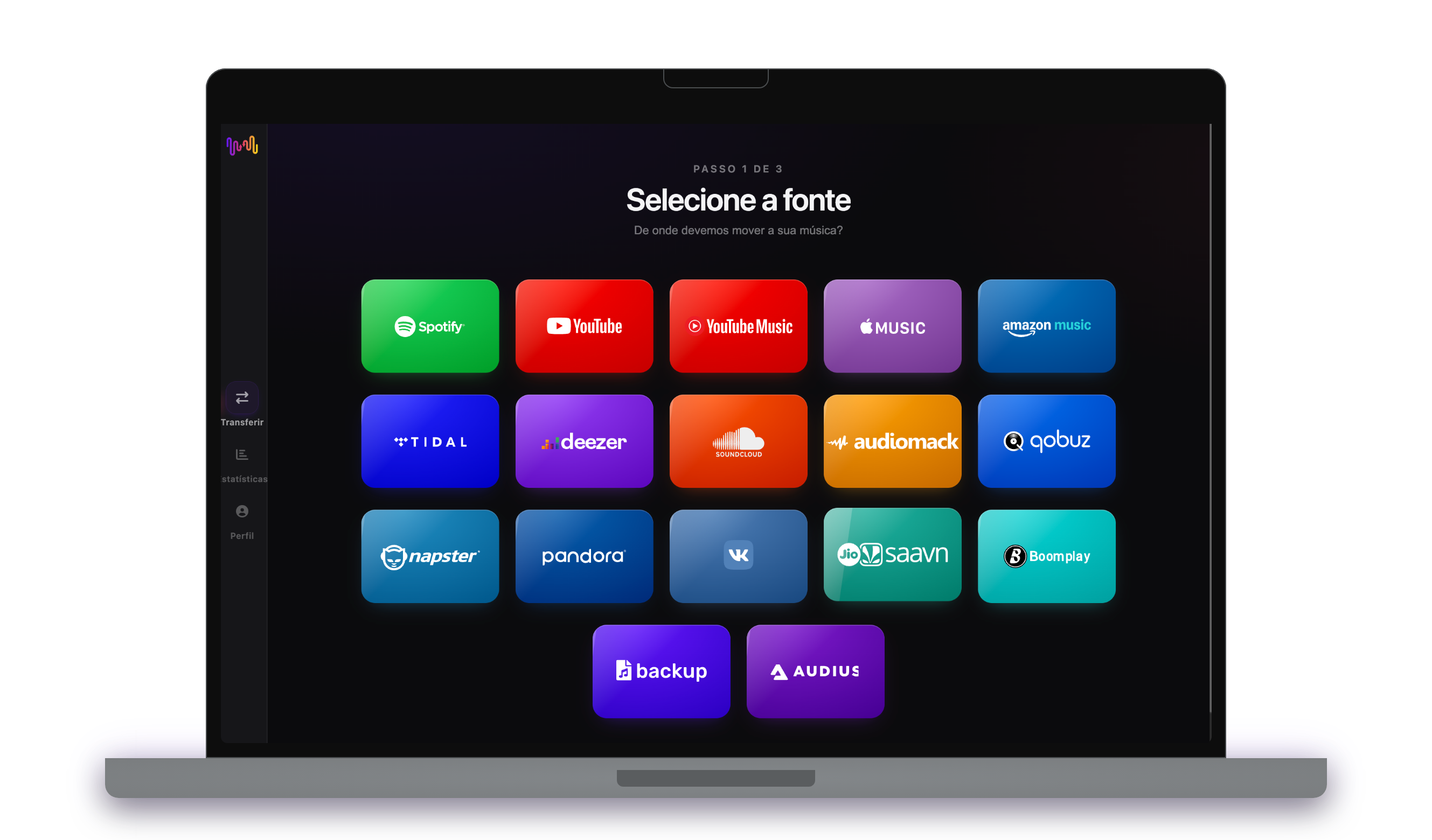
Abra o FreeYourMusic, toque no mosaico Spotify no ecrã "Selecione a fonte" e inicie sessão na página de início de sessão de Spotify. O FreeYourMusic não guarda a sua palavra-passe de Spotify.
- 2
Escolha Tidal como destino
No ecrã "Selecione o destino", toque em Tidal e inicie sessão. O FreeYourMusic precisa de acesso à sua biblioteca de Tidal para criar lá as playlists.
- 3
Escolha o que mover
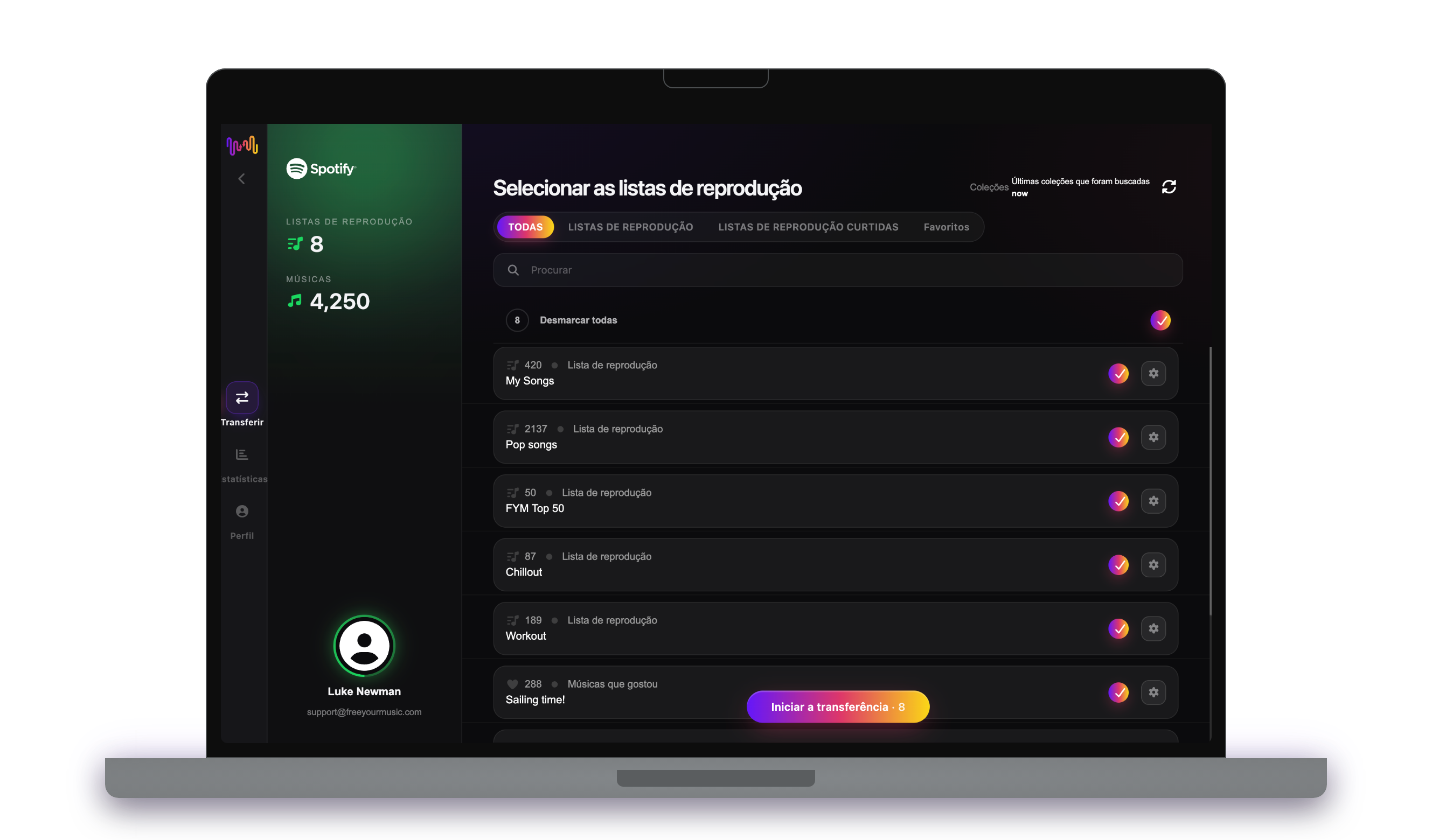
Assinale as playlists que quer ter em Tidal. Use os filtros e o campo de pesquisa para as encontrar, ou selecione tudo para mover toda a sua biblioteca de Spotify de uma só vez.
- 4
Inicie a transferência e verifique os resultados
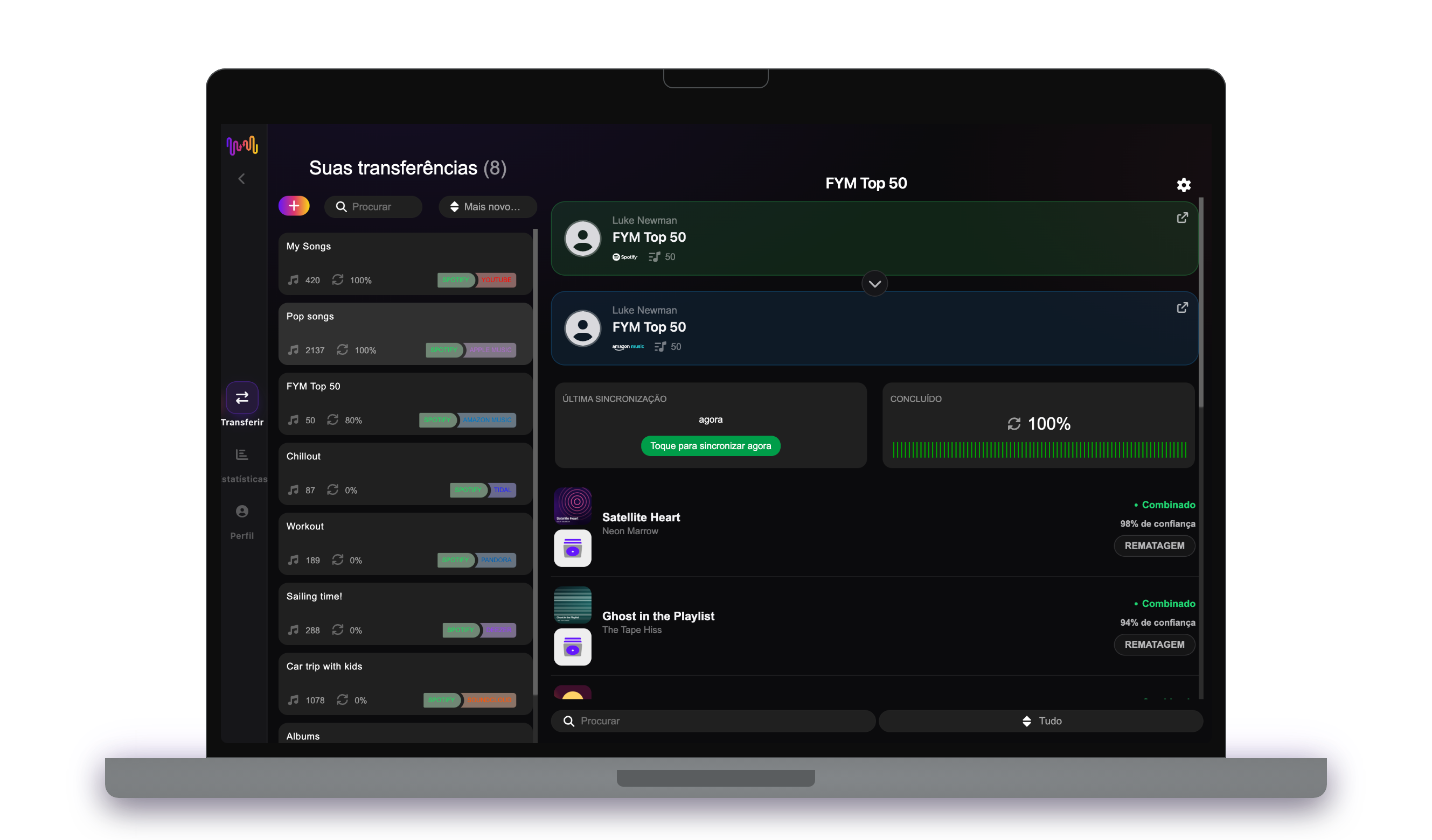
Toque em "Iniciar a transferência". O FreeYourMusic associa cada música em Tidal, mantém os nomes das playlists e a ordem das músicas e mostra um índice de confiança para cada correspondência. Use o Rematch para corrigir as músicas que não encontrou.
O que deve saber antes de mudar de Spotify para Tidal
Spotify como origem
Basta uma conta gratuita do Spotify. O Spotify não deixa as aplicações ler as playlists que cria para si, como os mixes personalizados: copie primeiro as músicas para uma playlist sua.
Tidal como destino
O Tidal não deixa as aplicações remover nem reordenar músicas numa playlist, por isso o Auto-Sync só adiciona músicas novas no Tidal.
O que se transfere de Spotify para Tidal
Em todos os dispositivos
Mover, converter ou importar: uma só transferência de Spotify para Tidal
Chame-lhe o que quiser, é a mesma tarefa. Pode mover as suas playlists de Spotify para Tidal, converter uma playlist de Spotify numa playlist de Tidal ou importar a sua biblioteca de Spotify para Tidal. O FreeYourMusic faz as três coisas numa só transferência, para uma playlist ou para uma biblioteca com milhares de músicas.
Mantenha Spotify e Tidal sincronizados
Ainda adiciona músicas em Spotify? Com o Premium, o Auto-Sync verifica as suas playlists transferidas e adiciona automaticamente as músicas novas a Tidal, para que as duas bibliotecas fiquem iguais. Preços →
Mudar de Spotify para outro serviço




Ver todas as transferências de Spotify →
Transferir para Tidal a partir de outro serviço
Perguntas frequentes
Como transfiro a minha playlist de Spotify para Tidal?
Para transferir de Spotify para Tidal, instale o FreeYourMusic, selecione Spotify como origem e Tidal como destino, escolha as playlists que pretende e inicie a transferência. A aplicação encontra cada música em Tidal e lista todas as faixas que não conseguiu associar.
O que é transferido exatamente de Spotify para Tidal?
O FreeYourMusic move listas de reprodução, músicas curtidas, álbuns guardados e artistas seguidos de Spotify para Tidal. Associa as músicas uma a uma e lista tudo o que não está em Tidal, para que possa corrigir antes de mudar.
O Spotify pode mover as minhas playlists para o Tidal?
Não. A ferramenta de importação do Spotify só traz música para o Spotify. Não pode enviar as suas playlists para outro serviço. Para mover as suas playlists do Spotify para o Tidal, use o FreeYourMusic.
Posso transferir playlists de Spotify para Tidal gratuitamente?
Sim — o plano gratuito move 300 músicas sem necessidade de cartão, e recebe mais 300 após um registo gratuito com email. Faça upgrade para transferências ilimitadas, Auto-Sync e Cloud Backup.
O que acontece às músicas que não estão em Tidal?
Os catálogos variam entre serviços e regiões. O FreeYourMusic lista todas as músicas que não conseguiu associar em Tidal, para que escolha outra versão com o Rematch ou a ignore. Nada é descartado sem que veja.
As minhas playlists de Spotify vão ser apagadas?
Não. O FreeYourMusic copia a sua música para Tidal e deixa a sua biblioteca de Spotify como está. Depois, decide se mantém ou cancela a sua conta Spotify.
Quanto tempo demora uma transferência de Spotify para Tidal?
A maioria das playlists é transferida em poucos minutos. Bibliotecas grandes demoram mais, porque o tempo depende do número de músicas e dos limites de Spotify e de Tidal. Pode continuar a usar o dispositivo enquanto a transferência decorre.
Posso transferir de Spotify para Tidal no telemóvel?
Sim. O FreeYourMusic funciona em iPhone, iPad e Android, e em computadores Mac, Windows e Linux. Os passos são os mesmos em todos os dispositivos.
Pronto para mudar para Tidal?
Descarregue o FreeYourMusic e mova toda a sua biblioteca em minutos.
Descarregar grátis →