What Is Cross-Platform Music Transfer? Complete Overview
What Is Cross-Platform Music Transfer? Complete Overview
Nearly one in three American music fans now use more than one streaming service. That often leaves their favorite playlists scattered across platforms.
As digital music grows, keeping your songs together matters more than ever. Cross-platform music transfer solves this. It preserves your curated collections, so you can enjoy your library on any service or device.
Key takeaways
| Point | Details |
|---|---|
| What it does | Moves your music library between services without rebuilding playlists by hand. |
| How it works | Uses account sign-in, playlist scanning, song matching, and transfer. |
| Wide support | Works with major platforms like Spotify and Apple Music, across many devices. |
| Know the risks | Watch for licensing gaps, metadata differences, and privacy concerns. |
What is cross-platform music transfer?
Cross-platform music transfer moves your music and playlists between streaming services. It lets you switch platforms without recreating anything.
At its core, it migrates your whole library for you. It reads your playlists on one service and rebuilds them on another. The goal is to keep your collection intact through the move.
The main aims are:
- Preserving playlist order and structure
- Matching tracks accurately across services
- Reducing the effort you put in
- Giving you one simple way to manage your music
Our music collection transfer guide offers more detail on how this works.
How playlist transfer technology works
Playlist transfer runs through a clear multi-step process. Modern tools use smart matching to connect your accounts and move songs accurately.
The core steps are:
- Account sign-in: You securely connect your accounts on both services.
- Playlist scanning: The tool reads your playlists and each track's details, like title, artist, album, and length.
- Song matching: It matches each track to the same song on the destination platform.
- Transfer: It rebuilds your playlists on the new service, keeping the order.
A few features make this accurate:
- Smart matching that compares track metadata
- Fuzzy search to handle small differences in song info
- Cloud-based infrastructure for fast transfers
- Secure sign-in that protects your account
- Preserved playlist order and structure
The best tools handle tricky cases too. They can spot alternative versions of a track and manage international libraries with little manual work. For more, see our tips for transferring music between platforms.
Supported streaming services and devices
Transfer tools now support a wide range of services and devices. That gives you real flexibility.
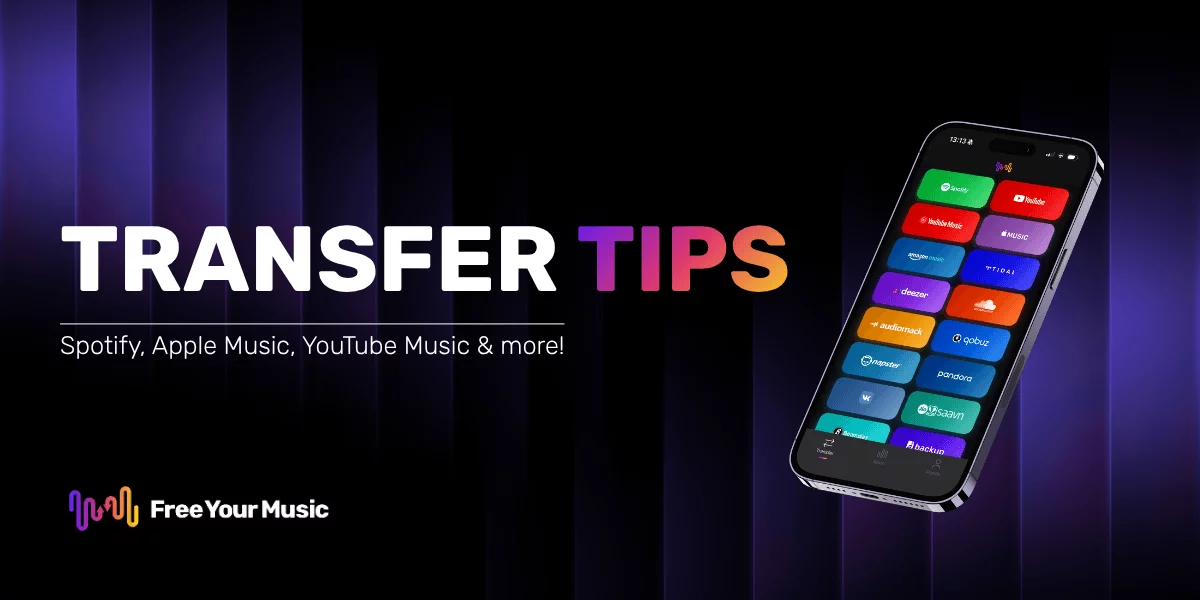
Most tools support the major platforms, including:
- Spotify
- Apple Music
- YouTube Music
- Amazon Music
- TIDAL
- Pandora
- Deezer
- SoundCloud
Device support is broad too. You can usually transfer across:
- Desktop computers (Windows, macOS, Linux)
- Mobile devices (iOS, Android)
- Web browsers
- Smart speakers and streaming devices
Our list of music streaming platforms covers the wider landscape if you want to compare options.
Common challenges and limitations
Transfers are not always perfect. A few real challenges get in the way.
Licensing and regional gaps
Copyright and licensing are the biggest barriers. Each platform negotiates its own deals, so not every track is on every service. Some songs may be missing or replaced with another version.
Common licensing issues include:
- Inconsistent licensing agreements
- Regional content restrictions
- Different digital rights rules
Technical limits
Matching songs across platforms is complex. Metadata and formats vary, which can cause mismatches.
Other technical issues include:
- Platform-specific playlist formatting
- Variations in audio quality and encoding
- Incomplete song matches
- Occasional loss of playlist order
Transfer tools keep improving. Still, expect a few imperfections and keep realistic expectations.
Key benefits and potential risks
Cross-platform transfer offers clear advantages, with a few risks to keep in mind.
Key benefits:
- Smooth music library migration
- Preserved, curated playlists
- No manual reorganizing
- Freedom to switch platforms
- Easier collection management
- Real time savings
Potential risks:
- Partial playlist transfers
- Metadata inconsistencies
- Temporary loss of playlist order
- Privacy and account security concerns
- Possible subscription or licensing complications
Approach transfers with balanced expectations. No process is perfect. Research your options and use a reputable tool to reduce the risks and get the most from the move.
Effortless cross-platform transfers with Free Your Music
Switching services and managing playlists can feel overwhelming. Song matching, playlist order, and platform limits all add friction. The right tool handles these for you, with accuracy and ease.
Free Your Music does exactly that. It preserves your playlist structure and matches songs precisely, saving you hours.
Here is what you get:
- Support for 18 streaming services, including Spotify, Apple Music, TIDAL, YouTube Music, and Amazon Music
- Works on iPhone, Android, Mac, Windows, and Linux
- Auto-sync every 15 minutes to keep two services in step
- A free tier that moves up to 600 songs, so you can try it first
Start your transfer with Free Your Music and enjoy uninterrupted listening.
Frequently asked questions
What is cross-platform music transfer?
It is a technology that moves your music and playlists between streaming services. There is no need to rebuild anything by hand.
How does playlist transfer technology work?
It runs through account sign-in, playlist scanning, song matching, and transfer. That lets you migrate playlists across platforms efficiently.
What are the common challenges?
The main ones are licensing restrictions, metadata differences, platform-specific formatting, and possible loss of playlist order.
What are the benefits of using these services?
You get smooth library migration, preserved playlists, no manual reorganizing, and real time savings when you switch platforms.
Your playlists belong to you.
Stop rebuilding by hand. Move everything in minutes and take your music wherever you go.
Download free →SongsBrew — our free music newsletter
A free perk for FYM users. Tips, playlists, no spam.