 Amazon Music→
 YouTube
Amazon Music overzetten naar YouTube
Zet je afspeellijsten over van Amazon Music naar YouTube zonder iets met de hand opnieuw op te bouwen. Koppel beide accounts, kies wat je wilt overzetten en FreeYourMusic maakt alles opnieuw aan op YouTube, met dezelfde namen en dezelfde volgorde van nummers.
★★★★★ 4,7 · meer dan 12 mln. downloads · Wachtwoord nooit gedeeld


Waarom overstappen van Amazon Music naar YouTube?
FreeYourMusic zet je afspeellijsten over van Amazon Music naar YouTube. Het matcht de nummers één voor één en toont alles wat niet op YouTube staat, zodat je het kunt herstellen voordat je overstapt.
Ondersteunde overdrachten
Afspeellijsten (met originele namen + volgorde)
Ontbrekende nummers controleren
Muziekcatalogi verschillen. Bekijk de overdrachtsresultaten om te zien welke nummers niet op de doeldienst zijn gevonden.
Zo zet je afspeellijsten over van Amazon Music naar YouTube
Vier stappen. Hetzelfde op iPhone, Android, Mac, Windows en Linux.
Kort antwoord
Om Amazon Music over te zetten naar YouTube installeer je FreeYourMusic, kies je Amazon Music als bron en YouTube als bestemming, selecteer je de gewenste afspeellijsten en start je de overdracht. De app zoekt elk nummer op YouTube en toont elk nummer dat niet gematcht kon worden.
- 1
Koppel Amazon Music als bron
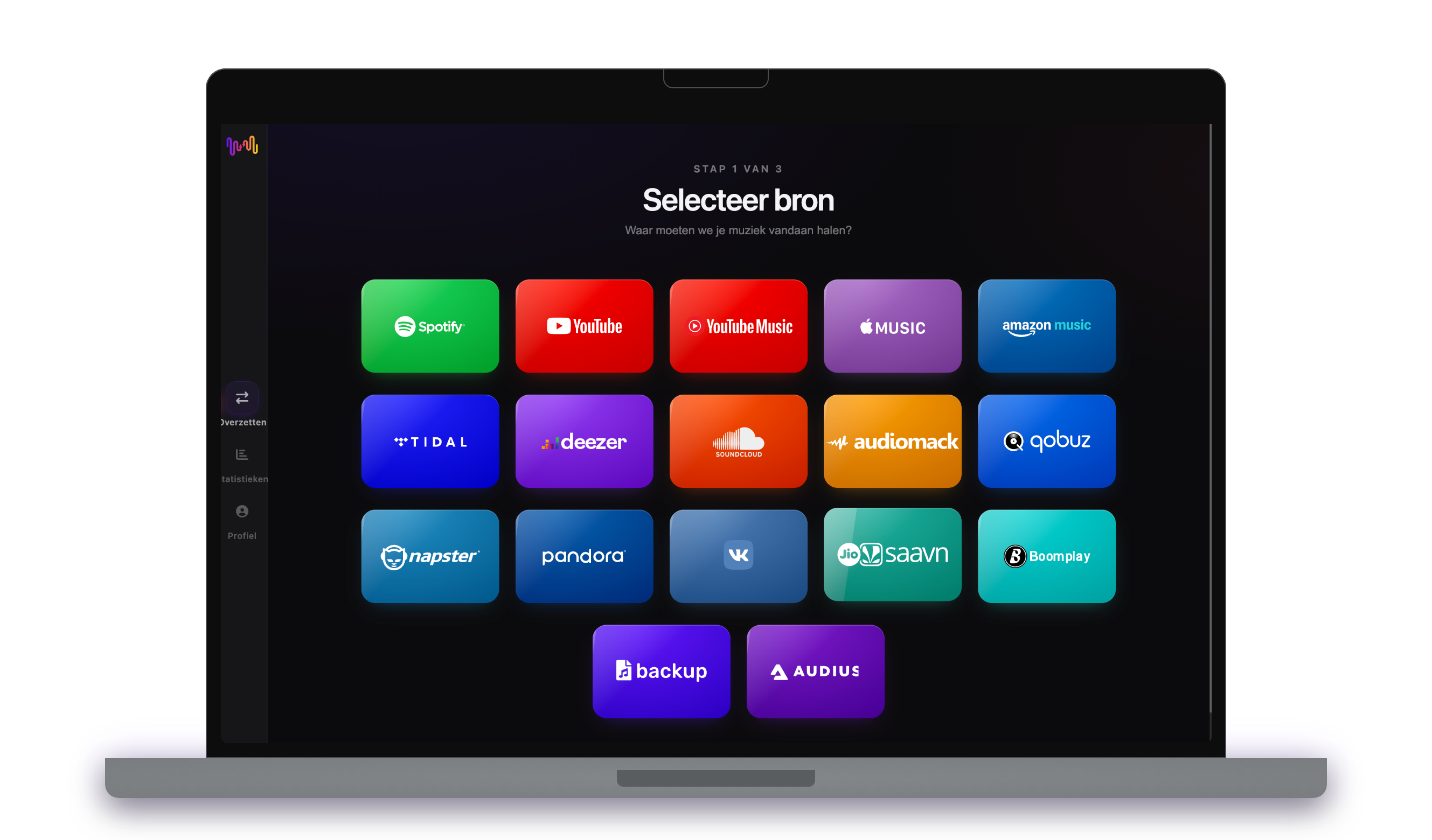
Open FreeYourMusic, tik op de tegel Amazon Music in het scherm "Selecteer bron" en log in op de inlogpagina van Amazon Music. FreeYourMusic bewaart je Amazon Music-wachtwoord niet.
- 2
Kies YouTube als bestemming
Tik in het scherm "Selecteer bestemming" op YouTube en log in. FreeYourMusic heeft toegang tot je YouTube-bibliotheek nodig om daar de afspeellijsten aan te maken.
- 3
Kies wat je wilt overzetten
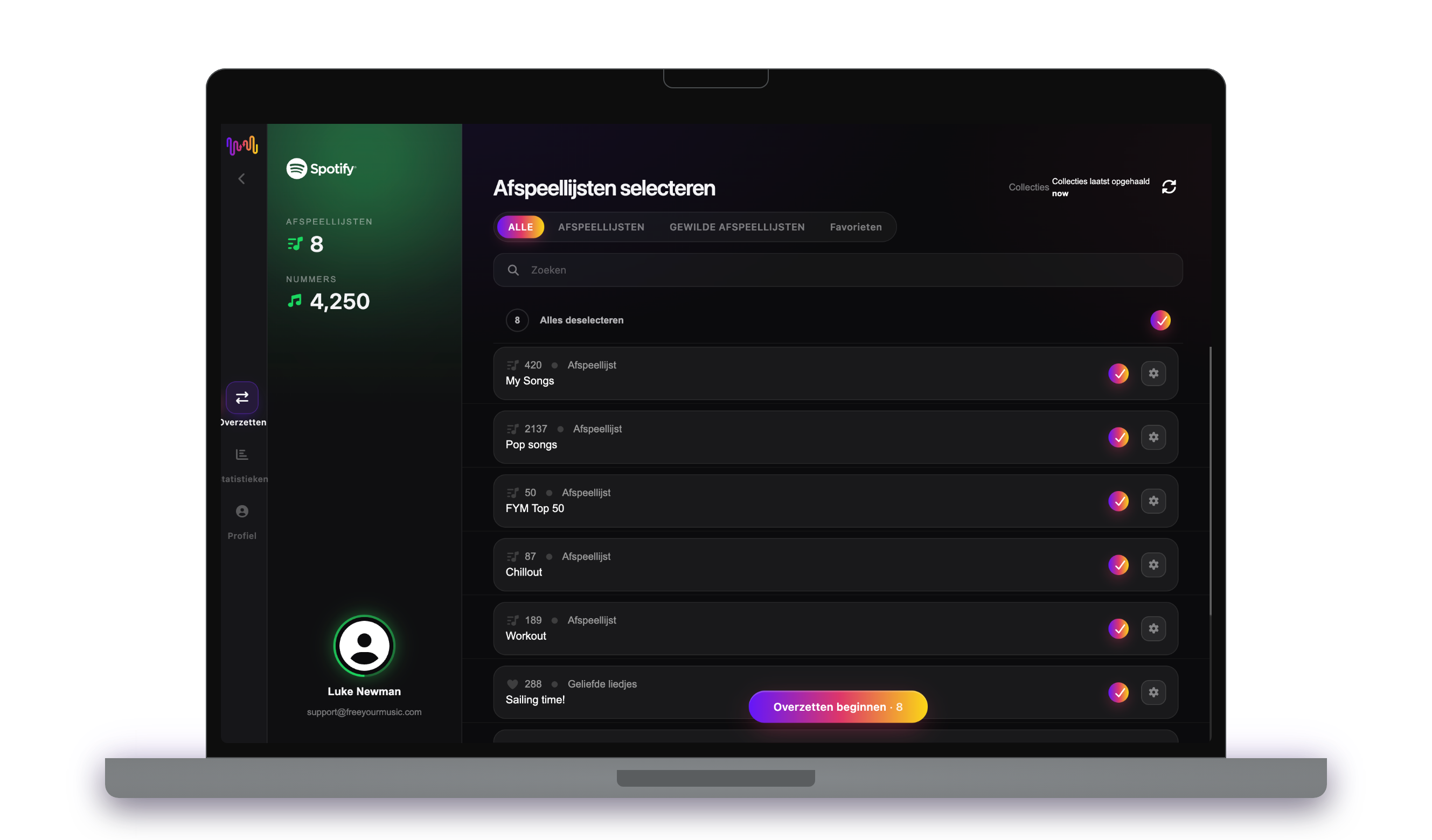
Vink de afspeellijsten aan die je op YouTube wilt hebben. Gebruik de filters en het zoekveld om ze te vinden, of selecteer alles om je hele Amazon Music-bibliotheek in één keer over te zetten.
- 4
Start de overdracht en controleer de resultaten
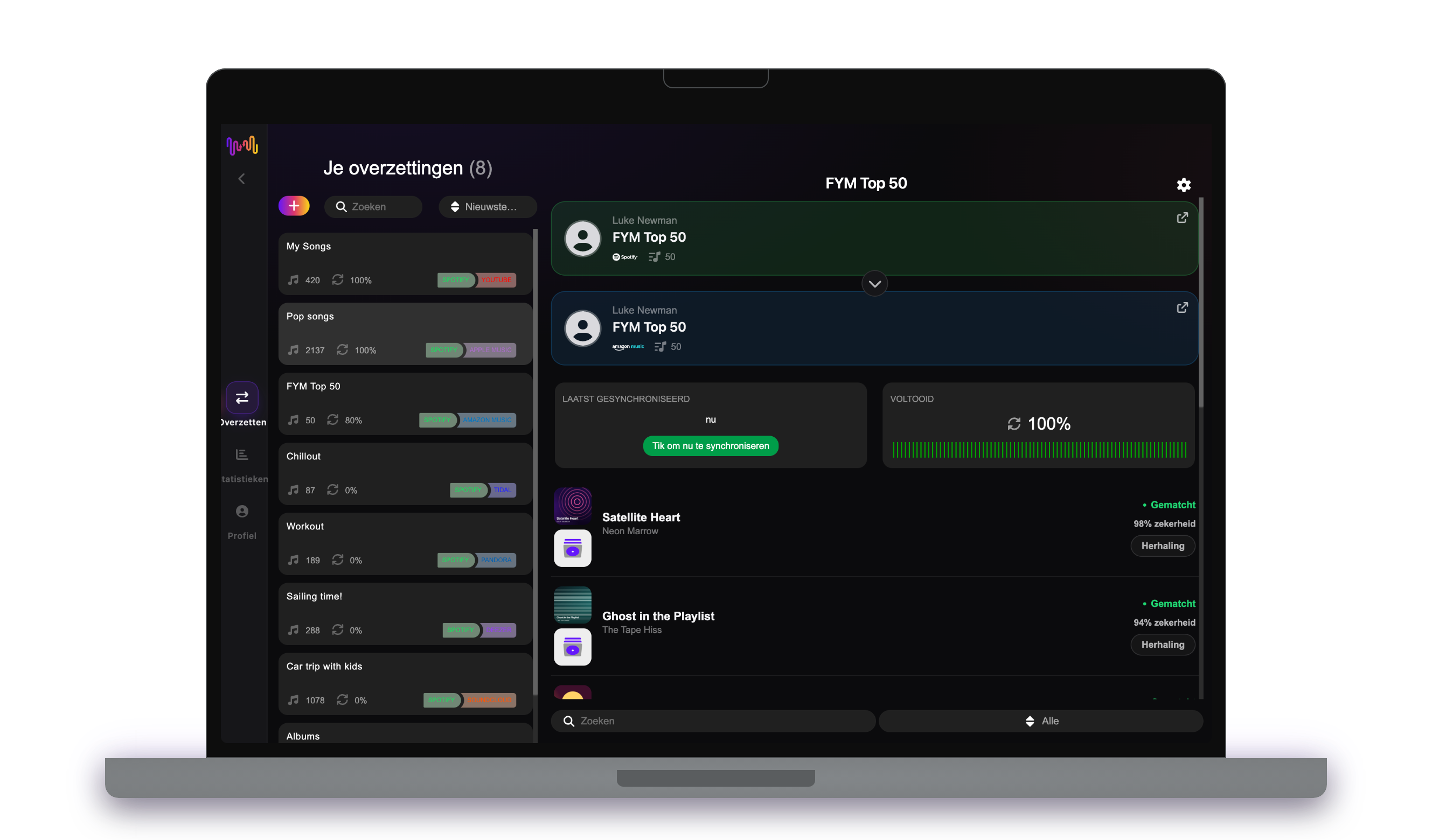
Tik op "Overzetten beginnen". FreeYourMusic matcht elk nummer op YouTube, behoudt de namen van de afspeellijsten en de volgorde van de nummers, en toont voor elke match een betrouwbaarheidsscore. Gebruik Rematch om nummers te herstellen die niet gevonden werden.
Goed om te weten voordat je van Amazon Music naar YouTube overstapt
Amazon Music als bron
FreeYourMusic zet je afspeellijsten en gelikete nummers van Amazon Music over. Opgeslagen albums en gevolgde artiesten kunnen niet vanaf Amazon Music worden overgezet.
YouTube als bestemming
FreeYourMusic zoekt voor elk nummer een video en bewaart die in een afspeellijst op je YouTube-account.
Wat wordt er overgezet van Amazon Music naar YouTube
Op elk apparaat
Overzetten, omzetten of importeren: één overdracht van Amazon Music naar YouTube
Hoe je het ook noemt, het is hetzelfde werk. Je kunt je Amazon Music-afspeellijsten overzetten naar YouTube, een Amazon Music-afspeellijst omzetten naar een YouTube-afspeellijst of je Amazon Music-bibliotheek importeren in YouTube. FreeYourMusic doet alle drie in één overdracht, voor één afspeellijst of voor een bibliotheek met duizenden nummers.
Houd Amazon Music en YouTube gesynchroniseerd
Voeg je nog steeds nummers toe op Amazon Music? Met Premium controleert Auto-Sync je overgezette afspeellijsten en voegt het nieuwe nummers automatisch toe aan YouTube, zodat beide bibliotheken gelijk blijven. Prijzen →
Amazon Music overzetten naar een andere dienst




Bekijk alle overdrachten vanaf Amazon Music →
Vanaf een andere dienst overzetten naar YouTube
Veelgestelde vragen
Hoe zet ik mijn Amazon Music-afspeellijst over naar YouTube?
Om Amazon Music over te zetten naar YouTube installeer je FreeYourMusic, kies je Amazon Music als bron en YouTube als bestemming, selecteer je de gewenste afspeellijsten en start je de overdracht. De app zoekt elk nummer op YouTube en toont elk nummer dat niet gematcht kon worden.
Wat wordt er precies overgezet van Amazon Music naar YouTube?
FreeYourMusic zet je afspeellijsten over van Amazon Music naar YouTube. Het matcht de nummers één voor één en toont alles wat niet op YouTube staat, zodat je het kunt herstellen voordat je overstapt.
Kan ik Amazon Music-afspeellijsten gratis overzetten naar YouTube?
Ja — de gratis versie verplaatst 300 nummers zonder kaart, en je krijgt er 300 bij na een gratis aanmelding met je e-mail. Upgrade voor onbeperkte overdrachten, Auto-Sync en Cloud Backup.
Wat gebeurt er met nummers die niet op YouTube staan?
Catalogi verschillen per dienst en per regio. FreeYourMusic toont elk nummer dat het niet kon matchen op YouTube, zodat je met Rematch een andere versie kiest of het nummer overslaat. Er verdwijnt niets zonder dat je het ziet.
Worden mijn Amazon Music-afspeellijsten verwijderd?
Nee. FreeYourMusic kopieert je muziek naar YouTube en laat je Amazon Music-bibliotheek zoals hij is. Later beslis je zelf of je je Amazon Music-account houdt of opzegt.
Hoe lang duurt een overdracht van Amazon Music naar YouTube?
De meeste afspeellijsten zijn in een paar minuten overgezet. Grote bibliotheken duren langer, want de tijd hangt af van het aantal nummers en van de limieten van Amazon Music en YouTube. Je kunt je apparaat gewoon blijven gebruiken terwijl de overdracht loopt.
Kan ik Amazon Music op mijn telefoon overzetten naar YouTube?
Ja. FreeYourMusic werkt op iPhone, iPad en Android, en op Mac-, Windows- en Linux-computers. De stappen zijn op elk apparaat hetzelfde.
Klaar om over te stappen naar YouTube?
Download FreeYourMusic en verplaats je hele bibliotheek in minuten.
Gratis downloaden →