Home · Transferências · TidalQobuz

TidalQobuz

Transfira playlists de Tidal para Qobuz

Transfira playlists, músicas curtidas e álbuns de Tidal para Qobuz sem esforço. Importe toda a sua biblioteca de música para um novo serviço de streaming com facilidade. Comece a sua transferência de música hoje!

Iniciar a transferência →Grátis para 600 músicas · sem cartão

★★★★★ 4,8 · mais de 9,2 milhões de downloads · Palavra-passe nunca partilhada

A selecionar Qobuz como destino no FreeYourMusicFreeYourMusic móvel — selecionar destino

Porque mudar de Tidal para Qobuz?

Mude de serviço sem deixar a sua biblioteca para trás. O FreeYourMusic corresponde todas as faixas e move-as por si — playlists, músicas curtidas, álbuns e artistas seguidos.

Tudo se move

Playlists, músicas curtidas, álbuns e artistas.

Ordem preservada

As playlists chegam exatamente na ordem em que as criou.

Nada se perde

As correspondências imperfeitas são assinaladas para um Rematch com um toque.

Como transferir playlists de Tidal para Qobuz

1

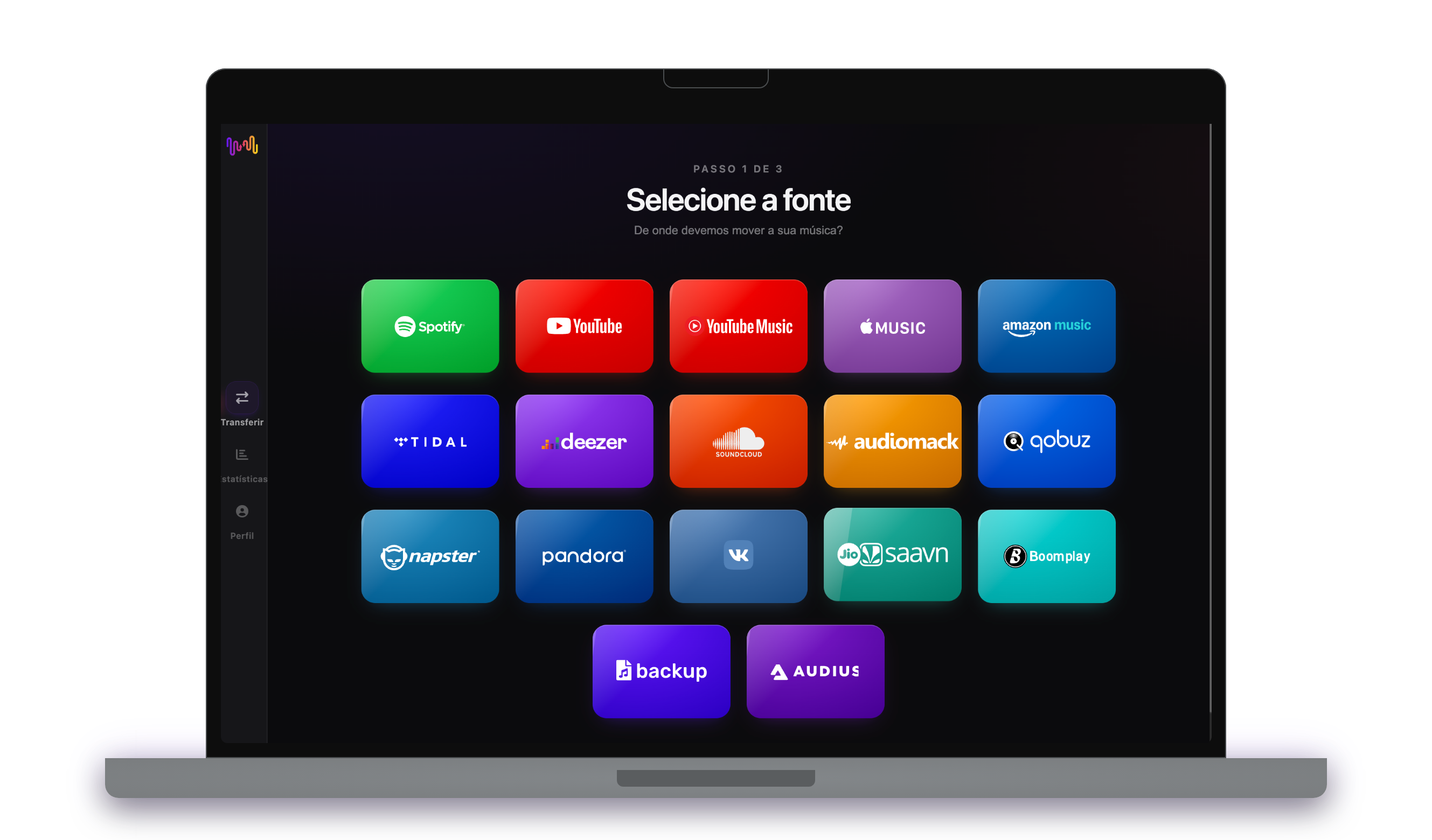
Selecione Tidal a origem

Utilize a sua plataforma Tidal atual de origem e comece a transferir músicas das listas de reprodução com o Free Your Music.

2

Selecione Qobuz como destino

Selecione Qobuz como plataforma onde você deseja criar uma nova lista de reprodução. Você só precisa dar um clique com o botão!

3

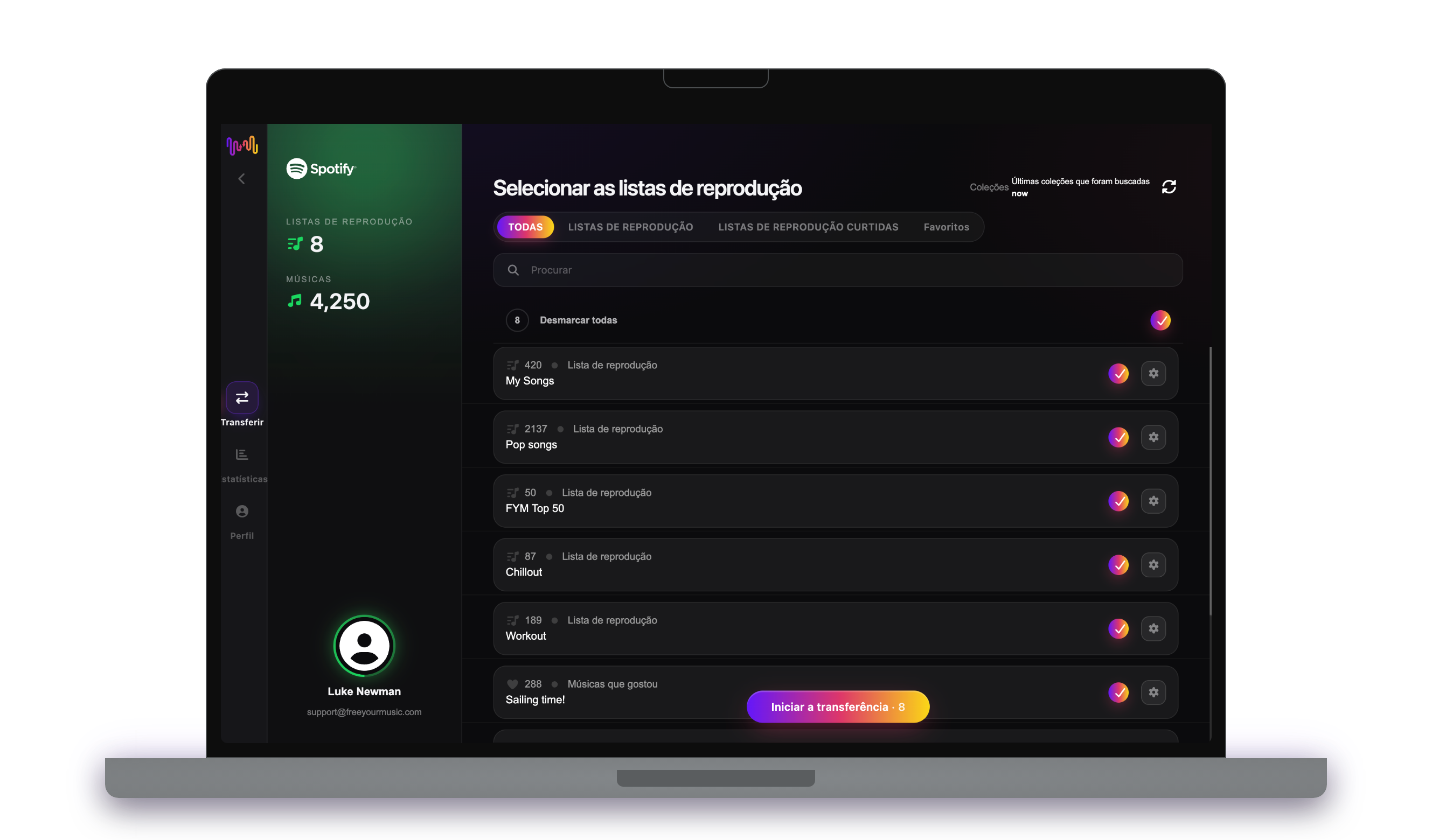
Selecione as listas de reprodução para transferência

Encontre as listas de reprodução que deseja transferir do serviço Tidal para Qobuz e selecione todas as listas de reprodução que deseja mover.

4

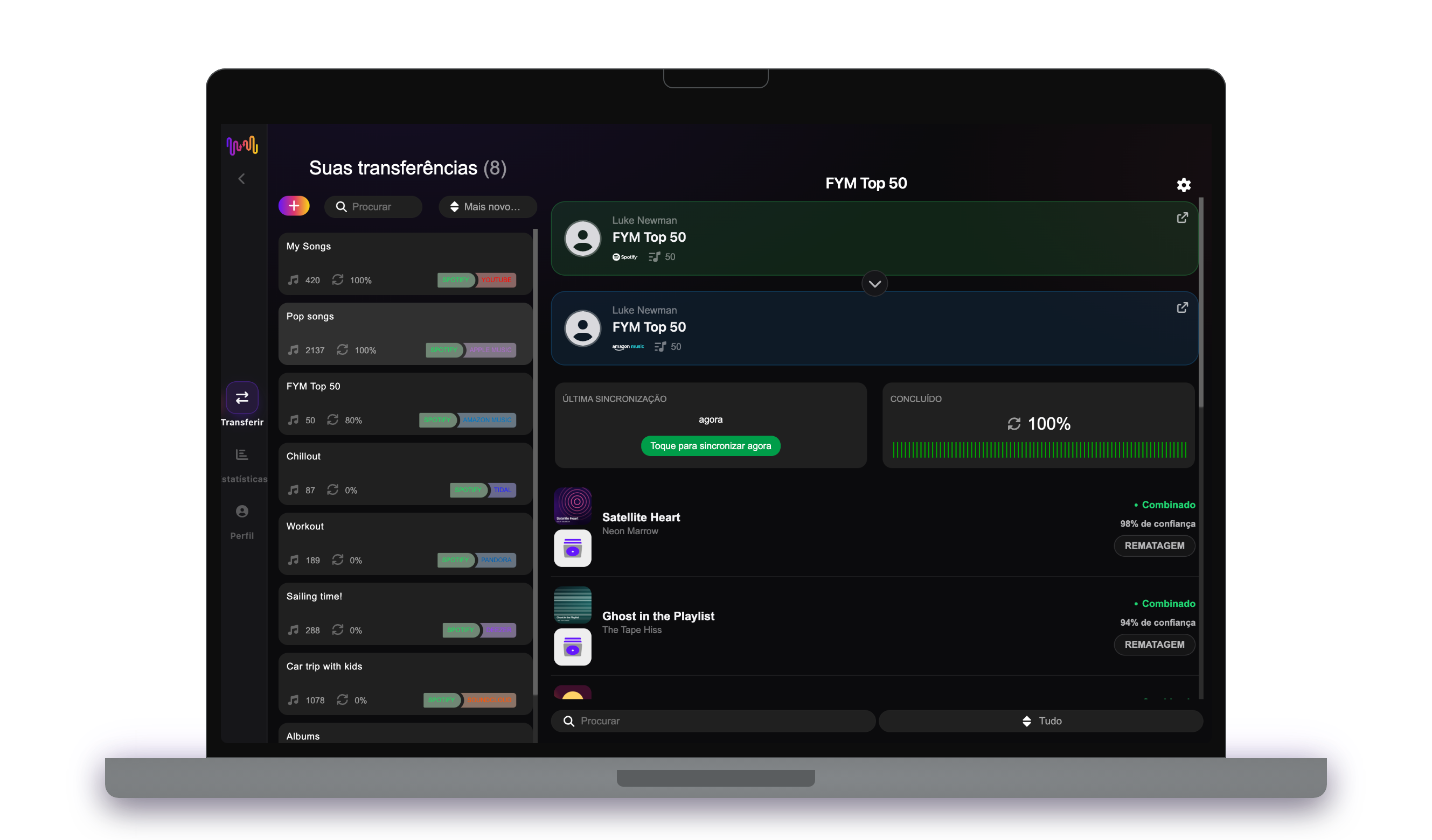
Confirme a sua ação e pronto!

A transferência está concluída. As suas listas de reprodução Tidal foram movidas para Qobuz e você pode começar a aproveitar o seu novo serviço de streaming de música.

O que é transferido

Playlists

Músicas curtidas

Álbuns guardados

Artistas seguidos

Em todos os dispositivos

iPhoneiPadAndroidMacWindowsLinux

As pessoas também pesquisam por

how to transfer Tidal playlist to Qobuztransfer Tidal playlist to Qobuzmove Tidal playlist to Qobuzcan you transfer Tidal playlist to QobuzTidal to Qobuz converterimport Tidal playlist to QobuzTidal to Qobuz playlist transferfree playlist transferplaylist transfer app

O que se transfere de Tidal para Qobuz

Tudo o que o FreeYourMusic move por ti com um clique — sem reconstruir nada à mão.

Playlists (com os nomes e ordem originais)
Suportado
Músicas curtidas / favoritos
Suportado
Álbuns guardados
Suportado
Artistas seguidos
Suportado
Correspondência exata de faixas baseada em ISRC
Não disponível
Fallback para correspondência por título + artista

Da confiança de milhões para transferir playlists de Tidal para Qobuz

4.70 Estrelas

Avaliação média

32,5000 Avaliações

Para iOS e Android

12M0 Downloads

Em todas as plataformas

Moving from Tidal to Qobuz, explained

This is a move between two audiophile services, so it is less about gaining fidelity and more about a shift in character. Both stream hi-res FLAC; where they part ways is emphasis — Tidal on artist credits and mainstream editorial, Qobuz on catalogue depth in classical and jazz, editorial booklets and even a store to buy music outright. FreeYourMusic reads your Tidal library through Tidal’s official sign-in and rebuilds your playlists, liked songs, saved albums and followed artists inside Qobuz.

This guide covers what transfers, what cannot, how songs are matched, how long it takes, and the nuanced Tidal-versus-Qobuz comparison that matters to serious listeners. If you just want to start, install FreeYourMusic, connect both accounts and pick what to move — the detail is below.

What transfers to Qobuz, and what does not

Your playlists move with names and order preserved, liked songs arrive as favourites, saved albums come across and followed artists carry over. Move everything or choose playlists individually, with counts shown before you commit.

A few things cannot follow. Tidal’s My Mixes and editorial picks are Tidal features, copying only as a snapshot. Both services are curated rather than exhaustive, so a track available on one may occasionally be missing on the other — more likely in mainstream pop than in the classical and jazz where Qobuz is especially deep.

How FreeYourMusic matches your tracks

Each Tidal song is matched to the same recording in Qobuz, preferring the ISRC code assigned to every recording and falling back to title, artist, album and duration otherwise. Because both services obsess over editions and masters, this precision is essential — you want the exact recording, not a stray compilation cut.

Where a track has no exact counterpart, FreeYourMusic flags it for one-tap Rematch rather than dropping it silently. That matters most in classical, where the same work exists in many recordings and choosing the right performance is the whole point of switching to a catalogue this deep.

How long does a Tidal to Qobuz transfer take?

Most transfers finish in minutes. With both accounts connected, around 1,000 tracks usually completes in under ten minutes. Larger libraries take longer, but the transfer runs on its own — start it and come back later.

FreeYourMusic runs natively on iPhone, iPad, Android, Mac, Windows and Linux, so the move is not tied to one machine. Start it on your laptop and check progress on your phone; it is the same account and the same transfer.

Tidal vs Qobuz: what actually changes

Since both deliver hi-res FLAC, the sound is comparable — the difference is what surrounds it. Tidal leans into artist-focused editorial, credits and a broad mainstream catalogue. Qobuz leans into classical and jazz depth, long-form editorial booklets, and the option to purchase and own albums outright rather than only streaming them.

For a serious listener the choice often comes down to repertoire and reading. If your library is rich in classical, jazz or reissues and you like liner notes and ownership, Qobuz is the more natural home; if it is broad and pop-leaning, Tidal’s emphasis may suit better. Moving costs you nothing but a few minutes to find out.

Do you need to keep Tidal while you transfer?

Yes — keep Tidal active until the transfer is finished and checked. FreeYourMusic reads your Tidal library while copying it into Qobuz, and keeping both live means you never lose access mid-move. Cancel Tidal only once you are satisfied.

Neither service has a permanent free tier, so you will need a Qobuz trial or subscription to receive the transfer while Tidal stays active for the move. Both connect through their own official sign-in, and your password is never shared with FreeYourMusic.

Tips for a clean migration

Move a few favourite albums first and audition them in Qobuz — since both services are hi-res, focus your check on whether the matched editions and masters are the exact ones you wanted, especially for reissues. Tidy your Tidal playlists beforehand.

When the transfer finishes, resolve the Rematch list carefully, paying special attention to classical works where the performance matters. Then set Qobuz’s streaming quality to hi-res in settings and explore its editorial booklets on the albums you love.

Keeping Tidal and Qobuz in sync afterwards

A one-time move is not your only option. Some audiophiles keep both — Tidal for mainstream editorial, Qobuz for depth — and FreeYourMusic’s Auto-Sync mirrors the two libraries on a schedule so a save on one turns up on the other.

And the transfer runs the other way too, from Qobuz back to Tidal, if you ever want to. Your library stays portable. Download FreeYourMusic, connect Tidal and Qobuz, and see how much comes across — the free tier lets you try first.

Pronto para mudar para Qobuz?

Descarregue o FreeYourMusic e mova toda a sua biblioteca em minutos.

Descarregar grátis →

Perguntas frequentes

Como transfiro a minha playlist de Tidal para Qobuz?

Instale o FreeYourMusic, inicie sessão em Tidal e depois em Qobuz usando os respetivos inícios de sessão oficiais, escolha as playlists que quer e prima transferir. A correspondência inteligente de faixas move as músicas mantendo a sua ordem intacta — uma playlist com 1000 faixas normalmente termina em menos de 10 minutos.

Posso transferir playlists de Tidal para Qobuz gratuitamente?

Sim — o plano gratuito move até 600 músicas e uma playlist, sem necessidade de cartão. Faça upgrade para transferências ilimitadas, Auto-Sync e Cloud Backup.

Existe alguma aplicação para transferir playlists de Tidal para Qobuz?

O FreeYourMusic é uma aplicação de transferência de playlists para iPhone, iPad, Android, Mac, Windows e Linux que move playlists, músicas curtidas, álbuns guardados e artistas seguidos de Tidal para Qobuz.

Posso transferir as minhas playlists de Tidal para Qobuz gratuitamente?

Sim — o FreeYourMusic transfere as suas primeiras 600 músicas de Tidal para Qobuz gratuitamente, playlists incluídas. Bibliotecas maiores exigem o Premium, e cada transferência ocorre diretamente entre as suas próprias contas Tidal e Qobuz.

O que é transferido exatamente de Tidal para Qobuz?

Playlists (com a sua ordem), músicas curtidas, álbuns e artistas seguidos. As músicas são correspondidas faixa a faixa usando códigos ISRC onde Tidal e Qobuz os fornecem, com a correspondência por título e artista como alternativa — consulte a tabela de compatibilidade acima para ver a lista exata de funcionalidades deste par.

O que é uma transferência de lista de reprodução?

Uma transferência de lista de reprodução é o processo de mover as suas listas de reprodução de música de um serviço de streaming para outro. Em vez de reconstruir a sua lista de reprodução manualmente, ferramentas como o FreeYourMusic permitem-lhe transferir listas de reprodução automaticamente - poupando-lhe tempo e esforço.

Posso transferir listas de reprodução entre quaisquer serviços de streaming de música?

Sim! Com o FreeYourMusic, pode transferir listas de reprodução entre os principais serviços, como o Spotify, Apple Music, YouTube Music, Amazon Music, TIDAL, Deezer e muito mais.

Preciso de criar uma nova conta para transferir listas de reprodução?

Não, não precisa de uma nova conta. Basta ligar as suas contas de streaming existentes na aplicação FreeYourMusic e pode começar imediatamente a transferir a sua lista de reprodução.

Todas as músicas serão transferidas na perfeição?

Na maior parte das vezes, sim. O FreeYourMusic utiliza um sistema de correspondência inteligente para encontrar as mesmas músicas ou músicas semelhantes em todas as plataformas. Embora seja raro, algumas faixas podem não estar disponíveis no seu novo serviço e não serão transferidas.

O FreeYourMusic mantém os nomes e a ordem das minhas listas de reprodução?

Sem dúvida. Quando transfere listas de reprodução, o FreeYourMusic preserva os títulos das suas listas de reprodução, a ordem das músicas e até mesmo várias listas de reprodução de uma só vez.

Quanto tempo demora uma transferência de lista de reprodução?

Depende do tamanho das suas listas de reprodução e da velocidade da sua ligação à Internet, mas a maioria das transferências de listas de reprodução demora apenas alguns minutos.

Posso transferir listas de reprodução de uma conta gratuita?

Sim! É possível transferir listas de reprodução de contas gratuitas e premium, embora alguns serviços de streaming possam ter limitações de acesso.