7 Things You Should Do Before Canceling Your Spotify Account
7 Things You Should Do Before Canceling Your Spotify Account
Key takeaway:
Thinking of canceling Spotify Premium? Do this first: transfer your playlists, check your billing, and make sure you’re not about to lose your entire music library.
Can you cancel Spotify and keep your playlists?
Yes. If you’re just canceling Premium and moving to the free tier, your playlists stay. But if you’re deleting your account or switching platforms, transfer them first using Free Your Music.
So, you're done with Spotify. Maybe it’s the price. Maybe it’s the clunky UI updates or that DJ voice you didn’t ask for. Maybe you're just over it. Fair enough. But if you cancel before doing these seven things, you might lose more than you think.
1. Transfer Your Playlists
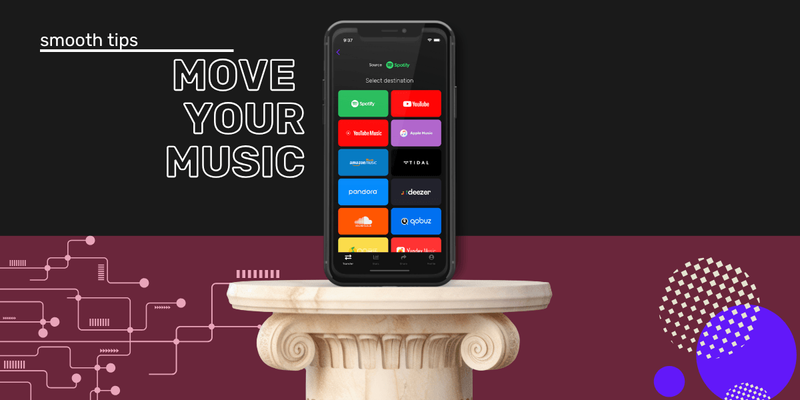
If you cancel without saving your playlists somewhere, you’re gambling. Some might carry over to the free version, but others, like private playlists or liked songs — may vanish depending on your account settings. Use Free Your Music to transfer your entire library to a new platform or save a backup file. It’s fast, it’s clean, and it means you’re not rebuilding your taste from scratch.
2. Check Your Billing Source
You might not be paying Spotify directly. If you subscribed through Apple, Google Play, or a mobile carrier, you’ll need to cancel through them, not the Spotify app. Check your last payment or bank statement. Wherever it came from is where you cancel.
3. Download Offline Content
Premium users get downloads. If you cancel, those downloads disappear. Don’t assume your “Offline Bangers” playlist will still work on the train. Back up what you need, or at least get ready for them to vanish the second your billing cycle ends.
4. Use Up Any Gift Cards or Discounts
If you’ve redeemed a gift card, got a free month, or locked in a student discount, check your remaining balance. Spotify doesn’t refund leftover credit. Use what you’ve paid for before canceling, unless you’re switching ASAP.
5. Save Your Library Data
Liked songs, followed artists, podcast subscriptions, it’s all part of your Spotify identity. But some of it won’t follow you if you close the account. Use Spotify’s data download tool for a copy, or let Free Your Music export your lists and move them somewhere that respects your time.
6. Let People Know if You Share Playlists
Got collaborative playlists with friends or public lists with followers? Let them know before you go. Some links might break. Access may change. You don’t want to vanish mid-curation without warning. It is a good idea for any others you collab with to save a copy for themselves.
7. Try a New Service First
You don’t need to commit immediately. Test-drive Apple Music, Tidal, YouTube Music, or Qobuz first. Most offer free trials. Use Free Your Music to move your playlists there temporarily. If you don’t love it, you can always move them back.
Will I Lose My Playlists After Canceling Spotify?
If you cancel Premium and stay on the free version, your playlists remain attached to your account. But if you delete your account entirely, or if you forget to transfer your data, you’ll lose everything.
Can I Cancel Spotify from the App?
No. You must cancel Spotify Premium from a browser at spotify.com/account. If you subscribed via Apple or Google Play, you need to cancel through them.
How Do I Cancel Spotify Through Apple or Google Play?
Apple:
Settings > Your Name > Subscriptions > Spotify > Cancel
Google Play:
Google Play > Profile Icon > Payments & Subscriptions > Spotify > Cancel
What Happens When You Cancel Spotify?
| Action | What Happens | Do You Keep Playlists? |
|---|---|---|
| Cancel Premium | Downgrades to Free tier | ✅ Yes |
| Delete Account | Account permanently deleted | ❌ No |
| Switch to another app | Depends on if you transfer before canceling | ✅ If using Free Your Music |
Final Note
Music streaming services makes it easy to subscribe and harder to cancel, especially if you want to keep your music. Don’t lose your playlists just because you're ready to leave.
Transfer your playlists now with Free Your Music
Moving away from Amazon Music?
Stop rebuilding by hand. Move everything in minutes and take your music wherever you go.
Download free →SongsBrew — our free music newsletter
A free perk for FYM users. Tips, playlists, no spam.