 Spotify→
 SoundCloud
Spotify zu SoundCloud übertragen
Übertrage Playlists, gelikte Songs und gefolgte Künstler von Spotify zu SoundCloud, ohne etwas von Hand neu anzulegen. Verbinde beide Konten, wähle aus, was du übertragen willst, und FreeYourMusic legt alles auf SoundCloud mit denselben Namen und derselben Songreihenfolge neu an.
★★★★★ 4,7 · über 12 Mio. Downloads · Passwort wird nie geteilt


Warum von Spotify zu SoundCloud wechseln?
FreeYourMusic überträgt Playlists, gelikte Songs und gefolgte Künstler von Spotify zu SoundCloud. Die Songs werden einzeln zugeordnet, und alles, was es auf SoundCloud nicht gibt, wird aufgelistet – so kannst du es vor dem Wechsel korrigieren.
Unterstützte Übertragungen
Playlists (mit Originalnamen + Reihenfolge), Gelikete Songs / Favoriten und Gefolgte Künstler
Fehlende Titel prüfen
Die Musikkataloge unterscheiden sich. Prüfe die Übertragungsergebnisse auf Titel, für die beim Zieldienst keine Übereinstimmung gefunden wurde.
So überträgst du Playlists von Spotify zu SoundCloud
Vier Schritte. Gleich auf iPhone, Android, Mac, Windows und Linux.
Kurze Antwort
Um Spotify zu SoundCloud zu übertragen, installiere FreeYourMusic, wähle Spotify als Quelle und SoundCloud als Ziel, wähle die gewünschten Playlists aus und starte die Übertragung. Die App sucht jeden Song auf SoundCloud und listet alle Titel auf, die sie nicht zuordnen konnte.
- 1
Spotify als Quelle verbinden
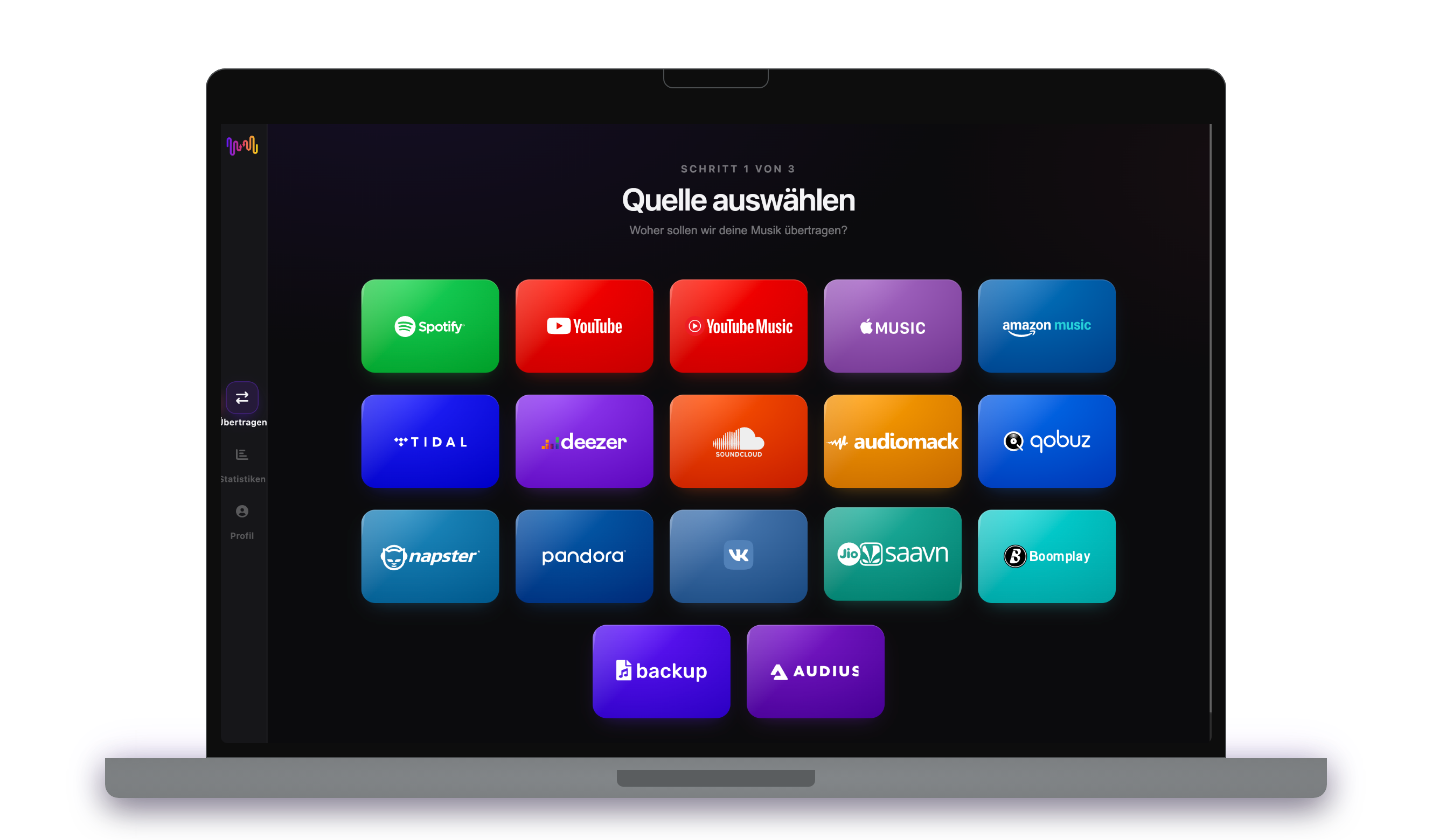
Öffne FreeYourMusic, tippe im Bildschirm „Quelle auswählen“ auf die Kachel Spotify und melde dich auf der Anmeldeseite von Spotify an. FreeYourMusic speichert dein Spotify-Passwort nicht.
- 2
SoundCloud als Ziel wählen
Tippe im Bildschirm „Ziel auswählen“ auf SoundCloud und melde dich an. FreeYourMusic braucht Zugriff auf deine SoundCloud-Bibliothek, um dort die Playlists zu erstellen.
- 3
Auswählen, was übertragen wird
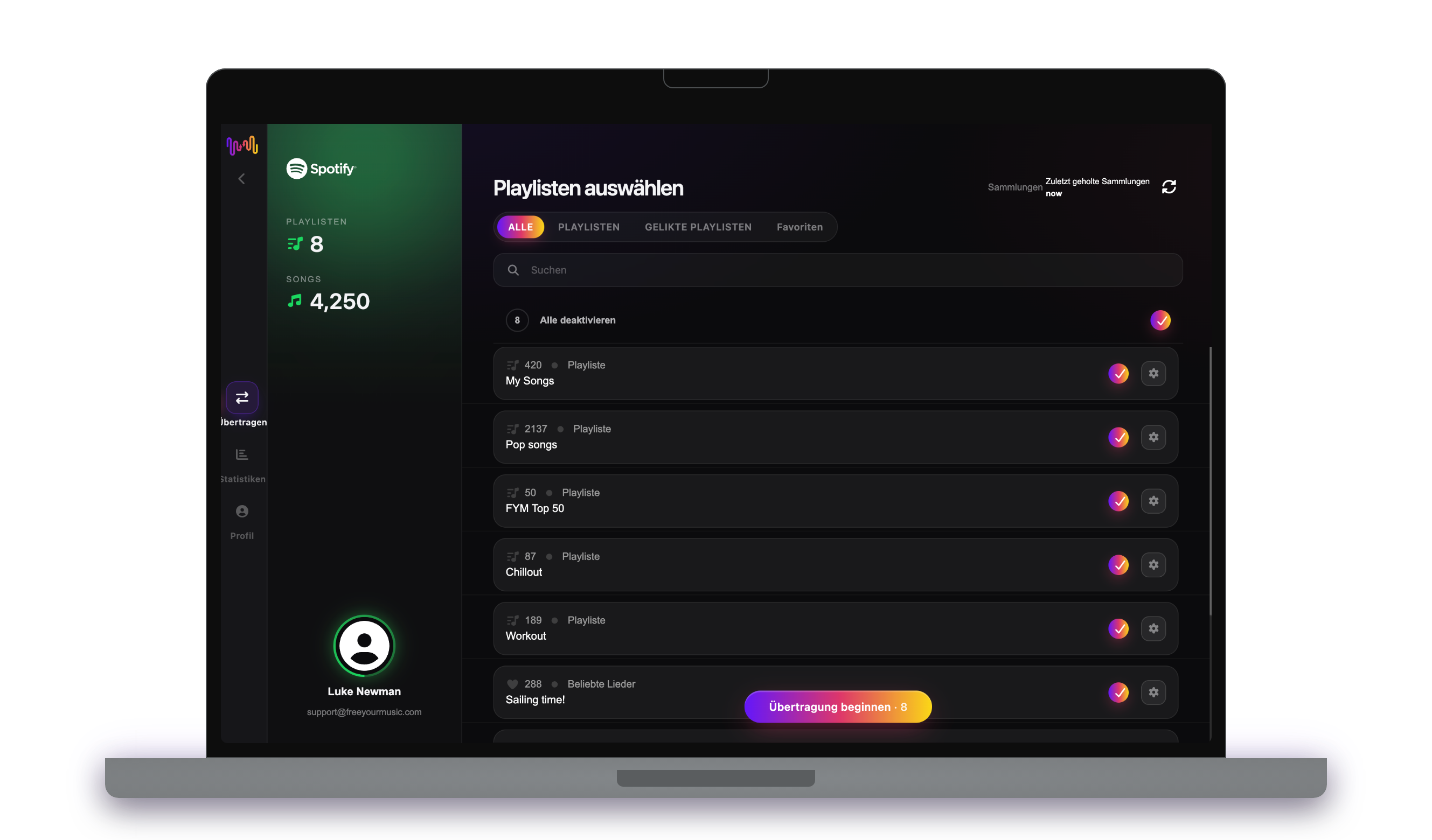
Markiere die Playlists, die du auf SoundCloud haben möchtest. Nutze die Filter und das Suchfeld, um sie zu finden, oder wähle alles aus, um deine gesamte Spotify-Bibliothek auf einmal zu übertragen.
- 4
Übertragung starten und Ergebnisse prüfen
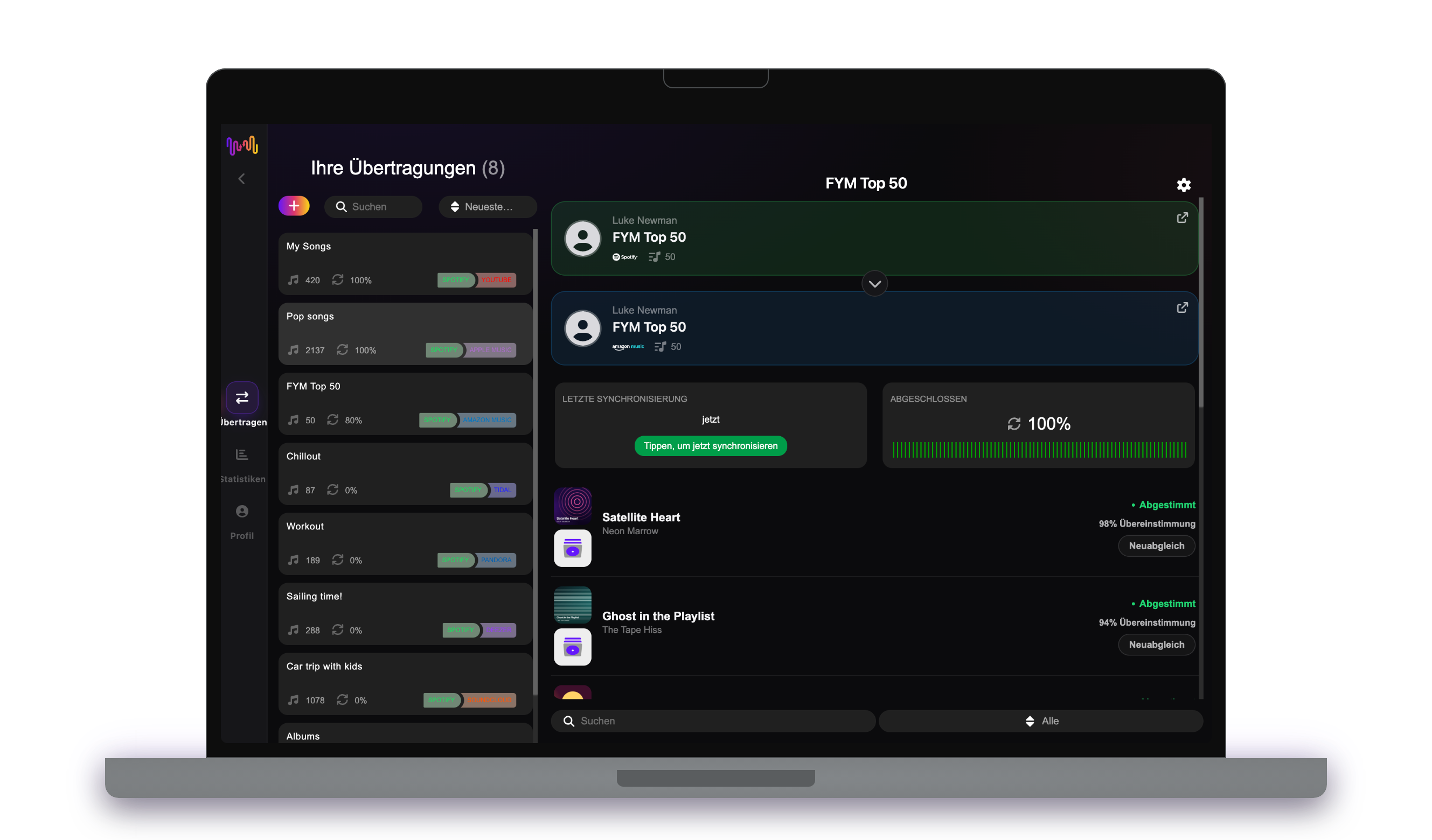
Tippe auf „Übertragung beginnen“. FreeYourMusic ordnet jeden Song auf SoundCloud zu, behält Playlist-Namen und Songreihenfolge bei und zeigt für jede Zuordnung einen Konfidenzwert an. Mit Rematch korrigierst du Songs, die nicht gefunden wurden.
Gut zu wissen, bevor du von Spotify zu SoundCloud wechselst
Spotify als Quelle
Ein kostenloses Spotify-Konto reicht aus. Spotify erlaubt Apps nicht, die Playlists zu lesen, die es für dich erstellt, etwa personalisierte Mixe: Kopiere deren Songs zuerst in eine eigene Playlist.
SoundCloud als Ziel
Eine SoundCloud-Playlist nimmt bei einer Übertragung höchstens 500 Songs auf. Längere Playlists teilt FreeYourMusic in mehrere Teile auf.
Was von Spotify zu SoundCloud übertragen wird
Auf jedem Gerät
Übertragen, umwandeln oder importieren: eine Übertragung von Spotify zu SoundCloud
Egal, wie du es nennst – es ist dieselbe Aufgabe. Du kannst deine Spotify-Playlists zu SoundCloud übertragen, eine Spotify-Playlist in eine SoundCloud-Playlist umwandeln oder deine Spotify-Bibliothek in SoundCloud importieren. FreeYourMusic erledigt alle drei in einer Übertragung, für eine einzelne Playlist oder eine Bibliothek mit Tausenden Songs.
Spotify und SoundCloud synchron halten
Fügst du auf Spotify noch Songs hinzu? Mit Premium prüft Auto-Sync deine übertragenen Playlists und fügt neue Songs automatisch zu SoundCloud hinzu, damit beide Bibliotheken gleich bleiben. Preise →
Spotify zu einem anderen Dienst übertragen




Alle Spotify-Übertragungen ansehen →
Von einem anderen Dienst zu SoundCloud übertragen
Millionen vertrauen uns bei der Übertragung von Playlists von Spotify zu SoundCloud
Häufig gestellte Fragen
Wie übertrage ich meine Spotify-Playlist zu SoundCloud?
Um Spotify zu SoundCloud zu übertragen, installiere FreeYourMusic, wähle Spotify als Quelle und SoundCloud als Ziel, wähle die gewünschten Playlists aus und starte die Übertragung. Die App sucht jeden Song auf SoundCloud und listet alle Titel auf, die sie nicht zuordnen konnte.
Was genau wird von Spotify zu SoundCloud übertragen?
FreeYourMusic überträgt Playlists, gelikte Songs und gefolgte Künstler von Spotify zu SoundCloud. Die Songs werden einzeln zugeordnet, und alles, was es auf SoundCloud nicht gibt, wird aufgelistet – so kannst du es vor dem Wechsel korrigieren.
Kann Spotify meine Playlists zu SoundCloud übertragen?
Nein. Das Import-Tool von Spotify holt Musik nur zu Spotify. Es kann deine Playlists nicht an einen anderen Dienst senden. Um deine Spotify-Playlists zu SoundCloud zu übertragen, nutze FreeYourMusic.
Kann ich Spotify-Playlists kostenlos zu SoundCloud übertragen?
Ja — die kostenlose Stufe überträgt 300 Songs ohne Kreditkarte, und nach einer kostenlosen E-Mail-Anmeldung bekommst du 300 weitere. Upgrade für unbegrenzte Übertragungen, Auto-Sync und Cloud-Backup.
Was passiert mit Songs, die es auf SoundCloud nicht gibt?
Die Kataloge unterscheiden sich je nach Dienst und Region. FreeYourMusic listet jeden Song auf, den es auf SoundCloud nicht zuordnen konnte. So kannst du mit Rematch eine andere Version wählen oder den Song überspringen. Nichts fällt weg, ohne dass du es siehst.
Werden meine Spotify-Playlists gelöscht?
Nein. FreeYourMusic kopiert deine Musik zu SoundCloud und lässt deine Spotify-Bibliothek unverändert. Ob du dein Spotify-Konto behältst oder kündigst, entscheidest du später.
Wie lange dauert eine Übertragung von Spotify zu SoundCloud?
Die meisten Playlists sind in wenigen Minuten übertragen. Große Bibliotheken dauern länger, denn die Zeit hängt von der Anzahl der Songs und von den Limits von Spotify und SoundCloud ab. Du kannst dein Gerät weiter nutzen, während die Übertragung läuft.
Kann ich Spotify auf dem Smartphone zu SoundCloud übertragen?
Ja. FreeYourMusic läuft auf iPhone, iPad und Android sowie auf Mac-, Windows- und Linux-Computern. Die Schritte sind auf jedem Gerät gleich.
Bereit für den Wechsel zu SoundCloud?
Lade FreeYourMusic herunter und verschiebe deine gesamte Bibliothek in Minuten.
Kostenlos herunterladen →