Home · Übertragungen · SpotifyYouTube

SpotifyYouTube

Playlists von Spotify zu YouTube übertragen

Übertrage Playlists, gelikete Songs und Alben mühelos von Spotify zu YouTube. Importiere deine gesamte Musikbibliothek mit Leichtigkeit zu einem neuen Streaming-Dienst. Starte deine Musikübertragung noch heute!

Übertragung starten →Kostenlos für 600 Songs · keine Kreditkarte

★★★★★ 4,8 · über 9,2 Mio. Downloads · Passwort wird nie geteilt

Auswahl von YouTube als Ziel in FreeYourMusicFreeYourMusic mobile — Ziel auswählen

Warum von Spotify zu YouTube wechseln?

Wechsle den Dienst, ohne deine Bibliothek zurückzulassen. FreeYourMusic gleicht jeden Titel ab und überträgt ihn für dich — Playlists, gelikte Songs, Alben und gefolgte Künstler.

Alles wird übertragen

Playlists, gelikte Songs, Alben und Künstler.

Reihenfolge bleibt erhalten

Playlists kommen genau in der Reihenfolge an, in der du sie erstellt hast.

Nichts geht verloren

Unvollständige Treffer werden markiert – per Rematch mit einem Fingertipp korrigierbar.

So überträgst du Spotify-Playlists zu YouTube

1

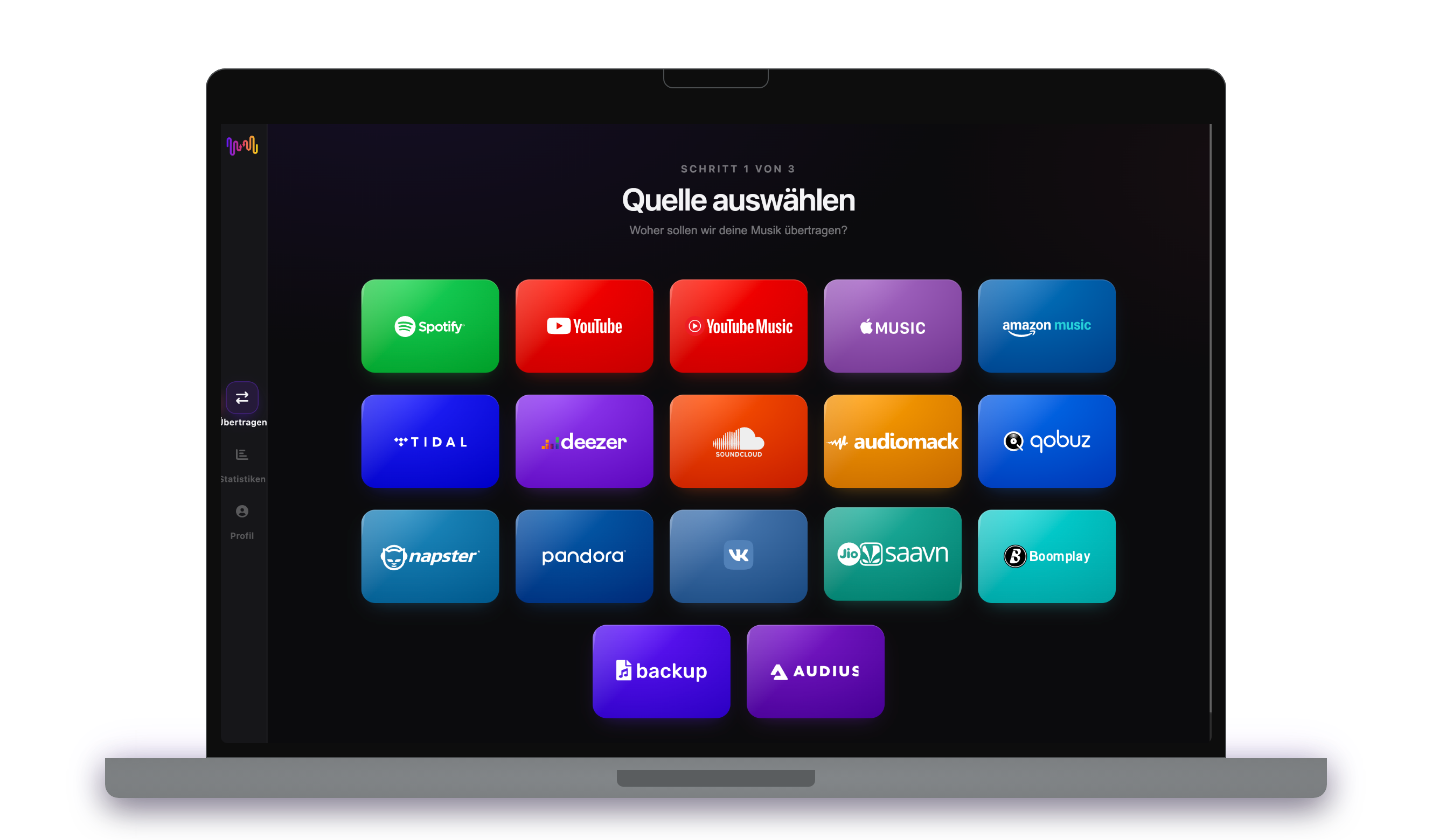
Wähle Spotify als Quelle

Verwende deine aktuelle Spotify Plattform als Quelle und beginne mit der Übertragung deiner Playlisten mit Free Your Music.

2

Wähle YouTube als Ziel

Wähle YouTube als die Plattform, auf der du eine neue Playliste erstellen willst. Alles mit nur einem Klick!

3

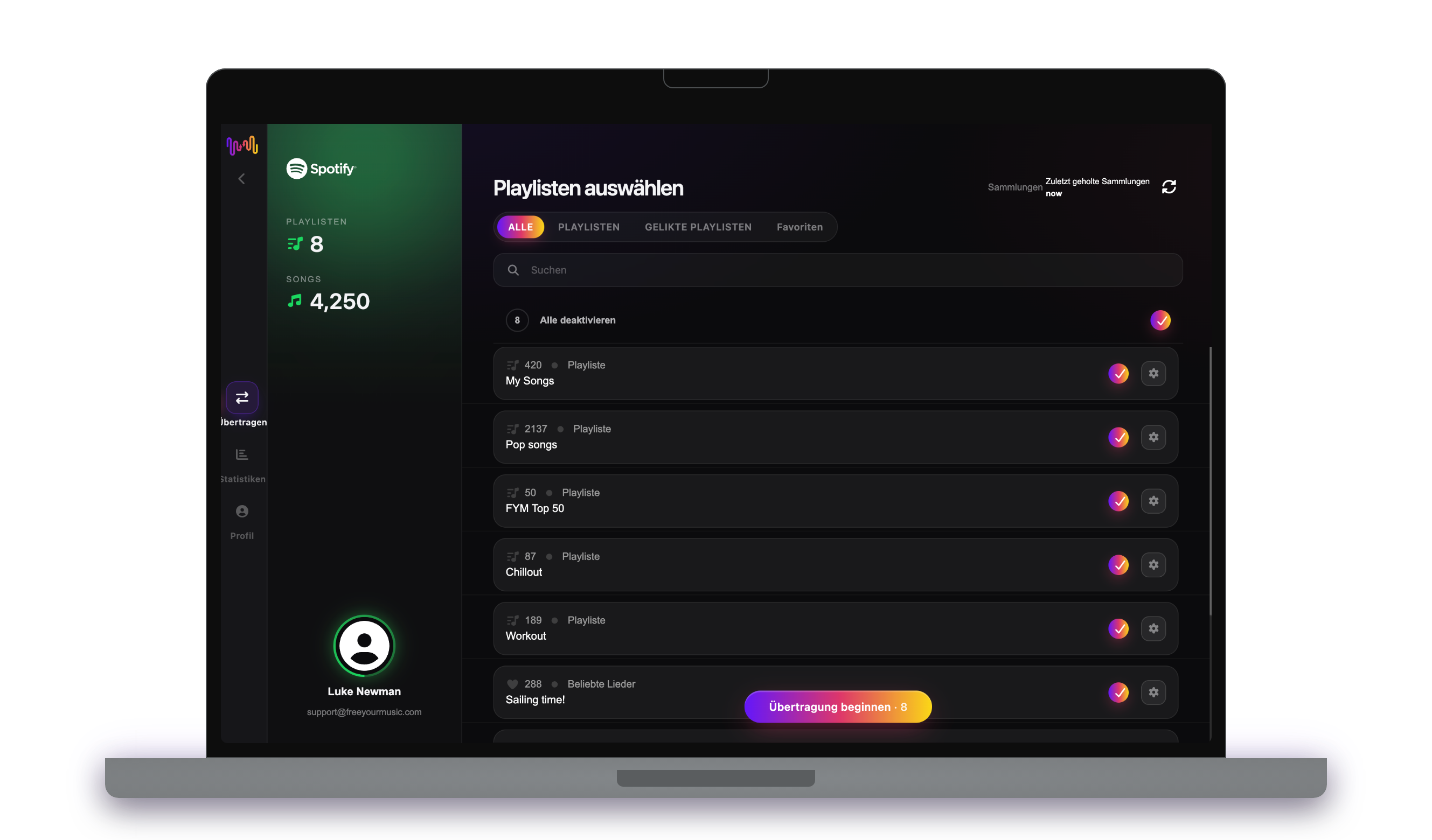
Wähle die Playlisten für die Übertragung aus

Such die Playlisten aus, die du von Spotify Dienst zu YouTube übertragen möchtest und wähle alle Playlisten aus, die du übertragen möchtest.

4

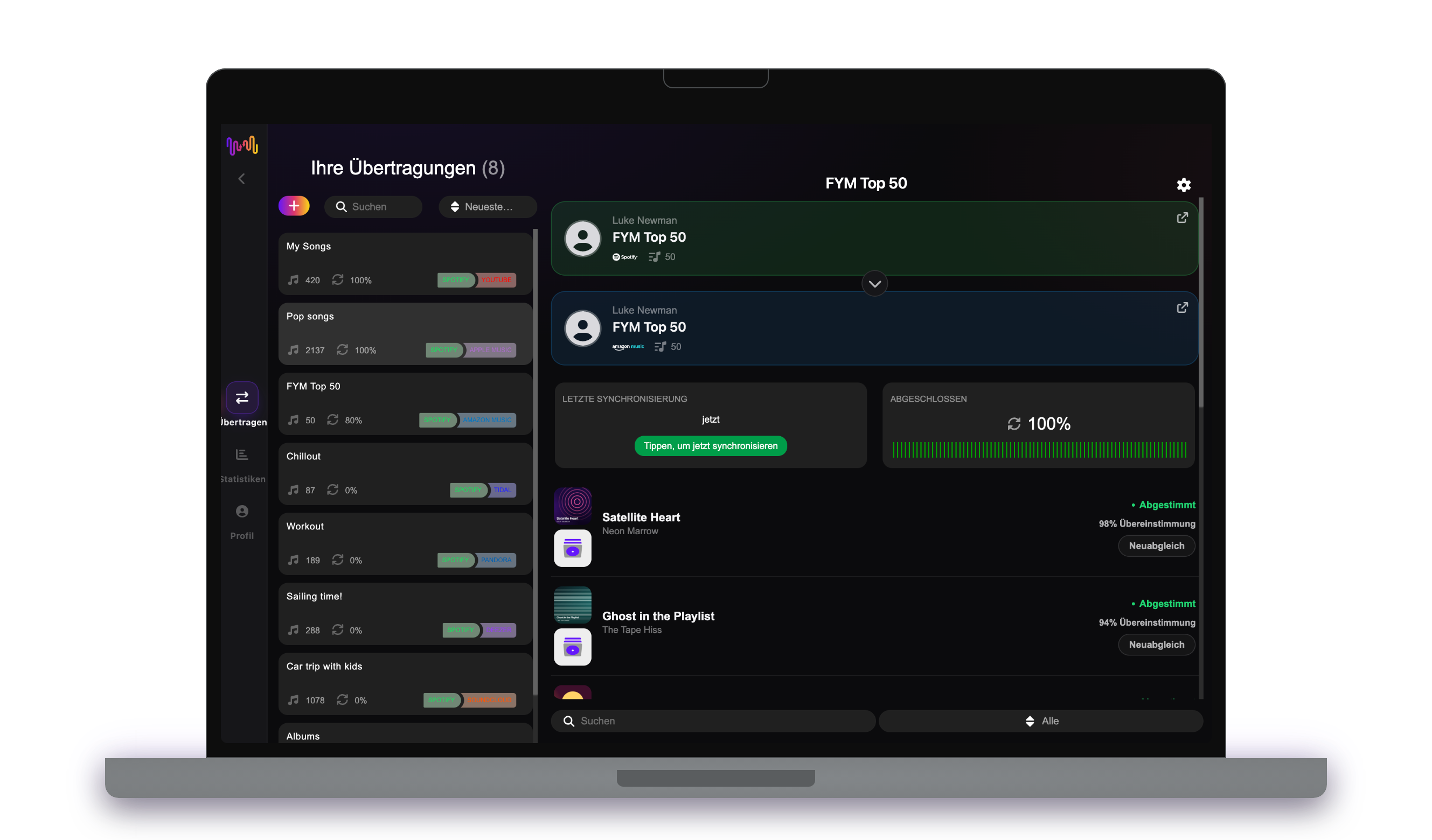
Bestätige deine Aktion - und fertig!

Die Übertragung ist abgeschlossen. Deine Songs und Playlisten von Spotify wurden zu YouTube übertragen, und du kannst deine Musik auf dem neuen Musik-Streaming-Dienst hören.

Was übertragen wird

Playlists

Gelikte Songs

Gespeicherte Alben

Gefolgte Künstler

Auf jedem Gerät

iPhoneiPadAndroidMacWindowsLinux

Menschen suchen auch nach

how to transfer Spotify playlist to YouTubetransfer Spotify playlist to YouTubemove Spotify playlist to YouTubecan you transfer Spotify playlist to YouTubeSpotify to YouTube converterimport Spotify playlist to YouTubeSpotify to YouTube playlist transferfree playlist transferplaylist transfer app

Was von Spotify zu YouTube übertragen wird

Alles, was FreeYourMusic mit einem Klick für dich verschiebt — kein manuelles Nachbauen.

Playlists (mit Originalnamen + Reihenfolge)
Unterstützt
Gelikete Songs / Favoriten
Nicht verfügbar
Gespeicherte Alben
Nicht verfügbar
Gefolgte Künstler
Nicht verfügbar
ISRC-basierte exakte Titelzuordnung
Nicht verfügbar
Fallback auf Titel + Künstler-Zuordnung

Millionen vertrauen uns bei der Übertragung von Playlists von Spotify zu YouTube

4.70 Sterne

Durchschnittliche Bewertung

32,5000 Bewertungen

Auf iOS und Android

12M0 Downloads

Plattformübergreifend

Moving from Spotify to YouTube, explained

Moving from Spotify to YouTube is a slightly different kind of migration, because YouTube is about videos as much as audio. FreeYourMusic reads your Spotify library through Spotify’s official sign-in and recreates it on YouTube as playlists of music videos and tracks — turning your carefully built audio collection into something you can watch as well as hear.

This guide explains what transfers, what cannot, how each Spotify song is matched to something on YouTube, how long it takes, and how the two platforms really differ. If you just want to begin, install FreeYourMusic, connect both accounts and choose what to move — the detail is below for when you want it.

What transfers to YouTube, and what does not

Your Spotify playlists become YouTube playlists, keeping their names and order, and your liked songs and saved albums are turned into playable entries on YouTube. You can move everything at once or pick playlists individually, with counts shown before you commit.

Some things do not translate. Discover Weekly and Release Radar are Spotify algorithmic playlists and can only be copied as a current snapshot. Podcasts stay on Spotify. And because YouTube is video-first, some audio-only tracks appear as official uploads or art-track videos rather than traditional songs, and locally uploaded Spotify files have no YouTube equivalent to match.

How FreeYourMusic matches your tracks

For each Spotify song, FreeYourMusic finds the closest corresponding video or track on YouTube, preferring the ISRC recording code where possible and otherwise comparing title, artist, album and duration. That is how your playlists arrive pointing at the right songs rather than unrelated clips.

YouTube is vast and sometimes messy — the same song can exist as an official video, a lyric video, a live performance and a fan upload. FreeYourMusic favours official sources and flags anything ambiguous for one-tap Rematch, so you can swap in the exact video or version you had in mind.

How long does a Spotify to YouTube transfer take?

Most transfers finish in minutes. With both accounts connected, around 1,000 tracks usually completes in under ten minutes. Larger libraries take longer, but the transfer runs on its own — start it and get on with your day.

FreeYourMusic runs natively on iPhone, iPad, Android, Mac, Windows and Linux, so the move is not tied to one device. Start it on your desktop and check progress on your phone; it is the same account and the same transfer throughout.

Spotify vs YouTube: what actually changes

The core shift is from an audio service to a video platform. On YouTube your playlists play as music videos, live performances and official uploads, and the whole thing is free with ads. For people who like to watch as much as listen — or who want the live and rare footage the studio services skip — that is the appeal.

What you give up is a purpose-built music experience: Spotify’s Discover Weekly, Wrapped, offline audio and gapless playback. YouTube’s recommendations pull from everything you watch, not just music, so the vibe is broader and less focused. Many people convert Spotify playlists into YouTube libraries precisely to unlock that video and live-footage side.

Do you need to keep Spotify while you transfer?

Yes — keep Spotify active until the transfer is done and checked. FreeYourMusic reads your Spotify library while it builds your YouTube playlists, and keeping both live means you never lose access mid-move. Cancel Spotify only once you are satisfied.

YouTube itself is free to use, so there is no subscription needed to receive the transfer, though YouTube Premium removes ads and adds background play. Both services connect through their own official sign-in, and your password is never shared with FreeYourMusic.

Tips for a clean migration

Trim your Spotify playlists first so you are not converting dead ones into YouTube clutter. Move a couple of playlists to start and check them on YouTube — because the platform is video-first, it is worth confirming the matched entries are the official songs you wanted rather than covers or clips.

When it is done, run through the Rematch list and swap out any wrong videos. If you plan to use YouTube for background listening on mobile, consider YouTube Premium so playback continues when your screen is off, and save your key playlists for offline viewing.

Keeping Spotify and YouTube in sync afterwards

A one-time move is not the only option. If you want to keep both, FreeYourMusic’s Auto-Sync mirrors the libraries, adding new saves across on a schedule so a track you like on Spotify turns into a new entry in your YouTube playlists automatically.

And the transfer runs the other way too, from YouTube back to Spotify, if you change your mind. Your collection stays portable. Download FreeYourMusic, connect Spotify and YouTube, and see how much of your library comes across — the free tier lets you try it first.

Bereit für den Wechsel zu YouTube?

Lade FreeYourMusic herunter und verschiebe deine gesamte Bibliothek in Minuten.

Kostenlos herunterladen →

Häufig gestellte Fragen

Wie übertrage ich meine Spotify-Playlist zu YouTube?

Installiere FreeYourMusic, melde dich mit den offiziellen Logins bei Spotify und dann bei YouTube an, wähle die gewünschten Playlists aus und starte die Übertragung. Intelligenter Titel-Abgleich überträgt Songs mit intakter Reihenfolge — eine Playlist mit 1.000 Titeln ist meist in unter 10 Minuten fertig.

Kann ich Spotify-Playlists kostenlos zu YouTube übertragen?

Ja — die kostenlose Stufe überträgt bis zu 600 Songs und eine Playlist ohne Kreditkarte. Upgrade für unbegrenzte Übertragungen, Auto-Sync und Cloud-Backup.

Gibt es eine App, um Playlists von Spotify zu YouTube zu übertragen?

FreeYourMusic ist eine Playlist-Übertragungs-App für iPhone, iPad, Android, Mac, Windows und Linux, die Playlists, gelikte Songs, gespeicherte Alben und gefolgte Künstler von Spotify zu YouTube überträgt.

Kann ich meine Spotify-Playlists kostenlos zu YouTube übertragen?

Ja – FreeYourMusic überträgt deine ersten 600 Songs von Spotify zu YouTube kostenlos, Playlists inklusive. Größere Bibliotheken erfordern Premium, und jede Übertragung läuft direkt zwischen deinen eigenen Spotify- und YouTube-Konten.

Was genau wird von Spotify zu YouTube übertragen?

Playlists (mit ihrer Reihenfolge), gelikte Songs, Alben und gefolgte Künstler. Songs werden Titel für Titel anhand von ISRC-Codes abgeglichen, wo Spotify und YouTube sie bereitstellen, mit Titel- und Künstlerabgleich als Ausweichlösung – die genaue Funktionsliste dieses Paares findest du in der Kompatibilitätstabelle oben.

Was ist eine Übertragung einer Wiedergabeliste?

Eine Übertragung von Wiedergabelisten ist der Vorgang, bei dem Sie Ihre Musikwiedergabelisten von einem Streaming-Dienst zu einem anderen übertragen. Anstatt Ihre Wiedergabeliste manuell neu zu erstellen, können Sie mit Tools wie FreeYourMusic Wiedergabelisten automatisch übertragen, was Ihnen Zeit und Mühe erspart.

Kann ich Wiedergabelisten zwischen beliebigen Musik-Streaming-Diensten übertragen?

Ja! Mit FreeYourMusic können Sie Wiedergabelisten zwischen großen Diensten wie Spotify, Apple Music, YouTube Music, Amazon Music, TIDAL, Deezer und anderen übertragen.

Muss ich ein neues Konto erstellen, um Wiedergabelisten zu übertragen?

Nein, Sie brauchen kein neues Konto. Verbinden Sie einfach Ihre bestehenden Streaming-Konten in der FreeYourMusic-App, und Sie können sofort mit der Übertragung Ihrer Wiedergabelisten beginnen.

Werden alle Songs perfekt übertragen?

Die meiste Zeit, ja. FreeYourMusic verwendet ein intelligentes Abgleichsystem, um die gleichen oder ähnliche Titel auf verschiedenen Plattformen zu finden. In seltenen Fällen kann es vorkommen, dass einige Titel bei Ihrem neuen Dienst nicht verfügbar sind und nicht übertragen werden können.

Behält FreeYourMusic die Namen und die Reihenfolge meiner Wiedergabelisten?

Unbedingt. Wenn Sie Wiedergabelisten übertragen, behält FreeYourMusic die Titel Ihrer Wiedergabelisten, die Reihenfolge der Lieder und sogar mehrere Wiedergabelisten auf einmal bei.

Wie lange dauert die Übertragung einer Wiedergabeliste?

Es hängt von der Größe Ihrer Wiedergabelisten und der Geschwindigkeit Ihrer Internetverbindung ab, aber die meisten Übertragungen von Wiedergabelisten dauern nur ein paar Minuten.

Kann ich Wiedergabelisten von einem kostenlosen Konto übertragen?

Ja! Sie können Wiedergabelisten sowohl von kostenlosen als auch von Premium-Konten übertragen, obwohl einige Streaming-Dienste den Zugriff darauf beschränken können.