 YouTube Music→
 YouTube
Trasferire da YouTube Music a YouTube
Sposta playlist da YouTube Music a YouTube senza ricostruire nulla a mano. Collega entrambi gli account, scegli cosa spostare e FreeYourMusic ricrea tutto su YouTube con gli stessi nomi e lo stesso ordine dei brani.
★★★★★ 4,7 · oltre 12 Mln di download · Password mai condivisa


Perché passare da YouTube Music a YouTube?
FreeYourMusic sposta playlist da YouTube Music a YouTube. Abbina i brani uno per uno ed elenca tutto ciò che non è su YouTube, così puoi sistemarlo prima di cambiare servizio.
Trasferimenti supportati
Playlist (con nomi e ordine originali)
Controlla i brani mancanti
I cataloghi sono diversi. Controlla i risultati del trasferimento per vedere quali brani non sono stati trovati sul servizio di destinazione.
Come trasferire le playlist da YouTube Music a YouTube
Quattro passaggi. Gli stessi su iPhone, Android, Mac, Windows e Linux.
Risposta rapida
Per trasferire YouTube Music su YouTube, installa FreeYourMusic, seleziona YouTube Music come origine e YouTube come destinazione, scegli le playlist che vuoi e avvia il trasferimento. L'app trova ogni brano su YouTube ed elenca quelli che non è riuscita ad abbinare.
- 1
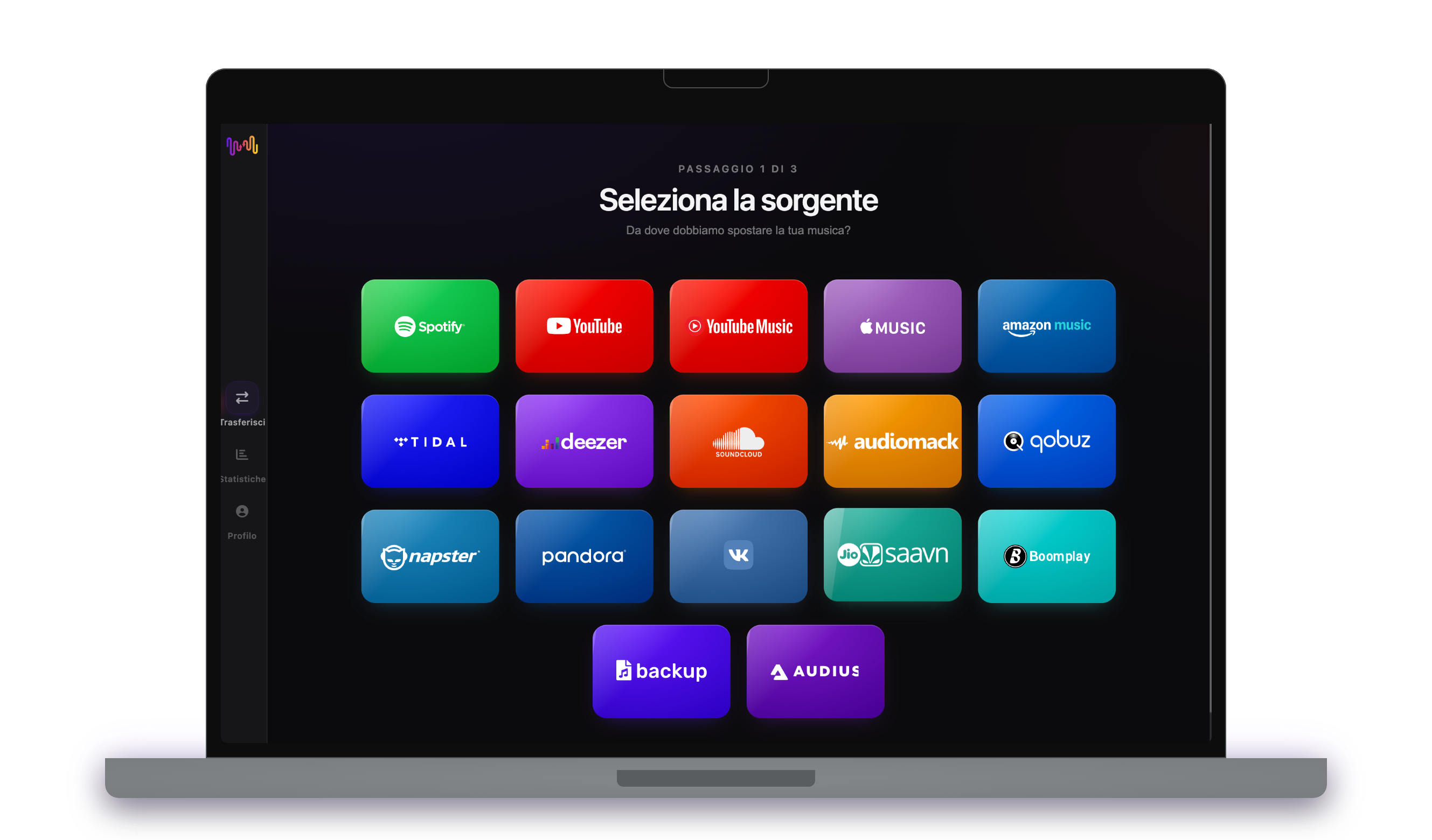
Collega YouTube Music come origine
Apri FreeYourMusic, tocca il riquadro YouTube Music nella schermata "Seleziona la sorgente" e accedi dalla pagina di login di YouTube Music. FreeYourMusic non memorizza la tua password di YouTube Music.
- 2
Scegli YouTube come destinazione
Nella schermata "Seleziona destinazione", tocca YouTube e accedi. FreeYourMusic ha bisogno di accedere alla tua libreria YouTube per creare lì le playlist.
- 3
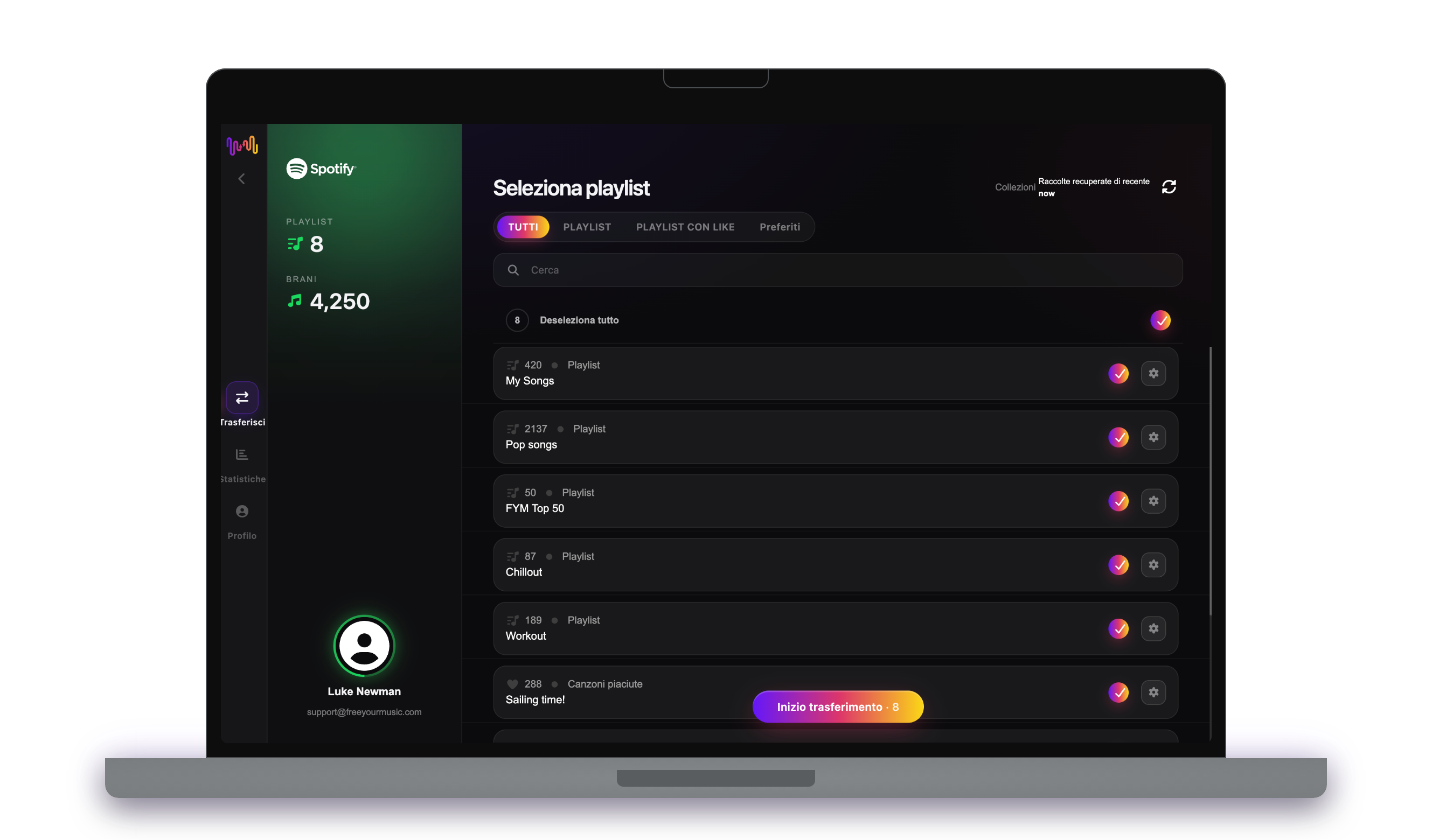
Scegli cosa spostare
Seleziona le playlist che vuoi su YouTube. Usa i filtri e il campo di ricerca per trovarle, oppure seleziona tutto per spostare l'intera libreria YouTube Music in una volta.
- 4
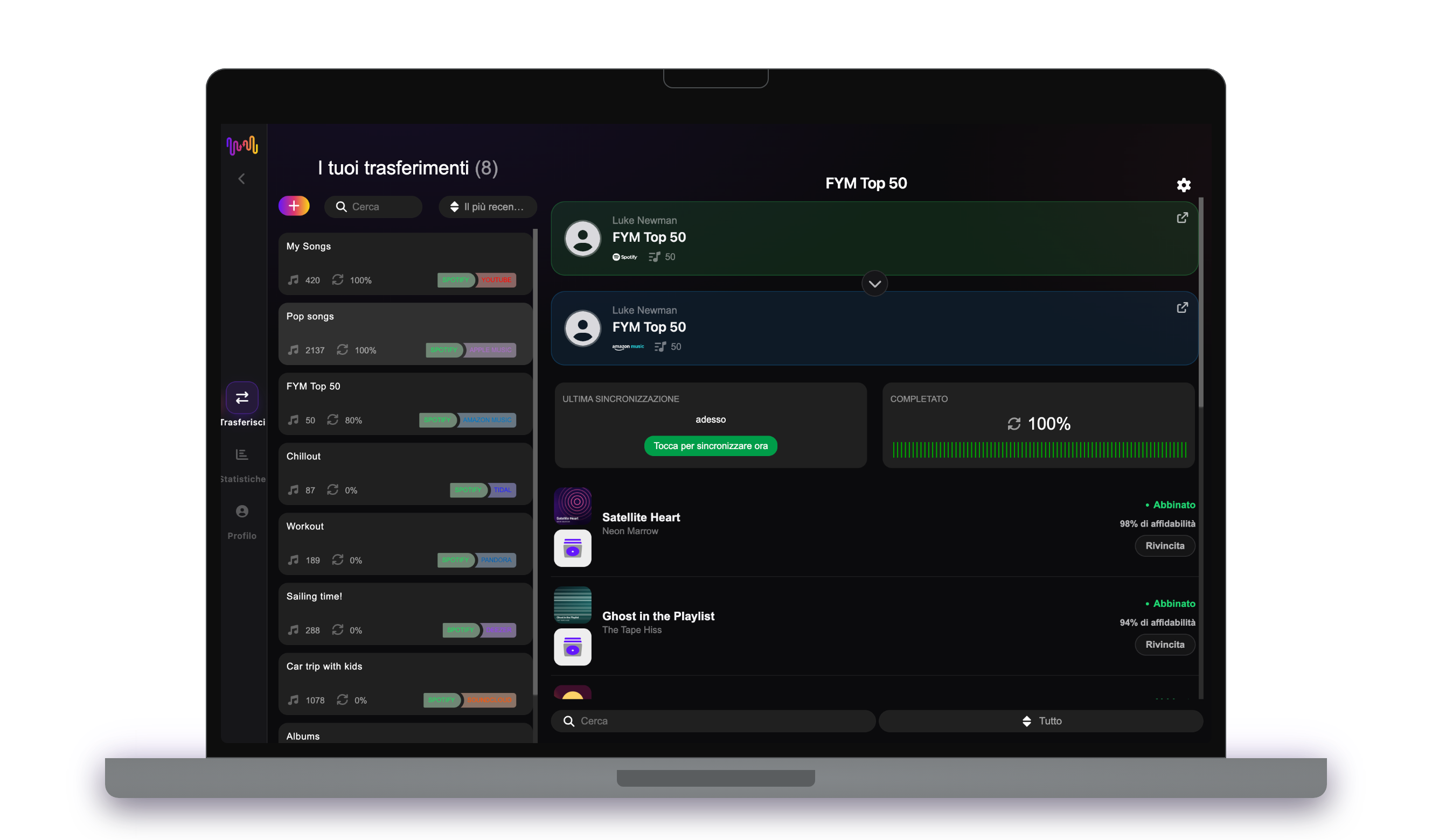
Avvia il trasferimento e controlla i risultati
Tocca "Inizio trasferimento". FreeYourMusic abbina ogni brano su YouTube, mantiene i nomi delle playlist e l'ordine dei brani e mostra un punteggio di affidabilità per ogni abbinamento. Usa Rematch per sistemare i brani che non ha trovato.
Da sapere prima di passare da YouTube Music a YouTube
YouTube Music come origine
Accedi con l'account Google che contiene la tua libreria di YouTube Music. Puoi spostare playlist e album salvati, ma non gli artisti seguiti.
YouTube come destinazione
FreeYourMusic trova un video per ogni brano e lo salva in una playlist del tuo account YouTube.
Cosa viene trasferito da YouTube Music a YouTube
Su ogni dispositivo
Spostare, convertire o importare: un solo trasferimento da YouTube Music a YouTube
Comunque tu lo chiami, il lavoro è lo stesso. Puoi spostare le tue playlist di YouTube Music su YouTube, convertire una playlist di YouTube Music in una playlist di YouTube o importare la tua libreria YouTube Music in YouTube. FreeYourMusic fa tutte e tre le cose in un solo trasferimento, per una singola playlist o per una libreria di migliaia di brani.
Mantieni YouTube Music e YouTube sincronizzati
Aggiungi ancora brani su YouTube Music? Con Premium, Auto-Sync controlla le playlist trasferite e aggiunge automaticamente i brani nuovi su YouTube, così le due librerie restano uguali. Prezzi →
Passa da YouTube Music a un altro servizio




Vedi tutti i trasferimenti da YouTube Music →
Trasferisci su YouTube da un altro servizio
Domande frequenti
Come trasferisco la mia playlist da YouTube Music a YouTube?
Per trasferire YouTube Music su YouTube, installa FreeYourMusic, seleziona YouTube Music come origine e YouTube come destinazione, scegli le playlist che vuoi e avvia il trasferimento. L'app trova ogni brano su YouTube ed elenca quelli che non è riuscita ad abbinare.
Cosa viene trasferito esattamente da YouTube Music a YouTube?
FreeYourMusic sposta playlist da YouTube Music a YouTube. Abbina i brani uno per uno ed elenca tutto ciò che non è su YouTube, così puoi sistemarlo prima di cambiare servizio.
Posso trasferire le playlist da YouTube Music a YouTube gratuitamente?
Sì — il piano gratuito sposta 300 brani senza bisogno di carta, e ne ottieni altri 300 dopo una registrazione gratuita con email. Passa a Premium per trasferimenti illimitati, Auto-Sync e Cloud Backup.
Cosa succede ai brani che non sono su YouTube?
I cataloghi cambiano da un servizio all'altro e da un paese all'altro. FreeYourMusic elenca ogni brano che non è riuscito ad abbinare su YouTube, così puoi scegliere un'altra versione con Rematch oppure saltarlo. Niente viene scartato senza che tu lo veda.
Le mie playlist di YouTube Music verranno eliminate?
No. FreeYourMusic copia la tua musica su YouTube e lascia la tua libreria YouTube Music così com'è. Decidi tu in seguito se tenere o disdire il tuo account YouTube Music.
Quanto dura un trasferimento da YouTube Music a YouTube?
La maggior parte delle playlist si trasferisce in pochi minuti. Le librerie grandi richiedono più tempo, perché la durata dipende dal numero di brani e dai limiti di YouTube Music e YouTube. Puoi continuare a usare il dispositivo mentre il trasferimento è in corso.
Posso trasferire YouTube Music su YouTube dallo smartphone?
Sì. FreeYourMusic funziona su iPhone, iPad e Android, e sui computer Mac, Windows e Linux. I passaggi sono gli stessi su ogni dispositivo.
Pronto a passare a YouTube?
Scarica FreeYourMusic e sposta l'intera libreria in pochi minuti.
Scarica gratis →