 Apple Music→
 Spotify
Överför Apple Music till Spotify
Flytta dina spellistor, gillade låtar och sparade album från Apple Music till Spotify utan att bygga upp något för hand. Anslut båda kontona, välj vad du vill flytta, så återskapar FreeYourMusic allt på Spotify med samma namn och samma låtordning.
★★★★★ 4,7 · över 12 mn nedladdningar · Lösenordet delas aldrig


Varför flytta från Apple Music till Spotify?
FreeYourMusic flyttar dina spellistor, gillade låtar och sparade album från Apple Music till Spotify. Låtarna matchas en och en, och allt som saknas på Spotify listas så att du kan rätta det innan du byter.
Överföringar som stöds
Spellistor (med ursprungliga namn + ordning), Gillade låtar / favoriter och Sparade album
Granska saknade låtar
Musikkatalogerna skiljer sig åt. Granska överföringsresultaten för att se vilka låtar som inte kunde matchas på måltjänsten.
Så överför du spellistor från Apple Music till Spotify
Fyra steg. Samma på iPhone, Android, Mac, Windows och Linux.
Snabbt svar
För att överföra Apple Music till Spotify installerar du FreeYourMusic, väljer Apple Music som källa och Spotify som mål, markerar de spellistor du vill ha och startar överföringen. Appen hittar varje låt på Spotify och listar alla spår som den inte kunde matcha.
- 1
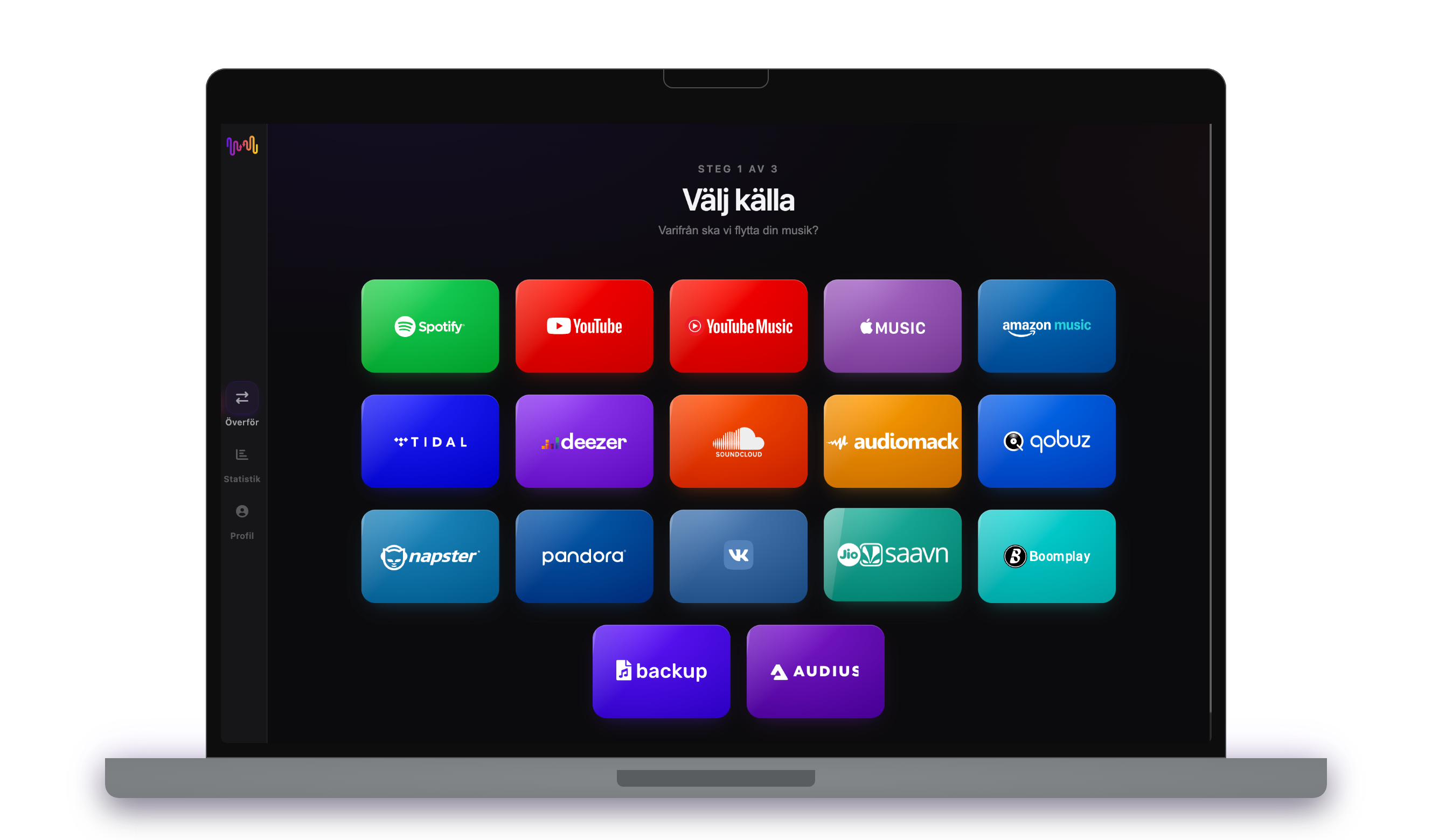
Anslut Apple Music som källa
Öppna FreeYourMusic, tryck på rutan för Apple Music på skärmen ”Välj källa” och logga in på inloggningssidan för Apple Music. FreeYourMusic sparar inte ditt lösenord till Apple Music.
- 2
Välj Spotify som mål
Tryck på Spotify på skärmen ”Välj mål” och logga in. FreeYourMusic behöver åtkomst till ditt Spotify-bibliotek för att skapa spellistorna där.
- 3
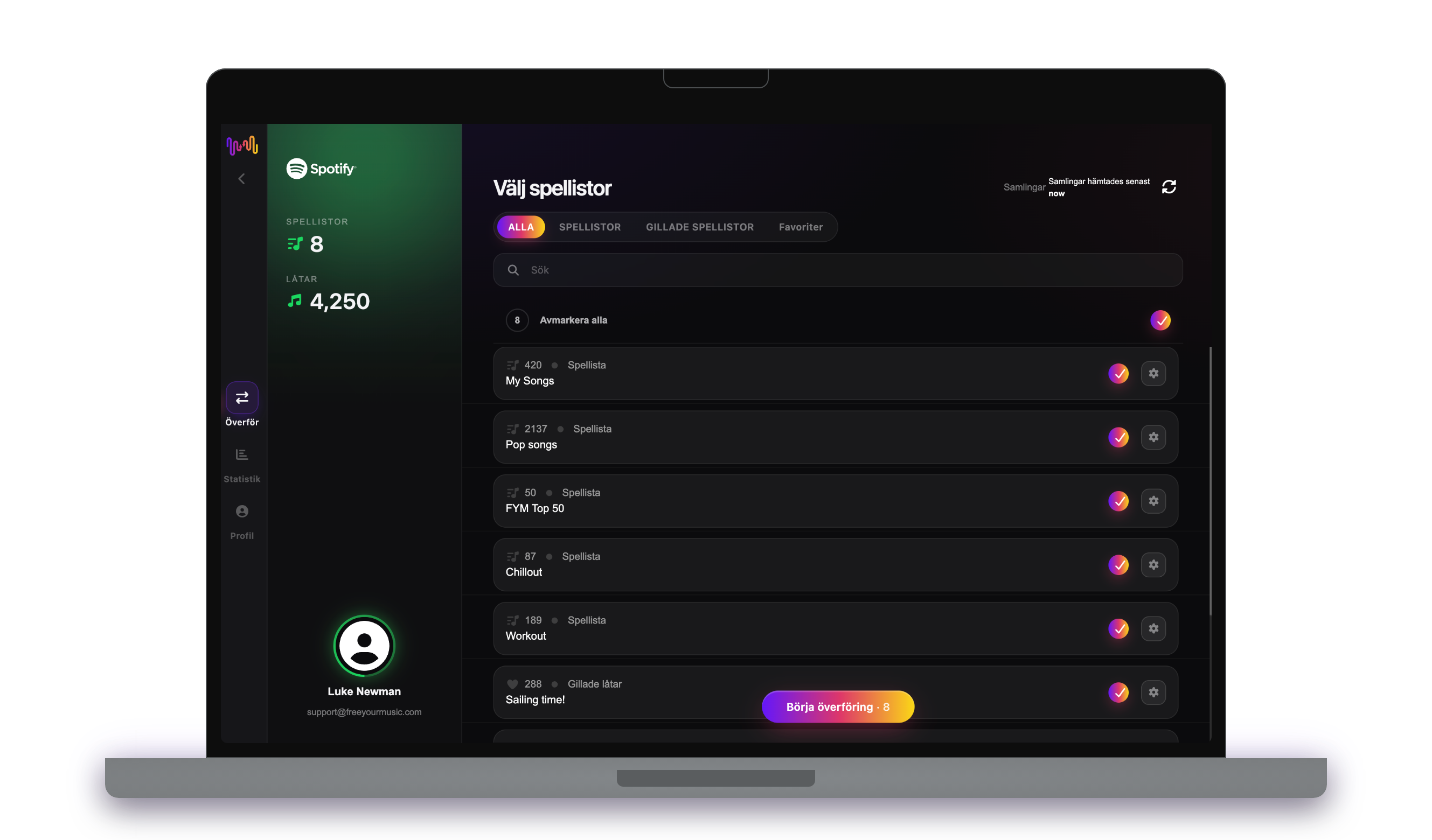
Välj vad som ska flyttas
Markera de spellistor du vill ha på Spotify. Använd filtren och sökfältet för att hitta dem, eller markera allt för att flytta hela ditt Apple Music-bibliotek på en gång.
- 4
Starta överföringen och kontrollera resultatet
Tryck på ”Börja överföring”. FreeYourMusic matchar varje låt på Spotify, behåller spellistornas namn och låtordningen och visar ett säkerhetsvärde för varje matchning. Använd Rematch för att rätta låtar som inte hittades.

Bra att veta innan du flyttar från Apple Music till Spotify
Apple Music som källa
Vissa funktioner kräver en aktiv Apple Music-prenumeration. Gör om smarta spellistor till vanliga spellistor i appen Musik innan du överför dem.
Spotify som mål
Ett gratiskonto på Spotify kan ta emot din musik. Spotify söker på ISRC-kod, så låtar från en tjänst som tillhandahåller ISRC-koder matchas mycket exakt.
Spotify har en inbyggd import. Så skiljer sig FreeYourMusic.
Spotifys mobilapp kan importera spellistor från Apple Music: öppna ditt bibliotek och använd importfunktionen. En partnertjänst sköter importen, och den flyttar musik bara till Spotify.
| Inbyggd Spotify-import | FreeYourMusic | |
|---|---|---|
| Vart din musik kan flyttas | Bara Spotify | Spotify och 15 andra tjänster |
| Flytta mellan två Spotify-konton | Nej | Ja |
| Håll spellistor synkade efter flytten | Nej, engångsimport | Ja, med Auto-Sync (Premium) |
| Säkerhetskopiera ditt bibliotek | Nej | Ja, med Cloud Backup (Premium) |
| Lämna Spotify senare | Nej | Ja, åt alla håll |
För en snabb engångsflytt kan den inbyggda importen räcka. Använd FreeYourMusic för att hålla tjänster synkade, flytta mellan konton, säkerhetskopiera ditt bibliotek eller lämna Spotify senare.
Vad som överförs från Apple Music till Spotify
På alla enheter
Flytta, konvertera eller importera: en överföring från Apple Music till Spotify
Vad du än kallar det är det samma jobb. Du kan flytta dina Apple Music-spellistor till Spotify, konvertera en Apple Music-spellista till en Spotify-spellista eller importera ditt Apple Music-bibliotek till Spotify. FreeYourMusic gör alla tre i en enda överföring, för en spellista eller för ett bibliotek med tusentals låtar.
Håll Apple Music och Spotify synkade
Lägger du fortfarande till låtar på Apple Music? Med Premium kontrollerar Auto-Sync dina överförda spellistor och lägger automatiskt till nya låtar på Spotify, så att båda biblioteken förblir likadana. Priser →
Flytta Apple Music till en annan tjänst




Se alla överföringar från Apple Music →
Överför till Spotify från en annan tjänst
Vanliga frågor
Hur överför jag min Apple Music-spellista till Spotify?
För att överföra Apple Music till Spotify installerar du FreeYourMusic, väljer Apple Music som källa och Spotify som mål, markerar de spellistor du vill ha och startar överföringen. Appen hittar varje låt på Spotify och listar alla spår som den inte kunde matcha.
Vad överförs egentligen från Apple Music till Spotify?
FreeYourMusic flyttar dina spellistor, gillade låtar och sparade album från Apple Music till Spotify. Låtarna matchas en och en, och allt som saknas på Spotify listas så att du kan rätta det innan du byter.
Spotify har ett eget importverktyg. Varför använda FreeYourMusic?
Det inbyggda verktyget importerar musik till Spotify en gång. FreeYourMusic flyttar musik mellan 16 tjänster åt alla håll, mellan två konton på samma tjänst, håller spellistor synkade efter flytten och säkerhetskopierar ditt bibliotek.
Kan jag överföra Apple Music-spellistor till Spotify gratis?
Ja — gratisnivån flyttar 300 låtar utan att du behöver kort, och du får 300 till efter en gratis registrering med e-post. Uppgradera för obegränsade överföringar, Auto-Sync och Cloud Backup.
Vad händer med låtar som inte finns på Spotify?
Katalogerna skiljer sig mellan tjänster och regioner. FreeYourMusic listar varje låt som inte kunde matchas på Spotify, så att du kan välja en annan version med Rematch eller hoppa över den. Inget försvinner utan att du ser det.
Raderas mina Apple Music-spellistor?
Nej. FreeYourMusic kopierar din musik till Spotify och låter ditt Apple Music-bibliotek vara som det är. Du bestämmer senare om du vill behålla eller säga upp ditt Apple Music-konto.
Hur lång tid tar en överföring från Apple Music till Spotify?
De flesta spellistor flyttas på några minuter. Stora bibliotek tar längre tid, eftersom tiden beror på antalet låtar och på begränsningarna hos Apple Music och Spotify. Du kan fortsätta använda enheten medan överföringen pågår.
Kan jag överföra Apple Music till Spotify i mobilen?
Ja. FreeYourMusic fungerar på iPhone, iPad och Android, och på Mac-, Windows- och Linux-datorer. Stegen är desamma på alla enheter.
Redo att flytta till Spotify?
Ladda ner FreeYourMusic och flytta hela ditt bibliotek på några minuter.
Ladda ner gratis →