How to See Your Spotify Stats and Listening History (2026)
Spotify is a popular digital music service with over 750 million active users. With Spotify, users can listen to different songs, genres, artists, and playlists anytime.
If you're interested in tracking your music activities on Spotify, you have more options than you might think. Spotify itself shows you part of the picture: your recent listening history, your top artists, and the annual Wrapped recap. And a whole ecosystem of stats tools fills in the rest, from real-time top-track charts to festival posters and receipt-style graphics.
This guide covers the built-in ways to see your Spotify stats, the eight best tools for going deeper, and how to export your complete listening history.
How to Check Your Spotify Listening History
Quick answer: You can view your recently played tracks directly in the Spotify app. Open Spotify, tap the clock icon (or go to "Recently Played" on desktop), and you will see your last 50 tracks. For deeper stats, you need Spotify Wrapped or a third-party tool.
Spotify keeps a running log of your recently played songs, but it only shows the last 50 tracks at any given time. Here is how to find it:
- On mobile: Open Spotify and tap "Your Library." Then tap the clock icon in the top-right corner to see recently played artists, playlists, and albums.
- On desktop: Click "Recently Played" in the left sidebar or navigate to your Queue and select the "Recently Played" tab.
- On the web player: Open the Spotify Web Player and click on "Recently Played" in the sidebar.
Keep in mind that this only shows recent activity. Spotify does not offer a full listening history viewer inside the app. If you want a complete picture of your Spotify listening stats, keep reading for more options.
How to See Your Top Artists, Songs, and Genres
Quick answer: Open Spotify and go to your profile page to see your current top artists and tracks. For more detailed stats across different time periods, use a third-party tool or wait for your annual Wrapped recap.
Spotify gives you a few built-in ways to see your top content:
Your Spotify Profile
Your profile page displays your top artists and recently played content. Other Spotify users can see this too (unless you set your profile to private). To find it:
- Tap your profile picture in the Spotify app.
- Scroll down to see your "Top artists this month" section.
- On desktop, click your profile name to see a similar view.
Made for You Playlists
Spotify creates personalized playlists based on your listening habits. These playlists are indirect reflections of your stats:
- Your Top Songs 2025: A playlist of your 100 most-played songs from last year (updated with each Wrapped).
- On Repeat: Songs you are currently listening to the most.
- Repeat Rewind: Songs that were recently on heavy rotation but have dropped off.
- Discover Weekly: New recommendations based on your taste. Check out our tips on how to find new music to get even more from this feature.
- Daily Mixes: Grouped by genre or mood based on your listening patterns.
Spotify Wrapped: What It Shows and When It Drops

Quick answer: Spotify Wrapped is an annual recap that drops in late November or early December. It shows your top songs, artists, genres, total minutes listened, and listening personality for the entire year.
Spotify Wrapped is the platform's biggest feature for reviewing your listening data. Every year, Spotify compiles your stats into a shareable, interactive experience. Here is what Wrapped typically includes:
- Top 5 songs of the year
- Top 5 artists you streamed the most
- Top genres you listened to
- Total minutes listened across the year
- Listening personality based on your habits
- Top podcast shows (if you listen to podcasts on Spotify)
Wrapped usually launches in the first week of December. Spotify tracks your data from January 1 through late October, so anything you listen to in November and December may not count toward your Wrapped stats. For the full story, read our guide to Spotify Wrapped. Wrapped only arrives once a year - see our guide to the Spotify Wrapped release date and tracking cutoff for what still counts before it closes.
The downside of Wrapped? You can only see it once a year. If you want to check your Spotify stats right now or track how your taste changes month to month, you need one of the tools below.
8 Best Tools to See Your Spotify Stats
These tools connect to your Spotify account through the official Spotify API and show your stats on demand. A quick word on safety before you connect anything: these apps work because you grant them read access to your listening data via Spotify's login, so always review what an app is requesting before you agree, and you can revoke access for any app at any time from your Spotify account's Apps page. For a closer look at how they differ, see our rundown of what each Spotify stats app can actually show you.
1. Stats for Spotify

StatsforSpotify is a great data analytic platform that shows you the top songs, artists, and music genres you listen to on Spotify. And all of these Spotify data are usually arranged based on the previous month, the last six months, and your all-time activities on Spotify.
Even though it is a basic stats page, Stats for Spotify displays how your music taste has changed over time. From the most-played tracks to the artists and the genres you listen to. Moreover, to use Stats for Spotify, you have to link it to your Spotify account to get your Spotify activity analyzed.
2. stats.fm
stats.fm (formerly Spotistats) is the most feature-rich stats tool around. It tracks your listening in real time, lets you import your full streaming history from Spotify, and provides detailed breakdowns by artist, album, track, and genre. The free version covers the basics, and a paid plan adds advanced analytics. It is also the only tool on this list with proper iOS and Android apps.
3. Free Your Music Stats

This is another excellent tool from Free Your Music that you can use to view your Spotify music statistics. It has a beautiful landing page that you can share with your friends.
Free Your Music stats work for more than just Spotify. You can use it with Apple Music, YouTube Music, Amazon Music, and other platforms. It's a great app to organize your music playlist and view your music stat in one place.
With Free Your Music, you can track your listening habit anytime. So, it is a good tool for viewing your most-played songs, top artists, and albums. What's more? You can use the tool to promote your playlists.
4. Musicposter.io

Musicposter.io is an innovative platform. It's dedicated to music fans and to people who love to see data in a creative way.
It transforms your Spotify experience into a Spotify festival poster based on your Spotify top artists and playlists. It can generate festival lineup posters from other music giants. These include Apple Music, TIDAL, YouTube, Amazon Music, and more.
With musicposter.io, you get your personal Spotify concert. You can also choose from various templates to personalize your music poster with your favorite music platform's stats.
👉 See Music Poster for Spotify
5. Receiptify

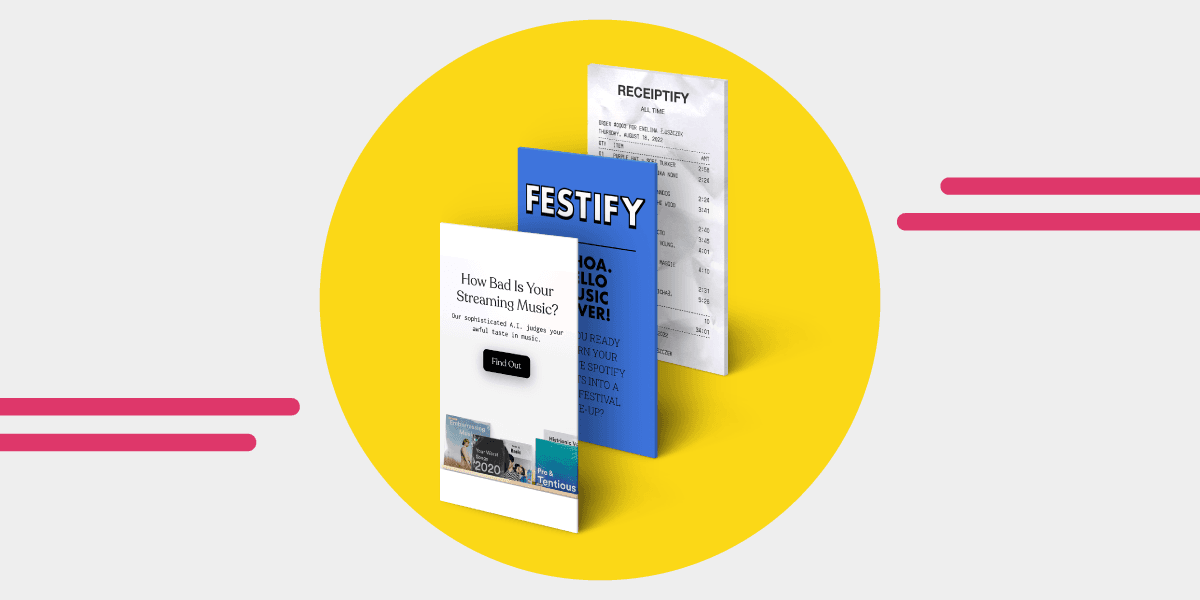
Receiptify is made to show Spotify users' most-played songs from the previous month, the last six months, or all time, shown in a receipt format.
Just like the name implies, it's like getting a receipt for something you bought. But in this case, it's a receipt of your Spotify activities. It works with Apple Music and Last.fm too.
If your Last.fm listening record has stopped updating, follow our guide to Last FM not scrobbling Spotify plays to check delays, reconnect, and verify new entries.
Here's how to use Receiptify to track your Spotify history:
- Visit the Receiptify website on your device
- Log into your Spotify via the Receiptify website
- Confirm that you want Receiptify to access your Spotify account
One caution: Receiptify's popularity has spawned lots of copycat sites. Stick to the original by Michelle Liu linked below rather than lookalike domains asking for your login.
6. Obscurify

Obscurify is another website where you can learn about your music taste from your Spotify stats. The platform allows you to compare your stats with that of other users, and rates how obscure your taste is compared to everyone else. Obscurify displays your Spotify listening history via the Spotify Web API. You can know what your top music genre is and your most-played track.
To use Obscurify, log into its website and your Spotify account. And instantly, you'll get an insight into your music. This includes the most played genres, your top tracks and artists, and your Obscurify ranking for the past months.
7. Volt.fm
Volt.fm generates visual stat cards that look great on social media. It shows your top artists and tracks for different time ranges (last 4 weeks, 6 months, or all time). It is simple, fast, and free.
8. How Bad is Your Spotify

How Bad is Your Spotify, a project by The Pudding, is an AI designed to check out people's music taste. The AI analyses the music you listen to on Spotify and judges how good or bad your music taste is. Mind you, the bot can be pretty snarky!
To get started, you must log in to your Spotify account to allow the AI access to the type of music, genre, and artists you listen to over time. Like all the tools here, it only gets read access to your listening data, and you can revoke it afterwards from your Spotify account settings.
How the Tools Compare
| Feature | stats.fm | Volt.fm | Receiptify | Spotify Wrapped |
|---|---|---|---|---|
| Real-time stats | Yes | Yes | Limited | No (annual only) |
| Top tracks/artists | Yes | Yes | Yes | Yes |
| Listening time | Yes | Yes | No | Yes (annual) |
| Genre breakdown | Yes | Limited | No | Yes (annual) |
| Shareable graphics | Yes | Yes | Yes (receipt style) | Yes |
| Historical data | Yes (with import) | Limited | No | No |
| Free tier | Yes | Yes | Free | Free |
| Platform | Web + mobile | Web | Web | In-app |
Can You Export Your Spotify Listening Data?
Quick answer: Yes. Spotify lets you request a download of your personal data, including your full streaming history. Go to your Spotify Privacy Settings, request your data, and you will receive a set of JSON files within 30 days.
Spotify provides two levels of data export:
Standard Data Request
This includes basic account info, playlists, streaming history (last year), and search queries. You can request it from your Spotify Privacy Settings page. It typically arrives within 5 days.
Extended Streaming History
This includes your complete listening history from the day you created your account. It takes up to 30 days to process. The data arrives as JSON files containing:
- Track name and artist
- Date and time of playback
- Milliseconds played
- Whether you skipped the track
- Platform used (mobile, desktop, etc.)
This data is powerful. You can import it into third-party apps like stats.fm to see full historical stats, or analyze it yourself using a spreadsheet. For a step-by-step walkthrough, see our guide to requesting your Spotify extended streaming history.
What You Can Do With Exported Data
Your exported Spotify data becomes especially valuable when you want to move your music collection to another streaming service. Want to take your music to another platform? Free Your Music transfers your playlists, favorites, and albums instantly. Check out the full list of available music services to see your options.
What to Do With Your Spotify Stats
Quick answer: Use your Spotify stats to discover patterns in your listening, share your taste with friends, clean up your library, or make a case for switching to a new streaming service with all your music intact.
Your Spotify listening stats are more than just fun numbers. Here are some practical ways to use them:
Discover Your Listening Patterns
Look at when and what you listen to. Do you stream more on weekdays or weekends? Are you a single-genre listener or do you jump between hip-hop, indie, and classical? Understanding your patterns helps you build better playlists and find new music.
Share Your Music Taste
Most stat tools generate shareable images. Post your top artists on social media, compare lists with friends, or use Receiptify to create a receipt-style breakdown of your recent listens.
Clean Up Your Library
Stats reveal albums and playlists you never actually play. If you have hundreds of saved songs you skip every time, use your stats to identify them and trim your library. Check out our guide to organizing your music library for a step-by-step approach.
Keep Your Stats When Switching Services
Your listening history tells a story. If you decide to switch from Spotify to Apple Music, YouTube Music, or any other platform, you do not have to start over. Transfer your entire library, including playlists, liked songs, and albums, using Free Your Music.
FAQ
How do I see my Spotify stats without Wrapped?
Use a third-party app like stats.fm or Volt.fm. These apps connect to your Spotify account through the official API and show your top tracks, artists, and listening time in real time. You do not have to wait until December.
Is Spotify Wrapped accurate?
Spotify Wrapped is based on your actual streaming data from January through October. It is accurate for the tracking period, but it does not include streams from November and December. Skipped tracks (played for less than 30 seconds) also do not count.
Can I see how many hours I have listened to Spotify?
Yes. Spotify Wrapped shows your total minutes listened each year. For a running total throughout the year, use stats.fm, which tracks your listening time in real time and can import your full history for lifetime stats.
How do I see my Spotify stats for all time?
Spotify does not show all-time stats natively. Request your extended streaming history from Spotify's privacy settings, then upload it to a stats app like stats.fm. You can also use the "All Time" filter in most third-party apps, though this only counts data from when you first connected the app.
Are third-party Spotify stats apps safe?
Reputable apps like stats.fm and Volt.fm use the official Spotify API and only request read access to your listening data. They cannot modify your playlists or account settings. Always check the permissions before granting access, and revoke access from your Spotify account settings if you stop using an app.
Can I see my Spotify stats on my phone?
Yes. The Spotify mobile app shows your recently played tracks, profile stats, and personalized playlists. For more detailed stats, download the stats.fm app (available on iOS and Android) or visit Volt.fm or Receiptify in your mobile browser.
How do I download my Spotify listening history?
Go to your Spotify account privacy settings page online. Select "Request your data" and choose between a basic download (ready in about 5 days) or an extended streaming history (up to 30 days). Spotify will email you when your data is ready to download as JSON files.
Your listening history tells a story. Make sure it follows you everywhere. Transfer your library with Free Your Music. Try it free.


See your own Spotify stats.
Your top artists, songs, genres and minutes — any day of the year, not once a year.
See my stats →SongsBrew — our free music newsletter
A free perk for FYM users. Tips, playlists, no spam.