Spotify vs YouTube Music: Which Streaming Service Wins in 2026?
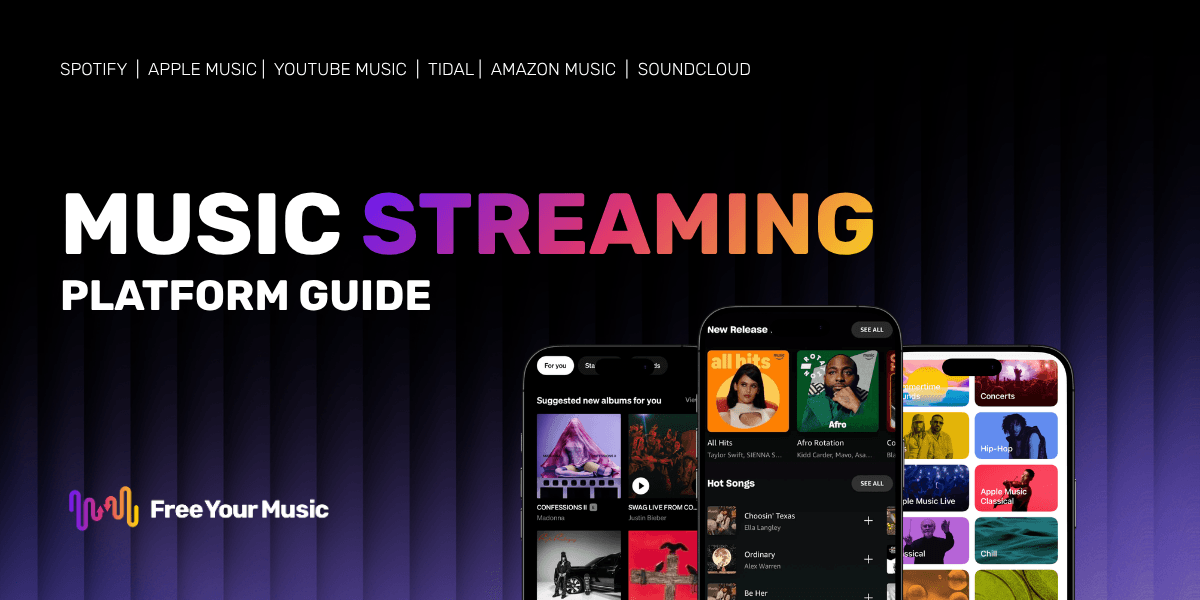
Spotify and YouTube Music are the two biggest names in music streaming, but they take very different approaches. Spotify focuses on curated playlists and audio-first listening, while YouTube Music leans into its massive video library and Google integration. This comparison breaks down pricing, sound quality, features, and more to help you pick the right service for your listening style.
Quick Verdict: Spotify vs YouTube Music at a Glance
Quick answer: Spotify wins on music discovery, playlist curation, and social features. YouTube Music wins on music video access, free-tier value, and deep integration with Google services. Both offer over 100 million tracks and similar pricing.
| Feature | Spotify | YouTube Music |
|---|---|---|
| Music library | 100M+ tracks | 100M+ tracks |
| Free tier | Yes (with ads, shuffle-only on mobile) | Yes (with ads, background play limited) |
| Premium price | $11.99/month | $10.99/month |
| Max audio quality | Up to 24-bit/48kHz (HiFi) | Up to 256 kbps AAC |
| Music videos | No native support | Full music video library |
| Offline downloads | Yes (Premium) | Yes (Premium) |
| Podcasts | Built-in | Via YouTube |
| Social features | Collaborative playlists, Blend, Wrapped | Limited sharing options |
| Smart speakers | Wide support | Best with Google/Nest devices |
| Lyrics | Built-in | Built-in |
Music Library and Catalog Size
Quick answer: Both Spotify and YouTube Music offer catalogs of over 100 million songs, so you will find nearly everything on either platform. The real difference comes down to exclusive content and niche tracks.
Spotify and YouTube Music have reached near-parity in catalog size. Spotify reports over 100 million tracks, and YouTube Music draws from YouTube's enormous database, which includes official releases, remixes, live recordings, covers, and fan uploads.
Where YouTube Music has a clear edge is in niche and unofficial content. Because it pulls from YouTube's video library, you can find live concert recordings, rare remixes, mashups, and user-uploaded tracks that simply do not exist on Spotify. If you love hunting down obscure versions of songs or watching live performances, YouTube Music has more to offer.
Spotify counters with a stronger podcast library built directly into the app. If you like switching between music and podcasts in one place, Spotify makes that experience seamless. YouTube Music technically gives you access to YouTube podcasts, but the integration feels less polished.
Both platforms regularly add new releases on the same day, so you will not miss out on major album drops regardless of which service you choose.
Sound Quality Compared
Quick answer: Spotify offers higher audio quality with its HiFi tier delivering lossless audio up to 24-bit/48kHz. YouTube Music maxes out at 256 kbps AAC, which sounds good but falls short for audiophiles.
Sound quality matters if you use high-end headphones or a dedicated audio setup. Here is how the two services compare:
| Quality tier | Spotify | YouTube Music |
|---|---|---|
| Low | ~24 kbps (mobile saver) | 48 kbps AAC |
| Normal | ~96 kbps | 128 kbps AAC |
| High | ~160 kbps | 256 kbps AAC |
| Very High / Max | 320 kbps OGG / Lossless (HiFi) | 256 kbps AAC |
Spotify's HiFi option streams CD-quality and hi-res lossless audio, putting it ahead for listeners who care about every detail in the sound. YouTube Music's top quality of 256 kbps AAC is solid for casual listening through earbuds or Bluetooth speakers, but it cannot match lossless streaming.
For most listeners using standard earbuds or car speakers, the difference between 256 kbps AAC and 320 kbps OGG is barely noticeable. But if you have invested in quality audio gear, Spotify's lossless option gives it a clear win in this category.
Pricing and Plans
Quick answer: YouTube Music is slightly cheaper at $10.99/month for Premium, compared to Spotify's $11.99/month. Both offer family and student plans at competitive prices.
| Plan | Spotify | YouTube Music |
|---|---|---|
| Free | $0 (ad-supported) | $0 (ad-supported) |
| Individual | $11.99/month | $10.99/month |
| Duo | $16.99/month | N/A |
| Family (up to 6) | $19.99/month | $22.99/month |
| Student | $5.99/month | $5.49/month |
Spotify offers a Duo plan for two people living at the same address, which YouTube Music does not match. On the flip side, YouTube Music Premium often comes bundled with YouTube Premium, which removes ads from all YouTube videos. That bundle costs $13.99/month and adds significant value if you watch a lot of YouTube content.
For a detailed breakdown of Spotify's pricing tiers and what each plan includes, check out our guide on how much Spotify Premium costs.
Student discounts on both platforms make either service affordable for college and university students. Both require verification through a third-party service.
User Interface and Experience
Quick answer: Spotify's interface is cleaner and easier to navigate for music-focused listening. YouTube Music feels more visual and video-centric, which works well if you enjoy watching music videos alongside your audio.
Spotify has refined its user interface over many years. The home screen serves up personalized playlists, recently played albums, and curated recommendations in a clean, card-based layout. Navigating between your library, search, and home tabs feels intuitive, and playlist management is straightforward.
YouTube Music takes a more visual approach. Album art is larger, and the app highlights music videos alongside audio tracks. If you search for a song, you often see both the audio version and the music video, which can feel cluttered if you only want to listen. The "Library" tab organizes your saved music, but the overall navigation takes more taps to reach what you want compared to Spotify.
On desktop, Spotify offers both a native app and a full-featured web player. YouTube Music works through your browser, which keeps things simple but can feel less polished than a dedicated app.
One area where Spotify pulls ahead is playlist organization. Creating, editing, and sharing playlists on Spotify is fast and flexible. Features like collaborative playlists and playlist folders make it easy to keep your music organized, especially if you maintain dozens of playlists.
Music Discovery and Recommendations
Quick answer: Spotify's recommendation engine is widely considered the best in the industry. YouTube Music's algorithm is strong too, especially if you already use YouTube and Google services regularly.
Spotify has built its reputation on music discovery. Features like Discover Weekly, Release Radar, and Daily Mix playlists analyze your listening habits and serve up fresh recommendations every week. The algorithm gets smarter over time and often surfaces tracks that feel perfectly matched to your taste.
Spotify Wrapped, the annual year-in-review feature, has become a cultural event. It gives you personalized stats on your listening habits and shareable graphics that dominate social media every December.
YouTube Music's recommendation engine benefits from YouTube's massive data on your viewing and listening history. If you have spent years watching music videos on YouTube, YouTube Music already knows your taste from day one. Its "Mixed for you" playlists and supermixes group songs by mood, genre, and activity.
YouTube Music also recommends music videos, live performances, and covers alongside standard tracks, which can lead to unexpected discoveries. If you enjoy going down rabbit holes of related content, YouTube Music's approach feels more adventurous.
For pure playlist curation and consistency, Spotify has the edge. For video-enhanced discovery and leveraging your existing YouTube history, YouTube Music holds its own.
Offline Listening and Downloads
Quick answer: Both services let you download music for offline listening with a Premium subscription. Spotify offers slightly more control over download quality and storage management.
Offline listening is a core feature for both platforms, but you need a paid subscription to access it. Here is what each service offers:
- Spotify Premium lets you download up to 10,000 songs on each of five devices. You can choose your download quality (low, normal, high, or very high) to manage storage space. Downloaded playlists sync automatically when new tracks are added.
- YouTube Music Premium also supports offline downloads with flexible quality settings. You can download individual songs, albums, or playlists. The "Smart downloads" feature automatically saves a mix of recommended songs for offline use based on your listening history.
Both apps require you to go online at least once every 30 days to keep your downloads active. This is standard across all major streaming services and ensures your subscription remains valid.
The experience is nearly identical on both platforms. The main difference is that YouTube Music's smart downloads can fill your device with music you did not specifically choose, which is helpful if you want a hands-off approach to offline listening.
Device Compatibility
Quick answer: Spotify works on more devices and platforms overall. YouTube Music integrates best with Google and Android devices, while Spotify has broader third-party support.
| Device / Platform | Spotify | YouTube Music |
|---|---|---|
| iOS | Yes | Yes |
| Android | Yes | Yes |
| Windows / Mac | Native app + web | Web only |
| Smart TVs | Wide support | Select models |
| Gaming consoles | PS4, PS5, Xbox | PS4, PS5 |
| Smart speakers | Alexa, Google, Sonos, HomePod | Google/Nest, Sonos |
| Wearables | Apple Watch, Wear OS, Garmin | Wear OS |
| Car systems | CarPlay, Android Auto, Spotify Car Thing (legacy) | CarPlay, Android Auto |
Spotify connects to a wider range of devices. Its Connect feature lets you control playback on one device from another, which is useful for switching between your phone, laptop, and smart speaker without interrupting playback.
YouTube Music works best within the Google ecosystem. It is the default music service on Google Nest speakers and Android devices, and it integrates tightly with Google Assistant. If your home is full of Google hardware, YouTube Music fits in naturally.
For a full list of services and platforms that work with playlist transfers, visit our available music services page.
Which One Should You Pick?
Choosing between Spotify and YouTube Music comes down to what matters most in your listening experience. Here are tailored recommendations based on different listener profiles.
Best for Casual Listeners
Go with Spotify if you want a polished, easy-to-use app with strong playlist recommendations. Spotify's free tier works well for casual listeners who do not mind occasional ads, and the Premium upgrade removes all limitations.
Go with YouTube Music if you already spend a lot of time on YouTube and want your music and video entertainment in one place. The YouTube Premium bundle adds extra value by removing ads across all of YouTube.
Best for Music Video Fans
YouTube Music is the clear winner here. It gives you access to millions of official music videos, live performances, and fan-made content directly in the music app. You can switch between audio and video versions of a song with one tap.
Spotify does not support music videos natively, so if watching videos is important to your music experience, YouTube Music is the better choice.
Best for Audiophiles
Spotify takes the lead for audio quality. Its HiFi tier offers lossless and hi-res audio up to 24-bit/48kHz, which makes a real difference on high-end headphones and speakers. YouTube Music's 256 kbps AAC ceiling cannot compete with lossless streaming.
If sound quality is your top priority and you have the hardware to hear the difference, Spotify is the way to go.
How to Switch Between Spotify and YouTube Music
Already on one platform but curious about the other? Switching does not mean losing your carefully curated playlists. Free Your Music lets you transfer your entire music library between Spotify, YouTube Music, and 80+ other streaming services in just a few minutes.
Here is how it works:
- Download Free Your Music on your phone or computer
- Select your source platform (the one you are leaving)
- Pick the playlists and liked songs you want to move
- Choose your destination platform
- Hit transfer and let Free Your Music handle the rest
No manual searching, no copy-pasting song titles, no losing your music collection. Whether you are moving from Spotify to YouTube Music or the other way around, Free Your Music keeps your library intact. Check out all available music services to see every platform you can transfer between.
FAQ
Is YouTube Music better than Spotify?
It depends on what you value most. YouTube Music is better for music video fans and users deep in the Google ecosystem. Spotify is better for playlist curation, audio quality, and device compatibility. Both offer excellent catalogs of 100M+ songs at similar prices.
Can I use Spotify and YouTube Music at the same time?
Yes, you can maintain accounts on both platforms simultaneously. Many listeners use Spotify for daily commutes and YouTube Music for music video sessions. If you want to keep your playlists in sync across both, Free Your Music makes it easy to transfer between them.
Which has better sound quality, Spotify or YouTube Music?
Spotify offers better sound quality overall. Its HiFi tier supports lossless audio up to 24-bit/48kHz, while YouTube Music tops out at 256 kbps AAC. For casual listening through standard earbuds, both sound great. The difference becomes noticeable on high-quality audio equipment.
Is YouTube Music free?
Yes, YouTube Music has a free tier that lets you listen with ads. However, the free version limits background playback on mobile (the music stops when you switch apps) and does not support offline downloads. YouTube Music Premium removes these restrictions for $10.99/month.
Does YouTube Music have podcasts?
YouTube Music gives you access to podcasts through its connection to YouTube. You can find and listen to podcasts within the app, though the experience is not as integrated as Spotify's dedicated podcast section. Spotify has invested heavily in podcasts and offers a more seamless listening experience for podcast fans.
Can I transfer my playlists from Spotify to YouTube Music?
Yes! Free Your Music lets you transfer playlists, liked songs, and albums between Spotify and YouTube Music in just a few minutes. The process is automatic, and you do not need to search for each song manually. It works with 80+ music services.
Which is cheaper, Spotify or YouTube Music?
YouTube Music Premium costs $10.99/month, which is $1 less than Spotify Premium at $11.99/month. However, YouTube Music Premium can be bundled with YouTube Premium for $13.99/month, removing ads from all YouTube videos. Student plans are similarly priced on both platforms at around $5-6/month.
Ready to take control of your music? Transfer your playlists in minutes with Free Your Music.
Your playlists belong to you.
Stop rebuilding by hand. Move everything in minutes and take your music wherever you go.
Download free →SongsBrew — our free music newsletter
A free perk for FYM users. Tips, playlists, no spam.