Home · Transferencias · DeezerAudiomack

DeezerAudiomack

Transfiere listas de reproducción de Deezer a Audiomack

Transfiere listas de reproducción, canciones favoritas y álbumes de Deezer a Audiomack sin esfuerzo. Importa toda tu biblioteca musical a un nuevo servicio de streaming con facilidad. ¡Empieza tu transferencia musical hoy!

Iniciar la transferencia →Gratis para 600 canciones · sin tarjeta

★★★★★ 4,8 · Más de 9,2 M de descargas · Contraseña nunca compartida

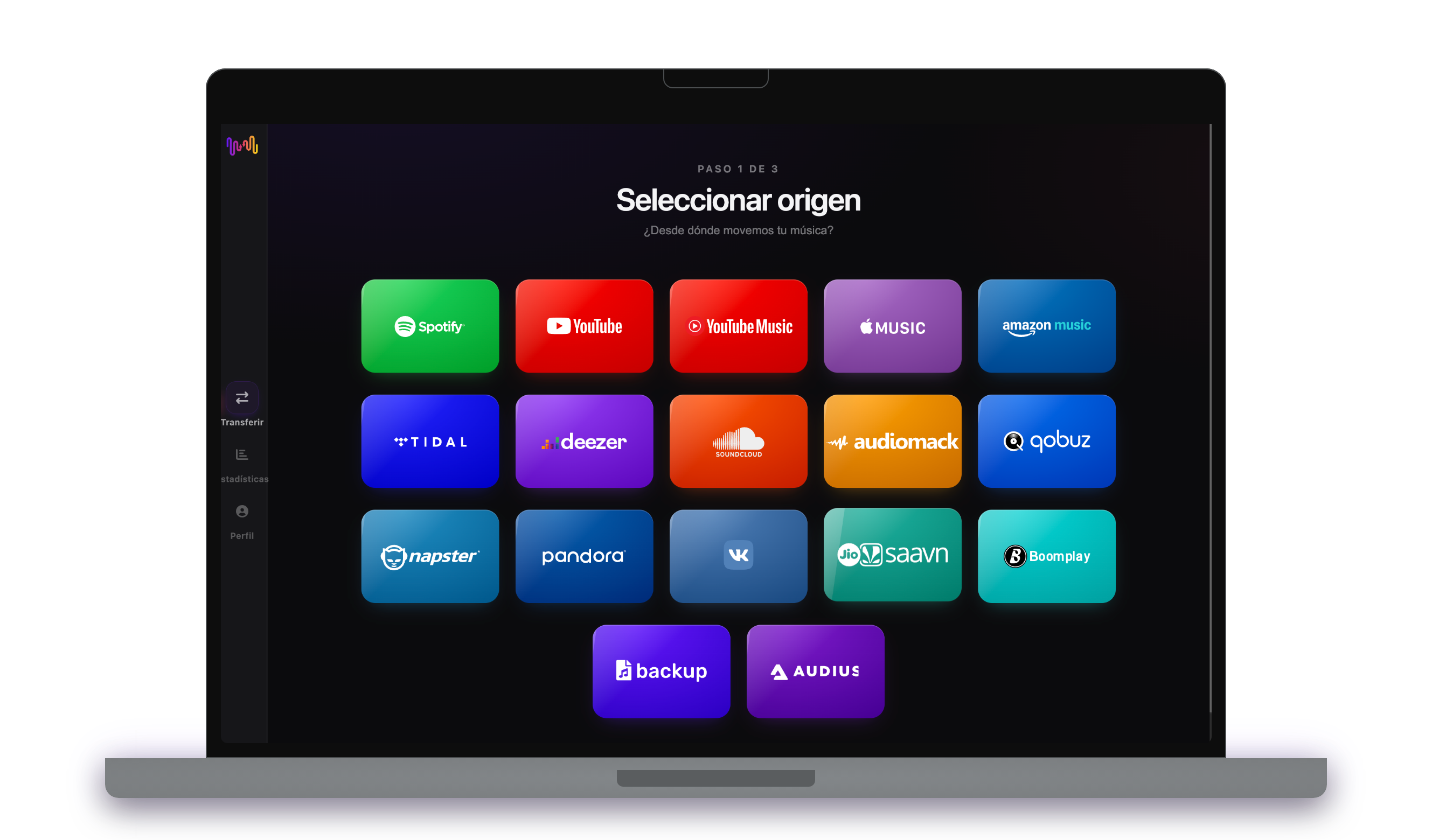
Seleccionando Audiomack como destino en FreeYourMusicFreeYourMusic móvil — seleccionar destino

¿Por qué pasarte de Deezer a Audiomack?

Cambia de servicio sin dejar atrás tu biblioteca. FreeYourMusic empareja cada canción y la transfiere por ti: listas de reproducción, canciones favoritas, álbumes y artistas seguidos.

Todo se transfiere

Listas de reproducción, canciones favoritas, álbumes y artistas.

Orden conservado

Las listas de reproducción llegan en el mismo orden en que las creaste.

Nada se pierde

Las coincidencias imperfectas se marcan para un Rematch con un toque.

Cómo transferir listas de reproducción de Deezer a Audiomack

1

Seleccione Deezer como origen

Utilice su plataforma Deezer actual como fuente y comience a transferir música de las listas de reproducción con Free Your Music.

2

Seleccione Audiomack como destino

Seleccione Audiomack como una plataforma donde deseas crear una nueva lista de reproducción. ¡Todo lo que necesitas hacer esta a sólo un clic de botón!

3

Seleccione las listas de reproducción para una transferencia

Encuentra las listas de reproducción desde las que desees transferir del servicio Deezer al Audiomack y selecciona todas las listas de reproducción que desees mover.

4

¡Confirma tu acción y hazlo!

La transferencia ha finalizado. Tus listas de reproducción Deezer han sido movidas a Audiomack y puedes comenzar a disfrutar de tu nuevo servicio de transmisión de música.

Qué se transfiere

Listas de reproducción

Canciones favoritas

Álbumes guardados

Artistas seguidos

En todos los dispositivos

iPhoneiPadAndroidMacWindowsLinux

La gente también busca

how to transfer Deezer playlist to Audiomacktransfer Deezer playlist to Audiomackmove Deezer playlist to Audiomackcan you transfer Deezer playlist to AudiomackDeezer to Audiomack converterimport Deezer playlist to AudiomackDeezer to Audiomack playlist transferfree playlist transferplaylist transfer app

Qué se transfiere de Deezer a Audiomack

Todo lo que FreeYourMusic mueve por ti con un clic — sin reconstruir nada a mano.

Listas de reproducción (con nombres y orden originales)
Compatible
Canciones favoritas
Compatible
Álbumes guardados
Compatible
Artistas seguidos
Compatible
Correspondencia exacta de pistas basada en ISRC
No disponible
Respaldo por coincidencia de título + artista

Millones confían en nosotros para transferir listas de reproducción de Deezer a Audiomack

4.70 estrellas

Valoración promedio

32,5000 valoraciones

En iOS y Android

12M0 descargas

En todas las plataformas

Moving from Deezer to Audiomack, explained

Audiomack has built a real home for hip-hop, Afrobeats and reggae, and for emerging artists dropping mixtapes and singles the big services are slow to catch. Moving from Deezer keeps your existing collection while plugging you into that scene. FreeYourMusic reads your Deezer library through Deezer’s official sign-in and recreates it inside Audiomack — playlists, favourites and followed artists, wherever Audiomack carries them.

This guide walks through what transfers, what cannot, how songs are matched, how long it takes, and how the two services really differ. If you just want to start, install FreeYourMusic, connect both accounts and pick what to move — the detail is below.

What transfers to Audiomack, and what does not

Your playlists move with names and order preserved, favourites arrive as favourites and followed artists carry over where Audiomack has them. Move everything or choose playlists individually, with counts shown before you commit.

Match rates depend on genre. Audiomack’s strength is hip-hop, Afrobeats and reggae, so releases there tend to have strong coverage while other genres match less completely. Deezer’s Flow does not follow, uploaded MP3s have no equivalent, and podcasts stay behind.

How FreeYourMusic matches your tracks

For each Deezer track, FreeYourMusic finds the same recording on Audiomack, preferring the ISRC code the industry assigns and falling back to title, artist and duration otherwise. That keeps your matched library pointing at the right tracks.

Because Audiomack leans toward certain genres and emerging-artist uploads, some tracks outside its core will not have an exact counterpart. FreeYourMusic never silently drops them — anything uncertain is flagged for one-tap Rematch, so you choose what happens.

How long does a Deezer to Audiomack transfer take?

Most transfers finish in minutes. With both accounts connected, around 1,000 tracks usually completes in under ten minutes. Larger libraries take longer, but the transfer runs on its own — start it and step away.

FreeYourMusic runs natively on iPhone, iPad, Android, Mac, Windows and Linux, so the move is not tied to one device. Start it on your laptop and check progress on your phone; it is the same account and the same transfer.

Deezer vs Audiomack: what actually changes

Deezer is the broad all-rounder — a large licensed catalogue across every genre with Flow, regional coverage and lossless HiFi. Audiomack is more specialised: free to use, built around hip-hop, Afrobeats and reggae, and a launchpad for emerging artists and mixtapes.

If your listening centres on those genres, Audiomack surfaces new artists earlier and gives you mixtape culture Deezer handles more conventionally. If you listen broadly, Deezer stays the wider library — which is why moving your collection lets you keep it while gaining the scene.

Do you need to keep Deezer while you transfer?

Yes — keep Deezer active until the transfer is finished and checked. FreeYourMusic reads your Deezer library while copying it into Audiomack, and keeping both live means you never lose access mid-move.

Both services have free tiers, so neither side needs a paid plan for the move, while paid tiers add offline downloads and remove ads. Both connect through their own official sign-in, and your password is never shared with FreeYourMusic.

Tips for a clean migration

Transfer a genre-representative playlist first and review the matches — because Audiomack skews toward specific styles, an early check tells you how much of your Deezer library has coverage there. Tidy your playlists beforehand.

When the transfer completes, work through the Rematch list, then dig into Audiomack’s trending and emerging-artist feeds in your favourite genres — discovering new music early is the main reason to be there.

Keeping Deezer and Audiomack in sync afterwards

A one-time move is not your only option. If you keep Deezer for breadth and Audiomack for the scene, FreeYourMusic’s Auto-Sync mirrors the two libraries on a schedule so a track you like on Deezer appears on Audiomack where it exists.

And the transfer runs the other way too, from Audiomack back to Deezer, when you want to bring discoveries into your main library. Your collection stays portable. Download FreeYourMusic, connect Deezer and Audiomack, and see how much comes across — the free tier lets you try first.

¿Listo para pasarte a Audiomack?

Descarga FreeYourMusic y transfiere toda tu biblioteca en minutos.

Descarga gratis →

Preguntas frecuentes

¿Cómo transfiero mi lista de reproducción de Deezer a Audiomack?

Instala FreeYourMusic, inicia sesión en Deezer y luego en Audiomack usando sus inicios de sesión oficiales, elige las listas de reproducción que quieras y pulsa transferir. El emparejamiento inteligente de canciones las transfiere manteniendo su orden intacto: una lista de 1.000 canciones suele terminar en menos de 10 minutos.

¿Puedo transferir listas de reproducción de Deezer a Audiomack gratis?

Sí: el plan gratuito transfiere hasta 600 canciones y una lista de reproducción sin necesidad de tarjeta. Mejora tu plan para obtener transferencias ilimitadas, Auto-Sync y Cloud Backup.

¿Existe una app para transferir listas de reproducción de Deezer a Audiomack?

FreeYourMusic es una app de transferencia de listas de reproducción para iPhone, iPad, Android, Mac, Windows y Linux que transfiere listas de reproducción, canciones favoritas, álbumes guardados y artistas seguidos de Deezer a Audiomack.

¿Puedo transferir mis listas de reproducción de Deezer a Audiomack gratis?

Sí: FreeYourMusic transfiere tus primeras 600 canciones de Deezer a Audiomack gratis, listas de reproducción incluidas. Las bibliotecas más grandes requieren Premium, y cada transferencia se realiza directamente entre tus propias cuentas de Deezer y Audiomack.

¿Qué se transfiere exactamente de Deezer a Audiomack?

Listas de reproducción (con su orden), canciones que te gustan, álbumes y artistas seguidos. Las canciones se emparejan pista por pista usando códigos ISRC donde Deezer y Audiomack los proporcionan, con la coincidencia de título y artista como alternativa; consulta la tabla de compatibilidad de arriba para ver la lista exacta de funciones de este par.

¿Qué es una transferencia de listas de reproducción?

Una transferencia de listas de reproducción es el proceso de trasladar tus listas de música de un servicio de streaming a otro. En lugar de reconstruir tus listas de reproducción manualmente, herramientas como FreeYourMusic te permiten transferirlas automáticamente, ahorrándote tiempo y esfuerzo.

¿Puedo transferir listas de reproducción entre cualquier servicio de streaming de música?

Sí. Con FreeYourMusic, puedes transferir listas de reproducción entre los principales servicios como Spotify, Apple Music, YouTube Music, Amazon Music, TIDAL, Deezer, etc.

¿Tengo que crear una cuenta nueva para transferir listas de reproducción?

No, no necesitas una cuenta nueva. Solo tienes que conectar tus cuentas de streaming existentes en la aplicación FreeYourMusic y podrás empezar a transferir tus listas de reproducción de inmediato.

¿Se transferirán perfectamente todas las canciones?

La mayoría de las veces, sí. FreeYourMusic utiliza un sistema de búsqueda inteligente para encontrar canciones iguales o similares en todas las plataformas. Aunque es raro, algunas canciones pueden no estar disponibles en tu nuevo servicio y no se transferirán.

¿Conserva FreeYourMusic los nombres y el orden de mis listas de reproducción?

Por supuesto. Cuando transfieres listas de reproducción, FreeYourMusic conserva los títulos de tus listas, el orden de las canciones e incluso varias listas a la vez.

¿Cuánto tarda en transferirse una lista de reproducción?

Depende del tamaño de tus listas de reproducción y de la velocidad de tu conexión a Internet, pero la mayoría de las transferencias de listas de reproducción tardan sólo unos minutos.

¿Puedo transferir listas de reproducción desde una cuenta gratuita?

Sí, puedes transferir listas de reproducción desde cuentas gratuitas y premium, aunque algunos servicios de streaming pueden tener limitaciones de acceso.