Come proteggere facilmente le playlist su tutti i servizi di streaming

La maggior parte dei DJ americani sa che basta un problema con una playlist per compromettere un intero set, eppure oltre il 65% degli utenti ha perso brani preferiti passando da una piattaforma all'altra. Per gli appassionati di musica esperti di tecnologia e i professionisti, accedere senza intoppi alle playlist sui diversi servizi di streaming conta quanto la scelta dei brani. Questa guida illustra semplici passaggi per proteggere, trasferire e gestire le playlist, così la tua raccolta musicale resta organizzata, al sicuro e sempre disponibile, qualunque piattaforma tu scelga.
Indice
- Passaggio 1: Configura il tuo account Free Your Music
- Passaggio 2: Collega i servizi di streaming in sicurezza
- Passaggio 3: Avvia il backup delle playlist e la sincronizzazione nel cloud
- Passaggio 4: Verifica l'integrità e l'accessibilità delle playlist
- Passaggio 5: Mantieni la sicurezza e gestisci gli aggiornamenti
Riepilogo rapido
| Punto chiave | Spiegazione dettagliata |
|---|---|
| 1. Configura il tuo account Free Your Music | Registrati tramite email o un account social per iniziare a trasferire le playlist in modo sicuro ed efficace. |
| 2. Collega i servizi di streaming in sicurezza | Assicurati che tutti i servizi di streaming siano collegati correttamente per trasferire le playlist senza intoppi e mantenerle integre. |
| 3. Avvia il backup delle playlist e la sincronizzazione nel cloud | Esegui il backup delle playlist per evitare la perdita di dati; scegli opzioni di sincronizzazione complete per conservare tutti i metadati. |
| 4. Verifica l'integrità e l'accessibilità delle playlist | Confronta gli elenchi dei brani sulle diverse piattaforme per verificare che i trasferimenti siano corretti e completi, risolvendo gli eventuali problemi rilevati. |
| 5. Mantieni la sicurezza e gestisci gli aggiornamenti | Controlla regolarmente le impostazioni di sicurezza del tuo account ed esegui verifiche periodiche per gestire gli accessi e proteggere la tua libreria musicale. |
Passaggio 1: Configura il tuo account Free Your Music
Creare il tuo account Free Your Music è il primo passo fondamentale per proteggere e trasferire senza intoppi le tue playlist tra diverse piattaforme di streaming. Questa semplice procedura ti aiuterà a sfruttare al massimo le funzionalità di trasferimento e gestione delle playlist.
Per iniziare, visita la pagina iniziale di Free Your Music e fai clic sul pulsante di registrazione. Puoi registrarti con il tuo indirizzo email oppure accedere rapidamente tramite un account esistente, come Google o Apple. Durante la registrazione, seleziona i servizi di streaming che utilizzi, così la piattaforma potrà individuare subito i possibili percorsi di trasferimento. Per completare la configurazione, dovrai fornire le informazioni di base dell'account e verificare il tuo indirizzo email.
Una volta attivato l'account, avrai accesso a un pannello che mostra tutti i servizi musicali collegati e offre una panoramica delle possibilità di trasferimento delle playlist. Dedica un momento a controllare gli account connessi e verifica che tutte le piattaforme desiderate siano collegate correttamente.
Consiglio pratico: Attiva l'autenticazione a due fattori durante la configurazione per aggiungere un ulteriore livello di sicurezza al tuo account per il trasferimento della musica.
Passaggio 2: Collega i servizi di streaming in sicurezza
Collegare i servizi di streaming è un passaggio fondamentale per pianificare il trasferimento dell'intera libreria musicale. Questa procedura ti permette di individuare e trasferire facilmente le playlist tra diverse piattaforme, mantenendo intatta la tua raccolta musicale.
Per prima cosa, accedi alla sezione dei servizi musicali disponibili nel tuo account Free Your Music. Vedrai un elenco delle piattaforme di streaming supportate, per le quali puoi autorizzare il collegamento. Fai clic su ciascun servizio che desideri integrare e segui la relativa procedura di autenticazione. Nella maggior parte dei casi, dovrai fare clic su un pulsante di autorizzazione che ti reindirizzerà alla pagina di accesso del servizio di streaming. Concedi le autorizzazioni necessarie per consentire a Free Your Music di leggere le tue playlist e i relativi metadati.
Dopo aver collegato ciascun servizio, la piattaforma analizzerà automaticamente le playlist esistenti e creerà una panoramica completa della tua libreria musicale. Verifica che tutti gli account desiderati siano collegati correttamente e che le informazioni delle playlist siano accurate. Questa sincronizzazione iniziale prepara i trasferimenti successivi e assicura che le tue raccolte musicali siano identificate correttamente.
Consiglio pratico: Usa sempre una password complessa e diversa per ogni account di streaming, per garantire la massima sicurezza durante il collegamento.
Passaggio 3: Avvia il backup delle playlist e la sincronizzazione nel cloud
Avviare il backup delle playlist e la sincronizzazione nel cloud è essenziale per proteggere la tua libreria musicale da possibili perdite o interruzioni impreviste dei servizi. Questo passaggio garantisce che le playlist che hai curato con attenzione restino al sicuro e accessibili su più piattaforme.

Per avviare il backup, accedi alle impostazioni di sincronizzazione nel cloud dal pannello di Free Your Music. Seleziona i metodi intelligenti di condivisione musicale più adatti alle tue esigenze di gestione della libreria. Scegli l'opzione di archiviazione nel cloud che preferisci e autorizza il collegamento. La piattaforma inizierà automaticamente ad analizzare le playlist sui servizi di streaming collegati e a eseguirne il backup. Controlla con attenzione le impostazioni di sincronizzazione e assicurati di selezionare opzioni di backup complete, che includano tutti i metadati delle playlist: ordine dei brani, playlist personalizzate ed eventuali tag o annotazioni specifiche.
Durante la sincronizzazione, Free Your Music creerà più copie delle tue playlist nello spazio di archiviazione nel cloud. In questo modo, anche se un servizio di streaming dovesse subire un'interruzione o modificare le proprie condizioni, avrai comunque un backup completo della tua raccolta musicale. Controlla periodicamente lo stato del backup e verifica che tutte le playlist siano state trasferite e salvate correttamente.
Consiglio pratico: Programma backup automatici mensili per mantenere la tua libreria musicale costantemente protetta dalla perdita imprevista di dati.
Passaggio 4: Verifica l'integrità e l'accessibilità delle playlist
Verificare l'integrità delle playlist è un passaggio fondamentale per assicurarti che la tua libreria musicale resti accurata, completa e pienamente accessibile su tutte le piattaforme di streaming collegate. Questa procedura ti aiuta a confermare che ogni brano sia stato trasferito correttamente e sia ancora riproducibile.
Inizia con una verifica completa dei metodi di condivisione musicale nel pannello di Free Your Music. Apri ogni playlist sincronizzata e confronta attentamente gli elenchi dei brani sui diversi servizi. Presta particolare attenzione all'ordine dei brani, alle eventuali tracce mancanti e alle possibili differenze nei metadati. Cerca discrepanze come versioni diverse degli album, brani in versione esplicita o censurata oppure limitazioni di disponibilità geografica che potrebbero rendere le playlist diverse tra loro. La piattaforma offre strumenti di confronto affiancato per aiutarti a individuare e risolvere rapidamente eventuali lacune nella sincronizzazione.
Dopo la verifica iniziale, usa gli strumenti di controllo integrati nella piattaforma per eseguire una verifica automatica dell'integrità. Questa procedura analizza l'intera libreria musicale e genera un report dettagliato che evidenzia eventuali problemi di corrispondenza dei brani, incongruenze nei metadati o difficoltà di accesso. Risolvi subito gli elementi segnalati per assicurarti che le playlist restino complete e pienamente utilizzabili su tutti i servizi di streaming collegati.
Consiglio pratico: Crea una playlist di prova con pochi brani ben riconoscibili per verificare rapidamente l'intera procedura di trasferimento e sincronizzazione.
Passaggio 5: Mantieni la sicurezza e gestisci gli aggiornamenti
Gestire la sicurezza nel tempo e gli aggiornamenti è fondamentale per mantenere sicuro ed efficiente il sistema di trasferimento della tua libreria musicale. Questo passaggio garantisce che le playlist restino protette e che la piattaforma utilizzi le funzionalità e i miglioramenti di sicurezza più recenti.
Controlla regolarmente il tuo account Free Your Music per individuare metodi intelligenti di condivisione musicale che ottimizzino le impostazioni di sicurezza. Attiva gli aggiornamenti automatici nelle preferenze dell'account per ricevere le patch di sicurezza e i miglioramenti delle funzionalità più recenti. Ogni tre mesi, rivedi le autorizzazioni dei servizi di streaming collegati e rimuovi le credenziali di accesso obsolete o non più necessarie. Presta particolare attenzione alle impostazioni dell'autenticazione a due fattori e assicurati di usare una password complessa e diversa per ogni account collegato.
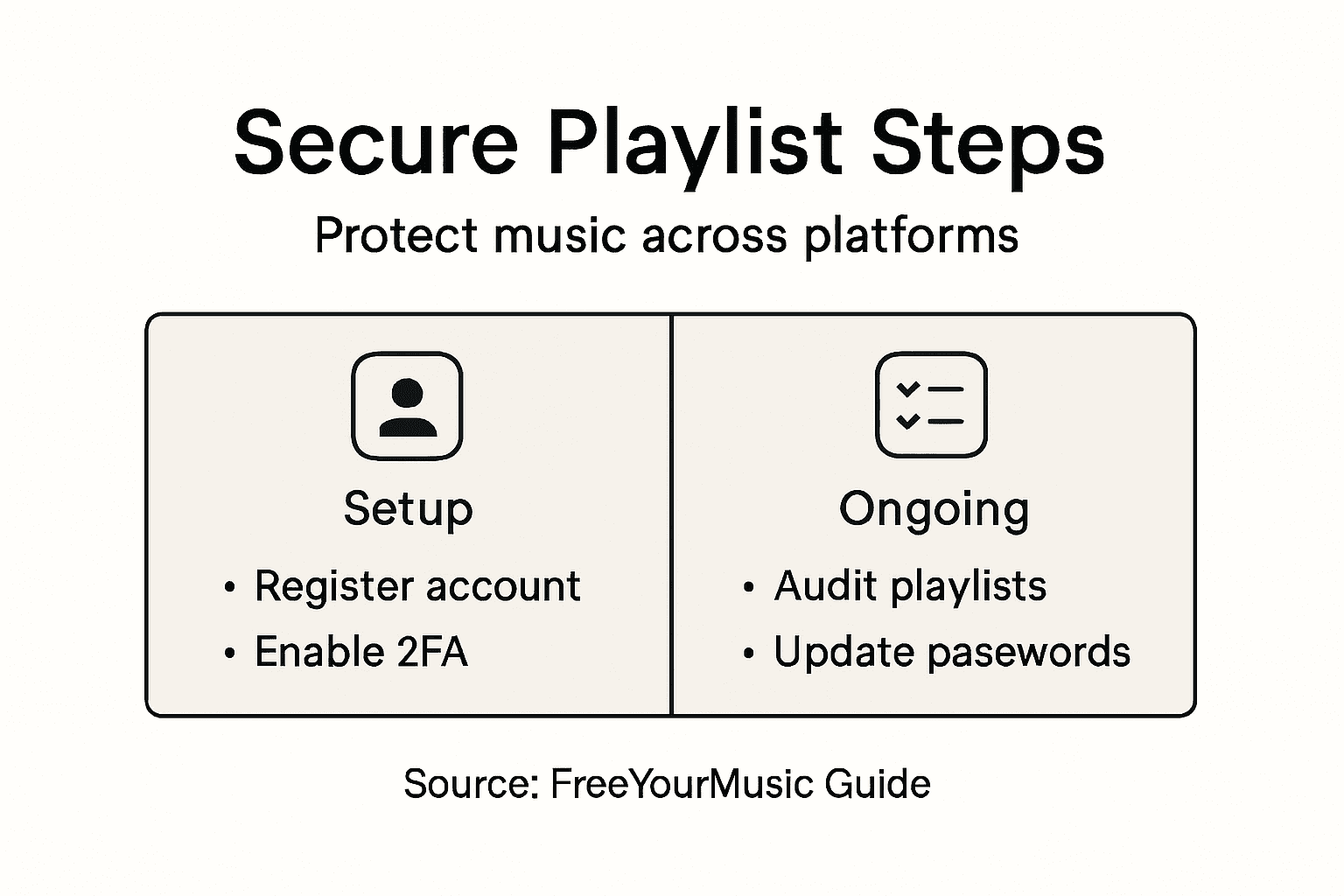
Stabilisci una routine di controllo della sicurezza: esamina sistematicamente i registri delle attività dell'account, verifica i servizi collegati e conferma che le impostazioni di backup e sincronizzazione siano ancora ottimali. Tieni d'occhio le notifiche di Free Your Music relative a eventuali aggiornamenti di sicurezza o azioni consigliate. Mantieni aggiornati il sistema operativo del tuo dispositivo principale e i browser web per gestire la libreria musicale in un ambiente sicuro.
Consiglio pratico: Imposta un promemoria trimestrale sul calendario per controllare a fondo le impostazioni di sicurezza dei trasferimenti e dei backup musicali.
Confronta i vantaggi delle principali funzionalità di sicurezza per il trasferimento della musica:
| Funzionalità di sicurezza | Vantaggio | Consiglio per l'attivazione |
|---|---|---|
| Autenticazione a due fattori | Impedisce gli accessi non autorizzati | Attivala durante la configurazione iniziale |
| Password complesse e uniche | Riduce il rischio di violazioni | Evita di riutilizzare le password |
| Controlli di sicurezza periodici | Rilevano attività sospette | Esamina i registri ogni tre mesi |
| Aggiornamenti automatici | Correggono le vulnerabilità | Attiva l'opzione di aggiornamento automatico |
Ecco un riepilogo di ogni passaggio e del suo obiettivo principale:
| Passaggio | Obiettivo principale | Azione chiave |
|---|---|---|
| 1 | Configurare un account sicuro | Registrarsi e collegare i servizi |
| 2 | Collegare le piattaforme di streaming | Autorizzare e sincronizzare gli account |
| 3 | Eseguire il backup e la sincronizzazione nel cloud | Conservare più copie delle playlist |
| 4 | Verificare l'integrità | Controllare brani e metadati |
| 5 | Mantenere la sicurezza | Rivedere le impostazioni ed eseguire gli aggiornamenti |
Proteggi le tue playlist su tutti i servizi di streaming senza fatica
Gestire e proteggere le playlist su più piattaforme di streaming può sembrare complicato. Mantenere integre le playlist, eseguire il backup della musica e garantire trasferimenti senza intoppi evitando la perdita di dati è una sfida concreta. Se vuoi risparmiarti la frustrazione di brani mancanti, tracce nell'ordine sbagliato o playlist preferite perse durante il passaggio a un altro servizio, ti serve una soluzione affidabile pensata proprio per questi problemi.
Noi di Free Your Music sappiamo quanto siano importanti il trasferimento sicuro delle playlist e il backup nel cloud. La nostra piattaforma offre sincronizzazione automatica, abbinamento accurato dei brani e conservazione della struttura delle playlist su Spotify, Apple Music, Tidal, YouTube Music, Amazon Music e altri servizi. Grazie al supporto per la gestione di più account e ai backup regolari, puoi contare sulla protezione della tua libreria musicale dalle interruzioni impreviste.
Vuoi proteggere e trasferire le playlist senza complicazioni? Visita Free Your Music per configurare il tuo account, collegare i servizi di streaming in sicurezza e goderti la tranquillità di avere playlist protette e accessibili ovunque. Non aspettare di perdere i tuoi dati: agisci subito e proteggi la tua raccolta musicale con uno strumento semplicissimo, pensato per chi ama la musica proprio come te.
Domande frequenti
Come posso configurare in sicurezza il mio account Free Your Music per trasferire le playlist?
Per configurare in sicurezza il tuo account Free Your Music, visita la pagina iniziale di Free Your Music e fai clic sul pulsante di registrazione. Registrati con il tuo indirizzo email o un account social, seleziona i servizi di streaming che utilizzi e attiva l'autenticazione a due fattori durante la configurazione per una maggiore sicurezza.
Quali passaggi devo seguire per collegare i servizi di streaming in sicurezza?
Per collegare i servizi di streaming in sicurezza, accedi alla sezione dei servizi musicali disponibili nel tuo account Free Your Music. Autorizza ciascun servizio seguendo la procedura di autenticazione e concedi le autorizzazioni necessarie affinché la piattaforma possa identificare l'intera libreria musicale.
Come posso eseguire il backup delle playlist e assicurarmi che si sincronizzino nel cloud?
Per eseguire il backup delle playlist e assicurarti che si sincronizzino nel cloud, accedi alle impostazioni di sincronizzazione nel cloud dal pannello di Free Your Music. Scegli l'opzione di archiviazione nel cloud che preferisci e seleziona impostazioni di backup complete per salvare tutte le informazioni delle playlist, compresi l'ordine dei brani e i tag personalizzati.
Come posso verificare l'integrità delle playlist dopo il trasferimento?
Per verificare l'integrità delle playlist, apri ogni playlist sincronizzata nel pannello di Free Your Music e confronta gli elenchi dei brani sui diversi servizi. Usa gli strumenti di verifica integrati per eseguire un controllo automatico dell'integrità e risolvi le eventuali discrepanze rilevate, assicurandoti che tutti i brani siano riproducibili e siano stati trasferiti correttamente.
Come posso mantenere sicuro nel tempo il mio sistema di trasferimento della musica?
Per mantenere sicuro nel tempo il tuo sistema di trasferimento della musica, controlla regolarmente se sono necessari aggiornamenti di sicurezza per il tuo account e assicurati di usare una password complessa e diversa per ogni servizio di streaming collegato. Stabilisci una routine di verifica per controllare i registri delle attività dell'account e confermare, ogni due mesi circa, che le impostazioni di backup siano ancora ottimali.
Articoli consigliati
- Free Your Music - 7 metodi intelligenti di condivisione musicale per gestire le playlist
- Free Your Music - Perché eseguire il backup delle playlist? Una spiegazione completa
- Free Your Music - Cos'è la condivisione delle playlist? Guida completa per l'utente
- Free Your Music - Cos'è il trasferimento delle playlist senza interruzioni? Panoramica completa
Le tue playlist ti appartengono.
Smetti di ricostruire tutto a mano. Sposta ogni cosa in pochi minuti e porta la tua musica ovunque tu vada.
Scarica gratis →SongsBrew — la nostra newsletter musicale gratuita
Un vantaggio gratuito per gli utenti FYM. Consigli, playlist, niente spam.