Playlist management tips for better streaming in 2026

Switching music streaming platforms shouldn't mean hours of manually rebuilding your playlists. Over 65% of users feel frustrated when faced with this tedious task. Whether you're managing multiple accounts, seeking better collaborative features, or simply want to protect your carefully curated music collections, smart playlist management strategies can transform your streaming experience. This guide reveals proven techniques to streamline your playlists across platforms, preserve your music organization, and reclaim valuable time.
Table of Contents
- Selection Criteria For Effective Playlist Management Tools
- Understanding Platform-Specific Playlist Features
- Playlist Transfer And Synchronization Strategies
- Advanced Playlist Management Features To Look For
- Summary Comparison Of Playlist Management Strategies
- Situational Recommendations For Different User Needs
- Explore Seamless Playlist Transfer With Free Your Music
Key takeaways
| Point | Details |
|---|---|
| Prioritize compatibility and accuracy | Choose tools offering cross-platform support and 90%+ song matching to maintain playlist integrity across services. |
| Leverage automation features | Automated syncing and cloud backup save up to 70% of management time while protecting your music library. |
| Understand platform differences | Spotify excels at collaborative playlists while Apple Music offers superior manual organization for power users. |
| Match tools to your needs | Multi-platform users need different features than social sharers or those managing large libraries. |
Selection criteria for effective playlist management tools
Choosing the right playlist management approach starts with understanding what matters most for seamless music organization. Cross-platform compatibility tops the priority list for most users, especially those who switch between services or maintain multiple subscriptions simultaneously.
Song matching accuracy makes or breaks the transfer experience. Tools achieving 90% or higher matching rates ensure your playlists stay intact without frustrating gaps. This precision becomes critical when moving large libraries containing thousands of tracks across different streaming ecosystems.
The impact of unlimited transfer options proves significant, with data showing these features boost user retention by 30% compared to limited solutions. Users who can freely migrate their music collections without arbitrary restrictions demonstrate higher satisfaction and platform loyalty.
Multi-account management capabilities serve users juggling personal and family subscriptions or testing different platforms. This feature eliminates the hassle of logging in and out repeatedly, streamlining the entire management process into a unified workflow.
Automated synchronization represents the gold standard for efficiency. Instead of manually updating playlists across platforms, automation handles changes in real time, ensuring consistency without constant attention.
Pro Tip: Before committing to any playlist management solution, test it with a small playlist containing diverse music genres and obscure tracks to evaluate matching accuracy under real conditions.
Understanding platform-specific playlist features
Each streaming service approaches playlist management differently, creating distinct advantages for various user types. These differences influence how easily you can organize, share, and maintain your music collections.
Spotify dominates collaborative playlist functionality, hosting 60% more shared playlists than competitors. This social focus drives 25% higher active engagement, making it ideal for users who enjoy building music collections with friends or discovering new tracks through community input.
Apple Music takes a different path, emphasizing individual control through manual sorting and folder organization. Power users appreciate the ability to create nested hierarchies and customize every aspect of their library structure without algorithmic interference.
| Feature | Spotify | Apple Music | YouTube Music |
|---|---|---|---|
| Collaborative playlists | Extensive | Limited | Moderate |
| Manual sorting | Basic | Advanced | Moderate |
| Folder organization | Yes | Yes | No |
| Social sharing | High | Moderate | High |
| Playlist size limit | 10,000 songs | 100,000 songs | 5,000 songs |
These platform variations create natural fits for different management styles. Social listeners gravitate toward Spotify's collaborative ecosystem, while meticulous organizers prefer Apple Music's granular controls. Understanding these distinctions helps you select services matching your playlist philosophy.
YouTube Music bridges both approaches with moderate collaborative features and decent organization tools, plus seamless integration with video content for users who enjoy music videos alongside audio tracks.
Playlist transfer and synchronization strategies
Moving playlists between platforms requires careful planning to maintain their structure and completeness. The right strategies prevent data loss and preserve the listening experience you've carefully crafted.
Preserving playlist order and metadata stands as the foundation of successful transfers. Song sequences often carry emotional or thematic significance that random shuffling destroys. Quality transfer methods maintain track positioning, play counts, and date added information.
Automated synchronization delivers remarkable time savings, with users reporting up to 70% reduction in playlist management hours. This efficiency compounds for people maintaining multiple platforms or frequently updating their collections with new releases.
Implementing these transfer best practices ensures smooth migrations:
- Verify service compatibility before initiating large transfers
- Start with smaller test playlists to confirm accuracy
- Document any songs that fail to match for manual review
- Schedule transfers during off-peak hours for better performance
- Maintain original playlists until confirming successful migration
Step-by-step transfer process for optimal results:
- Create cloud backups of all playlists before starting transfers
- Review effective music organization principles to optimize structure
- Select transfer tools supporting your source and destination platforms
- Initiate transfers using automatic playlist transfer methods for efficiency
- Verify transferred content matches original playlists
- Apply playlist organization tips to improve structure post-transfer
High song matching accuracy prevents the frustrating experience of incomplete playlists with missing favorites. The manual rebuilding alternative frustrates over 65% of switchers, making automated solutions with strong matching algorithms essential.
Pro Tip: Always maintain cloud backups before major transfers to create restore points if anything goes wrong during the migration process.
Advanced playlist management features to look for
Beyond basic transfer capabilities, sophisticated features separate good playlist management from exceptional experiences. These advanced tools provide control, security, and convenience for users with complex requirements.

Multi-account support becomes essential for households sharing subscriptions or professionals managing client playlists. Leading solutions handle up to 5 simultaneous accounts, eliminating constant login shuffling and allowing seamless switching between music libraries.
Cloud backup functionality reduces data loss incidents by 75% according to industry metrics. This protection proves invaluable when platform glitches, account issues, or accidental deletions threaten your carefully built collections. Automatic backup scheduling ensures continuous protection without manual intervention.
Auto-sync capabilities eliminate repetitive manual updates across platforms. When you add songs to a synced playlist on one service, the changes propagate automatically to linked versions on other platforms. This real-time synchronization maintains consistency across your entire streaming ecosystem.
These advanced features particularly benefit users with:
- Large libraries exceeding 10,000 tracks requiring robust management
- Multiple streaming subscriptions for different use cases
- Collaborative playlists shared across platforms
- Professional music curation responsibilities
- Frequent platform switching or service testing
Pro Tip: Enable two-factor authentication on all streaming accounts before implementing multi-account management tools to maintain security while enjoying convenience.
Summary comparison of playlist management strategies
Evaluating different management approaches side by side clarifies which solutions align with specific needs and priorities. This comparison synthesizes key factors affecting user satisfaction and effectiveness.
| Strategy | Platform Compatibility | Key Features | Ease of Use | Cost Model | Transfer Limits | Best For |
|---|---|---|---|---|---|---|
| Dedicated transfer tools | High (10+ services) | Automated sync, backup, multi-account | Very easy | Subscription or one-time | Unlimited | Multi-platform users |
| Platform native tools | Low (same service only) | Basic organization, collaboration | Easy | Free with service | N/A | Single-platform users |
| Manual rebuilding | Universal | Complete control | Difficult | Free | None | Small libraries only |
| Hybrid approach | Medium (2-3 services) | Selective automation | Moderate | Mixed | Varies | Budget-conscious users |
Engagement metrics reveal significant differences in user satisfaction across approaches. Automated solutions drive 40% higher user engagement compared to manual methods, while unlimited transfer options improve retention rates by 30% over limited alternatives.
The cost-benefit analysis favors automated tools for anyone managing more than 500 songs or using multiple platforms. Time savings alone justify subscription costs within the first month for most active users.
Satisfaction scores correlate strongly with automation levels and cross-platform compatibility. Users rating their playlist management experience as excellent overwhelmingly choose dedicated tools over native platform features or manual methods.
Situational recommendations for different user needs
Matching playlist management strategies to specific user profiles maximizes satisfaction and efficiency. Different scenarios demand different solutions.
Multi-platform users benefit most from comprehensive tools like Free Your Music offering cross-platform compatibility and multi-account support. These features eliminate friction when maintaining presence across Spotify, Apple Music, and other services simultaneously. The ability to sync changes across all platforms saves countless hours compared to manual updates.
Social sharers should prioritize Spotify's collaborative playlist ecosystem and robust sharing features. The platform's 60% advantage in collaborative playlists creates ideal conditions for building music collections with friends, discovering new artists through community input, and maintaining active listener engagement.
Power users requiring meticulous organization find Apple Music's manual sorting and folder organization capabilities unmatched. The ability to create nested folder structures and customize every organizational detail appeals to users who view playlist management as a craft requiring precise control.
Users managing large libraries exceeding 5,000 tracks need cloud backup and auto-sync features to maintain sanity. Manual management becomes impractical at this scale, making automation essential for keeping collections current without overwhelming time investment. Review playlist management tips and explore playlist management examples to optimize your approach.
Budget-conscious listeners can start with platform native tools while using dedicated solutions for occasional transfers. This hybrid approach balances cost control with access to advanced features when needed.
Explore seamless playlist transfer with Free Your Music
Managing playlists across multiple streaming platforms doesn't have to feel like a second job. Free Your Music streamlines the entire process with unlimited playlist transfers and multi-account synchronization that works exactly how you need it.
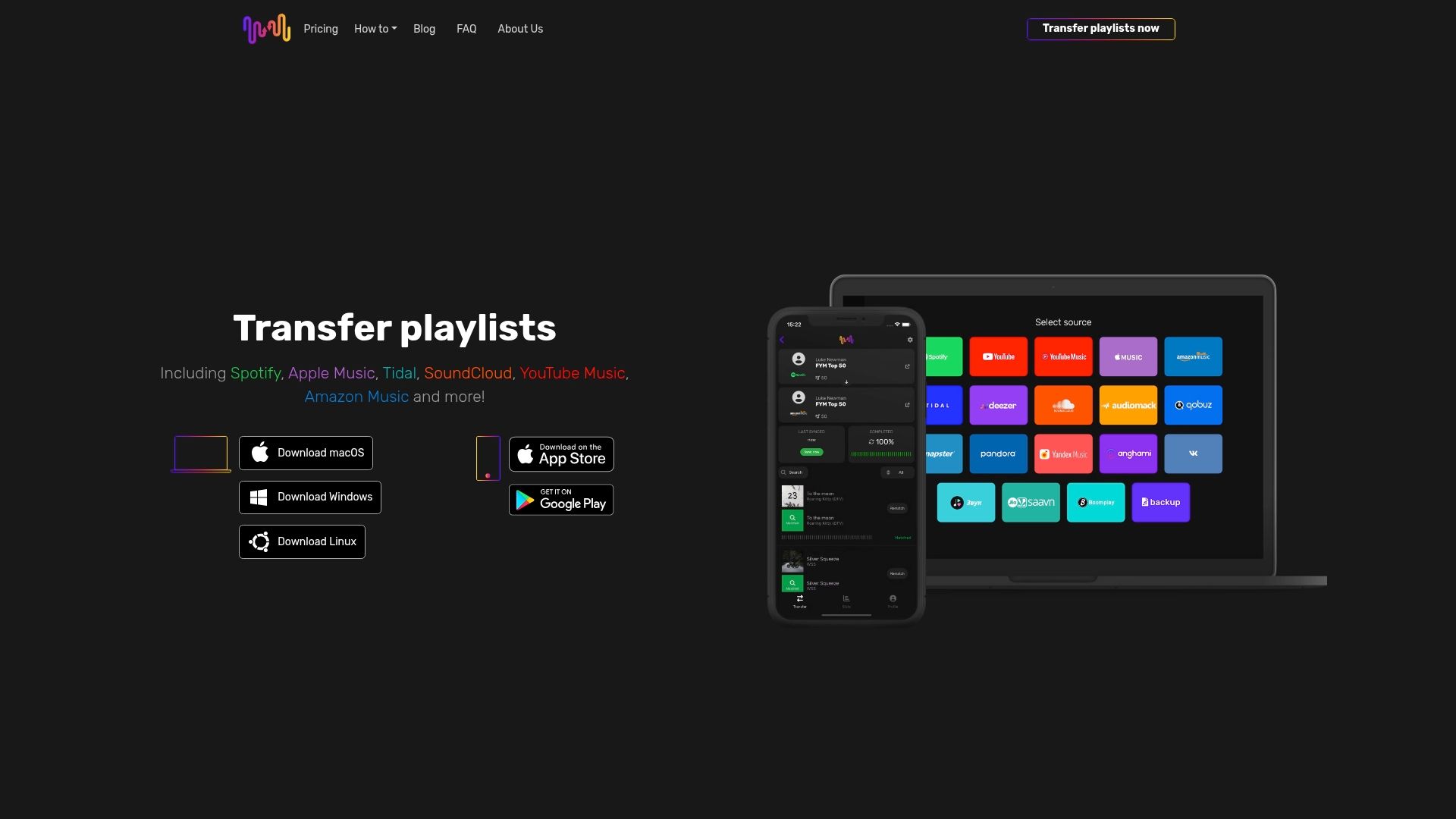
The platform ensures 99% preservation of playlist metadata and order, protecting the careful organization you've invested time building. Compatible with macOS, Windows, Linux, Android, and iOS, Free Your Music meets you wherever you listen to music.
Whether you're backing up your SoundCloud library to file storage, restoring your saved playlists back to SoundCloud, or archiving your Qobuz collection, the platform handles transfers with precision and speed. Users needing seamless cross-platform playlist management find everything required in one reliable solution.
FAQ
What features should I prioritize for cross-platform playlist management?
Focus on high song matching accuracy above 90%, unlimited transfer capabilities, multi-account support, and automated synchronization. These features preserve playlist integrity while saving significant time. Tools lacking any of these core capabilities create unnecessary friction in your music management workflow.
How can I avoid losing playlist order and metadata during transfers?
Select proven tools like Free Your Music that specifically preserve track sequencing and associated metadata throughout the transfer process. Avoid manual rebuilding methods that destroy organizational structure. The automatic playlist transfer guide explains implementation details for maintaining complete playlist fidelity.
Which streaming platform offers the best playlist collaboration features?
Spotify hosts 60% more collaborative playlists than competitors and generates 25% higher active user engagement. This makes it the clear leader for listeners who value social sharing and community-driven music discovery. Apple Music and YouTube Music offer collaboration but with more limited functionality and smaller user bases.
How much time can automation save in playlist management?
Automated synchronization reduces playlist management time by up to 70% compared to manual methods. This translates to hours saved monthly for active users maintaining multiple platforms or large libraries. The efficiency gains compound over time as your music collection grows and evolves.
Recommended


Your playlists belong to you.
Stop rebuilding by hand. Move everything in minutes and take your music wherever you go.
Download free →SongsBrew — our free music newsletter
A free perk for FYM users. Tips, playlists, no spam.