7 Essential Music Streaming Tips for Groups to Try Now
Most American music lovers face the frustration of juggling multiple playlists across various apps. With over 60 million Americans streaming music daily, seamless collaboration has become more important than ever. Whether planning a group road trip or sharing workout tunes with friends, learning to manage shared playlists across different platforms can help every group enjoy a smoother, more connected music experience.
Table of Contents
- Set Up Shared Group Playlists Across Platforms
- Coordinate Playlist Transfers With Free Your Music
- Use Collaborative Playlist Features for Input
- Sync Playlist Changes Instantly for All Members
- Manage Multiple Accounts Seamlessly in One App
- Control Playback Privileges and Roles in Groups
- Backup and Restore Group Playlists Automatically
Quick Summary
| Key Message | Explanation |
|---|---|
| 1. Create Shared Group Playlists | Choose a primary streaming platform to foster collaboration and establish music selection guidelines for effective group playlists. |
| 2. Use Free Your Music for Transfers | Streamline playlist migration between platforms, preserving order and ensuring easy access for all group members. |
| 3. Implement Collaborative Features | Allow real-time contributions and updates to playlists, enhancing group engagement and creativity in music selection. |
| 4. Manage Multiple Accounts Efficiently | Centralize account management to simplify switching between streaming services and improve music organization. |
| 5. Backup Playlists Automatically | Schedule regular backups to prevent playlist loss, ensuring your collection remains safe across various platforms. |
1. Set Up Shared Group Playlists Across Platforms
Sharing music playlists across different streaming platforms can transform how groups discover and enjoy music together. With modern streaming services offering collaborative playlist features, you can now create dynamic musical experiences that everyone in your group can contribute to and enjoy.
Creating shared group playlists starts with understanding platform compatibility. While each streaming service has unique methods, the core concept remains similar: multiple users can add, remove, and rearrange tracks in a single playlist. Apple Music allows users to create collaborative playlists where group members can actively shape the musical journey.
Key Steps for Setting Up Group Playlists:
- Select a Primary Platform: Choose a streaming service most group members already use
- Invite Collaborators: Use platform sharing features to add friends or group members
- Establish Playlist Guidelines: Create basic ground rules about music selection and etiquette
- Use Cross Platform Tools: Leverage playlist migration services to ensure everyone can access the playlist
The magic of shared playlists lies in their ability to create a collective musical experience. Imagine a road trip playlist where each friend contributes their favorite tracks, or a workout group playlist that keeps everyone motivated. By breaking down platform barriers, you transform music listening from a solitary activity into a collaborative adventure.
Pro tip: Always communicate with your group about playlist expectations. Some members might prefer specific genres or have strong opinions about musical selections. Open communication ensures a harmonious shared playlist experience.
2. Coordinate Playlist Transfers With Free Your Music
Navigating multiple music streaming platforms can be a complex challenge for group music lovers. Free Your Music provides a seamless solution for transferring playlists across different streaming services, making music sharing easier than ever.
Playlist coordination becomes incredibly simple with dedicated transfer tools. Group Music Management Benefits:
- Instantly move playlists between platforms
- Preserve playlist order and song selections
- Support multiple streaming service transfers
- Eliminate manual playlist recreation
The process works by connecting your various streaming accounts and using intelligent song matching algorithms. With a step by step guide for transferring playlists, users can quickly migrate entire music collections without losing track organization.
Strategic Transfer Tips:
- Backup your original playlists before transferring
- Verify song availability across target platforms
- Check playlist size limitations for each service
- Use cross platform tools during group music transitions
Group music coordination no longer requires complicated manual processes. By leveraging specialized playlist transfer services, you can ensure everyone in your music circle stays connected regardless of their preferred streaming platform.
Pro tip: Always test playlist transfers with a small playlist first to understand how the migration process works for your specific music services.
3. Use Collaborative Playlist Features for Input
Collaborative playlists represent a revolutionary way for music groups to curate and share musical experiences together. Creating shared playlists allows multiple users to contribute, edit, and shape a collective musical journey in real time.
How Collaborative Playlists Work:
- Multiple users can add songs simultaneously
- Everyone receives instant updates
- Playlist ownership remains flexible
- Real time collaborative editing
Apple Music allows users to create collaborative playlists where group members can dynamically contribute tracks. This feature transforms music listening from a solitary experience into a shared adventure.
Strategic Collaboration Tips:
- Set clear playlist guidelines upfront
- Establish a theme or mood for the playlist
- Rotate playlist curation responsibilities
- Respect individual music preferences
- Use democratic voting for song selections
Collaborative playlists work best when group members communicate openly about musical tastes and playlist objectives. Whether planning a road trip soundtrack or creating a workout mix, these shared musical spaces encourage creativity and connection.
Pro tip: Assign a playlist moderator to help manage contributions and maintain the overall vibe of your collaborative musical experience.
4. Sync Playlist Changes Instantly for All Members
Instant playlist synchronization transforms group music experiences by ensuring everyone stays connected in real time. Smart music sharing methods have revolutionized how groups collaborate on musical selections.
Synchronization Mechanics:
- Updates visible across all devices
- No manual refresh required
- Immediate notification of playlist changes
- Consistent playlist state for all members
Apple Music allows users to create collaborative playlists where real time updates mean every group member sees modifications the moment they happen. This technology eliminates communication gaps and keeps musical collaboration seamless.
Key Synchronization Strategies:
- Choose platforms with robust real time updating
- Establish clear playlist editing protocols
- Use group communication channels for major changes
- Test sync capabilities before group events
- Select platforms with strong notification systems
Effective playlist synchronization requires understanding each platform technical capabilities. Different streaming services offer varying levels of real time collaboration, so selecting the right platform becomes crucial for smooth group music experiences.
Pro tip: Always have a backup communication method to discuss playlist changes and ensure everyone remains on the same musical wavelength.
5. Manage Multiple Accounts Seamlessly in One App
Managing multiple music streaming accounts can quickly become overwhelming for group music enthusiasts. Centralized account management provides a streamlined solution for navigating complex digital music ecosystems.
Multiple Account Management Benefits:
- Consolidate streaming service credentials
- Switch between accounts instantly
- Track playlists across different platforms
- Reduce login complexity
- Simplify music library organization
The key advantage of unified account management is eliminating the need to repeatedly log in and out of different music services. Free Your Music provides guidance on managing multiple accounts across different streaming platforms, allowing users to maintain comprehensive music libraries without friction.
Strategic Management Techniques:
- Use single sign on capabilities
- Enable two factor authentication for security
- Regularly update account credentials
- Maintain separate personal and group accounts
- Create unique playlist categories for each account
By centralizing account management, groups can transform their music listening experience from fragmented to fluid. This approach reduces technological barriers and allows more time for enjoying music together.
Pro tip: Regularly audit your connected accounts and remove access for services you no longer use to maintain optimal security and performance.
6. Control Playback Privileges and Roles in Groups
Music collaboration requires smart management of group dynamics, especially when multiple users interact within shared musical spaces. Controlling playback privileges ensures a harmonious and structured group listening experience.
Playback Role Hierarchy:
- Playlist creator becomes primary administrator
- Define clear editing permissions
- Establish voting or consensus mechanisms
- Create transparent contribution guidelines
- Set boundaries for song additions
Apple Music enables users to share songs from a shared media library, allowing granular control over who can modify playlists and manage musical selections. This approach prevents potential conflicts and maintains group musical harmony.
Strategic Privilege Management:
- Assign specific roles to group members
- Rotate administrative responsibilities
- Use democratic playlist curation methods
- Implement voting systems for song selection
- Create clear communication channels
Effective privilege management transforms group music experiences from chaotic to collaborative. By establishing clear expectations and roles, music groups can create engaging and inclusive playlist environments.
Pro tip: Regularly review and adjust group playlist rules to maintain flexibility and ensure all members feel respected and heard.
7. Backup and Restore Group Playlists Automatically
Losing carefully curated group playlists can be devastating for music enthusiasts. Automatic playlist backup strategies provide a critical safety net for preserving musical collections across multiple platforms.
Backup Preservation Strategies:
- Schedule regular automatic backups
- Store playlists across multiple platforms
- Create redundant backup systems
- Use cloud storage integration
- Maintain version history of playlists
Free Your Music provides a comprehensive guide on creating playlist backups, ensuring groups can recover their musical memories with minimal effort. Automatic restoration capabilities mean no playlist is ever truly lost.
Backup Implementation Techniques:
- Configure cloud sync settings
- Export playlists to external storage
- Use cross platform backup tools
- Establish periodic backup schedules
- Test restoration processes regularly
Modern music streaming technologies transform playlist management from risky to reliable. By implementing strategic backup protocols, groups can protect their musical investments and maintain continuity across changing platforms.
Pro tip: Always maintain at least two independent backup methods to ensure maximum playlist preservation and peace of mind.
Below is a comprehensive table summarizing the strategies and tools for managing collaborative group playlists across different music streaming platforms discussed throughout the article.
| Topic | Description | Key Considerations |
|---|---|---|
| Shared Group Playlists | Allows multiple users to add, remove, and rearrange tracks, creating a dynamic musical experience. | Select a primary platform and invite collaborators. Set guidelines and use cross-platform tools. |
| Playlist Transfers | Free Your Music enables seamless playlist transfers between platforms, preserving order and selection. | Backup originals, verify song availability, and test with small playlists first. |
| Collaborative Playlist Features | Facilitates real-time collaborative editing with multiple contributors. | Establish clear guidelines, themes, and use voting for song selection. |
| Instant Synchronization | Ensures real-time updates are visible to all members across devices. | Choose platforms with robust syncing, establish editing protocols, and test capabilities. |
| Account Management | Centralized management simplifies switching between multiple streaming accounts. | Use single sign-on, update credentials, and maintain separate accounts. |
| Playback Privileges | Control roles and permissions within group playlists to manage dynamics. | Define clear editing rights, assign roles, and implement voting systems. |
| Backup and Restore | Automatic backups preserve playlists across multiple platforms. | Schedule regular backups, use cloud storage, and maintain version history. |
Make Group Music Sharing Effortless with Free Your Music
Managing shared playlists across different streaming platforms can feel overwhelming. This article highlights common challenges like coordinating playlist transfers, syncing updates instantly, and controlling playback privileges within group settings. If your group struggles with platform compatibility, playlist migration, or real-time collaboration, you are not alone. The need for smooth synchronization, secure backup, and ease of managing multiple accounts is clearer than ever.
FreeYourMusic.com specializes in solving these exact pain points by allowing you to transfer unlimited playlists between services such as Spotify, Apple Music, and Amazon Music without losing your playlist order or song matching. With cloud backup, multi-account support, and automated synchronization features, your group can focus on enjoying music together rather than technical hassles.
Discover how simple and fast collaborative playlist management can be. Explore Free Your Music today and turn your group music experience into seamless sharing.
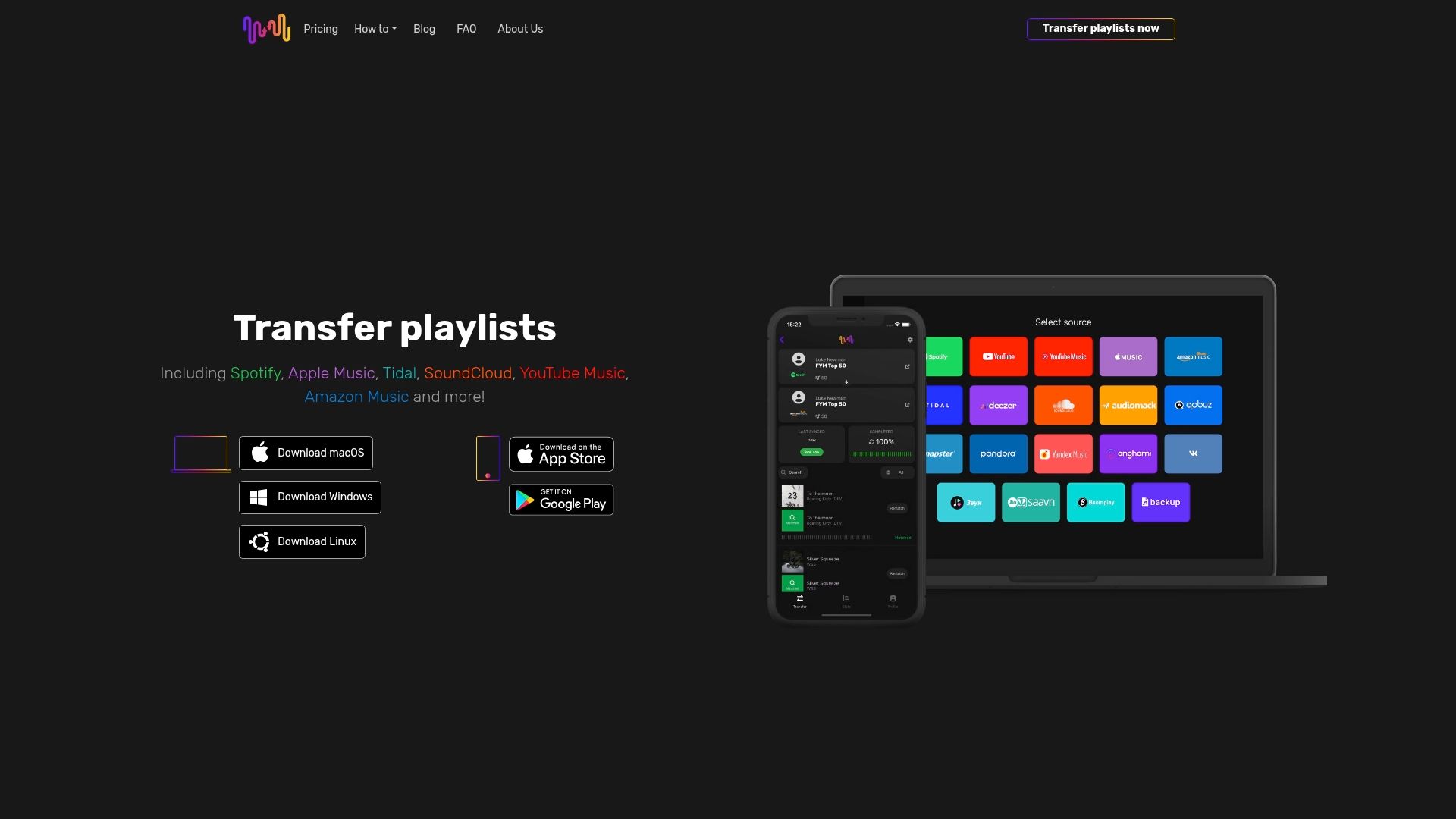
Ready to eliminate platform barriers and bring your group playlists together effortlessly? Visit Free Your Music to start your free transfer and experience truly unified music collaboration now. Learn more about how to transfer playlists flawlessly and manage multiple streaming accounts in one place.
Frequently Asked Questions
How can I set up a shared music playlist for my group?
To set up a shared music playlist, choose a streaming service that supports collaborative playlists, invite your group members to contribute, and establish guidelines for song selections. Start by selecting a platform everyone is comfortable with, then create the playlist and share it within a few minutes.
What are the benefits of using playlist transfer services for groups?
Using playlist transfer services allows groups to move playlists seamlessly between different streaming platforms. This ensures that everyone can access the same musical content without manually recreating playlists, making the process quicker and less frustrating.
How can my group manage multiple music streaming accounts easily?
Groups can manage multiple music streaming accounts by using centralized account management tools that consolidate login credentials and playlist access in one place. This simplifies switching between accounts and ensures that all members can easily track their shared playlists without confusion.
What are some effective methods to control playback privileges in a group playlist?
To control playback privileges, assign roles to group members, establish clear editing permissions, and create democratic processes for song selection. Ensuring that each member has defined responsibilities can help maintain harmony and enhance the overall music experience for everyone involved.
How can we ensure our group playlists are backed up automatically?
To back up group playlists automatically, schedule regular backups and utilize cloud storage integration to store multiple versions. Setting up backups can take just a few minutes initially, providing peace of mind that no playlist will be lost in case of accidental removals or account changes.
Recommended
- Free Your Music - 7 Essential Music Streaming Tips for Users
- Free Your Music - Music Industry Trends for 2024
- Free Your Music - 7 Key Features of Music Streaming Services You Should Know
- Free Your Music - 7 Essential Music Streaming Features You Need
- Multi Room Audio Setup Guide: Stream Music Everywhere - Projector Display
Your playlists belong to you.
Stop rebuilding by hand. Move everything in minutes and take your music wherever you go.
Download free →SongsBrew — our free music newsletter
A free perk for FYM users. Tips, playlists, no spam.