7 Steps for a Complete Music Library Organization Checklist

Transferring music playlists between streaming services can feel like a puzzle with missing pieces. You might discover tracks with strange metadata, messy duplicates, or playlists that lose their structure on the new platform. Organizing a digital music library is trickier when every service treats your music data a little differently.
The good news is, there are reliable ways to bring order to your collection and make moving playlists much smoother. These steps will help you keep your favorite tracks, playlists, and personal tags intact—no matter which streaming service you use.
You’re about to discover clear, actionable strategies for removing duplicates, structuring songs by genre and artist, and making your playlists easy to transfer. With the right approach, your music library can be both personalized and portable.
Table of Contents
- 1. Assess Your Music Library For Duplicates And Gaps
- 2. Sort Tracks By Genre, Artist, And Album
- 3. Tag Songs With Custom Metadata For Easy Access
- 4. Create Playlists For Specific Events Or Moods
- 5. Backup Your Music Library To The Cloud
- 6. Sync Playlists Across Streaming Services
- 7. Schedule Regular Library Maintenance Sessions
Quick Summary
| Takeaway | Explanation |
|---|---|
| 1. Conduct a Music Library Audit | Identify duplicates and gaps in your collection before reorganizing to streamline your organization process. |
| 2. Organize by Genre, Artist, and Album | Create a logical structure in your library to locate tracks easily and maintain consistency across platforms. |
| 3. Use Custom Metadata for Tagging | Enhance searchability by adding specific tags that reflect your personal preferences and needs. |
| 4. Create Purposeful Playlists | Build playlists for specific moods or events to make your music library more functional and enjoyable. |
| 5. Schedule Regular Maintenance | Regularly check your library to prevent disorganization and ensure your collection aligns with changing tastes. |
1. Assess Your Music Library for Duplicates and Gaps
Before you organize anything, you need to understand what you actually have. This means conducting a thorough audit of your music library to identify duplicate tracks and discover any missing songs that should be there. Think of it like taking inventory before reorganizing a warehouse. You can't work effectively if you don't know what's sitting on the shelves.
Duplicates accumulate over time more easily than you might think. You might have downloaded the same album twice from different sources. A track could exist under multiple artist spellings or versions. Compilations often feature the same song multiple times. When you're managing collections across different streaming platforms, you end up with even more duplicates because each service handles metadata differently. These redundancies don't just clutter your library. They create confusion when you're building playlists, waste storage space, and make it harder to maintain consistent metadata across your collection.
Start by using your streaming service's built-in tools to identify exact duplicates. Most platforms can show you duplicate entries, though the detection methods vary. Spotify's local files feature can reveal duplicates within your personal uploads. Apple Music's upload functionality shows when you've added the same track multiple times. For more complex duplicate detection, tools that use acoustic fingerprinting and metadata matching can identify versions that look different but are actually the same song. These might include live versions, remasters, or alternate editions that you didn't realize were already in your collection.
When you find duplicates, resist the urge to simply delete them immediately. Music databases like MusicBrainz recommend merging duplicate entries instead of removing them. Merging preserves identifiers and metadata integrity across your collection and connected applications. When you merge rather than delete, you retain critical information that might be linked from tagging tools or other services. If you have a misspelled artist name alongside the correct version, merging them keeps the alias information intact and prevents future duplication.
Now turn your attention to gaps. These are the tracks that should be in your library but aren't. Maybe you own a complete discography of an artist except for one album. Perhaps you have several songs from a soundtrack but missed a few tracks. Identifying these gaps matters because they affect your listening experience and your ability to create complete playlists. Start by listing your favorite artists and checking which of their releases you own. Compare your library against official discographies on music databases. Check whether your themed playlists are missing obvious candidates. For instance, a "90s Hip Hop Essentials" playlist might be missing essential tracks that belong there.
Duplicates and gaps often point to larger organization problems. If you have multiple versions of the same album mixed throughout your library with inconsistent naming, that's a signal that your broader tagging and folder structure needs attention. Similarly, gaps in your collection sometimes reveal which genres or eras you haven't fully explored. A DJ might discover that their electronic collection lacks deep house while having plenty of progressive house, suggesting a natural direction for future additions.
Use spreadsheet software to document what you find. Create columns for track name, artist, version, and whether it's a duplicate or gap. This creates a clear action plan and helps you track progress as you work through your library. Export your playlists and run them through duplicate detection tools if you're managing large collections across multiple platforms.
Pro tip: Tag duplicates with a numerical suffix or special marker before deleting them, so you can verify you're removing the right copy and potentially recover the metadata from the version you keep.
2. Sort Tracks by Genre, Artist, and Album
Once you've cleaned up duplicates and identified gaps, the next step is creating a logical structure for your entire collection. Sorting tracks by genre, artist, and album gives your music library a framework that makes sense both to you and to the tools you use for managing and transferring your music across platforms.
This hierarchical approach mirrors how physical record stores have always organized music. Walk into any record shop and you'll find sections for rock, hip hop, electronic, classical, and everything else. Within each section, records are arranged alphabetically by artist name. Within each artist's catalog, albums appear in chronological order or by release date. Digital music libraries benefit from the same logic. When your tracks are organized this way, you can quickly locate what you want to listen to, build playlists with intention, and maintain consistency across all your streaming services.
Genre serves as your broadest categorization. Think of it as the top level of your organizational pyramid. Music genres range from classical and folk to jazz, pop, rock, electronic, and world music, with countless sub-genres within each category. You don't need to assign every track to a perfectly defined genre. Instead, choose categories that reflect how you actually listen to music. A DJ might use genres like "House," "Techno," "Deep House," and "Ambient" because they mix by tempo and energy. A collector might prefer "Classical," "Baroque," "Contemporary," and "Film Scores." The specific genres matter less than having them be meaningful to your listening patterns.
Artist comes next in your organizational hierarchy. This is where you group all tracks from a single performer or band together. The benefits here are immediate. You can see your complete collection from each artist at a glance. You can identify which albums you own and which you're missing. When you want to shuffle everything from a favorite artist, you have all their work in one place. This becomes especially valuable when you're managing music across multiple streaming services. If you transfer your Spotify library to Apple Music, having consistent artist names and groupings ensures nothing gets scattered across your transferred collection.
Album is your most granular level of organization. This layer preserves the artistic intent of how musicians ordered their songs. Albums have a narrative flow that playlists don't always capture. A concept album tells a story that unfolds across its length. A greatest hits collection represents an artist's best work in a curated sequence. By maintaining album structure, you preserve these intended listening experiences alongside your personalized playlists. When you organize by album within each artist, you can also track which releases you own and spot gaps in your discography more easily.
Implementing this system requires consistent metadata tagging. Each track in your library needs accurate genre, artist, and album information. Music tagging platforms that support extensive genre definitions and sub-genre categorization help ensure your tags align with standardized music databases. This consistency matters more when you're syncing or transferring your collection. A track tagged as "Hip Hop" in one place and "Rap" in another will cause confusion when moving between platforms. Using standardized genre lists as your reference prevents these inconsistencies.
Start by auditing your current metadata. Export your playlists and run them through a metadata checker. Look for misspelled artist names, missing album information, and vague genre tags. Batch update common issues. If you have fifty tracks tagged as "Electronic" that should be "Synthwave," fix them all at once rather than individually. Most music management tools allow bulk editing, which saves hours of manual work.
Consider creating a personal genre guide. Document which genres you use and what they mean in your collection. Does "Alternative" include indie rock and post-punk? How does "Pop" differ from "Indie Pop" in your system? When you or automated tools add new music, this reference guide ensures consistency. It also helps when you're working with tools that suggest genre categorizations. You can quickly validate or correct their suggestions based on your established system.
Remember that this organization system directly impacts your experience when moving playlists between streaming services. Well organized tracks with consistent metadata transfer more smoothly and maintain their intended groupings on the destination platform. Genre, artist, and album organization isn't just about neatness. It's infrastructure that makes your entire music collection more functional across every platform you use.
Pro tip: Use your streaming service's built-in sorting features to verify your organization before transferring collections, and keep a backup list of genre definitions you use so you can apply the same structure consistently when adding new music.
3. Tag Songs with Custom Metadata for Easy Access
Metadata is the invisible infrastructure that makes your music library actually functional. Beyond the basic artist and album information, custom metadata tags let you add contextual information that makes your collection searchable, sortable, and personally meaningful in ways that standard organization alone cannot achieve.
Think of metadata as the annotations you might write in the margins of a physical album. Standard metadata includes track title, artist name, album name, and genre. Custom metadata goes further. You might tag a song with "Live Performance," "Acoustic Version," "Covers," "Year 2005," or "Workout Motivation." These custom tags create invisible organizational systems layered on top of your standard genre and artist structure. When you search for all acoustic versions of songs in your collection, custom tags make that query possible. When you want to build a playlist of only remixes or only live recordings, those tags instantly surface the right tracks.
The power of custom metadata becomes especially apparent when managing collections across multiple streaming platforms. Different services handle metadata differently. Spotify might interpret artist information one way while Apple Music interprets it another. When you embed comprehensive metadata directly into your audio files, you create a portable record that travels with your tracks regardless of which platform hosts them. This is why DJs and serious collectors invest time in meticulous tagging. Their metadata moves with their music through every migration, every backup, and every platform switch.
Starting with metadata editing tools that access comprehensive music databases like MusicBrainz gives you access to standardized information that minimizes errors and inconsistencies. Tools built on these databases pull accurate information for millions of tracks. When you use these sources, you benefit from crowdsourced corrections and updates from the music community. Instead of manually typing artist names and album information, you're drawing from a vetted encyclopedia.
For more granular control over individual file metadata, metadata editors allow you to add artist, year, genre, and custom tags directly into audio files. This approach gives you complete flexibility to create tags that match your specific needs. A classical music collector might tag pieces with "Composer Name," "Instrumentation," "Era," and "Concert Hall Recording." An electronic music producer might use tags like "BPM 128," "Acid House," "Sampled," and "Remix Candidate." These custom tags transform your library from a generic collection into a specialized resource organized exactly for your use case.
Implement a tagging strategy that balances standardization with flexibility. Decide which custom tags matter most to your listening and working habits. If you frequently build workout playlists, tag songs with workout intensity levels. If you're a DJ, tag tracks with key, BPM, and genre variations. If you're a casual listener building mood playlists, tag songs with emotional descriptors. The specific tags matter less than consistency in how you apply them. When you tag fifty songs as "Upbeat," tag similar songs with the same term rather than inventing variations like "Upbeat," "Energetic," and "Fast Paced." Consistency is what makes your tags actually searchable and useful.
Batch tagging saves enormous amounts of time compared to tagging individual tracks. Most metadata editing tools let you select multiple files and apply the same tags simultaneously. If you download an entire album, you can tag all ten tracks with the album name, artist, genre, and any custom labels all at once rather than one at a time. This efficiency means you're more likely to maintain complete metadata across your entire collection instead of giving up partway through.
Consider how your tagged metadata will survive the transfer process between streaming services. When you move playlists from Spotify to Apple Music or from Tidal to Amazon Music, embedded metadata in your files usually transfers cleanly. Playlist structures often don't. Your custom tags become the bridge that helps you reconstruct your organizational logic on a new platform. A song tagged with "2000s Nostalgia" immediately tells you which playlist to add it to on your new platform. A track tagged with "DJ Mix Essential" signals its importance in your collection.
Start small with your tagging project. Choose one category of custom metadata that would immediately improve your workflow. Tag all your remixes. Tag all your live performances. Create a "Favorites" tag for your most frequently played tracks. Once you've built momentum with one category, expand to others. This incremental approach prevents overwhelm and lets you refine your tagging strategy based on what you actually use versus what seemed useful in theory.
Pro tip: Create a tagging template document that lists your standard custom tags and their definitions, then reference it when tagging new music to ensure consistency across your entire collection and any future transfers between platforms.
4. Create Playlists for Specific Events or Moods
Genre and artist organization provide structure for your library, but playlists provide purpose. A well crafted playlist transforms your music collection from a static archive into a dynamic tool that enhances specific moments in your life. Playlists are where your music library becomes personal.
The power of event and mood based playlists lies in their specificity. A "Chill Evening" playlist serves a different function than a "Morning Workout" playlist, even though both might contain upbeat tracks. Context matters. The same song that energizes you at 6 AM might feel wrong at 10 PM. Playlists acknowledge this reality by bundling music that works together for a particular moment or emotional state. When you want to focus on work, you don't want to dig through your entire library searching for instrumental tracks or ambient music. You want a playlist ready to go that matches your immediate need.
Mood based playlists tap into emotional matching. Research shows that sequencing tracks to correspond with emotional tone creates more engaging experiences. A "Melancholy" playlist isn't just sad songs. It's a carefully ordered sequence that takes you on an emotional journey. The first track sets the tone. The middle section deepens the feeling. The closing tracks bring resolution or acceptance. This progression matters more than a random shuffle of sad music. Think about how a DJ structures a set. They don't blast the highest energy track first. They build from something grounded and move toward peaks and valleys. Your mood playlists should do the same.
Event based playlists serve practical purposes. A "Party" playlist needs different qualities than a "Dinner Party" playlist. Party music drives energy and encourages movement. Dinner party music should enhance conversation without overwhelming it. A "Road Trip" playlist has different requirements than "Gym" music. Road trip playlists benefit from longer tracks and smoother transitions that let you get lost in driving. Gym playlists need momentum and beats that sync with your workout pace. Each event context demands specific characteristics from the music you choose.
Start creating event and mood playlists by analyzing your actual listening patterns. What moments in your day do you listen to music? When do you struggle to find the right song? A collector might realize they need a "Deep Listening" playlist for focused album exploration. A DJ might need separate playlists for different BPM ranges or energy levels they mix with. A parent might want a "Kids Friendly" playlist for car rides. Your playlists should solve real problems you face when navigating your library.
Consider different playlist types including mood, event, era, and genre based collections that serve distinct purposes in your listening life. You might maintain a "90s Hip Hop Essential" playlist that honors a specific era, a "Focus Work" playlist that supports productivity, and a "Weekend Vibes" playlist that captures a particular feeling. These coexist without conflict. Your library organization by genre and artist remains your foundational structure. Playlists are the second level of organization that serves your day to day needs.
Length matters when building playlists. A "Quick Workout" playlist might have 20 tracks for a 30 minute session. A "Road Trip" playlist could have 60 tracks for a 6 hour drive. An "Office Background Music" playlist might have 100 tracks for an entire workday on shuffle. Intentionality about duration prevents playlists from feeling incomplete or exhaustingly long. A playlist that cuts off mid session feels unfinished. A playlist that's still cycling through unused tracks after you leave feels bloated.
Ordering within playlists matters more than most people realize. A "Motivation" playlist should start with something engaging but not peak level so you can build from there. It should crescendo toward the middle songs that hit hardest. The closing tracks can ease back slightly so you finish strong but not depleted. A "Relaxation" playlist should front load the deepest calm tracks since you're starting from an activated state and need to slow down. As you progress, you can maintain a consistent gentle mood.
Keep your playlists flexible and evolving. A playlist frozen in time becomes stale. Add new discoveries to existing playlists when songs fit the mood or event. Remove tracks that no longer resonate. This curation keeps playlists fresh and prevents them from becoming the same 50 songs you've heard 500 times. The act of updating playlists also deepens your relationship with your music. You're actively engaging with your collection rather than passively consuming it.
When you eventually transfer your playlists between streaming services, these thoughtfully constructed playlists transfer with them. Your organization structure goes with you. Your mood and event playlists maintain their purpose. A playlist transfer that maintains both your library structure and your playlist intent means you're not starting over on a new platform. You're continuing with the same infrastructure you've built.
Pro tip: Create a master list of your recurring playlists and their purposes, then use it as a template when migrating to new streaming platforms so you can quickly recreate your essential playlists and avoid duplicating effort across services.
5. Backup Your Music Library to the Cloud
Your organized music library represents hours of curation, careful tagging, and thoughtful playlist building. Losing it to a hard drive failure, computer malfunction, or accidental deletion would be devastating. Cloud backup transforms your music library from something vulnerable into something protected and accessible from anywhere.
Cloud backup operates on a simple principle: you store copies of your music and metadata in remote servers maintained by a service provider. Unlike keeping everything on your personal computer, cloud storage protects your collection against physical disasters. Your home burns down, your laptop gets stolen, your external drive fails. Your cloud backup remains intact. This redundancy is essential for serious collectors and DJs whose libraries represent significant investment in time and money.
The backup strategy matters as much as the backup itself. Security experts recommend following the 3-2-1 backup rule: maintain three copies of your data on two different media types with one copy stored offsite. This approach means you might keep your original organized library on your computer, maintain a backup on an external hard drive, and store another copy in cloud storage. If any single backup fails, you still have two others. This layered approach provides genuine protection instead of false security from a single backup.
Cloud backup becomes especially critical when you're managing music across multiple streaming services. Your personal uploads, local files, and custom metadata exist in different places. A comprehensive cloud backup captures everything. Your custom tags don't get lost. Your local files remain accessible. Your entire organizational structure survives any single point of failure. This matters when you're transferring music libraries between streaming platforms because your backup ensures you have a complete record of what you're moving and what you want to preserve.
When selecting a cloud backup solution, consider what you're protecting. Are you backing up your audio files themselves or just your metadata and playlist information? Backing up actual audio files requires significant storage space. A 10,000 track collection at 5 megabytes per file requires 50 gigabytes of storage. Many cloud services offer this capacity, but you'll pay monthly fees for such volume. Alternatively, you might back up just your metadata, playlists, and custom tags as a CSV or JSON file. This captures your organizational work without storing the actual audio files. You can reconstruct your library from these files if needed.
Tools like Rclone provide command-line backup functionality that supports encryption, compression, and integrity verification across multiple cloud providers. This means your backed-up data stays encrypted so your cloud provider cannot access your music. Rclone can also resume interrupted transfers if your internet connection drops, which matters for large backups. You don't restart from zero every time your connection hiccups. These technical features transform cloud backup from a simple upload into a robust backup solution.
Schedule your backups to run automatically rather than relying on manual backup discipline. Weekly or monthly automated backups ensure your cloud copy stays current without requiring you to remember. If you make significant changes to your library on a Tuesday, you want those changes captured before the next disaster happens. Manual backups work until the day you forget and suffer catastrophic loss three weeks after your last backup.
Consider how your cloud backup integrates with streaming service transfers. If you maintain a backup of your playlist data in CSV format, you can use those files to reconstruct your playlists on any new streaming service. Your backup becomes a portable record of your entire library structure. This is especially valuable when switching between services or maintaining accounts on multiple platforms. You're not trapped recreating playlists from memory.
Test your backups periodically. Download a backup file and verify it contains what you expect. Try restoring a playlist from your backup to confirm the process works. A backup that fails when you actually need it is worse than no backup because it gives you false confidence. Real protection comes from backups you've actually tested and verified.
Storage costs matter when backing up large libraries. Calculate whether cloud storage fees make sense for your collection size. Some collectors spend fifty dollars monthly backing up gigabytes of audio. Others spend five dollars monthly backing up metadata only. Evaluate what you actually need to protect and what you can afford to maintain continuously. An annual subscription you can't sustain becomes worthless when you stop paying and lose access.
Pro tip: Maintain a backup schedule document that specifies what gets backed up, how often, to which services, and include a test date quarterly so you actually verify your backups work before you desperately need them.
6. Sync Playlists Across Streaming Services
You've organized your music library perfectly across Spotify. Now you're curious about Apple Music or considering a switch to Tidal. The prospect of manually rebuilding every playlist on a new platform is overwhelming. Playlist synchronization across streaming services eliminates this friction and lets you maintain your organizational work regardless of where you listen.
Most streaming platforms don't communicate with each other. Spotify doesn't automatically know what playlists you've built in Apple Music. Amazon Music can't see your Tidal preferences. Each service operates in isolation, which means your carefully curated playlists exist only within their ecosystem. If you want the same playlists on multiple services or you're switching platforms entirely, you need a bridge between them. This is where playlist syncing tools become invaluable.
Third-party services have emerged to solve this problem. These tools authenticate with your accounts on multiple streaming platforms, read your playlist data, and recreate those playlists on destination services. The process is more complex than it seems because every streaming service has a slightly different catalog. A song available on Spotify might not exist on Apple Music under the same artist name. These services handle the reconciliation work, matching songs across platforms even when metadata differs slightly.
Understanding what actually happens during a sync helps you manage expectations. When you initiate a playlist transfer, the service connects to both your source and destination platforms using your authentication credentials. It reads the tracks from your source playlist and searches the destination platform's catalog for matching songs. This matching process might be based on track title and artist name, or it might use more sophisticated acoustic fingerprinting to identify songs even when metadata doesn't align perfectly. Not every track will find a match. A rare B-side or independent release on Spotify might not exist on Apple Music. Most syncing tools report these unmatched tracks so you know what's missing.
Different tools offer different capabilities and pricing models. Some services handle unlimited transfers if you pay a monthly subscription. Others charge per transfer. Some support automatic syncing where your playlists stay synchronized across platforms as you add and remove tracks. Others perform one-time transfers only. For DJs and serious collectors maintaining large libraries across multiple services, automatic syncing that keeps everything current is worth paying for. For casual listeners transferring playlists once when switching platforms, a one-time paid transfer might be more economical.
The mechanics of syncing reveal why this step is critical in your overall music library organization. If your source playlists have inconsistent metadata, the matching process struggles. A track tagged as "The Beatles" on one service and "Beatles, The" on another might not match correctly. This is why the earlier steps of consistent tagging and metadata curation directly impact how successfully your playlists transfer. Garbage in becomes garbage out. Well-organized playlists with accurate metadata transfer cleanly. Messy playlists with inconsistent naming lose tracks in translation.
When syncing between services, maintain a master record of what transferred successfully and what didn't. Some tracks might need manual addition if the automated matching failed. Your backup playlist data becomes especially valuable here. If a sync fails partway through, you can refer to your backup to verify what should be there and manually add missing tracks. This is where that CSV backup you created earlier pays dividends. You have a complete record of what your playlists contained, so you can fix gaps created by service transfers.
Consider syncing as an ongoing process rather than a one-time task. You might maintain active accounts on multiple streaming services for different reasons. Some services excel at music discovery. Others have better audio quality or exclusive content. Others offer better pricing. Rather than choosing one platform and abandoning the others, many serious listeners maintain accounts on two or three services and sync their playlists to keep them current everywhere. This approach gives you flexibility and prevents being locked into a single platform.
Be aware of syncing limitations. Some services restrict which playlists you can transfer. Some have rate limits on how many tracks you can sync per day. Some don't support all streaming platforms. Research your chosen syncing tool to understand its constraints before you commit to using it. A tool that doesn't support your destination platform is useless regardless of how good its reviews are.
Document your syncing process and schedule. Note which playlists you've synced, to which platforms, when you synced them, and whether automatic syncing is enabled. This documentation prevents confusion six months later when you forget whether your "Workout" playlist is synced to Apple Music or still only exists on Spotify. It also helps you quickly resume syncing if your account credentials change or a service updates its API.
Remember that seamless playlist transfers depend on accurate metadata and consistent organization in your source library. The syncing tool is only as good as the data it's working with. If you haven't completed the earlier steps of cleaning duplicates, fixing metadata, and organizing consistently, syncing will amplify those problems across all your platforms. Invest in solid organization first, then sync playlists with confidence.
Pro tip: Before syncing a critical playlist to a new service, test the process with a smaller playlist first to verify the matching accuracy and understand how the tool handles unmatched tracks before committing your entire library.
7. Schedule Regular Library Maintenance Sessions
Organization isn't a one-time project that ends when you've tagged your last song and synced your final playlist. Your music library needs ongoing maintenance to stay functional, current, and aligned with your evolving listening habits. Scheduling regular maintenance sessions prevents your carefully organized collection from gradually deteriorating back into chaos.
Think of library maintenance like maintaining a physical space. A house doesn't stay clean after one cleaning session. You need regular upkeep to keep it functional. Your music library works the same way. New tracks arrive constantly. You discover songs that belong in existing playlists. Streaming services change their catalogs and remove songs. Your metadata needs occasional corrections. Playlists that were perfectly balanced six months ago might feel incomplete now. Without scheduled maintenance, entropy takes over and your organization slowly breaks down.
Regular maintenance sessions catch problems before they compound. A single duplicate track is easy to fix. Fifty duplicates that accumulated over months require substantial effort. A playlist missing two songs is quickly updated. A playlist missing twelve songs suggests your syncing failed and you didn't notice. By scheduling weekly or monthly check-ins with your library, you maintain control and prevent small issues from becoming overwhelming projects.
Start by establishing a maintenance schedule that fits your actual listening habits. A casual listener who adds five songs per week might need monthly maintenance. A DJ constantly sourcing new tracks might need weekly sessions. A collector building a permanent archive might maintain quarterly schedules focused on long-term curation. The frequency matters less than consistency. A monthly session you actually complete beats a weekly session you skip three times before abandoning the goal.
During each maintenance session, focus on specific tasks. One month you might focus on reviewing playlists and removing songs that no longer resonate. The next month you might audit metadata to catch misspellings or inconsistent tagging. Another month you might check for new duplicates or songs with missing information. Breaking maintenance into focused tasks makes sessions feel manageable rather than overwhelming. You're not trying to fix everything every session. You're making targeted improvements that add up over time.
Consider the lessons from institutional maintenance schedules that balance accessibility with upkeep. Major institutions announce maintenance windows in advance so users can plan accordingly. You should do the same with your library. Schedule maintenance sessions at times when you won't interrupt your listening or work. A Sunday afternoon might be ideal. Friday evening when you're winding down could work. The point is choosing times when maintenance doesn't compete with activities you actually enjoy.
Use maintenance sessions to add newly discovered songs to appropriate playlists. You might discover an acoustic cover version that belongs in your "Acoustic Versions" playlist. A new remix could join your "DJ Mix Essentials" collection. Rather than filing these away randomly and forgetting about them, place them during maintenance sessions when you're thinking about your library structure. This keeps your playlists current and fresh.
Review and update your custom metadata during maintenance. You might have tagged songs with "Energetic" six months ago, but your interpretation might have shifted. You might realize that "Upbeat" and "Energetic" are too similar and consolidate them into one consistent tag. You might discover new metadata categories that would improve your searchability. Maintenance sessions are where you refine your organizational system based on what you've learned through actual use.
Check your syncs across streaming services during maintenance. Have your playlists stayed synchronized or have platform updates caused divergence? A playlist that was perfectly synced to Apple Music might have drifted because you added songs to the Spotify version but forgot to sync. Regular check-ins catch these drift issues and let you resynchronize before the playlists diverge too much.
Verify that your cloud backups are current during maintenance sessions. Are your scheduled backups actually running? Is your backup storage getting full? Do you need to adjust your backup settings? A backup you haven't verified in months might have stopped working, leaving you unprotected. Monthly checks ensure your backup strategy remains functional.
Use maintenance sessions to assess whether your organizational structure still serves you. Maybe you created a "Indie Pop" playlist six months ago that now feels redundant with your "Alternative Pop" playlist. Maybe a genre you used frequently has disappeared from your listening habits. Real organization evolves as your tastes and needs change. Static systems become increasingly misaligned with reality. Maintenance sessions are when you adjust your structure to match your actual listening.
Document what you accomplish during each maintenance session. Jot down what you fixed, what you added, and what you noticed. Over time, these notes reveal patterns. You might discover you always add the same types of songs, which suggests creating additional playlists. You might find certain sections of your library get neglected, indicating songs you should revisit or remove. This data guides your future organizational decisions.
Set realistic expectations for maintenance sessions. You don't need to perfect your entire library in an hour. Adding five songs to correct playlists is a successful session. Fixing ten metadata errors is a productive hour. Syncing one platform's playlists is worthwhile work. Small consistent effort beats heroic occasional efforts that you can't sustain.
Pro tip: Set a recurring calendar reminder for your maintenance session at the same time each week or month, and prepare a simple checklist of tasks so you know exactly what to focus on and can measure progress across multiple sessions.
[Below is a summary table outlining strategies and best practices for organizing a digital music library as discussed in the article.]
| Action | Description and Method | Outcome |
|---|---|---|
| Assess Music Library | Identify duplicates and gaps using tools like acoustic fingerprinting and metadata matching; merge instead of delete duplicates to maintain data integrity. | Improved library structure and data consistency. |
| Sort Tracks Logically | Categorize music collection by genre, artist, and album using standardized metadata for better organization and seamless library transfer across platforms. | Enhanced accessibility and systematized library management. |
| Use Custom Metadata | Add tags for track features such as "Live Version" and "Remix Candidate" to enable flexible organization and ease of searching. | Personalized library tailored to listener's unique needs. |
| Create Functional Playlists | Build playlists for specific moods, events, or thematic needs; order tracks to match emotional or situational progression. | Enabled dynamic music experiences optimized for context. |
| Backup Library to Cloud | Save organized music and metadata to secure cloud services with redundancy strategies like the 3-2-1 rule. | Protection against data loss and accessible backups. |
| Sync Playlists Between Platforms | Use playlist transfer services to migrate playlists across streaming platforms, ensuring organizational integrity. | Facilitated service transitions without reconstruction of playlists. |
| Schedule Maintenance | Regularly review and update metadata, playlists, and backups; adjust library to match evolving listening preferences. | Maintained and optimized library reflecting current usage patterns. |
Streamline Your Music Library Organization with Effortless Playlist Transfers
Managing duplicates, consistent metadata tagging, and creating mood or event playlists can feel overwhelming when switching between streaming platforms. The challenge of keeping your carefully organized library intact while transferring playlists across services like Spotify, Apple Music, and Tidal often results in lost tracks or broken playlists. FreeYourMusic.com understands these pain points and provides a specialized solution to help you maintain your complete music library organization seamlessly without manual rebuilding.
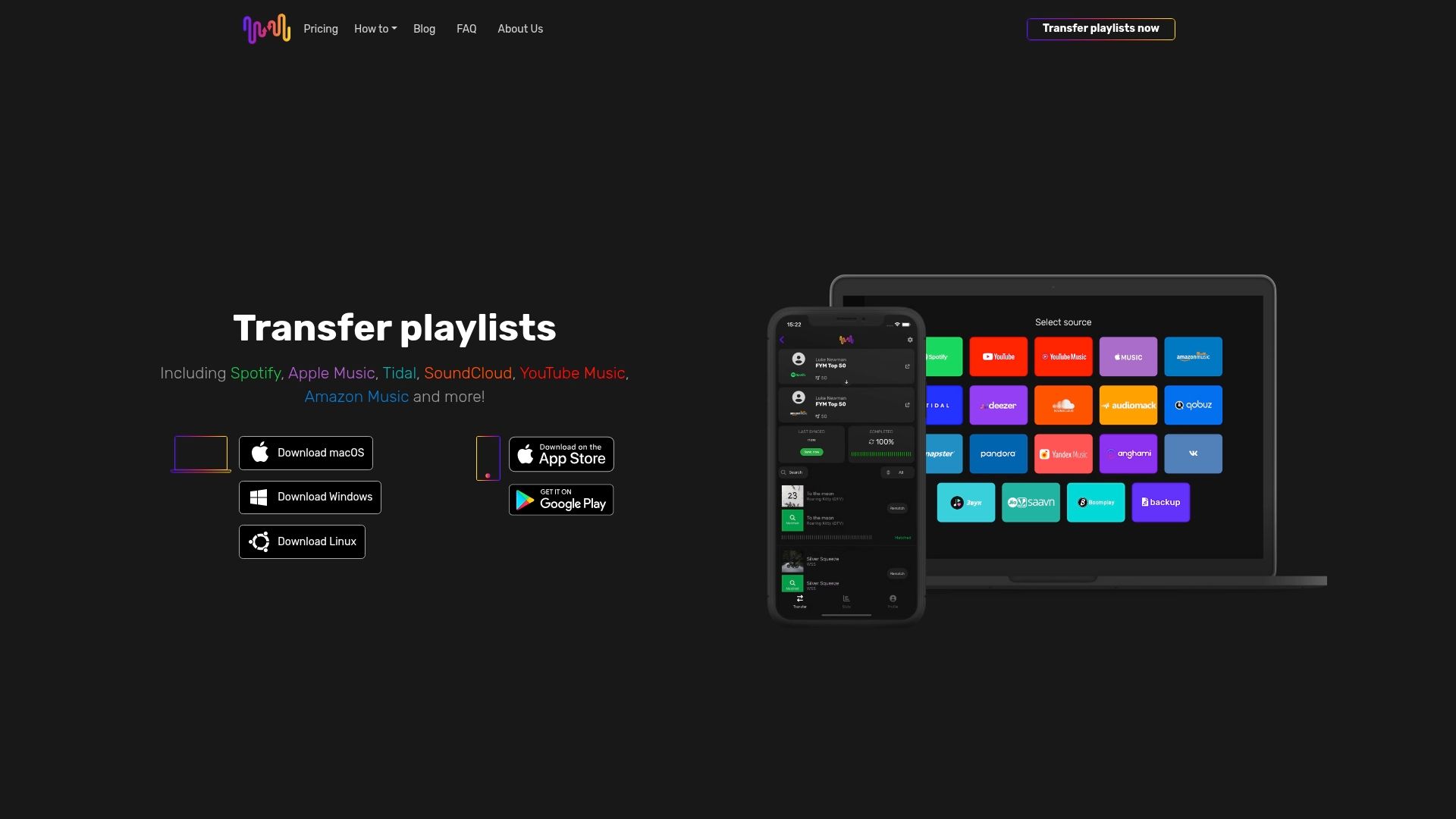
Take control of your music collection now by using FreeYourMusic.com. Our platform automates playlist synchronization while preserving your playlist structure and custom tags. Whether you need to migrate entire libraries, maintain auto-syncing, or manage multiple accounts, our user-friendly app makes it simple on macOS, Windows, Linux, Android, and iOS. Don’t let the fear of losing your organization hold you back. Visit FreeYourMusic.com today and experience how effortless managing your playlists across streaming services can be.
Frequently Asked Questions
How can I assess my music library for duplicates and gaps?
Start by auditing your collection to find duplicate tracks and identify missing songs. Create a spreadsheet to organize your findings, noting track names, artists, versions, and whether they are duplicates or gaps. Aim to complete this audit within a week for optimal organization.
What is the best way to sort my music library by genre, artist, and album?
Create a hierarchical structure that organizes your tracks by genre first, then by artist, and finally by album. This method mirrors physical record store organization and makes it easier to find music quickly. Focus on sorting a specific section of your library each session to steadily improve overall organization.
How do I tag songs with custom metadata for easier access?
Use a metadata editing tool to add custom tags like
Recommended
- Free Your Music - Bestehende Playlisten verwenden: Effektive Musikorganisation 2025
- Free Your Music - Effective music organization 2025
- Free Your Music - How to Organize Your Music + Build Better Playlists
- Free Your Music - Understanding the Music Collection Transfer Guide
- Audio System Design | BPE AUDIO
Your playlists belong to you.
Stop rebuilding by hand. Move everything in minutes and take your music wherever you go.
Download free →SongsBrew — our free music newsletter
A free perk for FYM users. Tips, playlists, no spam.