Top music transfer strategies for seamless migration
March 22, 2026

Switching music streaming platforms shouldn't mean losing your carefully curated playlists or spending hours rebuilding your music collection. Whether you're moving from Spotify to Apple Music, exploring Tidal, or consolidating multiple services, transferring playlists efficiently requires the right strategy. This guide examines proven transfer methods through a practical criteria framework, helping you choose the best approach for your specific needs. You'll discover automated solutions, manual techniques, and strategic recommendations that preserve your music library while minimizing effort and avoiding common pitfalls that lead to lost tracks or incomplete transfers.
Table of Contents
- Key takeaways
- Evaluating criteria for top music transfer strategies
- Automatic playlist transfer tools
- Manual export and import methods
- Comparing top music transfer methods
- Best strategies for different user needs and situations
- Explore Free Your Music's seamless playlist transfer solutions
- FAQ
Key Takeaways
| Point | Details |
|---|---|
| Automation saves time | Automatic transfer tools handle authentication, song matching, and transfer execution, reducing manual effort. |
| Playlist size matters | The optimal method depends on library size and the required balance of speed and accuracy. |
| Back up playlists | Backing up to local files or cloud storage protects against data loss during platform changes. |
| Cross platform compatibility | Evaluate whether source and destination services support direct transfers or API access to avoid manual workarounds. |
| Test with small playlist | Try a tiny transfer first to reveal compatibility issues before committing your entire library. |
Evaluating criteria for top music transfer strategies
Before diving into specific transfer methods, understanding what makes a strategy effective saves time and prevents frustration. The right approach depends on several interconnected factors that directly impact your transfer success.
Playlist size dramatically affects both transfer duration and which tools work best. A 50-song playlist transfers quickly with almost any method, but a 5,000-track library requires robust automation to avoid hours of manual work. Platform compatibility stands as another critical factor because not all streaming services support direct transfers or API access. Some platforms actively restrict third-party tools, forcing users toward manual workarounds.
Automation level determines how much effort you'll invest. Fully automated tools handle authentication, song matching, and transfer execution without constant supervision. Manual methods demand attention to detail and technical knowledge but offer granular control. Backup capabilities protect against data loss during transitions, especially crucial before canceling old subscriptions.
Cost considerations vary widely. Free methods exist but often involve significant time investment. Paid services charge anywhere from one-time fees to recurring subscriptions, with pricing typically reflecting feature sets and platform support breadth.
Consider these evaluation criteria:
- Transfer speed and batch processing capabilities for large libraries
- Metadata preservation accuracy to maintain song details and playlist order
- Cross-platform compatibility spanning your current and target services
- Backup and recovery options for protecting against transfer failures
- User interface complexity matching your technical comfort level
- Cost structure aligning with your budget and transfer frequency needs
Pro Tip: Test any transfer method with a small playlist first. This reveals potential compatibility issues or song matching problems before committing your entire library.
Automatic playlist transfer tools
Automatic transfer tools represent the most efficient strategy for most users, handling the technical complexity behind simple interfaces. These services connect directly to streaming platform APIs, authenticating your accounts and managing the entire transfer process.
Popular automatic tools support major platforms including Spotify, Apple Music, YouTube Music, Tidal, Amazon Music, and Deezer. The process typically involves three straightforward steps: connecting your source account, selecting playlists to transfer, and authenticating your destination service. The tool then matches songs across platforms using metadata like track titles, artists, and album names.
Song matching accuracy varies by tool sophistication. Advanced services use multiple matching algorithms, checking ISRC codes, acoustic fingerprints, and metadata combinations to find correct tracks even when titles differ slightly between platforms. This prevents the frustration of missing songs or incorrect versions appearing in transferred playlists.
Batch transfer capabilities shine when moving multiple playlists simultaneously. Instead of transferring one playlist at a time, you can queue dozens for processing overnight. Some tools offer scheduled syncing, automatically updating transferred playlists when you modify the originals, maintaining consistency across platforms without manual intervention.

Cross-device functionality ensures flexibility. Desktop applications provide robust features for large libraries, while mobile apps enable transfers on the go. Cloud-based services work from any device with a browser, eliminating installation requirements.
Key advantages of automatic tools:
- Dramatically reduced transfer time compared to manual methods
- Higher accuracy through sophisticated song matching algorithms
- Preservation of playlist metadata including descriptions and cover images
- Support for collaborative playlists and followed playlists
- Error reporting highlighting songs unavailable on destination platforms
- Undo capabilities for reversing transfers if needed
Pro Tip: Check if your automatic transfer tool offers a preview mode. This shows exactly which songs will transfer and flags potential mismatches before executing, preventing surprises in your final playlists.
Manual export and import methods
Manual transfer methods provide complete control over the process, making them valuable when automatic tools don't support your platforms or when you need maximum flexibility. This approach involves exporting playlist data as structured files, then importing those files into your destination service.
The export process varies by platform. Some streaming services offer built-in export features that generate CSV or XLSX files containing track information. These files list song titles, artists, albums, and sometimes additional metadata like duration and release year. Other platforms require third-party tools or browser extensions to extract playlist data.
File formatting often requires attention before importing. Different platforms expect specific column arrangements or data structures. You might need spreadsheet software to reorganize columns, remove duplicates, or add required fields the destination platform expects. This technical step demands familiarity with data manipulation.
Importing involves uploading your formatted file to the destination platform's import tool. The service then searches its catalog for matching tracks, creating a new playlist with found songs. Unmatched tracks appear in a separate list, requiring manual searching or acceptance that some songs won't transfer due to licensing differences between services.
Follow these manual transfer steps:
- Export playlist data from your source platform using built-in tools or third-party extractors
- Open the exported file in spreadsheet software to verify data completeness
- Format the file according to your destination platform's import requirements
- Remove any duplicate entries or corrupted data rows
- Upload the formatted file to your destination platform's import feature
- Review the import results and manually search for any unmatched tracks
- Verify playlist order and metadata transferred correctly
- Save the exported file as a backup for future reference
Manual methods suit specific scenarios particularly well. Unsupported niche platforms often lack API access for automatic tools but accept file imports. Users with highly customized playlists appreciate the ability to edit track lists during transfer, removing unwanted songs or reordering tracks. Budget-conscious users avoid subscription costs, investing time instead of money.
Pro Tip: Save exported playlist files in multiple formats and locations. These backups prove invaluable if platforms change import requirements or if you need to transfer again later without accessing the original source.
Comparing top music transfer methods
Understanding how transfer methods stack up against each other clarifies which approach fits your situation best. Each strategy offers distinct advantages and limitations that become apparent through direct comparison.
Automatic tools excel in user experience, requiring minimal technical knowledge while delivering fast results. They handle complex song matching automatically and support batch processing for multiple playlists. However, subscription costs add up for users who transfer infrequently, and platform support limitations mean some niche services remain inaccessible.
Manual export and import provides maximum control and zero ongoing costs. You own the exported files permanently, enabling future transfers without service dependencies. The tradeoff comes in time investment and technical demands. Formatting files correctly requires spreadsheet skills, and manual song matching for unmatched tracks proves tedious with large libraries.
Platform limitations significantly influence method viability. Services restricting API access force users toward manual approaches regardless of preference. Some platforms offer no export functionality at all, requiring screen scraping tools or typing playlists manually.
| Method | Speed | Accuracy | Platform Support | User Effort | Cost | Best For |
|---|---|---|---|---|---|---|
| Automatic Tools | Fast | High | Major platforms | Minimal | Subscription/one-time | Large libraries, frequent transfers |
| Manual Export/Import | Slow | Medium | Varies by platform | High | Free | Technical users, budget-conscious |
| Hybrid Approach | Medium | High | Flexible | Medium | Variable | Complex migrations, partial automation |
Accuracy differences matter for music enthusiasts. Automatic tools typically achieve 95-98% match rates on major platforms, while manual methods depend entirely on file quality and platform catalog overlap. Songs unavailable on the destination service won't transfer regardless of method, but automatic tools identify these gaps immediately.
Backup capabilities differ substantially. Automatic services often include cloud backup features, storing playlist snapshots for recovery. Manual methods require you to manage file backups independently, but you control storage location and retention indefinitely.
Consider these comparison factors:
- Transfer frequency determining whether subscription costs justify convenience
- Technical comfort level affecting manual method feasibility
- Platform combination availability in automatic tool support lists
- Library size impacting time investment for manual approaches
- Metadata importance for preserving playlist descriptions and artwork
- Budget constraints limiting paid service options
The optimal choice often combines methods strategically. Use automatic tools for bulk transfers between supported platforms, then employ manual techniques for edge cases or unsupported services.
Best strategies for different user needs and situations
Your ideal transfer strategy depends on specific circumstances, usage patterns, and priorities. Matching methods to situations maximizes efficiency while minimizing frustration.
Casual users with small to medium libraries benefit most from automatic transfer services offering free tiers or affordable one-time purchases. These users typically maintain 10-50 playlists totaling a few thousand tracks. Simple interfaces matter more than advanced features, and completing transfers quickly outweighs cost considerations. Look for services with straightforward authentication flows and clear progress indicators.
Power users managing massive libraries exceeding 10,000 tracks need robust automation with batch processing and scheduling capabilities. Premium automatic tools justify their subscription costs through time savings and advanced features like automatic syncing, which keeps playlists updated across platforms continuously. These users should prioritize services offering detailed transfer logs, error reporting, and customer support for troubleshooting complex migrations.
Platform switchers moving between niche or less common services face compatibility challenges. A hybrid approach works best, using automatic tools where supported and manual methods for gaps. Export playlists from unsupported sources as backup files, then use automatic tools to transfer those files to mainstream platforms before moving to the final destination. This multi-step process maintains data integrity while working around platform limitations.
Budget-conscious users should explore free automatic tool tiers first, which often support limited monthly transfers. Supplement with manual methods for additional playlists beyond free tier limits. This combination minimizes costs while avoiding purely manual approaches for large libraries. Time investment increases but remains manageable compared to transferring everything manually.
Users canceling streaming subscriptions face time pressure. Before cancellation, immediately export all playlists as backup files regardless of your primary transfer method. This insurance policy prevents permanent data loss if transfers fail or if you later want to switch to another platform. Store these files in cloud storage for long-term access.
Key recommendations by scenario:
- First-time switchers should use automatic tools with preview features to understand the process before committing
- Multi-platform users maintaining presence across services need automatic syncing to keep playlists consistent
- Privacy-focused users preferring minimal third-party access should use manual methods despite time costs
- Users with rare or regional music should verify destination platform catalog coverage before transferring
- Trial period users exploring new platforms should transfer representative playlists first to test service fit
Pro Tip: Document your transfer process with screenshots and notes. If you switch platforms again later, this reference saves time relearning steps and troubleshooting common issues you've already solved.
Explore Free Your Music's seamless playlist transfer solutions
Navigating playlist transfers becomes effortless with specialized tools designed specifically for this challenge. Free Your Music simplifies the entire process, supporting transfers across dozens of platforms including major services and niche options.
Transfer your music collection between Spotify, Apple Music, YouTube Music, Tidal, Amazon Music, Deezer, and many others without manual rebuilding. The platform handles authentication, song matching, and transfer execution automatically while preserving playlist structure and metadata. Whether you're moving a single playlist or your entire library, batch processing completes transfers efficiently.
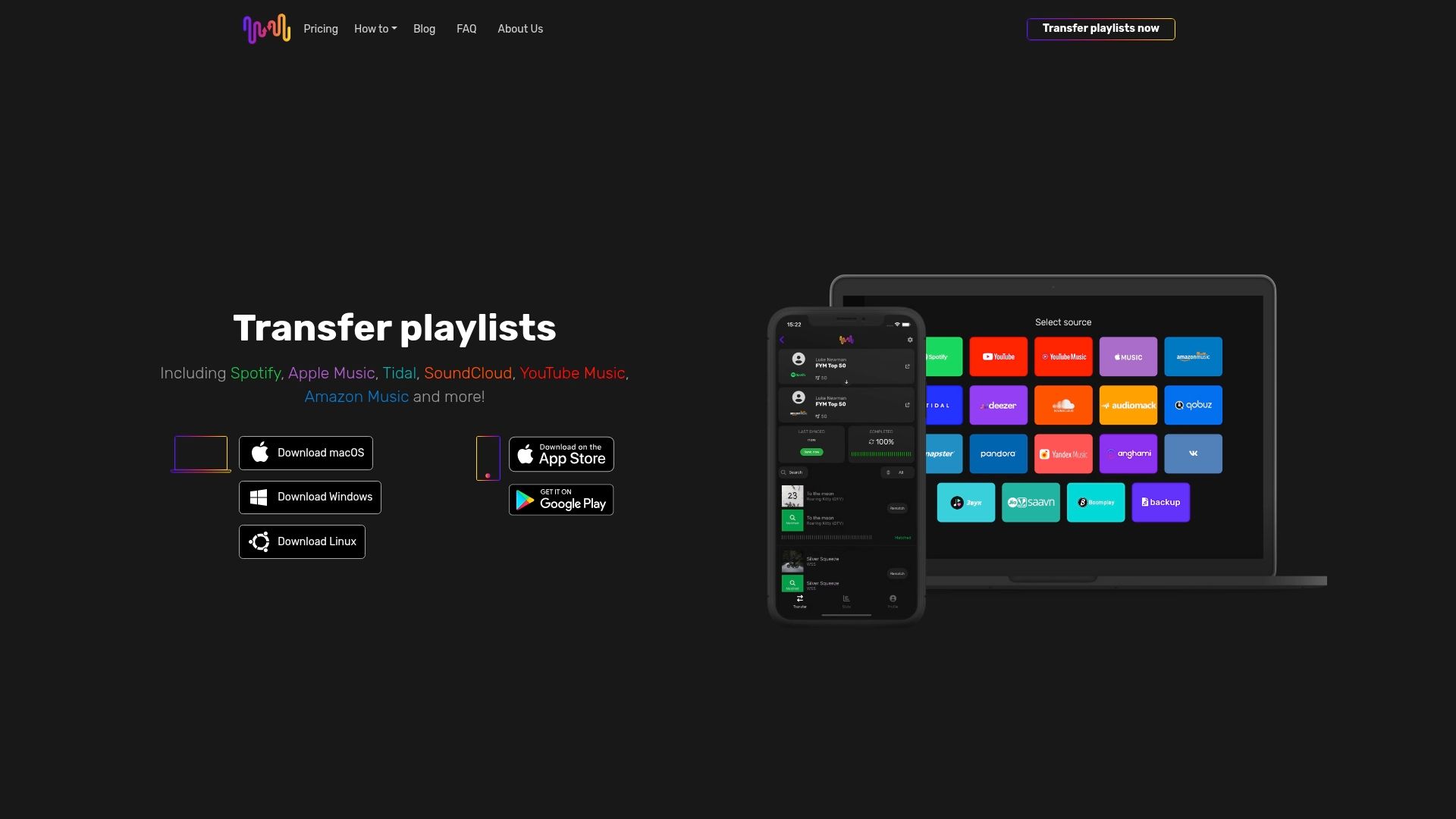
Specialized support extends to platforms like Audiomack and Pandora, ensuring compatibility even with less common services. Cloud backup features protect your playlists against data loss, creating recoverable snapshots before transfers execute. Multi-account support enables managing transfers across different streaming profiles from one interface.
The platform's cross-device compatibility means you can initiate transfers from desktop, mobile, or web interfaces depending on convenience. Automatic syncing keeps playlists updated across platforms when you add or remove tracks, eliminating repetitive manual updates. Customer support assists with complex migrations or troubleshooting when needed.
Confident in the service quality, Free Your Music maintains a transparent refund policy ensuring customer satisfaction. Visit Free Your Music to start transferring your playlists today and maintain your music collection across any streaming service combination.
FAQ
What is the best way to transfer large playlists between streaming platforms?
Using automatic transfer tools designed for batch processing is best for large playlists, dramatically reducing time and effort compared to manual methods. These tools handle metadata matching automatically to preserve playlist integrity and song order. Look for services supporting simultaneous multi-playlist transfers to complete large library migrations overnight rather than over days.
Can I transfer playlists from a free music streaming account?
Transfer options vary because some free accounts allow exports but may limit API access for automatic tools. Manual export and import often serves as a reliable fallback for free accounts, though you'll need to verify your specific platform's export capabilities. Check your streaming service's settings for export options or playlist sharing features that generate transferable data files.
How can I ensure I don't lose my playlists when switching services?
Always back up playlists to a file or trusted transfer service before switching platforms or canceling subscriptions. Export your playlists as CSV or XLSX files and store them in cloud storage for permanent access. Avoid deleting your old account until verifying the transfer completed successfully and all playlists appear correctly on the new platform. Consider maintaining both accounts temporarily during the transition period to catch any transfer issues before losing access to source data.
Do automatic transfer tools work with collaborative playlists?
Most automatic transfer tools support collaborative playlists, though transferred versions typically become standard playlists owned solely by you on the destination platform. Collaborative features and shared editing permissions don't transfer because platforms handle collaboration differently. If maintaining collaborative functionality matters, you'll need to manually re-invite collaborators on the new platform after transferring the playlist content.
How accurate are song matches when transferring between platforms?
Song matching accuracy typically reaches 95-98% on major platforms when using quality automatic transfer tools that employ multiple matching algorithms. Accuracy decreases when transferring rare tracks, regional music, or between platforms with significantly different catalog sizes. Unmatched songs usually result from licensing differences where tracks available on one service don't exist on another, not from matching algorithm failures. Review transfer reports to identify and manually search for any unmatched tracks important to your collection.
Recommended
- Free Your Music - Effortless Music Collection Transfer Steps for Streamlined Migration
- Free Your Music - Music data transfer workflow: Simply switch and enjoy
- Free Your Music - Essential Music Library Transfer Tips for Smooth Migration
- Free Your Music - What Is Seamless Playlist Transfer? Complete Overview


Migrate from and to any music services


Most popular Apple Music transfers: