Why Use Music Library Backup: Safeguarding Playlists

Switching from one streaming platform to another can feel risky when your playlists represent months or even years of curation. For DJs and serious music lovers, losing that carefully ordered collection is not an option. Backup is more than saving audio files—it means preserving the complete playlist ecosystem with all your creative decisions, song notes, and track orders intact. Knowing how to safeguard your playlists gives you the freedom to explore new services while ensuring your musical legacy stays protected.
Table of Contents
- Defining Music Library Backup And Misconceptions
- Types Of Music Library Backups For Streaming Users
- How Music Library Backup Works Across Platforms
- Risks Of Losing Playlists And Migration Failures
- Comparing Backup Methods And Best Practices
Key Takeaways
| Point | Details |
|---|---|
| Understanding Backup | Music library backup involves preserving playlist data, including song information and order, rather than simply copying audio files. |
| Importance of Systematic Backup | A proper backup prevents the loss of curated playlists, protecting the creative work of music enthusiasts and professionals. |
| Types of Backup Methods | Users should consider manual, automated, or hybrid backup methods based on their playlist complexity and frequency of service changes. |
| Best Practices | Implementing a layered backup strategy, such as the 3-2-1 rule, enhances data security and accessibility for music collections. |
Defining music library backup and misconceptions
Music library backup isn't what most people think it is. Many assume it's simply copying files or downloading songs for offline listening. That's a common misconception that misses the real purpose entirely.
What backup actually means is creating a systematic, organized copy of your playlist data that preserves everything: song information, playlist order, metadata, and structure. Think of it like archiving rather than just file copying.
Traditional music library collections include scores, recordings, and curated content designed for specific purposes. Your personal playlists deserve the same thoughtful preservation. When you switch streaming services or lose access to a platform, a proper backup ensures you don't lose months or years of curation work.
Key Differences Between Backup and What People Assume
Many music enthusiasts confuse backup with these alternatives:
- Downloading tracks – Stores audio files locally but loses playlist structure and metadata
- Taking screenshots – Captures a visual record but provides no usable data for transfers
- Bookmarking playlists – Works only if the service stays accessible; fails when switching platforms
- Exporting to basic formats – May lose important details like play order or collaborative information
Real backup captures the complete playlist ecosystem. This includes song titles, artists, album information, the exact sequence you arranged, collaborative notes, and platform-specific metadata.
Effective music library backup systematically preserves playlist accessibility and metadata integrity, not just audio files.
DJs and serious collectors understand this distinction immediately. You're not backing up music files—you're backing up the curated relationships between songs, the careful sequencing you've created, and the ability to recreate those playlists on any platform.
When you understand the real definition of backup, you see why music library syncing across services matters. You're protecting your organizational work and creative decisions, not just protecting music.
The misconception often stems from treating playlists like casual collections. But for DJs managing performance queues or music lovers with specialized listening experiences, playlists represent hours of intentional curation. That deserves proper protection.
Pro tip: Start thinking of your playlists as data assets rather than just collections of songs—this mindset shift helps you understand why systematic backup prevents losing your organizational work when switching platforms.
Types of music library backups for streaming users
Not all backups work the same way. Streaming users have different needs depending on their platform, playlist complexity, and how often they switch services. Understanding your options helps you choose the right approach.
There are several backup methods available, each with distinct advantages. Some work better for casual listeners, while others suit DJs and serious collectors managing hundreds of playlists.
Manual Backup Methods
Manual backups require you to do the work yourself, but they give you direct control over what gets saved.
- Screenshot-based backup – Quick visual record but unportable and time-consuming at scale
- Export to CSV or text files – Creates a readable list that preserves song information and order
- Platform-native export – Use built-in tools from Spotify, Apple Music, or Tidal to download playlist data
- Spreadsheet documentation – Manual tracking works for small collections but becomes impractical quickly
These methods work when you manage five to ten playlists. Beyond that, they consume hours and remain error-prone.
Automated Cloud-Based Backup Systems
Automated systems handle backup without manual intervention. They continuously sync your playlists, detecting changes and updating your backup automatically.
These platforms store backup copies in secure cloud locations, accessible across devices and platforms. When you understand music streaming user needs, automated backup becomes essential—it protects against accidental deletion, account suspension, or service discontinuation.
Automated backups track metadata like:
- Song metadata (title, artist, album)
- Exact playlist sequencing
- Collaborative playlist information
- Playlist creation dates and descriptions
- Genre and mood categorization
Automated cloud-based backups ensure your playlists stay protected even if a streaming service shuts down or your account faces unexpected issues.
Hybrid Backup Approach
Smart users combine methods. Use automated backup as your primary protection, then maintain manual exports for specific high-value playlists. This creates redundancy without excessive overhead.
For DJs managing performance-critical playlists, this dual strategy prevents single points of failure. Your automated system catches routine changes, while manual backups preserve your most important sets.

The music library transfer process becomes seamless when you maintain proper backups. You can migrate between platforms confidently, knowing your complete playlist ecosystem stays intact and portable.
Choosing the right backup type depends on your library size, platform ecosystem, and how often you switch services. Start with automated backup, then add manual exports for your most valuable playlists.
Pro tip: Set up automated cloud backup as your baseline, then manually export your top five performance or specialty playlists quarterly—this combination saves time while protecting your most critical playlist work.
Here is a comparison of common music library backup approaches for streaming users:
| Backup Type | Best For | Main Advantage | Key Limitation |
|---|---|---|---|
| Manual Export | Small personal libraries | Full user control, simple process | Time-consuming with large collections |
| Automated Cloud | DJs, serious collectors | Real-time sync, no manual work | Service fees, requires trust in providers |
| Hybrid Approach | Professionals, power users | Redundant copies, maximized safety | Slightly more setup and maintenance |
| Local Storage | Offline use, backup diversity | Complete privacy, fast restoration | Hardware loss risk or local damage |
How music library backup works across platforms
Backup systems operate invisibly in the background, but understanding the mechanics helps you appreciate why they work so reliably. The process involves several coordinated steps that happen automatically.
When you connect your streaming accounts to a backup system, it requests permission to access your playlist data. This secure connection allows the tool to read—not modify—your existing playlists and their contents.
The system then scans your library, cataloging every playlist, every song, and all metadata associated with them. This initial scan creates a snapshot of your current state, which becomes your baseline backup.
How the Matching Process Works
Here's where the real intelligence happens. When you need to restore or transfer playlists, the system must find equivalent tracks across different platforms. A song on Spotify might have slightly different metadata on Apple Music.
Metadata matching and track identification handles these differences automatically. The system compares song titles, artist names, album information, and duration to identify the same track across services.
This matching process involves:
- Comparing track metadata across multiple databases
- Identifying tracks by multiple fields simultaneously
- Handling variations in artist names and featuring credits
- Resolving duplicate entries and alternate versions
- Verifying matches before confirming transfers
Continuous Syncing and Real-Time Updates
Advanced backup systems don't just take snapshots. They monitor your playlists continuously, detecting changes as you add songs, remove tracks, or reorder sequences.
When you add a new song to your backup-connected playlist, the system detects this change within minutes. It updates your backup automatically, ensuring your protected copy always reflects your current library state.
This real-time capability means you never lose new additions. If your account gets compromised or a platform shuts down, your most recent playlist versions remain safely backed up.
Automated cross-platform backup systems preserve user-curated order and details while reducing data loss risk through continuous monitoring and metadata matching.
Restoration and Transfer Between Services
When you switch streaming platforms, the backup data becomes your blueprint for recreation. The system uses the matched track data to rebuild your exact playlist structure on the new service.
You maintain your original music library organization despite switching services. Song order, playlist names, descriptions, and collaborative details all transfer intact.
The restoration process typically completes within minutes to hours, depending on library size. Complex playlists with thousands of tracks may take longer, but the system continues working without requiring your intervention.
Pro tip: Before switching platforms permanently, run a test restore on a smaller playlist to verify the backup system correctly matches your tracks on the destination service—this catches any unusual matching issues before your entire library transfers.
Risks of losing playlists and migration failures
Your playlists exist on servers you don't control. Streaming platforms can shut down, merge with competitors, or experience catastrophic failures. When that happens, your curated collections vanish instantly.
Data loss isn't theoretical—it happens regularly. Playlists remain vulnerable to glitches, account bans, and platform shutdowns, with approximately 1% of users losing playlists annually due to technical failures alone.
Common Playlist Loss Scenarios
Multiple situations can wipe out your library without warning.
- Service outages – Platform glitches can corrupt or temporarily hide entire playlists
- Account suspension – Rule violations or security concerns can lock you out permanently
- Platform consolidation – Mergers sometimes eliminate smaller services entirely
- Syncing errors – Failed sync attempts can delete playlists instead of updating them
- Server failures – Hardware failures at data centers occasionally affect user data
Each scenario feels unlikely until it happens to you. Once your account's gone, so is everything on that platform.
Migration Tool Failures
Switching platforms introduces additional risks. Transfer tools don't always succeed perfectly, even well-designed ones.
Standard migration tools fail to migrate approximately 20% of tracks due to licensing restrictions. Rare releases, region-specific content, and independent artists often won't transfer because the destination service doesn't have licensing rights.
Metadata loss compounds the problem. Playlist descriptions, personal notes, and organizational details vanish 30% of the time during transfers. You keep the songs but lose the context and effort embedded in your curation.
Data loss occurs through service outages, syncing errors, and platform mergers, with transfer tools failing to migrate 20% of tracks and losing 30% of metadata in the process.
The Cost of Losing Your Curation Work
You're not just losing songs—you're losing creative effort. Rebuilding a 500-song DJ set takes hundreds of hours. Recreating mood-based playlists requires rediscovering the emotional connections between tracks.
For serious music professionals, playlist migration failures mean losing curated collections that represent actual business assets. Performance sets, specialized study playlists, and genre-specific collections become impossible to recover.
Your organizational structure disappears too. You'll remember some songs but lose the specific sequencing and flow you perfected over months.
Pro tip: Create a backup of your most important playlists immediately—don't wait for a service disruption to occur or until you're actively switching platforms, since backup systems detect changes retroactively but lose nothing during unexpected shutdowns.
Comparing backup methods and best practices
Not every backup approach offers the same protection level. Some methods work for casual listeners; others suit professionals managing complex libraries. Understanding the differences helps you choose the right strategy.
Industry standards exist for a reason. Music professionals follow the 3-2-1 backup rule: maintain three copies of your data on two different storage types with one copy stored offsite. This redundancy protects against simultaneous failures.
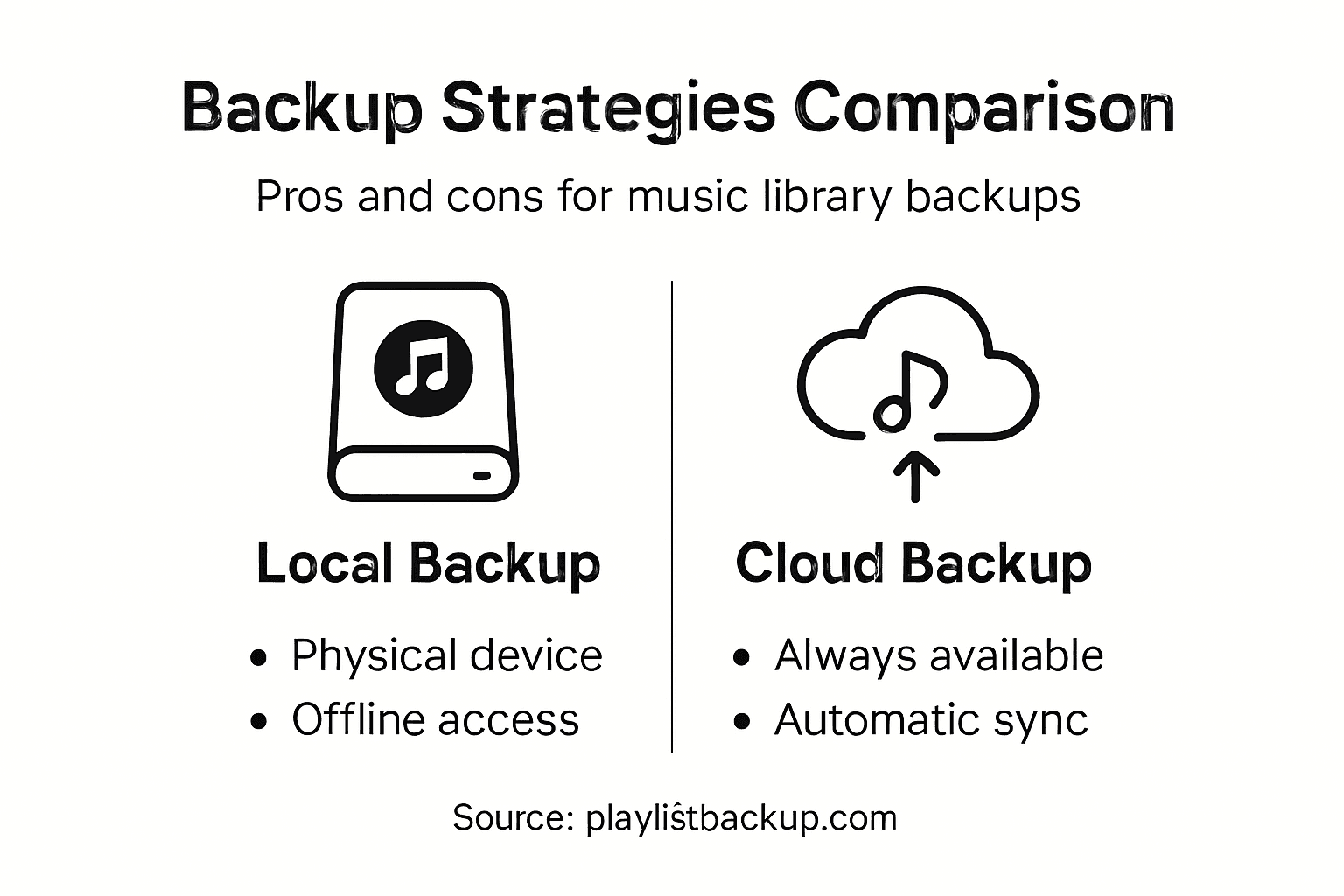
Local vs. Cloud Backup Strategies
Local backups give you direct control but introduce hardware risk. Cloud backups offer accessibility but depend on internet connectivity and third-party security.
The best approach combines both methods:
- Local external drives – Fast access, offline capability, but vulnerable to theft or hardware failure
- Network-attached storage (NAS) – Centralized household backup, good for large libraries, requires technical setup
- Cloud services – Automatic syncing, accessible anywhere, subject to service terms and potential breaches
- Dedicated backup applications – Specialized tools designed specifically for music metadata preservation
Each method has trade-offs. Local storage fails if your home experiences damage; cloud storage depends on company reliability.
Critical Backup Features for Music Libraries
Layered backup strategies using cloud services alongside local device backups provide stronger protection. This diversity means a single failure won't eliminate all copies.
When selecting backup solutions, verify they preserve audio quality and avoid compression during storage and recovery. Lossy compression during backup permanently degrades your files.
Other essential features include:
The following table summarizes backup features most crucial for protecting music library data:
| Feature | Why It Matters | Real-World Impact |
|---|---|---|
| Metadata Preservation | Retains playlist structure and details | Enables easy library recreation across platforms |
| Encrypted Storage | Protects against unauthorized access | Keeps personal curation work private |
| Automated Scheduling | Regularly updates backup | Captures recent playlist changes without effort |
| File Integrity Checks | Verifies backup accuracy | Prevents data corruption or incomplete restorations |
- Encrypted storage for privacy protection
- Frequent automated scheduling to catch recent changes
- Metadata preservation (playlist descriptions, dates, notes)
- File integrity verification before considering backup complete
- Clear organization systems for easy recovery
Best practices emphasize the 3-2-1 rule with diversified storage types and regular verification to ensure data safety and accessibility.
Implementation for Streaming Users
Streaming playlists differ from audio files, but the principle remains identical. You need multiple copies across different storage methods.
For DJ collections and performance playlists, automated cloud backup handles routine changes while manual exports of critical sets provide additional protection. This hybrid approach catches accidental deletions immediately while preventing single-point failures.
Regular verification confirms your backups actually work. Test restoring a playlist quarterly to catch issues before you desperately need recovery.
Pro tip: Implement automated cloud backup immediately, then schedule quarterly manual exports of your five most important playlists to a local external drive—this 3-2-1 approach protects against simultaneous service failures while keeping your work accessible.
Protect Your Music Curation with Trusted Backup and Transfer Solutions
Safeguarding your playlists means preserving all the details that make your music library uniquely yours. From playlist order to collaborative notes and metadata, losing this data due to platform outages or migration failures can be devastating. The challenge is clear: how do you ensure real backup that goes beyond simple file copying and supports continuous syncing and accurate cross-platform matching? FreeYourMusic.com addresses this by offering a reliable, automated solution designed specifically to protect and migrate your playlists seamlessly across services like Spotify, Apple Music, and more.
Don't risk losing months of effort and carefully curated music relationships. Choose a platform that guarantees preservation of every playlist nuance and lets you transfer unlimited playlists with ease. Take control of your music library's future today by visiting FreeYourMusic.com and explore how effortless syncing and backup can be at your fingertips. Learn more about managing your music ecosystem through our music library syncing explanation and plan your music library transfer process with confidence.
Frequently Asked Questions
What is music library backup?
Music library backup refers to the systematic and organized preservation of playlist data, including song information, playlist order, and metadata, rather than just copying audio files.
Why is it important to back up music playlists?
Backing up music playlists is crucial to prevent losing curated collections when switching streaming services or if a platform shuts down. It preserves the hard work put into organizing and sequencing music.
What are the different types of music library backup methods?
There are several backup methods: manual backups (like exporting to CSV or using screenshots), automated cloud-based backups that sync continuously, and hybrid approaches that combine both for added security.
How does an automated cloud-based backup system work?
Automated cloud-based backup systems connect to your streaming accounts, catalog your playlists, and continuously monitor for changes to ensure your backup remains up-to-date without requiring manual intervention.
Recommended


Your playlists belong to you.
Stop rebuilding by hand. Move everything in minutes and take your music wherever you go.
Download free →SongsBrew — our free music newsletter
A free perk for FYM users. Tips, playlists, no spam.