Playlist Metadata: Powering Seamless Music Transfers
May 18, 2026

Switching streaming platforms should be as smooth as your favorite playlist, but transferring that carefully curated collection often feels like a headache. For music fans who rely on custom playlists to define every mood and moment, the real challenge lies in keeping all the details intact. Understanding organizational and descriptive information like titles, collaborative credits, and track order is key for a seamless move—and it is playlist metadata that makes each collection meaningful across Spotify, Apple Music, and more.
Table of Contents
- What Playlist Metadata Really Means
- Essential Metadata Fields and Types
- How Streaming Services Store Metadata
- Impact of Metadata on Playlist Transfers
- Common Issues and How to Avoid Data Loss
Key Takeaways
| Point | Details |
|---|---|
| Importance of Metadata | Playlist metadata encompasses essential information that maintains the order and context of your playlists during transfers. Without it, playlists lose their curated essence. |
| Types of Metadata | Three core types—descriptive, structural, and administrative—interact to ensure successful playlist transfers. Losing any type can disrupt the playlist integrity. |
| Transfer Compatibility | Not all streaming platforms support the same metadata fields, making it critical to verify compatibility before transferring playlists. This avoids data loss or confusion. |
| Preventative Steps | To minimize data loss, audit your playlists and confirm that your transfer tool captures all necessary metadata fields before the transfer process begins. |
What Playlist Metadata Really Means
Playlist metadata is far more than just song titles and artist names. It's the complete set of organizational and descriptive information that surrounds your playlists, making them functional, transferable, and meaningful across different streaming services.
Think of metadata as the skeleton that holds your playlist together. Without it, you'd have a random collection of tracks with no context. With it, you have a curated experience that tells a story.
The Core Components
Playlist metadata includes several key elements that work together:
- Playlist title and description - The name you give your playlist and any notes about its purpose or vibe
- Creator and ownership details - Who made the playlist and when it was created
- Modification timestamps - Records of when the playlist was last updated
- Track ordering and positioning - The exact sequence of songs, which matters more than most people realize
- Collaborative information - Details about who contributed tracks if multiple people built the playlist
- Genre or mood tags - Categorical information that describes the playlist's overall character
Music playlist data structures become critical when moving between platforms because each service stores and prioritizes these elements differently.
Why Metadata Matters for Transfers
When you switch streaming services, metadata is what allows your playlists to move intact. Without it, you'd lose everything except the song list itself. Your carefully crafted titles disappear. The order gets scrambled. Collaborative notes vanish.
Metadata is the difference between transferring a random list of songs and moving your actual curated experience.
Research shows that playlist coherence and diversity are central to creating engaging playlists. Metadata helps measure these qualities, allowing systems to understand what makes your playlist work as a whole.
How Platforms Use This Information
Streaming services use metadata for more than just organization. They analyze it to improve recommendations, surface related playlists, and understand user behavior patterns.
When you use a transfer platform, proper metadata handling means:
- Your playlist structure stays exactly as you built it
- Creation dates and modification history preserve your music history
- Collaborative credit goes to the right people
- Special instructions or playlist descriptions transfer completely
Metadata also serves as similarity information between tracks within your playlists, helping platforms understand relationships and patterns in your music taste.
The Transfer Challenge
Not all metadata transfers perfectly. Some platforms capture more detail than others. A premium platform might store extensive metadata that a simpler service doesn't recognize or support.
This is why choosing a transfer solution that preserves metadata carefully matters. You're not just moving songs—you're preserving the intentionality behind every playlist you've built.
Pro tip: Before transferring, check that your target platform supports the metadata fields that matter most to you, like collaborative playlists or custom descriptions, to avoid losing important organizational details.
Essential Metadata Fields and Types
Not all metadata is created equal. Different types of metadata serve different purposes, and understanding them helps you recognize what matters when transferring your playlists between streaming services.
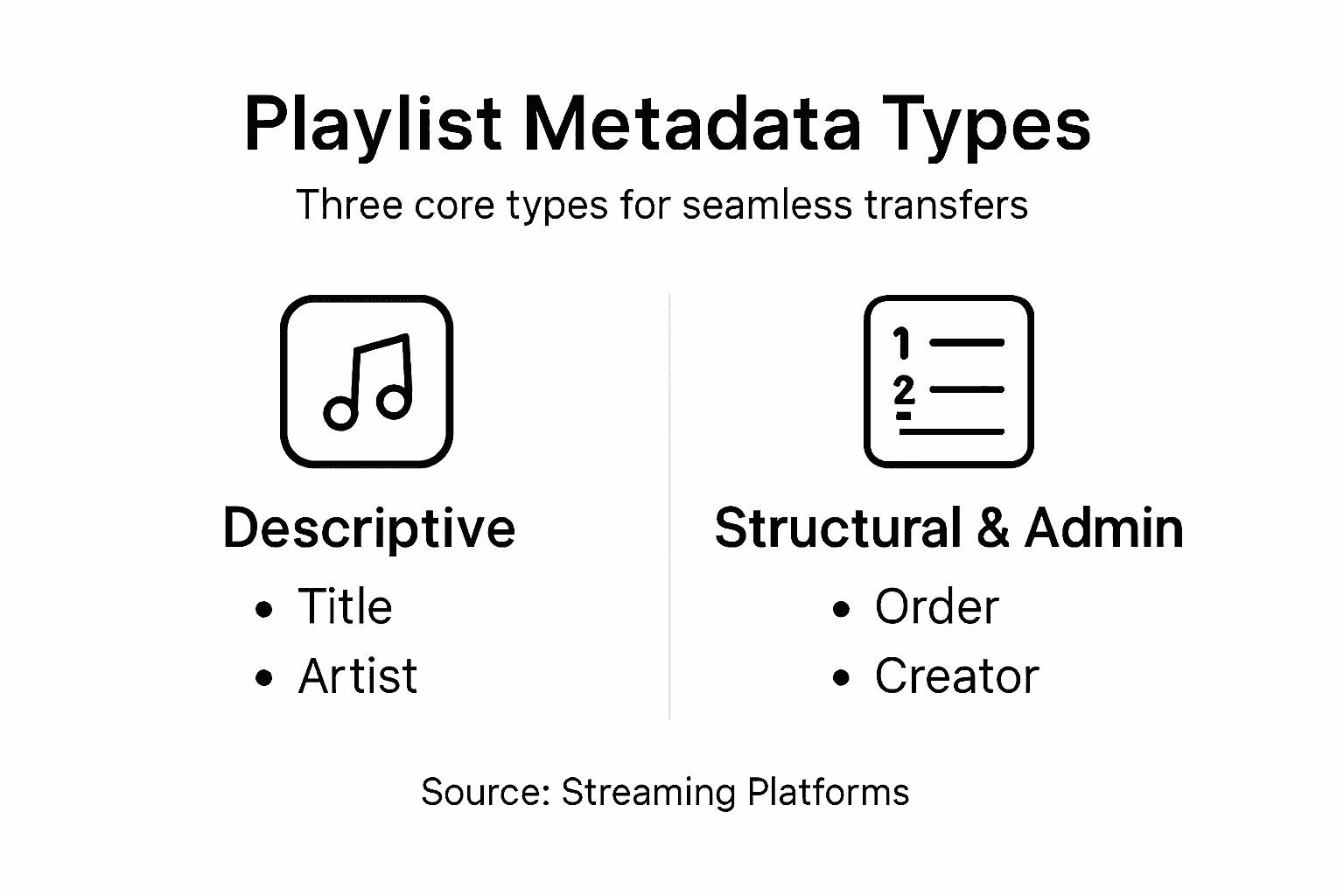
Metadata falls into three distinct categories that work together to keep your playlists organized, discoverable, and intact across platforms.
The Three Core Types
Metadata specialists recognize three main types of metadata essential for preservation and reuse: descriptive, structural, and administrative.
Descriptive metadata tells you what something is. For playlists, this includes titles, artist names, album information, duration, and keywords you've assigned.

Structural metadata explains how pieces fit together. This defines the relationships between tracks in your playlist, the order they play, and how the playlist itself relates to other data in the system.
Administrative metadata handles the behind-the-scenes details. Think access rights, who created the playlist, when modifications happened, and version history.
Here's a comparison of the three primary metadata types and their playlist transfer impact:
| Metadata Type | Main Function | Impact of Loss During Transfer |
|---|---|---|
| Descriptive | Identifies and describes | Lose context, titles, and searchability |
| Structural | Organizes and sequences | Track order, playlist flow break down |
| Administrative | Documents history & access | Creator info, editing history disappear |
Specific Fields That Matter
When transferring playlists, these fields determine success or failure:
- Playlist title - The name you gave your playlist
- Description or notes - Any text you added to explain the vibe or purpose
- Track ID and artist information - The actual song identifiers and creator names
- Album and duration data - Complete song details for accuracy
- Track ordering - The exact sequence matters more than you'd think
- Follower count and engagement metrics - Stats about popularity (if applicable)
- Creation and modification timestamps - When the playlist was made and last updated
- Collaborative contributor details - Who added what if multiple people built it
Research on datasets like the Spotify Million Playlist Dataset shows these playlist-level fields enable detailed analysis and successful transfer operations.
Why Each Type Matters for Transfers
Descriptive metadata preserves your creativity. Structural metadata ensures your playlist flows correctly. Administrative metadata protects your ownership and history.
When one type gets lost during transfer, your playlist becomes broken or incomplete.
All three metadata types work together—lose one, and your transfer suffers.
A complete transfer captures all three types. Partial transfers might preserve songs but lose context, ordering, or collaborative credit.
Pro tip: When preparing to transfer playlists, audit your most important playlists to see which metadata fields you rely on most—descriptions, specific ordering, or collaborative notes—so you can verify they transfer completely before moving your entire library.
How Streaming Services Store Metadata
Every streaming service stores metadata differently. Understanding how they organize this information helps explain why transfers sometimes get messy and why choosing the right tool matters.
Streaming platforms don't just keep simple lists. They maintain complex databases designed for speed, recommendations, and user experience.
The Storage Architecture
Streaming services like Spotify maintain extensive metadata about playlists and tracks using structured datasets. This includes identifiers, track details, and playlist attributes organized to support quick retrieval and recommendations.
Think of it like a filing system. Each song has its own folder with information: track name, artist URI, album, duration. Each playlist has its own folder listing which songs it contains and in what order.
But here's where it gets complicated. Each service designs this filing system differently.
What Gets Stored
Streaming services capture more than you might realize:
- Unique identifiers - Track URIs, artist URIs, and playlist IDs that link to the central database
- Track information - Song names, artists, albums, duration, and release dates
- Playlist details - Title, description, whether it's collaborative, and follower counts
- Timestamps - Exact creation dates, modification times, and when tracks were added
- User behavior data - Play counts, listen history, and engagement metrics
- Relationship data - Links between songs, albums, artists, and other playlists
Music streaming services store metadata using structured formats that link user contexts with musical features and preferences for personalized recommendations.
The Transfer Problem
When transferring between services, metadata loss happens because each platform stores information differently and doesn't always share all details through their application programming interface.
Not all platforms expose the same metadata through their APIs—what you see isn't always what gets transferred.
Some services prioritize certain fields over others. Spotify emphasizes follower counts and collaborative data. Apple Music focuses on library curation details. Amazon Music stores different user engagement metrics.
This mismatch means a transfer tool must understand what each platform supports and map metadata accordingly.
API Limitations and Constraints
Streaming services limit how much metadata third-party applications can access. API rate limits affect large-scale metadata retrieval, and some platforms restrict access to certain fields entirely.
This creates real challenges:
- Rate limiting slows down transfers of large playlists
- Some metadata fields remain inaccessible through official channels
- Data completeness varies across platforms and accounts
- Access restrictions change as platforms update their policies
A quality transfer tool works around these constraints by understanding each platform's specific limitations and capabilities.
Pro tip: Check whether your target streaming service supports all the metadata you care about before transferring—some platforms don't display or preserve certain fields like original creation dates or collaborative contributor details, so verify compatibility beforehand.
Impact of Metadata on Playlist Transfers
Metadata isn't just background information. It directly determines whether your playlist transfer succeeds or fails, and how well your listening experience transfers to a new platform.
Lose metadata, and you lose more than data. You lose the intentionality behind your playlists.
Quality of Transfer Depends on Metadata Completeness
Metadata significantly impacts transfer quality and playlist coherence across platforms. Detailed and accurate metadata enables smoother transitions, preserving user intent and playlist structure.
A transfer with complete metadata feels seamless. Tracks arrive in the correct order. Titles and descriptions transfer perfectly. Collaborative credits stay intact.
A transfer missing metadata feels broken. Songs arrive in random order. Playlists lose their names or descriptions. You lose track of who added what.
What Gets Lost Without Good Metadata
When metadata doesn't transfer completely, you lose critical information:
- Playlist coherence - The ability to understand why songs work together
- Track ordering - Songs might shuffle or reorder randomly
- Playlist purpose - Descriptions and notes that explained your playlist vanish
- Collaborative information - Credit for who contributed tracks gets lost
- Creation history - Timestamps showing when you built the playlist disappear
- Engagement data - Follower counts and listening statistics don't carry over
These losses affect more than convenience. They affect how well recommendation algorithms understand your music taste on the new platform.
How Metadata Improves Transfer Fidelity
Playlist metadata enhances music classification and similarity learning across services. Transfer algorithms use metadata relationships to maintain playlist characteristics in target platforms.
This means better metadata leads to better transfers because the system understands your playlists more deeply.
Complete metadata creates higher fidelity transfers and better user experience.
Attributes like playlist length, track popularity, and collaborative editing inform how well playlists maintain their essence when transferred. Systems that preserve these details create transfers that actually feel like your original playlists.
The User Satisfaction Connection
Metadata preservation directly impacts satisfaction. Users who transfer with complete metadata report feeling like their music libraries survived intact. Users who lose metadata feel like they've lost something irreplaceable.
This isn't just sentiment. It's measurable impact on how playlists function on new platforms:
- Better recommendation accuracy on the new service
- Playlists that maintain their original vibe and flow
- Collaborative features that still work properly
- Playlist discovery that reflects your original curation
Choosing a transfer tool that prioritizes metadata preservation means investing in transfer quality that goes beyond just moving songs.
Pro tip: Before transferring, export your playlists with a tool that captures all metadata, then verify the transfer by checking three things: track ordering, playlist descriptions, and any collaborative credit—these reveal whether metadata transferred completely.
Common Issues and How to Avoid Data Loss
Playlist transfers fail in predictable ways. Understanding what goes wrong helps you avoid the most common pitfalls and protect your data.
Data loss during transfer isn't random. It's caused by specific technical limitations that you can plan for.
The Main Problem Areas
Common issues include incomplete metadata and missing essential fields like genre or track popularity. API rate limits also hinder metadata enrichment, especially for large playlists.
Here's what typically goes wrong:
- Incomplete metadata capture - Not all fields transfer from source to target platform
- Missing track information - Genre tags, popularity scores, or release dates disappear
- Rate limit bottlenecks - Large transfers slow or fail because of API restrictions
- Identifier mismatches - Tracks don't map correctly between platforms
- Timeout errors - Transfers stall midway through processing
Each issue has a different cause, which means each has a different solution.
Below is a summary of common playlist transfer pitfalls and proven solutions:
| Common Issue | Cause | Best Solution |
|---|---|---|
| Incomplete metadata | Platform/API limitations | Use a tool supporting full field export |
| Track mismatches | Non-standard identifiers | Double-check mappings, test samples |
| API rate limit errors | Service-imposed restrictions | Employ batch transfers, pace requests |
| Lost collaborative notes | Varying platform feature support | Audit playlists before and after move |
Understanding Metadata Loss Mechanisms
Metadata maintenance challenges stem from technological limitations and lack of standardized practices. Descriptive, structural, or administrative metadata gets lost during transfers.
Loss happens at specific points in the process. When your source platform doesn't expose certain fields through its API, those fields can't transfer. When your target platform doesn't support certain fields, they can't be stored.
Some platforms intentionally restrict what data third-party tools can access.
How to Avoid Data Loss
Prevention starts with understanding what you're transferring and what the target platform supports.
Before transferring, take these steps:
- Audit your playlists - Check which metadata fields matter most to you
- Verify platform support - Confirm the target platform accepts those fields
- Create a backup - Export your playlists with full metadata before transferring
- Choose a tool carefully - Use transfer solutions that handle rate limits properly
- Test with a small playlist - Transfer one playlist first to verify quality
Backing up your playlists before transfer protects you from any data loss.
Tools that employ batch processing and sampling strategies work around rate limits effectively. Quality transfer platforms understand these technical constraints and compensate for them.
Best Practices During Transfer
During the actual transfer, monitor these factors:
- Connection stability - Unstable connections cause transfers to drop
- Transfer speed - Slower transfers are more reliable than rushed ones
- Error logging - Track which playlists transferred successfully
- Metadata verification - Spot-check playlists after transfer completes
After transfer, verify your most important playlists arrived intact. Check track ordering, descriptions, and collaborative credits specifically.
Pro tip: Export a full backup of your playlists with complete metadata before transferring, then compare the backup against your transferred playlists to catch any missing information immediately rather than discovering losses weeks later.
Preserve Every Detail of Your Playlists with FreeYourMusic.com
Transferring playlists while keeping critical metadata intact can feel overwhelming. The challenge lies in preserving your playlist titles, descriptions, track ordering, and collaborative credit to maintain the curated experience you worked hard to create. Losing structural or administrative metadata can break the flow and ownership history of your music collections. If you want to avoid these common pitfalls and trust a platform that understands the importance of descriptive, structural, and administrative metadata, there is a solution that fits your needs.
Take control of your music library transition today with FreeYourMusic.com. Our service supports seamless transfers across Spotify, Apple Music, Tidal, and more while ensuring your playlist metadata is preserved exactly as you intended. With features like automated synchronization, cloud backup, and multi-account support, you can migrate your playlists without losing your creativity or history. Experience stress-free playlist migration and protect your music legacy now by visiting FreeYourMusic.com and start your transfer with confidence.
Frequently Asked Questions
What is playlist metadata and why is it important?
Playlist metadata refers to the organizational and descriptive information associated with playlists, such as titles, descriptions, track order, and creator details. It is crucial because it provides context and structure, allowing for smooth transitions when playlists are moved between different streaming platforms.
How does metadata affect the success of playlist transfers?
Metadata directly impacts the quality of playlist transfers. With complete and accurate metadata, playlists retain their coherence, original order, and collaborative contributions. If metadata is lost during transfer, playlists may appear disorganized or missing key details, affecting the listening experience.
What are the different types of metadata that are essential for playlist transfers?
The three main types of metadata crucial for playlist transfers are descriptive metadata (e.g., song titles, artist names), structural metadata (e.g., track order, relationships between tracks), and administrative metadata (e.g., creation dates and ownership). Each type plays a unique role in preserving the integrity of playlists during transfers.
What common issues can cause data loss during playlist transfers?
Common issues include incomplete metadata capture, mismatched track identifiers, API rate limits, and missing collaborative notes. These problems often arise from differences in how various streaming platforms store and manage metadata, leading to decreased quality in transferred playlists.
Recommended
- Free Your Music - What Is Seamless Playlist Transfer? Complete Overview
- Free Your Music - Understanding Playlist Transfer Challenges for Music Fans
- Free Your Music - 7 Essential Music Streaming Features You Need
- Free Your Music - What Is Cross-Platform Music Transfer? Complete Overview
- ChillPod - Official Site


Migrate from and to any music services


Most popular Apple Music transfers: