 Amazon Music→
 Apple Music
Pasar de Amazon Music a Apple Music
Pasa tus listas de reproducción y canciones favoritas de Amazon Music a Apple Music sin tener que rehacer nada a mano. Conecta ambas cuentas, elige qué quieres transferir y FreeYourMusic lo recrea en Apple Music con los mismos nombres y el mismo orden de canciones.
★★★★★ 4,7 · Más de 12 M de descargas · Contraseña nunca compartida


¿Por qué pasarte de Amazon Music a Apple Music?
FreeYourMusic pasa tus listas de reproducción y canciones favoritas de Amazon Music a Apple Music. Busca las canciones una a una y te muestra todo lo que no está en Apple Music, para que puedas corregirlo antes de cambiarte.
Transferencias compatibles
Listas de reproducción (con nombres y orden originales) y Canciones favoritas
Revisa las canciones que faltan
Los catálogos varían. Revisa los resultados de la transferencia para ver qué canciones no se han podido encontrar en el servicio de destino.
Cómo pasar listas de reproducción de Amazon Music a Apple Music
Cuatro pasos. Iguales en iPhone, Android, Mac, Windows y Linux.
Respuesta rápida
Para pasar de Amazon Music a Apple Music, instala FreeYourMusic, elige Amazon Music como origen y Apple Music como destino, selecciona las listas que quieras e inicia la transferencia. La app busca cada canción en Apple Music y te muestra las pistas que no ha podido encontrar.
- 1
Conecta Amazon Music como origen
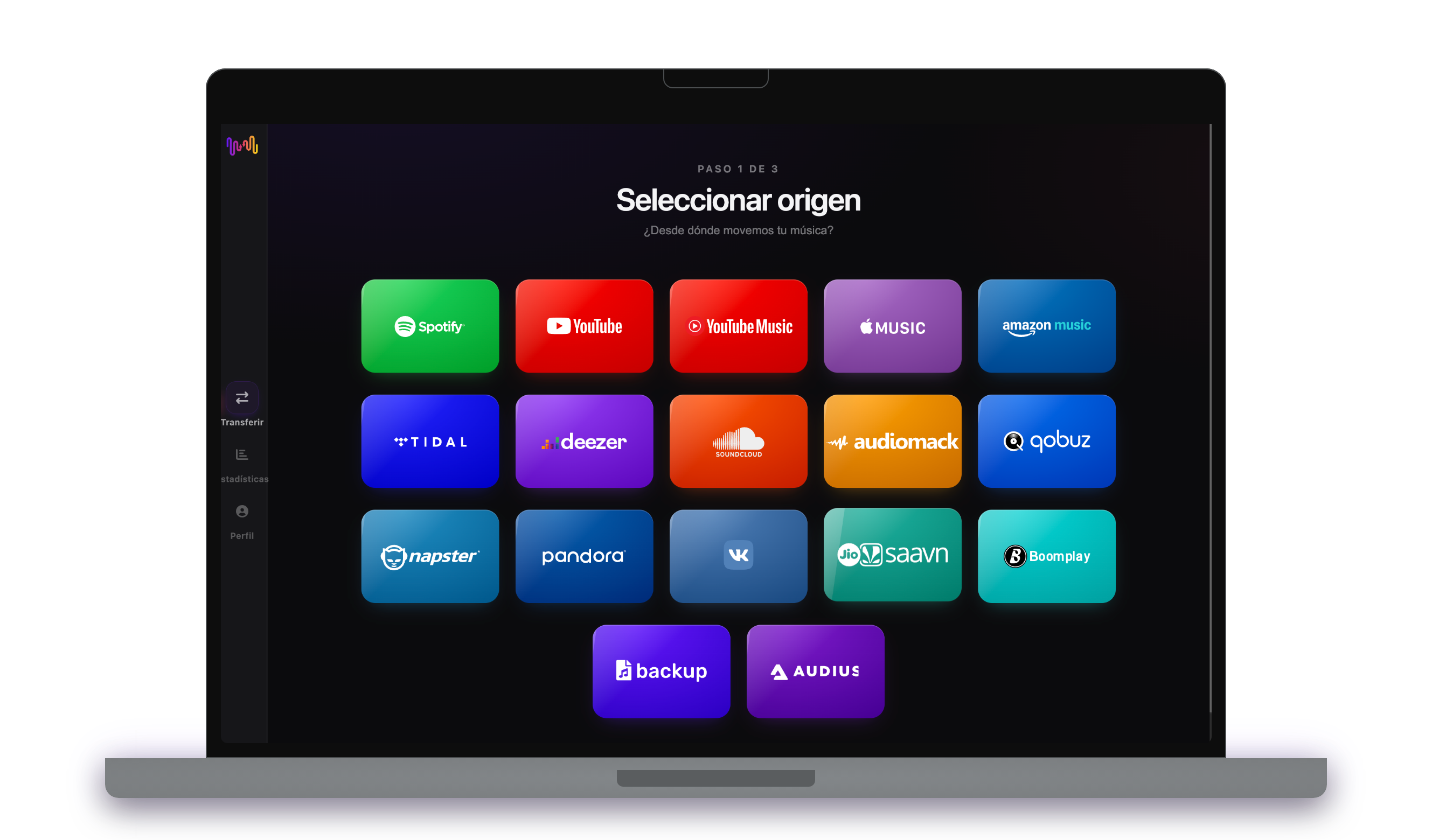
Abre FreeYourMusic, toca el icono de Amazon Music en la pantalla «Seleccionar origen» e inicia sesión en la página de acceso de Amazon Music. FreeYourMusic no guarda tu contraseña de Amazon Music.
- 2
Elige Apple Music como destino
En la pantalla «Seleccionar destino», toca Apple Music e inicia sesión. FreeYourMusic necesita acceso a tu biblioteca de Apple Music para crear allí las listas.
- 3
Elige qué transferir
Marca las listas que quieres tener en Apple Music. Usa los filtros y el buscador para encontrarlas, o selecciónalo todo para transferir toda tu biblioteca de Amazon Music de una vez.

- 4
Inicia la transferencia y revisa los resultados
Toca «Iniciar la transferencia». FreeYourMusic busca cada canción en Apple Music, mantiene los nombres de las listas y el orden de las canciones, y muestra un índice de confianza para cada coincidencia. Usa Rematch para corregir las canciones que no haya encontrado.

Lo que debes saber antes de pasar de Amazon Music a Apple Music
Amazon Music como origen
FreeYourMusic transfiere tus listas de reproducción y canciones favoritas de Amazon Music. Los álbumes guardados y los artistas seguidos no se pueden transferir desde Amazon Music.
Apple Music como destino
Apple Music necesita una suscripción activa para añadir música. Apple no permite a las apps quitar ni reordenar canciones de una lista, así que la sincronización allí solo añade canciones nuevas.
Apple Music tiene una importación integrada. Así se diferencia FreeYourMusic.
Apple Music puede importar playlists de Amazon Music desde los ajustes de Música en el iPhone o el iPad, o en music.apple.com. Es una importación única a Apple Music, y Apple no la ofrece en todos los países.
| Importación integrada de Apple Music | FreeYourMusic | |
|---|---|---|
| A dónde puede ir tu música | Solo Apple Music | Apple Music y 15 servicios más |
| Mover entre dos cuentas de Apple Music | No | Sí |
| Mantener las playlists sincronizadas tras la transferencia | No, importación única | Sí, con Auto-Sync (Premium) |
| Hacer copia de seguridad de tu biblioteca | No | Sí, con Cloud Backup (Premium) |
| Salir de Apple Music más adelante | No | Sí, en cualquier dirección |
Para una mudanza rápida y única, la importación integrada puede bastar. Usa FreeYourMusic para mantener servicios sincronizados, mover entre cuentas, hacer copia de seguridad de tu biblioteca o salir de Apple Music más adelante.
Qué se transfiere de Amazon Music a Apple Music
En todos los dispositivos
Pasar, convertir o importar: una sola transferencia de Amazon Music a Apple Music
Lo llames como lo llames, es lo mismo. Puedes pasar tus playlists de Amazon Music a Apple Music, convertir una playlist de Amazon Music en una de Apple Music o importar tu biblioteca de Amazon Music a Apple Music. FreeYourMusic hace las tres cosas en una sola transferencia, para una lista o para una biblioteca de miles de canciones.
Mantén Amazon Music y Apple Music sincronizados
¿Sigues añadiendo canciones en Amazon Music? Con Premium, Auto-Sync revisa tus listas transferidas y añade automáticamente las canciones nuevas a Apple Music, para que ambas bibliotecas sigan iguales. Precios →
Pasa de Amazon Music a otro servicio




Ver todas las transferencias de Amazon Music →
Transfiere a Apple Music desde otro servicio
Millones confían en nosotros para transferir listas de reproducción de Amazon Music a Apple Music
Preguntas frecuentes
¿Cómo transfiero mi lista de reproducción de Amazon Music a Apple Music?
Para pasar de Amazon Music a Apple Music, instala FreeYourMusic, elige Amazon Music como origen y Apple Music como destino, selecciona las listas que quieras e inicia la transferencia. La app busca cada canción en Apple Music y te muestra las pistas que no ha podido encontrar.
¿Qué se transfiere exactamente de Amazon Music a Apple Music?
FreeYourMusic pasa tus listas de reproducción y canciones favoritas de Amazon Music a Apple Music. Busca las canciones una a una y te muestra todo lo que no está en Apple Music, para que puedas corregirlo antes de cambiarte.
Apple Music tiene su propia herramienta de importación. ¿Por qué usar FreeYourMusic?
La herramienta integrada importa música a Apple Music una sola vez. FreeYourMusic mueve música entre 16 servicios en cualquier dirección, entre dos cuentas del mismo servicio, mantiene las playlists sincronizadas tras la transferencia y hace copia de seguridad de tu biblioteca.
No veo la opción de transferir música en Apple Music. ¿Qué puedo hacer?
Apple no ofrece la herramienta de transferencia en todos los países. FreeYourMusic mueve tus playlists de Amazon Music a Apple Music en iPhone, iPad, Android, Mac, Windows y Linux.
¿Puedo transferir listas de reproducción de Amazon Music a Apple Music gratis?
Sí: el plan gratuito transfiere 300 canciones sin tarjeta, y consigues 300 más al registrarte gratis con tu correo. Mejora tu plan para obtener transferencias ilimitadas, Auto-Sync y Cloud Backup.
¿Qué pasa con las canciones que no están en Apple Music?
Los catálogos varían según el servicio y la región. FreeYourMusic muestra cada canción que no ha podido encontrar en Apple Music, para que elijas otra versión con Rematch o la omitas. Nada desaparece sin que lo veas.
¿Se borrarán mis listas de reproducción de Amazon Music?
No. FreeYourMusic copia tu música a Apple Music y deja tu biblioteca de Amazon Music tal como está. Después decides si mantienes o cancelas tu cuenta de Amazon Music.
¿Cuánto tarda una transferencia de Amazon Music a Apple Music?
La mayoría de las listas se transfieren en pocos minutos. Las bibliotecas grandes tardan más, porque el tiempo depende del número de canciones y de los límites de Amazon Music y Apple Music. Puedes seguir usando tu dispositivo mientras dura la transferencia.
¿Puedo pasar mi música de Amazon Music a Apple Music desde el móvil?
Sí. FreeYourMusic funciona en iPhone, iPad y Android, y en ordenadores Mac, Windows y Linux. Los pasos son los mismos en todos los dispositivos.
¿Listo para pasarte a Apple Music?
Descarga FreeYourMusic y transfiere toda tu biblioteca en minutos.
Descarga gratis →