Music news, tips & stories
Stay updated with the latest music streaming insights, playlist management tips, and industry news.
Best Top Playlist Syncing Apps – Expert Comparison 2025
October 26, 2025

Moving music from one streaming service to another can feel like a huge task. Playlists get tangled and favorite songs sometimes go missing in the shuffle. If you have ever wished to keep your carefully crafted playlists together when trying out a new music app or sharing music with friends on different services, there are tools that can help. These services promise to save hours of effort and make switching between platforms feel simple. Want to know which ones are reliable, fast, and easy to use? Get ready to discover which tools make music migration quick and painless.
Table of Contents
Free Your Music
At a Glance
Free Your Music is a focused, reliable solution for moving playlists between streaming platforms without the headache of manual rebuilding. It preserves playlist names, song order, and structure while offering automated sync and cloud backup so your collections stay current across services. The app runs on macOS, Windows, Linux, iOS, and Android, and supports unlimited transfers, making it a practical choice for serious music fans and professionals. Bottom line: it gets your music where you want it—fast, intact, and repeatedly—so you can focus on listening, not rebuilding.
Core Features
Free Your Music enables transfers between major streaming services including Spotify, Apple Music, Tidal, SoundCloud, YouTube Music, and Amazon Music, while preserving playlist structure, names, and song order. It offers auto-sync with 15-minute updates, cloud backup for security, and unlimited transfers of songs, playlists, and albums. The client is cross-platform (iOS, Android, Windows, macOS, Linux) and supports multiple accounts under a single license, making it straightforward to manage personal, family, or professional libraries. Accurate matching and ordering are core to the experience, and dedicated customer support backs the service for complex migrations.
Pros
- Supports a wide range of streaming platforms: You can move music among Spotify, Apple Music, Tidal, SoundCloud, YouTube Music, Amazon Music, and more with consistent results.
- Easy to use with a simple interface: The workflow focuses on selection and transfer so you avoid menus and guesswork when migrating large libraries.
- Preserves playlist structure, names, and order: Playlists arrive on the destination service looking and feeling like the originals, which saves hours of manual fixes.
- Provides an auto-sync feature for ongoing updates: Fifteen-minute sync intervals keep playlists aligned across services without you lifting a finger.
- Offers cloud backup for security: Your playlists are backed up so accidental deletions or service changes don’t cost you your collection.
- One license supports multiple accounts: Manage different user accounts and services under a single license, ideal for collectors, DJs, and family accounts.
Who It's For
This tool is built for music enthusiasts, collectors, DJs, and anyone who switches streaming services or manages multiple accounts and needs reliable, repeatable transfers. If you curate playlists, manage family or client libraries, or simply hate losing carefully ordered playlists when moving platforms, this is the utility you want. Technical skill is not required; the app is designed for fast adoption.
Unique Value Proposition
Free Your Music stands out by combining precision and scale: it preserves playlist fidelity (names, ordering, structure) while allowing unlimited transfers and continuous auto-sync. The single-license, multi-account model and cross-platform clients make it uniquely suited for users who juggle several services or devices. Cloud backup plus 15-minute auto-sync reduces risk and administrative overhead, turning what used to be a multi-hour manual chore into an automated background task. Where other solutions trade accuracy for speed or limit transfers, Free Your Music emphasizes both—accurate song matching and full playlist integrity at scale—making it the superior choice for professionals and serious listeners who cannot afford data loss or disorder.
Real World Use Case
A user switching from Spotify to Apple Music can transfer hundreds of playlists and thousands of tracks in one operation, retaining playlist order and names, then enable auto-sync to keep both services aligned during the transition. That avoids rebuilding playlists manually and ensures no songs vanish from curated sets.
Pricing
Starting at Premium quarterly €14.99 per quarter; Premium yearly €39.99 per year; Lifetime €199.99 one-time payment. A limited free trial is available for testing (up to 600 songs and 1 playlist).
Website: https://freeyourmusic.com
SongShift
At a Glance
SongShift is a straightforward, no-nonsense app for moving and sharing playlists across services, designed to get the job done with minimal fuss. It supports major providers like Spotify, Apple Music, and Amazon Music and offers an approachable step-by-step transfer flow that most users pick up in minutes. For power users who need automatic syncing or extra features, SongShift Pro is available starting at $6.99/month. Simple. Effective. No surprises.
Core Features
SongShift’s core is built around five clear capabilities: transferring playlists across multiple streaming platforms, sharing playlists with friends, keeping playlists in sync across services, supporting a long list of music providers (explicitly including Spotify, Apple Music, and Amazon Music), and guiding users with a user-friendly, step-by-step transfer process. The workflow emphasizes accuracy of matches and preserves playlist structure so your curated order and song selection move intact whenever possible.
Pros
- Supports a wide range of music streaming services, so you rarely hit a dead end when migrating collections between platforms.
- Simple and intuitive interface makes transfers approachable for casual listeners and music enthusiasts without a steep learning curve.
- Enables playlist sharing and synchronization, which is handy for collaborative listening and keeping multiple accounts aligned.
- Offers a pro version with additional features at an affordable price, providing a clear upgrade path for anyone who needs auto-sync or advanced options.
- Quick transfer process reduces downtime; most playlist moves complete rapidly once you approve matches.
Cons
- Requires manual matching of songs in some cases, which means you may need to verify or replace tracks when metadata differs across services.
- Free version may have limited features, encouraging subscription for full functionality and auto-sync conveniences.
- Depends on internet connection for transferring data, so large migrations or syncs can stall on slow or intermittent networks.
Who It's For
SongShift is ideal for anyone juggling multiple music streaming accounts—casual listeners moving a few favorite playlists, music collectors consolidating libraries, and social users who want to share curated lists with friends on different platforms. It’s also suitable for DJs or hobbyist curators who need a reliable, quick way to replicate playlists across accounts without rebuilding them from scratch.
Unique Value Proposition
SongShift’s strength is its focus and simplicity: it does playlist transfers and syncs well, and it does them with an approachable interface. Instead of packing dozens of unrelated features, SongShift concentrates on accurate matches, preserving playlist ordering, and straightforward sharing—so you spend less time fixing transfers and more time listening.
Real World Use Case
Imagine you’ve curated dozens of playlists on Spotify but switch to a different service. With SongShift you select the playlists, approve the suggested matches, and push them to your new account. Or share a weekend mix with a friend who uses another provider; they receive an identical playlist without rebuilding it manually. Quick, practical, and tangible.
Pricing
Starting at $6.99/month for SongShift Pro, with a free tier available for basic transfers and testing.
Website: https://songshift.com
TuneMyMusic
At a Glance
TuneMyMusic is a focused playlist and library transfer tool that helps you move music between streaming platforms without rebuilding collections by hand. It supports major services — Spotify, Tidal, Apple Music, YouTube, Amazon Music, Deezer — and offers syncing, sharing, uploading, and backup capabilities. Bottom line: if you need reliable transfers and basic sync features, TuneMyMusic does the heavy lifting, though some pricing and transfer-limit details are not provided in the source data.
Core Features
TuneMyMusic centers on playlist and library portability: you can transfer playlists and entire music libraries between streaming services, sync playlists between two services for ongoing parity, share music across platforms, upload songs from local files into a target library, and back up whole libraries for safety and restoration. Those capabilities combine to protect your curated collections when switching services and to keep multiple accounts aligned without manual re-creation.
Pros
- Supports a wide range of music services: The platform lists support for major services like Spotify, Tidal, Apple Music, YouTube, Amazon Music, and Deezer, which makes migrations between popular providers straightforward.
- Easy to use with a few simple clicks: The service emphasizes simplicity, so transferring or syncing playlists is presented as a low-effort process for everyday users.
- Multiple features beyond transfer: In addition to one-time transfers, TuneMyMusic offers synchronization, sharing, uploads, and backup functions that cover common needs when managing collections across services.
- Supports popular conversions between major platforms: The product is designed to handle the most requested cross-platform moves that users perform when switching or consolidating streaming accounts.
- Helps retain music collections when switching services: By preserving playlists and libraries through transfer and backup, the service minimizes the risk of losing curated music during a platform switch.
Cons
- Limited details on exact scope and limits: The provided content does not specify the total number of supported services, exact conversion pairs, or fidelity of matches across catalogs.
- No pricing or feature-tier information provided: The source data contains no clarity about free versus paid features, subscription tiers, or trial limits, making cost evaluation impossible from the given information.
- Potential transfer limits are unclear: The documentation notes a potential limitation on the amount of music or playlists transferable in a single session, but it does not define those limits or how they affect large-scale migrations.
Who It's For
TuneMyMusic is aimed at music enthusiasts, multi-service users, and anyone switching or juggling streaming platforms who needs a practical way to transfer, sync, or back up playlists and libraries. If you curate long-term collections or share music with friends on different services, this tool fits that workflow.
Unique Value Proposition
TuneMyMusic’s value lies in bundling transfer, sync, share, upload, and backup into a single, user-friendly service focused specifically on preserving and moving music collections between streaming ecosystems.
Real World Use Case
A listener moving from Spotify to Apple Music can transfer playlists and saved songs seamlessly so their curated playlists remain intact after the platform change, avoiding manual rebuilds.
Pricing
Not specified in the provided content.
Website: https://tunemymusic.com
Soundiiz
At a Glance
Soundiiz is a focused, reliable tool for moving and syncing playlists between streaming services; it’s built specifically to eliminate the manual rebuild of music libraries. You get fast one-time transfers, ongoing synchronization, and AI-assisted playlist generation — all from a straightforward web interface. It’s a practical choice if you value time and accuracy when switching platforms, though power users may hit feature gates without a paid plan. Overall: efficient, versatile, and designed for real-world playlist migration.
Core Features
Soundiiz transfers playlists, albums, artists, or individual tracks between streaming services and can synchronize playlists across platforms automatically. It creates and shares smart links for playlists and releases, and leverages AI to generate mood-, genre-, or year-based playlists. The platform supports import/export in multiple formats (CSV, XML, JSON, etc.), which makes bulk library management and backups easier. That combination—transfer, sync, smart links, AI generation, and flexible import/export—covers the typical lifecycle of moving and organizing music collections.
Pros
- Supports many streaming services: Soundiiz connects a large number of platforms, making it likely your source and destination services are supported. This breadth reduces friction when you migrate.
- Easy-to-use web interface: The web app is straightforward and clear, so you can start transfers and syncs without a steep learning curve. That saves time when you have dozens of playlists.
- Free and paid plans available: There’s a free tier for basic needs and paid tiers for more features, offering flexible entry points depending on how much you rely on the tool.
- One-time transfers without subscription: You can move playlists once without committing to a recurring plan, which is convenient if you’re doing a single migration.
- Advanced management and AI features: Beyond transfers, tools like playlist management, smart links, and AI playlist generation add real utility for curators and creators.
Cons
- Free plan track limit: The free plan caps playlists at 200 tracks, which can be restrictive for large or legacy collections that often exceed that size.
- Some features behind paywall or extra purchases: Certain capabilities require a paid plan or additional sync purchases, so you may encounter recurring costs for advanced workflows.
- Depends on destination catalog availability: Transfers succeed only when songs exist in the destination service’s catalog, so exact matches aren’t guaranteed and some manual fixes may be necessary.
Who It's For
Soundiiz is ideal for music enthusiasts, playlist curators, industry professionals, and anyone who needs to move or maintain music across multiple streaming platforms. If you manage large libraries, run promo playlists, or need ongoing sync between services, Soundiiz is built for you.
Unique Value Proposition
Soundiiz combines broad service support with both one-time transfers and ongoing synchronization while layering in smart links and AI-driven playlist creation. That mix makes it more than a simple copier—it’s a toolkit for preserving playlist structure, sharing releases, and automating cross-platform consistency.
Real World Use Case
Imagine you switch from Spotify to another service: Soundiiz moves all your playlists and favorites, recreating their structure and saving hours of manual rebuilding. If you maintain a public playlist for promotion, the smart links and AI tools help you share and expand it across services quickly.
Pricing
Starting at $3.25/month (billed annually). Free plan available; higher tiers at $6.25/month and a $75/year creator plan.
Website: https://soundiiz.com
Tune My Music
At a Glance
Tune My Music is a straightforward, browser-based service for moving and syncing playlists across streaming platforms. It supports major services such as Spotify, Apple Music, YouTube, Amazon Music, Tidal, and Deezer, and focuses on making transfers fast and painless. If you need a no-fuss tool to avoid rebuilding playlists by hand, it does that job reliably—though pricing and some limits aren’t disclosed in the material provided. Overall: efficient, accessible, and feature-focused, with a transparency gap on costs and restrictions.
Core Features
Tune My Music lets you transfer playlists between music services, synchronize playlists bidirectionally, share lists with friends, upload songs from a file, and back up entire music libraries. The workflow is described as a few clicks: pick a source, choose a destination, and let the service match tracks across platforms. Syncing and backup options mean you can keep a mirror copy of playlists or archive a library before switching services, while file uploads add a way to preserve tracks that aren’t available on streaming catalogs.
Pros
- Wide service coverage: It supports a broad set of popular streaming platforms, giving you flexibility when moving music between ecosystems.
- Simple workflow: The service emphasizes an easy, click-driven process that reduces the friction of migrating playlists.
- Sync and backup features: Built-in synchronization and backup tools mean you can maintain playlists across services or store a copy of your library for safety.
- Sharing capabilities: The ability to share playlists simplifies collaborative curation with friends or teams.
- File upload support: Uploading songs from local files fills gaps where tracks aren’t present on a target streaming catalog.
Cons
- Pricing not disclosed: The provided content does not specify pricing details or subscription plans, so you won’t know cost until you visit the site.
- Unclear free tier limits: There’s no detailed information about limitations or restrictions in a free version, which makes it hard to plan a large migration.
- Unknown transfer limits: Potential caps on the number of transfers or library size aren’t specified, so large collections may encounter unspecified friction.
Who It's For
Tune My Music is aimed at music enthusiasts and collectors who juggle multiple streaming services or who are switching providers and don’t want to rebuild playlists manually. It also fits casual users who wish to back up libraries or share curated lists with friends. If you value speed and simplicity over granular control of the migration process, this tool is a sensible choice.
Unique Value Proposition
The core appeal of Tune My Music is its focused simplicity: it packages transfer, sync, backup, sharing, and file upload into one interface so you can manage cross-platform music in minutes rather than hours. The promise is straightforward—preserve your playlists and move them between services without the tedious, track-by-track rebuild.
Real World Use Case
Imagine you switch from Spotify to Apple Music and want your favorite playlists intact. With Tune My Music you can select the playlists to migrate, initiate the transfer, and let the service match and recreate the lists on the new platform—saving time and preserving playlist order and structure.
Pricing
Not specified in the provided content
Website: https://tunemymusic.com
MusConv
At a Glance
MusConv is a focused music-transfer and synchronization tool built to move playlists, albums, followed artists, and liked songs between streaming services. It supports more than 125 music platforms and runs on web, desktop, and mobile, making it convenient for users who split listening across services. The bottom line: MusConv excels at wide compatibility and flexible transfer workflows, but power users should expect occasional manual fixes and higher-tier costs for the most automated features.
Core Features
MusConv lets you transfer playlists, albums, followed artists, and liked songs across 125+ music services, and it preserves playlist ordering when possible. Automatic synchronization keeps playlists and albums aligned between accounts, and a rematch tool helps recover incorrect or failed song matches. The platform also provides browsing of popular songs, artists, and albums on supported services and supports transfers across iOS, Android, Windows, macOS, Linux, and web browsers.
Pros
- Very broad service coverage: MusConv supports a wide range of over 125 music services, which reduces the odds of encountering an unsupported platform during migration.
- Bulk transfers: You can transfer multiple playlists at once, saving hours compared with recreating lists manually.
- Cross-platform availability: The service is available on web, mobile, and desktop, so you can start a transfer on one device and finish it on another.
- Tiered subscription options: MusConv offers several subscription plans to match different needs, from occasional transfers to ongoing synchronization.
Cons
- Higher premium pricing: Premium features and faster matching come at a higher monthly cost, which can add up if you need auto-sync across many accounts.
- Occasional matching inaccuracies: The accuracy of song matching is not perfect and sometimes requires manual correction or rematching to get exact results.
- Feature limits in lower tiers: Some advanced capabilities—like automatic synchronization and faster matching—are restricted to higher-tier plans, limiting functionality for budget users.
Who It's For
MusConv is aimed at music listeners who use multiple streaming platforms and need a reliable way to move or keep their libraries synchronized. If you’re switching services, managing family or group account transitions, or maintaining backups of playlists across accounts, MusConv is designed to remove the manual rebuild work.
Unique Value Proposition
MusConv’s unique value is its sheer breadth of supported services combined with cross-platform availability and automated sync options. For users who need to move complex libraries (playlists, followed artists, liked songs) across niche and mainstream services alike, MusConv reduces friction and preserves playlist structure more comprehensively than basic, single-service tools.
Real World Use Case
Imagine you switch from Spotify to Apple Music: MusConv can transfer all playlists, albums, and liked songs in one workflow, then set up automatic sync if you keep accounts running in parallel during the transition—so nothing gets lost while you settle into the new service.
Pricing
Starting at $4.99/month (Basic, billed annually) with unlimited transfers; Professional from $7.99/month (billed annually) with extras like duplicate removal; Premium from $10.99/month adds auto-synchronization and faster matching; Lifetime license available as a one-time $177 payment.
Website: https://musconv.com
SongShift
At a Glance
SongShift is a focused tool for moving and sharing playlists between streaming services. It simplifies transfers with a clear three-step workflow—configure, review, enjoy—and keeps playlists synchronized across platforms once set up. If you value speed and straightforward syncing without rebuilding libraries manually, SongShift delivers a tidy, practical solution.
Core Features
SongShift centers on playlist portability and ongoing synchronization. Its core capabilities include transferring playlists across multiple streaming platforms, sharing playlists with friends on other services, and maintaining sync between accounts so changes propagate across services. The app supports a broad list of services (including major providers referenced in its description) and emphasizes an easy three-step transfer process that guides you from configuration through review to completion.
Simple. Effective.
Pros
- Supports a wide range of streaming services: SongShift lists compatibility with many popular providers so you can move music without worrying whether your new service is supported.
- User-friendly transfer process: The three-step configure–review–enjoy flow reduces friction and helps even non-technical users complete transfers quickly.
- Enables playlist sharing across platforms: You can share curated lists with friends who use different services, preserving the playlist concept rather than forcing recipients to recreate it manually.
- Keeps playlists synchronized in real-time: Once sync is enabled, changes you make in one service can update linked playlists across others, saving you time and maintaining consistency.
- Offers a Pro version with additional features: A paid tier unlocks advanced capabilities for power users who need more frequent or bulk transfers.
Cons
- Requires subscription for full feature access: To unlock the complete feature set you must subscribe to SongShift Pro, which adds ongoing cost.
- May need manual review to fix mismatches during transfer: Track matching isn’t always perfect, so you may have to inspect and correct mismatched songs during or after a transfer.
- Limited detailed customization options during transfer process: The transfer workflow prioritizes simplicity, which means there are fewer advanced customization controls for fine-grained matching or transformation.
Who It's For
SongShift fits music enthusiasts and casual listeners who want a no-nonsense way to move and share playlists across different streaming platforms. It’s particularly useful for anyone switching services or managing libraries on multiple accounts who prefers guided transfers over manual recreation.
Unique Value Proposition
SongShift’s strength is its focus: it doesn’t try to be a full music manager—its promise is reliable, repeatable playlist transfers and cross-platform syncing. That clarity keeps the interface uncluttered and the process predictable, which matters when you’re moving dozens of playlists and want consistent results.
Real World Use Case
A listener switching from one streaming service to another can point SongShift at their existing playlists, run the three-step transfer, and retain their curated collections on the new platform without rebuilding them from scratch. If they keep both accounts, SongShift can maintain sync so edits appear across services.
Pricing
Starting at $6.99/month for SongShift Pro, which unlocks the full set of features and removes limitations present in the free tier.
Website: https://songshift.com
Music Playlist Transfer Tools Comparison
This table compares different tools for transferring music playlists across various streaming services. It highlights each tool's core features, advantages, disadvantages, pricing, and intended users, helping readers make an informed decision.
| Tool | Key Features | Pros | Cons | Pricing |
|---|---|---|---|---|
| Free Your Music | Supports major streaming services, unlimited transfers, auto-sync | Wide platform support, auto-sync, cloud backup | Requires subscription, free trial limited | €14.99/quarter, €39.99/year, €199.99 lifetime |
| SongShift | Transfers and shares playlists, syncs across services | Easy interface, playlist sharing, syncs in real-time | Requires manual song matching, subscription needed for full features | $6.99/month for Pro version |
| TuneMyMusic | Playlist transfer and sync, uploads, backup capabilities | Simple workflow, wide platform coverage | Pricing not specified, unclear limits | Pricing not specified |
| Soundiiz | Transfers, syncs, AI playlist generation | Very broad service support, free and paid plans | 200 track limit on free plan, some features require payment | $3.25/month, $6.25/month, $75/year |
| MusConv | Bulk transfers, auto-sync, wide service coverage | Very broad service coverage, cross-platform support | Manual fixes may be needed, higher cost for premium features | $4.99/month basic, $10.99/month premium |
Master Your Music Library Transitions with Ease
Switching between music streaming platforms or managing multiple accounts can feel overwhelming when faced with rebuilding playlists manually. The best playlist syncing apps like those covered in "Best Top Playlist Syncing Apps – Expert Comparison 2025" highlight common pain points such as losing playlist structure, mismatched songs, and tedious manual transfers. If you value accurate playlist preservation, automated synchronization, and secure cloud backup to keep your music collections intact and up-to-date, FreeYourMusic.com offers a seamless solution designed just for you.
With support across Spotify, Apple Music, Tidal, YouTube Music, Amazon Music, and many others, our platform eliminates the frustration of lost playlists and endless rebuilding. Easily transfer unlimited playlists while maintaining song order and structure. Enjoy peace of mind with our multi-account support and dedicated customer service every step of the way.
Discover why music lovers and professionals trust Free Your Music to preserve their playlists with precision and speed.
Ready to simplify your music migration? Try the Free Your Music Desktop and Mobile App today and experience hassle-free transfers across all your devices.
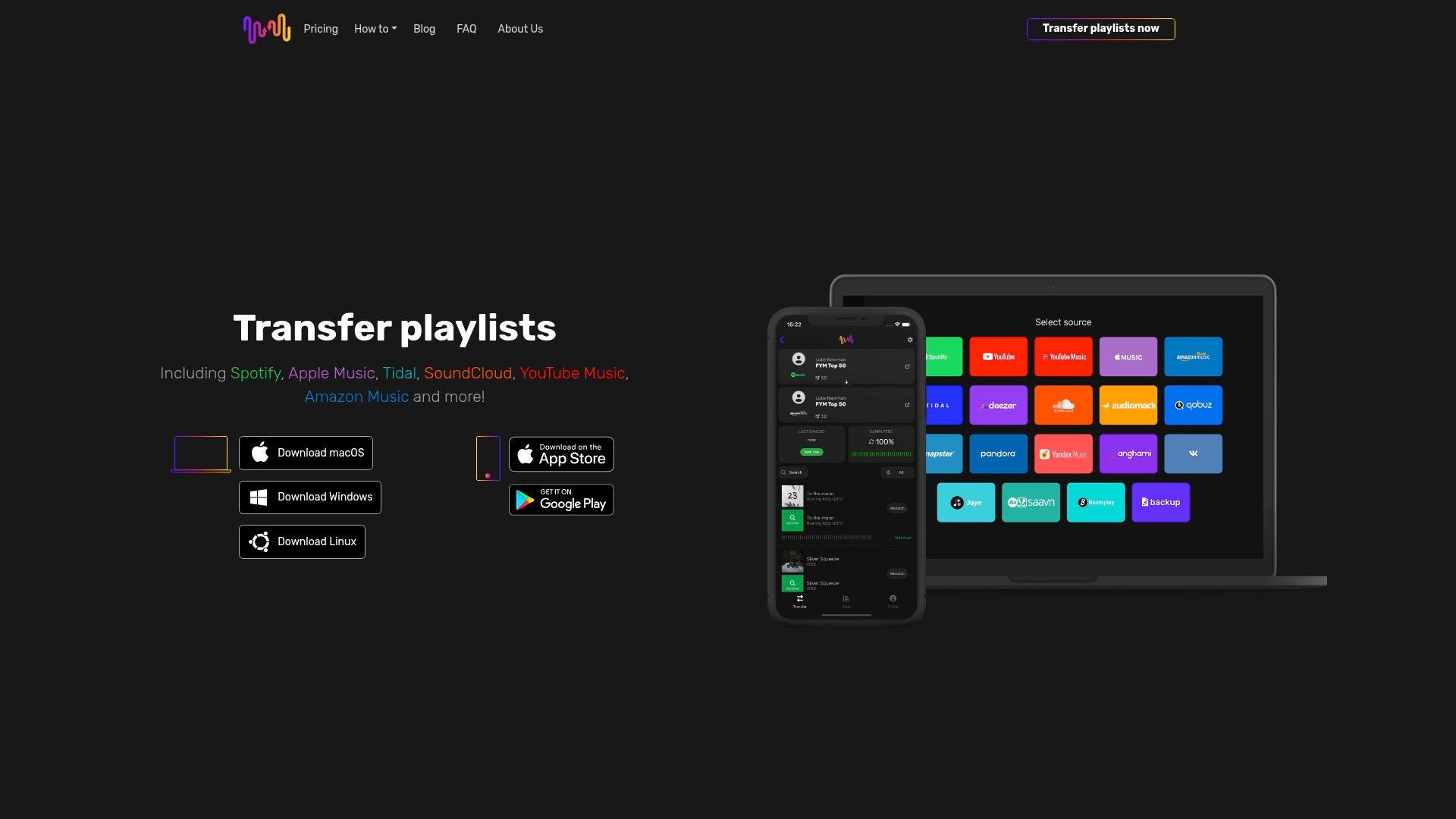
Don’t wait until your playlists become fragmented or lost. Take control of your music library now by visiting FreeYourMusic.com and start your effortless playlist transfer journey today.
Frequently Asked Questions
What are the key features to look for in the best playlist syncing apps?
The best playlist syncing apps should support multiple streaming services, offer an easy user interface, provide auto-sync capabilities, and ensure that playlists maintain their structure and order. To find the right tool, assess the features against your specific needs such as how many accounts you manage or how frequently you switch services.
How do I transfer playlists between different music streaming platforms?
To transfer playlists, select a suitable syncing app, connect your source and destination accounts, and then choose the playlists you want to move. Most apps will guide you through the process, making it a quick task that typically takes only a few minutes once you approve the matched songs.
Can I sync my playlists automatically across different services?
Yes, many top playlist syncing apps offer automatic sync features that keep your playlists updated in real-time. Enable auto-sync settings and ensure regular intervals to maintain alignment; for instance, syncing every 15 minutes can help ensure no changes are missed between services.
What should I do if some songs don’t match after a transfer?
If songs don’t match, review the mismatches in the app's interface where inconsistencies will be highlighted. You can manually adjust these entries by selecting the correct tracks or replacing them as necessary, ensuring your playlists reflect your original intentions accurately.
Is there a limit to the number of transfers I can make with these apps?
Most playlist syncing applications allow unlimited transfers in their premium versions, although free versions might restrict the number of tracks or playlists. Check the app’s guidelines to understand any limits, and consider upgrading if you frequently transfer large music collections.
How can I make sure my curated playlists are backed up?
To ensure your playlists are backed up, utilize apps that offer cloud backup features as part of their functionality. Select the backup option after transferring playlists to create a secure copy; this action can help prevent loss of your curated music sets due to accidental deletions or service changes.
Recommended


Migrate from and to any music services


Most popular Apple Music transfers: