

Transfer Boomplay to Audiomack
Move your playlists, liked songs, and saved albums from Boomplay to Audiomack without rebuilding anything by hand. Connect both accounts, pick what to move, and Free Your Music recreates it on Audiomack with the same names and song order.
★★★★★ 4.7 · 12M+ downloads · Password never shared


Why move from Boomplay to Audiomack?
Free Your Music moves your playlists, liked songs, and saved albums from Boomplay to Audiomack. It matches the songs one by one and lists anything that is not on Audiomack, so you can fix it before you switch.
Supported transfers
Playlists (with original names + order), Liked songs / favorites, and Saved albums
Review missing tracks
Catalogs differ. Review the transfer results for tracks that could not be matched on the destination service.
How to transfer playlists from Boomplay to Audiomack
Four steps. The same on iPhone, Android, Mac, Windows and Linux.
Quick answer
To transfer Boomplay to Audiomack, install Free Your Music, select Boomplay as the source and Audiomack as the destination, choose the playlists you want, and start the transfer. The app finds each song on Audiomack and lists any track it could not match.
- 1
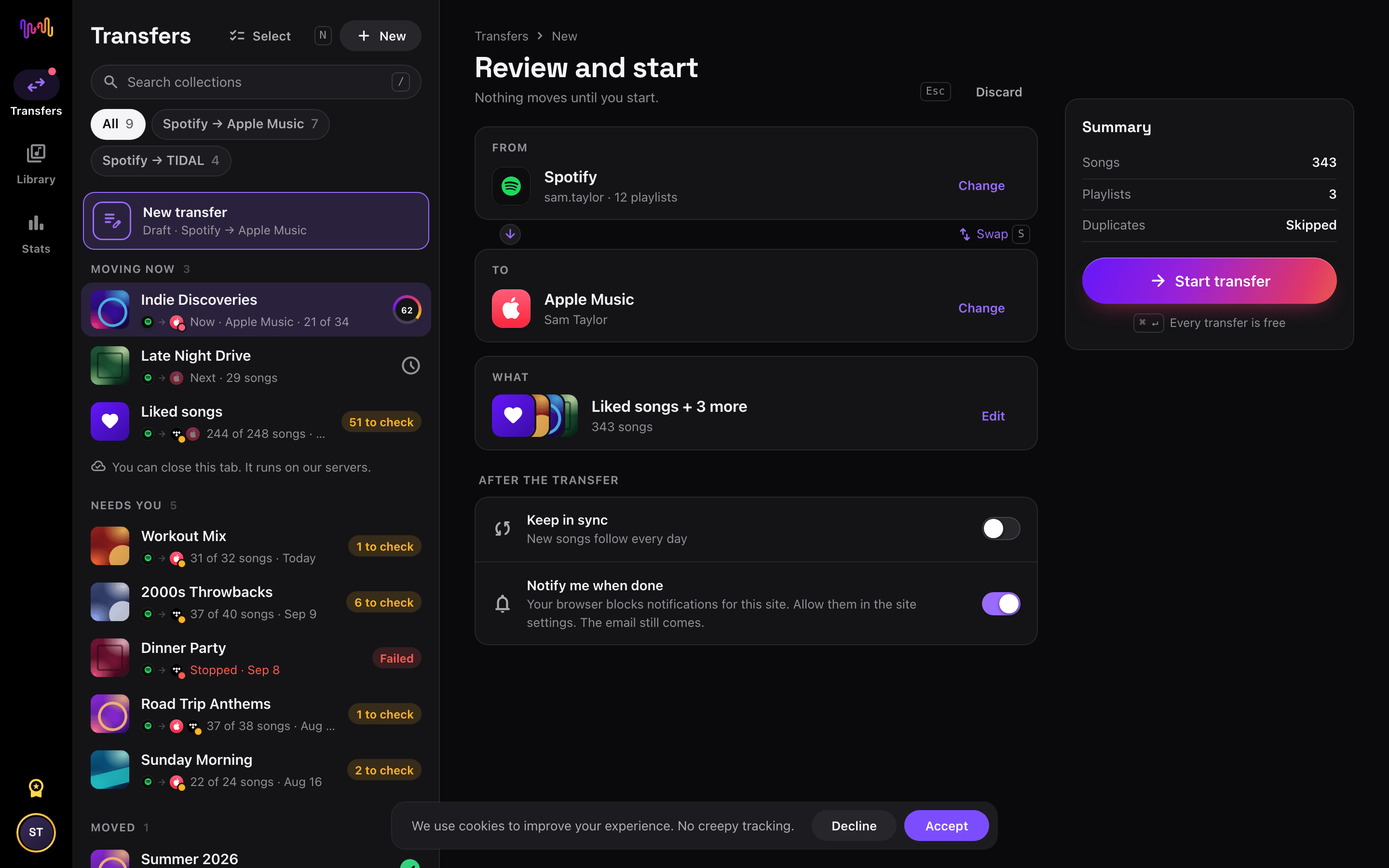
Connect Boomplay as the source
Open Free Your Music, tap the Boomplay tile on the "Select source" screen and sign in on the Boomplay sign-in page. Free Your Music does not store your Boomplay password.
- 2
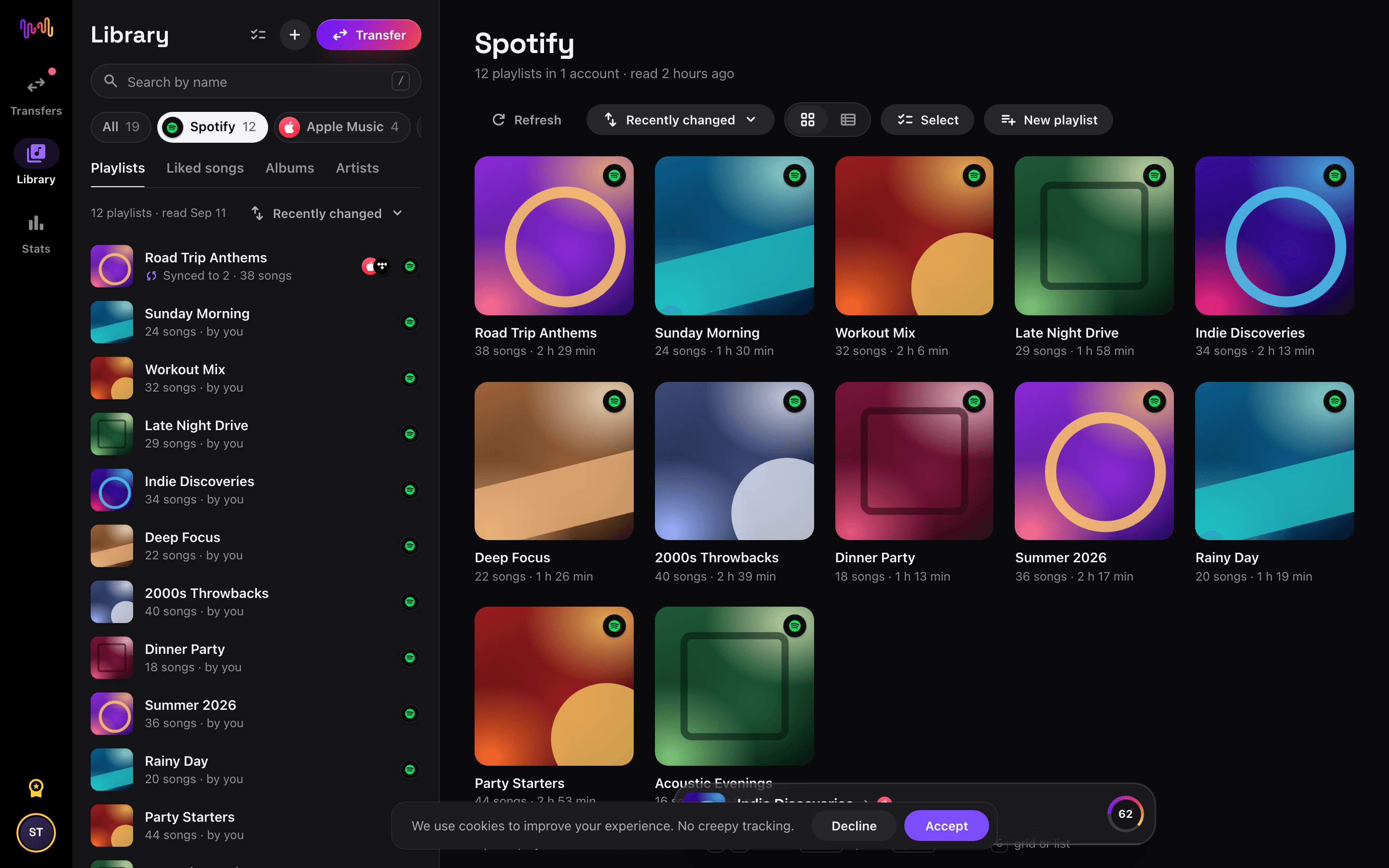
Choose Audiomack as the destination
On the "Select destination" screen, tap Audiomack and sign in. Free Your Music needs access to your Audiomack library to create the playlists there.
- 3
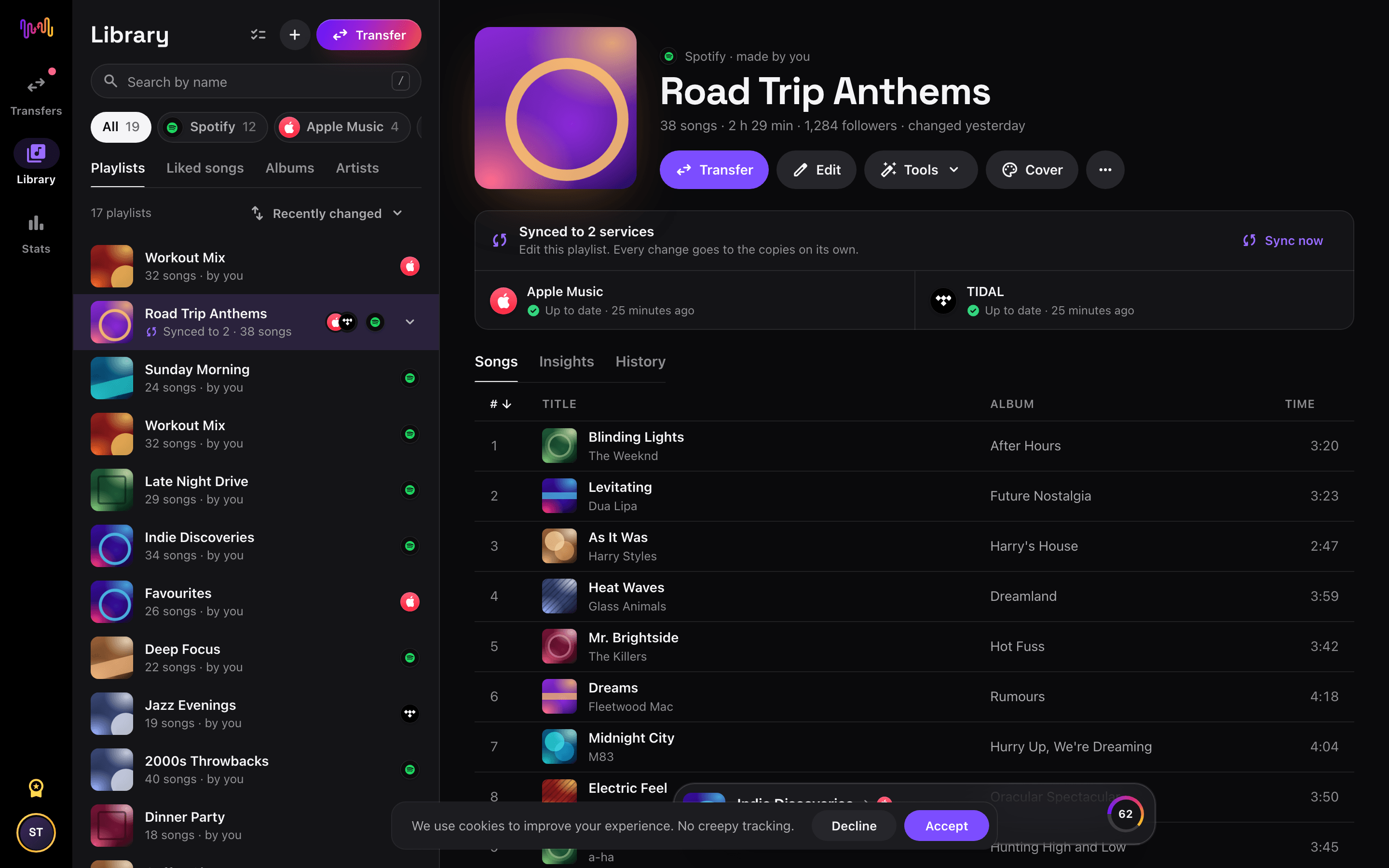
Select what to move
Tick the playlists you want on Audiomack. Use the filters and the search field to find them, or select everything to move your whole Boomplay library at once.
- 4
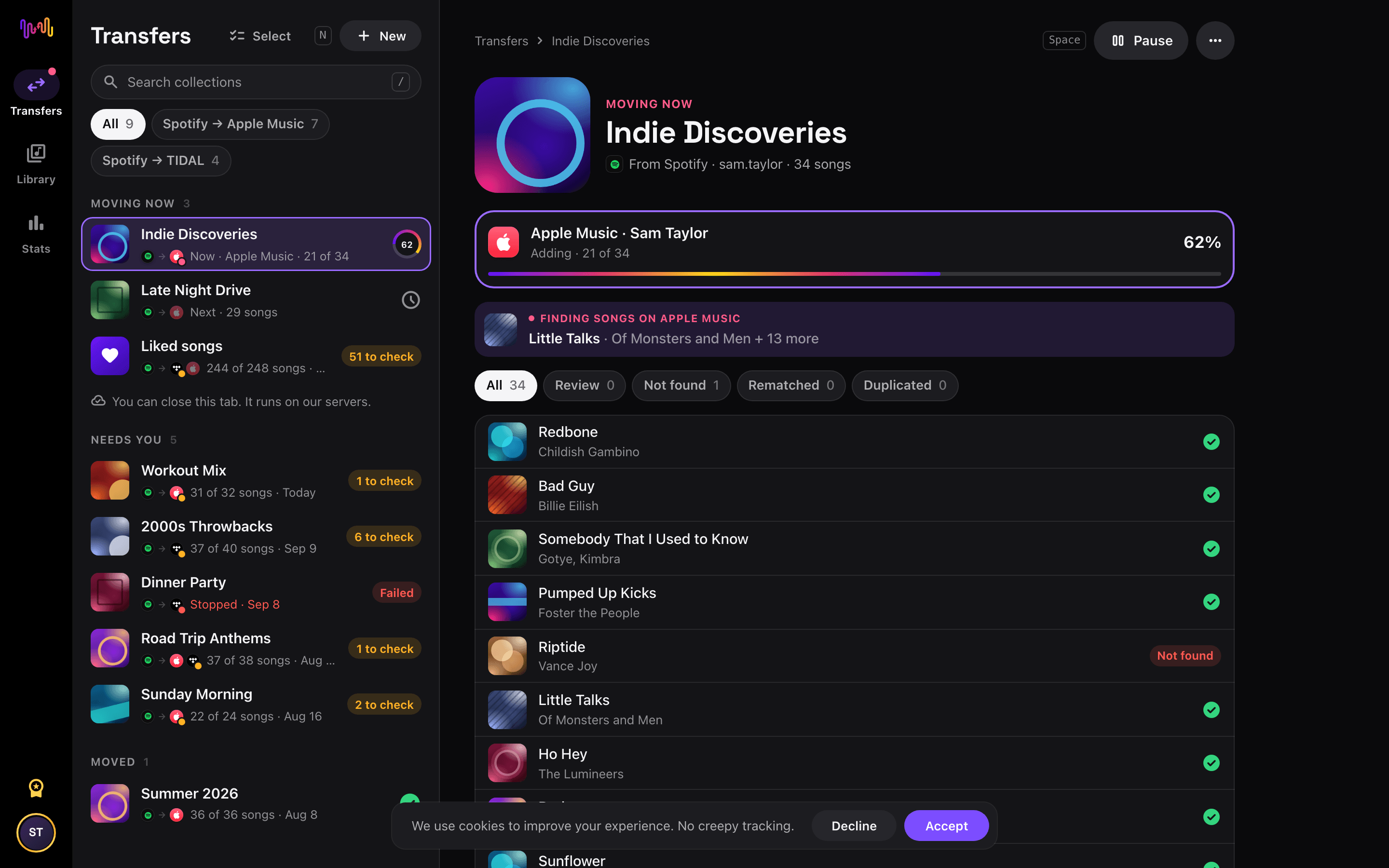
Start the transfer and check the results
Tap "Begin transfer". Free Your Music matches every song on Audiomack, keeps the playlist names and the song order, and shows a confidence score for each match. Use Rematch to fix any song it could not find.


Watch your Boomplay to Audiomack transfer from your Home Screen
Start the transfer, close the app and follow it on your Home Screen or Lock Screen. The transfer widgets are free.
- Moving now shows how many songs are on Audiomack already.
- Last transfer takes you to the songs to check, in one tap.
This transfer is free
Every transfer from Boomplay to Audiomack is free in your browser and in the new iPhone and Android apps. No song limit, no card.
Keep them in sync
Still use both? Turn on auto-sync. New songs on Boomplay reach Audiomack once a day.
Audiomack playlist tools
What transfers from Boomplay to Audiomack
On every device
Move, convert or import: one transfer from Boomplay to Audiomack
Whatever you call it, it is the same job. You can move your Boomplay playlists to Audiomack, convert a Boomplay playlist into a Audiomack playlist, or import your Boomplay library into Audiomack. Free Your Music does all three in one transfer, for one playlist or for a library of thousands of songs.
Keep Boomplay and Audiomack in sync
Still adding songs on Boomplay? With Pro, Auto-Sync checks your transferred playlists and adds new songs to Audiomack automatically, so both libraries stay the same. Pricing →
Move Boomplay to another service


Transfer to Audiomack from another service
Transfer liked songs from Boomplay to Audiomack
Select the liked or saved songs collection from the source account. Choose the destination library in the app, start the transfer, and review its results. Library labels and organization differ between services.
Transfer saved albums from Boomplay to Audiomack
Select your saved albums collection in the app. Availability depends on the destination catalog, so review the results for editions or releases that could not be found.
Review the result before changing your library
Catalogs can differ by region and service. A live recording, remix, or release may not exist on the destination. Review unmatched tracks in the transfer results before removing anything from the source library. Transfer duration depends on library size, connection speed, and service limits.
Frequently asked questions
How do I transfer my Boomplay playlist to Audiomack?
To transfer Boomplay to Audiomack, install Free Your Music, select Boomplay as the source and Audiomack as the destination, choose the playlists you want, and start the transfer. The app finds each song on Audiomack and lists any track it could not match.
What exactly transfers from Boomplay to Audiomack?
Free Your Music moves your playlists, liked songs, and saved albums from Boomplay to Audiomack. It matches the songs one by one and lists anything that is not on Audiomack, so you can fix it before you switch.
Can I transfer Boomplay playlists to Audiomack for free?
Yes. Every transfer from Boomplay to Audiomack is free: your playlists, liked songs, and saved albums, with no song limit and no card. Rematch and 30 days of Stats are free too. Pro keeps Boomplay and Audiomack in sync every day and adds the playlist tools and playlist insights.
What happens to songs that are not on Audiomack?
Catalogs differ between services and regions. Free Your Music lists every song it could not match on Audiomack, so you can pick another version with Rematch or skip it. Nothing is dropped without you seeing it.
Will my Boomplay playlists be deleted?
No. Free Your Music copies your music to Audiomack and leaves your Boomplay library as it is. You decide later whether to keep or cancel your Boomplay account.
How long does a Boomplay to Audiomack transfer take?
Most playlists move in a few minutes. Large libraries take longer, because the time depends on the number of songs and on the limits of Boomplay and Audiomack. You can keep using your device while the transfer runs.
Can I transfer Boomplay to Audiomack on my phone?
Yes. Free Your Music runs on iPhone, iPad and Android, and in the browser on any Mac, Windows or Linux computer. The steps are the same on every device.
Can I follow my Boomplay to Audiomack transfer on my Home Screen?
Yes. Add the free Free Your Music Moving now widget. It shows how many songs are on Audiomack already, and the free Last transfer widget takes you to the songs to check when it is done. The widgets work on iPhone and Android.
Are you an artist on Boomplay?
Music24 posts your releases to TikTok, Instagram and YouTube, and pitches them to playlists, blogs and creators.
Find new music for your new library
Deep cuts every Thursday, free. SongsBrew is our weekly music letter: one subject in depth and a playlist at the bottom. 25,000+ readers.
Ready to move to Audiomack?
Open Free Your Music on the web or on your phone and move your whole library in minutes. Every transfer is free. No card.
Move my music free →