Music playlist duplication explained: Easy migration 2026
May 18, 2026

Music playlist duplication frustrates millions of streaming users every year, creating cluttered libraries and complicating service switches. Whether you accidentally add the same song twice or face overlapping tracks during collaborative editing, duplicates arise in Spotify playlists due to copy-pasting, algorithmic recommendations, collaboration, and user error. Understanding why duplication happens and mastering migration techniques ensures you maintain clean, organized playlists while switching platforms effortlessly. This guide explains the root causes of playlist duplication, how metadata and DRM affect transfers, and actionable strategies to migrate your music collection smoothly in 2026.
Table of Contents
- What Causes Music Playlist Duplication?
- How Metadata, Formats, And Drm Impact Playlist Duplication And Transfer
- Tools And Strategies To Identify And Remove Duplicates Plus Migrate Playlists Seamlessly
- Practical Checklist: Preparing Your Music Playlists For Flawless Migration
- Effortless Playlist Migration With Free Your Music
Key takeaways
| Point | Details |
|---|---|
| Common duplication sources | User error, algorithmic suggestions, and collaborative editing create most duplicate tracks |
| Metadata impacts transfer | Track titles, ISRC codes, and DRM policies determine migration accuracy across platforms |
| Transfer tools simplify migration | Services like TuneMyMusic offer unlimited Spotify transfers with metadata preservation |
| Pre-transfer planning essential | Prioritizing playlists and documenting track counts prevents data loss during migration |
| Spotify integration reduces friction | Built-in import tools support 18 streaming services for quick playlist migration |
What causes music playlist duplication?
Playlist duplication results from multiple factors including manual copy-pasting, algorithmic song suggestions, collaborative playlist overlaps, and accidental user actions. Users often unintentionally add duplicates while curating playlists over time or importing songs from recommendations. Collaborative playlists elevate the risk of duplicates because multiple users add overlapping tracks without checking existing content.
Duplication can lead to clutter, reduced playlist quality, and inefficient use of storage or data. When you prepare to migrate playlists between services, existing duplicates multiply the complexity of matching tracks accurately. Understanding these causes helps you clean your library before attempting transfers.
Common duplication triggers include:
- Copying tracks from one playlist to another without verifying existing entries
- Accepting algorithmic recommendations that suggest songs already in your library
- Multiple collaborators adding the same popular tracks to shared playlists
- Importing playlists from external sources that overlap with current collections
- Accidentally clicking add buttons multiple times during slow network connections
Regularly reviewing and cleaning playlists removes duplicates for a smoother listening experience and more efficient transfers. Using automatic playlist transfer guide strategies before migration ensures you start with organized, duplicate-free collections that transfer cleanly to new platforms.
Pro Tip: Schedule monthly playlist audits to catch duplicates early, preventing accumulation that complicates future migrations and degrades your listening experience.
How metadata, formats, and DRM impact playlist duplication and transfer
Metadata such as track title, artist name, ISRC code, album details, and artwork are critical for accurate track matching during playlist transfers. Playlist transfer tools depend on metadata, formats, and DRM, with metadata including track titles, ISRC codes, album info, and artwork essential for matching songs across platforms. Different streaming services use varying library formats causing mismatches during transfer which can duplicate tracks or omit some.
Digital rights management (DRM) restrictions may prevent certain tracks from transferring between platforms, leading to incomplete playlists. When services use different metadata standards, identical songs may appear as separate entries, creating duplicates. Understanding these technical hurdles helps you choose appropriate music library transfer process guide strategies.
Key metadata differences between major streaming platforms:
| Platform | Primary Matching Method | DRM Policy | Metadata Completeness |
|---|---|---|---|
| Spotify | ISRC codes + artist/title | Streaming only | High |
| Apple Music | iTunes catalog ID | Download allowed | Very high |
| YouTube Music | Video ID + audio fingerprint | Streaming only | Variable |
| Tidal | ISRC codes + MQA markers | Streaming/offline | High |
| Amazon Music | ASIN + UPC codes | Streaming/download | Medium |
Library format variations create additional challenges during transfers. Some platforms organize music by albums, others by individual tracks, and these structural differences affect how transfer tools map your playlists. Following playlist transfer best practices minimizes format-related duplication.
Pro Tip: Exporting playlists to CSV or Excel files before transfer helps preserve metadata and track order for safer migration, providing a backup if automated tools encounter matching errors.
Tools and strategies to identify and remove duplicates plus migrate playlists seamlessly
Identifying duplicates requires systematic approaches using either platform APIs or third-party tools. The Spotify API can be used with Python and the spotipy library to identify and remove duplicate tracks by comparing metadata fields programmatically. For non-technical users, dedicated services automate this process with simple interfaces.

Spotify integrates TuneMyMusic to reduce switching friction and retain users by enabling easy playlist migration, with transfers completing in minutes. TuneMyMusic offers unlimited transfers for Spotify users due to the partnership, removing usual free limits and making it ideal for large library migrations.
Comparison of popular playlist transfer tools:
| Tool | Free Transfer Limit | Supported Platforms | Metadata Handling | Duplicate Detection |
|---|---|---|---|---|
| TuneMyMusic | Unlimited (Spotify) | 18+ services | Excellent | Manual |
| Soundiiz | 200 tracks | 40+ services | Good | Basic |
| Free Your Music | Unlimited (premium) | 50+ services | Excellent | Advanced |
| Stamp | 500 tracks | 15+ services | Fair | None |
Best practices before initiating playlist transfers:
- Prioritize your playlists by importance, separating critical collections from experimental ones
- Check collaborator contributions to understand shared ownership and preserve permissions
- Document exact track counts for each playlist to verify transfer completeness
- Understand DRM and regional restrictions that might block certain tracks
- Use transfer logs to verify success and identify missing or mismatched songs
Using the automatic playlist transfer guide workflow ensures you capture all necessary preparation steps. For specific platform migrations like transfer tidal to spotify, specialized tools handle format conversions automatically.
Pro Tip: Always back up playlists and metadata externally to Excel or CSV files before transfer to avoid data loss, creating a recovery option if automated tools encounter unexpected errors during migration.
Following best practices in playlist migration ensures you maintain playlist integrity throughout the transfer process.
Practical checklist: Preparing your music playlists for flawless migration
Before migrating, categorize playlists as Critical, Useful, and Disposable based on importance and listening frequency. Essential pre-transfer checks include prioritizing playlists, identifying collaborators, and documenting track counts to ensure nothing gets lost during platform switches. This systematic approach prevents accidental deletion of valuable collections.
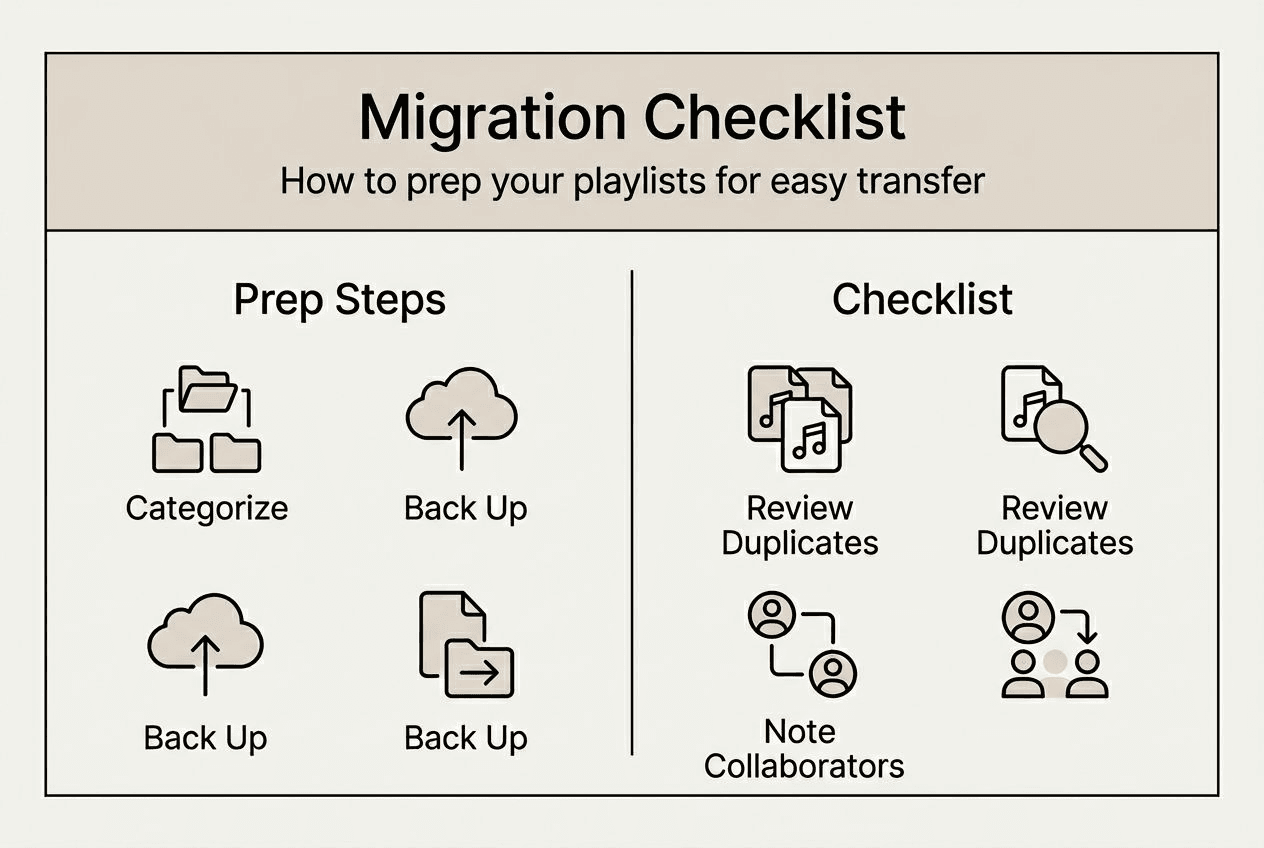
Check and note collaborators to retain permissions and shared context, especially for professionally curated or team-managed playlists. Document the exact number of tracks and playlist order to verify transfer completeness against the destination platform. Confirm account limits and understand the destination platform's playlist size restrictions, as some services cap individual playlists at specific track counts.
Test by transferring a small playlist first to identify possible issues related to metadata or DRM before committing your entire library. This trial run reveals platform-specific quirks and matching problems early in the process.
Comprehensive pre-migration checklist:
- Audit all playlists and remove duplicates using API tools or third-party services
- Export critical playlists to CSV or Excel files for backup and metadata preservation
- List all collaborative playlists and notify contributors about the upcoming migration
- Verify your destination platform account is active and has sufficient storage capacity
- Review regional licensing restrictions that might affect track availability on the new service
- Test transfer with a 10-20 track playlist to validate tool accuracy and metadata matching
- Document original playlist order, folder structure, and any custom descriptions or artwork
- Schedule the migration during low-activity periods to avoid interrupting active listening sessions
Following best practices in playlist migration ensures you maintain organizational structure and avoid data loss. Understanding how to cancel subscription without losing playlists protects your investment in curation even when switching services permanently.
This systematic preparation minimizes duplication and preserves playlist fidelity throughout the migration process, ensuring your music collection transfers intact with all metadata and organizational context preserved.
Effortless playlist migration with Free Your Music
Free Your Music offers comprehensive playlist transfer tools designed to handle duplication and metadata challenges across 50+ streaming platforms. The service supports various platforms including transfer SoundCloud to file backup for archival purposes and transfer file backup to SoundCloud for restoration needs.
Guided workflows ensure efficient migration while preserving playlist order and collaborators, with advanced duplicate detection preventing redundant tracks in your new library. The platform handles transfer Qobuz to file backup operations seamlessly, maintaining high-resolution audio metadata that audiophiles require. Ideal for users seeking reliable, professional migration solutions with backup options, Free Your Music eliminates manual playlist rebuilding and ensures your music collection transfers completely between any supported streaming services.
FAQ
How can I detect duplicate songs in my playlists?
Use dedicated tools or scripting via Spotify API to identify duplicates by comparing track metadata like ISRC codes, artist names, and track titles. Several third-party apps automate duplicate detection for ease, scanning entire libraries in minutes and highlighting exact matches or similar entries that likely represent duplicates.
What limitations should I expect when transferring playlists between services?
Some tracks may not transfer due to licensing or DRM restrictions that prevent certain songs from appearing on specific platforms. Regional availability of music licenses significantly impacts playlist transfer success, causing incomplete transfers when content isn't available in your location. Metadata differences cause mismatches requiring manual fixes, and account limits may cap transfer volume or batch sizes.
How do I preserve playlist order and collaboration history when migrating?
Prioritize playlists by importance to avoid accidental data loss during bulk transfers. Preserving playlists during music streaming service migration is crucial to maintain context and avoid productivity loss for professional users who rely on specific track sequences. Use transfer tools that support metadata and collaborator syncing, and backup playlists externally for emergency restoration if automated transfers encounter errors.
Can I transfer playlists without creating duplicates on the destination platform?
Yes, advanced transfer tools include duplicate detection that compares existing tracks on your destination platform before adding songs. This prevents creating redundant entries when you already have some tracks in your new service library. Always review transfer logs after completion to identify any unexpected duplicates that automated tools might have missed.
What happens to collaborative playlist permissions during migration?
Most transfer tools migrate only the playlist content, not collaborative permissions or contributor access. You need to manually re-invite collaborators on the destination platform and grant appropriate editing rights. Documenting collaborator lists before migration ensures you can quickly restore shared access after completing the transfer process.
Recommended


Migrate from and to any music services


Most popular Apple Music transfers: