Understanding Playlist Transfer Best Practices for Users
Understanding Playlist Transfer Best Practices for Users
Moving playlists between music apps sounds like a nightmare. You might picture losing years of carefully built playlists just to try a new app.
The good news: modern playlist transfer tools move your whole collection in minutes. They do more than copy songs. They also keep your original song order and feel intact, no matter where you listen next.
Table of Contents
- What Is Playlist Transfer and Why It Matters
- Understanding the Core Concept
- Why Seamless Migration Matters
- Key Concepts in Playlist Transfer Technology
- Metadata Matching and Song Recognition
- Intelligent Song Mapping
- Streaming Service Compatibility
- Technical Barriers Between Apps
- Licensing and Ownership Issues
- Best Practices for Preserving Music Integrity
- Maintaining Audio and Metadata Quality
- Protecting Playlist Structure
- Real-World Uses for Playlist Transfer Tools
- Professional and Creative Uses
- Everyday Personal Use
Quick Summary
| Takeaway | What It Means |
|---|---|
| Use a playlist transfer tool | Move your music collection between apps fast, without rebuilding it by hand. |
| Keep playlist order and metadata | Good tools keep your song order and details accurate, so playlists sound the same. |
| Know the differences between services | Each app has its own catalog and rules. Knowing this helps you avoid transfer problems. |
| Check audio quality after transfer | Look for tools that verify sound quality, so nothing gets lost in the move. |
| Adapt as apps change | Transfer tools help you switch apps quickly, without losing your playlists. |
What Is Playlist Transfer and Why It Matters
Playlist transfer means moving your playlists from one music app to another. It saves you from rebuilding your playlists by hand.
Understanding the Core Concept
A playlist transfer copies a playlist's songs and order from one app to a new one. Good transfer tools do more than match songs.
They also consider things like:
- Keeping your playlist's original order
- Matching each song's details correctly
- Handling songs that are missing from the new app
- Requiring little to no work from you
Why Seamless Migration Matters
More people switch music apps than ever before. Streaming apps compete on price, features, and exclusive songs.
Without a good transfer tool, you risk losing playlists you spent years building. This matters most for:
- People with large music libraries
- DJs who rely on performance playlists
- Anyone trying a new app's features
- Listeners chasing better recommendations
Want to see this in action? Check out our playlist transfer guide for a real example.
Key Concepts in Playlist Transfer Technology
Playlist transfer tools connect different music apps behind the scenes. They rely on song matching and smart mapping to move your music correctly.
Metadata Matching and Song Recognition
Metadata matching is the core of any transfer tool. It means comparing song details, like track name, artist, album, and length, across two apps.
This process uses:
- Fuzzy matching, which allows for small differences in song details
- Machine learning to spot similar songs
- Database comparisons between apps
- Audio fingerprinting to confirm exact matches
Intelligent Song Mapping
Good transfer tools do not just match songs one-to-one. They also weigh things like audio quality and each app's catalog.
This helps keep your playlist's original feel. The mapping process looks for, in order:
- An exact match with the same song details
- A similar version with close audio quality
- An alternate version, like a live recording, if no exact match exists
- Your own saved preferences for picking matches
Curious how this works in practice? See our full playlist migration guide.
Streaming Service Compatibility
Every music app has its own catalog, song details, and licensing deals. These differences can make playlist transfers tricky.
Technical Barriers Between Apps
Each app is built differently, and that affects how well playlists transfer. Catalog differences are the biggest issue. Every app licenses its own music, so not every song is available everywhere.
Other common technical hurdles:
- Different audio file formats
- Different ways of storing song details
- App-specific copy protection systems
- Unique song ID systems for each app
Licensing and Ownership Issues
Licensing deals also affect what can transfer. Record labels, artists, and apps all negotiate separate agreements. These agreements decide which songs are available and where.
Common licensing issues include:
- Songs blocked in certain regions
- Songs exclusive to one app
- Deals specific to one artist
- Licenses that expire or change over time
See how we handle cross-platform transfers for more on navigating these issues.
The table below compares the main technical and licensing hurdles you may run into.
| Compatibility Challenge | What It Means |
|---|---|
| Catalog differences | Each app licenses its own music, so some songs may be missing on the new app. |
| Audio format differences | Apps may use different audio formats, which can affect the transfer. |
| Metadata differences | Apps store song details differently, which can cause mismatches. |
| Digital rights management (DRM) | Copy protection can block some tracks from transferring. |
| Song ID systems | Each app IDs songs differently, making automatic matching harder. |
| Regional restrictions | Some songs are only available in certain countries. |
| Exclusive rights | Some content is only available on one app. |
Best Practices for Preserving Music Integrity
Keeping your music intact during a transfer means protecting audio quality and playlist structure. Good tools use several strategies to avoid data loss.
Maintaining Audio and Metadata Quality
Audio preservation matters most during a transfer. Reliable tools use checks to confirm each song transferred correctly.
These checks typically include:
- Creating a unique ID for each track to confirm its identity
- Comparing audio fingerprints between apps
- Watching for any drop in audio quality
- Keeping backups in case something goes wrong
Protecting Playlist Structure
Beyond individual songs, keeping your playlist structure intact matters too. This means preserving song order, groupings, and context, not just the songs themselves.
Key things to protect:
- Original track order
- Playlist folders or groupings
- Notes or tags you added yourself
- Limits specific to the new app
Explore our playlist migration strategies to learn more about protecting your playlists during a move.
Real-World Uses for Playlist Transfer Tools
Playlist transfer tools help more than casual listeners. They solve real problems for professionals and everyday music fans alike.
Professional and Creative Uses
Music professionals rely heavily on transfer tools. DJs, producers, and radio hosts need to move complex playlists fast, without losing structure.
Common professional uses:
- Prepping playlists for live shows
- Consolidating libraries during app switches
- Backing up large music collections
- Managing playlists across a team
Everyday Personal Use
Everyday listeners use transfer tools just as often. These tools let you adapt your library as apps, prices, and preferences change.
Common personal uses:
- Moving your library when you change subscriptions
- Keeping your carefully built playlists safe
- Trying new apps without losing old playlists
- Backing up your personal music library
See our multi-platform music management guide for more real-world examples.
| User Type | Common Uses |
|---|---|
| Professionals (DJs, producers) | Prepping for shows, consolidating libraries, backups, team collaboration |
| Personal listeners | Switching apps, preserving playlists, exploring new services, backups |
Effortless Playlist Transfer With Free Your Music
Tired of the hassle of moving playlists between apps? Now you know the best practices. Protecting your song order and audio quality matters most.
Most people run into three problems: lost song order, mismatched tracks, and hours spent rebuilding playlists by hand. Free Your Music was built to solve all three.
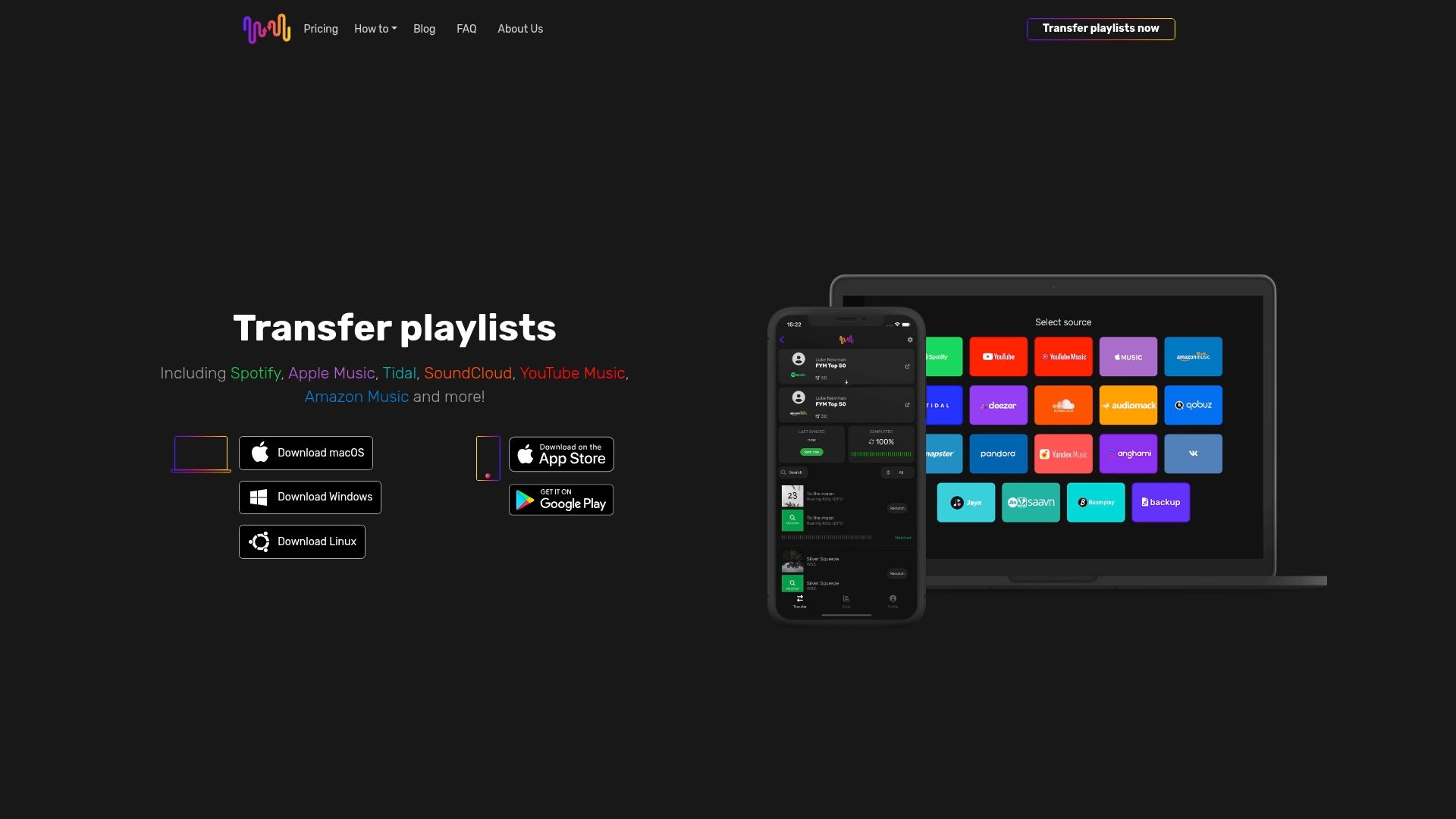
With Free Your Music, you get:
- Accurate song matching across 18 supported streaming services
- A free tier that transfers your first 600 songs, no cost
- Unlimited transfers with Premium, plus auto-sync every 15 minutes
- Apps for iPhone, Android, Mac, Windows, and Linux
- Reliable support when you need it
Don't let platform limits or slow transfers get in the way. Visit FreeYourMusic.com and move your playlists today.
Frequently Asked Questions
What is playlist transfer?
Playlist transfer moves your music playlists from one streaming app to another. You do not need to rebuild them by hand.
Why does playlist transfer matter for music lovers?
It lets you keep your carefully built playlists when you switch apps. Without it, you risk losing your music collection and experience.
How does metadata matching work?
Metadata matching compares song details, like track name and artist, across two apps. This helps the tool find the right matching song on the new app.
What are the best practices for a successful transfer?
Check your audio quality after the transfer. Keep your original playlist order. Use a tool built to handle differences between streaming services.

Your playlists belong to you.
Stop rebuilding by hand. Move everything in minutes and take your music wherever you go. Every transfer is free. No card.
Move my music free →SongsBrew — our free music newsletter
A free perk for FYM users. Tips, playlists, no spam.