Lossless Music Streaming in 2026: Is Hi-Res Audio Actually Worth It?
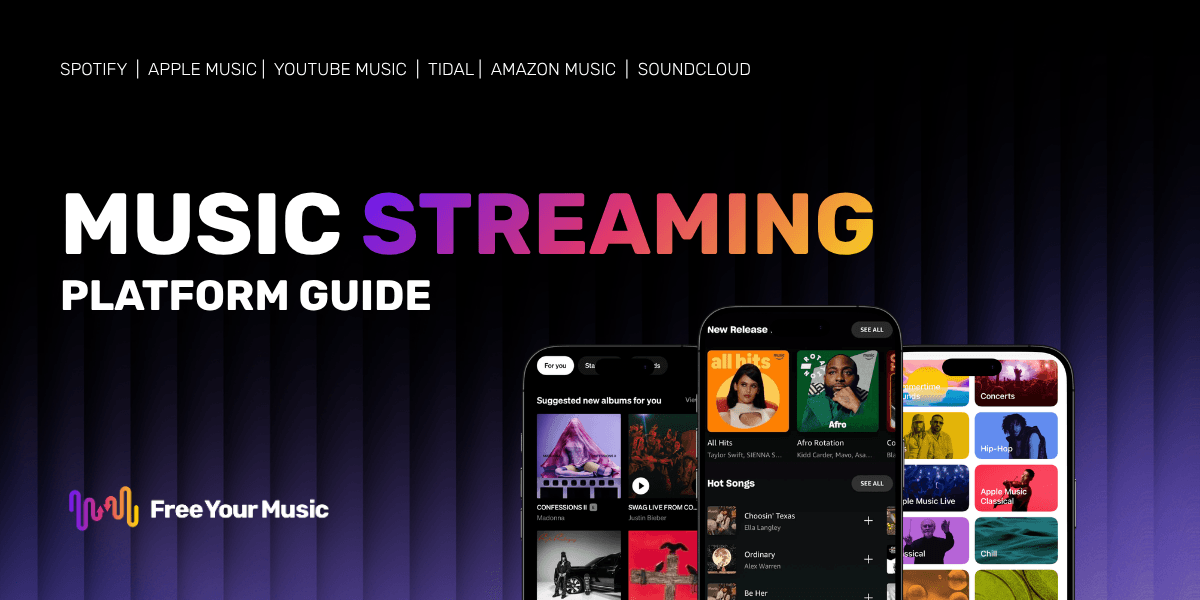
You keep hearing about lossless audio and hi-res streaming tiers. Every major music platform now promotes studio-quality sound. But is lossless music streaming actually worth your money, or is it just another marketing buzzword?
This guide breaks down what lossless audio really means, which services offer it, and whether your ears (and your gear) can tell the difference. By the end, you will know exactly whether upgrading makes sense for you.
What Is Lossless Music Streaming?
Lossless music streaming delivers songs in a format that preserves every detail from the original studio recording. Unlike standard streaming, nothing gets cut or compressed away. You hear the music exactly as the artist and engineer intended, with full dynamic range and clarity.
Lossless vs Lossy: The Key Difference
When you stream music on most platforms at default settings, you hear lossy audio. Lossy formats like MP3 and AAC shrink file sizes by removing audio data that algorithms consider "less important." This keeps data usage low, but it strips away subtle details like the decay of a cymbal or the texture of a vocalist's breath.
Lossless formats keep all that data intact. The files are larger, but nothing from the original recording gets thrown away. Think of it like this: lossy is a JPEG photo (compressed, some detail lost), while lossless is a PNG (full quality preserved).
Here is a quick comparison:
| Feature | Lossy (MP3/AAC) | Lossless (FLAC/ALAC) |
|---|---|---|
| Audio data removed? | Yes | No |
| Typical bitrate | 128-320 kbps | 800-9,216 kbps |
| File size (per song) | 3-8 MB | 20-100 MB |
| Sound quality | Good | Studio-quality |
| Data usage | Low | High |
Common Lossless Formats (FLAC, ALAC, MQA)
Not all lossless formats work the same way. Here are the three you will encounter most often:
- FLAC (Free Lossless Audio Codec): The most widely supported open-source lossless format. Most streaming services and devices support FLAC natively. It compresses files without losing any audio data.
- ALAC (Apple Lossless Audio Codec): Apple's own lossless format, used across Apple Music and Apple devices. It delivers the same quality as FLAC but works best within the Apple ecosystem.
- MQA (Master Quality Authenticated): A format that folds hi-res audio into smaller files. Tidal has used MQA extensively, though some audiophiles debate whether it qualifies as truly lossless since it uses a form of lossy compression in its "folding" process.
For most listeners, FLAC and ALAC deliver excellent results. The format matters less than whether your streaming service and playback device support lossless output at all.
Which Streaming Services Offer Lossless Audio in 2026?
Most major streaming platforms now offer some form of lossless or hi-res audio. The biggest differences come down to pricing, catalog depth, and maximum audio quality. Here is how the top services compare in 2026.
| Service | Lossless Tier | Max Quality | Lossless Format | Extra Cost? |
|---|---|---|---|---|
| Apple Music | All plans | 24-bit/192 kHz | ALAC | No (included) |
| Tidal | HiFi / HiFi Plus | 24-bit/192 kHz | FLAC/MQA | Included in HiFi plans |
| Amazon Music | Unlimited | 24-bit/192 kHz | FLAC | No (included) |
| Qobuz | Studio/Sublime | 24-bit/192 kHz | FLAC | Included in all plans |
| Deezer | HiFi | 16-bit/44.1 kHz (FLAC) | FLAC | HiFi tier required |
| Spotify | Spotify HiFi | Up to 24-bit/48 kHz | Not confirmed | Premium add-on |
Key takeaways:
- Apple Music and Amazon Music include lossless at no extra charge, making them the best value if you just want CD-quality or better.
- Tidal and Qobuz target serious audiophiles with extensive hi-res catalogs and higher max resolutions.
- Spotify finally rolled out its HiFi tier, but details on format and max resolution remain limited compared to competitors.
- Deezer offers CD-quality FLAC streaming but does not go as high on resolution as some rivals.
Want to explore which services work with your setup? Check out Free Your Music's full list of supported music services to see all your options.
Can You Actually Hear the Difference?
This is the question everyone asks. The honest answer: it depends on your ears, your equipment, and how closely you listen. Most people notice a difference between low-bitrate lossy audio (128 kbps) and lossless, but the gap between high-quality lossy (320 kbps AAC) and lossless becomes much harder to detect.
What the Research Says
Multiple blind listening tests show that most people struggle to distinguish 320 kbps AAC from CD-quality lossless audio (16-bit/44.1 kHz). A well-known study by the Audio Engineering Society found that trained listeners could only reliably tell the difference about 60% of the time under ideal conditions.
However, hi-res audio (24-bit/96 kHz and above) tells a slightly different story. Listeners with trained ears and quality equipment do report hearing:
- Greater depth and separation between instruments
- Smoother highs without digital harshness
- More natural dynamics in acoustic and classical recordings
- Better spatial imaging in well-mastered tracks
The biggest factor is not the format itself but the mastering quality. A well-mastered track at 320 kbps often sounds better than a poorly mastered hi-res file. Lossless streaming gives you access to the best possible version of each recording, but only if the recording itself was made and mastered well.
Equipment You Need for Hi-Res Audio
Lossless audio only makes a real difference if your playback chain supports it. Here is what you need:
-
Headphones or speakers: Quality matters most here. Over-ear headphones from brands like Sennheiser, Beyerdynamic, or Audio-Technica (starting around $100-150) will reveal details that earbuds cannot. Studio monitors or quality bookshelf speakers also work well.
-
DAC (Digital-to-Analog Converter): Your phone or laptop's built-in DAC may not support hi-res output. An external USB DAC (starting at $30-50) ensures your device can actually decode and output the full lossless signal.
-
Wired connection: Bluetooth compresses audio, so even with lossless streaming, a wireless connection bottlenecks the quality. Use wired headphones or a wired connection to your speakers for the full benefit. (Some newer Bluetooth codecs like LDAC and aptX Lossless are closing this gap, but wired remains the gold standard.)
-
Streaming settings: Make sure you set your streaming app to output at the highest quality. Many apps default to a lower setting to save data.
Already have playlists on one service? If you are thinking about moving to a platform with better lossless support, Free Your Music makes it easy to transfer all your playlists, liked songs, and albums in just a few minutes. No need to rebuild your library from scratch.
Lossless Streaming: Price vs Quality Breakdown
Before you commit to an upgrade, take a look at what each tier actually costs and what you get for your money.
| Service | Monthly Price | Audio Quality | Spatial Audio | Offline Lossless |
|---|---|---|---|---|
| Apple Music | $10.99 | Up to 24-bit/192 kHz | Dolby Atmos | Yes |
| Tidal HiFi | $10.99 | Up to 24-bit/192 kHz | Dolby Atmos | Yes |
| Tidal HiFi Plus | $19.99 | Up to 24-bit/192 kHz | Dolby Atmos + 360 | Yes |
| Amazon Music Unlimited | $9.99 | Up to 24-bit/192 kHz | 360 Reality Audio | Yes |
| Qobuz Studio | $12.99 | Up to 24-bit/192 kHz | No | Yes |
| Deezer HiFi | $14.99 | 16-bit/44.1 kHz | 360 by Deezer | Yes |
| Spotify HiFi | ~$12.99 | Up to 24-bit/48 kHz | Not confirmed | Limited |
Best value picks:
- Apple Music and Amazon Music Unlimited give you hi-res lossless at the lowest monthly price, with no separate upgrade needed.
- Qobuz stands out for its focus on pure audio quality and its curated editorial content for audiophiles.
- Tidal offers the richest feature set for serious listeners who want both hi-res audio and immersive spatial sound.
For a deeper look at how some of these services compare head-to-head, check out our Qobuz vs Spotify comparison or learn more about what Tidal offers and its music plans and sound quality tiers.
How to Switch to a Lossless Streaming Service
Ready to upgrade your listening experience? Switching services does not have to mean losing your carefully curated music library. Here is how to make the move:
-
Pick the right service for you. Consider your budget, the devices you use, and whether features like spatial audio matter to you. If you are an iPhone user, Apple Music's seamless integration is hard to beat. If pure audio quality is your priority, Qobuz and Tidal lead the pack.
-
Transfer your music library. This is where most people get stuck. Nobody wants to spend hours manually recreating playlists. Free Your Music solves this by transferring your playlists, liked songs, and albums between any major streaming platforms. The whole process takes just a few minutes.
-
Set up your equipment. Connect your DAC, grab your best headphones, and adjust the streaming quality settings in your new app. Make sure lossless output is enabled (it is sometimes off by default to conserve data).
-
Test with familiar tracks. Play songs you know well and listen for details you might have missed before. Acoustic recordings, jazz, classical, and well-produced pop tracks tend to showcase lossless quality best.
-
Manage your data. Lossless files use significantly more data than standard streams. Download your favorite albums over Wi-Fi for offline listening, and keep an eye on your mobile data if you stream on the go.
Looking for the best app to enjoy your new lossless library on your phone? Our guide to the best music apps for Android covers the top options.
FAQ
Is lossless audio the same as hi-res audio?
Not exactly. Lossless means no audio data is lost during compression (CD quality: 16-bit/44.1 kHz). Hi-res audio goes beyond CD quality with higher bit depths and sample rates (typically 24-bit/96 kHz or 24-bit/192 kHz). All hi-res audio is lossless, but not all lossless audio is hi-res.
Do I need expensive headphones to hear lossless audio?
You do not need to spend a fortune, but basic earbuds will not reveal the full benefit. A good pair of wired over-ear headphones in the $100-200 range will let you hear the difference. Pairing them with an external DAC will get you even closer to the full lossless experience.
Does Bluetooth support lossless audio?
Standard Bluetooth codecs (SBC, AAC) compress audio and cannot transmit lossless quality. Newer codecs like LDAC and aptX Lossless come closer, but wired connections still deliver the most reliable lossless playback. If you listen wirelessly, make sure your headphones and phone both support one of these newer codecs.
How much data does lossless streaming use?
Lossless streaming uses roughly 3-5 times more data than standard quality. A single hour of CD-quality lossless streaming uses about 600-700 MB, compared to 150 MB for standard quality. Hi-res streams can use over 1 GB per hour. Download tracks over Wi-Fi for offline listening to manage your data budget.
Can I transfer my playlists if I switch to a lossless service?
Yes. Free Your Music lets you transfer playlists, liked songs, and albums between all major streaming services in minutes. You will not lose a single track when you switch. Check out the full list of supported services to see if your platforms are covered.
Is lossless streaming worth it in 2026?
For most casual listeners using standard earbuds over Bluetooth, the difference will be minimal. But if you have quality headphones or a home audio setup and you care about hearing every detail in your music, lossless streaming is worth it. The good news: services like Apple Music and Amazon Music now include it at no extra cost, so you may already have access.
What is the best lossless streaming service?
It depends on your priorities. Apple Music and Amazon Music Unlimited offer the best value with lossless included at base price. Tidal and Qobuz serve audiophiles with deeper hi-res catalogs and more advanced features. The best choice is the one that fits your device ecosystem, budget, and listening habits.
Ready to take control of your music? Transfer your playlists in minutes with Free Your Music.
Moving away from Tidal?
Stop rebuilding by hand. Move everything in minutes and take your music wherever you go.
Download free →SongsBrew — our free music newsletter
A free perk for FYM users. Tips, playlists, no spam.