Präzise Playlist-Übertragung – Musiksammlungen bewahren

Die meisten amerikanischen Musikfans sind überrascht, wenn sie erfahren, dass beim Übertragen zwischen Streaming-Plattformen fast 30 Prozent der Playlist-Titel verloren gehen oder falsch zugeordnet werden. Den musikalischen Fluss und die emotionale Wirkung einer Playlist zu bewahren, ist entscheidend – besonders für DJs und passionierte Sammler. Dieser Leitfaden beleuchtet Mythen und Herausforderungen beim Playlist-Umzug und zeigt praktische Möglichkeiten, deine sorgfältig zusammengestellten Musiksammlungen zu schützen und bei jeder Übertragung die richtigen Songs zu finden.
Inhaltsverzeichnis
- Was eine präzise Playlist-Übertragung ausmacht und welche Mythen es gibt
- So funktionieren Playlist-Abgleich und Song-Zuordnung
- Wichtige Merkmale, die das Übertragungsergebnis beeinflussen
- Risiken durch Datenverlust und beschädigte Playlist-Strukturen
- Bewährte Methoden für zuverlässige Playlist-Übertragungen
Das Wichtigste auf einen Blick
| Punkt | Details |
|---|---|
| Komplexität der Übertragung verstehen | Bei Playlist-Übertragungen spielen zahlreiche technische Faktoren wie Lizenzen und Metadatenstandards eine Rolle. Dadurch sind sie komplexer als einfache Dateiübertragungen. |
| Playlist sichern | Erstelle vor jeder Übertragung eine vollständige Sicherung deiner Playlist samt Metadaten, um Datenverlust vorzubeugen. |
| Kompatibilität prüfen | Prüfe die Kompatibilität der Streaming-Plattformen, um Übertragungsfehler und Abweichungen bei Titeln zu reduzieren. |
| Testübertragungen durchführen | Führe zunächst Testübertragungen mit kleineren Playlists durch, um mögliche Probleme vor dem Umzug größerer Sammlungen zu erkennen. |
Was eine präzise Playlist-Übertragung ausmacht und welche Mythen es gibt
Die Genauigkeit einer Playlist-Übertragung beschreibt, wie präzise und vollständig digitale Musiksammlungen zwischen verschiedenen Streaming-Plattformen übertragen werden können. Anders als bei einfachen Dateiübertragungen erfordert der Umzug von Musikplaylists einen komplexen algorithmischen Abgleich, der Metadaten, akustische Fingerabdrücke und plattformspezifische Einschränkungen berücksichtigt. Algorithmisch zusammengestellte Playlists beeinflussen den Musikkonsum erheblich und verdeutlichen, wie vielschichtig die Herausforderungen einer präzisen Playlist-Übertragung sind.
Die meisten Musikfans begegnen einigen hartnäckigen Mythen rund um den Playlist-Umzug. Viele gehen davon aus, dass sich Playlists ganz einfach eins zu eins übertragen lassen und jeder einzelne Titel problemlos auf der anderen Plattform landet. Die Realität ist jedoch deutlich komplexer. Streaming-Dienste nutzen unterschiedliche Metadatenstandards, Lizenzvereinbarungen und Musikkataloge, die sich auf die Verfügbarkeit und die genaue Zuordnung von Songs auswirken können. Manche Titel sind möglicherweise nicht verfügbar, werden durch andere Versionen ersetzt oder fehlen nach der Übertragung ganz.
Zu den wichtigsten Faktoren für die Genauigkeit einer Playlist-Übertragung zählen regionale Musiklizenzen, die Verfügbarkeit von Titeln, plattformspezifische Metadatenstandards und die Leistungsfähigkeit der Zuordnungsalgorithmen. Streaming-Plattformen bieten nicht durchgehend identische Musikbibliotheken. Ein Titel kann deshalb bei einem Dienst verfügbar sein und bei einem anderen fehlen. Professionelle Musikkuratoren und DJs erleben häufig die Enttäuschung, dass sich sorgfältig zusammengestellte Playlists bei anderen Streaming-Diensten nicht exakt nachbilden lassen.
So wirken sich die wichtigsten Faktoren auf das Ergebnis einer Playlist-Übertragung aus:
| Faktor | Typische Auswirkung | Beispiel für ein Problem |
|---|---|---|
| Regionale Lizenzen | Eingeschränkte Verfügbarkeit von Titeln | Bestimmte Songs sind nicht freigegeben |
| Metadatenstandards | Abweichende Song-Angaben | Die falsche Titelversion wird zugeordnet |
| Unterschiede im Katalog | Unvollständige Playlist-Übertragung | Einige Titel fehlen |
| Genauigkeit der Algorithmen | Ungenaue Song-Zuordnung | Andere Titel werden als Ersatz eingefügt |
Profi-Tipp: Erstelle vor jeder Playlist-Übertragung eine Sicherung deiner ursprünglichen Playlist und prüfe die Übertragungsvorschau, um mögliche Abweichungen bei der Song-Zuordnung zu erkennen.
So funktionieren Playlist-Abgleich und Song-Zuordnung
Playlist-Abgleich und Song-Zuordnung sind anspruchsvolle technische Verfahren, die eine nahtlose Übertragung von Musiksammlungen zwischen verschiedenen Streaming-Plattformen ermöglichen. Im Kern kommen dabei komplexe probabilistische Einbettungsmodelle zum Einsatz, die anhand historischer Playlist-Daten trainiert werden und Beziehungen zwischen Songs sowie Ähnlichkeiten ihrer Metadaten analysieren. Diese fortschrittlichen Algorithmen überführen Songs und die zugehörigen Tags in einen gemeinsamen metrischen Raum. So lassen sie sich präzise vergleichen und zuordnen.
Der technische Ablauf des Playlist-Abgleichs umfasst mehrere komplexe Schritte. Hybride Modelle zur Playlist-Fortsetzung kombinieren verschiedene Merkmale, darunter Audioeigenschaften, von Nutzern vergebene Tags, Hörverläufe und plattformspezifische Metadaten, um vorherzusagen, welche Songs zusammenpassen. Diese ausgefeilten Algorithmen ordnen Titel nicht nur zu, sondern bewerten auch, wie gut einzelne Songs in die Struktur einer bestehenden Playlist passen könnten. Einige Zuordnungsverfahren nutzen Modelle des maschinellen Lernens, die sowohl häufig vorkommende als auch seltene Titel in den ursprünglichen Playlists erkennen können. Das ermöglicht eine differenziertere und genauere Übertragung.
Plattformspezifische Herausforderungen erschweren die Song-Zuordnung zusätzlich, da jeder Streaming-Dienst eigene Musikkataloge, Lizenzvereinbarungen und Metadatenstandards pflegt. Innovative Modelle zur Playlist-Fortsetzung helfen, diese Unterschiede auszugleichen, indem sie mehrdimensionale Merkmale nutzen, die über einfache Vergleiche einzelner Titel hinausgehen. Der Abgleich berücksichtigt Faktoren wie Genreähnlichkeiten, akustische Eigenschaften, Hörgewohnheiten und frühere Playlist-Zusammenstellungen. Dadurch soll die Übertragung genauer werden und möglichst wenige Songs sollen beim Umzug ersetzt werden oder entfallen.
Profi-Tipp: Prüfe deine übertragene Playlist immer manuell und lege eine Sicherung des Originals an, damit beim Umzug keine wichtigen Titel unbemerkt verloren gehen.
Wichtige Merkmale, die das Übertragungsergebnis beeinflussen
Wie genau eine Playlist übertragen wird, hängt vom komplexen Zusammenspiel verschiedener technischer und musikalischer Merkmale ab. Sie bestimmen, wie erfolgreich der Umzug einer Musiksammlung zwischen Streaming-Plattformen verläuft. Der musikalische Zusammenhalt einer Playlist ist dabei ein entscheidender Faktor. Bestimmte Eigenschaften beeinflussen den Übertragungsprozess besonders stark: die Länge der Playlist, die Beliebtheit der Titel, die Anzahl früherer Bearbeitungen und der Umfang, in dem mehrere Personen an der Erstellung beteiligt waren.
Die strukturelle Komplexität einer Playlist spielt eine zentrale Rolle für die Übertragungsgenauigkeit. Längere Playlists weisen tendenziell einen stärkeren musikalischen Zusammenhalt auf und bewahren bei Übertragungen eher ihren ursprünglichen musikalischen Charakter. Bei häufig bearbeiteten Playlists oder solchen, die aus sehr unterschiedlichen Quellen zusammengestellt wurden, können dagegen größere Brüche auftreten. Faktoren wie einheitliche Genres, die Titelreihenfolge und die ursprüngliche Art der Zusammenstellung beeinflussen direkt, wie wahrscheinlich die musikalische Dramaturgie und das Hörerlebnis erhalten bleiben.
Technische Unterschiede bei den Metadaten der Streaming-Plattformen erschweren die Übertragung zusätzlich. Verschiedene Dienste verwenden eigene Katalogisierungssysteme, Standards zur Audiocodierung und Lizenzvereinbarungen. Das kann zu Unterschieden bei der Verfügbarkeit von Titeln und der Genauigkeit ihrer Zuordnung führen. Professionelle Musikkuratoren und Musikfans müssen Details wie Audioqualität, Vollständigkeit der Titelmetadaten, regionale Lizenzbeschränkungen und Unterschiede zwischen den Musikbibliotheken berücksichtigen. Diese technischen Einschränkungen können zu unvollständigen Playlist-Übertragungen, ersetzten Titeln oder unerwarteten Auslassungen führen, die die ursprüngliche musikalische Zusammenstellung grundlegend verändern.

Profi-Tipp: Sichere vor dem Umzug die Titeldetails deiner Playlist in einer Tabelle. Halte Songtitel, Künstler und Albuminformationen fest, damit du die Übertragung anschließend manuell auf Genauigkeit prüfen kannst.
Risiken durch Datenverlust und beschädigte Playlist-Strukturen
Beim Übertragen von Musikplaylists bestehen erhebliche Risiken für Datenverlust und strukturelle Veränderungen, die eine sorgfältig zusammengestellte Musiksammlung grundlegend beeinträchtigen können. Forschung zu Datenrepositorien zeigt kritische Schwachstellen bei der langfristigen Erhaltung digitaler Daten und verdeutlicht das Risiko, dass Musiksammlungen bei einem Plattformwechsel dauerhaft lückenhaft werden. Dahinter stehen verschiedene technische und metadatenbezogene Herausforderungen, die Playlists teilweise oder vollständig auseinanderreißen können.
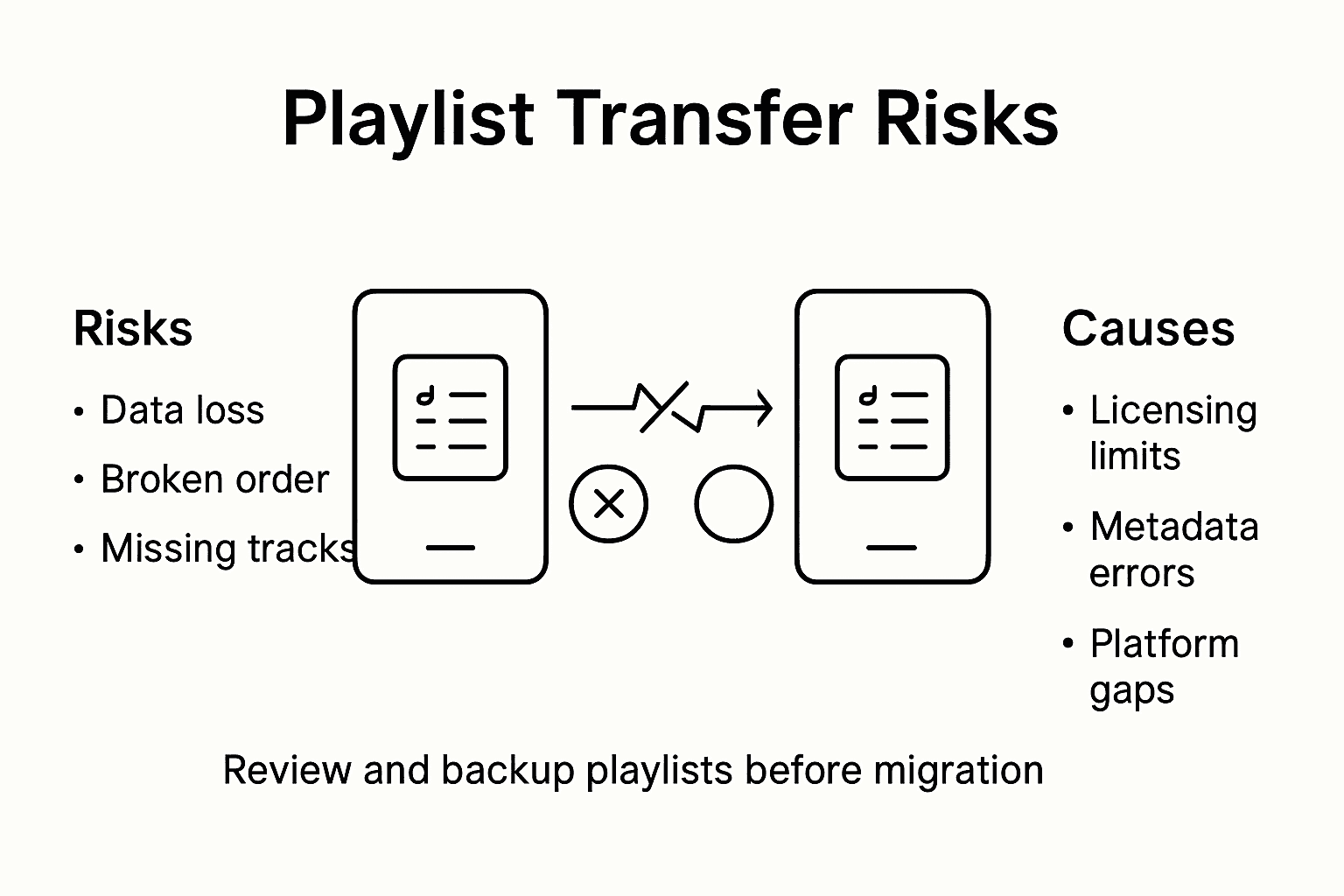
Die strukturelle Integrität von Playlists ist bei Übertragungen mehrfach gefährdet. Abweichende Metadaten zwischen Streaming-Plattformen können dazu führen, dass Titel entfallen, ersetzt oder falsch zugeordnet werden. Dadurch können sich der musikalische Fluss und die emotionale Entwicklung der ursprünglichen Playlist verändern. Zu den konkreten Risiken zählen fehlende Titel aufgrund unterschiedlicher Lizenzen, abweichende Songversionen, regionale Musikbeschränkungen und Unterschiede zwischen den Plattformkatalogen. Musiker, DJs und Musikfans mit akribisch zusammengestellten Playlists sind von solchen potenziell gravierenden Übertragungsproblemen besonders betroffen.
Technische Komplikationen erhöhen das Risiko von Datenverlust zusätzlich. Streaming-Plattformen verwenden unterschiedliche Standards zur Audiocodierung, Metadatenklassifikationen und Modelle für den Aufbau von Playlists. Das kann beim Umzug erhebliche Schwierigkeiten bei der Überführung der Daten verursachen. Die Titelreihenfolge, Elemente gemeinsam bearbeiteter Playlists, von Nutzern erstellte Anmerkungen und Playlist-Ordnerstrukturen können vollständig verloren gehen oder stark verändert werden. Bei komplexen, aufwendig kuratierten Playlists – etwa für professionelle Musikprogramme oder bestimmte Veranstaltungen – ist das Risiko besonders hoch, dass ihre Struktur bei der Übertragung verloren geht.
Profi-Tipp: Erstelle vor jeder Playlist-Übertragung eine umfassende Sicherungstabelle mit vollständigen Titelmetadaten. Dazu gehören Songtitel, Künstler, Albumdetails und die ursprüngliche Reihenfolge, damit du die Playlist bei Bedarf manuell wiederherstellen kannst.
Bewährte Methoden für zuverlässige Playlist-Übertragungen
Zuverlässige Playlist-Übertragungen erfordern ein planvolles Vorgehen, das Datenverlust minimiert und die Musiksammlung vollständig erhält. Bewährte Methoden für die Playlist-Übertragung zu kennen ist für Musikfans entscheidend, die den emotionalen Charakter und die Struktur ihrer sorgfältig zusammengestellten Playlists bewahren möchten. Ein erfolgreicher Umzug verlangt gründliche Vorbereitung, technisches Verständnis und vorausschauende Maßnahmen zur Sicherung.
Die Vorbereitung der Übertragung umfasst mehrere wichtige Schritte. Prüfe zunächst deine Playlist umfassend und dokumentiere die vollständigen Metadaten jedes Titels: Songtitel, Künstler, Album, Erscheinungsjahr und ursprüngliche Position in der Playlist. Professionelle Musikkuratoren empfehlen Sicherungen in mehreren Formaten – digitale Tabellen, Screenshots und manuell erstellte Titellisten –, um auf mehrere unabhängige Sicherungsmöglichkeiten zurückgreifen zu können. Wer vor dem Umzug detaillierte Titelinformationen festhält, schafft ein Sicherheitsnetz und kann die Playlist manuell wiederherstellen, falls bei der automatischen Übertragung Probleme auftreten.
Zu den technischen Maßnahmen für zuverlässige Playlist-Übertragungen gehören die Auswahl von Übertragungstools mit leistungsfähigen Zuordnungsalgorithmen, das Verständnis plattformspezifischer Metadatenstandards und eine vorherige Kompatibilitätsprüfung. Prüfe die Verfügbarkeit der Titel auf den Zielplattformen, achte auf mögliche Versionsunterschiede und berücksichtige potenzielle Schwierigkeiten bei der Überführung der Metadaten. Fortgeschrittene Nutzer können zunächst kleinere, repräsentative Playlists testweise übertragen, um mögliche Probleme zu erkennen, bevor sie ihre gesamte Musiksammlung umziehen. Plattformspezifische Besonderheiten wie regionale Musiklizenzen, Standards zur Audiocodierung und Katalogunterschiede müssen sorgfältig berücksichtigt werden, um Störungen bei der Übertragung zu minimieren.
Die folgende Tabelle fasst technische Merkmale zusammen, die du vor einer Playlist-Übertragung prüfen solltest:
| Zu prüfendes Merkmal | Warum es wichtig ist | So prüfst du es |
|---|---|---|
| Audiocodierung | Sichert eine gleichbleibende Qualität | Abtastraten vergleichen |
| Playlist-Struktur | Bewahrt musikalischen Fluss und Reihenfolge | Reihenfolge in der Vorschau prüfen |
| Titelmetadaten | Ermöglichen die genaue Song-Erkennung | Tags prüfen: Künstler, Album, Jahr |
| Plattformkompatibilität | Reduziert Übertragungsfehler | Kleine Beispiel-Playlist testweise übertragen |
Profi-Tipp: Führe zunächst eine Testübertragung mit einer kleinen, repräsentativen Playlist durch. So erkennst du mögliche Probleme bei der Zuordnung und Übertragung, bevor du deine gesamte Musiksammlung umziehst.
Bewahre deine Playlists bei der Musikübertragung
Dieser Artikel zeigt die konkreten Herausforderungen einer präzisen Playlist-Übertragung: abweichende Metadaten, nicht verfügbare Titel und beschädigte Strukturen. Diese Probleme können beim Umzug einer Musiksammlung zwischen Streaming-Plattformen zu frustrierendem Datenverlust führen und den musikalischen Fluss einer Playlist stören. Wenn du deine sorgfältig zusammengestellten Playlists bewahren möchtest, ohne fehlende Titel oder falsch zugeordnete Songs zu riskieren, brauchst du eine Lösung, die für diese komplexen Anforderungen entwickelt wurde.
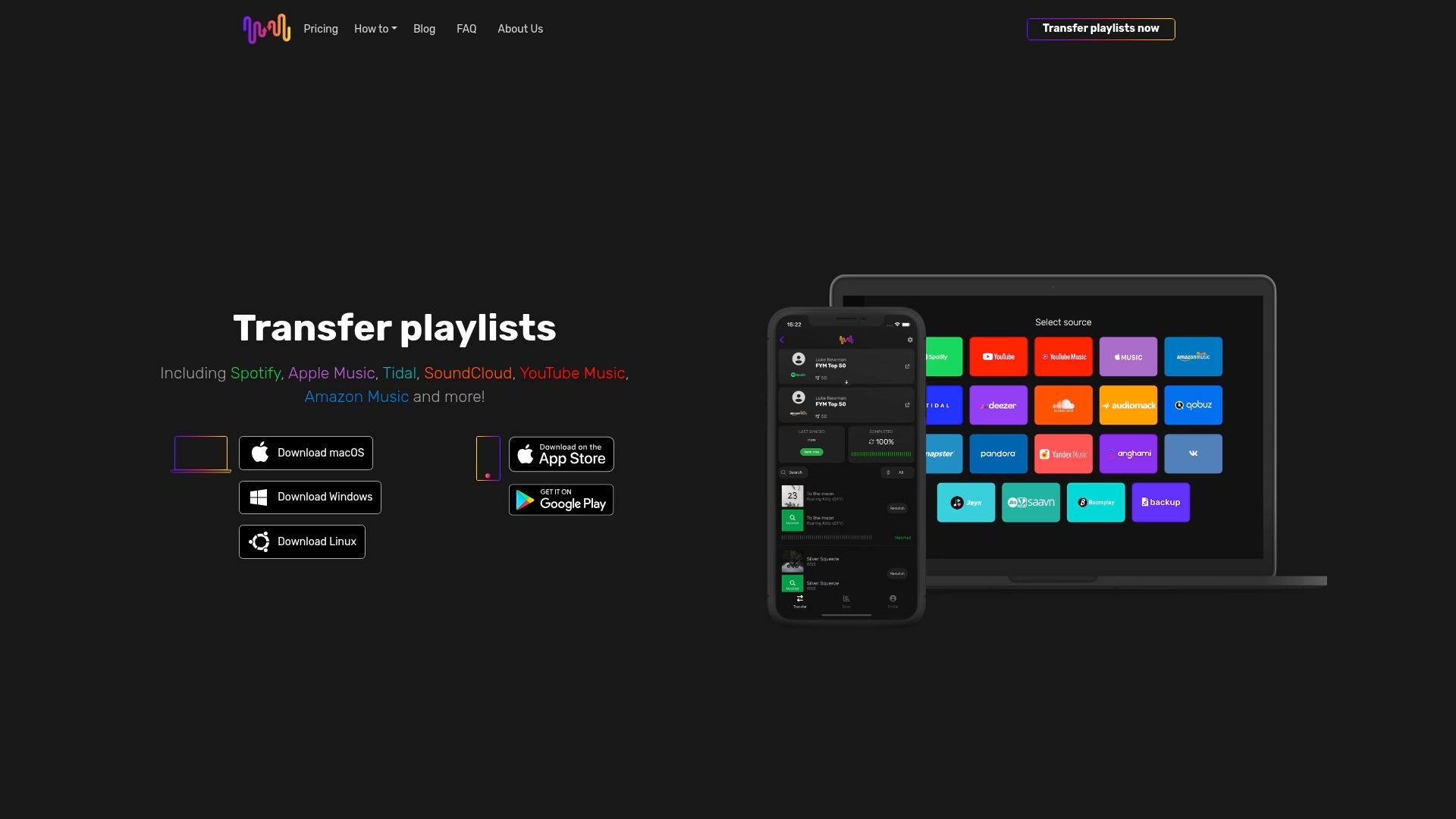
Erlebe eine nahtlose und zuverlässige Playlist-Übertragung mit FreeYourMusic.com. Unsere Plattform verwendet fortschrittliche Zuordnungsalgorithmen, die Playlist-Strukturen, Song-Metadaten und Lizenzunterschiede berücksichtigen, damit deine Playlists erhalten bleiben. Ob du zwischen Spotify, Apple Music, Amazon Music oder anderen Diensten wechseln möchtest: FreeYourMusic.com bietet automatische Synchronisierung, Cloud-Backups und Unterstützung für mehrere Konten, um deine Musikbibliothek zu schützen. Starte jetzt deinen unkomplizierten Umzug und bewahre deine Playlists genau so, wie du sie zusammengestellt hast – ohne Stress durch fehlende oder ersetzte Songs.
Entdecke auf FreeYourMusic.com, wie unser Dienst deine Musiksammlung bewahren kann, und mache noch heute den ersten Schritt zu einer mühelosen Playlist-Übertragung.
Häufig gestellte Fragen
Was bedeutet Genauigkeit bei der Playlist-Übertragung?
Die Genauigkeit einer Playlist-Übertragung beschreibt, wie präzise und vollständig Musikplaylists zwischen verschiedenen Streaming-Plattformen übertragen werden können. Dabei werden Metadaten, akustische Fingerabdrücke und plattformspezifische Einschränkungen berücksichtigt.
Welche Faktoren beeinflussen die Genauigkeit einer Playlist-Übertragung?
Zu den wichtigsten Faktoren zählen regionale Musiklizenzen, die Verfügbarkeit von Titeln, plattformspezifische Metadatenstandards und die Leistungsfähigkeit der Zuordnungsalgorithmen.
Wie kann ich eine zuverlässige Playlist-Übertragung sicherstellen?
Prüfe deine Playlist umfassend, erstelle Sicherungen in mehreren Formaten und wähle Übertragungstools mit leistungsfähigen Zuordnungsalgorithmen. Außerdem empfiehlt es sich, vor dem vollständigen Umzug kleine Beispiel-Playlists testweise zu übertragen.
Welche Risiken für Datenverlust bestehen bei Playlist-Übertragungen?
Zu den Risiken zählen nicht verfügbare Titel aufgrund unterschiedlicher Lizenzen, abweichende Metadaten, die zu falschen Song-Zuordnungen führen, und der mögliche Verlust der Playlist-Struktur – insbesondere bei komplexen Playlists.
Lesetipps
- Free Your Music – Leitfaden zur Übertragung deiner Musiksammlung
- Free Your Music – Musikdaten transferieren: Einfach umsteigen und genießen
- Free Your Music – Was ist eine nahtlose Playlist-Übertragung? Ein vollständiger Überblick
- Free Your Music – Bewährte Methoden für die Playlist-Übertragung verstehen und anwenden
Deine Playlists gehören dir.
Hör auf, von Hand neu aufzubauen. Verschiebe alles in Minuten und nimm deine Musik überallhin mit.
Kostenlos herunterladen →SongsBrew — unser kostenloser Musik-Newsletter
Ein kostenloser Vorteil für FYM-Nutzer. Tipps, Playlists, kein Spam.