6 outils de gestion musicale indispensables pour les artistes et les DJ

Changer de plateforme musicale ou gérer une bibliothèque qui ne cesse de s'enrichir peut vite devenir un casse-tête. Recréer vos playlists, craindre de perdre les informations de vos morceaux et tout organiser entre Spotify, Apple Music et d'autres services peut épuiser votre énergie créative. Il vous faut des solutions qui gardent votre musique accessible et protégée, tout en retrouvant les bonnes versions de vos titres, où que vous écoutiez ou travailliez.
Ce guide présente les outils les plus astucieux et les méthodes pratiques pour gérer votre musique. Vous découvrirez comment transférer vos playlists sans fausse note, retrouver automatiquement les mêmes morceaux sur vos plateformes préférées et protéger l'ensemble de votre bibliothèque grâce à des options de sauvegarde fiables.
Préparez-vous à repenser votre gestion musicale. Les étapes qui suivent vous aideront à reprendre le contrôle, à gagner un temps précieux et à protéger votre collection comme un pro.
Sommaire
- Des applications pour transférer vos playlists en toute simplicité
- La correspondance automatique des morceaux entre plateformes
- Des solutions de sauvegarde cloud pour les bibliothèques musicales
- La gestion de plusieurs comptes pour une organisation efficace
- La synchronisation automatique pour garder vos playlists à jour
- Un support client fiable pour résoudre les problèmes techniques
L'essentiel en bref
| À retenir | Explication |
|---|---|
| 1. Utilisez des applications de transfert de playlists | Ces outils transfèrent facilement vos collections musicales entre plateformes et vous épargnent des heures de travail manuel. |
| 2. Veillez à retrouver les bonnes versions des morceaux | Une technologie de correspondance intelligente retrouve les versions exactes des morceaux sur les différents services et préserve la qualité de vos playlists. |
| 3. Mettez en place des sauvegardes cloud | Protégez votre bibliothèque musicale grâce à des sauvegardes automatiques qui la gardent accessible et la préservent des pertes de données. |
| 4. Simplifiez votre organisation grâce à la gestion de plusieurs comptes | Gérez plusieurs comptes depuis un seul tableau de bord pour gagner du temps et éviter de vous éparpiller. |
| 5. Activez la synchronisation automatique des playlists | Mettez automatiquement vos playlists à jour sur les différentes plateformes pour garder des sélections cohérentes et vous épargner les synchronisations manuelles. |
1. Des applications pour transférer vos playlists en toute simplicité
Les applications de transfert de playlists résolvent l'un des plus gros casse-têtes des professionnels de la musique : changer de service de streaming sans perdre des bibliothèques patiemment constituées pendant des mois. Lorsque vous passez de Spotify à Apple Music ou ajoutez YouTube Music à vos habitudes d'écoute, recréer manuellement vos playlists peut prendre des heures.
Ce qui rend ces applications indispensables, c'est leur capacité à transférer automatiquement toute votre collection musicale. Au lieu de vous obliger à cliquer sur chaque morceau, ces outils font le gros du travail à votre place.
Des outils tiers de transfert de playlists comme Soundiiz, TuneMyMusic, STAMP et Free Your Music facilitent le passage entre les principales plateformes, notamment Spotify, Apple Music, Tidal, YouTube Music et Amazon Music. Tout votre univers musical vous accompagne ainsi dans la transition.
Les principales fonctionnalités de ces applications :
- Transfert simultané de plusieurs playlists par lots
- Conservation des noms des playlists, de l'ordre des morceaux et de leurs informations
- Gestion intelligente des métadonnées pour retrouver précisément les morceaux sur les différents services
- Fonctions de synchronisation pour maintenir automatiquement les playlists à jour
- Transferts illimités de playlists sans perte de données
Leur véritable atout réside dans la précision de la correspondance entre les morceaux. Lors d'un transfert, ces applications ne se contentent pas d'une estimation. Elles analysent les noms des artistes, les titres et les dates de sortie pour s'assurer de transférer la bonne version.
L'ordre des morceaux compte aussi. Si vous avez organisé une playlist de sport selon un enchaînement précis, ces applications conservent exactement cette structure. Rien n'est mélangé ni réorganisé pendant le transfert.
Les applications de transfert vous évitent de recréer laborieusement vos playlists à la main et ramènent à quelques minutes une tâche qui prendrait plusieurs heures.
Réfléchissez à la place de ces outils dans votre façon de travailler. Que vous changiez complètement de plateforme ou conserviez deux abonnements, ils s'adaptent à vos besoins. Certains artistes gèrent des playlists sur trois ou quatre services à la fois : ces outils rendent cette organisation possible au quotidien.
Le transfert par lots est particulièrement utile aux DJ et aux artistes qui possèdent de vastes bibliothèques. Transférer 50 playlists une par une serait fastidieux. Ces applications s'en chargent en une seule opération, tout en respectant votre organisation jusque dans les moindres détails.
Conseil de pro : Configurez la synchronisation automatique entre votre service de streaming principal et vos plateformes de secours pour que chaque nouveau morceau ajouté soit transféré sans intervention manuelle.
2. 2. La correspondance automatique des morceaux entre plateformes
La correspondance des morceaux est le mécanisme invisible qui rend les transferts de playlists possibles. Lorsque vous transférez un titre de Spotify vers Apple Music, le système doit retrouver exactement le même morceau sur la nouvelle plateforme, et pas simplement un titre approchant.
Sans correspondance intelligente, vous pourriez vous retrouver avec des reprises acoustiques, des remixes ou des morceaux complètement différents. Vos playlists soigneusement organisées deviendraient un assemblage désordonné de mauvaises versions.
Le fonctionnement de cette technologie repose sur l'analyse simultanée de plusieurs caractéristiques des morceaux. Le système examine les noms des artistes, les titres, les dates de sortie et les empreintes audio pour identifier les correspondances exactes entre plateformes.
Les méthodes fondées sur l'IA, comme l'analyse musicale automatique, utilisent des systèmes d'étiquetage avancés pour identifier le genre, l'ambiance et d'autres métadonnées qui permettent de retrouver précisément la version recherchée. Cela va bien au-delà d'une simple comparaison de textes.
Le processus compare plusieurs éléments à la fois.
- Nom de l'artiste et artistes invités
- Titre du morceau et titres alternatifs
- Informations sur l'album et dates de sortie
- Empreintes audio et durée
- Paroles et marqueurs distinctifs
Lorsque plusieurs éléments concordent, le système identifie le morceau avec un haut niveau de confiance. Si certains éléments se contredisent, l'algorithme le signale pour une vérification manuelle plutôt que de risquer une erreur.
L'intérêt pour votre travail apparaît clairement lors des transferts volumineux. Déplacer 1 000 morceaux nécessite 1 000 correspondances exactes. Même avec un taux de précision de 99 %, 10 morceaux restent mal identifiés.
Les plateformes avancées utilisent l'apprentissage automatique pour améliorer les correspondances au fil du temps. Plus elles traitent de transferts, mieux elles comprennent les différences de référencement des morceaux d'un service à l'autre.
La correspondance automatique vous épargne des heures de vérification manuelle tout en préservant l'intégrité de votre bibliothèque musicale grâce à sa précision.
Les DJ tirent particulièrement parti de cette précision. Un morceau remixé doit correspondre à la version exacte utilisée dans votre mix, et non à un autre montage. Une seule mauvaise correspondance peut casser la fluidité d'un set.
Les artistes qui gèrent leur propre catalogue ont besoin d'un système capable de distinguer les éditions, les versions deluxe et les rééditions remasterisées. Il doit comprendre qu'une version remasterisée de 2024 diffère de l'original de 2010.
Cette technologie continue de progresser à mesure que les plateformes adoptent l'apprentissage automatique pour l'annotation musicale et l'analyse des similarités. Les systèmes les plus récents atteignent des taux de précision supérieurs à 98 % sur les éditions standard.
Conseil de pro : Avant de transférer toute votre bibliothèque, testez la précision des correspondances avec une petite playlist de 50 à 100 morceaux. Vous pourrez ainsi vérifier que le système reconnaît correctement votre musique avant de lui confier des milliers de titres.
3. 3. Des solutions de sauvegarde cloud pour les bibliothèques musicales
Votre bibliothèque musicale est irremplaçable. Des années de sélection, d'organisation de playlists et de liens personnels avec certains morceaux représentent des heures de votre vie créative. Tout perdre à cause d'une panne de disque dur ou du vol d'un ordinateur portable serait dévastateur.
Les solutions de sauvegarde cloud protègent automatiquement vos collections musicales, afin que votre bibliothèque résiste aux pannes d'appareils, aux attaques de logiciels malveillants et aux pertes de données imprévues. Ce filet de sécurité agit discrètement en arrière-plan.
L'intérêt de la sauvegarde cloud dépasse la simple protection. Vous accédez instantanément à l'ensemble de votre collection musicale depuis n'importe quel appareil, partout dans le monde. Vous travaillez sur un remix dans le studio d'un ami ? Toute votre bibliothèque est à portée de main.
Des services cloud modernes comme pCloud, MEGA et Icedrive proposent des solutions adaptées aux professionnels de la musique. Ils associent de grandes capacités de stockage au chiffrement des fichiers pour garder votre musique en sécurité tout en la laissant accessible.
Les principaux avantages de la sauvegarde cloud :
- Sauvegardes quotidiennes automatiques sans intervention manuelle
- Chiffrement de niveau militaire pour protéger vos fichiers musicaux
- Accès depuis différents appareils, dont les ordinateurs portables, les téléphones et les tablettes
- Gestion des versions pour restaurer des versions antérieures des fichiers
- Stockage redondant pour préserver les données en cas de panne d'un serveur
Grâce aux sauvegardes automatiques, vous n'avez plus à penser au bon moment pour sauvegarder. Le système surveille en continu votre bibliothèque musicale et envoie les modifications dans le cloud sans interrompre votre travail.
Le chiffrement protège vos droits de propriété. Vos masters, maquettes et morceaux inédits restent privés. Personne d'autre ne peut accéder à vos créations non publiées ni les télécharger par inadvertance.
L'accès depuis plusieurs appareils transforme votre façon de travailler. Enregistrez des voix sur votre ordinateur portable, arrangez des cordes sur une tablette au café, puis finalisez vos mixages dans votre home studio. Votre bibliothèque vous suit partout.
La sauvegarde cloud protège les bibliothèques musicales contre les pannes d'appareils et les logiciels malveillants, tout en offrant un accès pratique depuis différents appareils partout dans le monde. Ce double avantage en fait une solution essentielle pour les professionnels exigeants.
La gestion des versions ajoute une protection supplémentaire. Si vous écrasez accidentellement un morceau ou endommagez un fichier, vous pouvez restaurer une version antérieure. Cette sécurité évite les catastrophes créatives.
La sauvegarde cloud transforme votre bibliothèque musicale, jusque-là vulnérable, en une ressource protégée et accessible au service de votre créativité.
Pensez aussi à l'évolution de votre collection. Les 500 morceaux d'aujourd'hui pourraient devenir 5 000 d'ici deux ans à mesure que vous produisez de la musique. Les solutions cloud s'adaptent facilement à la croissance de votre catalogue.
Les DJ qui gèrent plusieurs versions de remixes profitent largement de cette organisation dans le cloud. La gestion des versions permet de conserver différents montages sans jamais perdre de vue le master actuel.
Conseil de pro : Activez simultanément les sauvegardes automatiques de vos playlists de streaming et de vos fichiers audio stockés. Vous créerez ainsi une protection redondante qui préserve à la fois vos sélections musicales et vos enregistrements originaux au sein d'un même système.
4. 4. La gestion de plusieurs comptes pour une organisation efficace
Sans les bons outils, gérer plusieurs comptes de streaming devient vite chaotique. Les artistes jonglent entre leurs playlists Spotify personnelles, leurs bibliothèques Apple Music professionnelles et leurs sets DJ pour des clients, répartis sur différentes plateformes et différents comptes. Passer constamment d'une connexion à l'autre fait perdre du temps et favorise les erreurs d'organisation.
La prise en charge de plusieurs comptes vous permet de gérer tous vos profils musicaux depuis un seul tableau de bord. Ce centre de contrôle unifié garde tout organisé et accessible sans vous obliger à changer constamment de compte.
Les raisons d'utiliser plusieurs comptes varient selon votre activité. Certains artistes séparent leurs comptes par projet, genre musical ou collaboration. Les DJ distinguent souvent leurs playlists de club de leurs écoutes personnelles. Les organisations peuvent séparer les comptes de leurs employés de ceux consacrés au développement des artistes.
Sans gestion de plusieurs comptes, vous devez sans cesse vous déconnecter puis vous reconnecter. Chaque changement prend 30 secondes. Sur une semaine, ces interruptions inutiles finissent par freiner votre élan créatif.
La gestion de plusieurs comptes simplifie votre travail :
- Passez instantanément d'un compte à l'autre sans vous déconnecter
- Consultez les playlists de tous vos comptes dans une seule interface
- Transférez facilement de la musique entre vos propres comptes
- Suivez séparément les statistiques de chaque compte
- Organisez indépendamment les projets de vos clients et vos projets personnels
- Synchronisez vos playlists sur plusieurs comptes à la fois
Prenons l'exemple d'un DJ en activité. Son compte principal rassemble des morceaux pour les clubs, classés par niveau d'énergie et par genre. Un deuxième compte contient les remixes de ses projets collaboratifs. Un troisième conserve ses favoris pour l'écoute à la maison. Sans gestion centralisée, ces trois univers restent séparés et difficiles à parcourir.
Les logiciels modernes de gestion musicale prennent en charge plusieurs comptes, ce qui permet aux artistes et aux DJ de gérer différents profils de streaming depuis une seule plateforme. Cette simplification facilite l'accès à des collections et à des projets variés tout en maintenant une organisation claire.
Les artistes en profitent tout autant. Votre compte d'artiste principal accueille vos sorties et vos playlists officielles. Un compte de production regroupe les morceaux en cours de création et les références de travail. Un compte de sélection musicale sert à gérer vos contributions aux playlists, vos démarches auprès des curateurs et votre réseau professionnel.
La gestion de plusieurs comptes transforme des espaces de travail numériques dispersés en un système centralisé et organisé, adapté à la réalité des musiciens d'aujourd'hui.
Le passage instantané d'un compte à l'autre évite aussi les erreurs. Vous réduisez le risque de publier accidentellement un morceau inédit sur votre compte public ou de supprimer les playlists d'un client. Chaque compte reste distinct tout en étant accessible.
La séparation des comptes rend les statistiques plus pertinentes. Vous pouvez suivre les performances de votre projet artistique indépendamment de votre activité de DJ et comprendre quelles activités suscitent l'engagement.
Conseil de pro : Adoptez des règles de nommage cohérentes sur tous vos comptes, puis utilisez la gestion de plusieurs comptes pour créer des modèles de playlists courantes. Vous pourrez ainsi reproduire instantanément les organisations qui fonctionnent sur chacun de vos comptes.
5. 5. La synchronisation automatique pour garder vos playlists à jour
Imaginez ajouter un morceau à votre playlist Spotify, puis constater qu'il n'apparaît pas automatiquement dans sa version Apple Music. Les mises à jour manuelles sur plusieurs plateformes deviennent vite fastidieuses et sources d'erreurs. La synchronisation automatique élimine ce problème.
Cette technologie met automatiquement vos playlists à jour sur tous les services de streaming connectés dès que vous les modifiez. Ajoutez un morceau une seule fois : il apparaît partout simultanément.
Le fonctionnement de la synchronisation automatique repose sur la connexion de vos comptes et la surveillance des modifications par le système. Une fois activée, elle suit vos playlists en continu et répercute les ajouts, les suppressions et les changements d'ordre sur les différentes plateformes.
Cela fonctionne dans les deux sens. Lorsque vous ajoutez un morceau sur Spotify, il est transféré vers Apple Music et YouTube Music. Lorsque vous supprimez un titre sur une plateforme, il disparaît de tous les comptes connectés.
Les avantages de la synchronisation continue :
- Aucune mise à jour manuelle à effectuer sur les différentes plateformes
- Des playlists cohérentes partout où vous écoutez de la musique
- Des mises à jour en temps réel dès que vous apportez une modification
- Moins d'erreurs dues aux synchronisations manuelles oubliées
- Plus de temps pour la création plutôt que pour les tâches administratives
- Une bibliothèque unifiée sur tous vos appareils
Les DJ profitent énormément de la synchronisation automatique. Une playlist destinée à un mix en club peut être synchronisée sur plusieurs comptes de streaming utilisés dans différents établissements. Lorsque vous affinez votre sélection, chaque lieu bénéficie instantanément des mises à jour.
Pour les artistes qui gèrent des playlists collaboratives à plusieurs, la synchronisation automatique est précieuse. Lorsqu'un collaborateur ajoute un morceau à une playlist Spotify partagée, votre version Apple Music est immédiatement mise à jour, sans intervention de votre part.
La fréquence et les horaires comptent dans votre stratégie de synchronisation. Certains artistes préfèrent une synchronisation toutes les heures pour récupérer rapidement les modifications. D'autres programment une synchronisation quotidienne aux heures creuses pour éviter de surcharger le système. Comprendre la synchronisation des bibliothèques musicales vous aidera à saisir comment la synchronisation continue maintient vos playlists à jour sur les différents services.
La fréquence dépend de votre rythme de travail. Un DJ qui modifie ses playlists tout au long de la nuit pourra privilégier une synchronisation horaire. Un artiste qui ajoute des morceaux de temps en temps pourra se contenter d'une synchronisation quotidienne.
La résolution des conflits prend de l'importance avec une synchronisation bidirectionnelle. Si vous supprimez un morceau sur Spotify tout en l'ajoutant sur Apple Music, le système a besoin de règles claires pour déterminer quelle action est prioritaire. La plupart des plateformes conservent les deux modifications par défaut.
La synchronisation automatique transforme des comptes de streaming isolés en un écosystème unifié qui évolue au rythme de vos choix musicaux.
La gestion du stockage compte également. La synchronisation vous évite de tenir manuellement des playlists distinctes à jour, ce qui libère votre esprit pour la création et la sélection musicales.
Conseil de pro : Activez la synchronisation automatique de façon sélective pour vos playlists les plus utilisées, tout en gardant une gestion manuelle pour les playlists expérimentales ou temporaires. Vous pourrez ainsi faire des essais sans encombrer tous vos comptes à la fois.
6. 6. Un support client fiable pour résoudre les problèmes techniques
La technologie tombe souvent en panne au pire moment. Un transfert de playlist se bloque à mi-parcours, une erreur de synchronisation endommage les métadonnées de vos morceaux ou la connexion à un compte cesse soudainement de fonctionner. Dans ces situations, vous avez besoin d'une aide rapide, pas de passer des heures à parcourir des forums obsolètes.
Un support client fiable permet de résoudre rapidement des problèmes techniques frustrants. Une équipe réactive peut vous permettre de reprendre le travail en quelques minutes et éviter que ces difficultés bouleversent votre planning créatif.
L'importance de la qualité du support devient évidente lorsqu'une échéance approche. Un DJ qui prépare une prestation a besoin que ses playlists soient transférées aujourd'hui, pas après plusieurs jours d'attente d'une réponse par e-mail. Un artiste qui sort un morceau ne peut pas se permettre des retards de synchronisation entre plateformes.
Les interruptions ont un effet direct sur vos revenus et votre créativité. Chaque heure pendant laquelle vos outils sont hors service est une heure perdue pour produire, promouvoir votre musique ou gagner de l'argent. Un support professionnel accélère considérablement la résolution des problèmes.
Les principaux canaux d'assistance à évaluer :
- Chat en direct pour obtenir des réponses immédiates aux questions urgentes
- Assistance par e-mail pour les problèmes techniques détaillés qui nécessitent une investigation
- Assistance téléphonique pour les problèmes complexes qui demandent un échange oral
- Bases de connaissances complètes avec des solutions faciles à rechercher
- Forums communautaires où des utilisateurs expérimentés partagent leurs solutions
- Tutoriels vidéo présentant les étapes de dépannage courantes
Les principales plateformes de gestion musicale accordent une grande place à la fiabilité du support client. Leurs équipes dédiées accompagnent la prise en main, assurent la formation et résolvent rapidement les problèmes techniques. Cet engagement permet aux utilisateurs de rester productifs sans interruption prolongée.
Le délai de réponse est déterminant. Certains prestataires répondent aux problèmes urgents en moins de 15 minutes. D'autres prennent entre 24 et 48 heures. Lorsque vous devez terminer une tâche essentielle, ces heures ont des conséquences concrètes sur votre activité.
Disposer de plusieurs canaux d'assistance offre aussi plus de souplesse. Vous pouvez préférer le chat pour une question rapide et l'e-mail pour un problème technique détaillé. Chaque situation appelle un mode de communication adapté.
L'assistance fondée sur l'IA représente l'avenir du support. De nombreuses plateformes utilisent désormais des systèmes automatisés pour répondre instantanément aux questions courantes et réservent les conseillers humains aux problèmes complexes. Cette approche hybride offre une première réponse rapide, puis un suivi expert si nécessaire.
Un support client de qualité rend votre gestion musicale plus sereine et vous aide à travailler de manière fiable, sans passer votre temps à résoudre des problèmes.
Les bases de connaissances deviennent votre filet de sécurité en libre-service. Lorsque l'équipe d'assistance n'est pas disponible, une documentation consultable vous aide à résoudre seul les problèmes courants. Les bonnes plateformes proposent des ressources complètes, régulièrement mises à jour.
Les ressources de formation comptent aussi. Un accompagnement initial complet et des tutoriels permettent d'éviter bien des problèmes. Les utilisateurs qui maîtrisent la plateforme rencontrent moins de difficultés nécessitant l'intervention du support.
Conseil de pro : Avant de choisir un outil de gestion musicale, testez son support en posant une question détaillée et en mesurant le délai de réponse. Vous saurez ainsi s'il répond aux exigences de réactivité de votre activité.
Le tableau ci-dessous récapitule les principales fonctionnalités des outils de transfert et de gestion de playlists présentés dans cet article, ainsi que leurs avantages.
| Fonctionnalité | Description | Avantage |
|---|---|---|
| Transfert de playlists | Transfère les playlists entre différentes plateformes musicales de façon fluide et automatique. | Fait gagner du temps en évitant de recréer les playlists à la main. |
| Correspondance précise des morceaux | Une technologie avancée garantit le transfert de la bonne version d'un morceau. | Préserve la cohérence des playlists et évite les erreurs de correspondance. |
| Intégration de la sauvegarde cloud | Propose des solutions de stockage cloud fiables pour protéger les collections musicales. | Prévient les pertes de données tout en permettant un accès depuis plusieurs appareils. |
| Gestion de plusieurs comptes | Regroupe plusieurs profils de services musicaux dans une seule interface. | Simplifie l'organisation et le passage d'un compte à l'autre. |
| Synchronisation automatique | Synchronise les playlists et leurs modifications entre plateformes en temps réel. | Maintient les collections à jour sans synchronisation manuelle. |
| Support client | Fournit des ressources et des solutions de dépannage en cas de besoin. | Assure une gestion musicale continue et un travail efficace. |
Simplifiez votre gestion musicale avec FreeYourMusic.com
Les artistes et les DJ doivent souvent transférer et synchroniser de vastes playlists sur plusieurs plateformes de streaming tout en préservant chaque détail de leur organisation. Les recréer à la main, retrouver de mauvaises versions de morceaux et devoir constamment effectuer des mises à jour peut freiner votre créativité et vous faire perdre un temps précieux. FreeYourMusic.com répond à ces difficultés avec une solution qui automatise le transfert des playlists, conserve leur structure et prend en charge la synchronisation entre plusieurs comptes pour garder votre musique organisée et accessible partout.
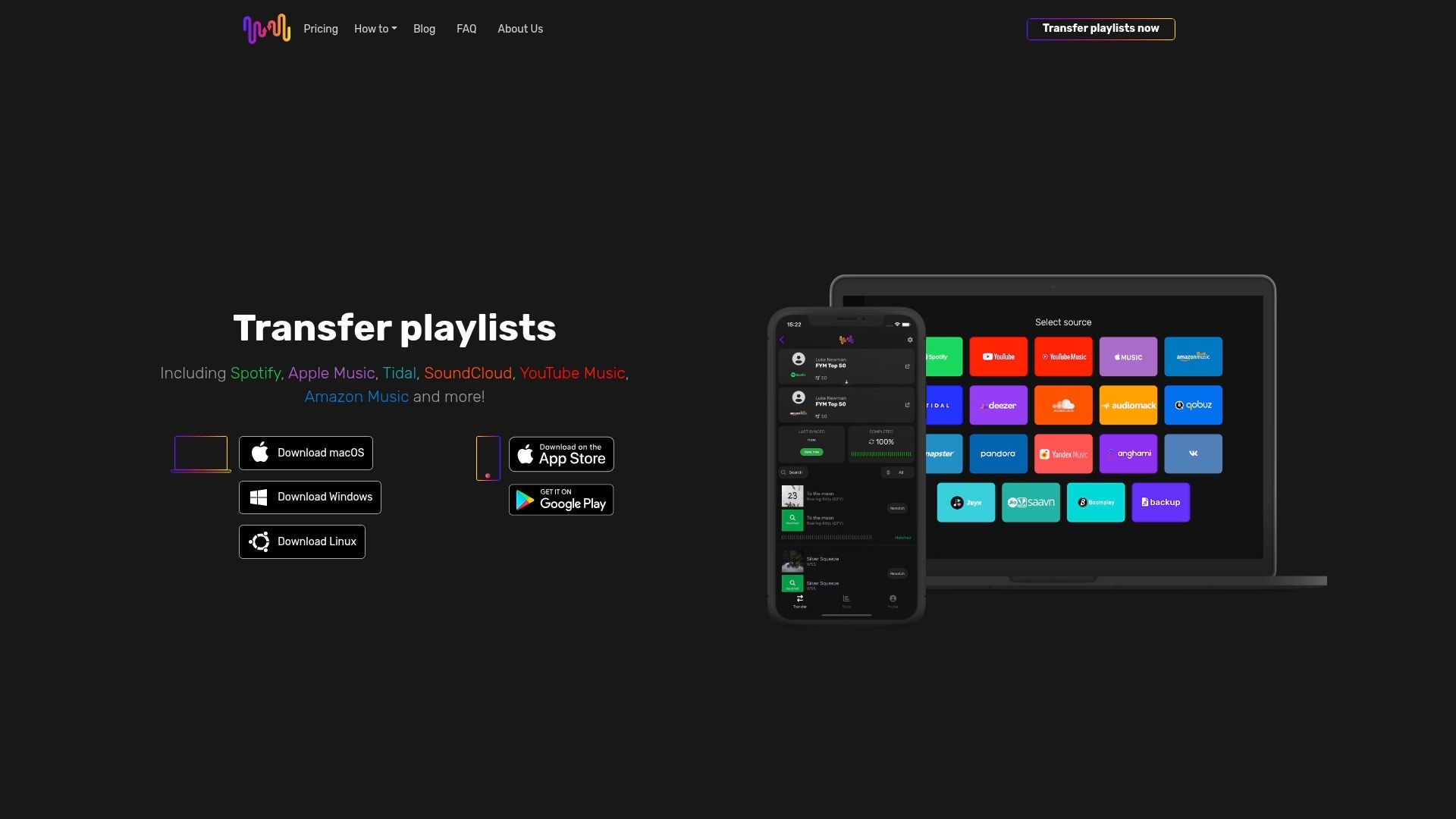
Reprenez dès maintenant le contrôle de votre bibliothèque musicale avec FreeYourMusic.com. Profitez de transferts de playlists fluides entre Spotify, Apple Music, Tidal, YouTube Music, Amazon Music et bien d'autres services. Protégez vos sélections grâce à des fonctions de synchronisation automatique et de sauvegarde cloud conçues spécialement pour les professionnels de la musique. Rendez-vous sur FreeYourMusic.com pour simplifier votre gestion musicale et passer d'une plateforme à l'autre sans fausse note.
Questions fréquentes
Quelles fonctionnalités essentielles rechercher dans une application de transfert de playlists ?
Une application de transfert de playlists doit permettre de transférer plusieurs playlists simultanément, tout en conservant leurs noms, l'ordre des morceaux et les informations associées. Privilégiez une gestion intelligente des métadonnées pour retrouver les bonnes versions des titres sur chaque service et passer facilement d'une plateforme de streaming à l'autre.
Comment la correspondance automatique des morceaux améliore-t-elle les transferts de playlists ?
La correspondance automatique analyse différentes caractéristiques des morceaux, comme les noms des artistes, les titres et les empreintes audio, pour identifier exactement le même enregistrement sur plusieurs plateformes. Cette technologie réduit le risque de transférer de mauvaises versions et permet de conserver des playlists organisées et fidèles à vos sélections d'origine.
Pourquoi la sauvegarde cloud est-elle essentielle pour les bibliothèques musicales ?
Les solutions de sauvegarde cloud enregistrent automatiquement votre bibliothèque musicale et la protègent contre les pertes de données dues à une panne ou à un vol d'appareil. Un service de sauvegarde cloud vous permet d'accéder à votre musique depuis n'importe quel appareil, afin que votre travail créatif reste en sécurité et récupérable à tout moment.
Comment la gestion de plusieurs comptes peut-elle simplifier mon organisation musicale ?
La prise en charge de plusieurs comptes permet de gérer tous vos profils musicaux depuis une seule interface et évite la confusion liée aux changements constants de compte de streaming. Vous pouvez passer instantanément d'un compte à l'autre et consulter toutes vos playlists au même endroit, ce qui simplifie considérablement votre travail.
Quels avantages la synchronisation automatique apporte-t-elle à la gestion des playlists ?
La synchronisation automatique répercute les modifications apportées à une playlist sur une plateforme vers tous les comptes connectés. Elle vous épargne les mises à jour manuelles et garantit une expérience d'écoute cohérente sur l'ensemble de vos services de streaming.
Quelle est l'importance du support client pour les outils de gestion musicale ?
Un support client fiable est essentiel pour résoudre rapidement les problèmes techniques éventuels et limiter les interruptions. Lorsque vous choisissez un outil de gestion musicale, privilégiez des canaux offrant une aide immédiate, comme le chat en direct, afin de préserver la continuité de votre travail créatif.
À lire aussi
- Free Your Music - Actualités et conseils sur le streaming musical
- Free Your Music - Les meilleures plateformes de synchronisation de playlists musicales : comparatif d'experts 2025
- Free Your Music - Qu'est-ce que la gestion de playlists ? Comprendre son rôle
- Free Your Music - Comprendre le rôle des applications musicales tierces
Vos listes de lecture vous appartiennent.
Arrêtez de tout reconstruire à la main. Déplacez tout en quelques minutes et emportez votre musique partout avec vous.
Télécharger gratuitement →SongsBrew — notre newsletter musicale gratuite
Un avantage gratuit pour les utilisateurs FYM. Astuces, playlists, zéro spam.