De evolutie van het beheer van muziekplaylists uitgelegd

Overstappen van Spotify naar Apple Music of playlists op verschillende platforms bijhouden: voor fanatieke muziekliefhebbers is het een herkenbare uitdaging. Nu streamingdiensten een centrale rol spelen in onze muziekcultuur, zegt de manier waarop we playlists ordenen en overzetten veel over onze digitale gewoonten en veranderende technologie. Playlistbeheer verschuift van handmatig werk naar geavanceerde systemen die door algoritmen worden aangestuurd. Inzicht in die ontwikkeling helpt je om je collecties compleet en gemakkelijk toegankelijk te houden. Ontdek hoe playlists reeksen nummers zijn die je voor persoonlijk gebruik samenstelt — en waarom je pas echt grip op je muziekervaring krijgt als je weet hoe je ze goed overzet.
Inhoudsopgave
- De evolutie van het beheer van muziekplaylists
- Van handmatig naar digitaal: de belangrijkste veranderingen in het ordenen
- Playlists overzetten tussen platforms en nummers matchen
- Automatische synchronisatie en back-ups in de cloud
- Gegevensbeveiliging, risico's en privacy bij het overzetten
- Veelgemaakte fouten bij het overzetten voorkomen
Belangrijkste inzichten
| Punt | Toelichting |
|---|---|
| Playlistbeheer heeft een grote ontwikkeling doorgemaakt | Moderne playlists zijn meer dan verzamelingen nummers: het zijn complexe culturele uitingen die worden gevormd door technologie en de betrokkenheid van gebruikers. |
| Overstappen tussen platforms brengt uitdagingen met zich mee | Om playlists intact te houden, moeten nummers nauwkeurig worden gematcht en moet je de beperkingen van platforms begrijpen. |
| Synchronisatie via de cloud maakt beheer eenvoudiger | Automatische updates op verschillende apparaten helpen je playlists georganiseerd te houden, maar vragen ook om inzicht in je afhankelijkheid van platforms. |
| Beveiliging en privacy verdienen aandacht | Gebruikers moeten zich bewust zijn van de risico's van gegevensdeling bij het overzetten en betrouwbare overdrachtstools kiezen om hun informatie te beschermen. |
De evolutie van het beheer van muziekplaylists
Het beheer van muziekplaylists is uitgegroeid van het simpelweg ordenen van nummers tot een veelzijdige bezigheid die wordt gevormd door digitale cultuur en technologie. Om die ontwikkeling te begrijpen, moet je kijken naar wat playlists eigenlijk zijn en hoe ze door de jaren heen zijn veranderd. In de kern zijn playlists reeksen nummers die je voor persoonlijk gebruik samenstelt. Ze onderscheiden zich van traditionele mixen doordat hun thema's flexibeler en minder strak afgebakend zijn. Wat begon als losse verzamelingen op persoonlijke apparaten, is uitgegroeid tot een complex samenspel van menselijke selectie, algoritmische aanbevelingen en platformontwerp.
De evolutie van playlistbeheer weerspiegelt bredere veranderingen in onze omgang met muziek en digitale technologie. Playlists zijn inmiddels culturele uitingen die diepere patronen blootleggen in onze luistergewoonten, emoties en technologische voorkeuren. Als je vandaag een playlist maakt, orden je niet alleen nummers. Je werkt met systemen die door streamingplatforms zijn ontworpen, reageert op algoritmen die het volgende nummer voorstellen en neemt deel aan een sociale praktijk die wezenlijk verschilt van de manier waarop mensen tien jaar geleden muziek luisterden. De voorwaarden die ooit het samenstellen van playlists bepaalden, zoals de algemene samenhang tussen nummers en de manier waarop ze in elkaar overgaan, zijn sterk veranderd door verbeteringen in muziekaanbevelingssystemen. Dat je playlists soepel kunt verplaatsen tussen diensten als Spotify, Apple Music en Tidal, laat nog een andere kant van die ontwikkeling zien: het besef dat playlists echte waarde hebben en overdraagbaar moeten zijn.
Voor muziekliefhebbers is deze ontwikkeling vooral relevant omdat playlistbeheer geen passieve bezigheid meer is. Gebruikers beheren tegenwoordig actief meerdere playlists op verschillende platforms, elk met een eigen doel en publiek. Sommige playlists geven energie tijdens het sporten, andere bewaren specifieke herinneringen of stemmingen en weer andere laten zien wie je bent. Het wordt nog ingewikkelder als je tegelijk collecties bijhoudt op meerdere diensten. Wie van streamingplatform wisselt, merkt al snel dat zorgvuldig samengestelde playlists niet automatisch meeverhuizen. Juist dan wordt inzicht in de evolutie van playlistbeheer praktisch bruikbaar: het verklaart waarom er tools bestaan om playlists tussen diensten te synchroniseren en waarom het belangrijk is je collecties te behouden als je overstapt. Deze ontwikkeling heeft zowel uitdagingen als oplossingen voortgebracht. Modern playlistbeheer omvat inmiddels meer dan alleen samenstellen: ook doordacht gegevensbeheer, samenwerking tussen platforms en het consistent houden van je collecties in al je luisteromgevingen horen erbij.
Praktische tip: Loop voordat je van streamingplatform wisselt je bestaande playlists na om te bepalen welke collecties je het meest waardevol vindt. Zet die als eerste over, zodat je belangrijkste muziek toegankelijk blijft.
Van handmatig naar digitaal: de belangrijkste veranderingen in het ordenen
De verschuiving van handmatig naar digitaal playlistbeheer is een van de ingrijpendste veranderingen in onze omgang met muziek. Voordat streamingplatforms de markt domineerden, betekende muziek ordenen dat je je collectie letterlijk in handen nam. Je zette vinylplaten op een plank, sorteerde cd's in opbergmappen of schreef met de hand tracklijsten voor mixtapes. Die tastbare aanpak dwong je om bewust te kiezen: elk nummer dat je op een cassettebandje zette, vroeg om een gerichte selectie en nauwkeurige timing. Ordenen was onlosmakelijk verbonden met luisteren. Daarna veranderde alles. De overgang van fysieke media naar digitale formaten veranderde de werking van playlists fundamenteel. Playlistbeheer verschoof van een eenmalige ordening naar een doorlopend, dynamisch proces dat zowel door gebruikers als door algoritmen wordt gestuurd.

Deze verschuiving is vooral belangrijk omdat digitaal beheer compleet nieuwe mogelijkheden bood om muziek te ordenen. Bij handmatig samengestelde playlists moest je vooraf precies weten wat je wilde. Digitale playlists werken anders. Je kunt op elk moment nummers toevoegen, ze direct in een andere volgorde zetten zonder iets fysiek te verplaatsen en de samenstelling aanpassen aan je stemming of situatie. Bovendien gingen streamingplatforms algoritmische suggesties aanbieden die de samenstelling van playlists beïnvloedden op manieren die bij handmatige selectie niet mogelijk waren. De beperkingen van fysieke collecties — opslagruimte, afspeelsnelheid en slijtage — verdwenen. Je bent niet langer gebonden aan een handvol zorgvuldig samengestelde collecties: je kunt tientallen, honderden of duizenden playlists bijhouden zonder dat ze fysieke ruimte innemen. Die overvloed bracht nieuwe uitdagingen met zich mee. Waar handmatig ordenen je dwong om selectief en doelgericht te werk te gaan, biedt digitaal beheer alle ruimte om uit te breiden en te experimenteren. Je Spotify-bibliotheek kan zomaar 47 verschillende playlists bevatten, elk met een specifiek doel of als herinnering aan een bepaald moment. De nadruk verschoof van samenstellen naar voortdurend beheren en verfijnen.
Maar hier wordt het ingewikkelder. Streamingplatforms brachten de distributie en consumptie van muziek samen in digitale beheersystemen, waardoor je afhankelijk werd van hun specifieke interfaces en algoritmen. Je hebt niet meer dezelfde zeggenschap over je indeling als over een fysieke platencollectie. Je playlists bestaan binnen een gesloten ecosysteem, gevormd door de ontwerpkeuzes en commerciële belangen van het platform. Als je van Spotify naar Apple Music overstapt of Tidal wilt proberen, verhuist al je ordeningswerk niet vanzelf mee. Dat is een fundamentele kwetsbaarheid van digitaal playlistbeheer: de tools om je muziek te organiseren zijn gebonden aan één aanbieder en niet universeel inzetbaar. De ironie is duidelijk: digitaal beheer biedt ongekende flexibiliteit, maar is tegelijkertijd kwetsbaar en afhankelijk van specifieke platforms. Dat besef wordt steeds belangrijker voor muziekliefhebbers die meerdere diensten gebruiken of een overstap overwegen. Modern playlistbeheer vraagt daarom niet alleen om kennis van hoe je muziek ordent, maar ook van hoe je die ordening in verschillende ecosystemen bewaart.
Praktische tip: Bewaar buiten je streamingplatforms een back-uplijst van je belangrijkste playlists, met de namen van de playlists en de belangrijkste nummers. Zo heb je een platformonafhankelijk overzicht als je van dienst wisselt of collecties opnieuw moet opbouwen.
Hieronder zie je een vergelijking tussen handmatig en digitaal playlistbeheer:
| Aspect | Handmatige playlists | Digitale playlists |
|---|---|---|
| Samenstellen | Vereist bewuste selectie | Op elk moment aan te passen |
| Fysieke beperkingen | Beperkt door medium en opslagruimte | Geen fysieke beperkingen, schaalbaar |
| Benodigde inspanning | Tijdrovend, stap voor stap | Eenvoudig, vaak direct geregeld |
| Afhankelijkheid van ecosysteem | Volledig onafhankelijk, in eigen bezit | Platformafhankelijk, in een gesloten systeem |
| Flexibiliteit | Vaste volgorde, lastig te veranderen | Eenvoudig te herschikken of mee te experimenteren |
| Invloed op muziekontdekking | Geen algoritmen betrokken | Aanbevelingen sturen de selectie |
Playlists overzetten tussen platforms en nummers matchen
Als je besluit van streamingplatform te wisselen, stuit je op een technisch probleem dat ingewikkelder is dan het lijkt: hoe zorg je ervoor dat een nummer op Spotify correct wordt herkend en gekoppeld aan hetzelfde nummer op Apple Music? Dit vraagstuk vormt de kern van het overzetten van playlists. Elke streamingdienst heeft een eigen catalogus met andere metadata, unieke identificatiecodes en uiteenlopende nummerinformatie. Een nummer kan op meerdere platforms staan, maar met een net anders gespelde artiestennaam, een andere versie, zoals live of studio, of een andere releasedatum. Het technische proces van nummers matchen en metadata op elkaar afstemmen vereist robuuste identificatiesystemen. Die moeten hetzelfde nummer op verschillende platforms betrouwbaar herkennen, ook als de informatie niet volledig overeenkomt. Zonder nauwkeurige matching wordt je playlist niet goed overgezet of worden nummers gekoppeld aan de verkeerde versies, waardoor de beoogde luisterervaring verloren gaat. Dat speelt vooral bij remixen, covers en nummers met speciale tekens in de titel.
De omvang van moderne muziekcatalogi maakt het nog ingewikkelder. Alleen al Spotify heeft meer dan 100 miljoen nummers, Apple Music heeft een vergelijkbaar enorme bibliotheek en elk platform biedt nummers die elders ontbreken. Als je een playlist met 200 nummers overzet, moet het systeem elk nummer correct herkennen en matchen. Daarbij moet het omgaan met uitzonderingen, zoals nummers die alleen op één platform staan, nummers met meerdere versies en verschillen in metadata tussen diensten. Er zijn geavanceerde systemen ontwikkeld voor het automatisch aanvullen van playlists die deze matchingproblemen helpen aanpakken, zodat samenhangende reeksen nummers bij het overzetten intact blijven. Het systeem moet niet alleen afzonderlijke nummers herkennen, maar ook de relaties ertussen begrijpen: welke nummers logisch op elkaar volgen, welke stemming of welk energieniveau ze vasthouden en of vervangende nummers de oorspronkelijke bedoeling van de playlist behouden als exacte matches ontbreken. Daarom schieten eenvoudige exporttools vaak tekort. Ze kunnen titels en artiesteninformatie overzetten, maar missen de geavanceerde matchingalgoritmen die nodig zijn voor een nauwkeurige overdracht tussen platforms.
Voor muziekliefhebbers die playlists op meerdere diensten beheren, bepaalt deze technische realiteit hoe je een overstap aanpakt. Sommige nummers staan simpelweg niet op je nieuwe platform en vragen om een slim gekozen alternatief of handmatige vervanging. Mogelijk moet je de zorgvuldig gekozen volgorde van je playlist aanpassen aan wat er daadwerkelijk beschikbaar is. Juist dan zijn oplossingen voor het soepel overzetten van playlists waardevol: ze regelen de matching automatisch op de achtergrond, zodat je niet elk overgezet nummer zelf hoeft te controleren. De ontwikkeling van overdracht tussen platforms weerspiegelt het groeiende besef dat playlists echte culturele en persoonlijke waarde hebben en meer zijn dan vluchtig vermaak. Als je maanden hebt besteed aan een sportplaylist of aan het verzamelen van nummers die een bepaald moment in je leven vastleggen, doet het ertoe dat je dat werk kunt meenemen naar een ander platform. Modern playlistbeheer vraagt daarom om inzicht in de voorwaarden voor een geslaagde overdracht: nauwkeurige matching, slim omgaan met ontbrekende nummers en systemen die hetzelfde nummer in sterk verschillende databases kunnen herkennen.
Praktische tip: Verwijder voordat je playlists overzet eventuele zeer onbekende nummers of nummers van onafhankelijke artiesten die mogelijk niet op je nieuwe platform staan. Zet daarna eerst je belangrijkste playlists over om te zien welke nummers matchingproblemen opleveren, voordat je tijd steekt in het overzetten van je hele bibliotheek.
Automatische synchronisatie en back-ups in de cloud
Het beheer van playlists maakte een grote sprong voorwaarts toen cloudtechnologie de basis werd van moderne muziekstreaming. Vóór de komst van cloudinfrastructuur bestonden je playlists alleen op het apparaat waarop je ze had gemaakt. Als je op je telefoon aan een sportplaylist begon en daar op je laptop mee verder wilde, liep je tegen synchronisatieproblemen aan. Wijzigingen op het ene apparaat verschenen niet automatisch op het andere. Je moest nummers handmatig toevoegen aan meerdere exemplaren van dezelfde playlist, met verwarring en verschillen als gevolg. Tegenwoordig hebben cloudsystemen die ervaring fundamenteel veranderd. Automatische synchronisatie en back-uptechnologie in de cloud maken realtime updates en veilige opslag van playlists op verschillende apparaten mogelijk. Voeg je op je telefoon een nummer toe, dan verschijnt het direct op je tablet, computer en andere verbonden apparaten. Als het goed werkt, merk je nauwelijks iets van die naadloze ervaring. Toch betekent de achterliggende technologie een grote verandering: playlists zijn levende, dynamische collecties geworden in plaats van vaste lijsten.
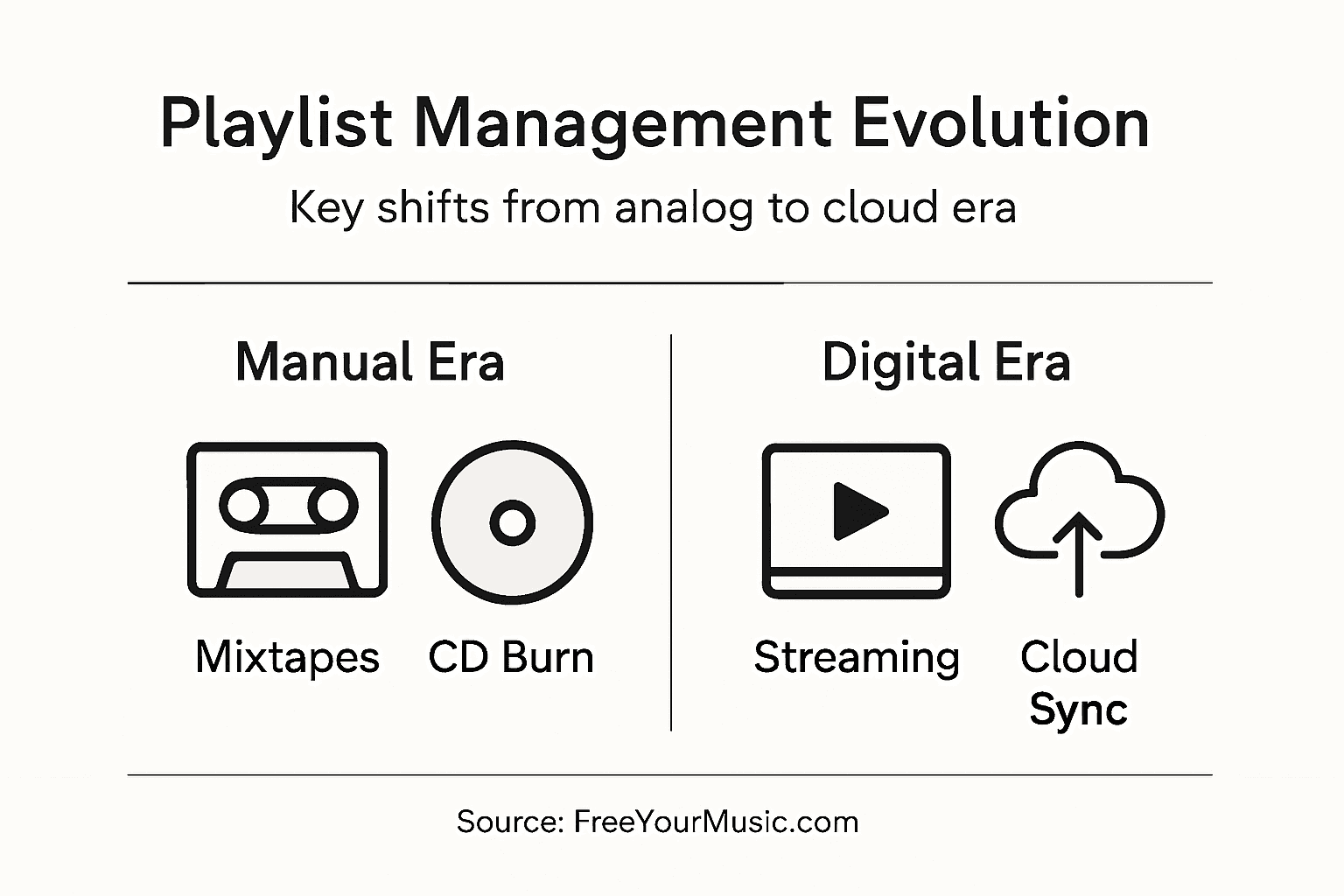
De kracht van cloudsynchronisatie is dat het proces continu doorgaat zonder dat je iets hoeft te doen. Je hoeft wijzigingen in playlists niet handmatig te uploaden of te downloaden: het systeem regelt dat automatisch. Voeg je om twee uur 's nachts op je telefoon een nummer toe, dan werken de cloudsystemen meteen de hoofdversie op externe servers bij. Als je een uur later Spotify op je computer opent, staat die wijziging er al. Deze realtime synchronisatie heeft grote gevolgen voor het luistergedrag en de mate waarin gebruikers een dienst blijven gebruiken. Back-ups en synchronisatie via de cloud zijn essentieel geworden om playlists te bewaren en vanaf elk apparaat te openen. Daarmee veranderden playlists van losse, lokale collecties in verbonden bibliotheken die je overal in je digitale leven kunt gebruiken. De cloud is in feite de vaste plek geworden waar je playlists 'wonen'; je apparaten geven ze alleen weer. Door die verandering in de systeemopbouw gaan je playlists niet meer verloren als een apparaat kapotgaat. Raakt je telefoon beschadigd of wordt hij gestolen, dan blijven je playlists bestaan in de cloud. Op een nieuw apparaat heb je meteen weer toegang tot al je collecties, zonder dat je ze handmatig hoeft te herstellen.
Voor muziekliefhebbers met grote bibliotheken op meerdere apparaten en platforms lost cloudsynchronisatie praktische problemen op die vroeger veel gedoe opleverden. Stel je voor dat je 30 verschillende playlists bijhoudt en afwisselend luistert op je telefoon, tablet, thuiscomputer en het ingebouwde systeem van je auto. Zonder cloudinfrastructuur zou het enorm veel handmatig werk kosten om die overal gelijk te houden. Dankzij automatisering verschijnen wijzigingen direct op alle apparaten. Dat gemak brengt wel nieuwe aandachtspunten met zich mee. Je playlists zijn nu afhankelijk van een doorlopende internetverbinding en clouddiensten. Bij een storing op de servers van een streamingplatform kun je tijdelijk de toegang tot je gesynchroniseerde playlists verliezen. Bovendien bindt cloudsynchronisatie je playlists aan specifieke platforms. De cloud zorgt voor automatische updates op al je apparaten die dezelfde dienst gebruiken, maar lost het overzetten tussen platforms niet op. Je Spotify-playlists worden keurig gesynchroniseerd op al je apparaten met Spotify, maar om ze naar Apple Music over te zetten, heb je nog steeds aparte tools en stappen nodig. Wie dat onderscheid begrijpt, heeft realistische verwachtingen van wat cloudsynchronisatie doet en welke handelingen nog handmatig of gedeeltelijk automatisch verlopen.
Praktische tip: Schakel back-ups in de cloud en automatische synchronisatie in bij je belangrijkste streamingdienst. Exporteer daarnaast regelmatig back-ups van je waardevolste playlists naar externe opslag, bijvoorbeeld als spreadsheet of tekstbestand, of via een back-updienst. Zo behoud je onafhankelijke kopieën voor een overstap of bij problemen met je account.
Gegevensbeveiliging, risico's en privacy bij het overzetten
Als je playlists tussen streamingdiensten overzet, verplaats je meer dan alleen titels en artiestennamen. Je deelt luistergeschiedenis, persoonlijke voorkeuren en gedragsgegevens die veel kunnen onthullen over je smaak, stemming en interesses. Dat roept terechte vragen op over beveiliging en privacy die serieuze aandacht verdienen. Kwetsbaarheden bij het overzetten van playlists zijn onder meer mogelijke datalekken en onbevoegde toegang tot gebruikersinformatie, vooral als platforms verschillende versleutelingsstandaarden of beveiligingsprotocollen gebruiken. Bij elke overdracht zijn er momenten waarop je gegevens kwetsbaar zijn: ze gaan door tussenliggende systemen, worden vergeleken met databases en worden op nieuwe locaties opgeslagen. Hoe meer platforms je gebruikt, hoe meer kopieën van je luistergegevens op de servers van verschillende bedrijven staan. Als een platform wordt getroffen door een datalek, kunnen hackers niet alleen toegang krijgen tot inloggegevens, maar ook tot je volledige luistergeschiedenis en de gedragspatronen die daaruit blijken. Dat is geen paranoia, maar een reëel gevolg van de manier waarop moderne digitale diensten werken.
Privacy gaat niet alleen over datalekken, maar ook over de manier waarop bedrijven gegevens bewust gebruiken. Privacyrisico's bij digitaal playlistbeheer ontstaan door de integratie van cloudopslag en algoritmische systemen die persoonlijke luistergegevens gebruiken voor profilering, marketing en aanbevelingen. Maak je een playlist met de titel 'Muziek na een relatiebreuk' of 'Piekeren om drie uur 's nachts', dan geef je streamingplatforms een inkijkje in je emotionele toestand. Ze kunnen die gegevens analyseren om psychologische profielen op te bouwen, advertentie-inzichten aan merken te verkopen en aanbevelingsalgoritmen te trainen die je gedrag voorspellen. Elk platform heeft een eigen privacybeleid dat bepaalt hoe het die informatie gebruikt. Spotify kan anders met je playlistgegevens omgaan dan Apple Music. Als je playlists overzet, verplaats je dus niet alleen nummers: je breidt de gegevensverzameling uit naar andere platforms. De gebruiksvoorwaarden staan die uitwisseling vaak toe, maar gebruikers lezen zelden de kleine lettertjes waarin staat hoe hun luistergegevens precies worden verwerkt, opgeslagen en commercieel benut.
Je kunt praktische beveiligingsmaatregelen nemen om de risico's bij het overzetten te verkleinen. Gebruik betrouwbare overdrachtstools die versleuteling toepassen en je inloggegevens niet onnodig opslaan. Schakel tweefactorauthenticatie in op al je streamingaccounts om onbevoegde toegang te voorkomen als je inloggegevens uitlekken. Wees voorzichtig met het verlenen van toegang tot je accountgegevens aan apps van derden. Lees het privacybeleid voordat je playlists naar een nieuw platform overzet en let vooral op de omgang met luistergeschiedenis en persoonsgegevens. Bedenk welke informatie je wilt delen. Sommige gebruikers vermijden bewust veelzeggende playlisttitels, omdat ze weten dat die voor marketingdoeleinden kunnen worden geanalyseerd. Anderen accepteren die afweging als de prijs voor gratis of goedkope diensten. Geen van beide keuzes is objectief juist: het hangt af van hoeveel gegevensdeling je zelf prettig vindt. Het gaat erom dat je bewust kiest en niet zomaar playlists overzet zonder de gevolgen voor beveiliging en privacy te begrijpen. De evolutie van playlistbeheer heeft ongekend veel gemak gebracht, maar ook een ongekende verspreiding van gegevens. Het is aan jou om de voordelen van toegang via meerdere platforms af te wegen tegen de risico's van verspreide data en algoritmische profilering.
Praktische tip: Lees voordat je playlists naar een nieuw platform overzet hoe dat platform volgens zijn privacybeleid met luistergegevens omgaat. Schakel beveiligingsfuncties zoals tweefactorauthenticatie in en gebruik gevestigde overdrachtstools met een goede staat van dienst op beveiligingsgebied in plaats van onbekende diensten van derden uit te proberen.
Veelgemaakte fouten bij het overzetten voorkomen
Playlists overzetten klinkt eenvoudig, totdat je eraan begint en ontdekt hoeveel er achter de schermen bij komt kijken. De meest gemaakte fout is denken dat alles automatisch gaat en nauwelijks aandacht vraagt. Gebruikers starten vaak een overdracht, nemen aan dat alles goed is gegaan en controleren het resultaat nooit. Pas maanden later merken ze dat de volgorde door elkaar staat, bepaalde nummers niet zijn meegekomen of hele playlists ontbreken. Onvolledig overgezette metadata en een verloren nummervolgorde zijn veelvoorkomende fouten die afbreuk doen aan een playlist. Een lijst die zorgvuldig is opgebouwd rond een stemming, energieniveau of verhaal, verliest die opzet als nummers willekeurig worden herschikt. Een sportplaylist die de intensiteit opvoert van warming-up tot piekinspanning, schiet zijn doel voorbij als de volgorde door elkaar raakt. Een conceptuele playlist die met opeenvolgende nummers een verhaal vertelt, verliest zijn samenhang als de volgorde verandert. Naast zulke structurele problemen kunnen fouten in metadata subtiele maar frustrerende gevolgen hebben. De juiste versie van een nummer is heel belangrijk. Als een specifieke akoestische versie tijdens het overzetten wordt gekoppeld aan een remix met expliciete teksten, krijg je een compleet andere luisterervaring. Albumhoezen, songteksten en andere metadata kunnen tijdens de overdracht ook verloren gaan of verkeerd worden gekoppeld. Dat zijn geen rampzalige fouten, maar samen zorgen ze voor een ervaring die gebrekkig of onvolledig aanvoelt.
Een andere belangrijke fout is onvoldoende rekening houden met de beperkingen en verschillen van platforms. Niet elk nummer staat op elke dienst. Als je overstapt van Spotify, dat licentieovereenkomsten heeft met bepaalde platenlabels en onafhankelijke artiesten, naar Apple Music, kun je ontdekken dat 15 procent van je playlist niet op de nieuwe dienst staat. Gebruikers zetten hun muziek over, luisteren de playlist één keer door, merken dat er nummers ontbreken en geven de overdrachtstool de schuld, zonder de verschillen tussen catalogi te herkennen. Het probleem is niet alleen dat er nummers ontbreken, maar ook dat er geen plan is om daarmee om te gaan. Vervang je ze handmatig door vergelijkbare nummers? Accepteer je de gaten? Gebruik je de aanbevelingen van het nieuwe platform om alternatieven te vinden? Verkeerd herkende nummers en verlies van samenhang ontstaan wanneer overdrachtssystemen hun resultaten niet toetsen aan de beschikbare inhoud van het nieuwe platform. Geavanceerde tools proberen hier slim mee om te gaan door passende alternatieven te zoeken of ontbrekende nummers te markeren voor handmatige controle. Eenvoudige tools lopen vast of maken playlists waarin nummers ontbreken. Dat verschil is belangrijk wanneer je collecties met emotionele waarde overzet.
Ook een gebrekkige voorbereiding leidt tot fouten. Gebruikers proberen vaak grote aantallen playlists tegelijk over te zetten zonder het proces eerst op een kleinere lijst te testen. Ze zetten 200 playlists in één keer over, ontdekken problemen en weten niet welke overdrachten gelukt of mislukt zijn. Ze maken vooraf geen back-up van de oorspronkelijke playlists, waardoor ze bij problemen de originele versie kunnen kwijtraken. Ze lezen de documentatie van de tool niet, begrijpen instellingen verkeerd en verwijderen per ongeluk originele playlists terwijl ze denken alleen duplicaten weg te halen. Ze geven overdrachtstools te ruime machtigingen, waardoor die toegang krijgen tot meer accountgegevens dan nodig is. Ze kiezen tools uitsluitend op basis van marketing, zonder naar de beveiligingsreputatie of gebruikersreviews te kijken. Veel van deze fouten ontstaan door haast. Playlists overzetten hoeft niet met spoed. Je verliest de toegang tot je muziek niet doordat je de tijd neemt om je overstap zorgvuldig te plannen. Test de overdracht eerst met kleine, minder belangrijke playlists. Controleer het resultaat voordat je je hele bibliotheek overzet. Bewaar je originele playlists totdat je helemaal tevreden bent met de overdracht. Lees beoordelingen van echte gebruikers, niet alleen promotiemateriaal. Zorg dat je begrijpt welke gegevens je deelt en met wie. Met die voorzorgsmaatregelen maak je van een stressvol en risicovol proces een overzichtelijk project met betrouwbare resultaten.
Praktische tip: Exporteer voordat je een playlist overzet een back-up naar een spreadsheet met de playlistnaam, titels en artiesten. Zo heb je een onafhankelijk overzicht. Zet daarna eerst één minder belangrijke playlist over om te controleren of de tool goed werkt, voordat je je hele collectie verhuist.
Dit overzicht laat zien welke valkuilen vaak voorkomen bij het overzetten van playlists en hoe je ze vermijdt:
| Fout | Resultaat/gevolg | Oplossing/preventie |
|---|---|---|
| Niet controleren of nummers goed zijn gematcht | Verkeerde of ontbrekende nummers | Controleer de overgezette playlists |
| Geen aandacht besteden aan de volgorde | Volgorde verloren, sfeer verstoord | Vergelijk de volgorde na het overzetten |
| Unieke nummers zonder controle overzetten | Exclusieve of zeldzame nummers ontbreken | Controleer vooraf de beschikbaarheid in de catalogus |
| Vooraf geen back-up maken | Playlists verloren als de overdracht mislukt | Exporteer playlists voordat je ze overzet |
| Overhaast grote aantallen playlists overzetten | Veel fouten die lastig te achterhalen zijn | Test eerst met kleine playlists |
| Riskante overdrachtstools gebruiken | Beveiligingsincidenten en blootstelling van gegevens | Kies alleen betrouwbare tools |
Beheer je playlists moeiteloos op verschillende platforms
De evolutie van playlistbeheer maakt duidelijk welke uitdagingen muziekliefhebbers tegenkomen als ze van streamingdienst wisselen. Van ingewikkelde overdrachten tussen platforms en problemen met het matchen van nummers tot het gesynchroniseerd en veilig houden van je playlists: het beheren van je muziekcollecties hoeft geen stress meer op te leveren. Wil je voorkomen dat nummers verdwijnen, de volgorde door elkaar raakt of je privacy in het gedrang komt tijdens het overzetten? Er is een slimmere manier om de tijd en aandacht die je in je muziek hebt gestoken te beschermen en de volledige controle over je playlists te behouden.
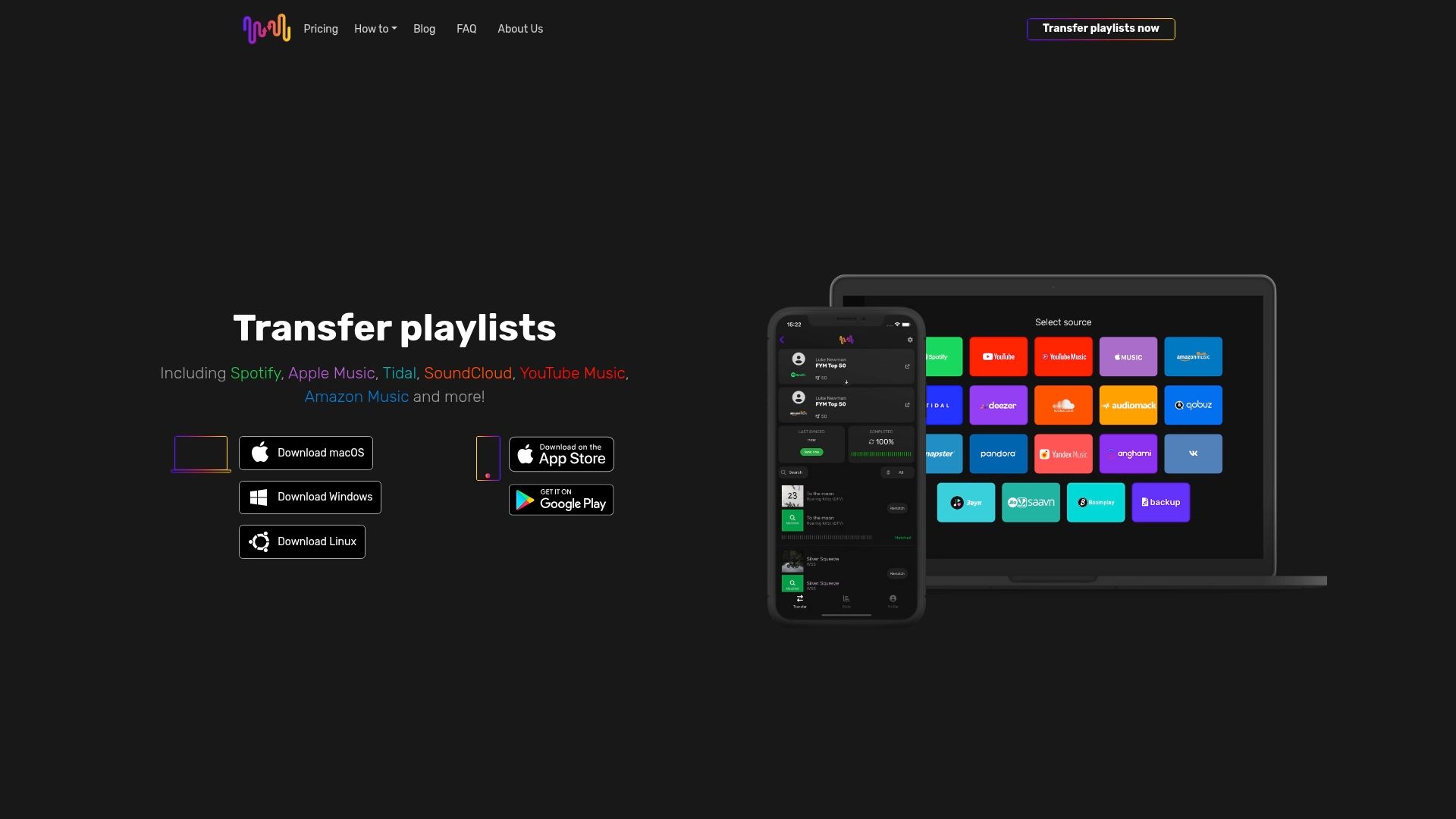
Ontdek hoe je met FreeYourMusic.com je playlists soepel overzet tussen Spotify, Apple Music, Tidal, YouTube Music, Amazon Music en meer. Dankzij geavanceerde algoritmen voor het matchen van nummers, automatische synchronisatie en back-upopties in de cloud blijven de volgorde van je playlists en je gegevens intact, zonder handmatig werk. Stap zorgeloos over en beheer al je muziekbibliotheken op één plek met gebruiksvriendelijke apps voor Windows, macOS, Linux, Android en iOS. Begin vandaag nog en stel je playlists veilig met een oplossing voor muziekliefhebbers die betrouwbaarheid, veiligheid en eenvoud belangrijk vinden. Ontdek hoe het overzetten van playlists werkt en geniet van een vlekkeloze overstap met FreeYourMusic.com.
Veelgestelde vragen
Hoe heeft het beheer van muziekplaylists zich ontwikkeld?
Het beheer van muziekplaylists is veranderd van het handmatig samenstellen van collecties in een veelzijdige bezigheid die wordt beïnvloed door digitale cultuur en technologie. Het omvat menselijke selectie, algoritmische aanbevelingen en aandacht voor het meenemen van playlists naar verschillende streamingplatforms.
Waarin verschilt digitaal playlistbeheer van handmatige methoden?
Bij digitaal playlistbeheer kun je lijsten op elk moment bewerken, nummers direct in een andere volgorde zetten en algoritmische suggesties gebruiken. Handmatige methoden vereisten bewuste selectie en waren gebonden aan fysieke beperkingen, zoals opslagruimte en het gebruikte medium.
Welke uitdagingen spelen bij het overzetten van playlists tussen streamingplatforms?
Bij het overzetten kan het lastig zijn om nummers correct te matchen doordat metadata per platform verschillen. Specifieke versies kunnen verloren gaan en sommige nummers zijn mogelijk niet beschikbaar op de nieuwe dienst. Dat kan de beoogde luisterervaring verstoren.
Welke veelgemaakte fouten moet je vermijden bij het overzetten van playlists?
Veelgemaakte fouten zijn niet controleren of nummers na het overzetten goed zijn gematcht, geen aandacht besteden aan de volgorde, geen back-up maken van originele playlists, overhaast grote aantallen playlists overzetten zonder eerst kleinere lijsten te testen en onbetrouwbare tools gebruiken die de gegevensbeveiliging in gevaar kunnen brengen.
Aanbevolen
Jouw afspeellijsten zijn van jou.
Stop met handmatig opnieuw opbouwen. Verplaats alles in minuten en neem je muziek overal mee naartoe.
Gratis downloaden →SongsBrew — onze gratis muzieknieuwsbrief
Een gratis extraatje voor FYM-gebruikers. Tips, afspeellijsten, geen spam.