 Spotify→
 Apple Music
Przenieś Spotify do Apple Music
Przenieś playlisty, polubione utwory i zapisane albumy z Spotify do Apple Music bez ręcznego odtwarzania czegokolwiek. Połącz oba konta, wybierz, co chcesz przenieść, a FreeYourMusic odtworzy wszystko w Apple Music z tymi samymi nazwami i kolejnością utworów.
★★★★★ 4,7 · ponad 12 mln pobrań · Hasło nigdy nie jest udostępniane


Dlaczego przenieść się z Spotify do Apple Music?
FreeYourMusic przenosi playlisty, polubione utwory i zapisane albumy z Spotify do Apple Music. Dopasowuje utwory jeden po drugim i pokazuje wszystko, czego nie ma w Apple Music, więc możesz to poprawić przed zmianą serwisu.
Obsługiwane transfery
Playlisty (z oryginalnymi nazwami + kolejnością), Polubione utwory / ulubione i Zapisane albumy
Sprawdź brakujące utwory
Katalogi muzyczne różnią się między serwisami. Sprawdź wyniki transferu, aby zobaczyć, których utworów nie udało się dopasować w serwisie docelowym.
Jak przenieść playlisty z Spotify do Apple Music
Cztery kroki. Takie same na iPhonie, Androidzie, Macu, Windowsie i Linuksie.
Krótka odpowiedź
Aby przenieść Spotify do Apple Music, zainstaluj FreeYourMusic, wybierz Spotify jako źródło i Apple Music jako cel, zaznacz wybrane playlisty i rozpocznij transfer. Aplikacja znajdzie każdy utwór w Apple Music i pokaże wszystkie utwory, których nie udało się dopasować.
- 1
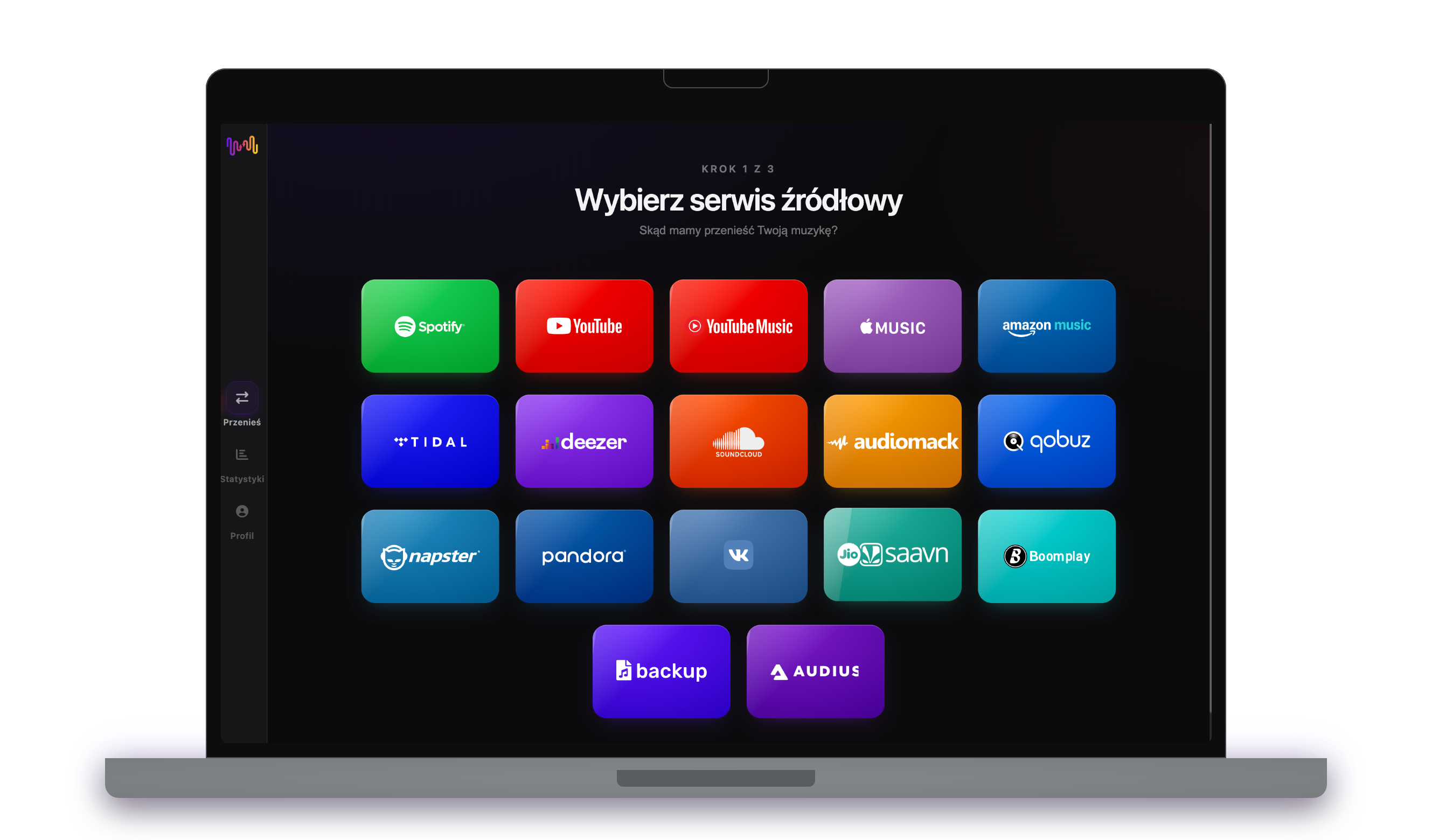
Połącz Spotify jako źródło
Otwórz FreeYourMusic, stuknij kafelek Spotify na ekranie „Wybierz serwis źródłowy” i zaloguj się na stronie logowania Spotify. FreeYourMusic nie przechowuje Twojego hasła do Spotify.
- 2
Wybierz Apple Music jako cel
Na ekranie „Wybierz serwis docelowy” stuknij Apple Music i zaloguj się. FreeYourMusic potrzebuje dostępu do Twojej biblioteki Apple Music, aby utworzyć w niej playlisty.
- 3
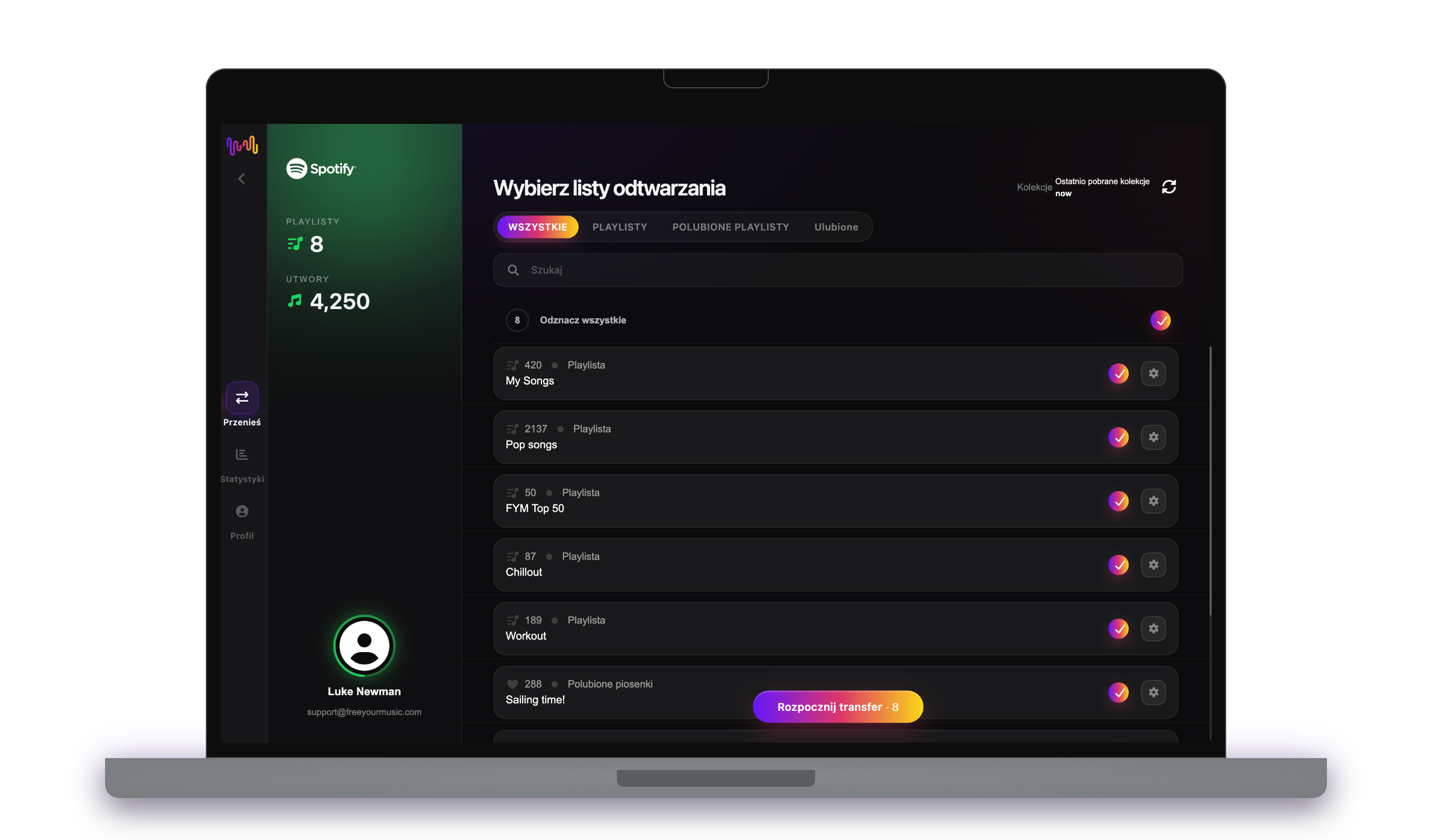
Wybierz, co przenieść
Zaznacz playlisty, które chcesz mieć w Apple Music. Użyj filtrów i wyszukiwarki, aby je znaleźć, albo zaznacz wszystko, aby przenieść całą bibliotekę Spotify za jednym razem.
- 4
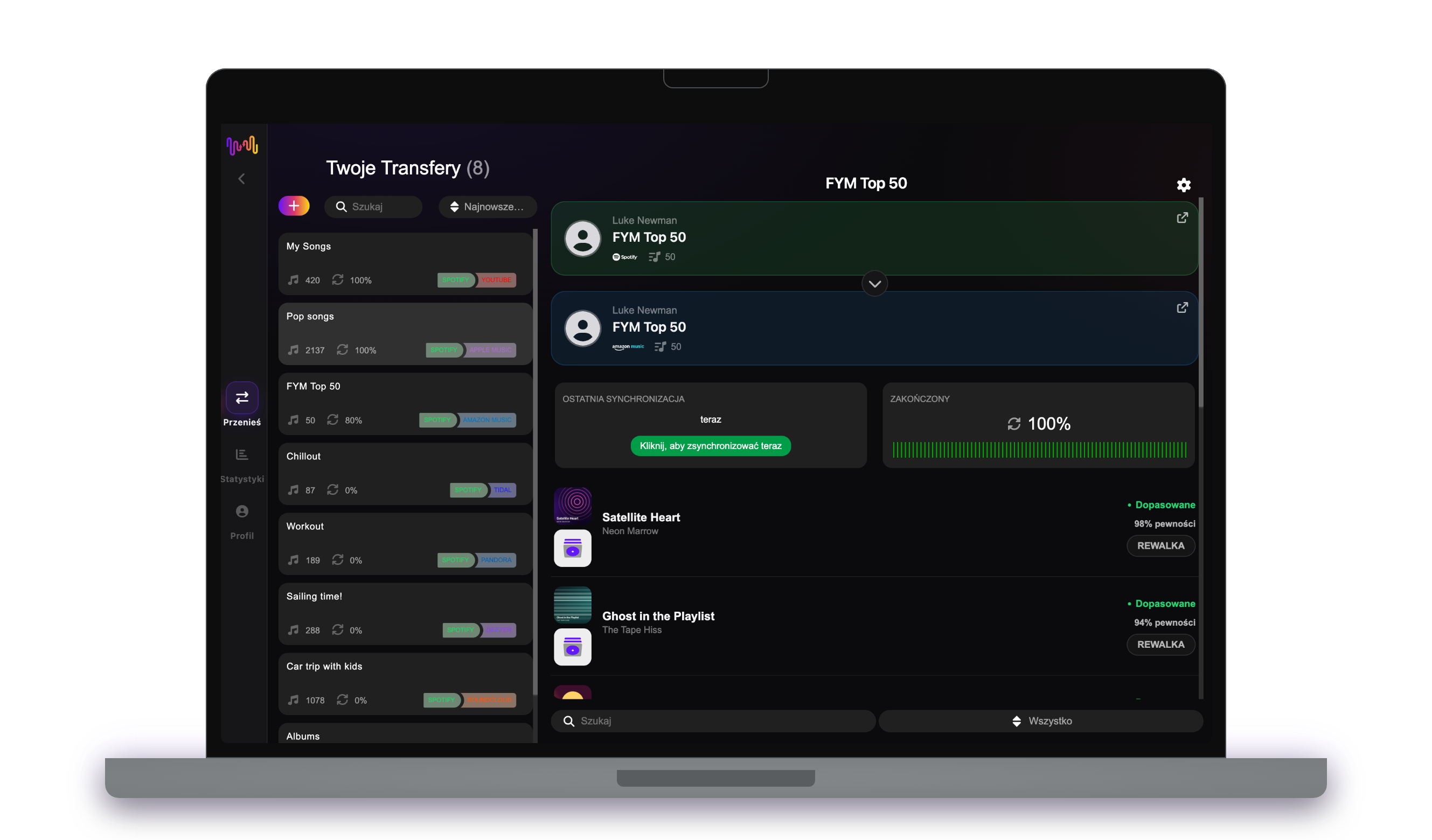
Rozpocznij transfer i sprawdź wyniki
Stuknij „Rozpocznij transfer”. FreeYourMusic dopasowuje każdy utwór w Apple Music, zachowuje nazwy playlist i kolejność utworów oraz pokazuje wskaźnik pewności dla każdego dopasowania. Użyj Rematch, aby poprawić utwory, których nie udało się znaleźć.
Dobrze wiedzieć, zanim przeniesiesz się z Spotify do Apple Music
Spotify jako źródło
Wystarczy darmowe konto Spotify. Spotify nie pozwala aplikacjom odczytywać playlist, które tworzy dla Ciebie, takich jak spersonalizowane miksy: najpierw skopiuj ich utwory do własnej playlisty.
Apple Music jako cel
Do dodawania muzyki w Apple Music potrzebna jest aktywna subskrypcja. Apple nie pozwala aplikacjom usuwać ani zmieniać kolejności utworów w playliście, więc synchronizacja tylko dodaje tam nowe utwory.
Apple Music ma wbudowany import. Oto czym różni się FreeYourMusic.
Apple Music może zaimportować playlisty z Spotify w ustawieniach Muzyki na iPhonie lub iPadzie albo na music.apple.com. To jednorazowy import do Apple Music, a Apple nie oferuje go w każdym kraju.
| Wbudowany import Apple Music | FreeYourMusic | |
|---|---|---|
| Dokąd może trafić Twoja muzyka | Tylko Apple Music | Apple Music i 15 innych serwisów |
| Przenoszenie między dwoma kontami Apple Music | Nie | Tak |
| Synchronizacja playlist po transferze | Nie, jednorazowy import | Tak, z Auto-Sync (Premium) |
| Kopia zapasowa biblioteki | Nie | Tak, z Cloud Backup (Premium) |
| Późniejsze odejście z Apple Music | Nie | Tak, w dowolnym kierunku |
Do szybkiej, jednorazowej przeprowadzki wbudowany import może wystarczyć. Użyj FreeYourMusic, aby synchronizować serwisy, przenosić muzykę między kontami, robić kopię zapasową biblioteki lub później odejść z Apple Music.
Co przenosimy z Spotify do Apple Music
Na każdym urządzeniu
Przenieś, przekonwertuj lub zaimportuj: jeden transfer z Spotify do Apple Music
Niezależnie od tego, jak to nazwiesz, chodzi o to samo. Możesz przenieść playlisty z Spotify do Apple Music, przekonwertować playlistę Spotify na playlistę Apple Music albo zaimportować bibliotekę Spotify do Apple Music. FreeYourMusic robi wszystkie trzy rzeczy w jednym transferze, dla jednej playlisty lub dla biblioteki z tysiącami utworów.
Synchronizuj Spotify i Apple Music
Nadal dodajesz utwory w Spotify? Z Premium Auto-Sync sprawdza przeniesione playlisty i automatycznie dodaje nowe utwory do Apple Music, więc obie biblioteki pozostają takie same. Cennik →
Przenieś Spotify do innego serwisu




Zobacz wszystkie transfery z Spotify →
Przenieś do Apple Music z innego serwisu
Najczęściej zadawane pytania
Jak przenieść moją playlistę z Spotify do Apple Music?
Aby przenieść Spotify do Apple Music, zainstaluj FreeYourMusic, wybierz Spotify jako źródło i Apple Music jako cel, zaznacz wybrane playlisty i rozpocznij transfer. Aplikacja znajdzie każdy utwór w Apple Music i pokaże wszystkie utwory, których nie udało się dopasować.
Co dokładnie jest przenoszone z Spotify do Apple Music?
FreeYourMusic przenosi playlisty, polubione utwory i zapisane albumy z Spotify do Apple Music. Dopasowuje utwory jeden po drugim i pokazuje wszystko, czego nie ma w Apple Music, więc możesz to poprawić przed zmianą serwisu.
Apple Music ma własne narzędzie do importu. Po co FreeYourMusic?
Wbudowane narzędzie jednorazowo importuje muzykę do Apple Music. FreeYourMusic przenosi muzykę między 16 serwisami w dowolnym kierunku, między dwoma kontami tego samego serwisu, synchronizuje playlisty po transferze i robi kopię zapasową biblioteki.
Nie widzę opcji przenoszenia muzyki w Apple Music. Co mogę zrobić?
Apple nie oferuje narzędzia do przenoszenia w każdym kraju. FreeYourMusic przenosi Twoje playlisty z Spotify do Apple Music na iPhonie, iPadzie, Androidzie, Macu, Windowsie i Linuksie.
Czy mogę przenieść playlisty z Spotify do Apple Music za darmo?
Tak — darmowy plan przenosi 300 utworów bez karty, a po darmowej rejestracji e-mailem dostajesz 300 kolejnych. Ulepsz plan, aby uzyskać nieograniczone transfery, Auto-Sync i Cloud Backup.
Co się dzieje z utworami, których nie ma w Apple Music?
Katalogi różnią się w zależności od serwisu i regionu. FreeYourMusic wyświetla każdy utwór, którego nie udało się dopasować w Apple Music, więc możesz wybrać inną wersję za pomocą Rematch albo go pominąć. Nic nie znika bez Twojej wiedzy.
Czy moje playlisty z Spotify zostaną usunięte?
Nie. FreeYourMusic kopiuje Twoją muzykę do Apple Music i zostawia bibliotekę Spotify bez zmian. Później sam zdecydujesz, czy zachować, czy anulować konto Spotify.
Ile trwa transfer z Spotify do Apple Music?
Większość playlist przenosi się w kilka minut. Duże biblioteki wymagają więcej czasu, bo zależy on od liczby utworów i od limitów Spotify i Apple Music. W trakcie transferu możesz normalnie korzystać z urządzenia.
Czy mogę przenieść Spotify do Apple Music na telefonie?
Tak. FreeYourMusic działa na iPhonie, iPadzie i Androidzie oraz na komputerach z systemem macOS, Windows i Linux. Kroki są takie same na każdym urządzeniu.
Gotowy na przeniesienie do Apple Music?
Pobierz FreeYourMusic i przenieś całą bibliotekę w kilka minut.
Pobierz za darmo →