

Transfer YouTube to Tidal
Move your playlists from YouTube to Tidal without rebuilding anything by hand. Connect both accounts, pick what to move, and Free Your Music recreates it on Tidal with the same names and song order.
*Free accounts move up to 10,000 songs in total. Pro has no song limit.
★★★★★ 4.7 · 12M+ downloads · Password never shared


Why move from YouTube to Tidal?
Free Your Music moves your playlists from YouTube to Tidal. It matches the songs one by one and lists anything that is not on Tidal, so you can fix it before you switch.
Supported transfers
Playlists (with original names + order)
Review missing tracks
Catalogs differ. Review the transfer results for tracks that could not be matched on the destination service.
How to transfer playlists from YouTube to Tidal
Four steps. The same on iPhone, Android, Mac, Windows and Linux.
Quick answer
To transfer YouTube to Tidal, install Free Your Music, select YouTube as the source and Tidal as the destination, choose the playlists you want, and start the transfer. The app finds each song on Tidal and lists any track it could not match.
- 1
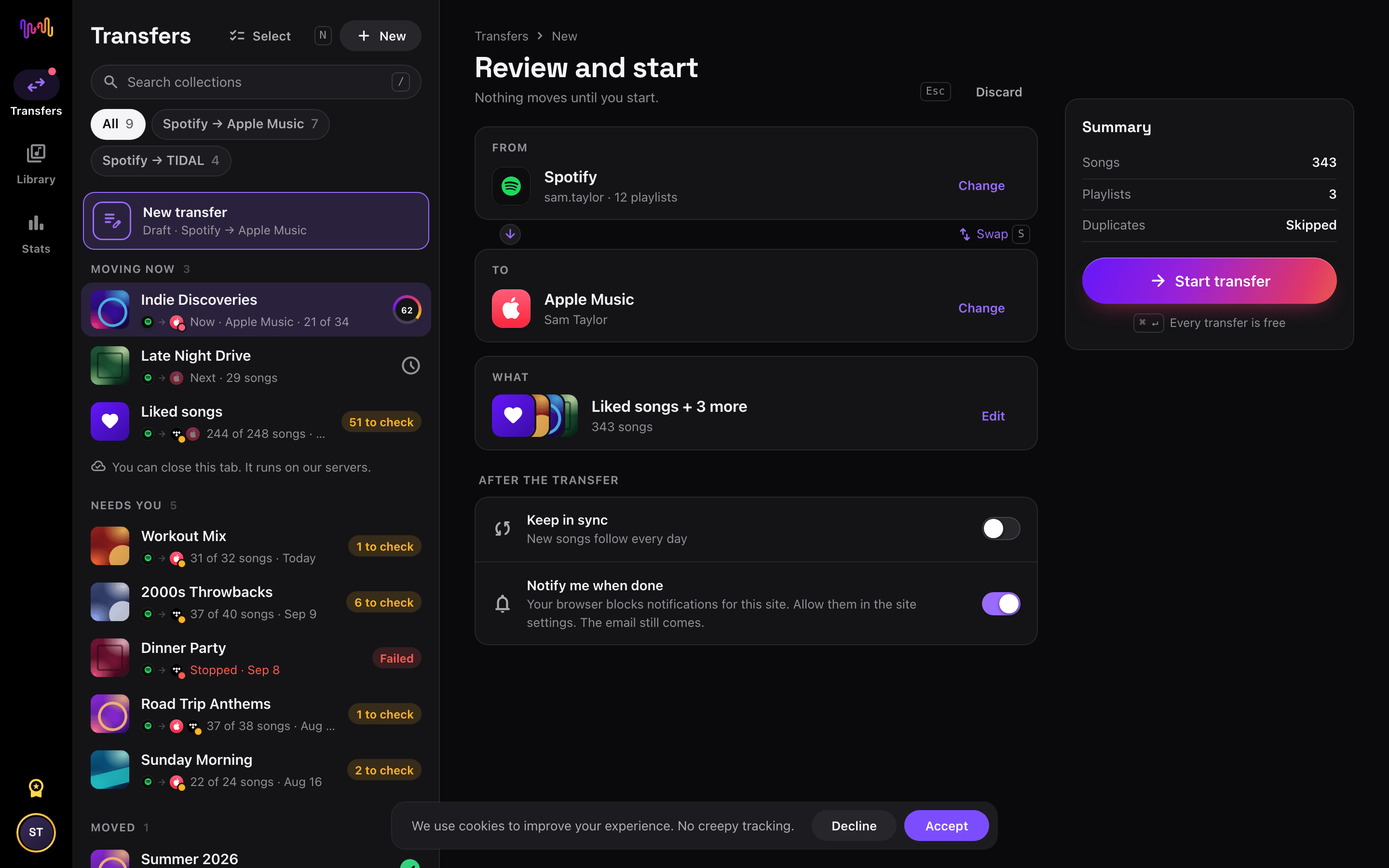
Connect YouTube as the source
Open Free Your Music, tap the YouTube tile on the "Select source" screen and sign in on the YouTube sign-in page. Free Your Music does not store your YouTube password.
- 2
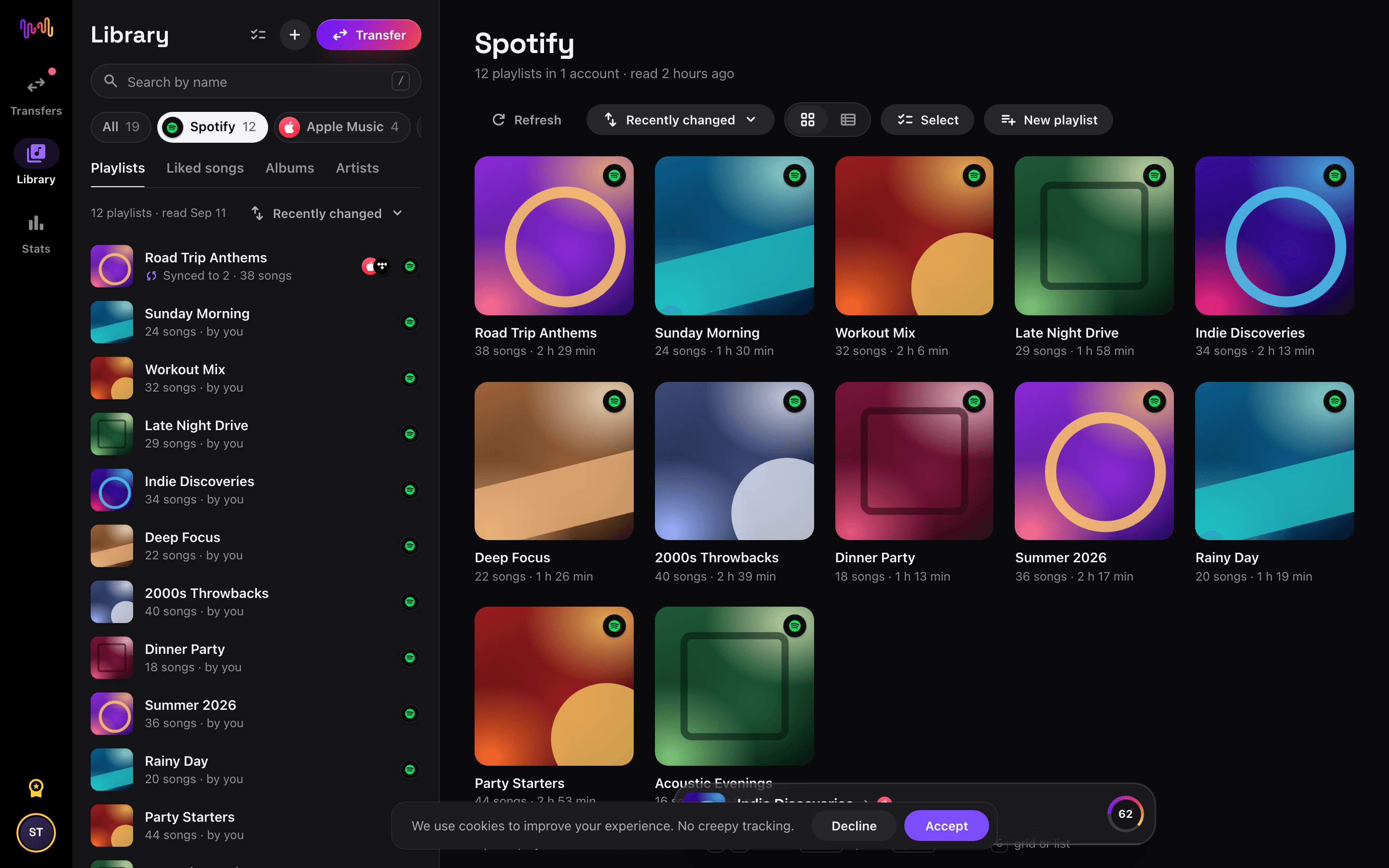
Choose Tidal as the destination
On the "Select destination" screen, tap Tidal and sign in. Free Your Music needs access to your Tidal library to create the playlists there.
- 3
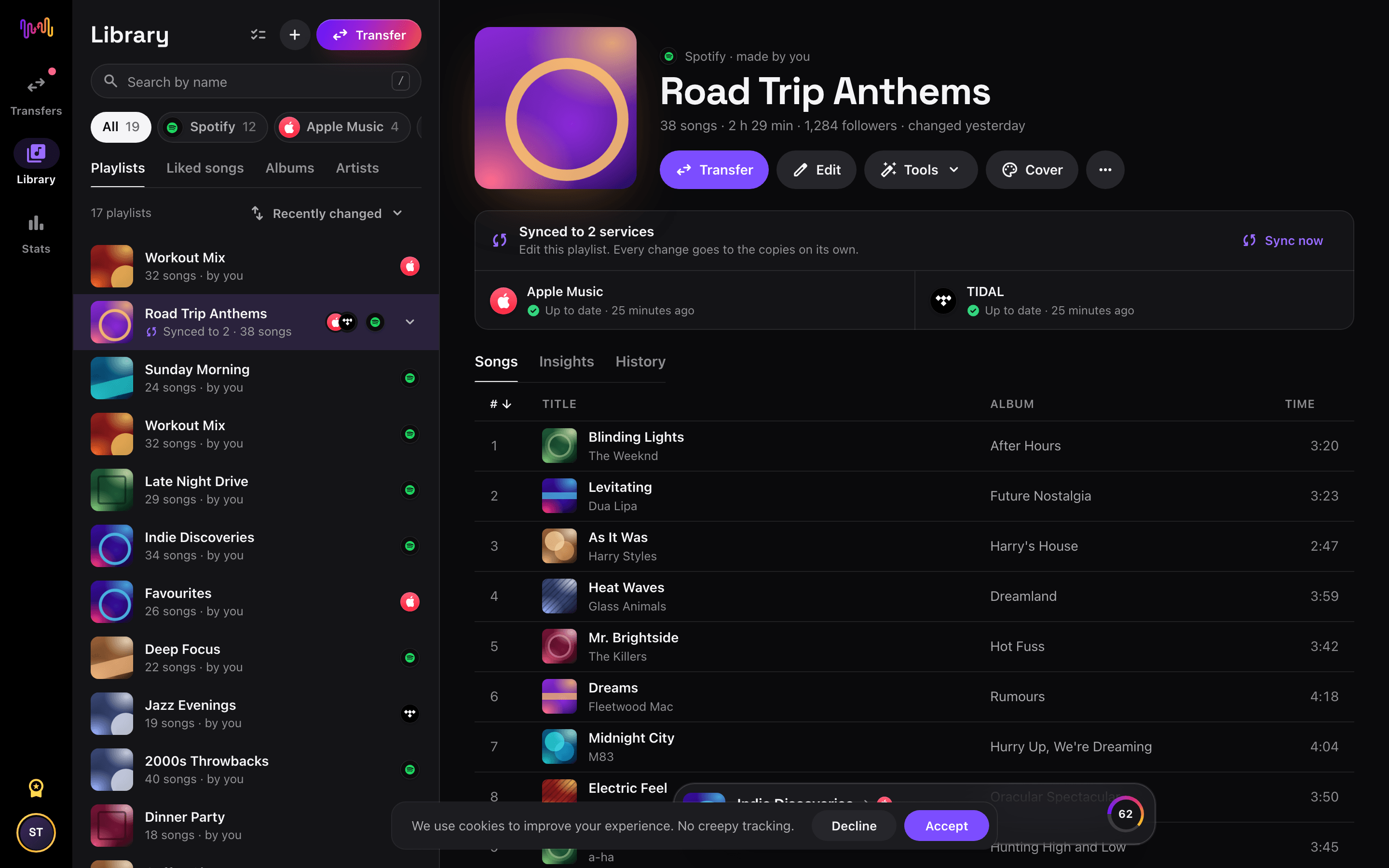
Select what to move
Tick the playlists you want on Tidal. Use the filters and the search field to find them, or select everything to move your whole YouTube library at once.
- 4
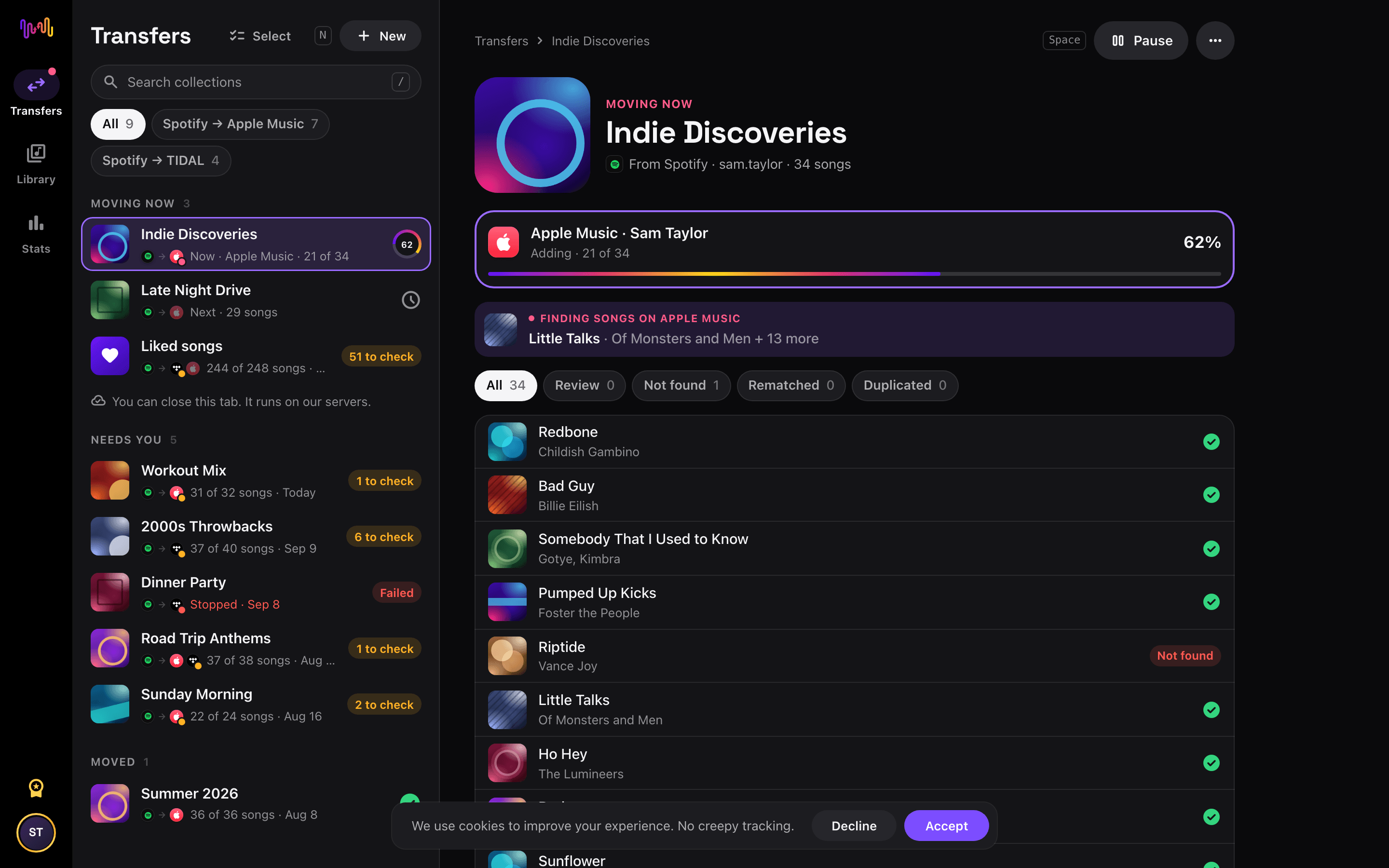
Start the transfer and check the results
Tap "Begin transfer". Free Your Music matches every song on Tidal, keeps the playlist names and the song order, and shows a confidence score for each match. Use Rematch to fix any song it could not find.


YouTube to Tidal with Siri Shortcuts
Move a YouTube playlist to Tidal from its link. You build no new playlist by hand.
- In YouTube, tap Share on a playlist, then Copy link.
- Run the Transfer a link shortcut of Free Your Music and pick Tidal.
- The whole playlist moves to Tidal. We tell you when it is done.
Watch your YouTube to Tidal transfer from your Home Screen
Start the transfer, close the app and follow it on your Home Screen or Lock Screen. The transfer widgets are free.
- Moving now shows how many songs are on Tidal already.
- Last transfer takes you to the songs to check, in one tap.
This transfer is free
Every transfer from YouTube to Tidal is free in your browser and in the new iPhone and Android apps, up to 10,000 songs in total. No card. Pro has no song limit.
Keep them in sync
Still use both? Turn on auto-sync. New songs on YouTube reach Tidal once a day.
Tidal playlist tools
YouTube playlist tools
Good to know before you move YouTube to Tidal
YouTube as the source
Free Your Music moves your YouTube playlists of music videos and finds the songs on the new service. Liked videos are not moved.
Read the YouTube guide →Tidal as the destination
Tidal does not let apps remove or reorder songs in a playlist, so Auto-Sync only adds new songs to Tidal.
Read the Tidal guide →What transfers from YouTube to Tidal
On every device
Move, convert or import: one transfer from YouTube to Tidal
Whatever you call it, it is the same job. You can move your YouTube playlists to Tidal, convert a YouTube playlist into a Tidal playlist, or import your YouTube library into Tidal. Free Your Music does all three in one transfer, for one playlist or for a library of thousands of songs.
Keep YouTube and Tidal in sync
Still adding songs on YouTube? With Pro, Auto-Sync checks your transferred playlists and adds new songs to Tidal automatically, so both libraries stay the same. Pricing →
Move YouTube to another service


Transfer to Tidal from another service
Moving from YouTube to Tidal, explained
Going from YouTube to Tidal is the biggest quality jump on offer — from free, compressed video audio to a curated HiRes FLAC library built around credits and editorial. Free Your Music reads your YouTube playlists through Google’s official sign-in and recreates them inside Tidal as matched tracks.
This guide explains what transfers, what cannot, how videos are matched to songs, how long it takes, and how the two really differ. If you just want to begin, install Free Your Music, connect both accounts and pick what to move — the detail is below.
What transfers to Tidal, and what does not
Your YouTube playlists of music videos become Tidal playlists of tracks, keeping names and order. Liked videos are not part of the move — only playlists cross over. Move all your playlists or pick playlists individually, with counts shown before you commit.
Because YouTube holds far more than music, some entries will not translate. Non-music videos have no song to match, and private, deleted or region-blocked videos cannot be read. Live and rare uploads are especially unlikely to appear in Tidal’s curated catalogue, so those are flagged rather than forced.
How Free Your Music matches your tracks
Converting a video library to audio is a matching problem. Free Your Music reads each video’s title and artist and finds the same recording in Tidal. A recording code such as ISRC is used where present, but YouTube videos often lack one, so title, artist, album and duration do most of the work.
Music videos with messy titles can be ambiguous, so Free Your Music never silently drops them — anything uncertain is flagged for one-tap Rematch, letting you confirm the clean studio master, which matters when you are moving for sound quality.
How long does a YouTube to Tidal transfer take?
Most transfers finish in minutes. With both accounts connected, around 1,000 items usually completes in under ten minutes. Larger playlists take longer, but the transfer runs on its own — start it and come back later.
Free Your Music runs on iPhone, iPad and Android, and in the browser on any Mac, Windows or Linux computer, so the move is not tied to one machine. Start it on your laptop and check progress on your phone; it is the same account and the same transfer.
YouTube vs Tidal: what actually changes
This is a shift from a free video platform to a premium audiophile service. On YouTube your music lived as free, ad-supported videos with compressed audio. Tidal gives you HiFi and HiRes FLAC, detailed credits and artist-led editorial — a world away in sound.
What you give up is the video and the free access. But if you mostly wanted the songs in the best possible quality, converting your YouTube playlists into a Tidal library is the most dramatic fidelity upgrade you can make.
Do you need to keep YouTube access while you transfer?
Yes — keep signed in to YouTube until the transfer is finished and checked. Free Your Music reads your YouTube playlists while copying them into Tidal, and keeping both live means you never lose the source mid-move.
YouTube is free, so nothing needs cancelling, but Tidal has no permanent free tier, so you will need a Tidal trial or subscription to receive the transfer. Both connect through their own official sign-in, and your password is never shared with Free Your Music.
Tips for a clean migration
Weed out the non-music videos from your playlists first so the transfer focuses on actual songs. Move a couple of playlists and check the matches in Tidal — since you are switching for sound, confirming you got the right studio masters is essential.
When the transfer finishes, work through the Rematch list carefully, since music-video titles produce more ambiguous matches. Then set Tidal to HiFi or HiRes and download your key playlists for offline listening.
Keeping YouTube and Tidal in sync afterwards
A one-time move is not your only option. If you keep building playlists on YouTube, Free Your Music’s Auto-Sync mirrors the libraries on a schedule so a video you add to one becomes a matched track in Tidal without effort.
And the transfer runs the other way too, from Tidal back to YouTube, if you want video versions. Your collection stays portable. Download Free Your Music, connect YouTube and Tidal, and see how much comes across — transfers are free up to 10,000 songs, and Pro has no song limit.
Frequently asked questions
How do I transfer my YouTube playlist to Tidal?
To transfer YouTube to Tidal, install Free Your Music, select YouTube as the source and Tidal as the destination, choose the playlists you want, and start the transfer. The app finds each song on Tidal and lists any track it could not match.
What exactly transfers from YouTube to Tidal?
Free Your Music moves your playlists from YouTube to Tidal. It matches the songs one by one and lists anything that is not on Tidal, so you can fix it before you switch.
Can I transfer YouTube playlists to Tidal for free?
Yes. Transfers from YouTube to Tidal are free up to 10,000 songs in total: your playlists, with no card. Pro has no song limit. Rematch and 30 days of Stats are free too. Pro keeps YouTube and Tidal in sync every day and adds the playlist tools and playlist insights.
What happens to songs that are not on Tidal?
Catalogs differ between services and regions. Free Your Music lists every song it could not match on Tidal, so you can pick another version with Rematch or skip it. Nothing is dropped without you seeing it.
Will my YouTube playlists be deleted?
No. Free Your Music copies your music to Tidal and leaves your YouTube library as it is. You decide later whether to keep or cancel your YouTube account.
How long does a YouTube to Tidal transfer take?
Most playlists move in a few minutes. Large libraries take longer, because the time depends on the number of songs and on the limits of YouTube and Tidal. You can keep using your device while the transfer runs.
Can I transfer YouTube to Tidal on my phone?
Yes. Free Your Music runs on iPhone, iPad and Android, and in the browser on any Mac, Windows or Linux computer. The steps are the same on every device.
Is there a YouTube to Tidal shortcut?
Yes. On iPhone, copy a YouTube playlist link and run the free Transfer a link shortcut of Free Your Music. It moves the playlist to Tidal. You can also ask Siri to do it for you.
Can I follow my YouTube to Tidal transfer on my Home Screen?
Yes. Add the free Free Your Music Moving now widget. It shows how many songs are on Tidal already, and the free Last transfer widget takes you to the songs to check when it is done. The widgets work on iPhone and Android.
Find new music for your new library
Deep cuts every Thursday, free. SongsBrew is our weekly music letter: one subject in depth and a playlist at the bottom. 25,000+ readers.
Ready to move to Tidal?
Open Free Your Music on the web or on your phone and move your whole library in minutes. Every transfer is free. No card.
Move my music free →