Playlist transition guide 2026: seamless music transfer
May 18, 2026

Switching streaming services shouldn't mean losing the playlists you've spent years curating. Whether you're moving from Apple Music to Spotify, exploring Tidal, or trying YouTube Music, the fear of starting over keeps many users locked into platforms they've outgrown. This comprehensive guide walks you through proven methods to transfer your music collection seamlessly, preserve your listening history, and maintain the personalized recommendations you rely on. You'll discover native transfer tools, third-party solutions, and expert strategies to ensure every cherished playlist makes the journey intact.
Table of Contents
- Understanding The Problem: Why Playlist Transition Matters
- Preparing To Transfer: Tools, Requirements, And Playlist Audit
- Executing The Transfer: Step-By-Step Instructions For Seamless Playlist Migration
- Verifying Results And Optimizing Your New Music Experience
- Enhance Your Playlist Transfer Experience With Freeyourmusic
- Frequently Asked Questions
Key takeaways
| Point | Details |
|---|---|
| Native tools available | Spotify and other platforms now offer built-in transfer features that simplify playlist migration without third-party apps. |
| Preservation matters | Transferred playlists help maintain your music identity and train recommendation algorithms on your new platform. |
| Preparation is essential | Auditing playlists before transfer and understanding tool limitations prevents disappointment and data loss. |
| Verification required | Not all songs transfer automatically due to licensing differences, requiring post-transfer review and manual adjustments. |
Understanding the problem: Why playlist transition matters
Your playlists represent more than just collections of songs. They're time capsules of memories, carefully organized soundtracks for different moods, and years of music discovery compressed into curated lists. When you switch streaming platforms, losing these playlists feels like losing part of your identity. The frustration extends beyond missing songs; you're also resetting the algorithmic recommendations that have learned your taste over time.
Music streaming services invest heavily in personalization engines that study your listening habits. These systems analyze playlist composition, skip patterns, and replay frequency to suggest new artists and create custom mixes. Starting fresh on a new platform means teaching these algorithms from scratch, potentially spending months rebuilding the personalized experience you had before. This learning period directly impacts user satisfaction and retention rates.
The challenge intensifies for users with extensive libraries. If you've built dozens of playlists across genres, activities, and eras, manual recreation becomes impossibly time-consuming. Each playlist might contain hundreds of tracks, and remembering every song proves nearly impossible. Understanding playlist transfer best practices becomes essential for preserving your music ecosystem.
"The continuity of your music collection shapes your relationship with streaming platforms. Losing playlists during transition creates friction that discourages platform exploration and locks users into suboptimal services."
Beyond personal convenience, playlist preservation matters for music discovery. Your existing playlists signal your taste preferences to new platforms, helping recommendation systems understand your musical identity faster. Without this data, you'll receive generic suggestions that miss your nuanced preferences. The quality of your streaming experience depends on successfully transferring this listening history.
Consider these common scenarios:
- Switching to a service with better audio quality but losing years of playlist curation
- Exploring family plans on different platforms while maintaining your music organization
- Consolidating multiple accounts after trying various services
- Backing up playlists before a service shuts down or changes features
Each situation requires a thoughtful approach to playlist migration. The stakes are high because your music library reflects personal taste, emotional connections, and countless hours of discovery. Protecting this investment demands more than casual attention; it requires systematic planning and execution.
Preparing to transfer: Tools, requirements, and playlist audit
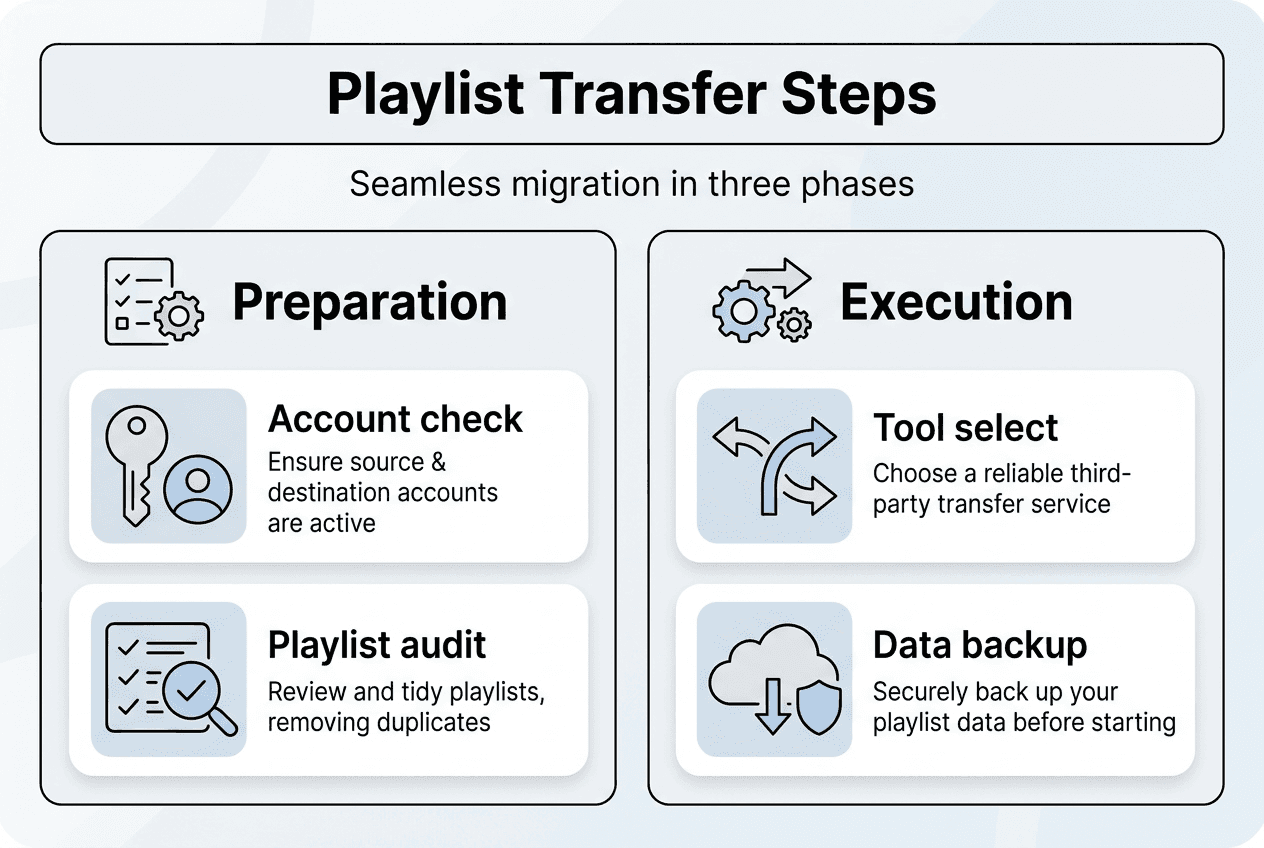
Successful playlist migration starts with preparation, not execution. Before initiating any transfer, you need the right tools, active accounts, and a clear understanding of what you're moving. Spotify recently integrated TuneMyMusic functionality directly into its mobile app, simplifying transfers from competing platforms. This native integration represents a significant shift in how streaming services approach user acquisition.
To begin your preparation, verify you have active accounts on both source and destination platforms. Most transfer tools require login credentials for authentication, and some features remain exclusive to premium subscribers. Check your app versions too; outdated software may lack transfer capabilities or encounter compatibility issues. Update both streaming apps to their latest versions before proceeding.

Pro Tip: Create a spreadsheet listing all playlists you want to transfer, including track counts and any known unavailable songs. This reference document helps verify transfer completeness later and identifies which playlists matter most if you need to prioritize.
Auditing your playlists before transfer saves frustration afterward. Review each playlist for duplicate tracks, broken links, and songs that might not exist on your destination service. Regional licensing differences mean some tracks available on one platform won't transfer to another. Identifying these gaps early lets you find alternatives or accept limitations before investing time in the transfer process.
The automatic playlist transfer guide explains various tool options, but understanding their differences helps you choose wisely. Native platform tools offer convenience but limited flexibility. Third-party services provide broader compatibility and advanced features like scheduled syncing. Evaluate your specific needs before committing to one approach.
| Platform | Native Transfer | Third-Party Support | Playlist Limit | Premium Required |
|---|---|---|---|---|
| Spotify | Yes (TuneMyMusic) | Extensive | Unlimited | No |
| Apple Music | Limited | Good | Unlimited | No |
| YouTube Music | No | Excellent | Unlimited | No |
| Tidal | No | Good | Unlimited | Varies |
| Amazon Music | No | Moderate | Unlimited | Varies |
This comparison reveals that Spotify leads in transfer accessibility, while other platforms rely more heavily on third-party solutions. Your choice of transfer method should align with your technical comfort level and the specific platforms involved. Some users prefer native tools for security reasons, while others prioritize the advanced features that specialized services offer.
Backing up playlists before transfer provides insurance against data loss. Export your playlists to CSV or Excel files using your current platform's tools or third-party backup services. These files serve as master lists if transfers fail or if you need to recreate playlists manually. The small time investment in creating backups pays dividends if something goes wrong during migration. Learning how to transfer existing playlists across different scenarios prepares you for various transfer challenges.
Executing the transfer: Step-by-step instructions for seamless playlist migration
Once preparation is complete, executing the transfer requires methodical attention to detail. The process varies depending on your chosen method, but following structured steps minimizes errors and ensures completeness. Spotify's native transfer feature offers the most straightforward path for users moving to that platform, while alternative methods suit other scenarios.
For Spotify mobile app users, the transfer process works for both free and premium accounts:
- Open the Spotify mobile app and navigate to Your Library
- Tap the plus icon to create a new playlist
- Select "Import playlists" from the menu options
- Choose your source streaming service from the list
- Log in to your source account when prompted
- Select which playlists you want to transfer
- Confirm the transfer and wait for processing to complete
- Review the imported playlists for accuracy and completeness
This native method handles authentication automatically and processes transfers in minutes for most playlists. The system matches songs based on metadata like artist names, track titles, and album information. When exact matches aren't found, Spotify's algorithm attempts to locate similar versions or live recordings. This matching process works well for popular music but struggles with obscure tracks, remixes, or region-specific releases.
Alternative methods using third-party tools offer different advantages. Services like Free Your Music provide cross-platform flexibility, allowing transfers between any combination of streaming services. These tools typically require desktop applications or web interfaces rather than mobile-only access. The trade-off comes in broader compatibility and features like automatic synchronization, which keeps playlists updated across multiple platforms simultaneously.
Pro Tip: Transfer your most important playlists first as test cases. This approach lets you identify issues with the transfer process before committing your entire library. If problems arise, you can adjust settings or try alternative methods without risking your complete collection.
Common issues during transfer include unavailable tracks, incorrect song versions, and playlist ordering problems. When a song doesn't exist on the destination platform due to licensing restrictions, the transfer tool simply skips it. These gaps require manual attention afterward. Some services provide reports listing unavailable tracks, while others leave you to discover missing songs through listening.
| Method | Ease of Use | Transfer Speed | Accuracy | Cost | Best For |
|---|---|---|---|---|---|
| Spotify Native | Very Easy | Fast | Good | Free | Moving to Spotify |
| Third-Party Apps | Moderate | Moderate | Excellent | Varies | Multi-platform needs |
| Manual Recreation | Difficult | Very Slow | Perfect | Free | Small playlists |
| CSV Import/Export | Moderate | Slow | Good | Free | Technical users |
This comparison helps you select the appropriate method based on your priorities. If speed matters most and you're moving to Spotify, the native tool wins. For users managing playlists across multiple platforms or needing ongoing synchronization, third-party apps justify their cost through time savings and advanced features.
Specialized transfers between specific platforms benefit from dedicated tools. Moving from Qobuz to Spotify or reversing the journey from Spotify to Qobuz requires understanding each platform's unique characteristics. Qobuz focuses on high-resolution audio and classical music, while Spotify emphasizes discovery and social features. These differences affect how playlists translate between services.
Timing your transfer strategically improves results. Avoid peak usage hours when servers experience heavy load, as this can slow processing or cause timeouts. Weekend mornings typically offer better performance than weekday evenings. For large libraries exceeding 50 playlists, consider spreading transfers across multiple sessions to reduce strain on both your internet connection and the transfer service's infrastructure.
Verifying results and optimizing your new music experience
Transfer completion marks the beginning of verification, not the end of your migration journey. Systematic review ensures nothing important was lost and helps you optimize your new platform experience. Start by comparing playlist counts between your source and destination accounts. If numbers don't match, investigate which playlists failed to transfer and why.
Within each transferred playlist, check track counts against your backup documentation. Discrepancies indicate missing songs that require attention. Most streaming apps display track counts prominently, making this comparison straightforward. For playlists with hundreds of tracks, spot-checking favorite songs provides a practical alternative to reviewing every entry individually.
Missing tracks fall into three categories: unavailable on the destination platform, incorrectly matched to wrong versions, or failed to transfer due to technical errors. Distinguishing between these scenarios determines your next steps. Search for unavailable tracks manually on your new platform; sometimes they exist under different artist names or as part of compilation albums. For incorrectly matched songs, delete the wrong version and add the correct one manually.
The Spotify personalization engine learns from imported playlists immediately, using them to train recommendation algorithms. This learning process improves your Discover Weekly, Release Radar, and Daily Mix playlists over time. The more complete and accurate your transferred playlists, the better these personalized features perform. Give the system at least two weeks of listening activity to calibrate properly.
Organizing transferred playlists enhances your streaming experience significantly. Consider these optimization strategies:
- Rename playlists with consistent naming conventions for easier browsing
- Add descriptive tags or emojis to playlist titles for visual organization
- Create folders grouping related playlists by genre, mood, or activity
- Update playlist cover images to reflect content and improve visual appeal
- Review and remove duplicate playlists created during multiple transfer attempts
These organizational improvements make your library more navigable and enjoyable. The effort invested in cleanup pays dividends every time you search for the perfect playlist. Proper playlist organization transforms a chaotic collection into a curated library that serves your listening needs efficiently.
"Patience during the post-transfer period is essential. Your new platform's recommendation algorithms need time to understand your taste. The initial suggestions may feel generic, but they improve dramatically as the system learns from your listening patterns and imported playlists."
Manually adding unavailable songs requires creativity and compromise. When a specific track doesn't exist on your new platform, search for live versions, covers, or remastered editions. Sometimes the same recording appears under a different album or compilation. If no version exists, consider whether a similar song by the same artist maintains the playlist's flow and purpose.
For users maintaining playlists on multiple platforms simultaneously, establishing a synchronization routine prevents divergence over time. Decide which platform serves as your master library, then schedule regular updates to mirror changes across services. This approach works well for users who listen on different platforms in various contexts, like Spotify for mobile and Tidal for home audio systems.
Tracking your verification progress helps ensure thoroughness. Create a checklist covering these key areas:
- All playlists transferred and accounted for
- Track counts verified against source playlists
- Missing songs identified and documented
- Incorrect matches corrected or noted
- Playlist organization optimized for new platform
- Recommendation algorithms showing improved suggestions
Systematic verification catches problems early when they're easier to fix. Waiting weeks before reviewing transfers makes it harder to remember what your playlists should contain and which songs matter most. Address issues immediately while your memory of the original playlists remains fresh.
Enhance your playlist transfer experience with Free Your Music
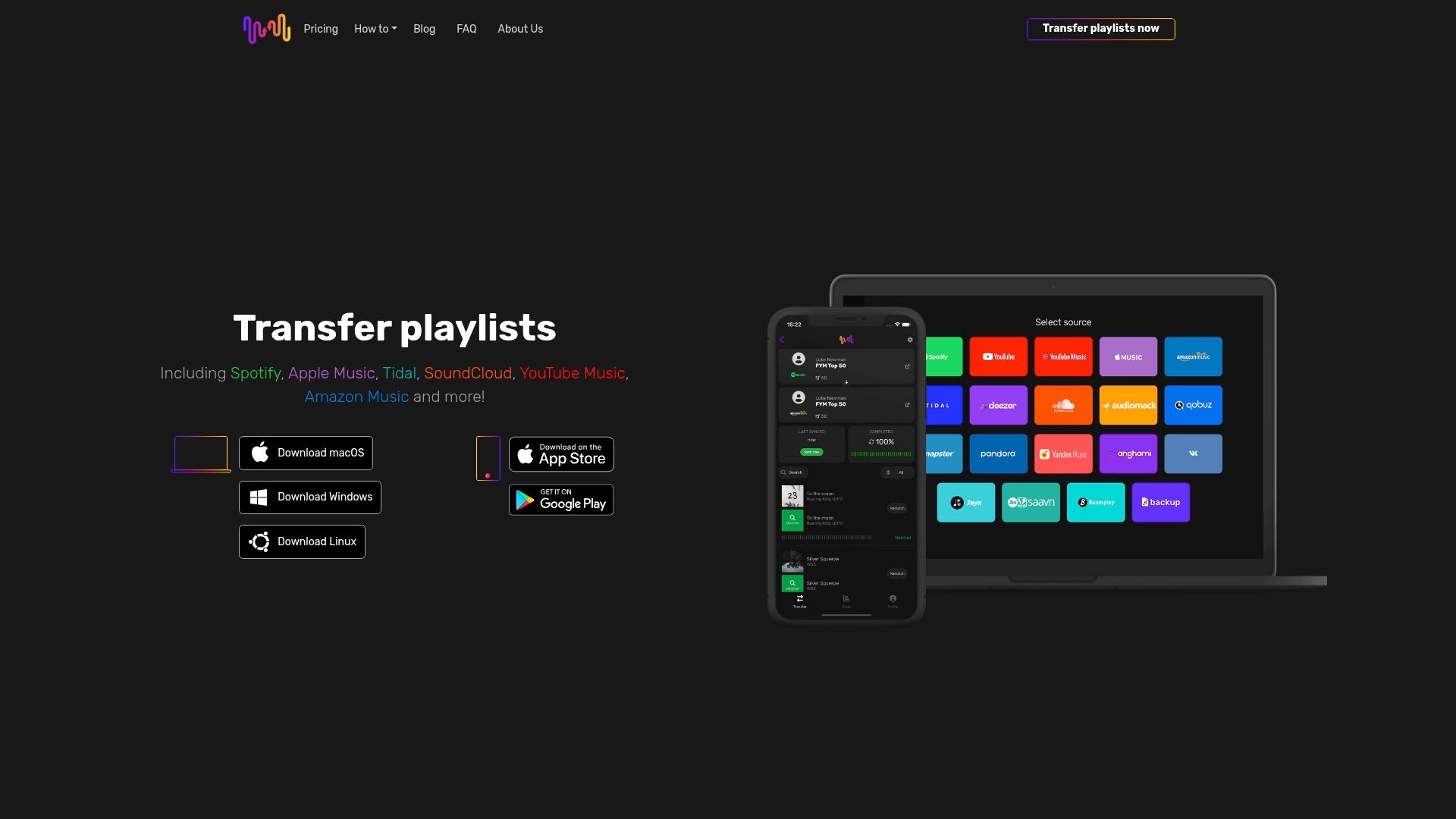
While native transfer tools handle basic migrations, serious music enthusiasts need more robust solutions. Free Your Music specializes in comprehensive playlist transfers across dozens of streaming platforms, offering features that native tools can't match. The service supports bidirectional transfers, meaning you can move playlists in any direction between services like Spotify, Apple Music, Tidal, YouTube Music, Amazon Music, and many others.
Automated synchronization keeps your playlists updated across multiple platforms without manual intervention. When you add songs to a playlist on one service, Free Your Music automatically updates the corresponding playlists on your other platforms. This feature proves invaluable for users who maintain presence on multiple services or want backup copies of their libraries. You can even transfer Audiomack to file backup formats or move file backup to Pandora seamlessly.
Expert support helps troubleshoot complex transfer scenarios that generic tools struggle with. The platform handles edge cases like regional content differences, duplicate detection, and playlist size limitations that cause other services to fail. For users investing significant time in their music libraries, professional-grade transfer tools justify their cost through reliability and time savings. Check the refund policy for risk-free trial options.
Frequently asked questions
How do I know if all my songs transferred correctly?
Compare track counts between your original and transferred playlists to identify discrepancies immediately. Most streaming apps display these numbers prominently in playlist details. For thorough verification, play through each playlist while following along with your backup documentation. Missing songs will create obvious gaps in the flow. Some transfer tools provide detailed reports listing unavailable tracks, making verification more systematic. If you created backup files during preparation, use them as reference documents to cross-check transferred content.
Can I transfer playlists if I use free versions of streaming services?
Spotify's playlist transfer feature works for both free and premium users on mobile devices, making it accessible regardless of subscription level. Other platforms vary in their policies, with some restricting transfer features to premium subscribers. Check your specific streaming service's documentation to confirm feature availability. Third-party transfer tools typically work with both free and paid accounts, though some advanced features like automatic synchronization may require premium subscriptions on the destination platform. Free accounts often have playlist size limits that can affect large transfers.
What should I do if some songs are missing after transfer?
First, verify whether missing songs exist on your destination platform by searching manually. Licensing differences mean some tracks available on one service won't appear on others. If songs exist but didn't transfer, try adding them manually or running the transfer again for affected playlists. For genuinely unavailable content, search for alternative versions like live recordings, covers, or remastered editions. Document missing tracks in a spreadsheet so you can monitor whether they become available later. Some users maintain backup playlists on their original platform for songs that won't transfer. Proper playlist organization helps track these gaps systematically.
How long does the transfer process typically take?
Transfer duration depends on playlist size, song count, and the method used. Small playlists with 20 to 50 tracks typically transfer in under five minutes using native tools. Large libraries containing thousands of songs across dozens of playlists may require several hours. Third-party services often process transfers faster than manual methods but slower than native integrations. Network speed affects transfer times significantly, so stable internet connections produce better results. For massive libraries, consider transferring in batches rather than all at once to maintain control and catch problems early. Most tools provide progress indicators showing estimated completion times.
Will transferring playlists affect my listening statistics and year-end summaries?
Transferred playlists don't include historical listening data from your previous platform. Your new service tracks plays starting from when you begin using it, meaning you're building fresh statistics. Year-end summaries like Spotify Wrapped will only reflect listening activity on that specific platform. If you switch mid-year, your summary will show partial data. Some users maintain accounts on multiple platforms to preserve listening history while exploring alternatives. The recommendation algorithms benefit from transferred playlists even without play history, as playlist composition signals your taste preferences effectively. Your music identity transfers through playlist content, even if play counts don't.
Recommended
- Free Your Music - What Is Seamless Playlist Transfer? Complete Overview
- Free Your Music - What Is Cross-Platform Music Transfer? Complete Overview
- Free Your Music - Effortless Music Collection Transfer Steps for Streamlined Migration
- Free Your Music - Which Streaming Platforms Let You Download Music for Offline Listening?


Migrate from and to any music services


Most popular Apple Music transfers: