Spezialisierter Musiktransfer: Playlists nahtlos übertragen

Mehr als jeder dritte amerikanische Musikfan besitzt Playlists mit Hunderten von Songs, die über Jahre hinweg sorgfältig zusammengestellt wurden. Ein plötzlicher Wechsel der Musikplattform kann da schnell überfordern – ob du als DJ riesige Musiksammlungen verwaltest oder einfach für jeden Moment die passende Stimmung schaffen möchtest. Dieser Leitfaden zeigt bewährte Vorgehensweisen für Nutzerinnen und Nutzer in den USA, die ihre gesamte Musikbibliothek zwischen Spotify und Apple Music übertragen möchten, ohne dabei die Playlist-Reihenfolge, Song-Metadaten oder wertvolle Hörstatistiken zu verlieren.
Inhaltsverzeichnis
- Was ist spezialisierter Musiktransfer?
- Welche Arten von Playlist-Transfer-Tools gibt es?
- Die wichtigsten Funktionen spezialisierter Transfer-Tools
- So funktioniert der automatische Playlist-Transfer
- Mögliche Risiken und Einschränkungen im Überblick
- Alternativen zu spezialisierten Musiktransfer-Lösungen
Das Wichtigste auf einen Blick
| Punkt | Details |
|---|---|
| Spezialisierter Musiktransfer | Zielt darauf ab, das Hörerlebnis und persönliche Einstellungen beim Übertragen von Musik zwischen Plattformen zu erhalten. |
| Arten von Transfer-Tools | Zur Auswahl stehen webbasierte Dienste sowie Desktop- und mobile Apps, die jeweils unterschiedliche Vorteile bieten. |
| Wichtigste Funktionen | Dazu gehören intelligente Zuordnungsalgorithmen, eine umfassende Synchronisierung von Metadaten und ein möglichst geringer manueller Aufwand. |
| Mögliche Risiken | Unvollständige Song-Zuordnungen, verlorene Metadaten und eine veränderte Playlist-Reihenfolge sind mögliche Risiken. Vorbeugende Maßnahmen können sie verringern. |
Was ist spezialisierter Musiktransfer?
Spezialisierter Musiktransfer bezeichnet einen technisch anspruchsvollen Ansatz, mit dem sich Musiksammlungen nahtlos zwischen verschiedenen Plattformen und Geräten übertragen lassen. Solche Dienste gehen über das einfache Kopieren von Dateien hinaus: Mithilfe fortschrittlicher Algorithmen sollen sie das Hörerlebnis und persönliche Einstellungen bewahren.
Das grundlegende Ziel besteht darin, die Musikbibliothek beim Wechsel zwischen Streamingdiensten oder Geräten möglichst vollständig und unverändert zu erhalten. Dazu gehören komplexe Aufgaben wie das Beibehalten von Playlist-Strukturen, die genaue Zuordnung von Songs auf unterschiedlichen Plattformen und das Übertragen von Metadaten wie Wiedergabezahlen, Bewertungen und eigenen Tags. Fortschrittliche Transfersysteme nutzen Algorithmen für maschinelles Lernen, um musikalische Merkmale zuzuordnen und die individuellen Eigenschaften jedes Titels beim Umzug präzise zu übernehmen.
Zu den zentralen Bestandteilen spezialisierter Musiktransfer-Lösungen gehören:
- Intelligente Song-Zuordnung zwischen verschiedenen Musikplattformen
- Erhalt der Reihenfolge und Struktur von Playlists
- Synchronisierung von Metadaten
- Plattformübergreifende Kompatibilität
- Möglichst wenig manuelle Eingriffe während der Übertragung
Profi-Tipp: Prüfe immer die Sicherung deiner Playlists, bevor du eine umfangreiche Musikübertragung startest, um möglichen Datenverlust zu vermeiden.
Welche Arten von Playlist-Transfer-Tools gibt es?
Musikfans steht heute eine Vielzahl leistungsfähiger Playlist-Transfer-Tools zur Verfügung, die den komplexen Umzug von Musiksammlungen zwischen Streamingplattformen vereinfachen. Diese spezialisierten Werkzeuge helfen dabei, die vielen Herausforderungen zu bewältigen, die beim möglichst unveränderten Übertragen von Playlists entstehen.
Playlist-Transfer-Tools lassen sich in mehrere Hauptkategorien einteilen. Webbasierte Plattformen ermöglichen direkte Online-Übertragungen ohne Software-Download und lassen dich mehrere Streamingkonten unkompliziert verbinden. Desktop-Anwendungen bieten umfassendere Übertragungsfunktionen, unterstützen den gleichzeitigen Umzug mehrerer Playlists und verfügen über erweiterte Funktionen zum Erhalt von Metadaten. Mobile Apps sorgen für Flexibilität unterwegs: Mit ihnen verwaltest du Playlist-Übertragungen direkt auf deinem Smartphone oder Tablet.
Führende Playlist-Transfer-Tools bieten in der Regel mehrere wichtige Funktionen:
- Unterstützung mehrerer Streamingplattformen
- Gleichzeitige Übertragung mehrerer Playlists
- Intelligente Algorithmen zur Song-Zuordnung
- Erhalt von Metadaten
- Benutzerfreundliche Oberflächen
- Plattformübergreifende Kompatibilität
Zu den verfügbaren Tools gehören Wondershare MobileTrans, Playlisty, TuneMyMusic, Free Your Music, MusConv, SongShift und Soundiiz. Jedes hat eigene Stärken – von der Unterstützung zahlreicher Plattformen bis hin zu spezialisierten Übertragungsalgorithmen, die mögliche Beeinträchtigungen deiner Musikbibliothek minimieren.
Hier siehst du die verschiedenen Arten von Playlist-Transfer-Tools und ihre wichtigsten Vorteile im Vergleich:
| Tool-Typ | Beispiel | Besonders geeignet für | Typische Einschränkung |
|---|---|---|---|
| Webbasiert | TuneMyMusic | Schnelle Online-Übertragungen | Internetverbindung erforderlich |
| Desktop-App | Wondershare MobileTrans | Umzug großer Musikbibliotheken | Softwareinstallation erforderlich |
| Mobile App | SongShift | Bearbeiten von Playlists unterwegs | Weniger erweiterte Funktionen |
Profi-Tipp: Vergleiche mehrere Transfer-Tools und lies Nutzerbewertungen, um die passende Lösung für deine Kombination von Streamingdiensten zu finden.
Die wichtigsten Funktionen spezialisierter Transfer-Tools
Spezialisierte Musiktransfer-Tools sind technisch anspruchsvolle Lösungen, die weit über das einfache Verschieben von Dateien hinausgehen. Intelligente Zuordnungsalgorithmen bilden ihre Grundlage: Sie ermöglichen es, Titel präzise zu erkennen und nahtlos zwischen unterschiedlichen Streamingplattformen zu übertragen.

Besonders umfassende Transfer-Tools vereinen mehrere wichtige technische Fähigkeiten. Der Erhalt von Metadaten sorgt dafür, dass wesentliche Titelinformationen wie Wiedergabezahlen, Bewertungen und persönliche Notizen beim Umzug bestehen bleiben. Fortschrittliche Systeme nutzen komplexe Verfahren des maschinellen Lernens, um Songs genau zuzuordnen. Dabei erkennen sie auch ähnliche Titel bei verschiedenen Streamingdiensten, wenn keine exakte Entsprechung verfügbar ist, und helfen so, Playlists möglichst vollständig zu erhalten.
Zu den wichtigsten technischen Funktionen spezialisierter Transfer-Tools gehören:
- Intelligente Song-Zuordnung über Plattformgrenzen hinweg
- Umfassende Synchronisierung von Metadaten
- Vollständiger Erhalt der Playlist-Struktur
- Kompatibilität mit mehreren Plattformen
- Automatisierte Übertragungsprozesse
- Möglichst wenig manuelle Eingriffe
- Verarbeitung im Hintergrund
- Sichere Protokolle zur Datenübertragung
Anders als einfache Übertragungsmethoden analysieren diese leistungsfähigen Tools die Musikbibliothek als Ganzes. Sie können auch anspruchsvolle Aufgaben bewältigen, etwa doppelte Titel verwalten, regionale Verfügbarkeitsunterschiede berücksichtigen und die ursprüngliche Playlist-Reihenfolge mit hoher Genauigkeit beibehalten.
Profi-Tipp: Exportiere vor jeder umfangreichen Musikübertragung eine Sicherung deiner ursprünglichen Playlist, um dich gegen mögliche Unstimmigkeiten in den Daten abzusichern.
So funktioniert der automatische Playlist-Transfer
Der automatische Playlist-Transfer ist ein technisch anspruchsvoller Prozess, der verändert, wie Musikfans ihre sorgfältig zusammengestellten Sammlungen zwischen Streamingplattformen übertragen. Um die Übertragung von Playlists zu verstehen, lohnt sich ein Blick auf die komplexen Algorithmen und technischen Abläufe, die einen nahtlosen Umzug von Musikbibliotheken ermöglichen.
Im Kern besteht die automatische Übertragung aus mehreren aufwendigen Schritten. Zunächst führt das System ein umfassendes Audio-Fingerprinting durch. Dabei wird jeder Titel anhand eindeutiger digitaler Merkmale analysiert, die über einfache Metadaten hinausgehen. So kann das Transfer-Tool Songs plattformübergreifend mit hoher Genauigkeit zuordnen, selbst wenn sich die konkreten Titelinformationen zwischen den Streamingdiensten unterscheiden. Fortschrittliche Algorithmen für maschinelles Lernen vergleichen mehrere Eigenschaften wie Spieldauer, akustische Merkmale und Metadaten, um Songs präzise zu erkennen.
Der automatische Übertragungsprozess umfasst in der Regel diese entscheidenden Schritte:
- Analyse der ursprünglichen Playlist
- Identifizierung und Zuordnung der Titel
- Auslesen der Metadaten
- Plattformübergreifender Abgleich der Songs
- Wiederaufbau der Playlist
- Überprüfung und Validierung
Anders als bei der manuellen Übertragung können automatisierte Systeme auch komplexe Fälle bearbeiten. Dazu gehören regionale Unterschiede bei der Musikverfügbarkeit, die Unterscheidung zwischen expliziten und bereinigten Songversionen sowie der Erhalt der ursprünglichen Playlist-Reihenfolge. Die Technologie geht intelligent mit möglichen Hindernissen um, damit der Umzug deiner Musikbibliothek möglichst reibungslos verläuft.
Profi-Tipp: Prüfe nach der Übertragung stichprobenartig einige Titel, um sicherzustellen, dass die Songs korrekt und vollständig übernommen wurden.
Mögliche Risiken und Einschränkungen im Überblick
Die Übertragung von Playlists bringt auch Herausforderungen mit sich. Risiken beim Wechsel zwischen unterschiedlichen Systemen können den reibungslosen Umzug von Musikbibliotheken erheblich beeinträchtigen. Daraus ergeben sich technische Einschränkungen und mögliche Veränderungen des Hörerlebnisses, die du kennen solltest.
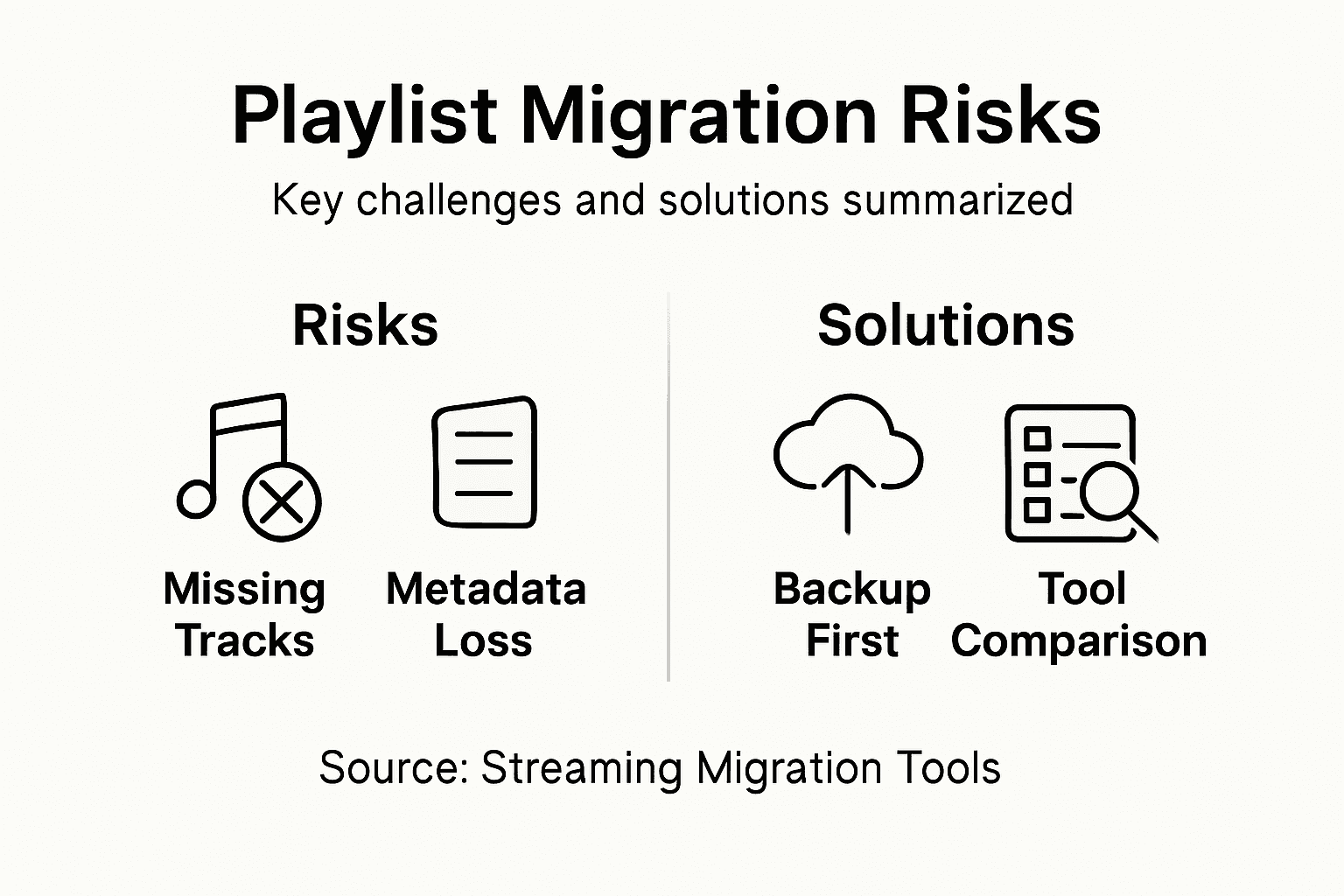
Die wichtigsten technischen Risiken entstehen durch grundlegende Unterschiede in der Art, wie Streamingdienste Musik katalogisieren und verwalten. Uneinheitliche Metadaten sind eine wesentliche Fehlerquelle: Wichtige Titelinformationen wie Wiedergabezahlen, Bewertungen oder eigene Tags werden möglicherweise nicht korrekt übertragen. Manche Plattformen verwenden eigene Algorithmen zur Titelerkennung. Dadurch können scheinbar identische Songs unterschiedlich eingeordnet werden, was zu lückenhaften Playlists oder unvollständigen Übertragungen führen kann.
Zu den wichtigsten möglichen Risiken beim Playlist-Transfer gehören:
- Unvollständige Song-Zuordnung zwischen Plattformen
- Verlust persönlicher Playlist-Metadaten
- Veränderungen der ursprünglichen Playlist-Reihenfolge
- Probleme durch regionale Unterschiede bei der Musikverfügbarkeit
- Doppelte oder fehlende Titel
- Unterschiede in der Klangqualität zwischen Plattformen
- Verlust eigener Playlist-Tags oder Notizen
Anders als bei der manuellen Übertragung versuchen automatisierte Transfer-Tools, diese Risiken durch ausgefeilte Zuordnungsalgorithmen zu verringern. Dennoch solltest du bedenken, dass keine Übertragungsmethode eine hundertprozentig identische Kopie garantieren kann. Das gilt besonders beim Wechsel zwischen Plattformen, deren Musikkataloge oder Lizenzvereinbarungen sich deutlich unterscheiden.
Wichtige Risiken beim Musiktransfer und was du dagegen tun kannst:
| Übertragungsrisiko | Mögliche Auswirkung | Maßnahme zur Risikominderung |
|---|---|---|
| Unvollständige Zuordnung | Fehlende Titel in der Playlist | Song-Zuordnungen sorgfältig prüfen |
| Verlust von Metadaten | Wiedergabezahlen werden nicht übernommen | Playlists einschließlich Tags exportieren |
| Veränderte Playlist-Reihenfolge | Songs sind zufällig angeordnet | Reihenfolge nach der Übertragung manuell korrigieren |
Profi-Tipp: Lege vor jeder automatischen Übertragung eine lokale Sicherung deiner ursprünglichen Playlist an, um dich gegen möglichen Datenverlust oder Unstimmigkeiten abzusichern.
Alternativen zu spezialisierten Musiktransfer-Lösungen
Wenn du deine Playlists übertragen möchtest, stehen dir neben spezialisierten Transferdiensten verschiedene Alternativen zur Verfügung. Sie verfolgen jeweils eigene Ansätze für den Umzug deiner Musikbibliothek. Das Spektrum reicht von manuellen Methoden bis hin zu spezialisierten Drittanbieter-Tools, die den komplexen Wechsel zwischen Streamingplattformen vereinfachen.
Die einfachste Alternative ist die manuelle Übertragung: Du stellst deine Playlists Titel für Titel neu zusammen oder nutzt Export- und Importfunktionen, die dein Streamingdienst selbst anbietet. Integrierte Tools der Streamingplattformen ermöglichen häufig eingeschränkte Playlist-Exporte, bieten aber meist weniger ausgefeilte Funktionen als spezialisierte Transferdienste. Einige Musikplattformen stellen einfache Exportmöglichkeiten im CSV- oder JSON-Format bereit. Damit kannst du Playlist-Daten herunterladen und deine Sammlungen bei einem anderen Dienst manuell wieder aufbauen.
Beliebte alternative Transferplattformen sind:
- Soundiiz
- Tune My Music
- Exportify
- Free Your Music
- SongShift
Transfer-Tools von Drittanbietern unterscheiden sich durch verschiedene Funktionen und Eigenschaften, darunter:
- Plattformübergreifende Kompatibilität
- Gleichzeitige Übertragung mehrerer Playlists
- Erhalt von Metadaten
- Unterstützung mehrerer Streamingdienste
- Kostenlose und kostenpflichtige Tarife
- Benutzerfreundliche Oberflächen
- Automatische Zuordnungsalgorithmen
Diese Alternativen bieten zwar Flexibilität, haben aber jeweils eigene Einschränkungen. Manche begrenzen die Anzahl übertragbarer Titel, erfordern manuelle Eingriffe oder können Playlists nur teilweise übertragen. Prüfe deshalb vor der Auswahl, welche Anforderungen deine Musikbibliothek stellt und wie aufwendig der Umzug ist.
Profi-Tipp: Vergleiche mehrere Transfer-Tools und lies Nutzerbewertungen, um die passende Plattform für deine Kombination von Streamingdiensten zu finden.
Playlists nahtlos übertragen – ganz einfach mit Free Your Music
Der Umzug deiner Musiksammlung zwischen Streamingplattformen kann schnell überfordern, wenn Songs nicht vollständig zugeordnet werden, Metadaten verloren gehen oder die Playlist-Reihenfolge durcheinandergerät. Dieser Artikel beleuchtet zentrale Herausforderungen: die Playlist-Struktur bewahren, Songs präzise zuordnen und Risiken beim Plattformwechsel bewältigen, die dein Hörerlebnis beeinträchtigen können. Free Your Music setzt genau hier an und bietet eine intelligente, automatische Playlist-Synchronisierung, die deine sorgfältig zusammengestellten Musikbibliotheken ohne manuellen Aufwand schützt.
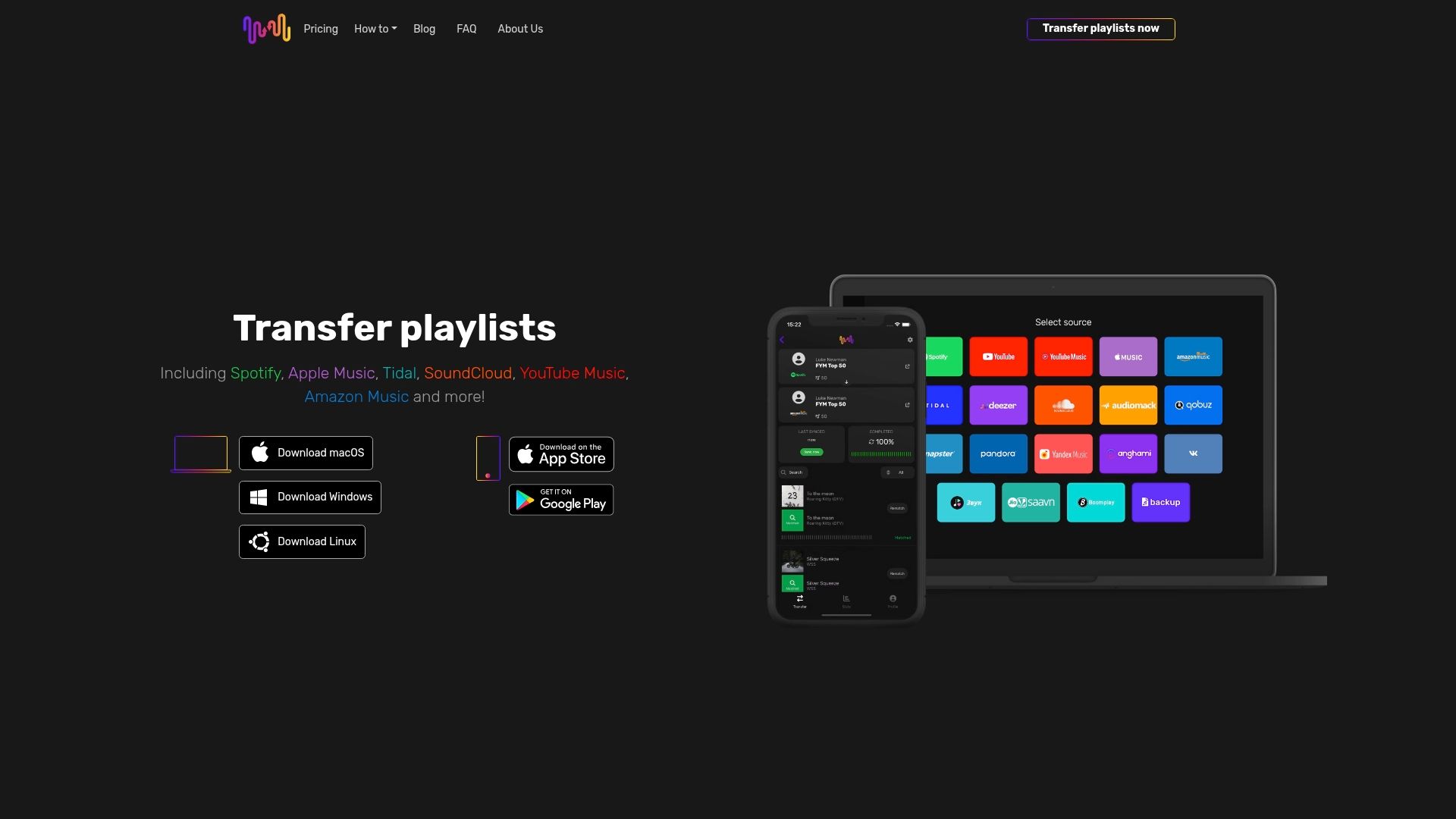
Übertrage deine Playlists mühelos zwischen Spotify, Apple Music, Tidal, YouTube Music, Amazon Music und weiteren Diensten – mit einer Plattform, die auf Zuverlässigkeit und einfache Bedienung ausgelegt ist. Mit Cloud-Backup, Unterstützung mehrerer Konten und präzisem Erhalt von Metadaten hilft dir Free Your Music dabei, unbegrenzt viele Playlists zu übertragen und deine Musiksammlung vollständig zu bewahren. Riskiere weder den Verlust deiner persönlichen Playlists noch stundenlange Arbeit beim erneuten Zusammenstellen. Besuche jetzt FreeYourMusic.com, starte deinen nahtlosen Musiktransfer und sichere die Musik, die dich begleitet.
Erfahre mehr über die Möglichkeiten der automatischen Playlist-Übertragung und darüber, wie unsere benutzerfreundliche App dich beim Musikhören über Plattformgrenzen hinweg unterstützt.
Häufig gestellte Fragen
Was ist spezialisierter Musiktransfer?
Spezialisierter Musiktransfer bezeichnet eine Lösung, die Musikbibliotheken nahtlos zwischen verschiedenen Geräten und Plattformen überträgt. Dabei sollen die Audioqualität, die Playlist-Struktur und wichtige Metadaten erhalten bleiben.
Wie funktionieren Playlist-Transfer-Tools?
Playlist-Transfer-Tools verwenden fortschrittliche Algorithmen, um Songs zu analysieren und auf einer anderen Plattform zuzuordnen. Sie führen Schritte wie Audio-Fingerprinting, das Auslesen von Metadaten und den Wiederaufbau von Playlists durch, damit Musiksammlungen reibungslos umziehen können.
Auf welche Funktionen sollte ich bei einem Playlist-Transfer-Tool achten?
Achte bei der Auswahl auf die Unterstützung mehrerer Streamingplattformen, die gleichzeitige Übertragung mehrerer Playlists, eine intelligente Song-Zuordnung, den Erhalt von Metadaten und eine benutzerfreundliche Oberfläche.
Gibt es Risiken bei der automatischen Playlist-Übertragung?
Ja, mögliche Risiken sind unvollständige Song-Zuordnungen, der Verlust persönlicher Metadaten, eine veränderte Playlist-Reihenfolge und Probleme durch regionale Verfügbarkeitsunterschiede. Es empfiehlt sich, vor der Übertragung eine Sicherung deiner ursprünglichen Playlist anzulegen.
Lesetipps
- Free Your Music – Was ist nahtloser Playlist-Transfer? Der vollständige Überblick
- Free Your Music – Die Vorteile der Playlist-Übertragung verstehen
- Free Your Music – Bewährte Vorgehensweisen bei der Playlist-Übertragung verstehen
- Free Your Music – Vorteile der Playlist-Übertragung: Einwilligung und Erklärung
Deine Playlists gehören dir.
Hör auf, von Hand neu aufzubauen. Verschiebe alles in Minuten und nimm deine Musik überallhin mit.
Kostenlos herunterladen →SongsBrew — unser kostenloser Musik-Newsletter
Ein kostenloser Vorteil für FYM-Nutzer. Tipps, Playlists, kein Spam.