Exportoptionen für Playlists: So gelingt der reibungslose Transfer

Bei über 80 Prozent aller Playlist-Migrationen treten unerwartete Datenprobleme auf, die selbst technisch versierten Musikfans in den USA Kopfzerbrechen bereiten. Während Millionen Menschen neue Streamingdienste ausprobieren, wird der Schutz sorgfältig zusammengestellter Playlists weltweit immer wichtiger. Dieser Leitfaden erklärt dir, was du über das Exportieren, Synchronisieren und Sichern von Playlists wissen musst, damit deine Lieblingssongs und ihre ursprüngliche Reihenfolge auf jeder Plattform erhalten bleiben.
Inhaltsverzeichnis
- Was sind Playlist-Exportoptionen?
- Wichtige Exportformate und ihre Kompatibilität
- So funktionieren Metadaten und Songabgleich
- Automatisierung, Synchronisierung und Cloud-Backups
- Risiken für Datenverlust und häufige Fallstricke
- Bewährte Vorgehensweisen für einen reibungslosen Playlist-Umzug
Das Wichtigste auf einen Blick
| Thema | Details |
|---|---|
| Playlist-Exportoptionen | Sie ermöglichen es dir, Musiksammlungen plattformübergreifend zu übertragen, zu sichern und zu bewahren, damit kein Song verloren geht. |
| Metadaten und Songabgleich | Die präzise Erkennung von Songs ist entscheidend, damit Playlists beim Wechsel zwischen Streamingdiensten vollständig und unverändert bleiben. |
| Automatisierung und Cloud-Backups | Diese Technologien vereinfachen die Playlist-Verwaltung, indem sie Daten in Echtzeit schützen und den manuellen Aufwand für die Pflege von Musiksammlungen reduzieren. |
| Bewährte Vorgehensweisen für den Umzug | Eine durchdachte Planung, gründliche Bestandsprüfungen und die Kontrolle nach der Übertragung sind entscheidend, damit der Playlist-Umzug gelingt und keine Daten verloren gehen. |
Was sind Playlist-Exportoptionen?
Playlist-Exportoptionen umfassen die verschiedenen Möglichkeiten, mit denen Musikfans ihre sorgfältig zusammengestellten Musiksammlungen zwischen Streamingplattformen übertragen, sichern und bewahren können. Wer diese Exportfunktionen nutzt und den gesamten Ablauf eines Musikbibliothek-Umzugs versteht, kann dafür sorgen, dass beim digitalen Wechsel kein Song zurückbleibt.
Im Kern geht es beim Playlist-Export darum, alle wichtigen Musikmetadaten zu erfassen: Songtitel, Angaben zu den Interpreten, Albumdetails und die Reihenfolge innerhalb der Playlist. Das geht über eine einfache Dateiübertragung hinaus und hilft dabei, persönliche Musikbibliotheken vollständig und unverändert zu erhalten. So kannst du ganze Sammlungen gezielt zwischen Diensten verschieben, ohne Playlists mühsam von Hand neu zusammenstellen zu müssen oder beim Plattformwechsel wertvolle Songauswahlen zu verlieren.
Zu den wichtigsten Zielen von Playlist-Exportoptionen gehören:
- Die vollständige Bewahrung der Musikbibliothek
- Plattformübergreifende Kompatibilität der Musiksammlung
- Schutz vor möglichem Datenverlust
- Ein reibungsloser Wechsel zwischen Streamingdiensten
Profi-Tipp für Musikfans: Prüfe immer, ob deine exportierte Playlist alle ursprünglichen Songs enthält, bevor du die Ausgangsplaylist löschst. So stellst du sicher, dass deine Musikbibliothek vollständig und ohne unerwartete Lücken übertragen wurde.
Wenn du die verschiedenen Playlist-Exportoptionen kennst, wird aus einem möglicherweise komplexen technischen Vorgang eine übersichtliche Verwaltung deiner Musikbibliothek, bei der du die Kontrolle behältst.
Wichtige Exportformate und ihre Kompatibilität
Musikfans stehen verschiedene Formate für den Playlist-Export zur Verfügung, die jeweils eigene Vorteile bei der Verwaltung digitaler Musikbibliotheken bieten. Die Wahl des passenden Formats ist entscheidend, damit deine Sammlung langfristig zugänglich und mit verschiedenen Plattformen kompatibel bleibt. Einige Standardformate haben sich dabei als besonders gängige Lösungen für reibungslose Musikübertragungen etabliert.

Zu den wichtigsten Playlist-Exportformaten gehören CSV (Comma-Separated Values), XML (Extensible Markup Language), JSON (JavaScript Object Notation) sowie spezielle Musikformate wie M3U und XSPF. Jedes Format bietet unterschiedliche Möglichkeiten, Playlist-Metadaten zu erhalten: CSV ist einfach aufgebaut und mit Tabellenkalkulationen kompatibel, XML ermöglicht die Abbildung komplexer Metadaten, JSON unterstützt einen schlanken Datenaustausch, und M3U sowie XSPF wurden speziell für die Übertragbarkeit von Musikplaylists entwickelt.
Wichtige Eigenschaften von Playlist-Exportformaten sind:
- Plattformunabhängigkeit
- Erhalt von Metadaten
- Einfache Übertragung
- Kompatibilität mit mehreren Musikplayern
- Unterstützung der Songreihenfolge und zusätzlicher Informationen
Profi-Tipp für die Musikverwaltung: Teste deine exportierte Playlist immer auf der Zielplattform, bevor du das Original löschst. So kannst du bestätigen, dass alle Daten vollständig und korrekt übertragen wurden.
Wenn du diese Exportformate verstehst, kannst du dich gezielt zwischen digitalen Musikdiensten bewegen und dafür sorgen, dass deine sorgfältig zusammengestellten Sammlungen auf verschiedenen Streamingplattformen vollständig und zugänglich bleiben.
Die folgende Übersicht vergleicht gängige Playlist-Exportformate und ihre jeweiligen Stärken:
| Format | Unterstützung für Metadaten | Plattformkompatibilität | Bester Einsatzzweck |
|---|---|---|---|
| CSV | Nur Songinformationen | Universell unterstützt | Bearbeitung in Tabellenkalkulationen |
| XML | Umfangreiche, komplexe Angaben | Erweiterte Musik-Apps | Erhalt umfangreicher Metadaten |
| JSON | Schlank, flexibel | Web- und Cloud-Tools | Schneller Datenaustausch |
| M3U | Grundlegende Angaben mit Reihenfolge | Die meisten Musikplayer | Einfache Playlist-Übertragung |
| XSPF | Detailliert, portabel | Moderne Audioplattformen | Teilen von Playlists mit erweiterten Informationen |
So funktionieren Metadaten und Songabgleich
Metadaten spielen bei der Playlist-Übertragung eine entscheidende Rolle. Sie dienen als digitaler Fingerabdruck, mit dem Songs auf unterschiedlichen Musikplattformen präzise identifiziert werden können. Standardisierte Metadatenschemata schaffen Einheitlichkeit und verringern Mehrdeutigkeiten beim Umzug von Musikbibliotheken. So bleiben die wesentlichen Angaben zur Identifizierung jedes Songs während der gesamten Übertragung erhalten.
Beim Songabgleich vergleichen ausgefeilte Algorithmen mehrere Metadatenelemente: den Namen des Interpreten, den Songtitel, Albuminformationen, die Spieldauer und eindeutige Kennungen. Fortschrittliche Abgleichverfahren analysieren diese Merkmale, um die entsprechenden Songs bei verschiedenen Streamingdiensten zu finden. Dabei können sie teilweise auch leichte Unterschiede in der Benennung oder Formatierung ausgleichen. Wenn sich keine exakte Übereinstimmung finden lässt, nutzen diese Systeme intelligente Verfahren zur unscharfen Suche, auch Fuzzy Matching genannt. Damit erkennen sie nahezu identische Songs und reduzieren mögliche Verluste beim Playlist-Umzug.
Zu den wichtigsten Bestandteilen eines wirksamen Songabgleichs gehören:
- Präzise Erkennung von Interpretennamen und Songtiteln
- Vergleich von Spieldauer und akustischem Fingerabdruck
- Berücksichtigung alternativer Songversionen
- Umgang mit internationalen Schreibweisen und Sonderzeichen
- Ausgleich kleiner Unterschiede in den Metadaten
Profi-Tipp für Musikbegeisterte: Erstelle vor jeder Playlist-Übertragung eine Sicherung deiner ursprünglichen Playlist. So kannst du deine Sammlung wiederherstellen, falls beim Umzug Fehler bei der Songzuordnung auftreten.
Wer die Zusammenhänge zwischen Metadaten und Songabgleich versteht, kann plattformübergreifende Übertragungen sicherer angehen und seine sorgfältig zusammengestellte Musiksammlung vollständig und unverändert bewahren.
Automatisierung, Synchronisierung und Cloud-Backups
Automatisierte Cloud-Backups verändern die Playlist-Verwaltung: Sie bieten umfassenden Schutz und ermöglichen eine reibungslose Datenübertragung, während sie den manuellen Aufwand für die Pflege von Musiksammlungen auf mehreren Plattformen deutlich reduzieren. Diese ausgefeilten Technologien schaffen intelligente Schutzmechanismen, die sorgfältig zusammengestellte Playlists fortlaufend überwachen, synchronisieren und sichern.
Im Mittelpunkt der Automatisierungs- und Synchronisierungsfunktionen stehen geplante, inkrementelle Sicherungen, die Playlist-Metadaten, Songinformationen und persönliche Einstellungen in Echtzeit erfassen. Fortschrittliche Systeme nutzen robuste Verschlüsselungsprotokolle, um Daten während der Übertragung zu schützen. So bleibt jede Playlist abgesichert, während der Wechsel zwischen verschiedenen Streamingplattformen reibungslos abläuft. Intelligente Synchronisierungsmechanismen erkennen Änderungen, aktualisieren Sicherungskopien automatisch und halten den Datenbestand auf mehreren Geräten und in verschiedenen Benutzerkonten einheitlich.
Zu den wichtigsten Vorteilen automatisierter Playlist-Backups gehören:
- Kontinuierlicher Schutz der Daten in Echtzeit
- Geringeres Risiko, Playlists zu verlieren
- Automatische Synchronisierung zwischen Geräten
- Verschlüsselte Datenübertragung und Speicherung
- Reibungslose plattformübergreifende Kompatibilität
- Nur wenige manuelle Eingriffe nötig
Profi-Tipp für die digitale Musikverwaltung: Richte dein Backup-System so ein, dass es wöchentlich die Sicherungen überprüft. Damit stellst du sicher, dass deine Playlist-Archive vollständig zugänglich und intakt bleiben.
Mit Automatisierung und Cloud-Backups wird die Playlist-Verwaltung von einer komplexen, zeitaufwendigen Aufgabe zu einem entspannten, reibungslosen Ablauf, der deine musikalischen Erinnerungen und Vorlieben bewahrt.
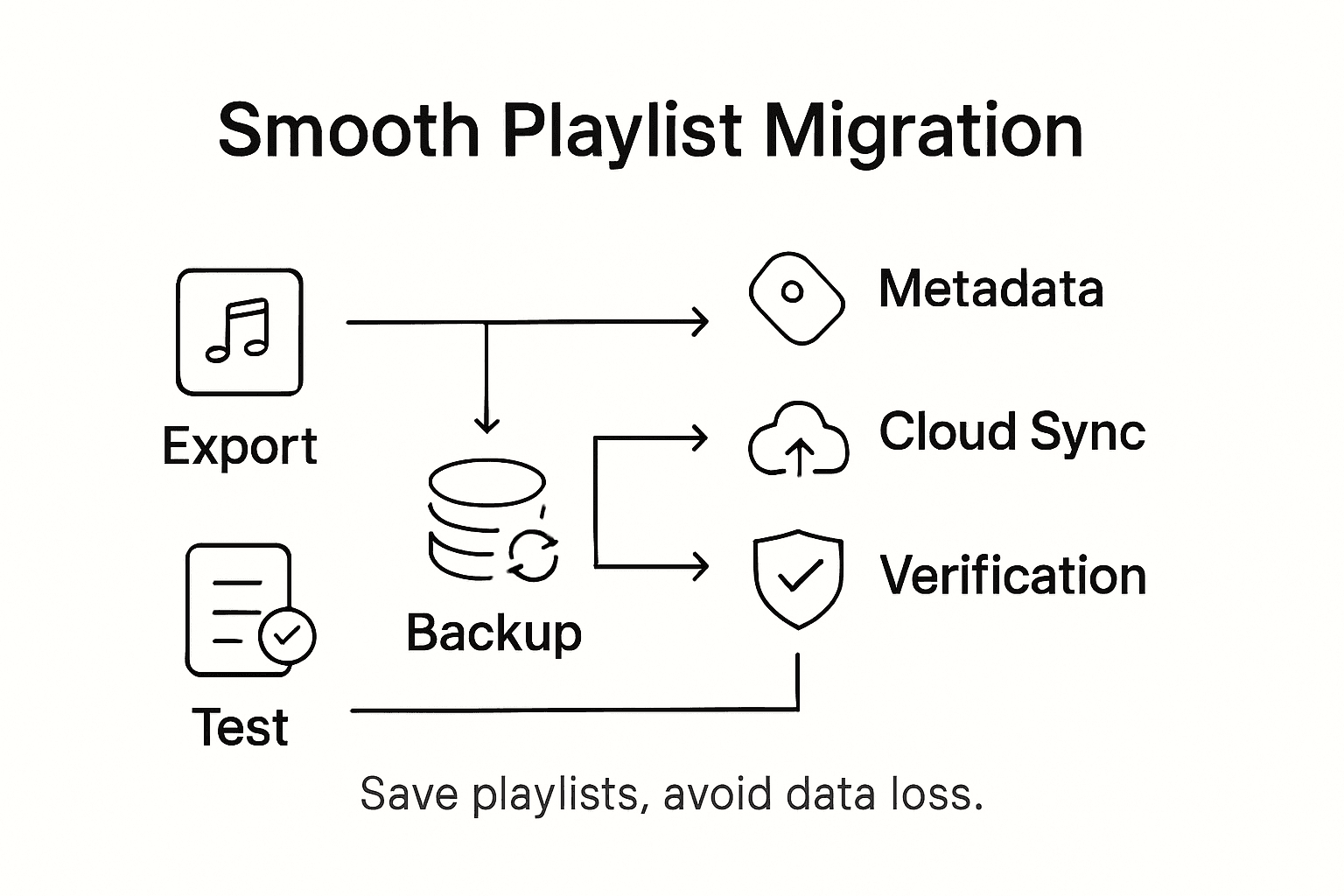
Risiken für Datenverlust und häufige Fallstricke
Risiken bei der Datenmigration können Musiksammlungen schwer treffen: Bei über 80 Prozent aller Migrationsprojekte treten unerwartete Schwierigkeiten auf. Mögliche Folgen sind unwiederbringlich verlorene Playlists oder erhebliche Beeinträchtigungen des persönlichen Musikerlebnisses. Wer seine sorgfältig zusammengestellte Bibliothek beim Wechsel zwischen Streamingplattformen schützen möchte, sollte diese Risiken kennen.
Zu den größten Fallstricken beim Playlist-Umzug gehören inkompatible Metadaten, unvollständige Sicherungen und ungeprüfte Übertragungsabläufe. Streamingplattformen verwenden oft eigene Kennungen und Kodierungssysteme, die beim Umzug zu unauffälligen, aber folgenreichen Fehlern bei der Datenumwandlung führen können. Solche Abweichungen können dazu führen, dass Playlists nur teilweise übertragen werden, Songs fehlen oder Daten vollständig beschädigt werden. Ein eigentlich reibungsloser Wechsel kann dadurch gravierende Folgen für die Musikbibliothek haben.
Auf folgende Risiken sollten Musikfans vorbereitet sein:
- Unvollständige Playlist-Übertragungen
- Fehlerhafte Zuordnung von Songmetadaten
- Unerwartete Veränderungen der Playlist-Struktur
- Möglicher dauerhafter Datenverlust
- Plattformspezifische Kompatibilitätsprobleme
- Nicht behebbare Fehler in der Playlist-Konfiguration
Profi-Tipp zum Schutz deiner Musikbibliothek: Lege vor jedem Umzug eine lokale Sicherung deiner ursprünglichen Playlist an. Damit schaffst du ein zusätzliches Sicherheitsnetz gegen möglichen Datenverlust.
Wer diese möglichen Schwierigkeiten beim Umzug erkennt und frühzeitig angeht, kann gezielt Risiken minimieren und die Vollständigkeit und Unversehrtheit seiner digitalen Musiksammlung sichern.
Die folgende Tabelle fasst häufige Risiken beim Playlist-Umzug und passende Schutzmaßnahmen zusammen:
| Risikoart | Beschreibung | Vorbeugende Maßnahme |
|---|---|---|
| Verlust von Metadaten | Fehlende oder veränderte Songinformationen | Metadaten vor der Übertragung prüfen |
| Teilweise Übertragung | Einige Songs werden nicht übertragen | Songliste nach dem Export sorgfältig prüfen |
| Plattforminkompatibilität | Dateien sind beim neuen Dienst nicht lesbar | Ein universelles Format wie CSV wählen |
| Datenbeschädigung | Beschädigte oder unbrauchbare Playlist | Lokale Sicherung des Originals aufbewahren |
| Veränderte Struktur | Die Playlist-Reihenfolge geht verloren | Formate verwenden, die die Reihenfolge unterstützen |
| Lizenzprobleme | Eingeschränkt verfügbare oder fehlende Songs | Einschränkungen der Plattform prüfen |
Bewährte Vorgehensweisen für einen reibungslosen Playlist-Umzug
Ein erfolgreicher Playlist-Umzug braucht ein durchdachtes Vorgehen, das sorgfältige Planung mit leistungsfähigen technischen Werkzeugen verbindet. So können Musikfans ihre mit viel Mühe zusammengestellten Sammlungen reibungslos zwischen verschiedenen Streamingplattformen übertragen. Dafür reicht es nicht, einfach auf eine Schaltfläche zur Übertragung zu klicken: Auch die Besonderheiten und komplexen Zusammenhänge digitaler Musikdienste müssen berücksichtigt werden.
Zu den wichtigsten Schritten für einen fehlerfreien Playlist-Umzug gehören eine umfassende Vorbereitung, der Einsatz intelligenter Abgleichverfahren und gründliche Kontrollen. Musikfans sollten ihre bestehende Playlist genau prüfen und dabei die Verfügbarkeit der Songs, die Einheitlichkeit der Metadaten und mögliche plattformspezifische Einschränkungen berücksichtigen. Diese Bestandsaufnahme hilft, mögliche Übertragungsprobleme frühzeitig zu erkennen und Kompatibilitätsfragen vor dem Start des Umzugs zu klären.
Zu den wichtigsten bewährten Vorgehensweisen für den Playlist-Umzug gehören:
- Den Inhalt der Playlist umfassend prüfen
- Die Verfügbarkeit der Songs auf den Zielplattformen überprüfen
- Vollständige Sicherungskopien der ursprünglichen Playlists erstellen
- Automatisierte Tools für Songabgleich und Übertragung verwenden
- Prüfen, welche Metadaten erhalten bleiben können
- Plattformspezifische Lizenzbeschränkungen prüfen
- Das Ergebnis nach dem Umzug kontrollieren
Profi-Tipp für die Verwaltung deiner Musiksammlung: Führe zunächst immer eine Testübertragung mit einer kleinen Auswahl an Songs durch. So kannst du mögliche Probleme erkennen und beheben, bevor du deine gesamte Musikbibliothek überträgst.
Mit diesen durchdachten Vorgehensweisen wird der Playlist-Umzug von einer möglicherweise stressigen Angelegenheit zu einem reibungslosen, kontrollierten Ablauf, bei dem deine Musiksammlung vollständig und unverändert erhalten bleibt.
Vereinfache jetzt den Export und die Übertragung deiner Playlists
Die Übertragung deiner sorgfältig zusammengestellten Playlists kann angesichts abweichender Metadaten, inkompatibler Plattformen und des Risikos, liebgewonnene Songs zu verlieren, überwältigend wirken. Dieser Artikel zeigt die zentralen Probleme auf: unvollständige Playlist-Übertragungen, verlorene Metadaten und die Herausforderung, beim Wechsel des Streamingdienstes die Playlist-Struktur zu erhalten. Für einen zuverlässigen Songabgleich und eine automatische Synchronisierung brauchst du ein Tool, das einen reibungslosen Umzug ohne Frust oder Datenverlust gewährleistet.
FreeYourMusic.com wurde speziell entwickelt, um diese Herausforderungen zu lösen. Die benutzerfreundliche Plattform automatisiert den Playlist-Export und kümmert sich präzise um die Kompatibilität zwischen verschiedenen Diensten. Free Your Music unterstützt Spotify, Apple Music, Tidal, Amazon Music und viele weitere Anbieter und sorgt dafür, dass Metadaten, Reihenfolge und Inhalte deiner Playlists während des gesamten Umzugs erhalten bleiben. Ob du deine Musik in der Cloud sichern oder mehrere Konten synchronisieren möchtest: Mit dieser Plattform kannst du deine Sammlung mühelos schützen und genießen.
Übernimm die Kontrolle über deine Musikbibliothek und vermeide Fehler, die dein Hörerlebnis beeinträchtigen können. Entdecke, wie FreeYourMusic.com dir mit präzisem Songabgleich und fortlaufender Synchronisierung hilft, unbegrenzt viele Playlists zu übertragen.
Bereit, die Playlists deiner gesamten Musikbibliothek stressfrei zu übertragen? Besuche jetzt FreeYourMusic.com, lege los und sichere deine musikalischen Erinnerungen. Erfahre, wie du Playlists effizient exportierst und schon heute reibungslos zwischen Plattformen wechselst.
Häufig gestellte Fragen
Was sind Playlist-Exportoptionen?
Playlist-Exportoptionen sind Verfahren, mit denen du deine Musiksammlung zwischen verschiedenen Streamingplattformen übertragen, sichern und bewahren kannst, damit dabei keine Songs verloren gehen.
Welche Formate gibt es für den Playlist-Export?
Zu den gängigen Playlist-Exportformaten gehören CSV, XML, JSON, M3U und XSPF. Jedes Format bietet eigene Vorteile, wenn es darum geht, Playlist-Metadaten zu erhalten und die Kompatibilität zwischen verschiedenen Musikplattformen sicherzustellen.
Wie funktioniert der Songabgleich beim Playlist-Umzug?
Beim Songabgleich werden Metadaten wie Interpretenname, Songtitel und Albuminformationen verglichen, um die entsprechenden Songs bei verschiedenen Diensten zu finden. Fortschrittliche Algorithmen können außerdem Fuzzy Matching nutzen, um kleinere Abweichungen auszugleichen.
Welche Risiken gibt es beim Playlist-Umzug?
Zu den Risiken gehören unvollständige Übertragungen, fehlerhafte Metadatenzuordnungen, möglicher Datenverlust und Kompatibilitätsprobleme mit verschiedenen Plattformen. Um diese Risiken zu verringern, solltest du Sicherungen aufbewahren und vor sowie nach dem Umzug prüfen, ob deine Playlists vollständig und unverändert sind.
Weitere Empfehlungen
- Free Your Music – Was ist ein Playlist-Export? Ein umfassender Leitfaden
- Free Your Music – Was ist eine reibungslose Playlist-Übertragung? Ein vollständiger Überblick
- Free Your Music – Bewährte Vorgehensweisen für die Playlist-Übertragung verstehen
- Free Your Music – Was ist ein Playlist-Import und warum ist er wichtig?
Deine Playlists gehören dir.
Hör auf, von Hand neu aufzubauen. Verschiebe alles in Minuten und nimm deine Musik überallhin mit.
Kostenlos herunterladen →SongsBrew — unser kostenloser Musik-Newsletter
Ein kostenloser Vorteil für FYM-Nutzer. Tipps, Playlists, kein Spam.