Soporte especializado para transferir música: migra tus listas sin complicaciones

Más de uno de cada tres amantes de la música en Estados Unidos tiene listas con cientos de canciones que ha tardado años en perfeccionar. Los cambios repentinos de plataforma musical pueden resultar abrumadores, tanto para los DJ que gestionan enormes bibliotecas como para quienes buscan crear el ambiente perfecto en su día a día. Esta guía presenta métodos probados para que los usuarios de Estados Unidos puedan trasladar toda su biblioteca entre Spotify y Apple Music sin perder el orden de las listas, los metadatos de las canciones ni esas valiosas estadísticas de escucha.
Índice
- Qué es el soporte especializado para transferir música
- Tipos de herramientas disponibles para migrar listas
- Funciones clave del soporte especializado para transferencias
- Cómo funciona la migración automática de listas
- Posibles riesgos y limitaciones
- Alternativas al soporte especializado para transferir música
Puntos clave
| Aspecto | Detalles |
|---|---|
| Soporte especializado para transferir música | Se centra en conservar la experiencia de escucha y las preferencias del usuario al migrar música entre plataformas. |
| Tipos de herramientas de migración | Hay soluciones web y aplicaciones de escritorio y móviles, cada una con funciones específicas para facilitar su uso. |
| Funciones clave | Incluyen algoritmos inteligentes de búsqueda de coincidencias, sincronización completa de metadatos y una intervención mínima del usuario. |
| Posibles riesgos | Entre los riesgos están las coincidencias incompletas entre canciones, la pérdida de metadatos y los cambios en el orden de las listas; tomar precauciones puede reducir estos problemas. |
Qué es el soporte especializado para transferir música
El soporte especializado para transferir música es una solución tecnológica avanzada que permite trasladar colecciones musicales sin complicaciones entre distintas plataformas y dispositivos. Este servicio va más allá de la simple transferencia de archivos: se centra en conservar la experiencia de escucha y las preferencias del usuario mediante técnicas algorítmicas avanzadas.
Su objetivo principal es mantener intacta la biblioteca musical del usuario al cambiar de servicio de streaming o de dispositivo. Esto implica procesos complejos, como conservar la estructura de las listas, encontrar las canciones correctas en cada plataforma y preservar metadatos como el número de reproducciones, las valoraciones y las etiquetas personalizadas. Los sistemas de transferencia avanzados utilizan algoritmos de aprendizaje automático para relacionar las características musicales y garantizar que los atributos únicos de cada canción se trasladen con precisión durante la migración.
Los componentes clave del soporte especializado para transferir música incluyen:
- Búsqueda inteligente de canciones equivalentes entre distintas plataformas musicales
- Conservación del orden y la estructura de las listas
- Sincronización de metadatos
- Compatibilidad entre plataformas
- Intervención mínima del usuario durante las transferencias
Consejo práctico: Comprueba siempre la copia de seguridad de tus listas antes de iniciar una transferencia completa de música para evitar posibles pérdidas de datos.
Tipos de herramientas disponibles para migrar listas
Hoy en día, los amantes de la música tienen a su disposición diversas herramientas potentes para migrar listas, diseñadas para simplificar el complejo proceso de trasladar colecciones musicales entre plataformas de streaming. Estas herramientas avanzadas resuelven los distintos retos que plantea mantener intactas las listas al cambiar de servicio.
Las herramientas de migración de listas se dividen en varias categorías principales. Las plataformas web ofrecen transferencias inmediatas por internet sin necesidad de descargar software y permiten conectar fácilmente varias cuentas de streaming. Las aplicaciones de escritorio ofrecen funciones de transferencia más completas, con opciones para migrar listas por lotes y conservar metadatos de forma avanzada. Las aplicaciones móviles aportan flexibilidad para gestionar las transferencias desde cualquier lugar, directamente desde un teléfono o una tableta.
Las principales herramientas de migración de listas suelen compartir varias funciones esenciales:
- Compatibilidad con múltiples plataformas de streaming
- Transferencias por lotes
- Algoritmos inteligentes de búsqueda de coincidencias entre canciones
- Conservación de metadatos
- Interfaces fáciles de usar
- Compatibilidad entre plataformas
Entre las herramientas disponibles se encuentran Wondershare MobileTrans, Playlisty, TuneMyMusic, Free Your Music, MusConv, SongShift y Soundiiz. Cada una tiene sus puntos fuertes, desde la compatibilidad con una gran variedad de plataformas hasta algoritmos de transferencia especializados que minimizan las posibles alteraciones de la biblioteca musical.
Esta tabla compara los tipos de herramientas de migración de listas y sus principales ventajas:
| Tipo de herramienta | Plataforma de ejemplo | Uso ideal | Limitación habitual |
|---|---|---|---|
| Plataforma web | TuneMyMusic | Transferencias rápidas por internet | Requiere conexión a internet |
| Aplicación de escritorio | Wondershare MobileTrans | Migración de bibliotecas grandes | Requiere instalar software |
| Aplicación móvil | SongShift | Edición de listas desde cualquier lugar | Funciones avanzadas limitadas |
Consejo práctico: Compara siempre varias herramientas de migración y lee las opiniones de otros usuarios para elegir la solución más compatible con los servicios de streaming que utilizas.
Funciones clave del soporte especializado para transferencias
El soporte especializado para transferir música es una solución tecnológica avanzada que va mucho más allá de mover archivos. Los algoritmos inteligentes de búsqueda de coincidencias son la base de estos sistemas y permiten identificar las canciones con precisión y migrarlas sin complicaciones entre distintas plataformas de streaming.

Las herramientas de transferencia más completas incorporan varias capacidades técnicas esenciales. La conservación de metadatos garantiza que la información fundamental de las canciones, como el número de reproducciones, las valoraciones y las anotaciones personales, se mantenga intacta durante la migración. Los sistemas avanzados utilizan técnicas complejas de aprendizaje automático para establecer correspondencias precisas entre canciones y mantener las listas intactas, al reconocer versiones similares en distintos servicios de streaming incluso cuando no hay coincidencias exactas.
Las principales funciones técnicas del soporte especializado para transferencias incluyen:
- Búsqueda inteligente de canciones equivalentes entre plataformas
- Sincronización completa de metadatos
- Conservación íntegra de la estructura de las listas
- Compatibilidad con múltiples plataformas
- Procesos de transferencia automatizados
- Necesidad mínima de intervención del usuario
- Procesamiento en segundo plano
- Protocolos seguros de transferencia de datos
A diferencia de los métodos básicos de transferencia, estas herramientas avanzadas analizan las bibliotecas musicales en su conjunto. Pueden resolver situaciones complejas, como gestionar canciones duplicadas, abordar las diferencias de disponibilidad regional y mantener el orden original de las listas con gran precisión.
Consejo práctico: Exporta siempre una copia de seguridad de tu lista original antes de iniciar una transferencia completa de música para protegerte frente a posibles inconsistencias en los datos.
Cómo funciona la migración automática de listas
La migración automática de listas es un proceso tecnológico avanzado que transforma la forma en que los amantes de la música trasladan sus colecciones cuidadosamente seleccionadas entre plataformas de streaming. Comprender la migración de listas requiere conocer los complejos algoritmos y mecanismos técnicos que permiten transferir bibliotecas musicales sin complicaciones.
La migración automática consta de varios pasos complejos. Primero, el sistema realiza un proceso exhaustivo de identificación mediante huellas digitales de audio, en el que analiza cada canción a partir de firmas digitales únicas que van más allá de los metadatos básicos. Esto permite que la herramienta encuentre las canciones equivalentes en otras plataformas con gran precisión, incluso cuando la información de una misma canción difiere entre servicios de streaming. Los algoritmos avanzados de aprendizaje automático comparan diversos atributos, como la duración, las características acústicas y los metadatos, para garantizar coincidencias precisas.
El proceso de migración automática suele seguir estas etapas esenciales:
- Análisis de la lista de origen
- Identificación de canciones y establecimiento de correspondencias
- Extracción de metadatos
- Búsqueda de canciones equivalentes entre plataformas
- Reconstrucción de la lista
- Comprobación y validación
A diferencia de los métodos de transferencia manual, los sistemas automatizados pueden resolver situaciones complejas, como las diferencias de disponibilidad regional, la elección entre versiones con contenido explícito o censurado y la conservación del orden original de las listas. Esta tecnología aborda de forma inteligente los posibles obstáculos de la transferencia para reducir al mínimo las interrupciones durante la migración de la biblioteca musical.
Consejo práctico: Comprueba siempre el resultado de la transferencia revisando algunas canciones al azar para confirmar que se han migrado correctamente y se conservan completas.
Posibles riesgos y limitaciones
La migración de listas también presenta dificultades. Los riesgos de transferir música entre plataformas diferentes pueden complicar considerablemente el traslado de las bibliotecas musicales y plantean limitaciones técnicas y de experiencia de uso que conviene conocer.
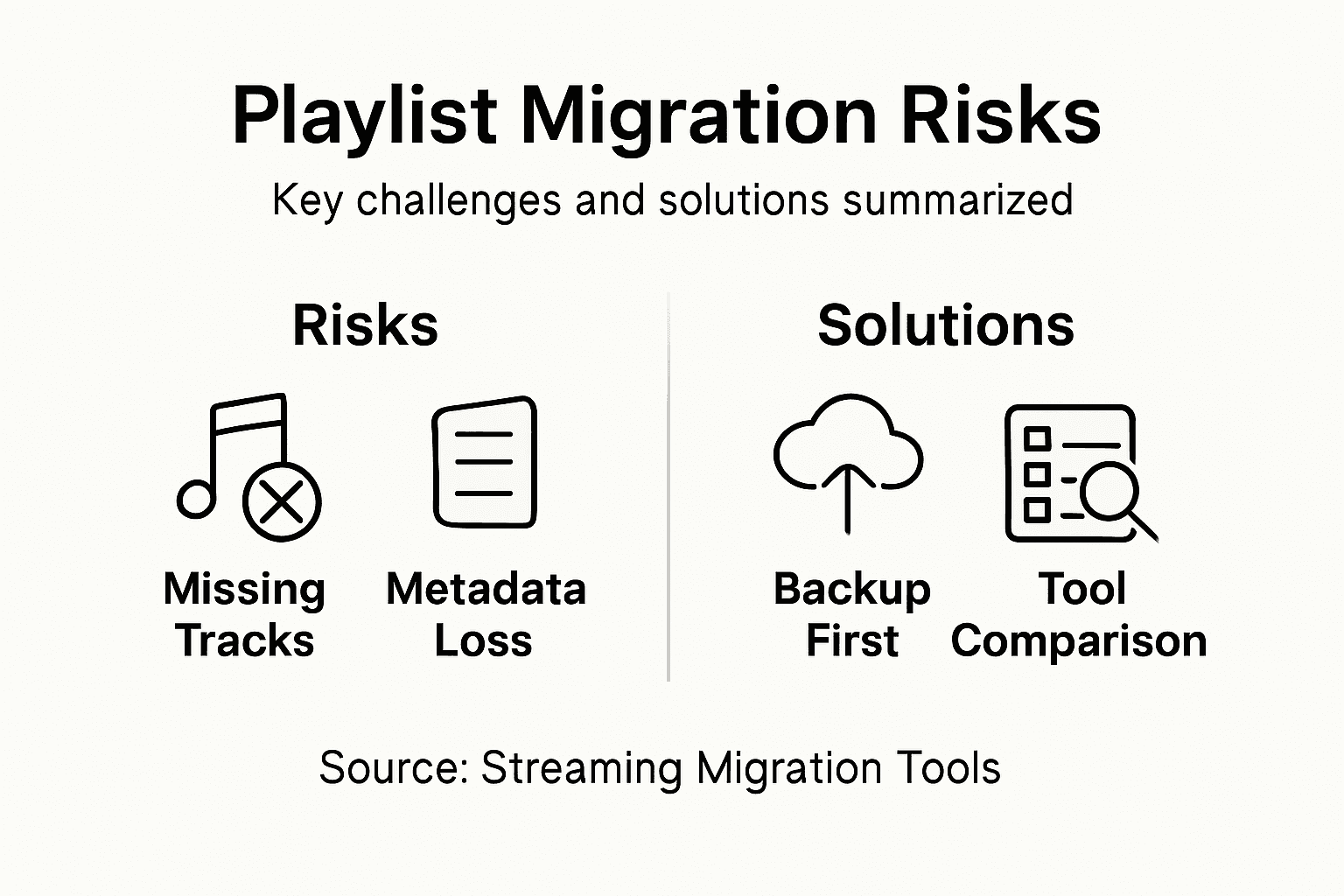
Los principales riesgos técnicos surgen de las diferencias fundamentales en la forma en que los servicios de streaming catalogan y gestionan la música. Las inconsistencias en los metadatos son uno de los posibles problemas más importantes: datos esenciales como el número de reproducciones, las valoraciones o las etiquetas personalizadas podrían no transferirse correctamente. Algunas plataformas utilizan algoritmos propios para identificar canciones, lo que significa que dos canciones aparentemente idénticas podrían interpretarse de manera distinta y provocar listas fragmentadas o transferencias incompletas.
Los principales riesgos de la migración de listas incluyen:
- Coincidencias incompletas entre canciones de distintas plataformas
- Pérdida de metadatos personalizados de las listas
- Alteraciones del orden original de las listas
- Conflictos de disponibilidad musical según la región
- Posibles canciones duplicadas o ausentes
- Diferencias de calidad de sonido entre plataformas
- Pérdida de etiquetas o anotaciones personalizadas de las listas
A diferencia de las transferencias manuales, las herramientas de migración automática intentan reducir estos riesgos mediante algoritmos avanzados de búsqueda de coincidencias. Sin embargo, los usuarios deben tener presente que ningún método de transferencia puede garantizar una reproducción exacta al 100 %, especialmente al trasladar música entre plataformas con catálogos o acuerdos de licencia muy diferentes.
Principales riesgos y cómo abordarlos durante la migración musical:
| Riesgo de migración | Ejemplo de consecuencia | Medida para reducir el riesgo |
|---|---|---|
| Coincidencias incompletas | Faltan canciones en la lista | Revisar las correspondencias entre canciones |
| Pérdida de metadatos | No se conserva el número de reproducciones | Exportar las listas con sus etiquetas |
| Cambio en el orden de la lista | Las canciones aparecen en un orden aleatorio | Reordenarlas manualmente tras la transferencia |
Consejo práctico: Guarda siempre una copia de seguridad local de tu lista original antes de iniciar cualquier transferencia automática para protegerte frente a posibles pérdidas o inconsistencias en los datos.
Alternativas al soporte especializado para transferir música
Los amantes de la música que buscan soluciones para migrar listas disponen de varias alternativas a los servicios especializados de transferencia, cada una con su propia forma de gestionar el traslado de bibliotecas musicales. Estas opciones van desde métodos manuales hasta herramientas especializadas de terceros que simplifican el complejo proceso de mover listas entre plataformas de streaming.
Las alternativas manuales son la opción más básica y consisten en reconstruir las listas canción por canción o utilizar las funciones de exportación e importación que ofrecen los propios servicios de streaming. Las herramientas nativas de las plataformas de streaming suelen permitir exportar listas con ciertas limitaciones, aunque estos métodos normalmente carecen de las funciones avanzadas de los servicios especializados. Algunas plataformas musicales ofrecen opciones básicas de exportación en CSV o JSON que permiten descargar los datos de las listas y reconstruir manualmente las colecciones en otros servicios.
Entre las plataformas alternativas de transferencia más populares se encuentran:
- Soundiiz
- Tune My Music
- Exportify
- Free Your Music
- SongShift
Las herramientas de transferencia de terceros se diferencian por funciones como:
- Compatibilidad entre plataformas
- Transferencias por lotes
- Conservación de metadatos
- Compatibilidad con múltiples servicios de streaming
- Planes gratuitos y de pago
- Interfaces fáciles de usar
- Algoritmos automáticos de búsqueda de coincidencias
Aunque estas alternativas ofrecen flexibilidad, cada una tiene sus propias limitaciones. Algunas pueden restringir el número de canciones que se pueden transferir, requerir intervención manual o permitir únicamente una migración parcial de las listas. Antes de elegir una alternativa, conviene evaluar detenidamente las necesidades de la biblioteca musical y la complejidad de la transferencia.
Consejo práctico: Compara varias herramientas de transferencia y lee las opiniones de otros usuarios para encontrar la plataforma más compatible con los servicios de streaming que utilizas.
Migra tus listas fácilmente con Free Your Music
Trasladar tus colecciones musicales entre plataformas de streaming puede resultar abrumador cuando surgen problemas como coincidencias incompletas entre canciones, pérdida de metadatos y alteraciones del orden de las listas. Este artículo destaca retos clave, como conservar la estructura de las listas, garantizar que se encuentren las canciones correctas y superar los riesgos de transferir música entre plataformas que afectan a tu experiencia al cambiar de servicio. Free Your Music aborda directamente estos problemas con una sincronización automática e inteligente de listas que protege tus bibliotecas cuidadosamente seleccionadas sin esfuerzo manual.
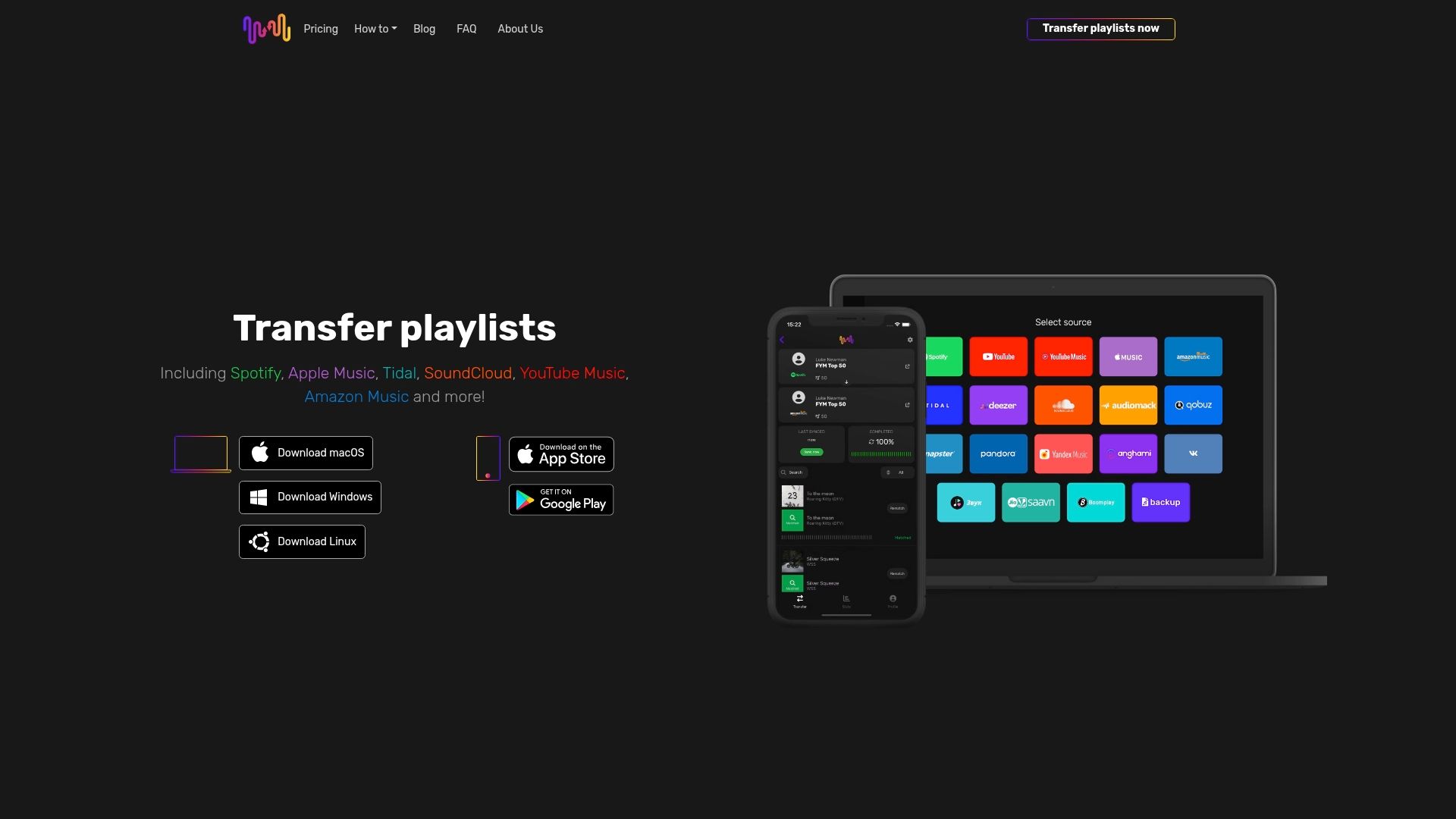
Transfiere tus listas sin esfuerzo entre Spotify, Apple Music, Tidal, YouTube Music, Amazon Music y muchos otros servicios con una plataforma diseñada para ser fiable y fácil de usar. Con copias de seguridad en la nube, compatibilidad con varias cuentas y conservación precisa de metadatos, Free Your Music te ayuda a migrar listas sin límite mientras mantiene intacta tu colección musical. No te arriesgues a perder tus listas personalizadas ni dediques horas a reconstruirlas. Visita FreeYourMusic.com y empieza a transferir tu música sin complicaciones para proteger tu historia musical.
Descubre las ventajas de la migración automática de listas y cómo nuestra aplicación intuitiva te ayuda a disfrutar de tu música en distintas plataformas.
Preguntas frecuentes
¿Qué es el soporte especializado para transferir música?
El soporte especializado para transferir música es una solución diseñada para facilitar la migración de bibliotecas musicales entre distintos dispositivos y plataformas, conservando la calidad del audio, la estructura de las listas y los metadatos importantes.
¿Cómo funcionan las herramientas de migración de listas?
Las herramientas de migración de listas utilizan algoritmos avanzados para analizar canciones y encontrar sus equivalentes en otra plataforma. Realizan tareas como la identificación mediante huellas digitales de audio, la extracción de metadatos y la reconstrucción de listas para garantizar un traslado fluido de las colecciones musicales.
¿Qué funciones debería buscar en una herramienta de migración de listas?
Al elegir una herramienta de migración de listas, busca funciones como la compatibilidad con múltiples plataformas de streaming, las transferencias por lotes, la búsqueda inteligente de canciones equivalentes, la conservación de metadatos y una interfaz fácil de usar.
¿Existen riesgos asociados a la migración automática de listas?
Sí, entre los posibles riesgos están las coincidencias incompletas entre canciones, la pérdida de metadatos personalizados, las alteraciones del orden de las listas y los conflictos de disponibilidad regional. Es recomendable hacer una copia de seguridad de tu lista original antes de iniciar una transferencia.
Lecturas recomendadas
Tus listas de reproducción te pertenecen.
Deja de reconstruir tu biblioteca a mano. Transfiere todo en minutos y lleva tu música a donde vayas.
Descarga gratis →SongsBrew — nuestro boletín gratuito de música
Una ventaja gratuita para los usuarios de FYM. Consejos, listas de reproducción, sin spam.