7 Music Library Security Tips for Safe Playlist Transfers
May 18, 2026

Losing access to your music library or finding your playlists altered can be frustrating and stressful. Cybercriminals often start by breaking into accounts with weak passwords, and a single compromised account can put your favorite tracks and personal data at risk. Protecting your digital music collection requires more than just good intentions—it takes specific actions that truly make a difference.
This list uncovers actionable ways to shield your music accounts, strengthen your playlists, and keep your songs safe from threats. You will discover proven security steps that can help prevent unauthorized access, minimize data loss, and ensure your music stays exactly where you want it. Get ready to learn practical strategies that transform how you safeguard your digital music library.
Table of Contents
- 1. Use Strong and Unique Account Passwords
- 2. Enable Two-Factor Authentication on Streaming Services
- 3. Regularly Backup Your Music Library to Secure Cloud Storage
- 4. Check Permissions Before Granting Access to Apps
- 5. Update Operating Systems and Streaming Apps Frequently
- 6. Monitor Activity for Unauthorized Playlist Changes
- 7. Choose Trusted Tools for Playlist Transfers
Quick Summary
| Takeaway | Explanation |
|---|---|
| 1. Use Strong, Unique Passwords | Create passwords with 16-50 characters, mixing letters, numbers, and symbols, to secure your accounts effectively. |
| 2. Enable Two-Factor Authentication | Activate 2FA to add a vital layer of security, requiring dual verification for account access. |
| 3. Regularly Backup to Cloud Storage | Safeguard your music library by using multiple cloud services for backups to prevent data loss. |
| 4. Check App Permissions Carefully | Review permissions required by apps vigilantly to avoid unnecessary data exposure and potential breaches. |
| 5. Monitor Account Activity Regularly | Regularly check for unauthorized changes or logins to catch security breaches early and protect your music assets. |
1. Use Strong and Unique Account Passwords
Protecting your digital music library starts with creating rock-solid account security. Weak passwords are like leaving the front door of your digital home wide open for cybercriminals to walk right in.
Passwords are your first line of defense against unauthorized access to your precious music collections. According to cybersecurity best practices, most account takeovers begin with compromised or weak passwords. Here's why strong passwords matter:
- Prevent unauthorized access to your music accounts
- Protect your personal playlists and saved music
- Block potential identity theft risks
- Secure your streaming platform credentials
The Secret Service recommends three key principles for creating unbreakable passwords:
- Length matters: Aim for 16-50 characters
- Complexity is crucial: Mix uppercase, lowercase, numbers, and symbols
- Uniqueness is non-negotiable: Different password for each account
A 16-character password can take billions of years to crack compared to a simple 8-character password that takes mere minutes.
To simplify password management, consider using a password manager. These tools can generate and securely store complex passwords across all your devices. They eliminate the hassle of remembering multiple complicated passwords while keeping your accounts locked down tight.
Pro tip: Use a password manager with two-factor authentication to add an extra layer of security to your digital music ecosystem.
2. Enable Two-Factor Authentication on Streaming Services
Adding an extra layer of security to your music streaming accounts is easier than you think. Two-factor authentication (2FA) is your digital bodyguard that prevents unauthorized access to your precious music libraries.
According to cybersecurity experts, 2FA makes your online accounts significantly more secure by requiring multiple forms of identity verification. Think of it like having two locks on your front door instead of just one.
Here's how 2FA protects your streaming accounts:
- Blocks unauthorized login attempts
- Alerts you to potential security breaches
- Provides an additional verification step
- Prevents account hijacking
Multifactor authentication can stop 99.9% of account compromise attempts.
2FA works through various methods:
- SMS text message codes
- Authenticator app generated codes
- Push notifications
- Security key verification
Pro tip: Choose an authenticator app over SMS for more secure two-factor authentication, as app-based codes are harder for hackers to intercept.
3. Regularly Backup Your Music Library to Secure Cloud Storage
Protecting your music collection isn't just about preventing loss it's about preserving your digital memories. Cloud storage offers a critical safety net for your precious playlists and musical archives.
Cybersecurity experts recommend creating multiple backup strategies to safeguard your music library against potential disasters. Your digital music collection represents hours of curation and personal taste - losing it could mean losing a piece of yourself.
Why cloud backup matters:
- Protects against device failure
- Prevents permanent music library loss
- Enables easy recovery after hardware damage
- Provides access from multiple devices
- Secures against ransomware attacks
Digital devices can lose data through unexpected hardware failures software glitches or cybersecurity incidents.
Backup strategies include:
- Use multiple cloud storage services
- Enable automatic backup features
- Choose services with strong encryption
- Maintain local backup copies
Pro tip: Schedule weekly automatic backups and verify your backup integrity by occasionally restoring a small playlist to ensure everything transfers correctly.
4. Check Permissions Before Granting Access to Apps
Your music library deserves ironclad protection against unauthorized access. App permissions are your digital gatekeeper that control which applications can interact with your personal music collection.
Cybersecurity experts recommend carefully reviewing every permission an app requests before granting access. Not all apps need complete access to your device or data.
Why permission checking matters:
- Prevents unnecessary data exposure
- Blocks potential security vulnerabilities
- Limits unauthorized access to your music library
- Protects personal information
- Reduces risk of data breaches
Apps requesting excessive permissions could compromise your entire digital ecosystem.
Permission review steps:
- Read all requested permissions carefully
- Understand why each permission is needed
- Deny permissions not directly related to app function
- Regularly audit app permissions
Pro tip: Always choose the most restrictive permission settings that still allow the app to function and periodically review these settings in your device's privacy controls.
5. Update Operating Systems and Streaming Apps Frequently
Your music library's security depends on more than just strong passwords. Keeping your devices and apps updated is like installing a digital security system for your musical treasure trove.
Operating system updates are your first line of defense against emerging cybersecurity threats. Streaming platforms and device manufacturers constantly release patches to close potential security vulnerabilities.
Why updates are crucial:
- Block newly discovered security exploits
- Improve overall system performance
- Patch potential data breach risks
- Ensure compatibility with latest features
- Protect against emerging cyber threats
Outdated software is like leaving your front door unlocked in a high-crime neighborhood.
Update best practices:
- Enable automatic updates when possible
- Check for updates weekly
- Update during non-critical times
- Restart devices after major updates
Pro tip: Set a monthly calendar reminder to manually check for updates on devices and music streaming apps that don't support automatic updates.
6. Monitor Activity for Unauthorized Playlist Changes
Your music library is a personal sanctuary that deserves vigilant protection. Tracking account activity helps you catch potential security breaches before they compromise your entire music collection.
User activity monitoring is crucial in identifying suspicious changes to your digital music ecosystem. Cybercriminals often make small modifications that can go unnoticed if you aren't paying attention.
Why monitoring matters:
- Detect unauthorized playlist modifications
- Prevent potential account takeovers
- Identify unusual login patterns
- Protect your curated music collections
- Stop potential data theft early
76% of security breaches involve exploited user credentials.
Effective monitoring strategies:
- Review login history regularly
- Check playlist modification timestamps
- Enable account activity notifications
- Verify device access locations
Pro tip: Set up email or text alerts for any playlist changes or new device logins to catch potential security issues in real time.
7. Choose Trusted Tools for Playlist Transfers
Not all playlist transfer tools are created equal. Selecting a reliable migration platform can mean the difference between a smooth music library transition and a potential security nightmare.
Understanding playlist transfer best practices helps protect your music collection during platform migrations. Your carefully curated playlists represent hours of personal curation and deserve careful handling.
Key considerations when choosing transfer tools:
- Robust encryption protocols
- Secure data handling practices
- Compatibility with multiple platforms
- Minimal data exposure
- Transparent privacy policies
- Positive user reviews
Not all playlist migration services prioritize your data's security.
Tool selection strategies:
- Research platform security credentials
- Check data handling transparency
- Verify platform compatibility
- Read independent user reviews
- Test with small playlist first
Pro tip: Always use tools that offer end-to-end encryption and do not store your login credentials beyond the transfer process.
Below is a comprehensive table summarizing the strategies for securing and managing a digital music library as discussed in the article.
| Strategy | Implementation | Benefits |
|---|---|---|
| Use Strong and Unique Passwords | Create passwords with 16-50 characters, incorporating uppercase, lowercase, numbers, and symbols. Utilize a password manager to generate and store passwords safely. | Prevent unauthorized account access, protect against identity theft, and safeguard streaming credentials. |
| Enable Two-Factor Authentication | Activate multifactor authentication (2FA) for streaming services, preferring authenticator apps over SMS codes. | Block unauthorized logins, detect potential breaches, and enhance account security. |
| Backup Music Library | Use cloud storage with encryption, schedule automatic backups weekly, and maintain local copies for redundancy. | Prevent data loss from device failure or ransomware attacks and recover music collections easily. |
| Check App Permissions | Review permissions requested by apps, restrict as necessary, and audit regularly. | Limit data exposure, block security vulnerabilities, and reduce risks of data breaches. |
| Update Operating Systems | Enable automatic updates on devices and music apps, manually check monthly for updates, and restart devices post-update. | Protect against emerging security threats, patch vulnerabilities, and improve compatibility and system performance. |
| Monitor Account Activity | Set up alerts for playlist changes, review login histories, and verify device accesses. | Detect and prevent unauthorized modifications, account takeovers, and data theft early. |
| Use Trusted Transfer Tools | Choose platforms with robust encryption and positive user reviews, and test transfers with a small playlist first. | Ensure secure playlist migration, minimize data exposure, and maintain privacy during transfers. |
Protect Your Music Library with Secure and Seamless Playlist Transfers
Your music library is a treasure trove filled with personal memories and carefully curated playlists. The article highlights key challenges such as preventing unauthorized access, ensuring data security during transfers, and maintaining your playlist integrity without giving up control. When you migrate playlists between services, concerns about privacy and safe handling of credentials can feel overwhelming. You want assurance that your music and account information are fully protected while enjoying a smooth transition.
At FreeYourMusic.com, we understand these pain points and provide a trusted platform designed with your security and convenience in mind. Our SaaS solution offers state-of-the-art encryption protocols and does not store your login credentials beyond the transfer process. With automated synchronization, cloud backup options, and support across multiple devices and streaming services, we eliminate manual hassles and minimize data exposure. Experience secure playlist transfers that preserve your structure and song order while guarding your digital music sanctuary.
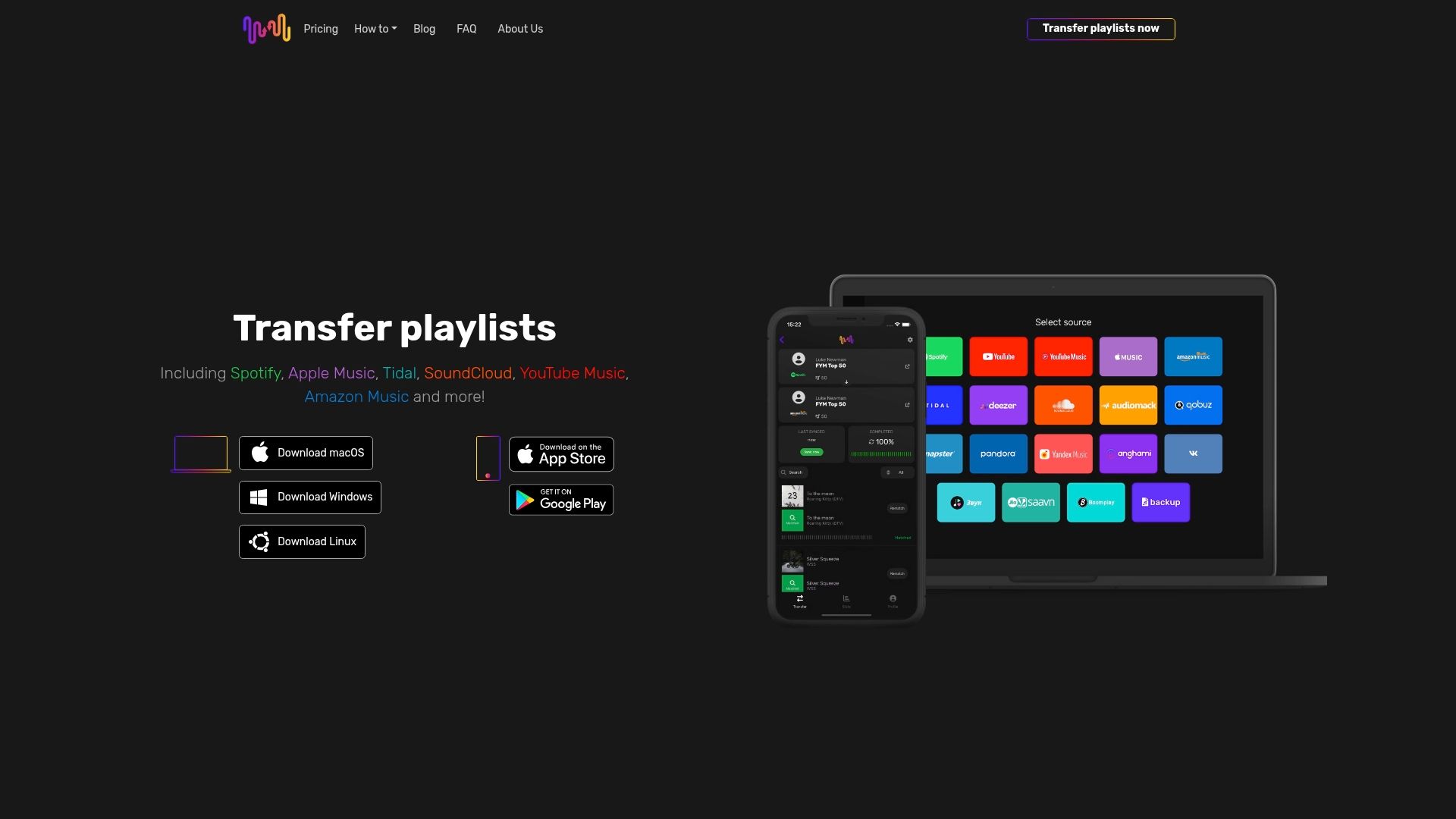
Ready to move your music safely and effortlessly? Visit FreeYourMusic.com today and take the first step toward stress-free, protected playlist migration. Discover how easy it is to switch streaming platforms without risking your music library’s security or losing a single track.
Frequently Asked Questions
How can I create strong and unique passwords for my music library accounts?
To create strong and unique passwords, aim for at least 16 characters that include a mix of uppercase and lowercase letters, numbers, and symbols. Use a password manager to help generate and securely store these passwords, making it easier to maintain strong security across all your accounts.
What is two-factor authentication, and how does it protect my music streaming accounts?
Two-factor authentication (2FA) adds an extra layer of security to your accounts by requiring two forms of identification, such as a password and a code sent to your phone. Enable 2FA on your streaming services to block unauthorized access and receive alerts if any suspicious activity occurs.
Why is backing up my music library to cloud storage important?
Backing up your music library to cloud storage protects your collection against device failures and unexpected data loss. Schedule automatic backups to cloud services to ensure your playlists remain safe and accessible across multiple devices.
How can I check app permissions before granting them access to my music collection?
Always review the permissions an app requests before installation. Only grant permissions that are absolutely necessary for the app to function, and regularly audit these permissions to maintain control over your personal data.
What steps should I take to monitor activity for unauthorized changes in my music library?
Regularly check your account's login history and activity feed for any unusual changes or logins. Set up notifications for activities like playlist modifications to catch potential security breaches early and secure your music collection effectively.
Recommended
- Free Your Music - Warum Playlists sichern? Eine umfassende Erklärung
- Free Your Music - Complete Guide to Music Playlist Preservation Tips
- Free Your Music - What Is Playlist Sharing? Complete User Guide
- Free Your Music - 7 Smart Music Sharing Methods for Playlist Management
- DLL Path Resolution: Ensuring Reliable Windows Fixes – FixDlls Blog


Migrate from and to any music services


Most popular Apple Music transfers: