7 onmisbare functies van streamingdiensten voor je afspeellijsten

De meeste Amerikaanse muziekliefhebbers en professionele dj's lopen tegen flinke problemen aan wanneer ze afspeellijsten tussen streamingplatforms overzetten. Met meer dan 60 miljoen nummers op de grote streamingdiensten is het een hele uitdaging om je afspeellijsten tijdens het overzetten overzichtelijk en intact te houden. Betrouwbaar beheer van afspeellijsten is essentieel voor iedereen die soepel wil kunnen wisselen tussen Spotify, Apple Music, Tidal en andere platforms. Ontdek hoe slimmere tools en geautomatiseerde oplossingen het overzetten en beheren van afspeellijsten voor gebruikers wereldwijd veranderen.
Inhoudsopgave
- 1. Gebruiksvriendelijke tools voor het beheren van afspeellijsten
- 2. Opties voor automatische synchronisatie van afspeellijsten
- 3. Nauwkeurige nummerherkenning op meerdere platforms
- 4. Behoud van de structuur en volgorde van afspeellijsten
- 5. Cloudback-ups en gegevensbeveiliging
- 6. Ondersteuning voor meerdere accounts en platforms
- 7. Persoonlijke klantenservice voor een soepele overstap
Kort overzicht
| Kernpunt | Uitleg |
|---|---|
| 1. Gebruik geautomatiseerde tools voor afspeellijsten | Bespaar tijd met moderne beheertools en maak het samenstellen van je muziekcollectie eenvoudiger. |
| 2. Schakel synchronisatie van afspeellijsten in | Synchroniseer afspeellijsten automatisch tussen verschillende platforms om ze met minimale inspanning actueel te houden. |
| 3. Zorg voor nauwkeurige nummerherkenning | Controleer of je afspeellijsten correct worden overgezet om gegevensverlies of verkeerde nummers te voorkomen. |
| 4. Behoud de structuur van je afspeellijsten | Houd de volgorde van je afspeellijsten intact, zodat de beoogde muzikale opbouw behouden blijft. |
| 5. Geef gegevensbeveiliging prioriteit | Gebruik cloudback-ups en beveiligingsprotocollen om je afspeellijsten te beschermen tegen verlies of onbevoegde toegang. |
1. Gebruiksvriendelijke tools voor het beheren van afspeellijsten
Het beheren van afspeellijsten is veranderd van een tijdrovende handmatige klus in een soepel digitaal proces. Moderne streamingplatforms bieden geavanceerde tools waarmee je je muziekcollectie eenvoudiger en intuïtiever organiseert dan ooit.
Deze tools gaan verder dan alleen het aanmaken van afspeellijsten. Ze bieden geavanceerde functies waarmee muziekliefhebbers hun muziek efficiënt kunnen ordenen en hun luisterervaring kunnen aanpassen en verbeteren. Met slimme technieken voor het beheren van afspeellijsten kun je nu veel onderdelen van het samenstellen van je muziekcollectie automatiseren die voorheen uren handmatig werk kostten.
Met de krachtigste beheertools kun je complexe taken met minimale inspanning uitvoeren. Denk aan het automatisch laten rouleren van nummers, slimme planningen, aangepaste filters en intelligente aanbevelingssystemen die zich aanpassen aan je luistervoorkeuren. Op sommige geavanceerde platforms kun je zelfs dynamische afspeellijsten maken die meegroeien met je muzieksmaak.
Belangrijke mogelijkheden van gebruiksvriendelijke beheertools zijn:
Automatisch ordenen
- Afspeellijsten bewerken door nummers te verslepen
- Nummers met één klik in een andere volgorde zetten
- Automatisch sorteren op genre en stemming
Slim personaliseren
- Instelbare roulatie van nummers
- Geplande updates van afspeellijsten
- Slimme aanbevelingen voor nummers
Als je weet hoe deze tools werken, besteed je minder tijd aan het beheren van afspeellijsten en houd je meer tijd over om van je favoriete nummers te genieten. Met behulp van technologie maak je je luisterervaring persoonlijker en afwisselender, zonder steeds zelf alles te hoeven aanpassen.
Tip: Bekijk altijd de geavanceerde instellingen van je muziekstreamingplatform. Daar vind je mogelijk verborgen functies waarmee je je afspeellijsten een stuk handiger kunt beheren.
2. Opties voor automatische synchronisatie van afspeellijsten
Automatische synchronisatie van afspeellijsten is een grote stap vooruit voor muziekstreaming. Met deze geavanceerde technologie kunnen muziekliefhebbers afspeellijsten soepel overzetten en bijwerken op meerdere platforms, met nauwelijks handmatig werk.
Moderne streamingdiensten gebruiken inmiddels geavanceerde machinelearningmodellen voor het overzetten van afspeellijsten. Die kunnen de kenmerken van een afspeellijst slim behouden en tegelijkertijd updates in realtime mogelijk maken. Deze automatische synchronisatieopties nemen de gebruikelijke obstakels van handmatig beheer weg en zorgen voor een dynamische luisterervaring die zich aanpast aan de voorkeuren van de gebruiker.
Belangrijkste voordelen van automatische synchronisatie
- Direct overzetten tussen verschillende streamingplatforms
- Behoud van de volgorde en samenhang van nummers
- Updates in realtime op meerdere apparaten
- Slimme aanbevelingssystemen voor nummers
Zo werkt automatische synchronisatie
Het synchronisatieproces gebruikt geavanceerde algoritmen die je luistergeschiedenis, genrevoorkeuren en de structuur van je afspeellijsten analyseren. Doordat deze systemen je muzieksmaak begrijpen, kunnen ze automatisch nieuwe nummers voorstellen en toevoegen, terwijl het karakter van je oorspronkelijke afspeellijst behouden blijft.
Geavanceerde platforms bieden tegenwoordig gedetailleerde synchronisatie-instellingen. Je kunt bepalen hoe ingrijpend je afspeellijsten worden bijgewerkt, specifieke genrevoorkeuren instellen en voorwaarden voor nummeraanbevelingen vastleggen. Dankzij die mogelijkheden sluit automatische synchronisatie beter aan op je persoonlijke muzieksmaak.
Tip: Schakel synchronisatie tussen platforms in en controleer elke week de automatische updates van je afspeellijsten om te zien of de algoritmen je muziekvoorkeuren goed volgen.
3. Nauwkeurige nummerherkenning op meerdere platforms
Afspeellijsten overzetten tussen muziekstreamingdiensten kan frustrerend zijn, zeker als er gegevens verloren gaan of verkeerde nummers in je lijst terechtkomen. Nauwkeurige nummerherkenning op meerdere platforms is daarom essentieel geworden voor muziekliefhebbers die hun zorgvuldig samengestelde afspeellijsten willen behouden.
Moderne technologieën voor het overzetten van afspeellijsten gebruiken geavanceerde algoritmen die verder kijken dan alleen de titel van een nummer. Deze systemen analyseren verschillende soorten metadata, zoals de artiestennaam, albumgegevens en het jaar van uitgave, en gebruiken akoestische vingerafdrukken voor een nauwkeurige identificatie van muzieknummers.
Uitdagingen bij nummerherkenning tussen platforms
- Verschillen in metadata van nummers tussen platforms
- Verschillende muziekcatalogi
- Beperkingen in beschikbaarheid per regio
- Alternatieve versies en remixen van nummers
Zo werkt nauwkeurige nummerherkenning
Het herkenningsproces maakt gebruik van complexe technische methoden. Geavanceerde systemen gebruiken machinelearningalgoritmen om nummers in de databases van verschillende streamingplatforms te vergelijken. Deze algoritmen herkennen subtiele verschillen, zoals geremasterde versies, liveopnamen en akoestische uitvoeringen, om de best overeenkomende versie te vinden.
Belangrijke onderdelen van nauwkeurige nummerherkenning zijn:
- Technologie voor akoestische vingerafdrukken
- Onderlinge vergelijking van metadata
- Patroonherkenning met machinelearning
- Uitgebreide vergelijking van muziekdatabases
Dankzij deze geavanceerde herkenningstechnieken blijven je afspeellijsten intact wanneer je van streamingdienst wisselt. De technologie zorgt ervoor dat je zorgvuldig samengestelde muziekcollectie behouden blijft, ongeacht de beperkingen van een platform.
Tip: Controleer voordat je afspeellijsten overzet of de metadata van je nummers consistent zijn en loop nummers die tijdens het overzetten worden gemarkeerd zo nodig handmatig na.
4. Behoud van de structuur en volgorde van afspeellijsten
Elke muziekliefhebber weet dat de volgorde van een afspeellijst meer is dan zomaar een reeks nummers. Het is een zorgvuldig opgebouwde muzikale reis die met klanken een uniek verhaal vertelt. Behoud van de structuur van afspeellijsten is een onmisbare functie geworden voor muziekliefhebbers die hun afspeellijsten als persoonlijke muzikale verhalen zien.
Bij het overzetten van muziek raakte de volgorde vroeger vaak door elkaar, waardoor zorgvuldig opgebouwde afspeellijsten veranderden in willekeurige verzamelingen. Moderne streamingtechnologieën houden nu rekening met de emotionele en artistieke betekenis van die volgorde. Geavanceerde algoritmen zorgen ervoor dat elk nummer bij het overzetten naar een ander platform precies op zijn plek blijft staan.
Waarom de structuur van een afspeellijst belangrijk is
- Emotionele opbouw van de luisterervaring
- Een verhaal vertellen via de volgorde van nummers
- Een zorgvuldig samengestelde muzikale reis
- De artistieke bedoeling van de maker
Technieken om de structuur te behouden
Geavanceerde technologieën voor het overzetten van afspeellijsten gebruiken verschillende methoden om de volgorde te beschermen. Bijvoorbeeld:
- Nauwkeurige algoritmen voor nummerherkenning
- Technieken voor het vergelijken van metadata
- Uitgebreide systemen voor nummeridentificatie
- Protocollen voor synchronisatie tussen platforms
Het doel is niet alleen om nummers over te zetten, maar ook om de precieze luisterervaring te behouden die je oorspronkelijk hebt samengesteld. Of je nu een professionele dj bent die mixreeksen maakt of een gewone luisteraar die een afspeellijst voor een bepaalde stemming samenstelt: door de oorspronkelijke volgorde te bewaren, blijft je muzikale visie intact.
Sommige streamingplatforms bieden inmiddels gedetailleerde instellingen waarmee je een overdracht vooraf kunt bekijken en aanpassen voordat je die afrondt. Dat geeft muziekliefhebbers meer controle over hun luisterervaring dan ooit.
Tip: Bekijk je afspeellijst altijd na het overzetten en zet nummers die tijdens de overdracht op de verkeerde plek zijn beland handmatig terug.
5. Cloudback-ups en gegevensbeveiliging
In de wereld van digitale muziek is je afspeellijst meer dan een verzameling nummers. Het is een persoonlijk muziekarchief dat goede bescherming verdient tegen verlies of onbevoegde toegang. Inzicht in protocollen voor gegevensbeveiliging is daarom essentieel geworden voor muziekliefhebbers die veel tijd steken in het samenstellen van hun collecties.
Systemen voor cloudback-ups bieden een uitgebreid vangnet voor je muziekbibliotheken door meerdere kopieën van je afspeellijsten op verschillende beveiligde servers op te slaan. Deze geavanceerde technologieën beschermen je zorgvuldig samengestelde afspeellijsten tegen onbedoeld verwijderen, defecte apparaten en onverwachte technische problemen.
Belangrijke aandachtspunten voor beveiliging
- Versleutelde gegevensoverdracht
- Authenticatieprotocollen met meerdere beveiligingslagen
- Regelmatig geplande automatische back-ups
- Veilige infrastructuur voor cloudopslag
Manieren om je gegevens te beschermen
Moderne streamingplatforms nemen geavanceerde beveiligingsmaatregelen om gebruikersgegevens te beschermen. Denk aan end-to-endversleuteling, tweefactorauthenticatie en doorlopende controles die pogingen tot onbevoegde toegang opsporen en tegenhouden.
Je kunt je afspeellijsten beter beveiligen door:
- Tweefactorauthenticatie in te schakelen
- Sterke, unieke wachtwoorden te gebruiken
- Gekoppelde apparaten regelmatig te controleren
- Activiteitenlogboeken van je account in de gaten te houden
Dankzij cloudback-ups is het bewaren van muziek veranderd van een handmatig proces in een soepele, automatische oplossing. Je afspeellijsten kunnen nu worden beschermd zonder dat je daar voortdurend zelf iets voor hoeft te doen.
Tip: Stel automatische maandelijkse back-ups in en controleer regelmatig de opgeslagen gegevens van je afspeellijsten om te zorgen dat alles volledig en correct in de cloud staat.
6. Ondersteuning voor meerdere accounts en platforms
Muziekliefhebbers gebruiken tegenwoordig vaak meerdere streamingaccounts en apparaten. Daardoor is soepel beheer van afspeellijsten belangrijker dan ooit. Ondersteuning voor meerdere accounts en platforms biedt uitkomst voor gebruikers die hun volledige muziekomgeving willen beheren.
De streamingtechnologieën van vandaag houden er rekening mee dat luisteraars zich niet beperken tot één platform of account. Professionele dj's, muzikanten en gewone luisteraars hebben vaak meerdere accounts bij verschillende streamingdiensten, zoals Spotify, Apple Music, Tidal en YouTube Music.
Belangrijkste voordelen van ondersteuning voor meerdere accounts
- Centraal beheer van afspeellijsten
- Soepel overzetten tussen diensten
- Overzicht over je volledige muziekbibliotheek
- Flexibel koppelen van accounts
Functies voor gebruik op meerdere platforms
Geavanceerde muziekbeheersystemen bieden tegenwoordig uitgebreide functies waarmee je:
- Afspeellijsten tussen meerdere accounts kunt synchroniseren
- Muziekbibliotheken van verschillende platforms kunt samenvoegen
- Een consistente structuur van afspeellijsten kunt behouden
- Persoonlijke en professionele muziekcollecties apart kunt beheren
Vooral professionele muzikanten en dj's profiteren van deze technologieën. Ze kunnen moeiteloos complexe muziekbibliotheken beheren die verspreid zijn over accounts voor privégebruik, professionele optredens en gezamenlijke projecten.
De mogelijkheid om meerdere accounts te koppelen en te beheren geeft je ongekende flexibiliteit. Je schakelt eenvoudig tussen persoonlijke afspeellijsten voor een bepaalde stemming, professionele dj-sets en gezamenlijke muziekprojecten.
Tip: Maak aparte tags of mappen voor verschillende soorten accounts om je persoonlijke, professionele en gezamenlijke muziekcollecties duidelijk van elkaar te scheiden.
7. Persoonlijke klantenservice voor een soepele overstap
Overstappen naar een ander muziekstreamingplatform kan ingewikkeld en frustrerend zijn. Uitgebreide ondersteuning door de klantenservice is daarom onmisbaar geworden voor gebruikers die hun muziekbibliotheek soepel willen overzetten.
Goede klantenservice gaat veel verder dan het oplossen van problemen. Moderne platforms voor muziekoverdracht begrijpen dat de gebruikerservaring om meer draait dan alleen technische oplossingen. Ze bieden proactieve begeleiding die is afgestemd op de behoeften van elke gebruiker, zodat de overstap tussen streamingdiensten soepel verloopt.
Onmisbare vormen van ondersteuning
- Persoonlijke hulp bij het overzetten
- Directe technische begeleiding
- Uitgebreide informatie om problemen op te lossen
- Expertise in overdrachten voor specifieke platforms
Ondersteuningskanalen en werkwijzen
Toonaangevende diensten voor het overzetten van muziek bieden verschillende vormen van ondersteuning:
- Ondersteuning via livechat
- Persoonlijke hulp per e-mail
- Uitgebreide online kennisbanken
- Verzamelingen met instructievideo's
- Hulp via communityforums
Professionele ondersteuningsteams begrijpen dat elke muziekbibliotheek uniek is. Ze bieden gerichte hulp die rekening houdt met de complexiteit van je afspeellijsten, je technische kennis en de specifieke uitdagingen van elk platform.
Goede klantenservice verandert een mogelijk stressvol technisch proces in een soepele, gebruiksvriendelijke ervaring. Deskundige medewerkers helpen je bij ingewikkelde overdrachten, lossen onverwachte problemen op en zorgen dat je zo min mogelijk wordt gestoord tijdens het luisteren naar muziek.
Tip: Maak altijd screenshots van je bestaande afspeellijsten en leg de details vast voordat je iets overzet. Zo kun je alle relevante informatie doorgeven als je technische hulp nodig hebt.
De onderstaande tabel geeft een uitgebreid overzicht van de belangrijkste functies en verbeteringen van moderne beheertools voor afspeellijsten die in dit artikel aan bod komen.
| Functie | Beschrijving | Voordelen |
|---|---|---|
| Automatisch ordenen | Biedt functies zoals slepen en neerzetten, sorteren op genre en automatische optimalisatie van de volgorde. | Vereenvoudigt het beheer van afspeellijsten en vermindert handmatig werk. |
| Slim personaliseren | Biedt slimme nummeraanbevelingen, geplande updates en dynamische aanpassingen van afspeellijsten op basis van gebruikersvoorkeuren. | Zorgt voor een persoonlijke luisterervaring en past afspeellijsten aan een veranderende smaak aan. |
| Synchronisatie van afspeellijsten | Zorgt voor soepel overzetten van afspeellijsten tussen platforms, met behoud van de nummervolgorde en updates in realtime. | Geeft gebruikers op verschillende apparaten toegang tot hun muziek, zonder dubbele gegevens of verkeerd gekoppelde nummers. |
| Nauwkeurige nummerherkenning tussen platforms | Gebruikt technologie zoals akoestische vingerafdrukken en metadata-analyse om nummers betrouwbaar te herkennen en te koppelen tussen diensten. | Houdt afspeellijsten intact en voorkomt afwijkingen, zoals ontbrekende of verkeerd gekoppelde nummers. |
| Behoud van structuur | Behoudt de volgorde en opeenvolging van nummers in afspeellijsten tijdens het overzetten. | Behoudt het verhaal en de luisterervaring die de maker voor ogen had. |
| Cloudback-ups en beveiliging | Biedt versleutelde opslag, regelmatige back-ups en tools zoals multifactorauthenticatie. | Beschermt persoonlijke muziekcollecties tegen verlies en onbevoegde toegang. |
| Ondersteuning voor meerdere accounts | Maakt het mogelijk om afspeellijsten op verschillende platforms en accounts te beheren. | Biedt flexibiliteit en integratie voor uiteenlopende muziekbehoeften, zowel professioneel als privé. |
| Klantenservice | Biedt hulp bij het overzetten, persoonlijke probleemoplossing en informatie voor een soepele overstap tussen diensten. | Verbetert de gebruikerservaring en beperkt onderbrekingen bij het wisselen van platform. |
Maak het beheren en overzetten van je afspeellijsten vandaag nog eenvoudiger
Dit artikel belicht belangrijke uitdagingen, zoals het behouden van de structuur van afspeellijsten en het nauwkeurig herkennen van nummers op verschillende platforms. Veel muziekliefhebbers gebruiken meerdere streamingdiensten en vinden het lastig om afspeellijsten over te zetten zonder dat de volgorde verandert of nummers verkeerd worden overgenomen. Als je waarde hecht aan soepele synchronisatie, cloudback-ups en betrouwbare ondersteuning voor meerdere accounts, herken je deze problemen waarschijnlijk.
FreeYourMusic.com biedt een krachtige oplossing die precies op deze behoeften aansluit. Met ons gebruiksvriendelijke platform kun je onbeperkt afspeellijsten overzetten met behoud van de oorspronkelijke volgorde. Daarbij profiteer je van nauwkeurige nummerherkenning tussen Spotify, Apple Music, Tidal, YouTube Music en meer. Bewaar je muziekarchief veilig met automatische cloudback-ups en bescherm je gegevens met sterke versleuteling. Bovendien helpt onze toegewijde klantenservice je om elke overstap soepel te laten verlopen.
Maak het overzetten van je afspeellijsten nu eenvoudiger en bespaar de uren die je anders kwijt bent aan het handmatig opnieuw samenstellen ervan
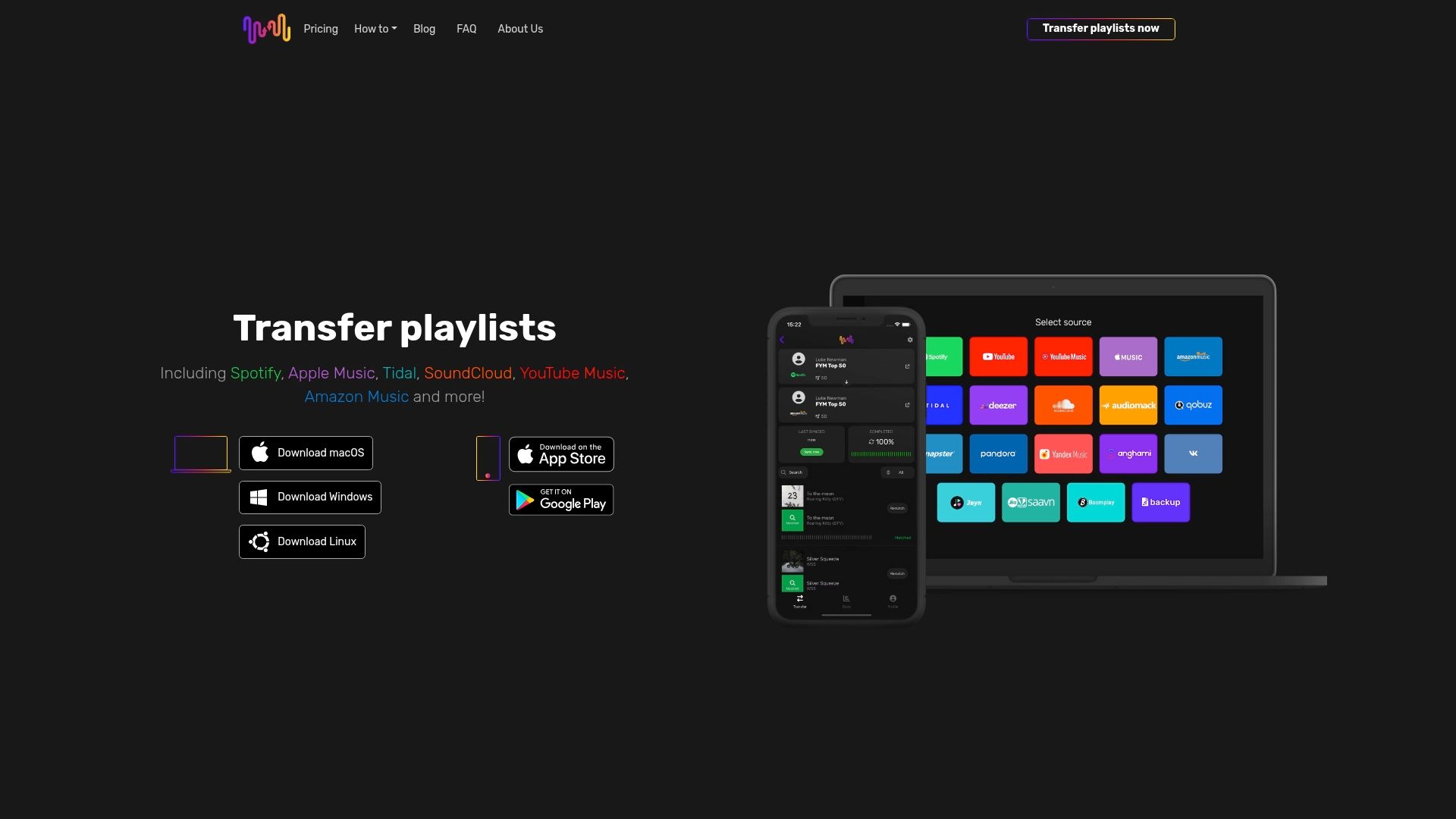
Laat ingewikkelde overdrachten je luisterplezier niet verstoren. Neem vandaag nog de controle over je afspeellijsten met FreeYourMusic.com en geniet zorgeloos van moeiteloze synchronisatie tussen platforms. Zet je muziek soepel over en ervaar de vrijheid om je afspeellijsten overal mee naartoe te nemen!
Veelgestelde vragen
Wat zijn de voordelen van automatische synchronisatie van afspeellijsten?
Met automatische synchronisatie kun je je afspeellijsten met minimale inspanning overzetten en bijwerken op meerdere streamingplatforms. Schakel hiervoor de synchronisatie-instellingen van je favoriete muziekdienst in, zodat je afspeellijsten direct aansluiten op je nieuwste luistergewoonten.
Hoe werkt nauwkeurige nummerherkenning bij het overzetten van afspeellijsten?
Nauwkeurige nummerherkenning gebruikt geavanceerde algoritmen om verschillende soorten metadata te analyseren, zoals artiestennamen en albumgegevens. Zo blijven je afspeellijsten tijdens het overzetten intact. Controleer vooraf of de metadata in je afspeellijsten consistent zijn om de herkenning zo nauwkeurig mogelijk te laten verlopen.
Waarom is het belangrijk om de structuur van afspeellijsten te behouden als je van platform wisselt?
Door de structuur van afspeellijsten te behouden, blijven de emotionele opbouw en het verhaal van je muziekcollectie intact tijdens het overzetten. Bekijk je afspeellijsten na de overdracht en zet verkeerd geplaatste nummers zo nodig handmatig terug om die structuur te bewaren.
Welke beveiligingsmaatregelen zijn belangrijk voor afspeellijsten met een cloudback-up?
Belangrijke beveiligingsmaatregelen voor afspeellijsten met een cloudback-up zijn versleutelde gegevensoverdracht en tweefactorauthenticatie. Schakel tweefactorauthenticatie in en controleer regelmatig de activiteitenlogboeken van je account om de beveiliging te verbeteren.
Hoe kan ik meerdere streamingaccounts effectief beheren?
Je kunt meerdere streamingaccounts beheren met geavanceerde muziekbeheersystemen waarmee je afspeellijsten tussen die accounts synchroniseert. Houd alles overzichtelijk en beheersbaar door aparte tags of mappen te maken voor verschillende soorten collecties, zoals persoonlijke en professionele afspeellijsten.
Aanbevolen
- Free Your Music - 7 onmisbare tips voor gebruikers van muziekstreamingdiensten
- Free Your Music - 7 onmisbare functies voor muziekstreaming
- Free Your Music - 7 belangrijke functies van muziekstreamingdiensten die je moet kennen
- Free Your Music - 7 voorbeelden van afspeellijstbeheer voor muziekliefhebbers
Jouw afspeellijsten zijn van jou.
Stop met handmatig opnieuw opbouwen. Verplaats alles in minuten en neem je muziek overal mee naartoe.
Gratis downloaden →SongsBrew — onze gratis muzieknieuwsbrief
Een gratis extraatje voor FYM-gebruikers. Tips, afspeellijsten, geen spam.