Playlist duplication: manage music effortlessly in 2026
Moving your favorite playlists between streaming services feels like it should be simple, yet more than 35% of transfers fail due to technical mismatches and platform differences. Whether you're switching from Spotify to Apple Music or backing up years of curated collections, understanding how playlist duplication works helps you preserve your musical identity across platforms. This guide reveals the technical challenges, common mistakes, and proven solutions that make cross-platform playlist management seamless and reliable.
Table of Contents
- Introduction To Playlist Duplication
- How Playlist Duplication Works Technically
- Impact Of Playlist Structure And Ordering
- Common Misconceptions About Playlist Duplication
- Tools And Methods For Cross-Platform Playlist Duplication
- Common User Errors And How To Avoid Them
- Privacy And Data Protection Considerations
- Conclusion And Best Practices For Playlist Duplication
- Discover Free Your Music For Effortless Playlist Duplication
Key takeaways
| Point | Details |
|---|---|
| Playlist duplication involves complex metadata matching | Song identifiers like ISRC codes enable accurate track matching, but platform differences create transfer challenges. |
| Preserving playlist order requires specialized tools | Generic transfer methods often scramble track sequences, degrading the listening experience you carefully crafted. |
| Cross-platform services solve compatibility issues | Tools like Free Your Music automate transfers while maintaining structure, metadata, and ordering across 6+ major platforms. |
| Manual verification prevents common transfer failures | Always check transferred playlists for missing tracks, incorrect ordering, or duplicate entries before relying on them. |
| Privacy protection matters during playlist transfers | Choose services with strong encryption and transparent permission scopes to safeguard your listening data and account security. |
Introduction to playlist duplication
Playlist duplication means copying your music collections from one streaming platform to another while maintaining track order, metadata, and overall structure. Music enthusiasts duplicate playlists for multiple reasons: switching between services for better pricing or features, creating backups of curated collections, sharing music with friends on different platforms, or managing multiple accounts across streaming ecosystems.
The streaming landscape includes dozens of incompatible services. Spotify, Apple Music, Tidal, YouTube Music, Amazon Music, Deezer, and Pandora each use proprietary systems for storing and organizing music data. These platforms don't communicate with each other, creating significant barriers when you want to move your carefully organized playlists.
Key challenges include:
- Different metadata standards across platforms that prevent seamless song identification
- Proprietary catalog structures that organize music differently on each service
- Varying availability of tracks due to regional licensing and artist agreements
- Incompatible playlist formatting that affects how order and structure transfer
These technical barriers explain why manual playlist recreation remains frustratingly common. Copying hundreds or thousands of songs by hand wastes time and introduces errors. Understanding these foundational incompatibilities helps you appreciate why specialized tools become necessary for efficient playlist transfer processes.
How playlist duplication works technically
Successful playlist duplication depends on accurate song matching through music metadata. Every track contains identifying information including artist name, album title, song title, duration, and crucially, ISRC codes for matching accuracy. International Standard Recording Codes uniquely identify specific recordings, functioning like fingerprints for songs.
When you duplicate a playlist, transfer tools extract metadata from the source platform and search the destination service for matching tracks. This matching process faces significant hurdles. Different platforms may have alternate versions, remasters, live recordings, or regional releases that complicate exact matching. A song on Spotify might exist as a different recording on Apple Music, creating mismatches.
Think of this as a Song Matching Layer that sits between platforms. The layer receives track information from Platform A, translates it into universal identifiers, searches Platform B's catalog, and selects the best match. When metadata is incomplete or conflicting, this layer struggles to find correct matches.
Platform APIs add another complexity layer. Streaming services provide programming interfaces that control how external applications access music catalogs. These APIs have rate limits, restricted search capabilities, and varying permission requirements. Some platforms limit how many songs you can search per minute, slowing large playlist transfers. Others restrict bulk operations or provide incomplete catalog access through their APIs.
| Metadata Element | Impact on Transfer Accuracy | Common Issues |
|---|---|---|
| ISRC Code | High precision matching | Missing from older tracks |
| Artist Name | Moderate accuracy | Spelling variations, featuring artists |
| Track Title | Moderate accuracy | Remixes, alternate versions |
| Album Name | Lower accuracy | Compilation differences, regional releases |
| Duration | Verification only | Radio edits vs. album versions |
Understanding these technical foundations clarifies why cross-platform music transfer guide tools invest heavily in matching algorithms. The most reliable services maintain proprietary databases mapping songs across platforms and continuously update these mappings as catalogs change. Following playlist transfer best practices significantly improves transfer outcomes.
Impact of playlist structure and ordering
Track order defines your playlist's emotional flow and listening experience. A workout playlist builds energy progressively, a study playlist maintains consistent mood, and a party mix times peaks strategically. When duplication scrambles this carefully crafted sequence, the playlist loses its intended impact.

Technical limitations frequently cause ordering failures. Simple alphabetical sorting by the destination platform, timestamp mismatches during transfer, or API limitations that don't preserve sequence information all contribute to structure loss. Some platforms treat playlists as unordered collections internally, only applying order in the user interface, creating additional complications.
Key Statistic: More than 60% of users experience track order loss when transferring playlists between platforms.
User complaints about ordering failures dominate playlist transfer discussions. Shuffled tracks force manual reordering of hundreds of songs. Missing positional context makes it difficult to remember where specific tracks belonged. Duplicated songs appear in wrong positions, requiring cleanup. These frustrations drive users to abandon transfers or stick with single platforms despite preferring alternatives.
Protecting playlist structure requires:
- Using transfer tools that explicitly preserve track order through their APIs
- Verifying the complete sequence immediately after transfer completes
- Keeping detailed notes about playlist organization before beginning transfers
- Testing with small playlists first to confirm order preservation
Services prioritizing playlist organization tips design their transfer processes around maintaining structure. They sequence API calls to preserve order, verify positioning after transfer, and flag discrepancies for user review. This attention to structural integrity separates professional tools from basic transfer scripts.
Common misconceptions about playlist duplication
Many users assume playlist duplication works flawlessly, expecting perfect transfers every time. This misconception stems from successful experiences moving files between folders or copying documents between cloud services. Music streaming platforms operate differently because they don't transfer files but rather recreate playlists by matching songs in separate catalogs.
Song identifiers vary dramatically between platforms. Spotify assigns internal track IDs completely different from Apple Music's catalog numbers. YouTube Music uses video IDs, while Tidal employs its own numbering system. No universal ID exists across all services except ISRC codes, which aren't always present or correctly tagged.
Not all songs transfer identically because:
- Regional licensing means some tracks exist only on certain platforms in specific countries
- Catalog differences result from varying artist agreements and label partnerships
- Release timing creates gaps when new albums appear on one service before others
- Explicit versus clean versions may match incorrectly without careful filtering
Key Finding: Nearly 40% of users mistakenly believe transfers happen without mismatches, leading to disappointment when they discover missing or incorrect tracks.
Pro Tip: Always manually verify duplicated playlists by spot checking songs throughout the list, paying special attention to remixes, live versions, and featured artist collaborations where mismatches occur most frequently.
Understanding these realities helps set appropriate expectations. Perfect transfers are rare but high accuracy is achievable with quality tools. The copying Spotify playlists guide explains verification steps that catch common problems before they affect your listening experience.
Tools and methods for cross-platform playlist duplication
Several specialized services facilitate playlist duplication, each offering different features and platform support. Manual transfer remains possible but impractical for large collections. Basic web tools provide limited free transfers but often sacrifice accuracy or structure preservation. Professional services like FreeYourMusic.com deliver comprehensive solutions balancing automation, accuracy, and user control.
FreeYourMusic.com stands out by supporting transfers between Spotify, Apple Music, Tidal, YouTube Music, Amazon Music, Deezer, and numerous other platforms. The service handles unlimited playlist transfers without artificial restrictions. It maintains track order and playlist structure through specialized algorithms designed specifically for music migration. Automated syncing keeps playlists updated across platforms when you add or remove songs.
Critical Capability: FreeYourMusic.com preserves order and structure across 6+ major platforms while offering automation options that eliminate repetitive manual transfers.
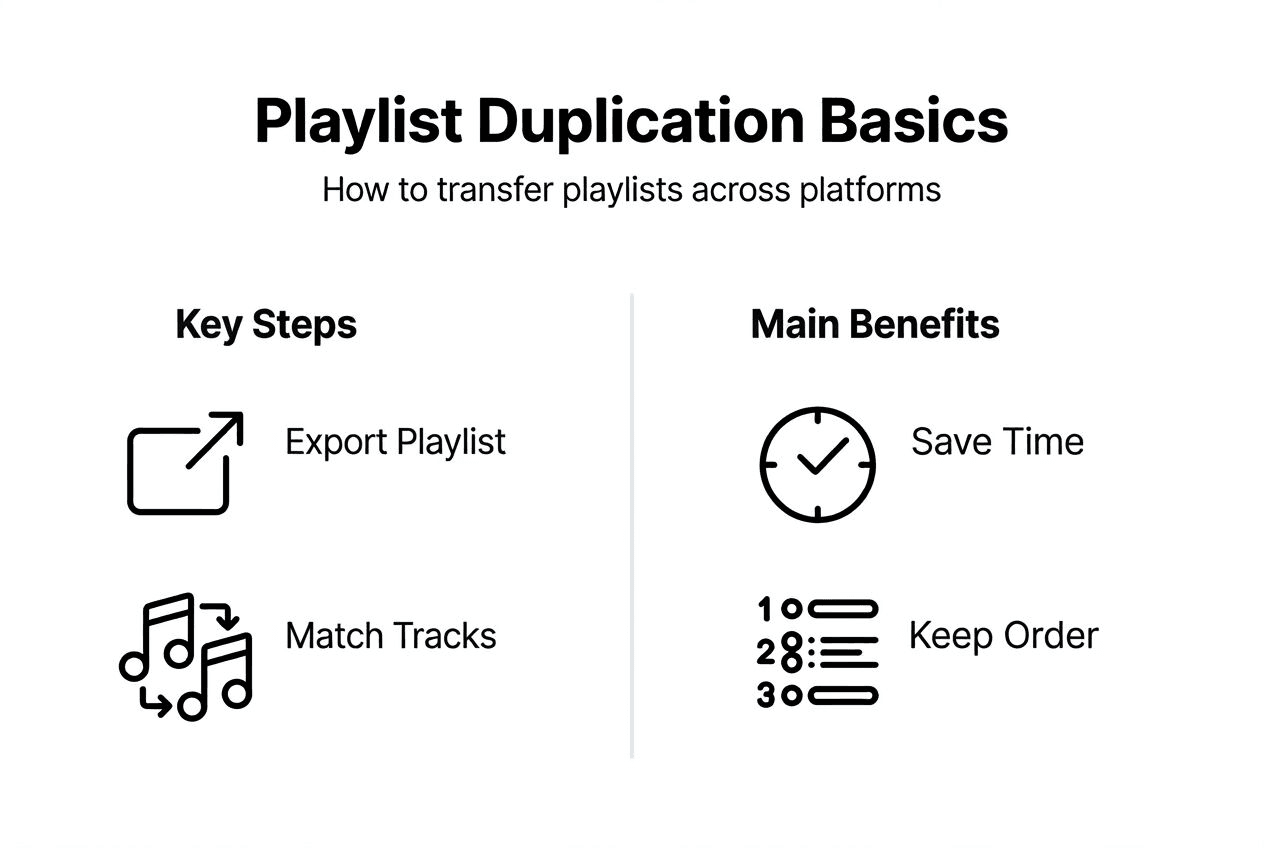
Automation delivers significant advantages. Set up automatic syncing once, and your playlists update across all platforms whenever you modify the source. This eliminates the need to manually duplicate every playlist change. Cloud backup options protect against accidental deletion or account issues. Multi-account support helps users managing personal and family subscriptions across different services.
| Feature | Free Your Music | Basic Web Tools | Manual Transfer |
|---|---|---|---|
| Platform Support | 15+ services | 3 to 5 services | All platforms |
| Playlist Quantity | Unlimited | Limited to 5 to 10 | Unlimited |
| Order Preservation | Guaranteed | Often fails | Manual control |
| Automation | Full auto-sync | None | None |
| Speed | Minutes | Hours | Days or weeks |
| Accuracy | 95%+ match rate | 70 to 85% match rate | 100% but time intensive |
Pro Tip: Automate regular syncing for playlists you actively update, ensuring changes propagate across all platforms without requiring repeated manual transfers.
The automatic playlist transfer guide details setup processes for various platforms. Understanding music sharing methods for playlist management further enhances your ability to collaborate and share across streaming services.
Common user errors and how to avoid them
Frequent mistakes undermine otherwise successful playlist transfers. Not cleaning duplicates before transfer creates messy destination playlists containing multiple copies of the same songs. Source playlists accumulate duplicates over time through various adding methods, and these duplicate straight to your new platform.
Ignoring metadata inconsistencies causes matching failures. Songs with missing artist information, incorrect album tags, or incomplete titles struggle to match correctly. Metadata inconsistencies create frequent mismatches when switching between platforms, resulting in missing tracks or wrong versions appearing in transferred playlists.
Failure to verify transfer completion leads to discovering problems weeks later when you rely on the playlist. Missing songs, incorrect ordering, or duplicate entries go unnoticed until you actively listen through the entire playlist. By then, recreating the original becomes difficult if you've already modified or deleted the source.
Preparation checklist:
- Remove duplicate songs from source playlists before beginning transfers
- Verify metadata completeness for all tracks, especially artist and title fields
- Note any rare, regional, or live tracks that may not exist on destination platforms
- Document original playlist order with screenshots or exported text files
- Test transfer process with small playlist before moving large collections
- Verify complete transfer immediately, checking order and track accuracy
- Save backup copies of source playlists until confident in destination versions
Common errors and fixes:
- Transferring massive playlists at once: Break into smaller batches for easier error tracking
- Ignoring transfer reports: Review detailed logs showing missing or mismatched tracks
- Assuming automation means no verification needed: Always spot check automated transfers
- Deleting source playlists immediately: Keep originals until thoroughly testing duplicates
- Using lowest quality transfer settings: Choose higher accuracy options even if slower
Following structured playlist management tips prevents most user errors. Systematic preparation, careful execution, and thorough verification create reliable duplication workflows that scale to large music collections.
Privacy and data protection considerations
Playlist duplication services require access to your streaming accounts, raising legitimate privacy concerns. Transfer tools need permission to read your playlists and music library, then write new playlists to destination accounts. This access potentially exposes listening habits, personal music preferences, and account credentials to third parties.
Potential privacy risks include:
- Unauthorized data collection beyond necessary playlist information
- Insecure storage of account credentials or access tokens
- Sharing listening data with advertisers or data brokers
- Insufficient encryption during data transmission between platforms
Data encryption standards matter significantly. Reputable services use HTTPS for all communications and encrypt stored credentials with industry standard methods. OAuth authentication allows access without storing passwords directly. Token-based systems limit what services can access and automatically expire permissions after transfers complete.
Understanding permission scopes helps evaluate service trustworthiness. Playlist transfer only requires read access to source playlists and write access to destination accounts. Services requesting broader permissions like email access, contact lists, or payment information likely overreach legitimate needs. Review exactly what permissions you grant before connecting accounts.
Best Privacy Practice: Choose playlist transfer services offering transparent data handling policies, using OAuth for authentication, employing strong encryption, providing clear permission scopes, allowing easy permission revocation, and maintaining active security certifications from recognized authorities.
Signs of reputable services include published privacy policies detailing data usage, security certifications from independent auditors, transparent permission requests explaining why access is needed, ability to revoke access after transfers complete, and responsive customer support addressing security questions. Avoid services with vague privacy policies, requesting unnecessary permissions, or lacking secure authentication methods.
Conclusion and best practices for playlist duplication
Playlist duplication challenges stem from technical incompatibilities between streaming platforms, metadata matching complexities, and structural preservation requirements. Understanding these challenges equips you to select appropriate tools and avoid common pitfalls that compromise transfer quality.
Actionable steps for accurate duplication:
- Prepare playlists by removing duplicates and verifying metadata completeness
- Choose transfer services prioritizing order preservation and high match accuracy
- Start with test transfers of small playlists to evaluate tool performance
- Review transfer reports immediately to identify missing or mismatched tracks
- Verify complete playlist structure and ordering before relying on duplicates
- Maintain backups of original playlists until confident in transfer quality
Reliable tools like FreeYourMusic.com streamline cross-platform transfers while maintaining the integrity of your music collections. Automation features eliminate repetitive manual work, while verification steps ensure quality. Privacy protections safeguard your data throughout the transfer process.
Successful playlist management across multiple platforms requires combining technical understanding with practical tools. The effort invested in proper duplication pays dividends through seamless music access wherever you listen. Your carefully curated playlists deserve preservation across all streaming services you use.
Discover Free Your Music for effortless playlist duplication
Managing music across multiple streaming platforms becomes simple with the right tools. Free Your Music simplifies playlist duplication by supporting transfers between 15+ major services including Spotify, Apple Music, Tidal, YouTube Music, and Amazon Music.
The platform preserves your carefully organized track order and playlist structure through specialized algorithms designed specifically for music migration. Automatic syncing keeps playlists updated across all platforms whenever you modify the source, eliminating repetitive manual transfers. Cloud backup protects against accidental deletion, while multi-account support helps manage personal and family subscriptions.
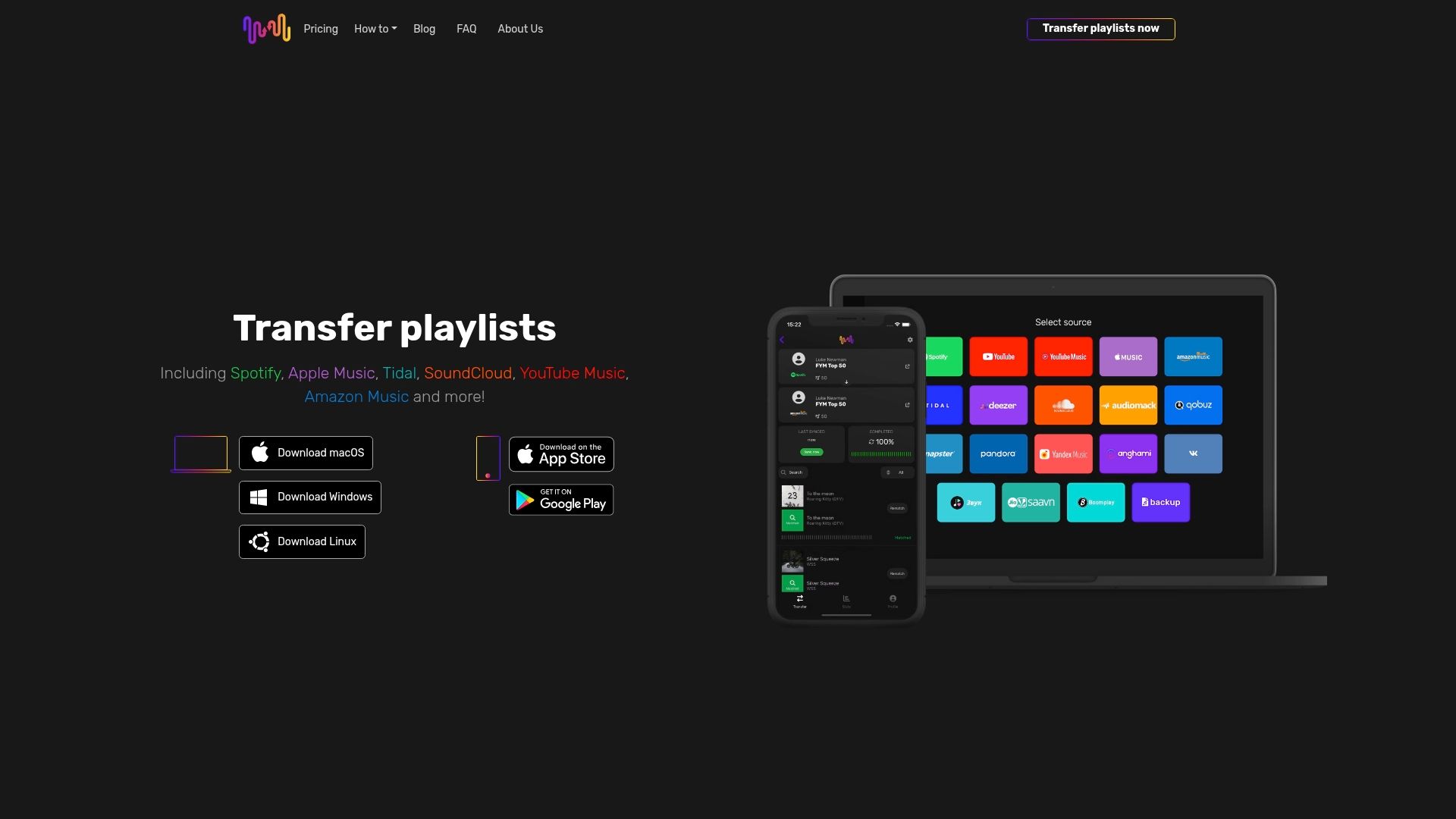
Get started with Free Your Music home page to experience seamless playlist transfers. The service offers transparent pricing and a customer-focused Free Your Music refund policy ensuring your satisfaction throughout the migration process.
FAQ
What are the most common causes of playlist mismatches during duplication?
Metadata differences between platforms cause most mismatches. When songs have incomplete ISRC codes, varying artist spellings, or different album versions, matching algorithms struggle to identify correct tracks. Streaming service API limitations restrict search capabilities, preventing transfer tools from accessing complete catalog information needed for accurate matching.
Can all playlists be duplicated exactly across different streaming platforms?
Exact duplication rarely occurs due to regional licensing restrictions and catalog differences between services. Some tracks exist exclusively on certain platforms or in specific countries. Transfer services typically achieve 90 to 95% accuracy, with manual verification helping identify missing or incorrectly matched songs requiring attention.
How can I ensure my playlist order stays intact after duplication?
Use specialized transfer tools designed to preserve track sequence rather than basic copying methods. Services like Free Your Music explicitly maintain order through their APIs and verification processes. Always manually verify playlist structure immediately after transfer, checking that songs appear in the correct sequence throughout the entire list. Reference playlist organization strategies for additional structural preservation techniques.
Is my personal data safe when using playlist transfer services?
Reputable services protect data through strong encryption and OAuth authentication that avoids storing passwords directly. Choose providers with transparent privacy policies, clear permission scopes limited to playlist access, and security certifications from independent auditors. Always review exactly what permissions you grant and revoke access after completing transfers.
Recommended
Your playlists belong to you.
Stop rebuilding by hand. Move everything in minutes and take your music wherever you go.
Download free →SongsBrew — our free music newsletter
A free perk for FYM users. Tips, playlists, no spam.