10 boas práticas essenciais para quem ouve música em streaming

10 boas práticas essenciais para quem ouve música em streaming
Todos queremos a experiência perfeita ao ouvir música em streaming. Mas, com tantas plataformas disponíveis, as opções parecem não ter fim.
Estas plataformas já contam com mais de 500 milhões de subscritores em todo o mundo. Ainda assim, a maioria dos ouvintes nunca utiliza sequer metade das funcionalidades disponíveis.
O segredo não está apenas em escolher a plataforma certa. Está também em conhecer os pequenos truques que os grandes fãs de música usam todos os dias.
Índice
- 1: Escolha o serviço de streaming de música certo para si
- 2: Ajuste as definições da sua conta para melhorar a experiência
- 3: Crie e organize playlists com intenção
- 4: Tire o máximo partido da música offline
- 5: Explore as recomendações de música e os algoritmos
- 6: Crie playlists em conjunto com amigos e familiares
- 7: Mantenha a sua biblioteca organizada e atualizada
- 8: Use as funcionalidades sociais para descobrir música
- 9: Aproveite a compatibilidade entre plataformas
- 10: Acompanhe as novas funcionalidades e atualizações
Resumo rápido
| Dica | O que significa |
|---|---|
| Escolha o serviço certo | Verifique a dimensão do catálogo, a qualidade do áudio e os dispositivos compatíveis antes de aderir. |
| Ajuste as suas definições | Adapte a privacidade, a qualidade do som e as preferências à sua forma de ouvir música. |
| Organize playlists com intenção | Crie playlists para um estado de espírito ou momento e mantenha-as atualizadas. |
| Aproveite bem a música offline | Descarregue música para viajar, gira o armazenamento e mantenha uma boa qualidade de som. |
| Acompanhe as novidades | Consulte regularmente as novas funcionalidades para aproveitar ao máximo o seu serviço. |
1: Escolha o serviço de streaming de música certo para si
Escolher o serviço de streaming de música certo faz a diferença. Nem todas as plataformas se adequam aos seus hábitos e gostos.
Antes de escolher, tenha em conta:
- Dimensão do catálogo: milhões de faixas de vários géneros
- Qualidade do áudio: opções para ouvir música em alta fidelidade
- Compatibilidade da plataforma: funcionamento nos seus diferentes dispositivos
Os estudos da MIDiA Research mostram que as receitas globais do streaming de música continuam a crescer. Isso demonstra a importância crescente de escolher a plataforma certa.
O gosto pessoal também conta. Algumas plataformas destacam-se em géneros específicos. Os fãs de música clássica podem procurar catálogos de música orquestral mais completos. Já os fãs de música eletrónica podem preferir uma boa seleção de artistas underground e independentes.
Compare também os planos de subscrição e os preços. A maioria dos serviços oferece uma modalidade gratuita com publicidade e planos pagos individuais ou familiares. Avalie-os de acordo com o seu orçamento e as suas necessidades.
Para os ouvintes mais exigentes, a qualidade do som é fundamental. Os planos premium costumam oferecer streaming com taxas de bits mais elevadas. Procure áudio sem perdas ou de alta resolução, se isso for importante para si.
Por fim, explore as ferramentas de transferência de playlists. Facilitam a mudança de serviço sem perder a coleção que construiu com tanto cuidado.
2: Ajuste as definições da sua conta para melhorar a experiência
As definições da sua conta podem fazer uma grande diferença. A maioria das pessoas nunca explora as opções de personalização da sua aplicação de streaming.
Os controlos de privacidade e partilha são um bom ponto de partida. As plataformas atuais permitem gerir:
- Ligações às redes sociais
- Visibilidade do perfil
- Registo da atividade de escuta
Segundo a Statista, mais de 500 milhões de pessoas usam serviços de streaming de música em todo o mundo. São muitas contas que poderiam beneficiar de alguns ajustes.
A qualidade do áudio é outra definição essencial. Escolha uma taxa de bits que equilibre a qualidade do som e o consumo de dados. O áudio de alta resolução é uma vantagem para os audiófilos. A qualidade padrão poupa dados móveis.
As suas preferências musicais também influenciam as recomendações. Avalie faixas, crie playlists variadas e explore novos géneros. Assim, ajuda a aplicação a sugerir música de que vai realmente gostar.
A segurança também importa. Ative a autenticação de dois fatores. Verifique regularmente os dispositivos ligados à conta. Algumas plataformas mostram um histórico de acessos para que possa identificar atividades invulgares.
As contas familiares e de grupo têm mais definições para gerir. As ferramentas de transferência de playlists podem ajudar a manter as coleções de todos alinhadas.
Reveja as suas definições de vez em quando. Os seus hábitos mudam, e as definições devem acompanhar essa mudança.
3: Crie e organize playlists com intenção
Uma boa playlist transforma a simples escuta numa experiência pessoal. Criar playlists com intenção vai além de juntar músicas. É construir um ambiente, uma mistura, uma história.
Os estudos do Spotify mostram que playlists bem pensadas reforçam a ligação emocional e a descoberta de música. Experimente criar playlists para:
- Treinos e momentos de energia
- Estados de espírito específicos
- Explorar géneros musicais
Adicionar etiquetas às faixas também ajuda. Inclua notas sobre a energia, o ambiente ou o significado pessoal de cada música. Isso facilita a organização e a criação de playlists no futuro.
As playlists precisam de manutenção. Reveja-as com frequência. Retire as músicas que já não combinam com o conjunto e acrescente novas descobertas. O seu gosto muda, e as suas playlists devem acompanhar essa evolução.
Os detalhes técnicos também contam. Mantenha uma qualidade de áudio consistente entre as faixas e pense nas transições de uma música para a seguinte.
As playlists colaborativas trazem ainda mais criatividade. Convide amigos ou explore playlists públicas para descobrir novos artistas. As ferramentas de transferência de playlists ajudam a manter estas playlists intactas se mudar de serviço.
As melhores playlists contam uma história. Cada faixa deve ligar-se à seguinte.
4: Tire o máximo partido da música offline
Ouvir música offline faz toda a diferença. Permite levar a sua música para qualquer lugar, independentemente da ligação à internet.
O Nielsen Music Report mostra que as funcionalidades offline são cada vez mais importantes para os ouvintes.
Estratégias essenciais para ouvir música offline:
- Descarregue playlists completas antes de viajar
- Mantenha uma boa qualidade de áudio ao ouvir offline
- Gira o espaço de armazenamento
Poupar dados é importante ao descarregar música. A maioria das aplicações permite escolher playlists, álbuns ou faixas específicos para guardar. Assim, controla o espaço ocupado e mantém o acesso aos seus favoritos.
Verifique as definições de download, sobretudo no telemóvel. Algumas aplicações ajustam a qualidade dos downloads consoante o armazenamento e a velocidade da ligação. Outras permitem definir a taxa de bits preferida para as faixas offline.
Confirme que a sua aplicação de streaming funciona offline em todos os seus dispositivos. Alguns serviços limitam o acesso offline por tipo de dispositivo ou exigem uma ligação à internet de vez em quando.
Mantenha também a aplicação atualizada. As atualizações protegem o conteúdo descarregado e garantem que continua a ter acesso a ele.
As ferramentas de transferência de playlists podem ajudar a gerir as coleções offline se mudar de plataforma.
Dica extra: Descarregue sempre através de Wi-Fi. Poupa dados e evita downloads lentos.
5: Explore as recomendações de música e os algoritmos
Os algoritmos de recomendação mudaram a forma como descobrimos música. Analisam os seus hábitos de escuta e sugerem músicas de que provavelmente vai gostar.
Os estudos do Spotify mostram que as recomendações inteligentes aumentam a interação e a descoberta. Para receber melhores sugestões:
- Avalie e interaja com as faixas com frequência
- Crie playlists variadas
- Explore os géneros sugeridos
A aprendizagem automática está na base destes sistemas. Quanto mais os seus hábitos de escuta refletirem os seus gostos e forem variados, melhores serão as sugestões.
As aplicações de streaming costumam ter em conta vários fatores:
- O seu histórico de escuta
- As semelhanças sonoras entre as faixas
- Os momentos em que costuma ouvir música
Explorar géneros musicais torna-se mais fácil com estas ferramentas. Interaja com as sugestões e alargue os seus horizontes musicais de forma natural.
Algumas aplicações oferecem playlists semanais ou estações de rádio criadas a partir de uma música ou de um artista. São novas formas de explorar música para além das suas pesquisas habituais.
As ferramentas de transferência de playlists ajudam a preservar a variedade da sua coleção se mudar de plataforma.
Dica extra: Dê um novo rumo ao seu algoritmo de vez em quando. Crie novas playlists e experimente outros géneros para renovar as sugestões.
6: Crie playlists em conjunto com amigos e familiares
As playlists colaborativas tornam o streaming numa experiência social. Amigos e familiares podem construir uma banda sonora em conjunto.
Os estudos da Edison Research mostram que a música continua a ser uma forte ligação entre as pessoas, e que as funcionalidades colaborativas têm um papel cada vez maior nessa ligação.
Formas de colaborar em playlists:
- Convide pessoas específicas a contribuir
- Defina quem pode editar a playlist
- Escolha um tema comum
Muitas aplicações já permitem que várias pessoas adicionem, removam e reordenem faixas em tempo real. Isso torna a experiência de ouvir música em conjunto mais interativa.
É você quem decide quem participa. A maioria das aplicações permite definir quem pode editar, ver ou adicionar músicas a uma playlist partilhada, para que todos se sintam à vontade.
As contas familiares e de grupo oferecem ainda mais opções. Todos em casa podem partilhar recomendações e descobrir música em conjunto.
Algumas ideias divertidas:
- Playlists de grupo para diferentes estados de espírito
- Coleções temáticas para eventos
- Seleções partilhadas para treinar ou viajar
As ferramentas de transferência de playlists ajudam a preservar estas playlists partilhadas se mudar de plataforma.
Dica extra: Conversem abertamente e respeitem os gostos uns dos outros. As melhores playlists partilhadas nascem da curiosidade musical.
7: Mantenha a sua biblioteca organizada e atualizada
A gestão da biblioteca é uma competência que vale a pena desenvolver. Uma coleção de música bem organizada melhora a experiência de escuta.
O Nielsen Music 360 indica que o consumo de música continua a crescer, o que torna os bons hábitos de organização ainda mais úteis.
Formas de manter tudo organizado:
- Use um sistema de etiquetas consistente
- Remova faixas duplicadas
- Organize a música em pastas por género
Metadados corretos (artista, álbum, ano, género) facilitam a organização e a criação de playlists. Muitas aplicações oferecem ferramentas para corrigir automaticamente informações desorganizadas sobre as faixas.
Reveja as faixas guardadas de vez em quando. Remova as músicas que já não correspondem ao seu gosto. Isso também ajuda a manter as recomendações da aplicação relevantes.
Alguns hábitos técnicos também ajudam:
- Faça cópias de segurança das suas playlists regularmente
- Verifique se as faixas continuam disponíveis
- Atualize as faixas que forem removidas ou substituídas
Os limites de armazenamento tornam-se importantes à medida que a biblioteca cresce. Algumas plataformas limitam o número de faixas que pode guardar, por isso acompanhe o tamanho da coleção e retire o que não usa.
As ferramentas de transferência de playlists ajudam a proteger uma biblioteca construída com cuidado quando muda de plataforma.
Dica extra: Agende uma revisão trimestral. Pequenas arrumações regulares são mais fáceis do que uma grande organização de uma só vez.
Segue-se um resumo das 10 boas práticas, das ações a realizar e dos benefícios que trazem.
| Boa prática | Ações principais | Principal benefício |
|---|---|---|
| Escolher o serviço certo | Verificar o catálogo, a qualidade do áudio, os dispositivos compatíveis e os gostos pessoais | Serviço mais adequado e maior satisfação ao ouvir música |
| Ajustar as definições da conta | Ajustar a privacidade, o áudio, a segurança e as preferências | Mais personalização, maior segurança e melhores sugestões |
| Organizar playlists com intenção | Criar playlists temáticas, etiquetar faixas, atualizar com frequência e colaborar | Maior ligação emocional e melhor organização |
| Ouvir música offline | Descarregar faixas essenciais, gerir o armazenamento e preservar a qualidade do áudio | Música em qualquer lugar e menor consumo de dados |
| Explorar recomendações | Avaliar músicas, interagir com sugestões e renovar o algoritmo de vez em quando | Mais descobertas e melhores sugestões |
| Colaborar em playlists | Partilhar playlists, definir permissões e escolher temas de grupo | Prazer partilhado e mais perspetivas |
| Manter a biblioteca organizada | Etiquetar e ordenar faixas, remover duplicados e agendar revisões | Biblioteca mais organizada e melhores sugestões |
| Usar funcionalidades sociais | Seguir artistas e amigos, participar em comunidades e partilhar atividade | Mais contactos e descobertas |
| Aproveitar a compatibilidade entre plataformas | Sincronizar dispositivos, usar ferramentas universais e verificar as definições de sincronização | Experiência fluida em qualquer lugar |
| Acompanhar as atualizações | Ler blogues e notas de lançamento, participar em fóruns e experimentar novas funcionalidades | Acesso antecipado e maior segurança |
8: Use as funcionalidades sociais para descobrir música
A descoberta através de outras pessoas torna o streaming numa experiência mais ligada aos outros. As aplicações atuais permitem explorar, partilhar e interagir com música em conjunto.
Segundo a Global Web Index, as ligações sociais influenciam a forma como as pessoas ouvem música, o que torna estas funcionalidades úteis.
Formas de explorar música com outras pessoas:
- Siga artistas e influenciadores
- Explore playlists públicas
- Partilhe o que ouve, escolhendo o que divulgar
O contacto com amigos, artistas e outros ouvintes pode alargar os seus gostos para além do que qualquer algoritmo sugere.
A privacidade continua a ser importante. A maioria das aplicações oferece controlos detalhados sobre quem pode ver a sua atividade, as playlists e o perfil.
Mais formas de participar:
- Junte-se a comunidades de música
- Acompanhe grupos de fãs de artistas
- Explore os conteúdos em destaque
Algumas aplicações mostram o que os seus amigos estão a ouvir naquele momento ou destacam faixas populares entre os seus contactos. Assim, ouvir música passa a ser uma experiência partilhada.
As ferramentas de transferência de playlists ajudam a manter as suas ligações musicais se mudar de plataforma.
Dica extra: Mantenha a curiosidade. As melhores descobertas surgem muitas vezes de ligações inesperadas.
9: Aproveite a compatibilidade entre plataformas
A compatibilidade entre plataformas é mais importante do que nunca. Alternar entre dispositivos, sistemas e serviços deve ser simples.
Os estudos da Statista Research mostram que as pessoas esperam poder ouvir a sua música em qualquer lugar. Isso aumenta a exigência sobre as aplicações de streaming.
Formas de aproveitar ao máximo as funcionalidades entre plataformas:
- Sincronize playlists em todos os seus dispositivos
- Use bibliotecas na nuvem
- Experimente ferramentas universais de gestão de música
A maioria das aplicações já funciona em telemóveis, tablets, computadores, colunas inteligentes e automóveis. A sua música acompanha-o para todo o lado.
Alguns aspetos técnicos a compreender:
- Como inicia sessão e mantém a autenticação
- Como funciona a sincronização entre dispositivos
- Como os seus dados passam de uma plataforma para outra
Verifique sempre as definições de privacidade antes de ativar funcionalidades entre plataformas. Reveja o que está a partilhar e com quem.
Os utilizadores mais avançados podem gerir várias contas: pessoal, familiar ou profissional. Isso permite maior flexibilidade em diferentes situações de escuta.
As ferramentas de transferência de playlists ajudam a ultrapassar as barreiras entre plataformas, mantendo a sua biblioteca intacta.
Dica extra: Mantenha as aplicações atualizadas. As funcionalidades entre plataformas estão sempre a melhorar, e as atualizações dão-lhe acesso às mais recentes.
10: Acompanhe as novas funcionalidades e atualizações
A tecnologia de streaming evolui rapidamente. As plataformas acrescentam funcionalidades constantemente, e acompanhar as novidades ajuda a aproveitar ao máximo o seu serviço.
Segundo a Gartner Research, as plataformas digitais atualizam as suas funcionalidades, em média, 4 a 6 vezes por ano. Há muito para acompanhar.
Formas de se manter a par:
- Siga os blogues oficiais das plataformas
- Subscreva newsletters de tecnologia
- Participe em fóruns de comunidades de utilizadores
As atualizações regulares das aplicações trazem novas funcionalidades. Também corrigem problemas de segurança e melhoram o desempenho.
Boas fontes para acompanhar as atualizações:
- Notas de lançamento oficiais
- Sites de análises de tecnologia
- Publicações da indústria musical
Os utilizadores mais curiosos podem experimentar funcionalidades beta antecipadamente. Estas dão muitas vezes pistas sobre os próximos passos da plataforma.
Consulte sempre as políticas de privacidade atualizadas quando surgirem grandes alterações. As novas funcionalidades podem mudar a forma como os seus dados são usados.
As ferramentas de transferência de playlists ajudam a acompanhar sem dificuldades as mudanças e melhorias das plataformas.
Dica extra: Crie um lembrete no calendário para fazer uma revisão trimestral. Uma pequena revisão pode fazer uma grande diferença.
Assuma o controlo das suas playlists ao mudar de serviço de streaming de música
Mudar para uma nova plataforma de streaming de música pode parecer complicado. Este guia apresentou as boas práticas, mas a mudança continua a trazer um grande risco: perder as playlists que passou anos a construir.
Muitos ouvintes receiam perder a organização da sua música, as playlists criadas com tanto cuidado e a experiência fluida a que estão habituados. Manter a biblioteca intacta entre plataformas é uma prioridade.
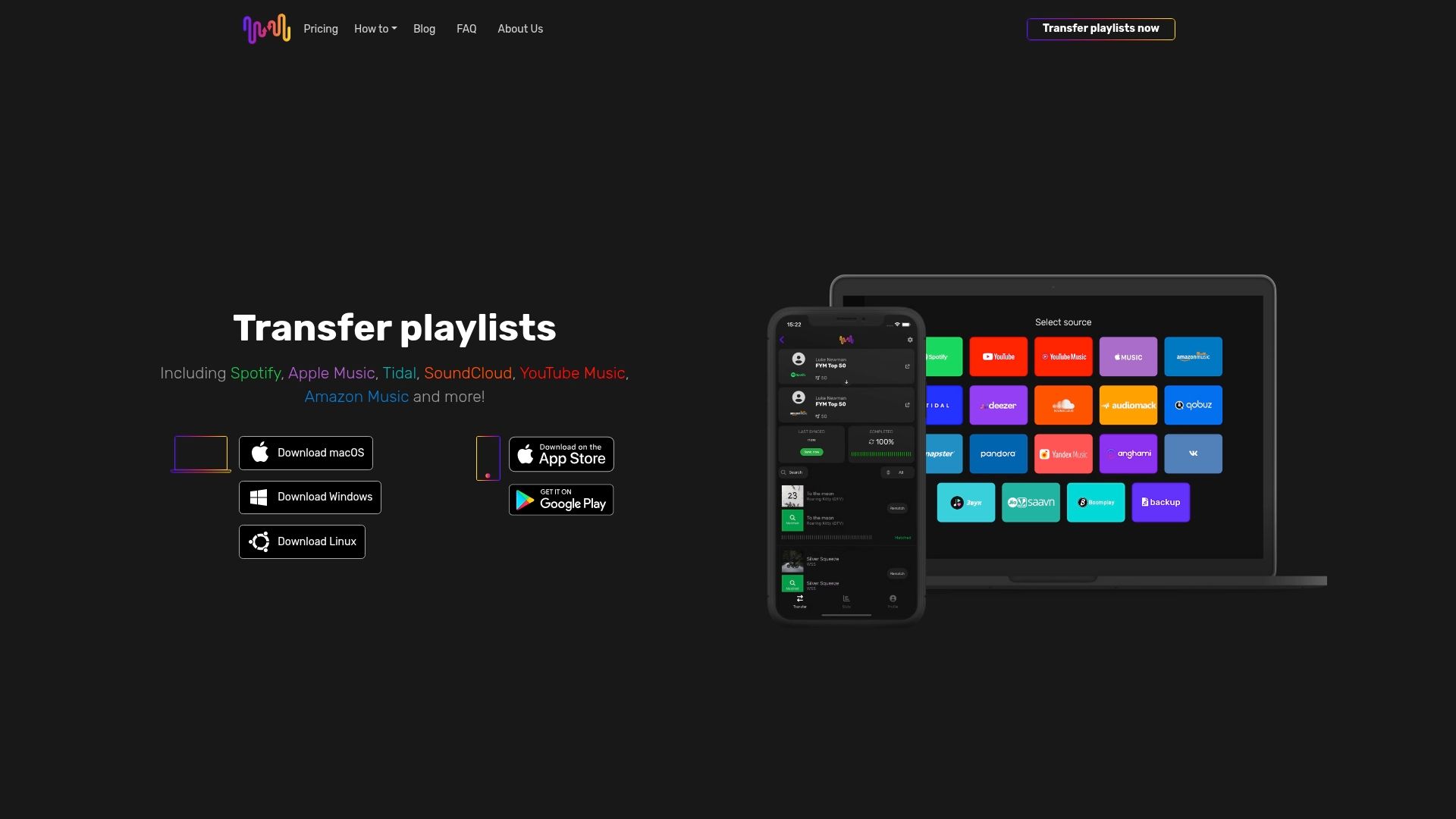
Porquê deixar que os limites das plataformas travem o seu percurso musical? Com o Free Your Music, transfere as suas playlists sem stress e mantém a ordem das faixas. Sem ter de começar do zero.
A nossa aplicação transfere playlists em segurança entre 18 serviços de streaming compatíveis, incluindo Spotify, Apple Music, Tidal, YouTube Music e Amazon Music. Funciona em iPhone, Android, Mac, Windows e Linux.
Tem à sua disposição uma modalidade gratuita que inclui as suas primeiras 600 músicas, sincronização automática a cada 15 minutos e cópia de segurança na nuvem integrada.
Melhore hoje os seus hábitos de streaming de música. Visite a nossa página para descobrir como é fácil e comece já a sua transferência gratuita.
Perguntas frequentes
Como escolher o serviço de streaming de música certo?
Analise a dimensão do catálogo, a qualidade do áudio e a compatibilidade da plataforma. Depois, avalie estes aspetos de acordo com os seus gostos, orçamento e necessidades.
Como posso melhorar as definições da minha conta?
Gira os controlos de privacidade, defina a qualidade de áudio preferida, avalie faixas para melhorar as recomendações e ative a autenticação de dois fatores.
Quais são as melhores estratégias para criar playlists?
Crie playlists em torno de um estado de espírito ou tema. Adicione etiquetas às faixas, mantenha as playlists atualizadas e use as funcionalidades colaborativas quando fizer sentido.
Como posso aproveitar ao máximo a música offline?
Descarregue playlists através de Wi-Fi, gira o armazenamento e confirme que o seu serviço de streaming permite o acesso offline em todos os dispositivos que utiliza.
As suas playlists pertencem-lhe.
Pare de reconstruir à mão. Mova tudo em minutos e leve a sua música para onde quer que vá.
Descarregar grátis →SongsBrew — a nossa newsletter de música gratuita
Uma vantagem gratuita para os utilizadores do FYM. Dicas, playlists, sem spam.