Data Security in Playlist Transfers: 95% Use AES-256
May 18, 2026

Moving your carefully curated playlists between streaming platforms shouldn't feel like handing over your house keys to a stranger. Many users believe popular transfer apps automatically guarantee privacy, but that's a dangerous myth. Understanding how secure playlist transfers work protects your music collection and personal data. This guide cuts through the confusion to show you what actually keeps your playlists safe during migration.
Table of Contents
- Introduction To Playlist Transfer And Data Security
- Technical Foundations Of Secure Playlist Transfers
- Risks And Challenges In Playlist Data Security
- Common Misconceptions About Playlist Transfer Security
- Comparison Of Security Features In Leading Playlist Transfer Services
- Practical Tips And Best Practices For Secure Playlist Migration
- Conclusion And Next Steps For Secure Playlist Transfers
- Secure Your Playlist Transfers With Free Your Music
Key Takeaways
| Point | Details |
|-------|---------||
| OAuth 2.0 authentication protects user credentials during transfers | This protocol allows secure access without sharing passwords with third-party apps |
| 95% of leading services use AES-256 end-to-end encryption | Industry-standard encryption protects your playlist data while it moves between platforms |
| Data integrity is ensured via hash checksum validation | Verification methods confirm your playlists transfer completely and accurately |
| Free or lesser-known apps often lack proper security controls | Many budget tools skip essential encryption or share data with advertisers |
| Users can revoke app permissions post-transfer to maintain privacy | You control how long third-party apps can access your streaming accounts |
Introduction to Playlist Transfer and Data Security
Playlist transfers involve moving your curated music collections from one streaming platform to another, preserving song selections, ordering, and sometimes metadata like descriptions or cover images. Your music playlist data importance extends beyond simple convenience. These playlists represent hours of careful curation, mood creation, and personal music discovery.
Users face legitimate concerns during transfers. Potential data loss tops the list, where songs might not match correctly or disappear entirely. Unauthorized access threatens privacy when transfer apps request broad permissions. Privacy breaches occur when services share listening habits with advertisers or data brokers without clear consent. Understanding these playlist transfer challenges helps you make informed decisions.
Protecting playlist data integrity means ensuring every song transfers accurately with correct metadata intact. Privacy protection requires controlling who accesses your streaming accounts and for how long. These two concepts form the foundation of secure playlist migration. When you understand transfer security, you migrate playlists confidently without risking your music library or personal information.
Key security concerns include:
- Protecting login credentials from exposure to malicious apps
- Preventing unauthorized sharing of listening history and preferences
- Ensuring complete and accurate playlist reconstruction on new platforms
- Maintaining control over third-party access to streaming accounts
Technical Foundations of Secure Playlist Transfers
Playlist transfer services use OAuth 2.0 for secure authentication, reducing password sharing risks. This protocol works like a valet key for your car. You grant limited, specific access without handing over your master password. When you authorize a transfer app, OAuth creates a temporary access token. This token lets the service read your playlists without seeing your actual login credentials.
End-to-end encryption protects your data as it moves between platforms. 95% of leading playlist transfer tools implement AES-256 end-to-end encryption to protect data in transit. AES-256 represents military-grade encryption that scrambles your playlist data into unreadable code. Only the intended recipient streaming service can decrypt and reconstruct your playlists.
Data integrity checking uses hash checksums to verify accuracy. Think of a hash like a unique fingerprint for your playlist. The transfer service creates this fingerprint before migration, then checks it afterward. If even one song is missing or incorrect, the fingerprints won't match. This validation confirms your playlist transferred completely and accurately.
The secure transfer process follows these steps:
- User initiates transfer and selects source and destination platforms
- OAuth authentication requests limited access to both streaming accounts
- Service encrypts playlist data using AES-256 before transmission
- Encrypted data travels through secure channels to destination platform
- Hash checksum validation verifies complete and accurate transfer
- User reviews results and revokes access tokens if desired
Pro Tip: Always verify that your chosen transfer service uses OAuth 2.0 and AES-256 encryption for best security. Reputable services display these security credentials prominently on their websites. If a service requests your actual password instead of using OAuth, that's a major red flag. Check playlist transfer best practices before choosing a migration tool.
Risks and Challenges in Playlist Data Security
Data corruption poses a real threat during migration. Research on broader data migration shows corruption impacts roughly 18% of transfers when proper validation isn't used. Songs might disappear, duplicate incorrectly, or appear in wrong positions. Without hash checksum verification, you might not notice these problems until you've already deleted your original playlists.
Third-party transfer apps sometimes misuse user data. Some free services monetize by sharing your listening habits with advertisers or analytics companies. Others sell aggregated user data to market research firms. These practices happen behind unclear privacy policies written in legal jargon most users never read.

Security incidents in auto-sync music tools rose by 12% in 2025 due to intermittent encryption lapses. Auto-sync features continuously update playlists across platforms, but this convenience creates more opportunities for security failures. If encryption drops even briefly during a sync cycle, your data travels exposed. Hackers can intercept unencrypted playlist data to harvest listening patterns or account information.
Users unknowingly grant excessive permissions that enable unauthorized access. Transfer apps often request broader access than necessary for simple playlist migration. You might authorize full account control when the service only needs read access to playlists. Common user errors compound these risks:
- Failing to revoke access tokens after completing transfers
- Using the same password across multiple streaming platforms
- Ignoring permission requests and clicking approve automatically
- Downloading transfer apps from unverified third-party sources
- Leaving auto-sync enabled indefinitely without monitoring activity
These vulnerabilities show why understanding playlist data risks and challenges matters before initiating any transfer. The convenience of playlist migration shouldn't come at the cost of your data security or privacy.
Common Misconceptions About Playlist Transfer Security
Popular apps are not automatically secure. Many users assume that widely-used transfer services must have strong security because millions trust them. Popularity reflects marketing success and user experience, not necessarily robust encryption or privacy protection. Some highly-rated apps share user data extensively or use outdated security protocols.
Playlist transfers are not inherently private operations. Your listening data holds value for advertisers targeting music fans. Transfer services may share metadata about your musical preferences, transfer timing, or platform switching patterns with third parties. Unless you specifically verify privacy policies, assume some data sharing occurs.
You retain control over app access through OAuth token management. Many users believe that authorizing a transfer app grants permanent access to their streaming accounts. OAuth tokens expire or can be revoked anytime through your streaming platform's security settings. You decide how long any third-party service can access your music data.
Key misconceptions include:
- Believing all transfer apps use the same security standards
- Assuming free services protect privacy as well as paid options
- Thinking encryption happens automatically without verifying it
- Trusting that apps delete your data immediately after transfers
- Expecting streaming platforms to monitor third-party app security
Understanding playlist transfer misconceptions prevents risky behavior. Reading actual privacy policies before authorizing transfers reveals what really happens to your data. Verify security features explicitly rather than assuming they exist. The five minutes spent checking credentials saves potential hours recovering from security incidents or privacy violations.
Comparison of Security Features in Leading Playlist Transfer Services
Evaluating transfer services requires comparing concrete security features. The table below contrasts essential security elements across different service types:
| Feature | Reputable Services (Free Your Music) | Popular Free Apps | Lesser-Known Budget Tools |
|---|---|---|---|
| OAuth 2.0 Authentication | Yes, standard implementation | Sometimes, varies by app | Rarely, often requests passwords |
| AES-256 Encryption | Yes, end-to-end protection | Limited, often only in transit | No, data travels unencrypted |
| User Permission Controls | Detailed, revocable anytime | Basic, unclear revocation process | Minimal, persistent access |
| Data Sharing Policies | Transparent, minimal sharing | Often shares with advertisers | Unclear, extensive sharing |
| GDPR/CCPA Compliance | Full compliance documentation | Partial, limited enforcement | Non-compliant, no documentation |
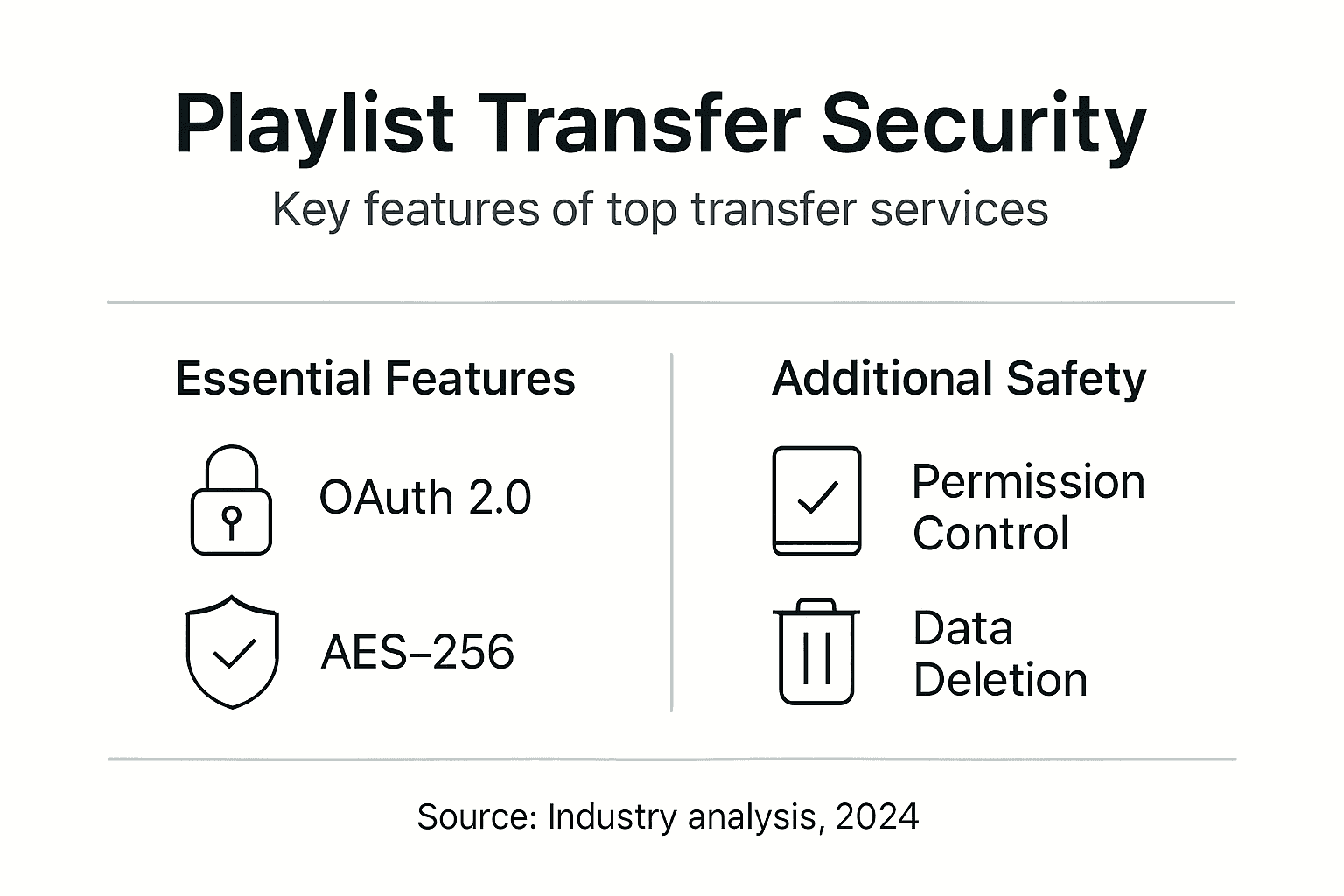
Secure playlist transfer services comparison reveals significant differences in how platforms protect user data. FreeYourMusic.com and similar reputable services prioritize security through OAuth implementation and strong encryption. Many popular free apps compromise on encryption to reduce infrastructure costs, protecting data only while uploading but not during the complete transfer journey.
Critical security features to verify before choosing a transfer service:
- OAuth 2.0 implementation that never requests your actual passwords
- AES-256 or equivalent encryption covering the entire transfer process
- Token security with clear expiration and revocation procedures
- Transparency through publicly available privacy policies and security documentation
- Legal compliance with GDPR, CCPA, and other data protection regulations
- Hash validation or checksum verification confirming transfer accuracy
Pro Tip: Always choose services that provide explicit permission management and clear data deletion policies after transfer. Look for security certification badges or third-party audits validating encryption claims. A seamless playlist transfer should never require compromising your data security. Reputable services invest in infrastructure supporting both convenience and protection.
Practical Tips and Best Practices for Secure Playlist Migration
Securing your playlist transfers requires active verification and smart choices. Follow these practical steps to protect your music data:
-
Verify that the transfer app uses OAuth 2.0 authentication before authorizing access. The login process should redirect you to your streaming platform's official page, never ask for passwords directly in the app.
-
Choose services implementing AES-256 or equivalent strong encryption for data in transit. Check the service's security page or FAQ section for explicit encryption standard mentions.
-
Check for transfer services that provide checksum or hash validation to guarantee data integrity. This verification step confirms every song transferred correctly without corruption.
-
Avoid free apps with unclear privacy policies or known data sharing with advertisers. Read the actual privacy policy, focusing on sections about data collection, sharing, and retention.
-
Monitor transfer logs if available to ensure completeness and accuracy. Review your destination playlist immediately after transfer, checking song count and order match your source.
-
Revoke app permissions immediately after transfer completion to close access. Navigate to your streaming platform's connected apps settings and remove authorization for the transfer service.
Pro Tip: Disable auto-sync playlist features unless you confirm encryption and consistent authorization. Continuous syncing increases security risk exposure compared to one-time manual transfers. If you need ongoing synchronization, choose services that encrypt every sync cycle and provide detailed activity logs.
Additional playlist migration best practices include creating backup copies of important playlists before initiating transfers. Export playlist data as text files or spreadsheets when possible. This backup provides recovery options if transfers fail or data corrupts. Test transfer services with smaller, less critical playlists before migrating your entire music library.
Conclusion and Next Steps for Secure Playlist Transfers
Secure playlist transfers depend on three core principles: OAuth 2.0 authentication protecting your credentials, AES-256 encryption safeguarding data in transit, and hash validation confirming transfer accuracy. These technologies work together creating multiple security layers between your music data and potential threats.
You maintain important rights throughout the transfer process. Revoking app permissions after completing migrations prevents indefinite third-party access to your streaming accounts. Reviewing privacy policies before authorization reveals how services handle your data. You control these security decisions regardless of which transfer platform you choose.
Choose transfer platforms demonstrating transparency through published security documentation and regulatory compliance. Services meeting GDPR and CCPA standards prove they take data protection seriously through third-party audits and legal accountability. This transparency signals trustworthiness more reliably than marketing claims.
Your secure playlist migration checklist:
- Verify OAuth 2.0 and AES-256 encryption before starting transfers
- Read privacy policies focusing on data sharing and retention sections
- Create backup copies of critical playlists before migration
- Monitor transfer completion and validate accuracy immediately
- Revoke app access tokens after completing transfers
- Choose services with clear security documentation and compliance
Informed choices protect both your music collections and personal data. The extra minutes spent verifying security features prevent potential hours recovering from data loss or privacy breaches. Your playlists represent significant personal investment deserving proper protection during platform transitions.
Secure Your Playlist Transfers with Free Your Music
Protecting your music library during transfers doesn't require technical expertise when you use the right tools. FreeYourMusic.com implements OAuth 2.0 authentication and AES-256 encryption as standard features, ensuring your playlist data stays secure throughout the migration process. Our transparent privacy policies align with the benefits of playlist migration without compromising your personal information.
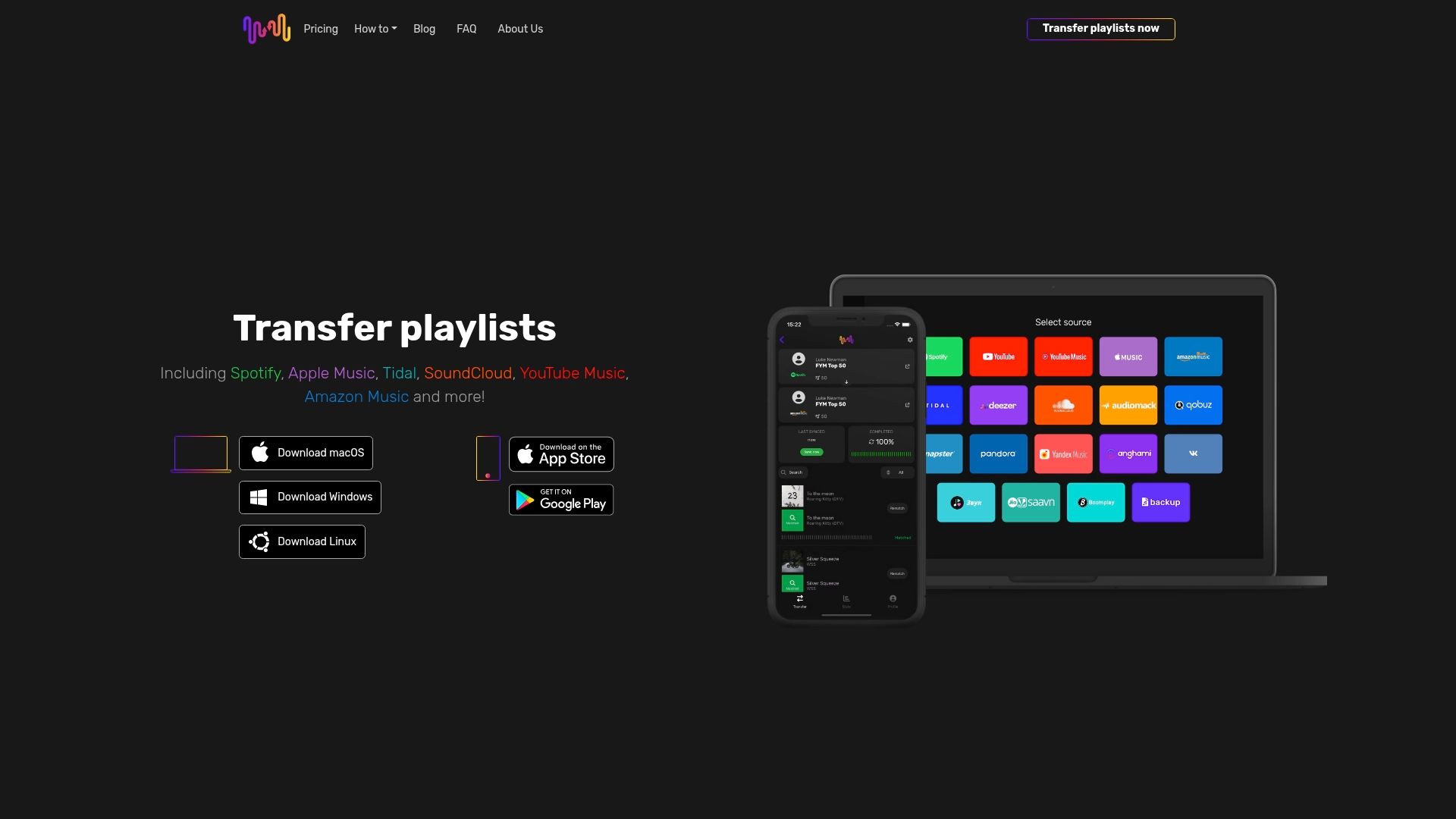
You maintain complete control over your data with clear permission management and immediate token revocation after transfers. Our platform follows playlist transfer best practices recommended by security experts, combining convenience with protection. Visit FreeYourMusic.com to safely migrate your playlists across platforms while keeping your music data secure. Your carefully curated collections deserve migration tools that respect both your time and privacy.
Frequently Asked Questions
Who controls my playlist data after a transfer is complete?
You always control your playlist data on both source and destination platforms. The transfer service acts as a temporary messenger, moving copies of your playlists without claiming ownership. Revoke the transfer app's access through your streaming platform's security settings to ensure no ongoing data access exists.
How can I verify that a playlist transfer was successful and secure?
Check your destination platform immediately after transfer, comparing song count and order against your source playlist. Reputable services provide transfer logs showing which songs matched successfully and any that failed. Review your streaming account's connected apps list to confirm the transfer service used OAuth instead of password access.
Are free playlist transfer apps safe to use?
Some free apps provide adequate security, but many monetize through data sharing with advertisers or use outdated encryption. Read privacy policies carefully and verify OAuth 2.0 and AES-256 encryption before using any free service. Paid services typically invest more in security infrastructure because they don't rely on selling user data for revenue.
Can I revoke app access after transferring my playlists?
Yes, you can and should revoke access immediately after completing transfers. Navigate to your streaming platform's account settings, find connected apps or authorized applications, and remove the transfer service. This action invalidates the OAuth token, preventing any future access to your account.
What encryption standards are best for protecting playlist data?
AES-256 represents the gold standard for playlist transfer encryption, providing military-grade protection for your data in transit. Some services use AES-128, which offers adequate protection but less security margin. Avoid any service that doesn't explicitly mention encryption standards or only encrypts data partially during the transfer process.
Recommended


Migrate from and to any music services


Most popular Apple Music transfers: