Backup de playlists: proteja a sua música em todas as plataformas

A maioria dos DJs e fãs de música americanos fica surpreendida ao saber que mais de 60% das transferências de playlists falham devido a diferenças entre os catálogos das plataformas de streaming. O risco de perder as faixas que selecionou com tanto cuidado é real, sobretudo ao transferir coleções entre países ou mudar de serviço. Este guia ajuda a esclarecer equívocos comuns, mostrando como o backup de playlists preserva todo o seu arquivo musical, incluindo a ordem correta das faixas e os metadados, para uma migração segura, onde quer que a música o leve.
Índice
- O que é o backup de playlists e quais são os equívocos mais comuns
- Tipos de backup de playlists para utilizadores de streaming
- Como funciona o backup de playlists entre plataformas
- Riscos e consequências de não fazer backups
- Comparação de métodos e ferramentas de backup de playlists
Pontos principais
| Ponto | Detalhes |
|---|---|
| Compreender o backup de playlists | O backup de playlists é essencial para preservar coleções de música cuidadosamente selecionadas e manter o acesso durante a mudança de serviço, contrariando a ideia de que as transferências são automáticas. |
| Escolher métodos de backup | Os utilizadores devem avaliar os métodos de backup com base na complexidade técnica e na preservação dos metadados, optando por soluções automáticas para uma proteção abrangente. |
| Riscos de não fazer backups | Não fazer backups de playlists pode resultar numa perda significativa de dados e ter um forte impacto emocional, o que reforça a necessidade de combinar várias estratégias de backup. |
| Utilizar ferramentas profissionais | As soluções avançadas de backup melhoram a sincronização e protegem as bibliotecas de música, tornando-se essenciais para quem leva a música a sério. |
O que é o backup de playlists e quais são os equívocos mais comuns
O backup de playlists é um processo estratégico de preservação das suas coleções de música em diferentes plataformas de streaming, garantindo que as playlists que criou com tanto cuidado permanecem acessíveis e intactas durante a mudança de plataforma. Muitos amantes de música interpretam mal este conceito e assumem que as suas playlists serão transferidas automaticamente ou permanecerão inalteradas ao mudar de serviço.
Na sua essência, o backup de playlists consiste em criar uma cópia digital completa da sua coleção de música, que pode ser replicada ou restaurada em várias plataformas de streaming. Vai além da simples preservação das músicas e inclui a manutenção da ordem das playlists, da sequência das faixas e dos metadados. Compreender os mecanismos de importação de playlists permite perceber a complexidade da transferência de bibliotecas de música entre diferentes ecossistemas de streaming.
Entre os equívocos mais comuns sobre o backup de playlists estão a crença de que os serviços de streaming sincronizam ou transferem playlists automaticamente, a suposição de que todas as plataformas têm catálogos de faixas idênticos e a ideia de que recriá-las manualmente é uma alternativa simples. Na realidade, cada plataforma de streaming tem metadados próprios, restrições de licenciamento e variações de catálogo que podem complicar as transferências de playlists. As bibliotecas de música não são universalmente compatíveis, o que torna as soluções profissionais de backup essenciais para preservar as coleções musicais.
Dica de especialista: Mantenha sempre uma cópia de segurança separada dos metadados das suas playlists, incluindo os títulos das músicas, os artistas e a ordem original das faixas, para facilitar eventuais migrações futuras.
Tipos de backup de playlists para utilizadores de streaming
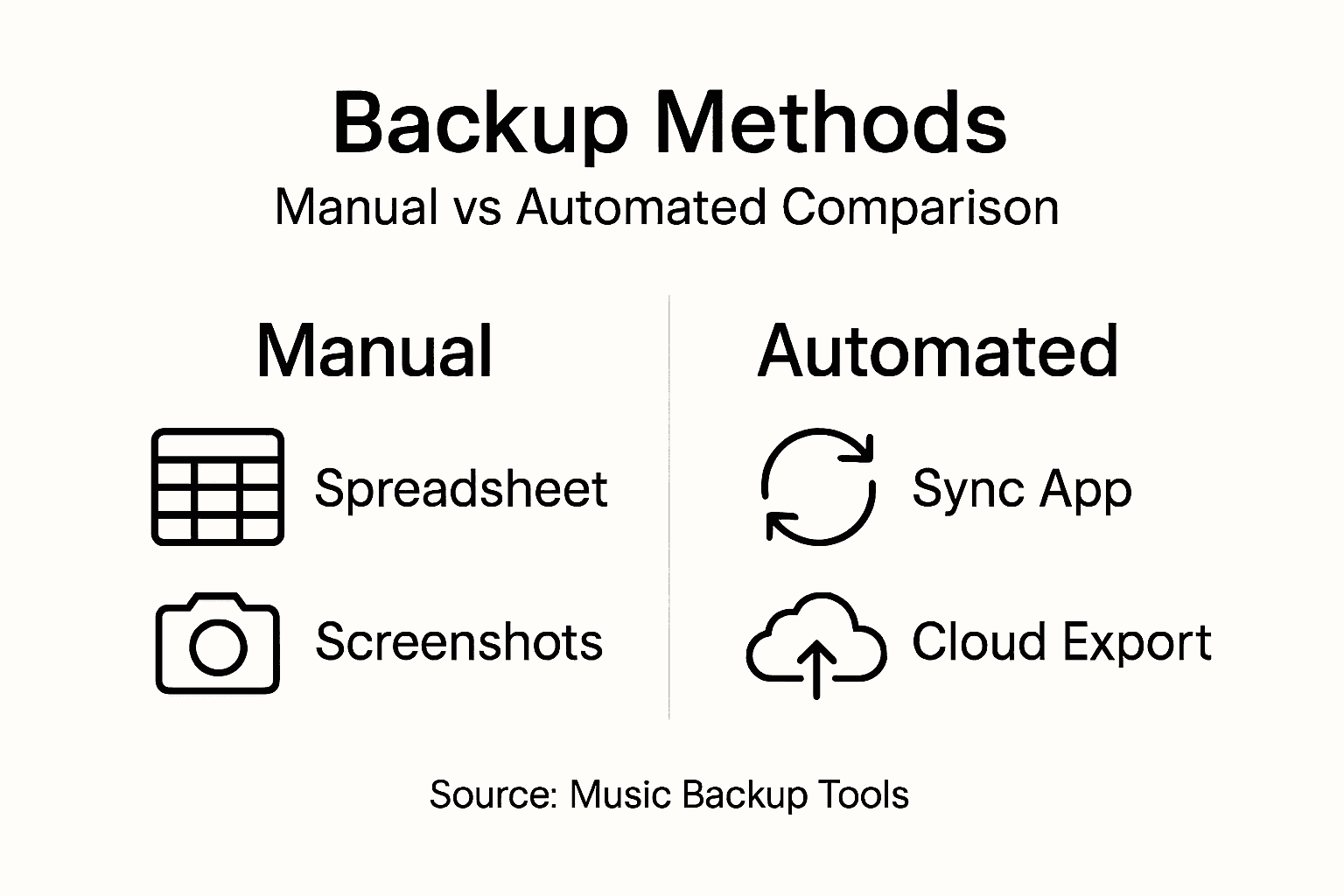
Os backups de playlists podem ser divididos em várias abordagens, cada uma adequada a diferentes necessidades e níveis de conhecimentos técnicos. O backup manual é o método mais básico: os utilizadores guardam as informações de cada faixa através de capturas de ecrã, folhas de cálculo ou listas escritas à mão. Embora demorada, esta abordagem oferece um nível básico de preservação da coleção de música.
As estratégias de backup digital oferecem soluções mais sofisticadas para os amantes de música. Os métodos inteligentes de partilha de música permitem criar arquivos digitais completos das playlists. Estes métodos incluem normalmente armazenamento na nuvem, exportações em CSV e ferramentas de backup específicas de cada plataforma, que guardam não só os títulos das músicas, mas também todos os metadados, incluindo informações sobre os artistas, detalhes dos álbuns e a ordem das faixas nas playlists.
As técnicas avançadas de backup incorporam sincronização automática e compatibilidade com várias plataformas. Estas abordagens vão além da simples preservação de ficheiros e mantêm cópias das playlists atualizadas em tempo real nos diferentes serviços de streaming. As soluções profissionais de backup oferecem funcionalidades como atualizações automáticas, histórico de versões e migração sem complicações, protegendo os utilizadores de possíveis problemas nas bibliotecas de música durante a mudança de plataforma.
Dica de especialista: Escolha sempre um método de backup que permita exportar em vários formatos e preserve todos os metadados das playlists, para maximizar a portabilidade e a segurança da sua coleção de música.
Segue-se uma comparação resumida das abordagens de backup de playlists para diferentes necessidades:
| Método de backup | Complexidade técnica | Preservação dos metadados | Portabilidade |
|---|---|---|---|
| Manual (folhas de cálculo) | Básica | Parcial (apenas títulos) | Baixa |
| Digital (nuvem/CSV) | Moderada | Todos os metadados | Média |
| Automático (ferramentas profissionais) | Avançada | Completa, com histórico de versões | Alta |
Como funciona o backup de playlists entre plataformas
As tecnologias de backup de playlists funcionam através de mecanismos complexos de sincronização entre plataformas, que permitem transferir bibliotecas de música sem complicações. Estes sistemas acedem simultaneamente a várias contas de streaming e extraem os dados das playlists através de protocolos de autenticação sofisticados, que respeitam os requisitos de segurança específicos de cada plataforma. Compreender a conversão de playlists ajuda a perceber os processos técnicos complexos envolvidos na preservação da integridade das playlists entre diferentes ambientes de streaming.
O funcionamento do backup de playlists assenta em algoritmos inteligentes de correspondência de faixas, que lidam com as diferenças entre os catálogos de música. Ao transferir playlists entre plataformas, estes sistemas analisam os metadados das músicas, incluindo o nome do artista, o título da faixa, as informações do álbum e os identificadores únicos, para garantir a escolha da faixa equivalente correta. Algumas ferramentas avançadas de backup permitem procurar novas correspondências de forma inteligente, dando aos utilizadores a possibilidade de verificar manualmente ou ignorar as faixas para as quais não foi possível encontrar uma correspondência automática entre plataformas.

A sincronização entre várias plataformas vai além da simples transferência de ficheiros e abrange a preservação dos metadados, da ordem das faixas nas playlists e das atualizações contínuas. As soluções profissionais de backup oferecem funcionalidades de sincronização em tempo real que atualizam automaticamente as playlists nos diferentes serviços de streaming, garantindo uma biblioteca de música consistente, independentemente das mudanças de plataforma. Estes sistemas lidam com situações complexas, como a disponibilidade regional de músicas, as restrições de licenciamento e as diferenças de catálogo, através de mecanismos flexíveis de correspondência e de sugestões de faixas alternativas.
Dica de especialista: Verifique sempre se a sua solução de backup é compatível com várias plataformas de streaming e oferece controlo detalhado sobre a correspondência de faixas, para preservar a composição única da sua biblioteca de música.
Riscos e consequências de não fazer backups
Os amantes de música correm riscos significativos quando não fazem backups das suas playlists, com possíveis consequências que vão muito além de um simples incómodo. A perda de dados pode resultar na eliminação permanente de coleções de música cuidadosamente selecionadas, que representam anos de descoberta musical e de investimento emocional. As plataformas de streaming atualizam frequentemente os seus catálogos, removem músicas ou alteram os acordos de licenciamento, pelo que uma playlist sem proteção pode ficar incompleta ou totalmente indisponível de um momento para o outro.
As vulnerabilidades técnicas agravam os riscos de não fazer backups das bibliotecas de música. A invasão de contas, as interrupções dos serviços ou as suspensões inesperadas de contas podem fazer desaparecer, num instante, anos de playlists cuidadosamente organizadas. Muitos utilizadores acreditam, erradamente, que o seu serviço de streaming irá preservar a sua música para sempre, sem perceberem que as migrações entre plataformas, as restrições regionais ou o encerramento de serviços podem ter consequências devastadoras para os seus arquivos musicais.
Os custos financeiros e emocionais da perda de playlists vão além de um simples incómodo. Recriar playlists complexas exige um investimento considerável de tempo e pode implicar horas de pesquisa manual de músicas, reorganização e reconstrução. Para músicos profissionais, DJs e grandes entusiastas da música, estas perdas podem representar contratempos pessoais e prejudicar a atividade profissional. A ligação emocional às playlists criadas pelo próprio torna o seu possível desaparecimento particularmente doloroso: mais do que dados, representam uma história musical profundamente pessoal.
Dica de especialista: Crie várias cópias de segurança das suas playlists em diferentes meios de armazenamento, para minimizar o risco de perder permanentemente a sua coleção de música.
A tabela abaixo apresenta os riscos mais comuns de não fazer backups das playlists:
| Tipo de risco | Possível consequência | Nível de impacto |
|---|---|---|
| Perda de dados | Playlists eliminadas para sempre | Muito alto |
| Problemas com a conta | Perda por invasão ou suspensão da conta | Alto |
| Alterações no catálogo | Músicas removidas ou indisponíveis | Moderado |
| Impacto emocional | Perda de uma seleção musical pessoal | Significativo |
Comparação de métodos e ferramentas de backup de playlists
As estratégias de backup de playlists variam bastante em termos de complexidade, eficiência e abrangência, e cada método oferece vantagens específicas para os amantes de música. Os tipos de backup vão desde abordagens manuais básicas até sistemas sofisticados de sincronização automática, permitindo escolher soluções adequadas aos conhecimentos técnicos de cada utilizador e às necessidades da sua biblioteca de música.
Os métodos de backup manual exigem intervenção do utilizador, como a criação de folhas de cálculo, capturas de ecrã ou ficheiros CSV exportados. Estas abordagens oferecem controlo direto, mas exigem bastante tempo e estão sujeitas a erros humanos. Por sua vez, as ferramentas de backup digital oferecem soluções automáticas que podem guardar instantaneamente os metadados das playlists e as informações das faixas, mantendo a estrutura das playlists em várias plataformas de streaming com intervenção mínima do utilizador.
As tecnologias avançadas de backup distinguem-se por funcionalidades como a sincronização em tempo real, a compatibilidade com várias plataformas e a correspondência inteligente de faixas. As soluções profissionais oferecem estratégias de backup abrangentes que preservam o conteúdo das playlists, bem como os metadados, as imagens de capa e a ordem das faixas. Estas ferramentas incluem frequentemente funcionalidades adicionais, como o backup contínuo na nuvem, o histórico de versões e o apoio à migração sem complicações, transformando a preservação das playlists numa tarefa automática e fiável.
Dica de especialista: Escolha uma solução de backup que ofereça vários formatos de exportação e sincronização automática, para garantir a máxima flexibilidade com o mínimo de intervenção manual.
Proteja a sua música com backups e transferências de playlists simples
Perder as playlists que criou com tanto cuidado é uma experiência frustrante que nenhum amante de música deveria ter de enfrentar. Este artigo mostra como o backup de playlists é essencial para evitar a perda de dados, os problemas com a conta e o impacto emocional de ficar sem as suas coleções de música. Se pretende preservar a estrutura da sua biblioteca de música, os metadados e a ordem das faixas ao mudar entre serviços como o Spotify, o Apple Music ou o Amazon Music, depender de backups manuais ou de soluções parciais não é suficiente.
O FreeYourMusic.com responde a estes desafios com uma plataforma potente e fácil de usar, que automatiza o backup e a transferência de playlists entre vários serviços de streaming. Com funcionalidades como a migração ilimitada de playlists, o suporte para várias contas e a correspondência precisa de faixas, pode proteger toda a sua coleção de música sem complicações. Evite perder tempo e dinheiro a reconstruir playlists com uma ferramenta concebida para manter intacta a sua história musical.
Comece hoje a proteger as suas playlists e experimente uma migração simples, backups na nuvem e atualizações sincronizadas. Não espere que a sua biblioteca de música seja afetada por problemas inesperados. Assuma o controlo agora com o FreeYourMusic.com, a plataforma de confiança para uma gestão segura e completa das suas playlists.
Saiba mais sobre soluções inteligentes para playlists e descubra como uma migração sem complicações pode transformar a sua experiência musical. Veja como funciona a conversão de playlists para compreender a tecnologia que mantém a sua música segura.
Perguntas frequentes
O que é o backup de playlists e porque é importante?
O backup de playlists é o processo de preservação das suas coleções de música em várias plataformas de streaming. É importante porque garante que as suas playlists permanecem acessíveis e intactas, protegendo-as contra perdas durante mudanças de plataforma ou alterações nos catálogos.
Quais são os métodos mais comuns para fazer backup das minhas playlists?
Os métodos mais comuns incluem backups manuais, como folhas de cálculo e capturas de ecrã, backups digitais, através de armazenamento na nuvem e exportações em CSV, e soluções automáticas que sincronizam playlists entre diferentes plataformas de streaming.
Como posso garantir que o backup das minhas playlists preserva todos os metadados?
Para garantir que o backup das suas playlists preserva todos os metadados, escolha um método que permita exportar em vários formatos e guardar todas as informações, incluindo os títulos das músicas, os nomes dos artistas, os detalhes dos álbuns e a ordem das faixas nas playlists.
Que riscos corro se não fizer backup das minhas playlists?
Se não fizer backup das suas playlists, corre o risco de perder dados permanentemente devido a alterações nas plataformas, problemas com a conta ou até eliminações acidentais. O impacto emocional de perder playlists criadas por si também pode ser significativo, uma vez que representam mais do que dados: são histórias musicais pessoais.
Leituras recomendadas
- Free Your Music - Porquê fazer backup das playlists? Uma explicação completa
- Free Your Music - 7 formas inteligentes de tirar o máximo partido dos sites onde ouve música
- Free Your Music - 10 dicas para transferir a sua música para outra plataforma de streaming
- Free Your Music - 7 métodos inteligentes de partilha de música para gerir playlists
As suas playlists pertencem-lhe.
Pare de reconstruir à mão. Mova tudo em minutos e leve a sua música para onde quer que vá.
Descarregar grátis →SongsBrew — a nossa newsletter de música gratuita
Uma vantagem gratuita para os utilizadores do FYM. Dicas, playlists, sem spam.