Music platform compatibility guide: seamless transfers
May 18, 2026

Transferring playlists between music streaming platforms should be straightforward, but many users quickly discover frustrating complications. Missing tracks, scrambled song order, and unexpected duplicates can derail even simple migrations. The reality is that platform compatibility issues, licensing restrictions, and metadata differences create hidden obstacles that disrupt your carefully organized music collections. This guide cuts through the confusion by explaining how platform compatibility actually works, what transfer methods exist, and proven strategies to preserve your playlist structure while switching services efficiently.
Table of Contents
- Key takeaways
- Understanding native and third-party music platform transfer tools
- Common challenges in playlist transfers and how to handle them
- Comparing popular playlist transfer platforms for stability and compatibility
- Best practices for seamless playlist transfers and maintaining organization
- Try Free Your Music for effortless playlist transfers
- Frequently asked questions
Key Takeaways
| Point | Details |
|---|---|
| Native tool limits | Native transfer tools offer simple migration for small libraries but support only a few platforms and lack ongoing synchronization or robust backups. |
| Licensing and metadata gaps | Transfers often miss or mismatch tracks due to licensing regional availability and catalog differences that prevent perfect cross platform matching. |
| Third party benefits | Third party services connect many platforms, offer automatic sync backups and advanced matching to improve transfer accuracy. |
| Preparation matters | Careful preparation by testing small playlists and keeping backups reduces failures and preserves playlist organization during a switch. |
Understanding native and third-party music platform transfer tools
When you decide to switch streaming services, you face an immediate choice: use built-in platform tools or turn to specialized third-party services. Each approach offers distinct advantages depending on your specific needs and library complexity.
Native platform transfer tools provide the most straightforward path for simple migrations. Apple Music supports direct transfers to select services through official partnerships, while Spotify integrates TuneMyMusic for importing playlists from other platforms. YouTube Music similarly offers native import capabilities for users migrating from Google Play Music or other select services. These built-in options typically cost nothing and require minimal technical knowledge to use effectively.
The appeal of native tools lies in their simplicity. You connect your accounts, select playlists, and initiate the transfer with just a few clicks. The process happens entirely within trusted, official interfaces without requiring third-party access to your streaming accounts. For users moving between two specific platforms with straightforward libraries, native tools often provide adequate functionality.
However, native solutions come with significant limitations that become apparent with more complex needs:
- Support for only a handful of destination platforms, excluding many popular services
- No automatic synchronization features to keep playlists updated across multiple platforms
- Limited or nonexistent backup options for preserving playlists outside streaming services
- Inability to handle batch transfers efficiently for users with extensive library collections
- No advanced matching algorithms to handle metadata discrepancies between platforms
Third-party platforms like Soundiiz, TuneMyMusic, and Free Your Music fill these gaps by offering comprehensive multi-platform support. These services connect to dozens of streaming platforms simultaneously, enabling transfers between virtually any combination of services. Beyond basic migration, they provide valuable features like automatic playlist synchronization, cloud backups in portable formats, and advanced matching algorithms that improve transfer accuracy.
The choice between native and third-party tools depends entirely on your situation. For a one-time transfer of a few playlists between two major platforms, native tools work fine. But if you maintain libraries across multiple services, need ongoing synchronization, want backup protection, or manage thousands of tracks, third-party platforms deliver the functionality and reliability you need.
Common challenges in playlist transfers and how to handle them
Even with the right tools, playlist transfers rarely achieve perfect accuracy. Understanding the specific challenges helps you set realistic expectations and prepare effective workarounds.
The most frustrating issue is missing tracks. Research shows that 30-40% of tracks may not match perfectly during transfers due to licensing restrictions, regional availability differences, and catalog gaps between platforms. A song available on Spotify might not exist on Tidal, or it might be restricted in your geographic region on the destination service. These gaps create incomplete playlists that require manual attention.

Metadata mismatches compound the missing track problem. Streaming services store song information differently, leading to confusion between original versions, remixes, live recordings, and remastered editions. Your carefully curated playlist might end up with the wrong version of a song, disrupting the listening experience you intended. Album compilations versus single releases create additional matching challenges that automated tools struggle to resolve perfectly.
Duplicates and playlist order disruptions represent another category of transfer problems. Some tools accidentally create duplicate entries when they cannot confidently match a track, preferring redundancy over omission. Playlist order can scramble during transfer, particularly with large playlists where processing happens in batches. For users who craft specific song sequences for mood or flow, this disorder destroys the playlist's purpose.
"Transferring playlists is like moving to a new city. The streets have the same names, but the addresses don't always match up perfectly. You need a good map and patience to find everything."
Specific content types present unique transfer challenges:
- Podcasts often fail to transfer because many tools focus exclusively on music catalogs
- Local files stored on your device cannot migrate since they exist outside streaming platforms
- User-created collaborative playlists may lose contributor information and editing permissions
- Liked songs and albums sometimes require separate transfer processes from regular playlists
Large libraries introduce timeout and stability issues. Transferring thousands of tracks in a single operation can overwhelm web-based tools, causing incomplete transfers or connection failures. Network interruptions during long transfers can corrupt the process, requiring you to start over without clear progress tracking.
Pro Tip: Always transfer a small test playlist first to identify platform-specific issues before committing your entire library. This approach reveals metadata problems, missing tracks, and tool limitations with minimal risk.
Managing these challenges requires understanding playlist transfer best practices and applying them systematically. Preparation, verification, and willingness to manually fix issues separate successful transfers from frustrating experiences that leave your music library in disarray.
Comparing popular playlist transfer platforms for stability and compatibility
Choosing the right transfer platform significantly impacts your migration success. Each major tool offers different strengths, limitations, and ideal use cases that match specific user needs.
PlaylistGo stands out as a desktop application optimized for stability and large library transfers. Unlike web-based tools, desktop apps maintain persistent connections and handle processing locally, reducing timeout risks with extensive playlists. PlaylistGo supports major platforms including Spotify, Apple Music, YouTube Music, and Tidal, making it suitable for most common migration scenarios. The desktop environment provides better control over transfer settings and more detailed progress tracking.
Soundiiz operates as a web-based platform offering the broadest platform compatibility in the industry. It connects to over 40 streaming services, including niche platforms that other tools ignore. The interface provides batch processing capabilities and playlist management features beyond simple transfers. However, the free tier limits transfers to 200 tracks per playlist, requiring a paid subscription for larger collections.
TuneMyMusic similarly functions as a web tool with straightforward interfaces ideal for quick, simple transfers. It supports approximately 20 major platforms and allows transfers up to 500 tracks on the free tier. The simplicity appeals to users who want immediate results without learning complex features, though this comes at the cost of advanced functionality.
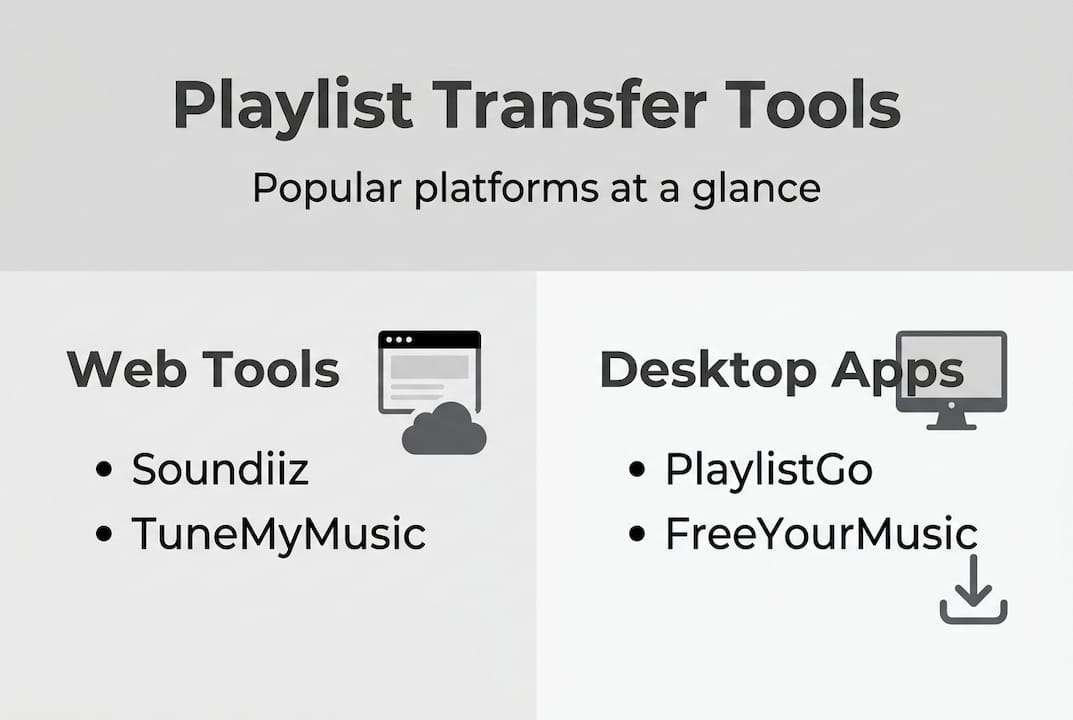
Free Your Music distinguishes itself through automatic synchronization and cloud backup capabilities. Beyond one-time transfers, it continuously monitors playlists and updates them across platforms as you add or remove songs. This automation suits users maintaining active libraries on multiple services simultaneously. Cloud backups in CSV and M3U formats provide insurance against platform changes or account issues.
| Platform | Type | Supported Services | Free Tier Limit | Key Strength | Best For |
|---|---|---|---|---|---|
| PlaylistGo | Desktop | 15+ major platforms | Varies | Stability with large transfers | Users with extensive libraries needing reliable processing |
| Soundiiz | Web | 40+ platforms | 200 tracks/playlist | Broadest compatibility | Users needing niche platform support |
| TuneMyMusic | Web | 20+ platforms | 500 tracks total | Simple interface | Quick, straightforward one-time transfers |
| Free Your Music | Desktop/Mobile | 20+ platforms | Varies | Auto-sync and backups | Active multi-platform users needing ongoing synchronization |
Free tier track limits create significant constraints for users with large libraries. A 500-track limit might cover a few playlists, but comprehensive library transfers require paid subscriptions. This reality means you should evaluate your total track count before committing to a platform, ensuring the free tier actually meets your needs or accepting that payment will be necessary.
Pro Tip: For libraries exceeding 5,000 tracks, desktop applications like PlaylistGo or Free Your Music provide substantially better stability than web-based alternatives. The persistent connection and local processing prevent timeout failures that plague browser-based transfers.
Platform coverage matters more than raw feature counts. A tool supporting 40 platforms means nothing if it lacks your specific source and destination services. Verify that your exact platform combination works before investing time in account setup and configuration. Check whether the tool handles your content type, particularly if you need to transfer playlists to specialized platforms like Qobuz.
Best practices for seamless playlist transfers and maintaining organization
Successful playlist transfers require systematic preparation and verification rather than hoping automated tools handle everything perfectly. Following proven workflows dramatically improves outcomes and reduces frustration.
Implement this step-by-step transfer workflow for optimal results:
- Backup all playlists before starting any transfer using CSV or M3U export formats as insurance against failures
- Test the transfer process with one small playlist to identify platform-specific issues and tool behavior
- Execute batch transfers for large libraries, processing playlists in groups rather than all at once
- Verify each completed transfer immediately, checking for missing tracks, duplicates, and order preservation
- Enable automatic synchronization if available to maintain playlist consistency across platforms going forward
- Schedule regular backups in portable formats to protect against future platform changes or account issues
This methodical approach catches problems early when they affect minimal content rather than discovering widespread issues after transferring your entire library. Testing reveals whether the tool handles your specific platform combination effectively and whether metadata matching works acceptably for your music taste.
Managing missing items requires active intervention rather than passive acceptance. Most quality transfer tools generate detailed reports identifying tracks that failed to match. Review these reports systematically:
- Use rematch features that search again with relaxed criteria or alternative metadata
- Manually search the destination platform for missing tracks using different spelling or artist variations
- Substitute unavailable tracks with acceptable alternatives like remastered versions or live recordings
- Document persistently missing tracks to add manually if they become available later
- Accept that some tracks genuinely do not exist on the destination platform due to licensing
Liked songs and albums often require separate handling from regular playlists. Many platforms treat these collections differently in their APIs, and transfer tools may process them through distinct workflows. Check your tool's documentation to understand whether liked content transfers automatically or needs explicit selection. Some services limit liked song transfers or require premium subscriptions for this functionality.
Pro Tip: Always perform major transfers on desktop computers rather than mobile devices. Desktop environments provide better stability for long operations, more detailed error reporting, and easier verification of results across large libraries.
Playlist order and duplicate management demand post-transfer attention. Even successful transfers sometimes scramble song sequences or introduce redundant entries. Sort playlists by original order if your platform supports it, or manually reorder critical playlists where sequence matters. Remove duplicates using platform tools or third-party playlist cleaners that identify redundant tracks systematically.
Metadata cleanup improves long-term library organization after transfers complete. Inconsistent artist names, missing album information, and incorrect genres accumulate during transfers between platforms with different metadata standards. Investing time in cleanup now prevents confusion and improves music discovery features that rely on accurate metadata.
Transfer reports provide valuable diagnostic information that many users ignore. These reports detail matching confidence levels, substitution decisions, and processing errors that explain unexpected results. Reading reports helps you understand what happened during transfer and guides your verification priorities toward playlists most likely to have issues.
Regular maintenance keeps transferred playlists organized and functional over time. Set calendar reminders to verify synchronized playlists quarterly, checking that automatic updates work correctly. Export fresh backups whenever you make significant library changes. Monitor platform announcements about catalog changes that might affect your transferred content.
Try Free Your Music for effortless playlist transfers
Now that you understand the complexities of playlist transfers and best practices for success, you need a reliable tool that implements these strategies effectively. Free Your Music streamlines the entire migration process while maintaining the organization and accuracy your music library deserves.
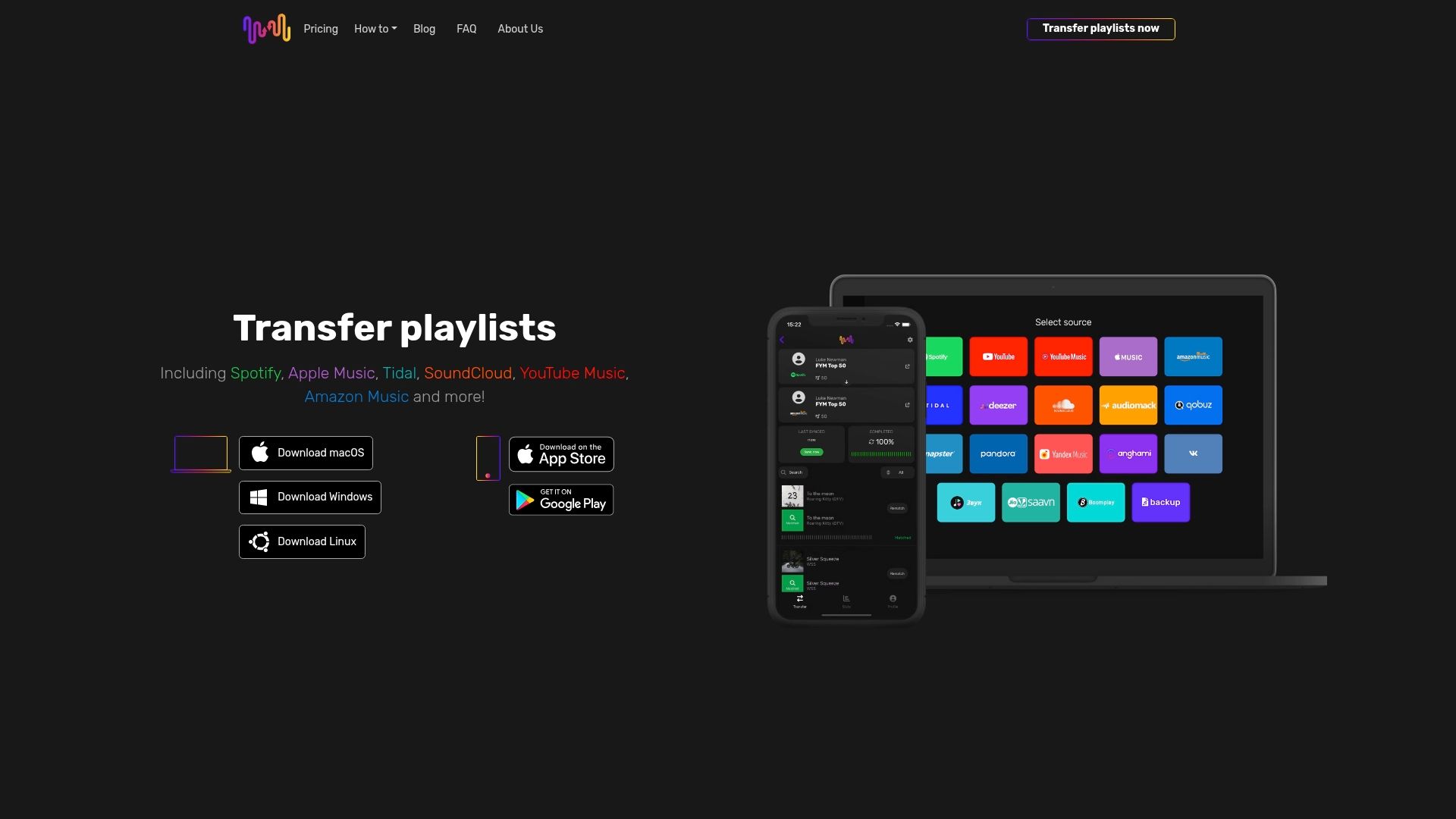
Free Your Music supports transfers between over 20 major streaming platforms, including Spotify, Apple Music, Tidal, YouTube Music, Amazon Music, and Deezer. The platform handles large libraries efficiently through desktop and mobile applications that maintain stable connections during lengthy transfers. Automatic synchronization keeps your playlists updated across multiple services as you add or remove tracks, eliminating manual maintenance.
Cloud backup features protect your playlists in portable CSV and M3U formats, providing insurance against platform changes or account issues. Advanced matching algorithms minimize missing tracks and metadata problems that plague simpler tools. The interface guides you through systematic verification and provides detailed reports identifying any transfer issues requiring attention.
Free Your Music backs its service with a clear refund policy and responsive customer support that helps resolve platform-specific challenges. Whether you need a one-time transfer or ongoing multi-platform synchronization, Free Your Music delivers the reliability and features that make playlist migration straightforward. You can even backup playlists to file formats for complete control over your music data.
Frequently asked questions
What causes tracks to go missing during playlist transfers?
Missing tracks result from licensing restrictions, regional availability differences, and catalog gaps between streaming platforms. A song available on your source platform might not exist on the destination service, or it could be restricted in your geographic region. Metadata differences also cause matching failures when tools cannot confidently identify the correct version across platforms.
How can I maintain playlist order and avoid duplicates after migrating?
Verify playlist order immediately after transfer and use platform sorting features to restore original sequences if needed. Remove duplicates using built-in platform tools or third-party playlist cleaners that identify redundant entries. Testing small playlists first reveals whether your chosen tool preserves order reliably, allowing you to adjust your approach before transferring your entire library.
Are there limits on how many songs I can transfer at once?
Most free tiers impose track limits ranging from 200 to 500 tracks per playlist or total transfer. Paid subscriptions typically remove these restrictions, enabling unlimited transfers. Desktop applications generally handle larger batches more reliably than web-based tools, which may timeout during extensive operations. Check your specific tool's documentation for exact limitations.
Can I transfer liked songs or albums separately?
Many platforms treat liked songs and albums differently from regular playlists, requiring separate transfer processes. Some tools automatically include liked content, while others require explicit selection. Verify your transfer tool's documentation to understand how it handles these collections, as functionality varies significantly between platforms and services.
Is it possible to keep playlists updated automatically across platforms?
Yes, several third-party tools offer automatic synchronization that monitors playlists and updates them across platforms as you add or remove songs. This feature requires ongoing subscriptions and platform API access but eliminates manual maintenance for users managing libraries on multiple services. Enable sync features after completing initial transfers to maintain consistency going forward, and remember you can cancel subscriptions later without losing playlists if you choose.
Recommended
- Free Your Music - What Is Seamless Playlist Transfer? Complete Overview
- Free Your Music - What Is Cross-Platform Music Transfer? Complete Overview
- Free Your Music - Effortless Music Collection Transfer Steps for Streamlined Migration
- Free Your Music - Understanding Playlist Transfer Best Practices for Users


Migrate from and to any music services


Most popular Apple Music transfers: