7 Essential Tips for Switching Music Services Easily
May 18, 2026

Switching music streaming services often feels overwhelming when all your playlists and favorite tracks are spread across platforms. You want a new experience, but the risk of losing your curated music collection and disrupting your daily music habits can be a real concern. The good news is there are reliable steps and tools that turn this complicated process into a smooth transition.
This guide walks you through actionable strategies to protect your playlists, compare the best features, and handle everything from library review to backup. By following these insights, you’ll avoid common mistakes and make sure nothing important slips through the cracks. Get ready to discover smart, practical moves that keep your music life organized no matter which service you choose next.
Table of Contents
- 1. Review Your Current Music Library Before Switching
- 2. Compare Features Across Popular Streaming Services
- 3. Choose A Reliable Playlist Migration Tool
- 4. Verify Accurate Song Matching During Transfer
- 5. Preserve Playlist Order And Structure
- 6. Enable Cloud Backup For Your Music Collection
- 7. Seek Support For Troubleshooting Migration Issues
Quick Summary
| Takeaway | Explanation |
|---|---|
| 1. Review your music library prior to switching. | Understanding your existing music collection helps prevent loss of favorite tracks and playlists during the transition. |
| 2. Compare key features before choosing a service. | Examine aspects like audio quality, pricing, and compatibility to find the best fit for your listening habits. |
| 3. Use a reliable migration tool for playlist transfers. | Choosing a compatible migration tool ensures accurate and complete transfer of your playlists with preserved order and metadata. |
| 4. Verify song accuracy after migration. | Manually checking transferred playlists helps catch any missing or incorrect tracks, preserving your curated experience. |
| 5. Enable cloud backup for music collections. | A cloud backup protects your music library from data loss and allows for easy access across devices. |
1. Review Your Current Music Library Before Switching
Before jumping into a new music streaming service, understanding your existing music library is crucial for a smooth transition. Music library transfer processes reveal that knowing your listening habits helps ensure you don't lose favorite tracks or carefully curated playlists.
Taking inventory of your current music collection involves several key steps:
- Count total number of songs and playlists
- Identify unique or rare tracks that might be hard to replace
- Check playlist sizes and complexity
- Note genres and artists most frequently played
- Determine total music storage space currently used
This preparatory work provides a comprehensive snapshot of your music ecosystem. Streaming services have different library sizes and song availability, so understanding your current collection prevents potential disappointment during migration.
Knowing your music library's composition is like creating a detailed map before a journey - it prevents unexpected detours and ensures a smoother transition.
Specifically, pay attention to tracks from independent artists or rare compilations that might not exist on all platforms. Some niche music might require manual re-adding or downloading.
Pro tip: Create a backup spreadsheet of your most cherished playlists and unique tracks before initiating any service transfer to safeguard your musical memories.
2. Compare Features Across Popular Streaming Services
When switching music services, a comprehensive comparison of available platforms is critical for finding your perfect audio match. Streaming service features vary significantly across different providers, making a detailed evaluation essential for music lovers.
Key comparison areas include:
- Audio quality and resolution
- Pricing and subscription models
- Library size and music catalog depth
- Device compatibility
- Playlist and recommendation features
- Offline listening capabilities
- Integration with other devices and platforms
Each streaming service offers unique strengths. Spotify dominates with community features and playlist capabilities. Apple Music excels in spatial audio and seamless iOS integration. Audiophile services like Tidal and Qobuz prioritize high-resolution sound quality for discerning listeners.
Not all music streaming services are created equal - understanding their distinct features helps you make an informed choice.
Audio quality should be a primary consideration. Some services offer standard 320 kbps streaming while others provide lossless or hi-res audio formats for audiophiles. Consider your listening environment and equipment when comparing these specifications.
Device ecosystem matters tremendously. Check which services integrate smoothly with your existing smartphones, smart speakers, and home audio systems.
Pro tip: Create a comparison spreadsheet with your must-have features to objectively evaluate different music streaming platforms and simplify your decision-making process.
3. Choose a Reliable Playlist Migration Tool
Transferring your beloved music playlists between streaming services can feel like navigating a complex digital maze. Playlist migration tools have emerged as essential solutions for music lovers seeking seamless transitions across platforms.
When selecting a migration tool look for these critical features:
- Support for multiple streaming platforms
- High accuracy in playlist transfers
- Preservation of playlist order and metadata
- User-friendly interface
- Options for partial or complete library migration
- Security and data protection protocols
- Cost-effective pricing models
The most effective migration tools like TuneMyMusic, SongShift, and Soundiiz offer comprehensive features that simplify the transfer process. Compatibility is key - ensure the tool supports both your current and destination music streaming services.
Not all migration tools are created equal - choose wisely to protect your musical investment.
Carefully review the tool's track record for accurate song matching. Some services might struggle with rare or indie music tracks. Check user reviews and testimonials to understand real-world performance.
Pro tip: Always create a backup of your original playlists before initiating any migration process to prevent potential data loss.
4. Verify Accurate Song Matching During Transfer
When migrating music playlists between streaming services, not all songs transfer perfectly. Playlist transfer complexities can lead to missing tracks or incorrect versions that disrupt your carefully curated musical experience.
To ensure a seamless transfer, follow these verification steps:
- Manually review each transferred playlist
- Check song lengths and audio versions
- Verify album artwork and metadata
- Compare total track count before and after migration
- Listen to random selections from transferred playlists
- Note any missing or substituted tracks
- Create a backup of original playlists
Metadata matching becomes crucial when transferring music across different platforms. Some streaming services use unique identifiers that might not align perfectly during migration.
Not every song will transfer identically - careful verification prevents musical disappointment.
Pay special attention to rare tracks indie releases and live recordings. These unique musical pieces are most likely to experience translation errors during platform transfers.
Streaming service algorithms can sometimes substitute tracks with similar but not identical versions. Always cross-reference your transferred playlists with the originals to maintain musical integrity.
Pro tip: Create a spreadsheet tracking transferred playlists to quickly identify and manually re-add any songs that did not migrate successfully.
5. Preserve Playlist Order and Structure
Your meticulously crafted music playlists represent more than just a random collection of songs - they tell a unique musical story. Playlist architecture matters deeply to music enthusiasts who carefully curate their listening experience.
To maintain your playlist's original essence during migration:
- Use advanced transfer tools with playlist preservation features
- Manually verify track sequence after migration
- Check total number of tracks in each playlist
- Confirm song-to-song transitions remain consistent
- Pay attention to custom playlist folder structures
- Verify album artwork and metadata
- Test playlist playback in new streaming service
Song order creates emotional journeys through music. A carefully arranged playlist can feel like a carefully written novel where each track builds upon the previous one.
Playlist structure is the invisible architecture that transforms random songs into a meaningful musical experience.
Some streaming services have different metadata handling approaches. A track might appear in a slightly different position or have minor metadata variations that could disrupt your original playlist flow.
Streaming platform differences can impact playlist integrity. Some services have more rigid track matching algorithms that might alter your carefully constructed musical narrative.
Pro tip: Create a backup screenshot of your original playlist order before migration to use as a reference during the transfer process.
6. Enable Cloud Backup for Your Music Collection
Your music library represents years of curated memories and emotional connections. Cloud storage solutions provide a critical safety net for preserving these irreplaceable musical collections.
When selecting a cloud backup strategy for your music consider these essential features:
- Multiple device synchronization
- Advanced encryption protocols
- Automatic backup capabilities
- Configurable storage limits
- Cross-platform accessibility
- Integrated music player functionality
- Real-time file recovery options
Digital music preservation goes beyond simple file storage. Cloud backup ensures your playlists survive hardware failures software migrations and unexpected technological disruptions.
Your music collection is more than data - it's a personal archive of memories and emotions that deserve professional protection.
Some cloud services offer specialized music storage with integrated players that allow seamless listening across different devices. This means your carefully curated playlists remain accessible regardless of your hardware setup.
Streaming service limitations can sometimes compromise music access. A robust cloud backup strategy provides an independent layer of protection for your musical investment.
Pro tip: Select a cloud storage service that offers automatic versioning and allows you to recover previous playlist iterations in case of accidental deletions or unwanted changes.
7. Seek Support for Troubleshooting Migration Issues
Music streaming platform migrations can sometimes feel like navigating a complex technological maze. When unexpected challenges arise, knowing where and how to seek support becomes crucial for a smooth transition.
Effective troubleshooting support involves multiple strategies:
- Contact streaming service customer support
- Utilize online migration tool help centers
- Explore user forums and community discussions
- Check official platform documentation
- Use social media support channels
- Review comprehensive migration guides
- Engage with technical support email services
Technical support channels provide lifelines during potentially frustrating migration processes. Each platform offers unique support mechanisms designed to address user concerns quickly and efficiently.
Not all support resources are created equal - knowing how to effectively communicate your specific migration challenge can dramatically improve resolution times.
Communication strategies matter when seeking technical assistance. Be prepared to provide specific details about your migration attempt including error messages playlist sizes and the platforms involved.
Some migration tools offer dedicated support teams specializing in resolving complex transfer scenarios. These experts understand the nuanced challenges of moving music libraries between different streaming platforms.
Pro tip: Screenshot any error messages or migration issues before reaching out to support teams to provide visual evidence and accelerate problem resolution.
Below is a comprehensive table summarizing strategies and considerations for transitioning to a new music streaming service as discussed in the provided article.
| Steps | Details | Key Considerations |
|---|---|---|
| Evaluate Current Music Library | Review your existing music collection, identify unique or rare tracks, and assess playlist details. | Backup cherished playlists to prevent loss during the transition. |
| Compare Streaming Services | Assess features such as audio quality, pricing, catalog depth, and device compatibility. | Create a comparison spreadsheet to analyze and choose the optimal service. |
| Select Migration Tools | Research tools for playlist transfer accuracy, metadata preservation, and multi-platform support. | Ensure the tool supports both current and destination services effectively. |
| Verify Playlist Transfers | Cross-check transferred playlists, metadata, and song accuracy after migration. | Pay special attention to rare tracks or compilations that may transfer incorrectly. |
| Maintain Playlist Order | Use tools preserving original playlist architecture and verify song sequence integrity. | Screenshots of the original playlists can assist in resolving discrepancies. |
| Enable Cloud Backup | Implement secure cloud solutions for automatic backup and synchronization of music files. | Select services offering encryption and real-time recovery options. |
| Troubleshoot Migration Issues | Seek assistance through customer support, help centers, and online forums for unresolved issues. | Provide detailed communication alongside evidence of errors for faster support. |
Simplify Your Switch with Effortless Playlist Transfers
Switching music streaming services can be overwhelming when faced with challenges like preserving playlist order, verifying accurate song matching, and backing up your precious music library. The article highlights key pain points such as complex migration processes, risk of losing unique tracks, and the frustration of manual rebuilding. If you want to protect your musical memories and maintain the emotional journey you've created through your playlists, easy and reliable migration tools are essential.
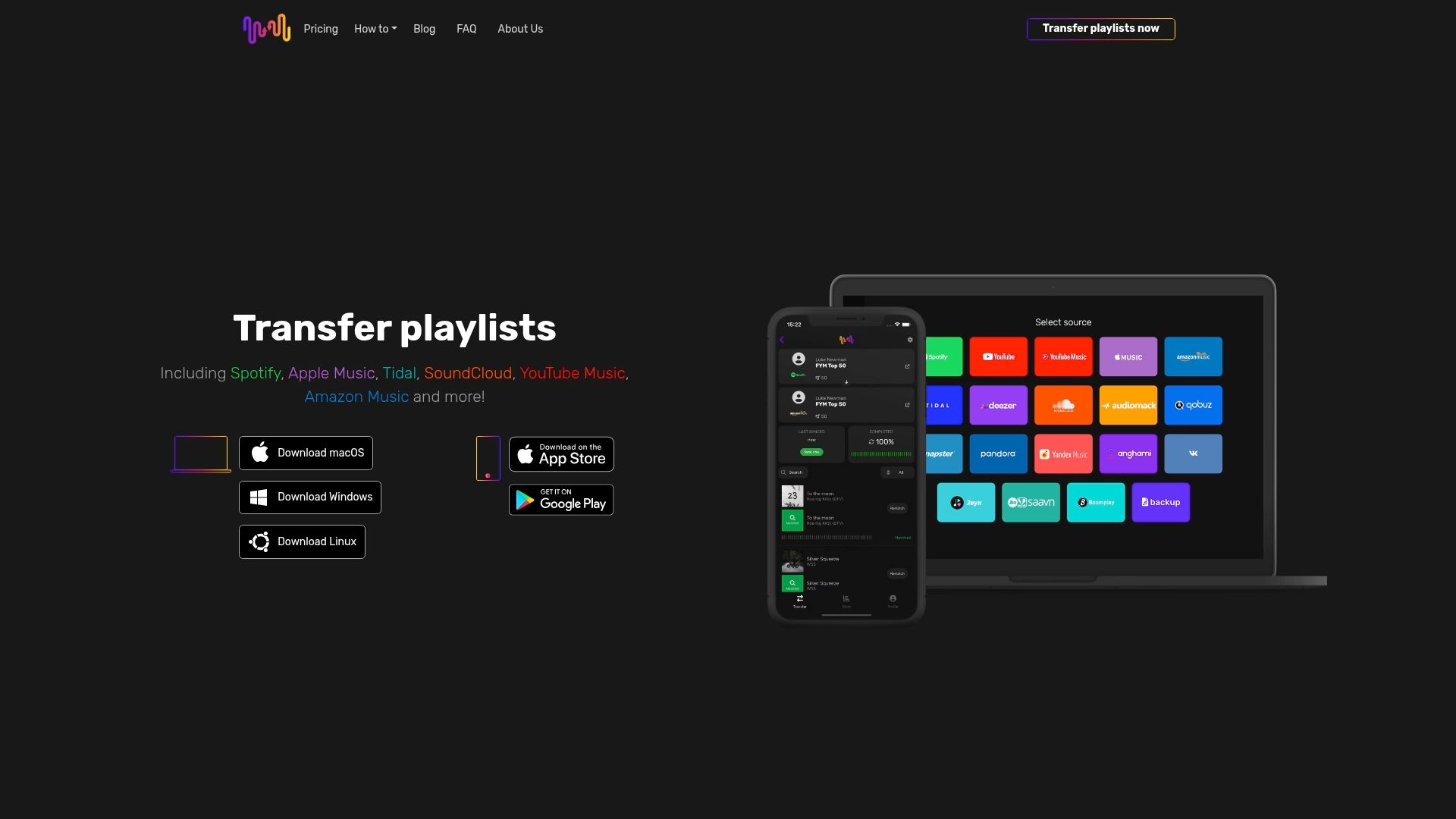
Experience seamless transitions with FreeYourMusic.com, a powerful platform designed to automate and secure your music transfers across top services like Spotify, Apple Music, and Tidal. Preserve playlist structure, synchronize unlimited playlists, and benefit from cloud backup options so your music stays safe no matter where you go. Don't let complex migrations steal your joy. Start your effortless music transfer today at FreeYourMusic.com and maintain full control over your music journey.
Explore how our technology tackles the pain points outlined in the guide and make switching music streaming services stress-free. Visit FreeYourMusic.com now to start your migration with confidence.
Frequently Asked Questions
How can I prepare my current music library before switching services?
It’s important to review your existing music library to avoid losing favorite tracks or playlists. Count your total songs, identify unique tracks, and make a backup spreadsheet of cherished playlists to ensure a smooth transition.
What features should I compare when selecting a new music streaming service?
Focus on key features like audio quality, pricing, library size, and device compatibility. Create a comparison spreadsheet to evaluate services based on these must-have attributes.
What should I look for in a playlist migration tool?
Choose a migration tool that supports multiple platforms and ensures high accuracy in transferring playlists. Look for a user-friendly interface and security features to safeguard your data during the transfer process.
How can I verify that my songs transferred correctly after migration?
Manually review your transferred playlists by checking song lengths and album artwork. Compare the total track count from your original and new playlists to confirm that nothing is missing.
What steps can I take to preserve my playlist order during migration?
Use advanced migration tools that maintain playlist structure, and verify the order of tracks after the transfer. Consider creating a backup screenshot of your original playlist to use as a reference.
How can I set up cloud backup for my music collection?
Select a cloud backup service with features like automatic backups and cross-platform accessibility. Regularly sync your music library to protect against data loss and ensure easy access to your collections.
Recommended
- Free Your Music - How To Switch Music Streaming Services
- Free Your Music - Understanding Music Subscription Switching Explained
- Free Your Music - 10 Tips for Transferring Your Music to a Different Streaming Platform
- Free Your Music - 7 Essential Music Streaming Tips for Users
- Roll av switchar i nätverk – Nyckeln till stabilitet


Migrate from and to any music services


Most popular Apple Music transfers: