Benefits of playlist sync for seamless music streaming
May 18, 2026

Switching music streaming platforms shouldn't mean losing hours rebuilding your carefully curated playlists. Manual playlist rebuilding can take hours and risks data loss, turning what should be an exciting platform upgrade into a tedious chore. Playlist synchronization tools eliminate this pain by automatically matching and transferring your music collections across services, preserving everything from track order to metadata while saving you massive amounts of time.
Table of Contents
- Introduction To Playlist Synchronization
- How Playlist Synchronization Works: Technical Mechanisms And Challenges
- Benefits Of Playlist Synchronization For Users
- Common Mistakes And Misconceptions In Playlist Transfers
- User Experience And Practical Applications
- Security And Privacy Considerations In Playlist Synchronization
- Choosing The Right Playlist Synchronization Service
- Summary And Next Steps For Music Enthusiasts
- Discover Free Your Music For Hassle-Free Playlist Transfer
Key takeaways
| Point | Details |
|---|---|
| Time savings | Automated synchronization reduces transfer time by up to 90% compared to manual methods. |
| Accuracy | Advanced matching algorithms achieve about 95% song accuracy across different platform catalogs. |
| Preservation | Synchronization maintains playlist structure, order, artwork, and descriptions during transfers. |
| Security | Cloud backup and auto-sync features protect playlists against accidental loss and ensure continuity. |
| Common pitfall | Exclusive licensing means 10-15% of songs may not transfer, but this beats manual error rates. |
Introduction to playlist synchronization
Playlist synchronization is the automated process of keeping your music collections consistent across multiple streaming platforms. When you switch from Spotify to Apple Music, or maintain accounts on several services simultaneously, synchronization tools handle the complex task of matching each song in your playlists to its equivalent on the destination platform.
This technology matters enormously for music enthusiasts who refuse to be locked into a single streaming service. Without synchronization, you face playlist transfer challenges that consume hours of your time and often result in incomplete or disorganized collections.
The pain points of manual transfers are significant:
- Time consumption that turns a simple platform switch into a multi-hour project
- Metadata loss including playlist descriptions, cover art, and custom ordering
- Playlist fragmentation where only portions of your collection successfully transfer
- Human error from typos, duplicates, or accidentally skipped tracks
- Frustration that makes users abandon platform switches entirely
Many users underestimate the complexity until they're halfway through manually searching for their 500th song. Others attempt CSV exports or third-party tools without understanding limitations, leading to disappointing results. The reality is that streaming platforms use different catalog structures, metadata formats, and song identifiers, making accurate manual matching nearly impossible at scale.
Playlist synchronization solves these issues by leveraging sophisticated algorithms that understand how different platforms organize music. Instead of you spending your weekend recreating playlists, these tools complete transfers in minutes while maintaining the integrity of your collections.
How playlist synchronization works: technical mechanisms and challenges
Understanding the technical process helps you appreciate why automated synchronization outperforms manual methods and set realistic expectations for transfer accuracy.
The synchronization sequence follows these steps:
- Account authentication where you securely connect both source and destination streaming platforms
- Playlist scanning that catalogs every song, including title, artist, album, and metadata
- Automated song mapping using advanced algorithms to match tracks across different catalogs
- Metadata preservation ensuring descriptions, artwork, and custom ordering transfer intact
- Transfer execution that creates new playlists or updates existing ones on the destination platform
- Verification checks that identify missing tracks and provide detailed transfer reports
- Optional auto-sync activation for continuous updates whenever you modify source playlists
The matching algorithms represent the real magic behind synchronization. These systems don't simply compare song titles, which would fail due to variations in formatting, featured artists, or remix versions. Instead, they analyze multiple data points including artist names, album information, track duration, and even audio fingerprints when available.
Song matching algorithms achieve about 95% accuracy despite catalog and licensing differences between platforms. The remaining 5% typically consists of exclusive releases, regional restrictions, or tracks removed from streaming catalogs entirely.
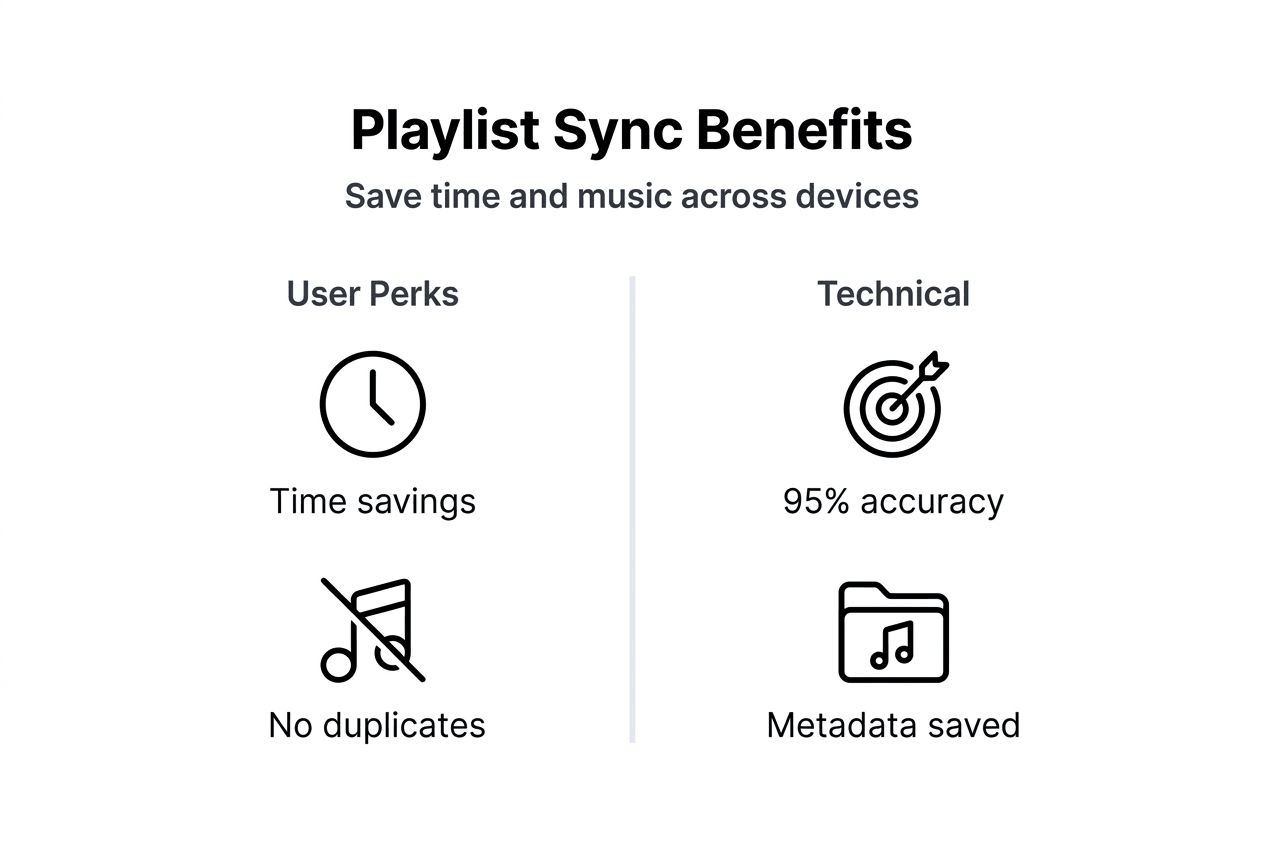
Challenges arise from several sources. Licensing agreements mean certain albums exist on Spotify but not Apple Music, or vice versa. Regional restrictions prevent some songs from appearing in specific countries. Platform-exclusive content like Tidal Masters or Spotify Singles requires alternative matches. Live versions, remixes, and remastered editions add complexity when the exact version isn't available on the destination service.
Metadata preservation extends beyond basic track information. Quality synchronization tools maintain playlist descriptions that explain the mood or purpose of your collection. Custom cover artwork you've added stays intact. Most importantly, the precise ordering of tracks, which often tells a story or creates a specific listening flow, transfers exactly as you arranged it.
Continuous synchronization features like auto-sync and cloud backup add another layer of value. Auto-sync monitors your source playlists for changes and automatically updates the destination, ensuring your collections stay identical across platforms. Cloud backup creates redundant copies protecting against accidental deletion or account issues.
Pro Tip: Before transferring large playlists, verify that your most important tracks exist on the destination platform by manually searching for a few key songs. Choose synchronization services with strong matching algorithms and playlist transfer best practices to minimize unavailable tracks.
Benefits of playlist synchronization for users
The advantages of automated synchronization extend far beyond simple convenience, delivering measurable time savings and qualitative improvements to your music experience.

Time savings rank as the most immediately noticeable benefit. Automated synchronization can reduce playlist transfer time by up to 90% compared to manual rebuilding. A 200-song playlist that would require 3-4 hours of manual searching and adding completes in 5-10 minutes with synchronization tools. For users with multiple playlists or extensive libraries exceeding thousands of tracks, the time savings multiply exponentially.
Playlist integrity remains intact throughout the transfer process. Your carefully constructed ordering that builds energy for workouts or creates narrative flow for themed collections transfers exactly as arranged. Album artwork and custom playlist descriptions that provide context survive the migration. This preservation means your destination playlists feel familiar and usable immediately, not like rough drafts requiring cleanup.
Accuracy improvements over manual methods prove substantial:
- Consistent song identification eliminates typos or confusion between similar titles
- Comprehensive transfers that don't miss tracks due to fatigue or distraction
- Duplicate prevention that manual methods often create accidentally
- Version matching that finds the closest alternative when exact matches aren't available
Real-time auto-sync benefits extend beyond initial transfers. When you discover new music and add it to your Spotify workout playlist, auto-sync automatically updates the Apple Music version you use during iPhone workouts. This continuity means you never encounter outdated playlists or wonder which version contains your latest additions.
User satisfaction improvements manifest in subtle but important ways. You switch platforms without anxiety about losing your music organization. You maintain accounts on multiple services without duplicate management effort. You explore new streaming platforms knowing you can easily migrate your entire library if you decide to make a permanent switch.
The convenience factor enables behavior changes too. Users who previously avoided platform switching due to transfer hassle now freely explore better pricing, superior sound quality, or exclusive content on competing services. The friction that once locked you into a single ecosystem disappears, giving you genuine freedom of choice.
Synchronization transforms platform switching from a dreaded weekend project into a quick 10-minute task that actually works.
Common mistakes and misconceptions in playlist transfers
Understanding frequent errors and myths helps you avoid frustration and set appropriate expectations for your playlist migrations.
The biggest misconception is that 100% of songs will transfer perfectly every time. Exclusive licensing agreements mean some content simply doesn't exist across all platforms. Typically, 10-15% of tracks may be unavailable on your destination service, requiring alternative versions or accepting gaps in your collection. This isn't a synchronization tool failure but rather a fundamental limitation of streaming catalogs.
Manual transfer risks include substantial data loss that users don't anticipate. 40-60% of manual playlist transfers result in metadata loss or changed order, transforming organized collections into messy approximations. Custom descriptions vanish. Artwork reverts to defaults. The careful sequencing you spent hours perfecting gets scrambled or forgotten entirely.
Expectation versus reality comparison:
| Misconception | Reality | Impact |
|---|---|---|
| All songs transfer perfectly | 85-95% typically match, 5-15% may be unavailable | Minor gaps in collection |
| Manual transfer preserves everything | 40-60% lose metadata or ordering | Significant organizational damage |
| Free tools match paid service quality | Free versions often limit transfers or accuracy | Incomplete migrations |
| CSV exports work universally | Platforms use incompatible formats | Technical failures |
| One-time sync is sufficient | Music libraries change constantly | Outdated destination playlists |
Another mistake involves choosing synchronization tools based solely on price rather than capability. Free services may limit the number of playlists you can transfer, restrict song counts, or use inferior matching algorithms that result in more missing tracks. The few dollars saved often translate into hours of manual cleanup work, destroying any value proposition.
Users also underestimate the importance of ongoing synchronization for active music listeners. Transferring once creates an initial copy, but your source playlists continue evolving as you add new discoveries and remove songs you've outgrown. Without auto-sync, your destination playlists become snapshots frozen in time, requiring repeated manual updates or complete re-transfers.
Ignoring playlist migration best practices leads to preventable problems. Users attempt transfers during platform trial periods that expire mid-process. They fail to verify destination account permissions. They don't review transfer reports to identify missing tracks.
Pro Tip: Use reputable synchronization services with proven track records and transparent user reviews. Read transfer reports carefully to identify any missing tracks early, giving you time to manually add critical songs or find suitable alternatives before your source account expires.
User experience and practical applications
Advanced synchronization features transform playlist management from a one-time transfer task into an ongoing convenience that enhances your daily music experience.
Multi-account synchronization benefits users who maintain subscriptions to multiple streaming services. Perhaps you use Spotify for its recommendation algorithms but prefer Tidal for high-fidelity audio during focused listening sessions. Or you maintain Apple Music for seamless iPhone integration while keeping YouTube Music for its video content and rare live recordings. Synchronization keeps all accounts current without manual duplication effort.
Cloud backup and multi-account sync improve playlist security and user convenience by creating redundant copies protected against accidental deletion, account issues, or platform closures. If you accidentally delete a cherished playlist you've built over years, cloud backup lets you restore it instantly rather than starting from scratch.
Metadata preservation delivers richer user experiences beyond basic functionality:
- Custom playlist descriptions that explain the mood, purpose, or story behind your collections
- Carefully selected cover artwork that visually represents your playlists
- Precise track ordering that creates narrative arcs or energy progression
- Collaborative playlist credits showing who added which songs
Practical applications extend across various user scenarios. Music enthusiasts exploring new platforms can test services risk-free, knowing their entire library transfers easily if they decide to switch permanently. DJs and music professionals manage identical collections across multiple platforms for different venue requirements or backup redundancy. Families synchronize shared playlists across members using different devices and preferred streaming apps.
Ongoing synchronization improves daily listening by eliminating the disconnect between platforms. When you build the perfect playlist for your morning routine on your desktop Spotify account, it's automatically available on your iPhone Apple Music app during your commute. New additions to collaborative playlists your friends contribute appear instantly across all your synced accounts.
The convenience factor reduces decision paralysis too. Users previously hesitant to try new streaming platforms due to migration complexity now freely explore promotional offers, superior sound quality options, or exclusive content libraries. The secure data retention practices of quality synchronization services mean your music organization remains protected throughout these explorations.
For users with extensive libraries exceeding hundreds of playlists and thousands of tracks, the organizational benefits prove invaluable. Attempting to manually maintain consistency across platforms would require tracking spreadsheets, scheduled update sessions, and inevitable errors. Automated synchronization handles this complexity invisibly, letting you focus on discovering and enjoying music rather than managing technical details.
Security and privacy considerations in playlist synchronization
Protecting your music data and account credentials requires careful evaluation of synchronization services' security protocols and privacy practices.
Encrypted data transfer represents the foundational security requirement. Quality synchronization services use industry-standard encryption protocols (typically TLS 1.3 or higher) to protect your playlist information and account credentials during transmission between your device, the synchronization service, and streaming platforms. This encryption prevents interception by malicious actors attempting to steal login information or monitor your music preferences.
Data storage security extends beyond transmission to how services store your information on their servers. Reputable platforms implement encryption at rest, meaning your stored playlist data remains encrypted even if someone gains physical access to their servers. This dual-layer encryption approach (in transit and at rest) provides comprehensive protection.
Playlist synchronization services use data encryption and comply with privacy regulations like GDPR to protect users and demonstrate serious commitment to data handling standards. GDPR compliance, even for services operating outside Europe, signals adherence to strict privacy principles including data minimization, purpose limitation, and user rights to access or delete their information.
Risks of unauthorized access emerge when using non-secure synchronization services:
- Account compromise where weak security allows hackers to access your streaming subscriptions
- Data harvesting where services sell your music preference information to advertisers
- Credential theft that exposes passwords you may have reused across multiple accounts
- Privacy violations from services accessing more account data than necessary for transfers
Trust signals help identify secure synchronization services. Transparent privacy policies written in clear language rather than obscure legal jargon demonstrate respect for users. Strong reputation evidenced by positive reviews, industry recognition, and longevity in the market suggests reliable operations. Clear data handling explanations specifying what information is collected, why, and how long it's retained build confidence.
Authentication methods matter significantly. Services using OAuth-based authentication never receive or store your actual streaming platform passwords. Instead, you authenticate directly with Spotify, Apple Music, or other services, which then provide temporary access tokens to the synchronization tool. This approach limits exposure and allows you to revoke access at any time through your streaming platform's security settings.
Your playlist data reveals personal information about your mood, cultural preferences, and daily routines. Protecting this data isn't paranoia; it's responsible digital citizenship in 2026.
Regularly reviewing connected applications in your streaming platform security settings lets you audit which services have access to your account. Remove synchronization tools you no longer use and verify that active connections have appropriate permission levels (typically read access to playlists and limited write access for creating new playlists).
For additional security, consider using unique, strong passwords for each streaming platform and enabling two-factor authentication where available. While synchronization services handle the technical transfer work, your streaming accounts themselves represent the primary security layer protecting your music library and personal information.
Choosing the right playlist synchronization service
Selecting the optimal synchronization tool requires evaluating several critical criteria that directly impact your transfer success and ongoing satisfaction.
Accuracy of song matching algorithms stands as the top priority. Services with sophisticated matching technology achieve 95% or higher success rates by analyzing multiple data points per track. Inferior algorithms relying solely on title matching frequently miss songs or select wrong versions, requiring extensive manual cleanup. Research user reviews and independent testing to identify services with proven accuracy track records.
Supported streaming platforms and device compatibility determine whether a service meets your specific needs:
- Platform coverage spanning your current and potential future streaming services
- Operating system support for your devices (Windows, macOS, Linux, iOS, Android)
- Browser-based options for occasional use without installing software
- API integration quality with each platform affecting transfer speed and reliability
Continuous synchronization features separate one-time transfer tools from comprehensive playlist management solutions. Cloud backup protects against accidental deletion or account issues. Auto-sync keeps destination playlists current as you modify source collections. Multi-account support enables maintaining identical libraries across multiple streaming services without duplication effort.
Service comparison for informed decisions:
| Service | Key Features | Best For | Limitations |
|---|---|---|---|
| Free Your Music | 20+ platforms, cloud backup, auto-sync, multi-account | Users needing comprehensive synchronization with ongoing updates | Premium features require subscription |
| Soundiiz | Batch transfers, playlist merging, import from files | Budget-conscious users with moderate transfer needs | Limited free tier, slower transfers |
| TuneMyMusic | Simple interface, quick one-time transfers | Casual users switching platforms once | No auto-sync, basic matching |
Ease of use impacts your willingness to actually utilize synchronization features regularly. Intuitive interfaces with clear instructions reduce frustration and errors. Detailed transfer reports showing exactly which tracks matched and which didn't provide transparency and enable informed manual additions of critical missing songs.
Customer support quality becomes crucial when issues arise. Responsive support teams that understand technical details can troubleshoot authentication problems, explain missing tracks, or help optimize large transfers. Services offering comprehensive documentation, video tutorials, and active user communities provide resources for self-service problem solving.
Pricing structures vary significantly across services. Free tiers often impose limits on playlist count, total songs transferred, or platform compatibility. Paid subscriptions typically remove these restrictions and unlock advanced features like auto-sync and cloud backup. Evaluate pricing relative to your usage patterns; users with extensive libraries and multiple platform accounts gain substantially more value from premium features than casual users performing single one-time transfers.
Reliability and longevity matter when trusting a service with your music library management. Established services with multi-year operating histories demonstrate sustainable business models and technical stability. New entrants may offer attractive features but risk closure or acquisition that disrupts your synchronization workflows.
Pro Tip: Free Your Music excels for users requiring robust multi-account support and real-time synchronization capabilities. Its comprehensive platform coverage, strong matching algorithms, and smart music sharing methods make it ideal for serious music enthusiasts maintaining extensive libraries across multiple streaming services.
Summary and next steps for music enthusiasts
Playlist synchronization represents a transformative technology that eliminates the friction historically locking users into single streaming platforms and enables true freedom of choice in the music streaming marketplace.
The benefits deliver measurable improvements to your music experience:
- Time savings of up to 90% compared to manual playlist rebuilding
- Accuracy rates around 95% that preserve your collection's integrity
- Metadata and ordering preservation maintaining your organizational work
- Ongoing synchronization keeping all platforms current automatically
- Security through cloud backup and encrypted data handling
Common pitfalls to avoid include expecting 100% perfect transfers despite licensing limitations, underestimating manual transfer difficulty, choosing tools based solely on price rather than capability, and neglecting ongoing synchronization for evolving libraries.
The right synchronization service transforms platform switching from a dreaded multi-hour project into a quick 10-minute task. Evaluate services based on matching accuracy, platform support, continuous sync features, ease of use, and proven reliability. Invest in tools that provide comprehensive capabilities rather than settling for limited free alternatives that create more work through inferior results.
For music enthusiasts serious about maintaining organized, accessible collections across multiple platforms, specialized synchronization services provide essential infrastructure. The small investment in quality tools pays dividends through saved time, reduced frustration, and enhanced confidence to explore new streaming options without fear of losing your carefully curated playlists.
Discover Free Your Music for hassle-free playlist transfer
Now that you understand the technical processes and benefits of playlist synchronization, it's time to experience these advantages firsthand with a service designed specifically for comprehensive music library management.
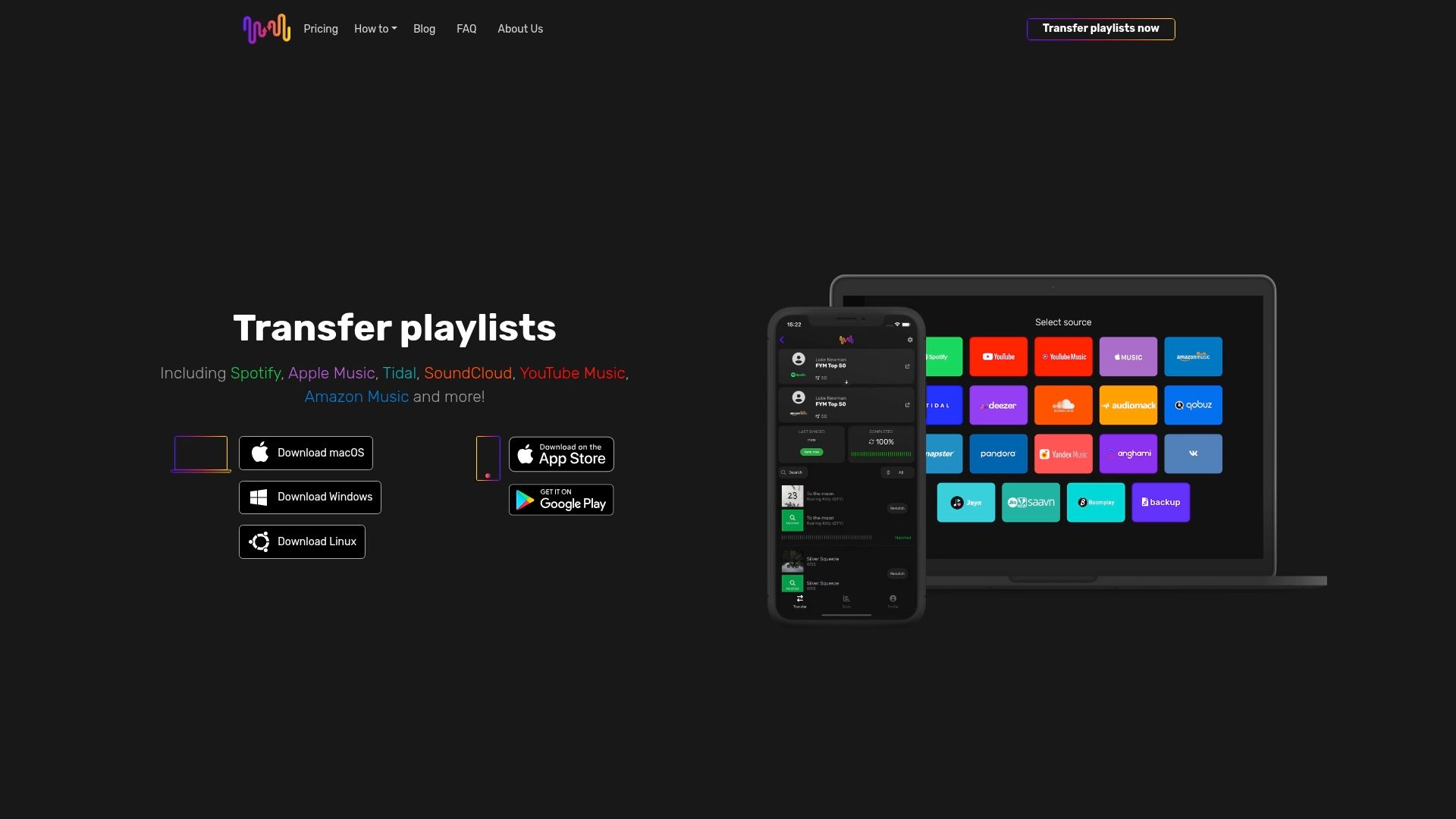
Free Your Music supports over 20 streaming platforms including Spotify, Apple Music, Tidal, YouTube Music, Amazon Music, and specialized services. Advanced matching algorithms ensure maximum accuracy while preserving your playlist structure, metadata, and custom ordering throughout transfers.
Multi-account synchronization keeps identical libraries across all your streaming services without duplication effort. Cloud backup protects your playlists against accidental deletion or platform issues. Auto-sync continuously updates destination playlists as you modify source collections, maintaining perfect consistency.
The platform works seamlessly across Windows, macOS, Linux, iOS, and Android devices, providing flexibility for any workflow. Detailed transfer reports show exactly which tracks matched and identify any missing songs, giving you full transparency and control.
Explore Free Your Music's comprehensive playlist transfer solutions with confidence. Specialized features like Audius playlist transfers demonstrate the platform's commitment to supporting even niche streaming services. Plus, a clear refund policy ensures risk-free exploration of premium features. Start your seamless music migration today.
Frequently asked questions
What is playlist synchronization and why is it important?
Playlist synchronization automatically keeps your music collections consistent across multiple streaming platforms by matching and transferring tracks, metadata, and ordering. It's important because it eliminates hours of manual rebuilding work when switching services, preserves your organizational effort, and enables freedom to explore different platforms without losing your carefully curated playlists.
How accurate are playlist synchronization tools in matching songs?
Quality synchronization tools achieve approximately 95% accuracy in matching songs across different platform catalogs using advanced algorithms that analyze multiple data points including artist, album, duration, and audio characteristics. The remaining 5% typically consists of platform-exclusive content, regional restrictions, or tracks unavailable due to licensing agreements. This far exceeds manual transfer accuracy, which suffers from human error and inconsistent searching.
Can I synchronize playlists across multiple streaming platforms at once?
Yes, advanced synchronization services like Free Your Music support multi-account synchronization that keeps identical playlists across all your streaming platforms simultaneously. This feature is particularly valuable for users maintaining subscriptions to multiple services for different purposes, such as using Spotify for discovery while preferring Tidal for high-fidelity listening. Auto-sync keeps all platforms current whenever you modify any source playlist.
What are typical reasons some songs don't transfer between services?
Songs fail to transfer primarily due to exclusive licensing agreements where certain albums or tracks exist only on specific platforms, regional restrictions preventing content availability in particular countries, removed content where tracks have been deleted from streaming catalogs entirely, and version mismatches where the exact recording (live, remix, remaster) isn't available on the destination service. These catalog differences represent fundamental streaming industry limitations rather than synchronization tool failures.
How do synchronization services protect my playlist data and privacy?
Reputable synchronization services implement encrypted data transfer using industry-standard protocols, store information with encryption at rest on secure servers, comply with privacy regulations like GDPR demonstrating commitment to data protection standards, use OAuth-based authentication that never stores your actual streaming platform passwords, and provide transparent privacy policies explaining exactly what data is collected and how it's used. Always verify these security features before trusting a service with your account credentials.
Recommended


Migrate from and to any music services


Most popular Apple Music transfers: